
TL;DR — Best Online Community Platforms I’ve Tested (2026)
An online community platform lets you create a private, owned space where your audience can connect, discuss, learn, and stay engaged beyond one-off content or courses.
In the AI age where information is cheap and instantly generated, connection, belonging, and shared experience are the real value. For edupreneurs and expertise-based businesses, communities drive retention, trust, and recurring revenue in ways standalone courses no longer can.
Here’s a quick snapshot of the platforms in my experience.
1. Mighty Networks – Best overall community platform for running paid memberships, challenges, events.
2. Circle – Best for structured, paid communities that combine discussions, courses, events, and basic email
3. Skool – Best for beginners and programs that rely on daily participation and accountability
4. Thinkific – Best for course-first businesses that want a simple community layer around learning
5. Kajabi – Best for edupreneurs who want community tied directly to funnels, email, checkout, and product delivery
6. BuddyBoss – Best for WordPress users who want full ownership and deep customization
7. Bettermode – Best for branded customer education, support, and resource hubs
8. Hivebrite – Best for professional, alumni, nonprofit, and association communities
9. Discourse – Best for knowledge-first communities like support hubs and developer forums
Note: This page contains affiliate links. If you purchase through links on this page, we may earn a commission at no additional cost to you.
Community Platforms: Build, Engage, and Grow Your Business
In a world where people can learn almost anything with a simple prompt in ChatGPT, Gemini, or any other generative AI platform, selling information alone isn’t as lucrative as it used to be.
People want something more.
They want engagement, personal connection, interactivity, and exchange of ideas.
I’ve seen this market shift closely over the last few years. The most successful edupreneurs I know, now consider an active community critical to their business growth.
And it makes complete sense.
A survey found that 27% of consumers actively participate in online communities. Another study found that 98% of online community members feel a sense of belonging to their community.
By packaging informational products and courses with online communities, you can create an irresistible offer that not only attracts leads but also strengthens your relationship with your audience
That’s what online community platforms like Circle, Skool, Mighty Networks, and others let you do.
They are powerful tools for building communities you can run alongside your established online course business.
However, online community software vary in features and pricing. Plus, they’re designed for different use cases, industries, and community goals.
To help you find the best option for your business, we’ve dissected the best online community platforms in this article along with their core strengths and weaknesses.
Read: How to start an online community for your business
The Best Online Community Platforms | Pricing & Features Compared (2026)
Here’s a bird’s eye view of the best online community platforms and software in my experience.
| Platform | Best For | Starting Price |
|---|---|---|
| Mighty Networks | Creators + edupreneurs running paid memberships with strong engagement (discussions, events, challenges) | $79/month |
| Bettermode | SaaS/training orgs that need a branded support + resource hub (knowledge base + structured discussion) | $0/month (Starter) |
| BuddyBoss | WordPress-based course + community sites that want full ownership + deep customization | $299/year |
| Circle | Edupreneurs who want community + courses + events + payments + basic email in one hosted platform | $89/month (annual billing) |
| Thinkific | Course-first businesses that want a simple community layer tied to learning | $36/month (annual billing) |
| Skool | Coaches/cohort programs that depend on daily participation, accountability, and peer interaction | $9/month |
| Kajabi Communities | Edupreneurs who want community connected to courses + email + landing pages + funnels + payments | $143/month (annual billing) |
| Hivebrite | Professional networks (alumni, nonprofits, universities, associations) needing structure + scale | Custom pricing |
| Discourse | Knowledge-first communities (support hubs, developer forums, product feedback) | Free (self-hosted) or $20/month (hosted) |
Read: 15+ proven ways to boost online community engagement
The Best Community Platforms by Category
Not all community platforms are built for the same job. In practice, they fall into two clear categories, and choosing the wrong one is where most people struggle.
1) Community Platforms for Creators & Entrepreneurs
These platforms treat community as part of the product. They’re built for edupreneurs, coaches, and creators who want discussion, interaction, and relationships to drive retention and revenue—often alongside courses, memberships, challenges, or events.
They focus on ease of use, engagement mechanics, and monetization rather than enterprise controls.
Top picks in this category:
- Mighty Networks – Best for running paid memberships, challenges, and events with strong, recurring engagement
- Circle – Best for structured, paid communities with integrated courses, events, payments, and email
- Skool – Best for cohort-based programs where daily participation and accountability matter most
- Kajabi Communities – Best for creators who want community connected directly to funnels, email, checkout, and product delivery
- Thinkific Communities – Best for course-first businesses that want discussions tied closely to learning
2) Organizational Community Platforms
These platforms exist to organize people at scale. They’re built for professional networks, customer communities, alumni groups, and support hubs where structure, moderation, discovery, and long-term knowledge matter more than gamified engagement.
They emphasize roles, permissions, analytics, and searchability over creator-style monetization.
Top picks in this category:
- Bettermode – Best for branded customer education, support, and resource hubs
- Hivebrite – Best for professional, alumni, nonprofit, and association communities with mentoring and networking needs
- Discourse – Best for searchable, knowledge-first communities like product support and developer forums
These are all great platforms when aligned correctly with your business goals.
Since I’ve used all of them, let me give you a more detailed review of each platform and help you understand their unique strengths and weaknesses.
1. Mighty Networks – Best All-In-One Community Platform

- Core features: Community spaces & discussions, courses & challenges, native mobile apps
- Starting price: $79/month (Launch plan)
- Best for: Creators and edupreneurs who want to run a paid, engagement-driven membership with recurring discussions, events, and challenges
- Not for: Businesses that only need a basic forum, help desk, or chat-only community with minimal structure
Mighty Networks is a community platform built to help creators and edupreneurs turn communities into sustainable businesses.
It solves a problem many community platforms ignore: keeping members active, connected, and willing to pay month after month.
At its core, Mighty lets you build a community around discussions, events, challenges, and shared goals. You can structure conversations using feeds or chat-style spaces, run polls and questions, and schedule prompts that give members a reason to show up daily.
Discussions stay visible, organized, and member-driven instead of fading into the background.
Beyond conversation, Mighty allows you to sell memberships, paid challenges, mini-courses, full courses, and ticketed events directly inside the community.
Payments, access control, and content delivery all live in one place.
Mighty also includes AI Cohost, which helps you design your community structure, generate engagement prompts, and apply its Community Design™ framework so your community stays active without constant manual effort.
Main features in Mighty Networks
- Feed-based or chat-based communities built for ongoing discussion
- Polls, questions, streaks, and recognition that drive member participation
- Built-in courses, challenges, and paid events
- Native iOS and Android apps that increase daily engagement
- AI Cohost for community design and engagement planning
- Multiple spaces that combine discussions, content, and events
- Flexible monetization for memberships and one-off offers
| Pros | Cons |
|---|---|
| Designed specifically for paid, recurring communities | Higher starting price than simple forum tools |
| Strong engagement mechanics that encourage member-led activity | Requires thoughtful setup to get the most value |
| Native mobile apps included on all plans | Limited advanced LMS-style assessments |
| AI Cohost reduces ongoing content planning effort | Branding flexibility below Mighty Pro is limited |
| Excellent fit for challenges and membership programs | Not ideal for purely content-only businesses |
See our full Mighty Networks review >>

2. Bettermode (formerly Tribe)

- Core features: Modular community spaces, white-labeled CMS, AI search & moderation
- Starting price: $0/month (Starter), $49/month (Pro)
- Best for: SaaS companies, training organizations, and edupreneurs who need a branded customer + learning hub for support, resources, and structured discussion
- Not for: Creators who want a community-as-the-product business with native memberships, challenges, and course sales
Bettermode is a community platform built to function as a branded customer and learner hub, not a social feed.
It’s designed for businesses (not solopreneurs) that want customers or learners to find answers, explore resources, and participate in structured discussions without bouncing between tools.
Instead of one generic discussion board, Bettermode uses purpose-built spaces.
You can create forums for Q&A, a searchable knowledge base for tutorials, an academy area for structured learning content, an ideas or wishlist board for feedback, event spaces, directories, and even job boards.
Each space type serves a specific behavior, which makes engagement more intentional than “post and hope someone replies.”
Bettermode gives you ready-made templates for support communities, product education hubs, coaching programs, and customer success portals.
These templates pre-configure layouts, navigation, and space types so members know where to go and what to do.
Its engagement features focus on clarity and discovery, not habit loops.
It also includes AI-powered search which surfaces answers across discussions and resources.
Its moderation tools and AI filters help you manage spam, flag risky content, and keep conversations on-brand.
However, Bettermode doesn’t replace a full edupreneur stack.
There’s no native course checkout, memberships billing, or challenge-based engagement like Mighty.
You have to connect it to your LMS or payments instead of running everything inside one platform.
Main features in Bettermode
- Modular space types for discussions, knowledge bases, academies, events, and feedback
- Pre-built templates for support, education, and customer communities
- AI search that surfaces answers across posts and resources
- Strong moderation tools with automation and spam protection
- Fully white-labeled design with custom domains and layouts
- Private messaging, mentions, and role-based access controls
- Built-in multilingual and localization support for global audiences
| Pros | Cons |
|---|---|
| Clear separation between discussion, learning resources, and feedback | No native course selling or membership billing |
| Templates help non-technical teams launch structured communities fast | Engagement is discovery-driven, not habit-driven |
| Excellent for product education, support, and customer success | Requires integrations to complete an edupreneur tech stack |
| Strong moderation, permissions, and multilingual capabilities | Less suited for challenge- or cohort-based programs |
| Feels like a branded product, not a generic community site | Add-ons required for advanced SSO, APIs, and workflows |

3. BuddyBoss – Best WordPress-Based Community Platform

- Core features: WordPress-based community platform, LMS integrations for courses, native mobile apps
- Starting price: $299/year for BuddyBoss Web (mobile apps are a separate paid product)
- Best for: Edupreneurs, training businesses, and organizations that want full ownership, deep customization, and WordPress-level control over courses and community
- Not for: Creators who want a hosted, low-maintenance, strategy-led platform that works out of the box
BuddyBoss is a WordPress-based platform built to help you create a fully owned course and community ecosystem on your own website. It built for people who don’t want their business locked inside a hosted platform and instead want control over branding, data, infrastructure, and extensibility.
At the community level, BuddyBoss includes membership features that allow users to create detailed profiles, follow or connect with other members, join groups, post updates, comment, react, mention other members, and communicate through private messages.
You can organize interaction through activity feeds, topic-based groups, events, job boards, and directories. These features work without algorithms, meaning posts appear based on participation rather than platform rules.
For learning, BuddyBoss does not replace an LMS. Instead, it integrates with tools like LearnDash, LifterLMS, Tutor LMS, and MemberPress Courses.
This setup allows you to combine structured courses with community discussions, group-based learning, quizzes, certificates, lesson unlocks, and Zoom-based sessions.
BuddyBoss also offers true native iOS and Android apps built with React Native. These apps support push notifications, offline access, and full white-label publishing under your own app store accounts.
What BuddyBoss does not provide is a guided business framework. You design the experience, choose the plugins, manage hosting, and maintain the system yourself.
Main features in BuddyBoss
- Membership features that support profiles, groups, feeds, and private messaging
- Deep LMS integrations instead of a locked-in course system
- Native iOS and Android apps published under your own developer accounts
- Gamification with points, ranks, leaderboards, achievements, and competitions
- Granular access controls for courses, memberships, and private groups
- Full WordPress extensibility with thousands of plugins and integrations
- Developer tools, APIs, and open-source flexibility for custom builds
| Pros | Cons |
|---|---|
| Full ownership of data, users, and platform infrastructure | Requires WordPress hosting, setup, and ongoing maintenance |
| No hard limits on members, courses, or community features | Steeper learning curve than hosted platforms |
| Works with best-in-class LMS tools instead of forcing one | Mobile apps add significant cost |
| Native mobile apps with push notifications and offline access | No built-in strategy or opinionated community framework |
| Ideal for large, long-term platforms that need flexibility | Overkill for small or early-stage creators |
See our full BuddyBoss review >>

4. Circle – The Most User-Friendly Community Platform
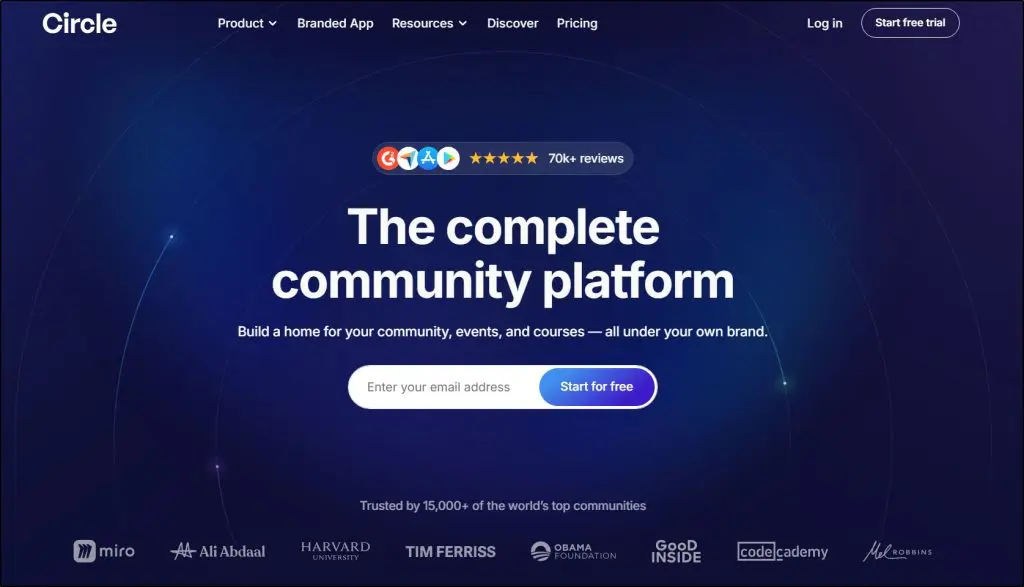
- Core features: Community spaces, built-in courses & events, payments + automation
- Starting price: $89/month (Professional plan, annual billing)
- Best for: Edupreneurs, creators, and community-led businesses who want an all-in-one hosted platform that combines community, courses, events, payments, and basic marketing
- Not for: Organizations that want full infrastructure ownership (WordPress-level control) or highly custom, developer-led builds
Circle is a hosted community platform designed to act as the central operating system for a community-led business.
It exists to replace fragmented setups where communities live in Slack, courses live in an LMS, events run on Zoom, and payments happen elsewhere. Circle pulls all of that into one system.
Circle is one of the few platforms that clearly understands that for edupreneurs, community is not a side feature. It is the product, the funnel, and often the retention engine.
It does community better than most platforms because it treats structure as a first-class feature.
You don’t just create a feed and hope engagement happens. You create intentional spaces for discussions, chat, cohorts, directories, and private or paid groups.
You can control user access through memberships, subscriptions, or one-time purchases, which makes Circle especially strong for paid communities, alumni spaces, and cohort-based programs.
Where Circle really stands out for edupreneurs is how tightly it connects community, learning, and monetization.
Circle includes course features that let you publish lessons, gate content by membership level, and bundle courses directly with community access.
This works extremely well for cohort programs and memberships where learning and discussion need to live side by side, even if Circle isn’t trying to compete with a full enterprise LMS.
I also like Circle’s approach to email marketing. You can send broadcasts, create basic automations, and segment your audience based on behavior inside the community.
Because email is tied directly to posts, events, courses, and memberships, it’s very effective for onboarding, reminders, launches, and re-engagement. It won’t replace a sophisticated ESP, but for most edupreneurs, it removes the need for yet another tool.
Circle’s AI features are practical, not gimmicky. You can deploy AI agents trained on your community posts, comments, courses, and resources to answer common questions, guide onboarding, and summarize discussions. AI summaries make long threads usable over time, and AI workflows reduce manual moderation and admin work as the community grows.
What Circle doesn’t try to do is give you infrastructure control. You don’t manage hosting, plugins, or databases. That’s a tradeoff I actually like for many edupreneurs. Compared to BuddyBoss, Circle gives up deep customization in exchange for speed, clarity, and far less technical friction.
Main features in Circle
- Community spaces for discussions, chat, directories, and gated groups
- Built-in courses that connect directly to memberships and community access
- Events, live streams, and live rooms without external tools
- Integrated payments for memberships, subscriptions, and one-time offers
- Email marketing and audience segmentation inside the same platform
- AI agents for onboarding, moderation support, summaries, and guidance
- Website and landing page builder connected to access rules and payments
| Pros | Cons |
|---|---|
| Combines community, courses, events, payments, and email in one hosted platform | Less control over infrastructure compared to WordPress-based solutions |
| Strong fit for community-led businesses and paid memberships | Course features are solid but not LMS-deep |
| Built-in payments and checkout reduce tool sprawl | Advanced automation and AI features require higher-tier plans |
| AI agents reduce admin workload as communities scale | Pricing increases quickly as teams, spaces, and features grow |
| Fast to launch with minimal technical setup | Not ideal for highly customized or developer-heavy builds |

5. Thinkific – Best Course Features With Basic Community Tools
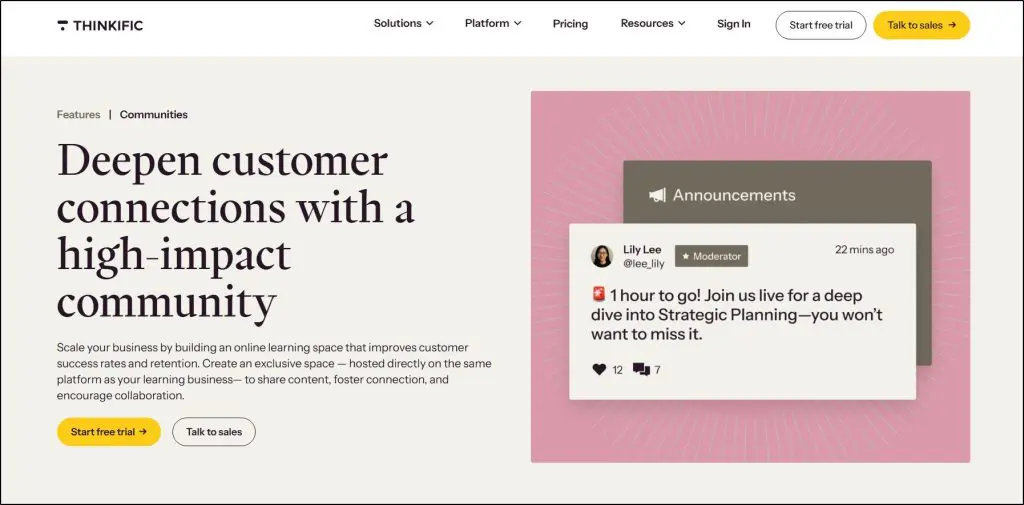
- Core features: Course-connected communities, private spaces & discussions, notifications and analytics
- Starting price: $36/month (Basic, annual billing)
- Best for: Edupreneurs who run a course-first business and want a simple way to add community engagement around learning
- Not for: Businesses looking to build a community-led product with deep engagement, automation, or monetization features
I’ve been using Thinkific since its early days, and I still see it first and foremost as a learning management system, not a specialized community platform.
Thinkific Communities exist to support courses, not replace dedicated community tools (and that distinction matters).
Thinkific’s core strength is that it’s one of the best online course platforms available, with a consistently strong learning experience for students.
It includes built-in email marketing and landing page capabilities that are more than sufficient for most edupreneurs.
If courses are central to your business and you want a community layer to manage engagement and retention, Thinkific is a great choice.
Thinkific Communities, its community feature, allow you to create private spaces linked directly to your courses and memberships.
You can run threaded discussions, enable reactions, allow direct messaging, and organize conversations around learning topics.
Because communities live on the same platform as your courses, learners can move between lessons and discussions without friction, which works well for customer training, cohort programs, and membership-based education.
You can control access through course enrollment or memberships, set up private spaces for specific groups, and moderate discussions using built-in moderator roles.
Notifications, weekly digests, and mobile access help keep learners informed without overwhelming them.
Main features in Thinkific Communities
- Communities connected directly to courses and memberships
- Private spaces for cohorts, programs, or select learner groups
- Threaded discussions, reactions, and direct messaging
- Notifications, weekly email digests, and mobile access
- Live events and Zoom-based sessions inside the platform
- Community analytics to identify active and influential learners
| Pros | Cons |
|---|---|
| Seamless connection between courses and discussions | Community features are intentionally limited |
| Strong learning experience for students | No AI or automation for community engagement |
| Built-in email and landing pages reduce tool sprawl | Not designed for community-first businesses |
| Simple to launch and manage | Limited customization and engagement mechanics |
See our Thinkific Community review >>

6. Skool – Simplest Online Community Platform
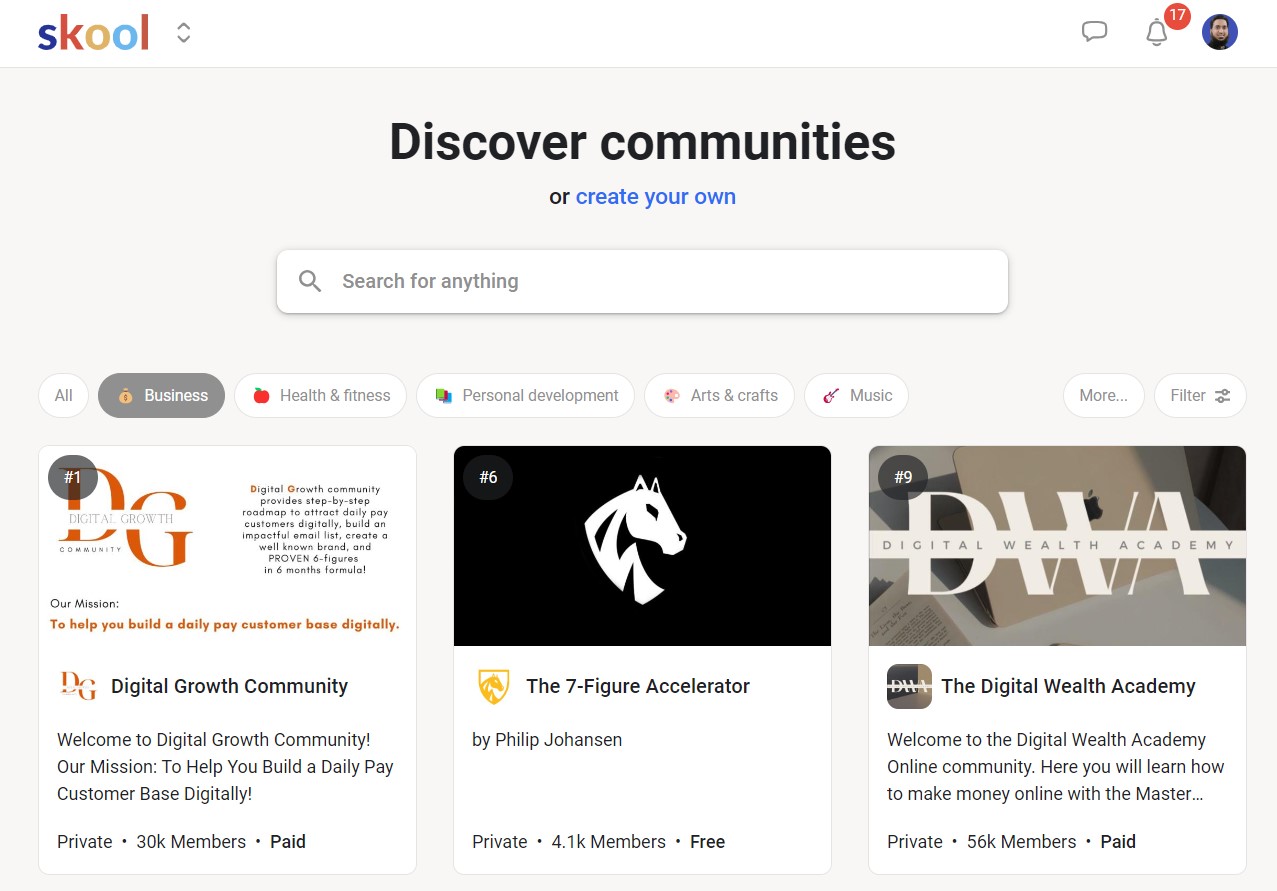
- Core features: Community-first discussions, simple courses, gamification
- Starting price: $9/month (Hobby) or $99/month (Pro)
- Best for: Coaches, creators, and cohort-based programs that depend on daily participation, accountability, and peer interaction
- Not for: Businesses that need advanced LMS features, strong branding control, email marketing, or automation
Skool is one of the clearest examples of a community-first learning platform.
It exists for one reason: to keep people showing up and participating.
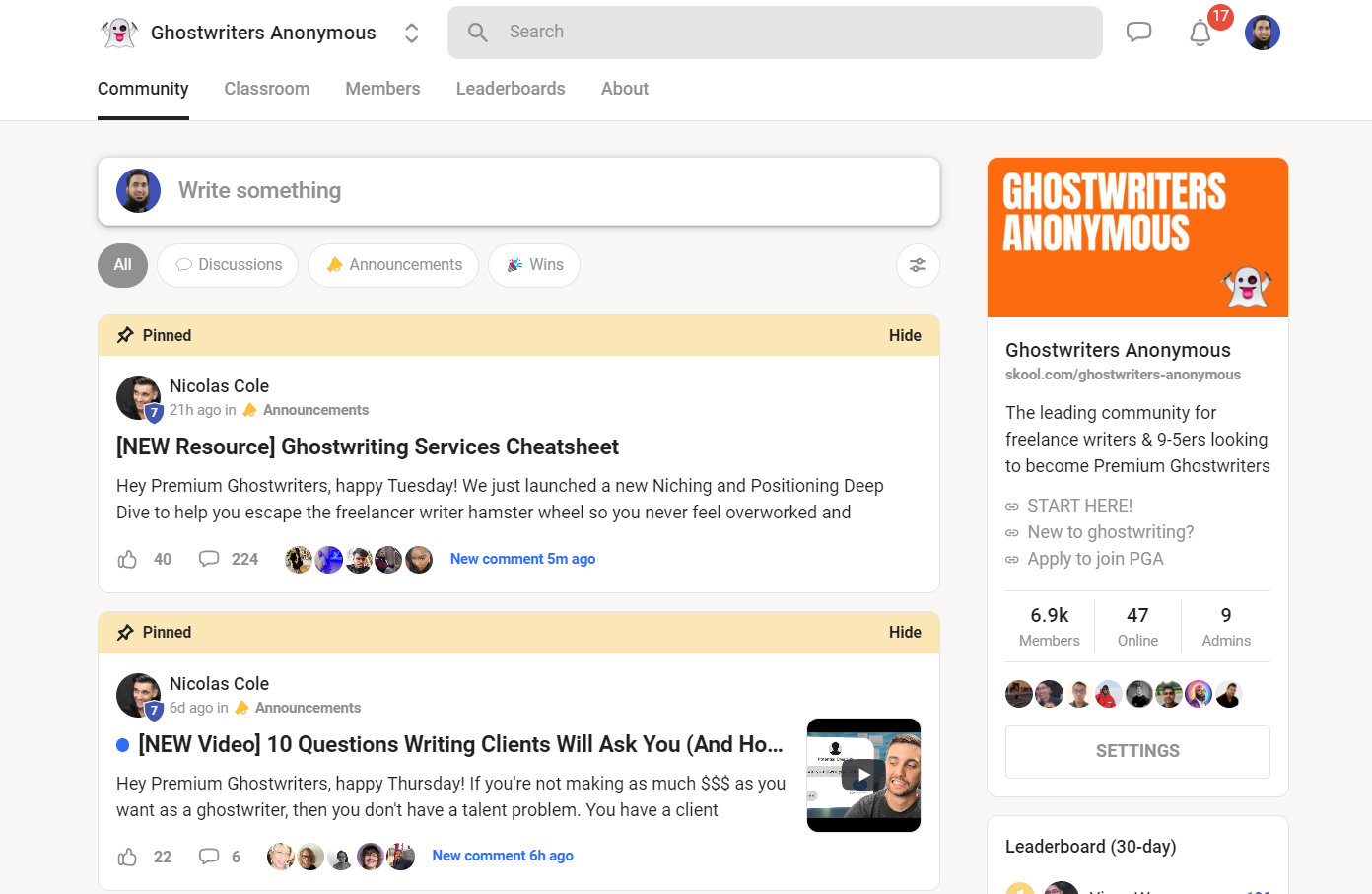
Skool combines a discussion-based community, a simple course area, events, and built-in payments in one space.
You create a group, add your content, and members spend most of their time inside the community feed.
Courses act as structure, but conversation does the heavy lifting. This works especially well for coaching programs, cohort courses, fitness groups, and skill-based communities where progress depends on consistency and accountability.
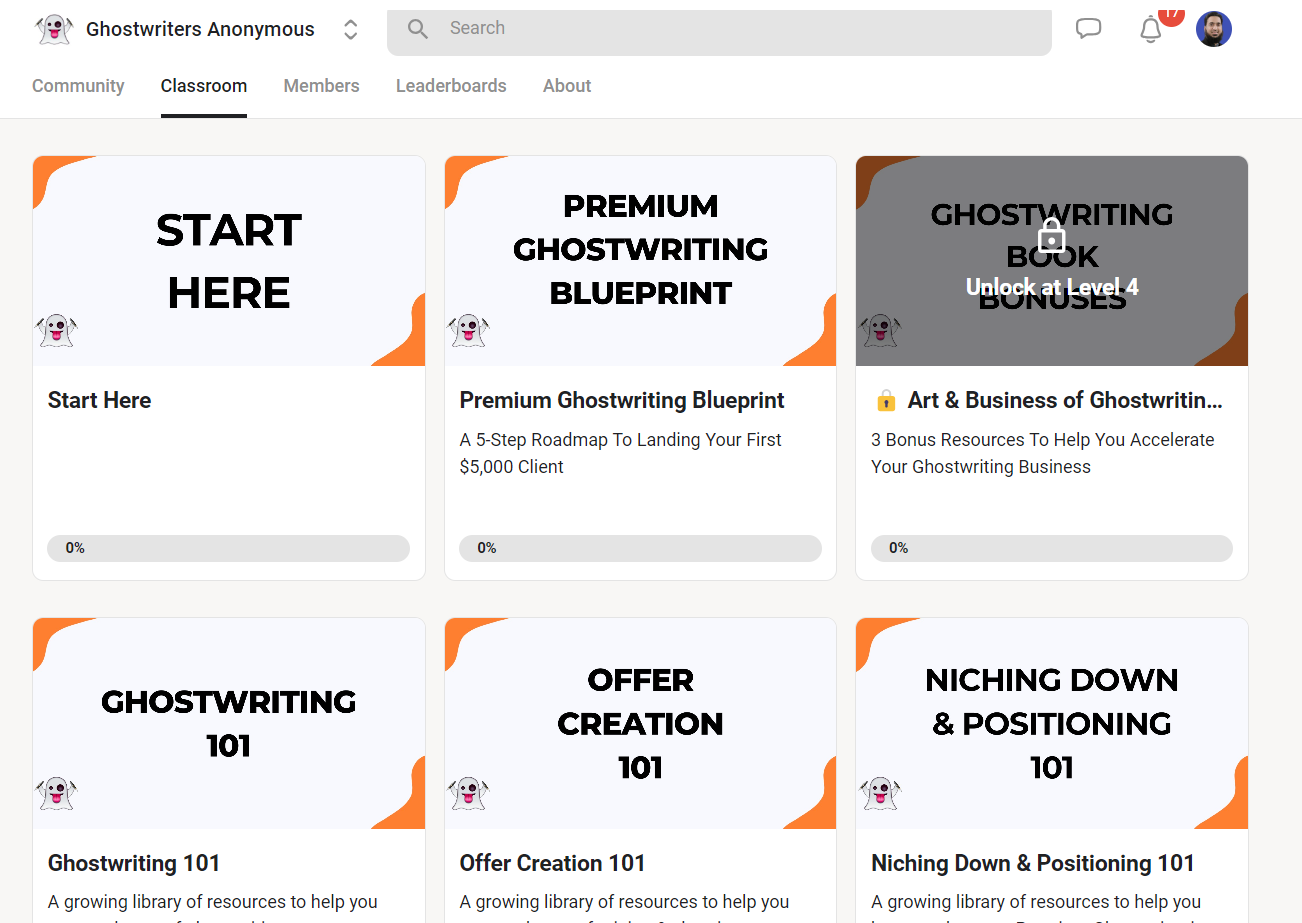
What really sets Skool apart is gamification. Points, levels, and leaderboards reward participation and make progress visible, which consistently leads to higher engagement than most platforms I’ve tested.
Skool intentionally avoids complexity. There’s no email marketing, automation, or advanced LMS tooling.
If community interaction is the product, Skool shines. If content delivery or branding matters more, it won’t be enough.
Main features in Skool
- Community hub designed for daily discussion and peer interaction
- Simple course area for videos, text, and attachments
- Gamification with points, levels, and leaderboards
- Built-in events calendar and live session support
- Native video hosting without third-party tools
- Built-in payments for subscriptions and memberships
- Mobile apps with push notifications
| Pros | Cons |
|---|---|
| Extremely high engagement compared to most platforms | No advanced course features (quizzes, certificates, assessments) |
| Gamification drives consistent participation | No email marketing or automation |
| Very simple and fast to set up | Limited design and branding control |
| Unlimited members and courses | No native integrations or CRM |
| Strong mobile experience | Not suitable for content-heavy or corporate training |

Read our detailed Skool review
7. Kajabi Communities

- Core features: Community spaces inside a full business platform, integrated marketing tools, unified checkout and delivery
- Starting price: $143/month (Basic, annual billing)
- Best for: Edupreneurs who want communities connected to courses + email + landing pages + funnels + payments in one system
- Not for: Creators who want a community-first experience with deep engagement mechanics and a platform built primarily around discussion
Kajabi Communities helps you keep customers engaged after they buy, so retention and recurring revenue go up.
Kajabi is not a community platform first. It’s an “operating system” for selling expertise, and the community feature sits inside that bigger system.
Kajabi includes community features that allow you to create spaces and access groups where members can post, comment, and take part in challenges inside the same portal where they consume courses and track progress.
You can control access through products, offers, and subscriptions, so community becomes part of what people pay for, not something you bolt on later.
Where Kajabi wins is how everything connects. You can run landing pages, email campaigns, and automations that move people from subscriber to customer, and then pull them into a member portal where content and community live together.
Kajabi’s community tools won’t match Circle or Skool for pure engagement. But if you want one platform to sell and deliver everything, it’s hard to beat.
Main features in Kajabi Communities
- Community spaces and access groups that keep members engaged after purchase
- Member portal that combines content delivery, community participation, and progress tracking
- Products that include courses, coaching, communities, and downloads in one system
- Payments with built-in checkout, coupons, payment plans, and order bumps
- Email marketing for broadcasts and campaigns, included across plans
- Landing pages and funnels that connect directly to offers and checkout
- Branded mobile app included on select plans for a premium member experience
| Pros | Cons |
|---|---|
| Community connects directly to marketing, checkout, and product delivery | Not a community-first experience like Skool or Circle |
| Strong “one platform” setup reduces tool sprawl | Community customization stays limited compared to dedicated platforms |
| Email + landing pages + funnels make it easier to sell memberships | Best value shows up when you use Kajabi as your full stack |
| Polished member portal supports a premium brand | Starting price is high if you only need community |
| Works well for experts selling multiple products | Engagement mechanics aren’t as deep as gamified platforms |

8. Hivebrite – Best Professional Community Platform

- Core features: Professional community management, structured networking & monetization, enterprise-grade customization
- Starting price: Custom pricing (demo-based)
- Best for: Alumni networks, nonprofits, universities, associations, accelerators, and professional communities
- Not for: Solo edupreneurs, course-first businesses, or lightweight creator communities
Hivebrite is not for solopreneurs or individual course sellers. It’s a community engagement platform built for organizations that need structure, scale, and measurable impact, not just conversation.
You’ll see it used by alumni networks, nonprofits, universities, associations, and enterprise-backed communities where members join to network, mentor, collaborate, and advance professionally.
Hivebrite includes community features that allow you to create a fully branded hub with your own URL and mobile apps, organize members through role-based access, and structure engagement using forums, groups, events, mentoring programs, and job boards.
You can control user access through memberships and permissions, which works well for complex organizations with different audiences and objectives.
Hivebrite uses AI moderation to help keep discussions safe, AI-powered search and content recommendations to improve discovery in large communities, and intelligent matchmaking to connect members based on interests and goals.
The result is a platform designed for long-term community health, outcomes, and ROI, not short-term engagement spikes.
Main features in Hivebrite
- Fully branded community hubs with custom domains and mobile apps
- Role-based access control for complex organizations
- Forums, groups, and subcommunities for structured engagement
- Mentoring programs, matchmaking, and professional directories
- Event management with registration, ticketing, and payments
- Built-in monetization through memberships, events, and donations
- Advanced analytics to track engagement and community health
| Pros | Cons |
|---|---|
| Purpose-built for professional and institutional communities | Overkill for creators and small teams |
| Deep customization and branding control | No native LMS or course-first experience |
| Strong networking, mentoring, and job tools | Enterprise pricing only |
| Scales well for large, long-running communities | Requires onboarding and strategy |
| AI improves moderation and discovery at scale | Slower to launch than creator tools |
9. Discourse – Best Open-Source Community Tool

- Core features: Knowledge-first discussions, advanced moderation & trust systems, open-source customization
- Starting price: Free (self-hosted) or $20/month (hosted Starter)
- Best for: Support communities, developer communities, product feedback hubs, and knowledge-driven user bases
- Not for: Course-centric businesses, creator memberships, or communities built around selling programs
Discourse is built for turning conversation into durable knowledge. It’s the platform you choose when discussions need to stay searchable, discoverable, and useful months or years later.
That’s why Discourse powers thousands of product communities, developer forums, and customer support hubs for companies like OpenAI, GitHub, and Atlassian.
Discourse uses a modern forum model that blends long-form discussions, real-time chat, and email participation into a single, continuous experience.
You can organize users into groups and roles, control access through permissions or SSO, and guide behavior using built-in trust levels, badges, and community-led moderation. This design reduces noise and encourages thoughtful participation over time.
AI features support moderation, spam detection, topic summaries, translations, and content discovery, which helps large communities stay readable and manageable.
Discourse works best when your goal is collective problem-solving and knowledge sharing, not selling courses or running paid programs.
Main features in Discourse
- Topic-based discussions designed for long-term search and SEO
- Trust levels, badges, and community-driven moderation
- Built-in chat, private messaging, and email participation
- AI-assisted moderation, summaries, translations, and spam detection
- Extensive theming, plugins, APIs, and open-source flexibility
- SSO, social logins, and enterprise authentication options
- Strong analytics for community health and engagement
| Pros | Cons |
|---|---|
| Excellent for searchable, knowledge-based communities | Not designed for selling courses or memberships |
| Open source with full data ownership | Requires setup and ongoing moderation strategy |
| Scales well from startups to enterprises | UI feels forum-first, not creator-friendly |
| Strong AI support for moderation and discovery | Monetization requires external tools |
| SEO-friendly by design | Not a full community “experience” platform |
How We Evaluate and Test Online Community Platforms
Reviews of platforms on the Learning Revolution site are overseen by the site’s founder, Jeff Cobb, an e-learning industry expert with more than 20 years of experience working with online courses and related platforms. All evaluations are conducted by a team of analysts who have extensive experience using, testing, and writing about these types of platforms. We dedicate numerous hours to researching each platform, ensuring each aligns with the needs of online course sellers, and vetting specific areas like core features, usability, pricing, and customer satisfaction. Our reviews are unbiased, and while we will participate in affiliate programs, if available, we do not accept payment for placement in our articles or links to external websites.
What is an Online Community Platform?
An online community platform is cloud software that allows you to create, host, and manage interactive online communities.
It comes with member management, content creation, course selling, generative AI, and instant messaging features that help you build a thriving and interactive online community around your eLearning business.
The best online community software lets you organize your discussions using threads, tags, and categories. Many also come with live streaming and event management features to help you create branded experiences.
Facebook and LinkedIn Groups are examples of free online community tools. However, if you want to monetize your community, sell products, and create a tailored environment for your community members, you’ll need a premium online community solution.
How To Choose The Right Online Community Software (What Actually Matters)
The right online community platform depends less on features and more on how community fits into your business. Two platforms can look similar on paper and perform very differently once real members show up.
Before comparing tools, get clear on a few fundamentals.
1) Is the community the product—or a supporting layer?
This is the most important decision.
Some businesses sell access to the community itself. The value comes from discussion, accountability, peer learning, and relationships. In these cases, engagement mechanics matter more than content delivery.
Other businesses use community to support courses, coaching, or memberships. Here, the community exists to improve completion rates, retention, and outcomes—not to replace the product.
Platforms like Skool and Mighty Networks work best when community is the product. Tools like Thinkific and Kajabi make more sense when community sits on top of a course or digital product business.
2) Engagement design (not just discussion features)
A healthy community doesn’t happen by accident.
Look at how the platform encourages participation:
- Are discussions structured or chaotic?
- Can you guide behavior with prompts, polls, challenges, or events?
- Does the platform reward participation or surface active members?
Some platforms are built for daily interaction, while others support as-needed participation. Choose based on how often you expect members to show up.
3) Access control, roles, and moderation
You need control as your community grows.
Good platforms let you:
- Gate access by membership, course, or role
- Create private spaces for cohorts, programs, or tiers
- Assign moderators and manage permissions without friction
Moderation tools matter more over time than at launch. Look for reporting, spam protection, and role-based controls that scale.
4) Content, learning, and events
Most communities blend conversation with content.
Pay attention to:
- Supported content formats (text, video, files, live sessions)
- How well discussions connect to lessons, resources, or recordings
- Whether live events and replays live inside the community
If learning outcomes matter, frictionless movement between content and discussion is critical.
5) Monetization and business fit
Not every platform is built to make money.
Ask whether the platform supports:
- Paid memberships or subscriptions
- One-time payments or bundles
- Course, coaching, or event sales
- Access rules tied directly to payments
If community drives revenue, monetization needs to be native—not an afterthought.
6) AI considerations (where it actually helps)
AI shouldn’t be a gimmick—it should reduce friction.
The most useful AI features in community platforms help with:
- Onboarding new members by answering common questions
- Summarizing long discussion threads so knowledge doesn’t get buried
- Improving search and discovery across posts and resources
- Supporting moderation and reducing admin workload
AI works best when it supports clarity and scale, not when it replaces human interaction.
7) Integrations and long-term flexibility
Finally, think beyond launch.
Check whether the platform integrates with:
- Email marketing and CRM tools
- Course platforms or payment processors
- Analytics and automation tools
Also consider lock-in. Hosted platforms optimize for speed and simplicity. Self-hosted or WordPress-based tools offer ownership and flexibility but require more effort.
Online Community Platforms vs. Membership Platforms: What’s the Difference?
Membership platforms are built to control access to content. Their main job is gating courses, videos, downloads, or resources behind logins, subscriptions, or one-time payments. Interaction between members is usually limited or optional.
Online community platforms are built to connect people to each other through discussions, groups, events, and shared experiences. Engagement, conversation, and relationships sit at the center of the product.
Practically speaking, modern community platforms often include membership features as well. Tools like Mighty Networks, Circle, and Kajabi let you sell paid access, manage subscriptions, and restrict content by plan or role—while still prioritizing interaction.
The difference comes down to intent. Membership platforms monetize content. Community platforms monetize connection, participation, and belonging, with content playing a supporting role.
Frequently Asked Questions (FAQs)
1) What’s the difference between an online community platform and Discord or Slack?
Discord and Slack are chat tools, while community platforms are built for long-term discussions, content discovery, member profiles, and monetization.
2) Can online community platforms help with SEO and organic traffic?
Yes—platforms like Discourse create searchable, indexable discussions that can rank in Google and drive ongoing organic traffic.
3) Do you need a branded mobile app for your community?
Not always, but branded apps improve engagement and retention for paid memberships and large, active communities.
4) Can you migrate a Facebook Group to a community platform?
Yes—most platforms support member imports and content migration, though engagement usually needs to be rebuilt intentionally.
5) How do you keep an online community active over time?
Communities stay active when discussion is structured, expectations are clear, and members have a reason to return regularly.
6) What moderation features should a community platform include?
Look for role-based permissions, spam filtering, reporting tools, and community-led moderation to scale safely.
7) Which integrations matter most for paid communities?
Payments, email marketing, CRM, analytics, and LMS integrations matter most for growth and retention.
8) Can you sell memberships and subscriptions inside a community platform?
Yes—many platforms support recurring subscriptions, access tiers, and bundled products directly inside the community.
9) Are online community platforms secure for payments and member data?
Reputable platforms use encryption, secure payments, SSO options, and compliance standards like GDPR or PCI.
10) What’s the best community platform for customer or corporate communities?
Knowledge-first platforms like Discourse or structured platforms like Hivebrite work best for support and professional communities.
11) What’s the best community platform for coaching programs?
Skool works best for coaching programs where daily check-ins, accountability, and peer support drive results. If you want more structure (courses + events + email), Circle is a better fit.
12) What’s the best platform for paid communities?
Mighty Networks is my top pick for paid memberships because it’s built around retention (challenges, events, engagement). Circle is a close second if you want a cleaner “all-in-one” setup with courses + payments + basic email.
13) What’s the best platform for customer support communities?
Discourse is the strongest choice when you need searchable, long-lasting answers that can also rank in Google. If you want a branded support hub that feels more like a resource center than a forum, go with Bettermode.
14) Can I run a community on my own domain?
Yes. Most hosted platforms let you use a custom domain (yourbrand.com). If you want full ownership and WordPress-level control, BuddyBoss gives you the most flexibility because it runs on your own site.

Jeff Cobb, Founder of Learning Revolution
Jeff Cobb is an expert in online education and the business of adult lifelong learning. Over the past 20+ years he has built a thriving career based on that expertise – as an entrepreneur, a consultant, an author, and a speaker. Learning Revolution is a place where Jeff curates tips, insights, and resources to help you build a thriving expertise-based business. Learn more about Jeff Cobb here.
- Community Platforms: Build, Engage, and Grow Your Business
- The Best Online Community Platforms | Pricing & Features Compared (2026)
- The Best Community Platforms by Category
- 1. Mighty Networks – Best All-In-One Community Platform
- 2. Bettermode (formerly Tribe)
- 3. BuddyBoss – Best WordPress-Based Community Platform
- 4. Circle – The Most User-Friendly Community Platform
- 5. Thinkific – Best Course Features With Basic Community Tools
- 6. Skool – Simplest Online Community Platform
- 7. Kajabi Communities
- 8. Hivebrite – Best Professional Community Platform
- 9. Discourse – Best Open-Source Community Tool
- What is an Online Community Platform?
- How To Choose The Right Online Community Software (What Actually Matters)
- Online Community Platforms vs. Membership Platforms: What’s the Difference?
- Frequently Asked Questions (FAQs)