
TL;DR: What Is A Webinar Platform & How To Choose One
A webinar platform is software designed to host live, automated, or on-demand online events. Unlike regular video meeting apps, these platforms include tools for audience engagement, lead generation, monetization, and integrations with CRMs, email systems, and course platforms — making them essential for coaches, educators, and businesses that rely on webinars for sales and training.
What’s the Best Webinar Software & Hosting Platform?
1. WebinarNinja – Best overall for course creators who need an all-in-one solution with CourseNinja integration.
2. WebinarJam – Best for selling during webinars with built-in CTAs, offers, and urgency tools.
3. Livestorm – Best Zoom alternative for businesses that want advanced lead gen, analytics, and deep CRM integrations.
4. Demio – Best user-friendly option with strong engagement tools and ROI-focused analytics.
5. ClickMeeting – Best value for money, offering live, automated, and paid webinars in one affordable package.
If you want me to name only one, WebinarNinja is the best choice.
Key Tips When Choosing a Webinar Hosting Platform:
– Match the format support (live, on-demand, automated) to your business model.
– Look for engagement features like polls, Q&A, breakout rooms, and offers.
– Check integrations with your CRM, email, and payment systems.
– Confirm scalability — can it handle your expected audience size?
– Compare pricing models (per attendee vs. flat monthly fee).
– Test the attendee experience — is it browser-based or download-only?
👉 Use free trials to test each platform before committing, and choose the one that best supports your growth and audience needs.
Did you know that 55% of marketers consider webinars the most effective content type for lead generation?
Based on our experience with webinars, we expected this percentage to be even higher.
Webinars are fantastic for instantly building authority with new audiences. Plus, a well-organized webinar is one of the best ways to educate potential customers about your courses and coaching offers.
But how do you host a great webinar? It boils down to two key components:
- Detailed, high-quality content.
- A modern, robust webinar platform.
In this article, we’ll share my favorite webinar platforms.
Having used plenty of software over the years for product launches and promoting affiliate offers, we can confidently say that not every webinar platform is right for your business.
You must consider your business goals, feature requirements, and budgets while evaluating different webinar software.
To help you choose the best option, we’ve shortlisted the most feature-rich webinar platforms that offer the best value for your money.
Let’s dive in!
The Best Webinar Platforms Comparison
Let’s take a quick high-level view of the best webinar platforms with recording and automation features designed for marketers and course creators.
| Platform | Best For | Engagement Tools | Attendee Capacity (Starter) | Starting Price |
|---|---|---|---|---|
| WebinarNinja | All-in-one solution for course creators | Polls, Q&A, Offers, Handouts | 50 | $29/mo (14-day free trial) |
| Zoom Webinars | Familiarity and large-scale reliability | Polls, Q&A, Chat, Reactions | 100 | $79/mo (no free plan, Pro license required) |
| WebinarJam | Selling during live events | CTAs, Scarcity Timers, Polls, Surveys | 100 | $39/mo ($1 trial) |
| Demio | Easiest setup & modern interface | Polls, Handouts, Q&A, Chat, Bring attendees on stage | 50 | $45/mo (14-day free trial) |
| Livestorm | Professional events with CRM-level analytics | Polls, Q&A (upvotes), Breakouts, File Sharing, Emojis | 30 (free), 100 (Pro) | Free plan (20 min), Paid from $99/mo |
| GoToWebinar | Corporate-grade webinars with reliability | Polls, Quizzes, Surveys, Handouts | 250 | $49/mo (7-day free trial) |
| ClickMeeting | Budget-friendly webinars with teaching tools | Polls, Surveys, Whiteboard, Breakouts, Q&A | 25 | $26/mo (30-day free trial) |
| ON24 | Enterprise marketing & large virtual events | 20+ tools: Polls, Surveys, Breakouts, Networking | 1,000+ | Custom Quote (demo available) |
| BigMarker | Hybrid events, summits & advanced engagement | CTAs, Pop-ups, Polls, Forms in player | 1,000 | Custom Quote (trial on request) |
The Best Webinar Platforms for Creators and E-learning Experts
Over the years, I’ve personally used every webinar tool mentioned in this article to host live, recorded, and hybrid sessions for a wide range of audiences for my own businesses and for my clients.
But my evaluations are specifically tailored to course creators because of how crucial webinars are to this business model.
1. WebinarNinja

I’ve been using WebinarNinja to host webinars for Learning Revolution and my consulting company, Tagoras, for several years.
It remains my top choice because it strikes the right balance between ease of use and depth of features.
At its core, it’s designed for creators and educators who want to generate leads, build authority, and sell courses without needing a stack of extra tools.
WebinarNinja supports every major format — live, automated, series, and hybrid webinars — so you can run anything from a one-off masterclass to a multi-session training program.
What I’ve found especially valuable is how seamlessly it handles the marketing side. You can create branded landing pages in minutes, set up automated email reminders, and even insert offers or handouts mid-webinar to boost conversions.
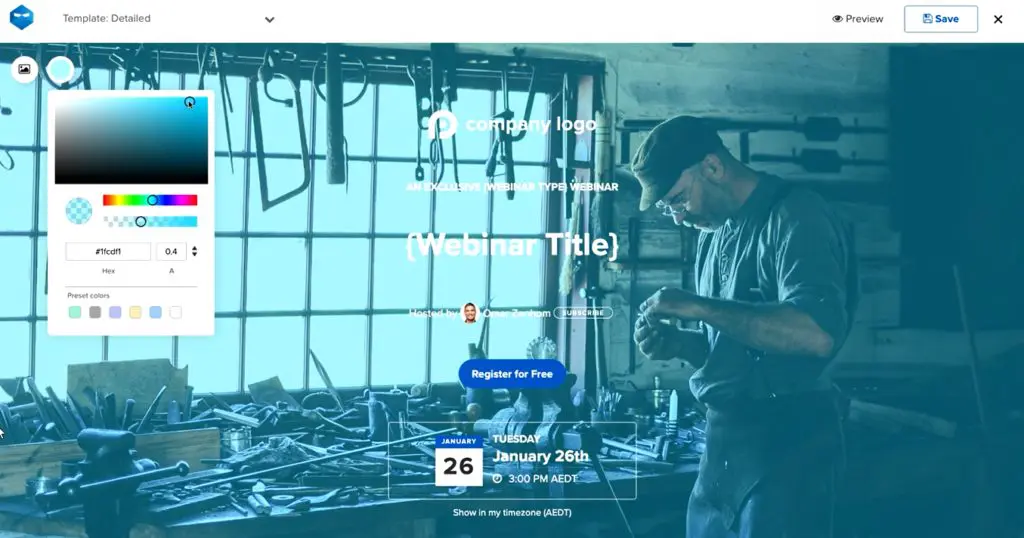
For course sellers, the integration with CourseNinja is a real plus. It lets you run live or on-demand courses alongside your webinars, complete with a student portal and payment options.
Add in the analytics, Stripe integration, and easy connections with email tools like ConvertKit or Mailchimp, and you’ve got a platform built to drive both engagement and sales.
Standout Features In Webinar Ninja
- Supports all webinar types: live, automated, series, and hybrid
- Built-in landing pages and registration forms (no extra software needed)
- Automated email reminders and follow-ups
- Mid-webinar engagement tools: polls, Q&A, offers, and handouts
- Stripe integration for paid webinars and courses
- Native CourseNinja platform included for live and on-demand courses
- Detailed analytics and reporting to track sign-ups, attendance, and conversions
- Seamless integrations with top email marketing tools and Zapier
WebinarNinja Pricing and Free Trial
WebinarNinja offers a 14-day free trial with full access so you can test before committing. Paid plans are based on attendee volume, giving you flexibility as your audience grows.
- Basic Plan – $29/month
Great for solo course creators running smaller webinars. Includes all core features with up to 50 attendees per session. - Pro Plan – $99/month
Ideal for growing educators and coaches. Supports larger sessions (up to 300 attendees), advanced integrations, and automated webinars. - Business Plan – $199/month
Built for established businesses and course sellers scaling to 500+ attendees. Includes priority support, advanced analytics, and full automation.
If you’re looking for webinar software that helps you generate leads, nurture prospects, and seamlessly tie into your course business, WebinarNinja is one of the most complete options available.
WebinarNinja Strengths & Weaknesses
| Strengths | Weaknesses |
|---|---|
| Simple pricing model that scales with attendees instead of confusing tiers. | No native CRM — you’ll still need an external system for full sales pipelines. |
| Strong reputation for reliability — fewer connection or streaming glitches compared to some smaller platforms. | Lacks deep customization for branding beyond templates (bigger brands may find it limiting). |
| Excellent human support (chat, phone, onboarding calls) that’s rare in this space. | Pricing gets expensive quickly if you’re consistently hosting large-scale webinars (500+ attendees). |
| Smooth presenter experience — multiple co-presenters can join without technical hassle. | Reporting is useful but not as advanced as enterprise-level platforms like ON24 or BigMarker. |
| Bundled access to CourseNinja gives real value if you want both webinars and courses under one roof. | Not as widely adopted for corporate events, so some attendees may prefer familiar platforms like Zoom. |

2. Zoom Webinars

I’ve used Zoom Webinars for client workshops, training sessions, and larger events, and the biggest advantage is how simple it is for people to join.
Everyone already knows Zoom, which means no time wasted explaining the tech.
For coaches and course creators, that matters because you want your audience focused on your content, not fumbling with logins.
It’s important to note that Zoom Webinars is not the same as regular Zoom Meetings. In webinars, attendees are in view-only mode while you, as the host, control who can present or come on stage. That makes it far better for structured events like course launches or paid workshops.
Zoom doesn’t include landing pages or native lead generation tools, which is a drawback if you want an all-in-one system.
But it does integrate with CRMs, email tools, and even course platforms, so you can still connect registrations and follow-ups into your business flow.
Add in Zoom’s newer AI Companion features like automatic smart chapters and summaries, and you also get useful ways to repurpose your recordings into evergreen assets.
Standout Features
- Supports up to 100,000 attendees with enterprise options
- One-click join links — no downloads required
- AI Companion: generates chapters, summaries, and repurposed clips
- Backstage space for speaker prep before going live
- Audience engagement tools: polls, Q&A, chat, reactions
- Integrations with CRMs, email platforms, and marketing automation
- Professional layouts, branding tools, and recording options
- Hybrid event features for large summits and multi-day programs
Zoom Webinars Pricing and Free Trial
Zoom requires a Zoom Workplace Pro license ($149/year) to access its webinar features, and there’s no permanent free plan. Pricing then depends on the level of functionality you need:
- Zoom Webinars – from $79/month
Standard plan with unlimited webinars at your chosen attendee capacity. Best for creators who just need a reliable broadcast tool. - Zoom Webinars Plus – from $99/month
Adds advanced production features like backstage, “Simulive” pre-recorded sessions, and AI event pages. More suited to professional educators and marketers. - Zoom Events – from $149/month
Full event platform for multi-day or hybrid events, with ticketing, sponsor tools, and attendee networking. Ideal if you’re hosting conferences or large-scale launches.
Zoom Webinars Strengths & Weaknesses
| Strengths | Weaknesses |
|---|---|
| Familiar interface — attendees already know how to use it. | No built-in landing pages or funnels. |
| Can scale from small webinars to 100,000+ attendees. | Requires extra subscription (Zoom Workplace Pro) before you can even use webinars. |
| Engagement tools (polls, Q&A, reactions) work reliably. | Branding and customization options are basic compared to competitors. |
| AI Companion features save time with chapters and summaries. | Pricing adds up quickly if you only run small, occasional webinars. |
| Strong ecosystem of integrations with CRMs and course platforms. | Reporting and analytics are more limited than dedicated webinar marketing tools. |

3. WebinarJam

Webinars should not only teach but actively sell, and WebinarJam is built exactly for that.
It’s one of the few platforms where you can pop up clickable offers, add scarcity timers, and push handouts or links right inside the presentation.
For coaches and course creators running live launches or high-ticket sales calls, those features can directly boost conversions.
The scale is another big plus: up to 5,000 live attendees with six presenters on screen. That makes it suitable for summits, group coaching events, or joint ventures. The “Replica Replay” is also valuable — replays mimic the live room, complete with offers and chat, so you can keep selling after the session ends.
But WebinarJam isn’t perfect. The interface feels dated compared to newer platforms, and setup takes time. Its automation is tied to EverWebinar (a sister product), so evergreen webinars aren’t native. The newer AI agenda builder does help streamline planning, but it’s still more complex than tools like Demio or Livestorm.
Standout Features
- Supports up to 5,000 live attendees and 6 presenters
- Built-in sales tools: live offers, urgency timers, and clickable CTAs
- Replica Replay: replays that mimic the live session with chat and offers
- Page builder for branded registration and thank-you pages
- Email and SMS reminders with behavioral follow-ups
- Panic Button: instantly reboots the room during tech issues
- Polls, surveys, and attendee spotlight for interaction
- Full integrations with CRMs and autoresponders, plus one-click registration links
WebinarJam Pricing and Free Trial
WebinarJam doesn’t have a free plan, but it does offer a $1 trial for 14 days and a 30-day money-back guarantee. Plans scale by audience size and features:
- Starter – $39/month (100 attendees)
Good for new course creators testing webinars as a sales or teaching tool. Includes all core engagement and replay features. - Basic – $79/month (500 attendees)
Designed for growing coaches and online educators running regular webinars. Comes with EverWebinar automation at no extra cost. - Professional – $229/month (2,000 attendees)
Great for established businesses scaling large coaching or product launch events. Adds longer durations and more team seats. - Enterprise – $379/month (5,000 attendees)
Built for organizations or creators running major virtual summits. Maximum capacity with advanced controls.
WebinarJam: Strengths & Weaknesses
| Strengths | Weaknesses |
|---|---|
| Excellent for selling during webinars with live offers and CTAs. | Interface feels dated compared to modern platforms like Demio. |
| Replica Replay makes replays feel live and boosts conversions. | Pricing jumps steeply once you need higher attendee limits. |
| Scales to 5,000 attendees, great for large launches. | Setup and customization can be overwhelming for beginners. |
| Panic Button is a unique safeguard against tech failures. | Requires EverWebinar (separate tool) for true evergreen automation. |
| Deep CRM integrations with tagging and behavioral rules. | Support response times can be inconsistent during peak demand. |

4. Demio

I’ve used Demio for coaching sessions and course launches where I wanted a platform that felt modern, clean, and simple for both me and the attendees.
It’s one of the easiest webinar tools to get up and running. I’ve been able to set up events in under half an hour without worrying about tech headaches.
From a course creator’s perspective, the big win is how Demio balances engagement with analytics. You get polls, handouts, Q&A, and even the option to bring attendees on stage, while in the background the system tracks who engaged most so you can spot real prospects.
Since joining the Banzai family, Demio has leaned heavily into ROI-focused features. Case studies show companies increasing conversions by 60% or more, thanks to detailed engagement analytics and integrations with CRMs like HubSpot, Salesforce, and ActiveCampaign.
The addition of Demio AI also means you can auto-transcribe recordings and even answer on-demand chat messages.
The downside? Demio isn’t as customizable for branding as WebinarJam or ON24, and while it’s sleek, pricing climbs quickly once you scale beyond the Starter plan.
Demio’s Standout Features
- Clean, modern interface with quick setup (<30 minutes)
- Engagement tools: polls, handouts, Q&A, chat with tagging and mentions
- Bring attendees on stage for live interaction
- Engagement analytics to track who’s most interested
- Deep CRM integrations (HubSpot, Salesforce, ActiveCampaign, Mailchimp, Zapier)
- Automated and on-demand webinars with Showcase pages
- Demio AI: auto-transcriptions, chat assistance, smarter workflows
- Works across devices with no downloads required
Demio Pricing and Free Trial
Demio offers a 14-day free trial (limited to 20 attendees and 1-hour sessions) so you can test it out. Paid plans are based on attendee room size and features:
- Starter – from $45/month (50 attendees)
Best for solo coaches or course sellers running smaller live sessions. - Growth – from $80/month (150–3,000 attendees)
Ideal for growing educators and businesses needing more scale, branding, and multiple hosts. - Premium – from $196/month (150–3,000 attendees)
Adds Demio AI, custom domains, premium integrations, and up to 10 presenters. Best for established course businesses that rely heavily on webinars for sales.
Demio Strengths & Weaknesses
| Strengths | Weaknesses |
|---|---|
| Super intuitive — setup is faster than most webinar tools. | Pricing rises steeply once you scale beyond the Starter plan. |
| Great engagement analytics for spotting your hottest leads. | Limited customization for branding compared to WebinarJam or ON24. |
| Demio AI adds practical features like auto-transcription and chat replies. | Reporting is solid but not as advanced as enterprise-focused platforms. |
| Seamless integrations with top CRMs and email tools. | Session length is capped (3–10 hours depending on plan). |
| Modern, no-download interface improves attendee experience. | Not as feature-rich for hybrid or very large-scale events. |

5. Livestorm

Livestorm is a high-end webinar platform for corporate sessions.
When I’ve used it for course launches and client training sessions, I’ve enjoyed how it combines lead generation, engagement, and integrations into one polished package.
Unlike basic webinar tools, Livestorm comes with conversion-focused registration pages you can fully brand, automated email sequences for reminders and follow-ups, and even source tracking so you know which marketing channels drive sign-ups.
Inside the webinar room, it feels closer to a professional event platform than a meeting app. You can run polls, Q&As with upvotes, breakout rooms, file sharing, and emoji reactions — all of which keep audiences engaged and help you gather feedback in real time.
If you’re coaching internationally, live interpretation and AI-powered captions add another layer of accessibility.
After the event, you get detailed analytics: who registered, who stayed engaged, where attendees dropped off, and which offers or links got the most clicks.
For coaches and course sellers, the real differentiator is deep native integrations with tools like HubSpot, Salesforce, Marketo, and Pardot.
That means your leads, engagement data, and replay views flow straight into your CRM or automation system. If webinars are a key part of how you generate and convert leads, Livestorm offers one of the most complete pipelines in this space.
Livestorm’s Standout Features
- 100% browser-based — no downloads required
- Customizable, branded registration pages with conversion tracking
- Automated email cadences for reminders and follow-ups
- Engagement tools: polls, Q&A with upvotes, breakout rooms, file sharing, emojis
- AI-powered captions and live interpretation for accessibility and global audiences
- Source tracking and detailed analytics on engagement and drop-offs
- Integrates natively with HubSpot, Salesforce, Marketo, Pardot, plus Zapier
- Unlimited replay storage and on-demand webinar options
- Supports up to 3,000 live attendees with enterprise-grade stability
Livestorm Pricing and Free Trial
Livestorm offers a free plan that lets you host webinars up to 20 minutes long with 30 active contacts/month — useful for testing, but not enough for real events. Paid plans scale based on active contacts and features:
- Pro – from $99/month
Includes up to 1,000 yearly active contacts, 4-hour sessions, and all core features like branded pages, automation, and integrations. Best for solo creators or small coaching teams running regular webinars. - Business – custom pricing
Starts at 10,000 yearly active contacts with advanced reporting, priority support, and more integrations. Designed for growing businesses where webinars are central to lead generation. - Enterprise – custom pricing
Built for organizations running large-scale events with up to 3,000 live attendees, 12-hour sessions, and advanced security/compliance needs.
Livestorm: Strengths & Weaknesses
| Strengths | Weaknesses |
|---|---|
| Browser-based access means no downloads or tech hurdles for attendees. | Free plan is too limited for meaningful use (20 mins, 30 contacts). |
| Native CRM/marketing integrations (HubSpot, Salesforce, Marketo, Pardot). | Pricing starts high compared to simpler platforms. |
| Detailed analytics on attendance, engagement, and source tracking. | Custom branding and advanced features are locked behind higher tiers. |
| Strong engagement tools: polls, Q&A upvotes, breakout rooms, file sharing. | Can feel like overkill if you just need a simple webinar tool. |
| Professional-grade reliability and GDPR/ISO 27001 compliance. | Event duration limits (4 hrs on Pro) may restrict long-form training. |

6. GoToWebinar

GoToWebinar stands out for its balance between simplicity and scale. Unlike lighter tools, GoToWebinar is built for structured, professional events where you want both engagement and reliable reporting.
Setting up is straightforward, and you don’t need IT support, which is a relief if you’re running everything yourself as a course creator.
For lead generation, it goes beyond the basics. You can design custom registration forms with questions, polls, or even quizzes to better qualify your audience before they join.
After the webinar, detailed source tracking and attendee analytics tell you exactly where signups came from and who stayed engaged — information you can push straight into your CRM.
GoToStage, its content hub, also lets you repurpose recordings into on-demand assets that continue attracting leads.
The platform isn’t as sleek or modern as competitors like Livestorm or Demio, and branding options feel limited.
But if you need a dependable, corporate-grade webinar tool with CRM integrations, automated emails, and certificate generation, GoToWebinar delivers consistently.
Standout Features in GoToWebinar
- Up to 3,000 attendees with webcast mode (browser-based, no downloads needed)
- Custom registration forms and quizzes to qualify leads
- Engagement dashboard to monitor audience participation live
- Polls, surveys, Q&A, handouts, and multi-presenter support (up to 6)
- Post-webinar reports, source tracking, and analytics
- GoToStage for sharing replays to wider audiences
- Stripe integration for paid webinars
- Integrations with Salesforce, HubSpot, Outlook, Slack, and more
GoToWebinar Pricing and Free Trial
GoToWebinar offers a 7-day free trial with full feature access. Paid plans are per organizer, billed annually, and scale by attendee limits:
- Lite – $49/month (250 attendees)
Basic webinars with registration, automated emails, and core engagement features. - Standard – $99/month (500 attendees)
Adds payment collection and better analytics. A good fit for coaches selling paid workshops. - Pro – $199/month (1,000 attendees)
Includes advanced engagement features, transcripts, and video embedding. Best for established course businesses scaling events. - Enterprise – $399/month (3,000 attendees)
For organizations or creators running multi-day conferences or very large launches.
GoToWebinar: Strengths & Weaknesses
| Strengths | Weaknesses |
|---|---|
| Reliable, enterprise-grade security and stability. | Interface feels dated compared to newer tools. |
| Custom registration forms with advanced fields and quizzes. | Branding/customization is limited beyond templates. |
| Strong analytics: engagement dashboard, source tracking, post-event reports. | Pricing is higher than many mid-market alternatives. |
| Seamless CRM and marketing integrations (HubSpot, Salesforce, etc.). | Free trial is only 7 days — shorter than competitors. |
| GoToStage allows webinars to generate ongoing leads as evergreen content. | Mobile experience and user interface aren’t as smooth as Demio or Zoom. |

7. ClickMeeting
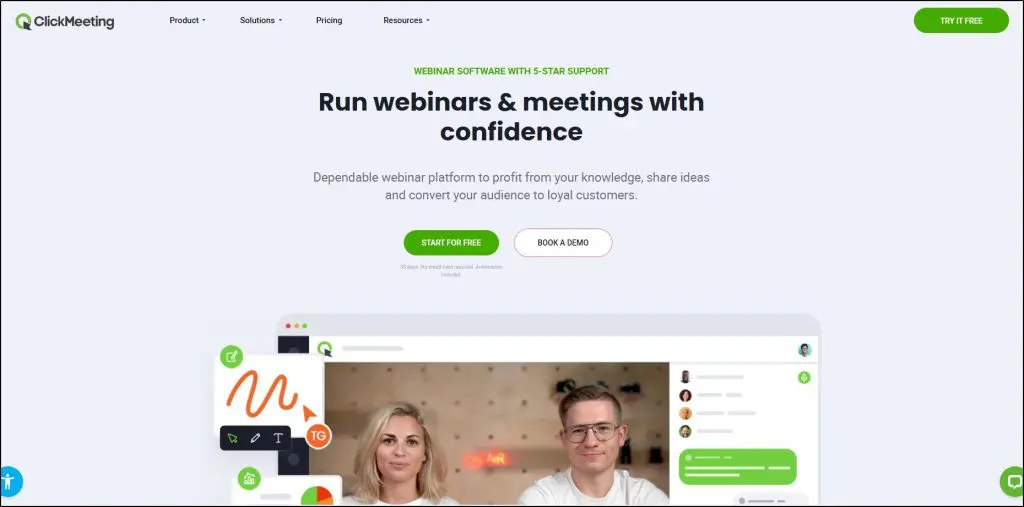
ClickMeeting is one of the more balanced webinar tools I’ve used — not as flashy as Demio or Livestorm, but pound for pound, it delivers a lot of value for coaches and course creators.
What sets it apart is flexibility: you can run live, automated, and on-demand webinars, even paid sessions, all from a single dashboard.
For example, I’ve seen creators sell training replays directly through its PayPal and PayU integrations without needing another ecommerce tool.
It’s also practical for teaching. Breakout rooms let you split learners into smaller groups, while the whiteboard, polls, and surveys make it easier to keep sessions interactive.
You can stream directly to YouTube or Facebook if you want wider reach, and the built-in registration pages and email reminders mean you don’t have to juggle too many external tools.
On the downside, the interface feels more “functional” than polished, and the reporting isn’t as deep as Livestorm or GoToWebinar.
But for the price, ClickMeeting gives small and mid-sized creators a dependable way to run professional webinars without breaking the bank.
Standout Features in ClickMeeting
- Live, automated, and on-demand webinars
- Paid webinars with PayPal/PayU integration
- Breakout rooms for training or group coaching
- Whiteboard, polls, surveys, and Q&A tools
- Stream to Facebook or YouTube
- Custom landing pages and email invitations
- Over 4,000 integrations via Zapier and native apps
- Certificates of attendance for students
ClickMeeting Pricing and Free Trial
ClickMeeting offers a generous 30-day free trial with no credit card required. Paid plans scale by attendees:
- Live Plan – from $26/month (25 attendees)
Best for creators running small live sessions with all core tools included. - Automated Plan – from $42/month
Adds automation, on-demand replays, reminders, and follow-up emails — useful if you want to monetize replays or drip evergreen webinars. - Enterprise – custom pricing
Scales to 10,000 attendees, with white-labeling, live streaming, and dedicated support.
ClickMeeting Strengths & Weaknesses
| Strengths | Weaknesses |
|---|---|
| Affordable entry price compared to most webinar tools. | Interface is functional but feels dated compared to Demio or Livestorm. |
| Supports live, automated, on-demand, and paid webinars in one platform. | Reporting and analytics are basic — not ideal for data-driven teams. |
| Breakout rooms and whiteboard make it effective for teaching. | Customization options for branding are limited. |
| Built-in monetization via PayPal/PayU without needing external checkout. | Free plan capped at 25 attendees — very restrictive. |
| Strong integration list (4,000+ tools via Zapier). | Video quality can dip slightly in larger sessions. |

8. ON24
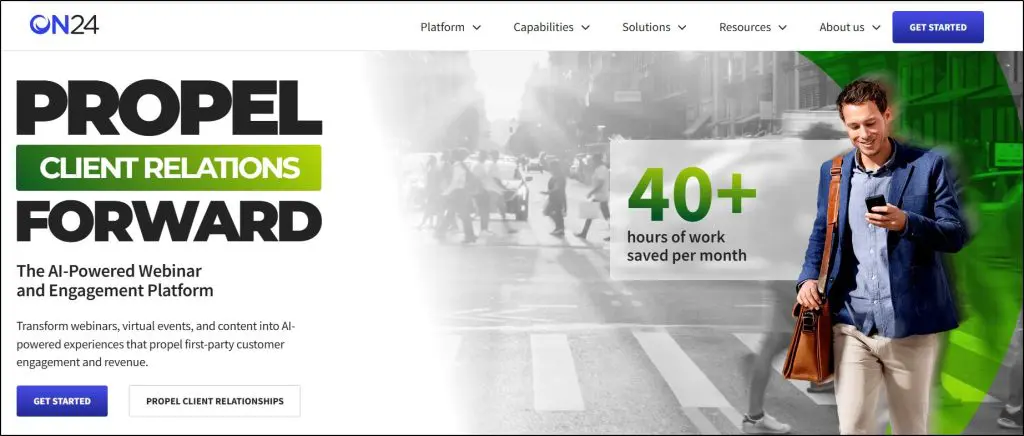
ON24 isn’t software you buy to run a small coaching webinar. It’s built for enterprise-level marketing, product demos, virtual conferences, and high-ticket course launches.
What sets ON24 apart is how it uses AI. Instead of just hosting webinars, ON24 turns them into full content journeys. After an event, you can repurpose your session into AI-generated blogs, ebooks, transcripts, highlight clips, and even personalized nurture pages for different audience segments.
For a big course launch or multi-day summit, that’s incredibly powerful because you’re not just getting live engagement — you’re creating a library of assets that continue to work afterward.
It also has deep analytics.
You see exactly who clicked what, downloaded resources, asked questions, and showed buying intent.
That data flows directly into your CRM (Salesforce, HubSpot, Marketo, etc.), giving your sales or enrollment team qualified leads right away.
The flip side is that ON24 is complex and expensive.
It’s not designed for solo coaches or small course creators. Its setup takes more work, and pricing is only available through sales reps. But for larger businesses running high-stakes webinars, it’s one of the most advanced platforms available.
Standout Features in ON24
- AI-generated content: repurpose webinars into blogs, ebooks, clips, and transcripts
- Personalized webinar journeys with dynamic CTAs, layouts, and nurture pages
- Over 20 engagement tools: polls, surveys, breakout rooms, chat, Q&A, handouts
- Detailed attendee analytics with heatmaps, buying signals, and account-level insights
- Seamless CRM and MAP integrations (Salesforce, HubSpot, Marketo, Eloqua)
- Content hubs for always-on webinars and campaigns
- Virtual event capabilities: multi-track conferences, networking lounges, sponsor tools
ON24 Pricing and Free Trial
ON24 does not publish its pricing. Instead, you’ll need to request a custom quote based on your audience size and feature requirements. Typically, pricing is structured for mid-to-large businesses and includes tiers such as:
- Essentials – Core webinar and analytics features
- Standard – Adds AI-generated content, personalization, and advanced analytics
- Advanced – Includes content hubs, personalized landing pages, and enterprise-level event support
There’s no free forever plan, but you can request a demo or trial account to see how it works.
ON24 Strengths & Weaknesses
| Strengths | Weaknesses |
|---|---|
| AI repurposing saves huge time — turns one webinar into multiple content assets. | No public pricing — requires sales calls and enterprise contracts. |
| Advanced analytics with intent signals and CRM integration. | Too complex for solo creators or small teams — steep learning curve. |
| Strong engagement suite (20+ tools) plus networking and sponsor features. | Overkill if all you need is simple webinars or masterclasses. |
| Works for multi-day, multi-track conferences as well as single webinars. | Setup and customization can be time-intensive compared to plug-and-play tools. |
| Enterprise-level security, compliance, and reliability. | High cost — really only viable for large organizations. |

9. BigMarker
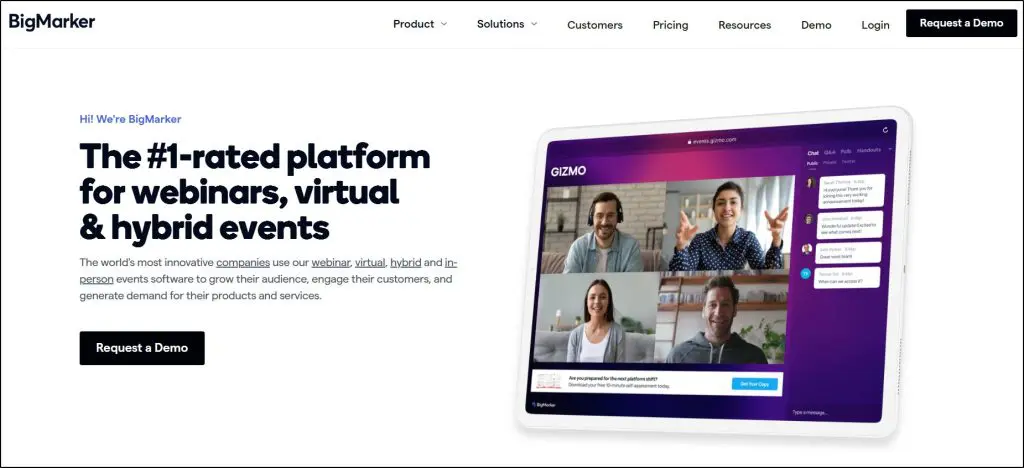
I’ve seen a lot of webinar platforms try to stretch into the “all-in-one” category, but BigMarker is one of the few that actually pulls it off.
Unlike repurposed video tools, this one was built specifically for webinars, virtual conferences, and hybrid events.
For course creators and coaches running live launches, summits, or even evergreen funnels, the real differentiator is its interactive player.
You can insert clickable CTAs, pop-ups, handouts, and even embedded forms right inside the webinar stream.
That means your audience is actively engaging and buying.
What also stands out is its flexibility of format. You can run live, simulive, on-demand, or fully automated events, all in the same platform.
And because it’s fully browser-based, attendees don’t need to download anything, which reduces friction (a big deal when you’re selling high-ticket offers).
The downside? BigMarker is complex. There’s a learning curve, especially if you’re coming from Zoom or Demio, and the interface can feel overwhelming at first.
Pricing is also opaque and you’ll need to talk to sales for a custom quote, which isn’t ideal if you just want to get started quickly.
Still, for creators scaling into virtual summits, hybrid conferences, or year-round content hubs, it’s one of the most complete platforms you’ll find.
Standout Features
- Interactive webinar player with CTAs, pop-ups, forms, and polls
- Supports live, simulive, on-demand, and 24/7 evergreen webinars
- Virtual event “venues” with breakout rooms, exhibitor halls, and networking tools
- Built-in ticketing and payment gateways (Stripe, Authorize.net)
- Media hubs for repurposing webinars into always-on content libraries
- Native integrations with CRMs, email platforms, and learning platforms
- AI-powered networking and audience matchmaking
- White-labeling options for agencies and enterprises
BigMarker Pricing & Free Trial
BigMarker doesn’t list standard pricing on its site — instead, you’ll need to request a quote. They do, however, structure their offerings into three main packages:
- Basic (Quote-based) – Up to 1,000 attendees, 1 host, live/on-demand webinars, interactive features, and basic analytics.
- Enterprise (Quote-based) – Up to 10,000 attendees, 4 hosts, CRM integrations, advanced analytics, breakout rooms, evergreen webinars, and API access.
- Enterprise+ (Quote-based) – Up to 500,000 attendees, 6 hosts, advanced branding and white-label options, multi-language support, enhanced security, and dedicated success management.
They do offer trials and proofs of concept on request, and nonprofits/educational orgs can get custom pricing.
BigMarker Strengths & Weaknesses
| Strengths | Weaknesses |
|---|---|
| Fully browser-based — no downloads for attendees. | Pricing is not transparent and requires sales calls. |
| Interactive player boosts engagement and conversions. | Can feel overwhelming to set up compared to simpler tools. |
| Handles everything from small webinars to 500K-person virtual summits. | Higher learning curve for casual users or small creators. |
| Offers unique “media hubs” for repurposing content into evergreen assets. | Transaction fees (5%) apply when monetizing paid events. |
| Strong enterprise features: white-labeling, SSO, custom branding. | Best features (automation, advanced analytics) locked behind enterprise tiers. |

7 Qualities of the Best Webinar Platforms
How do you decide if a webinar platform is worth your money? It largely depends on your business goals and resources.
But here are the main questions you need to ask when choosing a webinar platform:
Webinar Types & Features
- How’s the video and streaming quality?
- Can you offer pre-recorded and scheduled webinars?
- What are the user engagement features?
- Can you offer recordings and replays?
Number Of Participants
- Can the webinar platform host all your audience?
- Does its streaming quality deteriorate with more participants?
- Can you manually add/remove participants?
User Accessibility
- How easily can people join your webinar?
- Do they need to download a new app or register for an account?
- Is there a time limit for unregistered participants?
- Does it support your target countries?
eCommerce Features
- Can you sell products from your webinars?
- What are the supported payment gateways?
- What are the transaction charges?
User Experience
- Is the platform easy to use and explore?
- Is it cloud-based or device-based, or both?
- Are the key options clearly highlighted?
Third-Party Integrations
- Does it integrate with the top email marketing and lead generation tools?
- Can you link it with your CRM?
- What business apps does it support?
Pricing Structure
- Is it within your budget?
- Does it charge users a monthly/annual rate or per participant?
Which is the Best Webinar Software for Your Business?
We’ve not only shared our opinion about the leading webinar platforms but also given you guidelines for choosing the best option for your business.
Now it’s your turn to carefully evaluate these platforms and make the right call.
For us, these are the top five platforms for 2025.
- WebinarNinja – The best overall solution for course creators
- WebinarJam – The most advanced features at a very affordable price.
- Livestorm – The best alternative to Zoom for fast-growing businesses
- Demio – The most user-friendly webinar platform with advanced marketing features.
- ClickMeeting – The overall best value for money.
Many of these webinar platforms offer free trials. So, take the time to test them out and see which one aligns with your business goals. It’s worth investing that little extra effort to find the platform that will help you deliver impactful webinars.
Frequently Asked Questions (FAQs)
1. What’s the difference between a webinar platform and Zoom/Google Meet?
Webinar platforms include marketing features like landing pages, CRM integrations, payments, and engagement tools. Zoom/Meet are mostly meeting tools.
2. Can I monetize my webinars directly through these platforms?
Yes. Many platforms (WebinarJam, ClickMeeting, BigMarker, GoToWebinar) support Stripe, PayPal, or ticketing systems for paid sessions.
3. Do I need a separate landing page builder or funnel software?
Not always. Tools like WebinarNinja, Livestorm, and WebinarJam already provide customizable registration and thank-you pages.
4. Can I repurpose my webinars into evergreen funnels?
Yes. Platforms like ON24, BigMarker, Demio, and WebinarJam offer automation and replay features to turn one event into ongoing sales assets.
5. How many attendees can these platforms realistically support?
It depends — smaller tools cap at 100–500, while enterprise solutions like Zoom, ON24, and BigMarker scale into the thousands.
6. Are webinar platforms mobile-friendly?
Most modern ones are browser-based and mobile-ready. Still, check if they require downloads (like Zoom) or run fully in-browser (like Livestorm and BigMarker).
7. How do webinar tools help with lead generation?
They offer registration forms, email reminders, source tracking, polls, and CRMs integrations to capture, qualify, and nurture leads.
8. Can I run hybrid or multi-day events on these platforms?
Yes. Platforms like BigMarker, ON24, and Zoom Events are specifically built for hybrid conferences and multi-day summits.
9. Do these platforms support AI features?
Yes. ON24, Zoom, Demio, and Livestorm now include AI tools for transcripts, summaries, repurposed content, and smart engagement insights.
10. What security measures do webinar platforms have?
Enterprise-grade platforms (ON24, GoToWebinar, BigMarker) offer GDPR/ISO compliance, encryption, SSO, and MFA — critical for corporate or high-ticket sessions.

Jeff Cobb, Founder of Learning Revolution
Jeff Cobb is an expert in online education and the business of adult lifelong learning. Over the past 20+ years he has built a thriving career based on that expertise – as an entrepreneur, a consultant, an author, and a speaker. Learning Revolution is a place where Jeff curates tips, insights, and resources to help you build a thriving expertise-based business. Learn more about Jeff Cobb here.