

TLDR: What Is Skool and Is It Right for You?
Skool is a community-first learning platform that combines discussions, courses, live sessions, and simple engagement tools in one space. It became popular because it focuses on connection and participation rather than complex course design (plus its founders and investors like Sam Owens and Alex Hormozi).
In an age where learners value real interaction more than standalone content, Skool’s simplicity has resonated with creators, coaches, and membership builders.
Skool Pricing: Free and Paid Plans
Free Trial: No permanent free plan. Skool only offers a 14-day free trial.
Hobby Plan: $9/month, one admin, 10% transaction fee.
Pro Plan: $99/month, unlimited admins, 2.9% transaction fee, custom URL options, and extra control.
Core Skool Features
Community hub: Clean, distraction-free discussion area.
Courses: Simple lesson structure with videos, text, and attachments.
Native video hosting: Upload directly without Vimeo or Loom.
Gamification: Points and levels that increase participation.
Events & calendar: Schedule live sessions in members’ local time zones.
Member directory: Profiles that support peer-to-peer learning.
Payments: Built-in subscriptions and recurring billing.
Mobile apps: Full-featured iOS and Android apps with push notifications.
Notable Features Skool Does Not Have
– No quizzes, tests, certificates, or advanced LMS reporting.
– No email marketing tools or automation workflows.
– No native integrations with CRMs, email platforms, or analytics tools.
– No custom domain or deep design customization.
– No funnel builder, checkout customization, or sales automation.
Best For: Creators, coaches, cohort programs, art and fitness communities, and anyone who depends on active member participation rather than heavy course design.
Not Ideal For: Businesses that need advanced LMS features, detailed assessments, strong branding control, complex automations, or deep integrations with marketing and CRM systems.
Try Skool For Free Now
Over the past couple of years I have seen Skool grow from a simple idea to one of the most discussed community platforms in the market.
A major reason is the shift we are seeing across the learning industry. In the AI age, selling information alone is no longer enough. Learners want real connection, accountability, and a sense of belonging, which means community now plays a much larger role in how learning businesses succeed.
Skool offers a simple way to bring community and courses together, which explains the attention it has received.
In this review, I’ll explain what exactly Skool is, what it does best, where it falls short, and whether it’s worth all the hype.
Skool Product Snapshot (2026)
| Feature | Details |
| Product Type | Community-first learning platform with built-in course delivery |
| Best For | Creators, coaches, membership owners, and anyone who needs high engagement inside a community |
| Pricing | Hobby plan: US $9 per month. Pro plan: US $99 per month. 14-day free trial available. |
| Free Plan / Free Tier | ❌ No permanent free plan. Only a 14-day free trial is offered. |
| Transaction Fees | Hobby: 10%. Pro: 2.9%. |
| Core Strength | Simple interface that drives higher engagement than most community tools |
| Does It Replace a Full LMS? | No. Course features are basic and lack assessments, certificates, and deep analytics. |
| Native Video Hosting | Yes — supports HD video with captioning, timestamps, and drip content. |
| Mobile Apps | Full-featured iOS and Android apps with push notifications. |
| Integrations | No native integrations. Works via Zapier or webhooks only. |
| Paid Communities / Payment Handling | Yes — Skool can handle payments, or you can use an external checkout tool. |
| Key Limitations | Limited customization, no advanced course tools (quizzes/tests), no automation workflows, no custom domain or branding control. |
| Overall Verdict | Great for engagement-focused communities and coaching groups. Not ideal if you need advanced course features, strong branding, or marketing automation capabilities. |

Read: The top online community platforms for course sellers
What Is Skool And Why Is It Popular
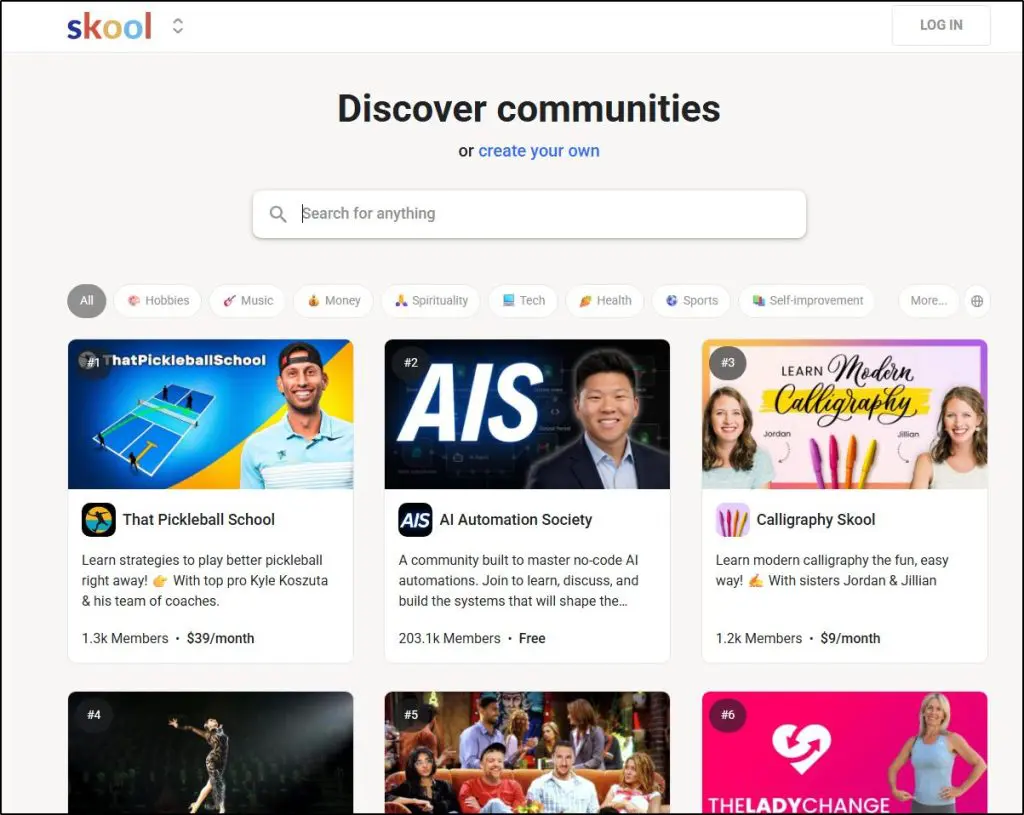
Skool is a community-focused platform that combines discussion spaces, courses, events, and basic learning tools in one place.
It was built to solve a problem many creators and learning businesses face.
In an environment flooded with AI generated content, learners place more value on genuine human connection, interaction with experts, and the sense of belonging that comes from being part of an active group.
Traditional course platforms were not designed with this shift in mind, which is why many creators now look for tools that put community at the center.
Skool has a simple structure.
You get a community feed, a course area, a calendar for events, leaderboards, member profiles, and native video hosting.
None of these features are new on their own, but what makes Skool stand out is how tightly the pieces fit together and how little configuration is required. The interface stays clean and predictable, which helps new members participate quickly.
This ease of use is one of the main reasons communities on Skool often report higher engagement than on other platforms.
A key idea behind Skool is that strong communities create powerful learning environments. When members interact regularly, ask questions, share progress, and support each other, the experience becomes richer than what course videos alone can provide.
Even though Skool’s course features are basic compared with a full LMS, the community layer often compensates for that.
Much of this philosophy comes from the people behind Skool. Sam Ovens, the founder, built his career selling courses and consulting programs. Alex Hormozi, one of Skool’s major investors, comes from a similar background. Their personal experience with community driven learning and their broad influence in the creator space have played a big role in Skool’s rapid rise.
Skool’s popularity is not only about features. It reflects a larger shift in how people learn, how creators teach, and what learners expect in the AI era.
Is Skool Legit or a Scam?
No, Skool is not a scam, of course. It is a software platform that gives creators a place to host communities, courses, and live sessions.
I’m personally a member of multiple world class communities on Skool and thousands like me use it every day.

I think the confusion often comes from the open nature of Skool. Anyone can create a group, charge money, and market their program however they choose.
This creates a wide range of experiences. Some Skool communities are excellent and genuinely helpful. Others may overpromise, use aggressive sales tactics, or provide little real value.
In those cases, the problem is the individual creator, not the platform.
Skool does have basic enforcement.
It will suspend or remove communities that violate its terms, such as explicit fraud, prohibited content, or misuse of payment systems. However, Skool does not operate like a curated marketplace or a traditional education platform. It does not evaluate course quality, verify expertise, or actively monitor for scams.
This is why you will see mixed opinions online. People who join a strong, well-run community report great experiences. People who join low-quality or misleading groups blame the platform.
The safest approach is simple: before joining any paid Skool community, research the creator, look for independent proof of expertise, and read real user feedback.
Read: Looking for an online course platform? Here are my top picks
Skool Pricing And Free Plan
Skool does not offer a permanent free plan. Instead, it provides a 14-day free trial so you can test the platform before committing.
After the trial, there are two paid plans to choose from:
- Hobby Plan — USD 9/month + 10% transaction fees
- Pro Plan — USD 99/month + 2.9% transaction fees
Shared features in both plans:
- Unlimited courses and unlimited community members.
- All core community and course tools: posts, modules, course hosting, video hosting, events, live streams, community feed, member profiles, etc.
- Ability to charge for memberships or paid courses with built-in payment processing and payout mechanisms.
Differences Between Skool Plans
| Plan | Price & Admins | Transaction Fees | Extra Capabilities / Limits |
| Hobby | $9/month, 1 admin only | 10% per transaction | Simple setup; good for testing; lacks advanced plugins/automation; group uses default domain/URL and shows suggested communities sidebar. |
| Pro | $99/month, unlimited admins | 2.9% per transaction (for payments under certain threshold) | Full suite including pro-plugins, custom URL/branding, ability to hide suggested communities, better for scaling or teams. |
I’ve dived much deeper into Skool’s pricing plans and what they actually cost as your revenue scales in my detailed Skool pricing analysis.
Skool Pros And Cons
Let’s now take a look at the main strengths and weaknesses of Skool before we dive deeper into ints features.
| Pros | Why It Matters |
| Simple, intuitive interface | New members understand how to use it immediately, which increases participation and reduces onboarding friction. Many creators report higher engagement compared to other platforms. |
| Strong community-first design | Skool organizes discussions, courses, and events in one place, which helps members stay connected and active. This is especially relevant as community becomes more important in the AI age. |
| Effective gamification system | Points, levels, and leaderboards encourage members to return, interact, and complete content. Many communities report 2–3x higher engagement because of this design. |
| Native video hosting included | You can upload videos directly without needing Vimeo or Loom. This simplifies course delivery and reduces external subscription costs. |
| Unlimited members and unlimited courses | Skool does not charge more as your community grows, which appeals to creators who scale quickly or operate large free groups. |
| Built-in live streaming | You can run livestreams, group calls, and events without needing Zoom or external tools. Useful for coaching, Q&A, and accountability sessions. |
| Simple pricing structure | Only two plans make decision-making easy. The $9 plan is accessible for beginners, while the $99 plan supports advanced needs. |
| Very active mobile app | Push notifications make community activity more consistent, which improves retention. |
| Organic discovery inside Skool | Public groups can gain visibility through Skool’s internal discovery feed, helping some creators attract new members without ads. |
| Cons | Why It Matters |
| Limited course features | Skool lacks quizzes, certificates, advanced progress tracking, surveys, assignments, and grading. This can be restrictive for structured learning programs or corporate training. |
| No marketing tools | There are no funnels, email broadcasts, automation workflows, or checkout customization. You must use external tools for serious marketing operations. |
| No native integrations | Almost all integrations require Zapier or webhooks, which adds cost and complexity for many users. |
| Minimal design customization | You cannot change layouts, use custom CSS, or create branded themes. All communities look and feel similar, which may be limiting for businesses with strong brand requirements. |
| No custom domain | Communities must use a Skool subdomain, which some creators see as a credibility or branding limitation. |
| Criticism around “guru-heavy” communities | As seen in Reddit discussions, some users feel Skool attracts low-quality or scammy business groups because of the low barrier to entry. This affects perception, not the platform’s functionality. |
| Admin limitations on the Hobby plan | The $9 plan allows only one admin and comes with higher transaction fees, which can restrict teams or larger communities. |
| Occasional billing or cancellation complaints | A few users report difficulty with cancellations or feeling charged incorrectly, which raises concerns for cautious buyers even though these cases are not widespread. |
| No private 1:1 scheduling or coaching workflows | Skool live calls are group-focused. Individual coaching requires external tools. |
How Skool Works For Edupreneurs
Skool is built around a simple idea: community activity drives learning, and learning activity strengthens the community.
Everything on the platform is organized to support this cycle.
To understand how Skool works, it helps to look at the flow from both the creator’s and the member’s perspective.
1. You start by creating a community space
Every Skool group begins with a community hub. This becomes the central place where members interact. During setup you define the purpose of the group, add basic branding, set membership rules, and decide whether people will join for free or through a paid subscription. Skool keeps this part simple so the focus stays on getting people inside the environment quickly.
2. You add your courses inside the Classroom
Once the community exists, you can build your courses in the Classroom area. Skool uses a folder and page structure that works well for most basic programs. You can add explanations, upload videos, embed content from other services, provide worksheets, and organize lessons in a way that is easy for members to browse. You can also decide whether content is open to everyone or restricted by level or purchase.
3. Members join and Skool handles access
Members can enter your group in three primary ways. They can purchase access through Skool’s checkout, join a free community, or be added manually. Once someone joins, Skool assigns the correct permissions and gives them access to the spaces and courses you have set up. This process is automatic and does not require technical knowledge.
4. Most activity happens in the community feed
The community acts as the ongoing conversation. Members ask questions, share updates, and discuss course material. There are no complex layers to learn, and the feed behaves much like a familiar social platform. Many creators report that members feel comfortable contributing almost immediately, which helps reduce attrition.
5. Engagement increases through a simple gamification layer
Each time members participate, they earn points. Points raise their level, and levels can unlock new content or privileges. This system rewards consistent participation and gives members a reason to keep returning. It also encourages peer support, which adds value without requiring additional workload from the creator.
6. Events and live sessions strengthen the learning environment
You can schedule group calls, live teaching sessions, and workshops through the built-in calendar. Members see upcoming events in their own timezone and can RSVP inside the platform. This gives your community a rhythm and creates regular touchpoints that strengthen learning and connection.
7. Community and courses work together
Members often move back and forth between discussions and course content. They watch a lesson, then return to the community to ask a question or share progress. They participate in a discussion, then explore course material that ties to the topic. Skool is designed so these two elements reinforce each other rather than sit in separate compartments.
8. Administration stays behind the scenes
Skool manages payments, subscription renewals, access rights, and basic analytics. You can view activity levels, see who is progressing through your courses, assign moderators, and update your content at any time. The system is built to reduce administrative friction so you can focus on teaching and supporting your members.
9. Growth happens through discovery and member referrals
Skool includes a public directory where communities can be found. Members can also invite others through simple referral links. Some creators benefit from Skool’s broader network effect because people who join one community often explore other groups on the platform.
Skool Features: What It Allows You To Do
Skool’s features are built around one goal: helping creators run a community-driven learning business without complicated tools.
Instead of focusing on advanced course design, Skool centers everything on engagement. The platform combines a simple classroom, an active community feed, live events, gamification, and built-in payments so members learn through interaction as much as through content.
This approach works well for course creators, coaching programs, memberships, fitness groups, and anyone whose success depends on keeping people involved.
Skool is not an advanced LMS. It is a streamlined ecosystem where community and learning work together to drive participation and retention.
Let’s take a close look at its core features and what they offer.
Feature #1: Community Hub
Skool’s community hub is the center of the platform. It reflects the idea that people learn more effectively when they are part of a connected group rather than consuming information alone.
The hub feels different from Facebook Groups because there are no ads, no unrelated notifications, and no outside distractions. It also feels simpler than tools like Circle or Kajabi, which often include many features that new community builders do not need on day one.
Members post updates, questions, wins, or resources through a clean editor. Categories keep threads organized so discussions do not disappear in a scrolling feed. This structure helps maintain long term value because members can easily return to older conversations.

Communities on Skool often develop steady and predictable patterns such as daily progress posts, quick Q and A, and peer feedback. The simplicity reduces friction and encourages members to participate more frequently, which is the main reason many creators find Skool effective.
Feature #2: Skool Courses
Skool’s course feature (Classroom) sits alongside the community hub and supports it rather than competing for attention. The course area is structured as a simple library of lessons with videos, text, and attachments.

It is designed for clarity rather than complexity.
You will not find branching learning paths, quizzes, or advanced reporting here. What you do get is a clean, distraction free space where learners can move through material at their own pace.

Skool’s courses and community work together.
Since members discuss lessons openly inside the community rather than in separate course comments, questions and insights surface more naturally.
In many cases this shared discussion becomes more valuable than the lessons themselves because learners help each other solve problems in real time.
For creators, the course feature works best when used as a foundation. The structured content provides direction while the community supplies interpretation, feedback, and ongoing support.
Feature #3: Native Video Hosting
Skool gives you native video hosting, so you can upload lessons directly in your course area without using tools like Vimeo or Loom. There are no hard storage limits for typical use, and videos appear immediately inside your modules with Skool’s built-in player.
The player is simple but functional. Learners can adjust playback speed, switch to full-screen mode, and control volume. Skool does not yet offer advanced options like manual quality selection or auto-generated captions, so creators who need those features may still rely on external hosting.
External platforms still make sense for very large archives or detailed analytics, but for most course creators Skool’s native hosting keeps the workflow clean and reduces the number of tools you need to manage.
Skool #4: Skool Calendar and Events
Skool includes a built-in calendar that makes it easy to schedule live sessions, workshops, and group calls. Events automatically display in each member’s local time zone, which removes one of the common points of confusion in online learning.
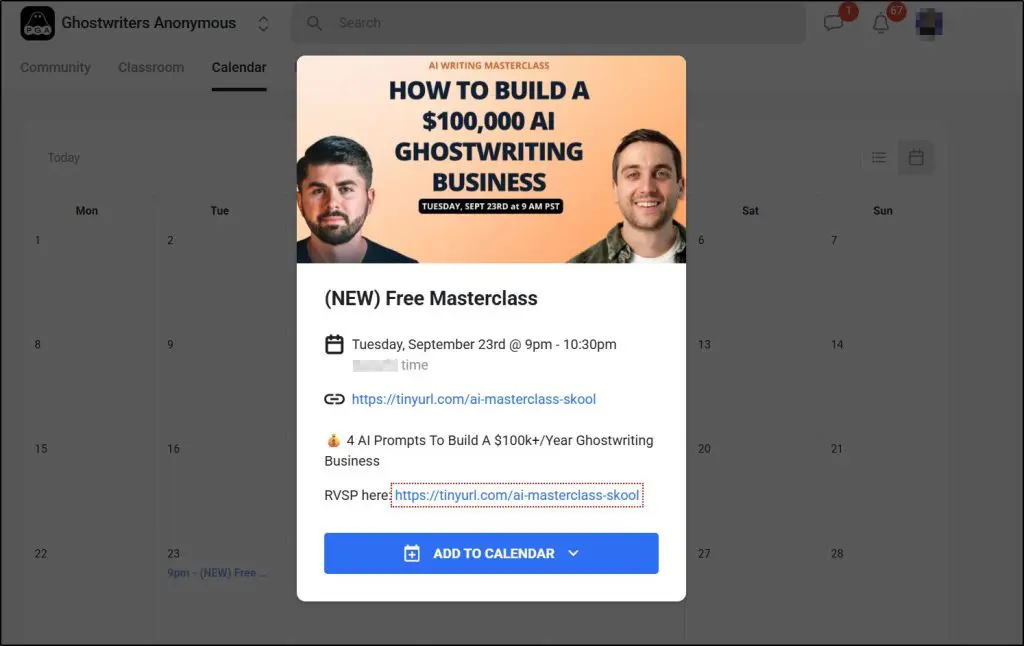
You can link Zoom or YouTube Live directly to an event, and the join link appears inside the calendar entry at the time of the session.
Members receive email reminders before the event starts, and the session also shows up in the community feed so people don’t miss it.
This feature works well for coaches who run weekly calls, cohort-based programs with structured schedules, or communities that host open Q&A sessions.
In practice, it becomes the organizing layer that keeps a learning group on the same rhythm.
Feature #5: Skool Gamification: Levels, Points, and Leaderboards
Skool uses a simple points system to encourage participation. Members earn points by posting, commenting, completing lessons, and showing up consistently.
As points accumulate, they level up, and creators can choose to unlock specific courses or resources only when a member reaches a certain level.
This creates a structured path where engagement leads to access.
The psychology behind it is straightforward. When progress is visible and easy to understand, people participate more often. In my own work with online learning communities, I have seen that simple systems usually outperform complicated ones because members do not have to learn a new set of rules before they can benefit.
This approach works especially well for fitness groups, coaching communities, and creative circles where ongoing practice matters. The leaderboard adds a social element that keeps groups active without relying on heavy-handed tactics.
Feature #6: Skool Members Directory
Skool includes a simple members directory where people can see basic profile information such as name, profile image, level, and recent activity.
Members can browse, follow, and message one another, which helps strengthen connections beyond the main discussion threads.
Skool’s discovery system is manual. Skool does not recommend contacts or create algorithmic matches, so members find each other by exploring the directory or interacting in posts.
Privacy is handled at a basic level. Profiles are visible only inside the community, and personal details are limited to what individuals choose to share.
The directory supports peer-to-peer learning, which is often one of the most valuable parts of an online community.
Feature #8: Skool Payments and Subscription Management
Skool gives creators a built-in way to charge for community access or courses. Payments are handled through Skool’s processor, which supports monthly subscriptions.
Payouts are sent on a regular schedule, usually a few days after the charge clears. Skool adds a processing fee, and creators should factor this into their pricing.
You can see who is active, who has paid, failed payments, and upcoming renewals. Skool also manages basic refund requests, although creators still decide whether to approve them.
Some creators prefer using Stripe or other processors for more control. Skool allows this, but you must manually add paying customers to the community.
Feature #9: Skool Integrations
Skool has very few direct integrations. There is no built-in email marketing connection, no native CRM sync, and no official API for developers at this time. This surprises some creators, especially those used to platforms where integrations are central to the workflow.
Most people who need automation rely on Zapier. The available triggers are basic, such as adding new members to an email list or sending notifications to external tools. It works, but it is not as flexible as what you find in platforms like Kajabi or Circle.
Skool has intentionally kept integrations minimal. The product philosophy is to reduce complexity and keep creators focused on running the community rather than managing technical connections. This approach appeals to some, but creators with complex systems often need additional tools to fill the gaps.
Skool Alternatives: Other Community Driven Course Platforms
Skool is not the only option for combining courses and community. Several platforms solve similar problems, but each takes a different approach. Understanding these differences helps you choose the tool that matches your business model.
| Platform | Core Category | Primary Strength | Best For | Where It Falls Short |
|---|---|---|---|---|
| Skool | Community-first learning platform | Engagement, peer interaction, organic discovery | Coaches, cohort programs, masterminds, accountability groups | Lacks quizzes, certificates, deep analytics, marketing automation |
| Circle | Flexible community platform | Customization and structured community spaces | Creators who want branded communities with tiers and integrations | Requires external tools for full course delivery and payments |
| Kajabi | Marketing-first course platform | Funnels, email automation, and CRM | Course sellers who want an all-in-one business system | Community feels secondary and less engaging |
| Thinkific | LMS-first platform | Structured course delivery and assessments | Professional educators, certification programs, corporate-style training | Community features are basic compared to Skool or Circle |
| Mighty Networks | Community-centric network builder | Multi-layered communities and native livestreaming | Large creator networks and multi-tier memberships | Interface can feel complex; course tools are mid-level |
| Podia | Creator commerce platform | Sell courses, downloads, memberships, and email in one place | Creators with multiple digital products and simple marketing needs | Community lacks depth and does not drive strong engagement |
| Teachable | Course-first platform with monetization tools | Affiliate system, simple course delivery, coaching support | Course creators who rely on affiliates or sell coaching alongside courses | Limited marketing tools; community is basic and not engagement-driven |
| Whop | Marketplace-driven monetization platform | Built-in discovery, no monthly fee, flexible product types | Creators selling via Discord, digital products, or testing new offers | Community features are lightweight; lacks engagement and learning structure |
I’ve written a detailed Skool alternatives guide where I’ve explained when using a Skool replacement makes sense. Do check it out.
Is Skool Worth Using? My Verdict
Skool works best for creators who want a simple way to bring community and courses together. If your business depends on discussion, accountability, group interaction, or live sessions, Skool gives you a clean space to run everything without managing several tools.
Coaches, cohort programs, art educators, fitness instructors, and skill-based communities often see strong results because the platform encourages ongoing conversation.
It also works well for creators who prefer a straightforward system that does not require heavy technical setup or complex automation.
Skool is not ideal for everyone. If you run a content-heavy course business that needs advanced LMS features, detailed progress tracking, quizzes, certificates, or structured modules, you may find Skool too limited.
Businesses that rely on a sophisticated tech stack or deep integrations also tend to outgrow it quickly. Skool does not replace a full CRM, email platform, or marketing automation system, and it is not designed for creators who want to customize every part of the learning experience.
Frequently Asked Questions (FAQs)
1. Can I run multiple communities under one Skool subscription?
No. Each Skool community requires its own subscription. If you plan to run a free community and a separate paid community, you will need multiple groups. This is different from platforms like Circle, which allow tiered spaces inside one hub.
2. Does Skool support custom domains?
Not at this time. All Skool communities use a Skool subdomain. This is intentional, as Skool keeps branding minimal across all groups. Some creators are fine with this, while others prefer platforms that allow full domain control.
3. Does Skool provide certificates or completion badges for courses?
No. Skool does not offer certificates, course badges, or assessments. If your learning program requires formal completion tracking, you may need a dedicated LMS alongside Skool.
4. Can Skool replace my email marketing platform?
No. Skool does not include email broadcasts or automation tools. You will still need an external platform such as ConvertKit, ActiveCampaign, or Mailchimp for communication and funnels.
5. Does Skool offer analytics on member engagement?
Skool provides basic analytics like post activity, member levels, and course progress. It does not offer deeper data such as segment reports, churn dashboards, or detailed behavioral analytics found in more advanced LMS tools.
6. Is Skool suitable for corporate training?
Usually not. Corporate training often requires compliance tracking, quizzes, certifications, and structured assessments. Skool is designed for consumer-facing creators, coaches, and communities rather than enterprise learning environments.
7. Does Skool help creators get new members automatically?
Only in a limited way. Skool has a public directory, but it does not make algorithmic recommendations or match users to communities. Most creators grow through their own marketing rather than relying on Skool for exposure.
8. Can I host a cohort-based course on Skool?
Yes, but with limitations. The community feed and calendar support live sessions and structured programs, but there are no tools for assignments, peer review, or automated cohort progression.
9. How does Skool handle refunds?
Refunds are requested through the creator. Skool processes the transaction, but the creator decides whether a refund should be approved. This system gives creators flexibility but requires clear refund policies.
10. What happens if I stop paying for Skool?
Your community becomes inactive, and members lose access. You can export basic member data, but content cannot be exported in a structured LMS format. If long-term portability is important, keep backups of courses externally.
11. Can creators move an existing audience from Facebook Groups to Skool easily?
The migration is straightforward because Skool feels familiar to most users. However, Skool does not offer a migration tool. Creators generally invite members manually or move them through email campaigns.
12. Does Skool support private messaging between members?
Yes. Members can message each other directly, follow profiles, and build connections inside the directory. Messaging is simple and designed for networking, not for long-form conversation.
13. Can Skool communities get spammed?
Skool communities are closed spaces, so spam is rare. Creators can restrict chat access to certain member levels, which reduces low-quality participation. Moderators can also remove disruptive users.
14. Does Skool have an app for creators and members?
Yes. The iOS and Android apps support posting, commenting, messaging, video viewing, events, and push notifications. Many Skool communities see higher engagement because of the mobile app.
15. How long does it take to set up a functional Skool community?
Most creators can set up a working community in a few hours. The platform avoids complex settings, which makes onboarding quick. The real work is creating content, hosting events, and defining your community rhythm.
Table of Contents
Related Posts
Skool Pricing Analysis + Free Calculator (2026) | It Starts Cheap But Gets Expensive
7 Best Skool Alternatives in 2026 (For Community-Led Learning Businesses)
Skool vs Thinkific (2026): My Comparison & Verdict After Using Both