

TL;DR: Teachable Pricing Plans 2026
How much does Teachable cost? On annual billing: Starter $29/mo, Builder $69/mo, Growth $139/mo, Advanced $309/mo. No free plan. All paid plans come with a 7-day free trial and a 30-day money-back guarantee.
Does Teachable charge transaction fees? Yes, but only on the Starter plan: 7.5% of every paid sale. Builder, Growth, and Advanced have 0% platform transaction fees. Payment processing fees from Stripe or PayPal apply on every plan regardless. You also pay an additional fee if you don’t use teachable:pay
The number that matters most: the break-even between Starter and Builder is roughly $533/month in revenue on annual billing. Above that, the 7.5% transaction fee costs more than the $40/month price gap between the two plans. Builder becomes cheaper.
Try Teachable for Free
Use our Teachable pricing calculator below to model your exact costs: processing fees, platform surcharge if you use your own Stripe, optional BackOffice, all of it.
Read my detailed Teachable review to understand its features and capabilities
I've been using Teachable since 2017. Back then it was one of two top online course platforms, along with Thinkific, that I felt genuinely good recommending to course creators who cared about learning outcomes.
Its course builder was clean, student management was solid, and the payment infrastructure, specifically the automatic handling of US sales tax, EU VAT, and global GST, made selling internationally a manageable proposition for creators who did not want to build their own compliance setup.
It also used to have a beginner-friendly free plan that made it a popular choice for new course sellers.
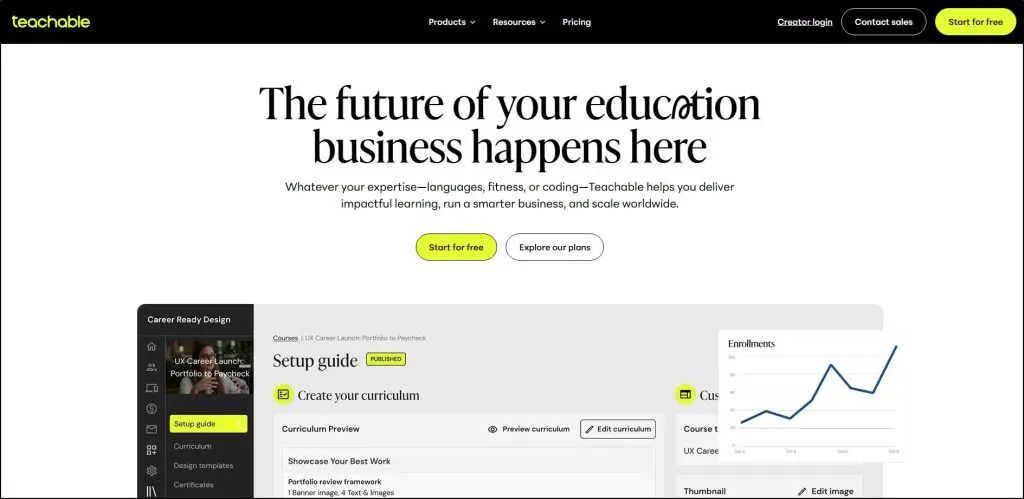
Teachable was founded in 2013 by Ankur Nagpal and has since been acquired by Hotmart. A lot has changed in that time. Some of it good, some of it not.
The free plan is gone. The Starter plan now carries a 7.5% transaction fee that turns a $29/month headline price into something considerably more expensive once you start selling consistently.
The platform hasn't evolved its marketing and student engagement features at the pace that modern creators need. And pricing has gone up more than once while the core product has stayed largely the same.
I still recommend Teachable for specific use cases.
But you need to understand exactly what you're paying before you commit to it.
I also have an unusual window into how this plays out in practice.
My email list has over 8,000 subscribers and thousands more follow Learning Revolution across social platforms and communities. Many of them chose Teachable at least partly on my recommendation. When Teachable changes something significant, and it has twice in three years, I hear about it.
Those conversations shape a lot of what I'm going to tell you about Teachable's pricing plans in this article.

How Much Does Teachable Cost Per Month?
On annual billing, Teachable costs $29/month (Starter), $69/month (Builder), $139/month (Growth), or $309/month (Advanced). Monthly billing runs $39, $89, $189, and $399 respectively. Annual billing saves 22% across the board.
That savings adds up. On Growth, going annual versus monthly is $600/year back in your pocket. If you've validated the platform and you're staying, annual billing is an easy decision.
Teachable Pricing Plans: Full Comparison 2026
| Starter | Builder | Growth | Advanced | |
| Annual billing | $29/mo | $69/mo | $139/mo | $309/mo |
| Monthly billing | $39/mo | $89/mo | $189/mo | $399/mo |
| Annual total | $348/yr | $828/yr | $1,668/yr | $3,708/yr |
| Annual savings vs monthly | $120/yr | $240/yr | $600/yr | $1,080/yr |
| Platform transaction fee | 7.5% | 0% | 0% | 0% |
| Published products | 1 | 5 | 25 | 100 |
| Students | 100 | 1,000 | Unlimited | Unlimited |
| Admin users | 1 | 1 | 5 | 5 |
| Built-in email marketing | No | Yes | Yes | Yes |
| Affiliate program | No | Yes | Yes | Yes |
| Course certificates | Yes | Yes | Yes | Yes |
| Custom domain | No | Yes | Yes | Yes |
| Remove Teachable branding | No | No | Yes | Yes |
| Bulk student import | No | No | Yes | Yes |
| Free AI captions/translations | No | No | Yes | Yes |
| Third-party integrations | 1 | 3 | 5 | Unlimited |
| Live chat support | No | Yes | Yes | Yes |
One thing worth knowing before you draw conclusions from this table: communities, memberships, and bundles don't count toward your published product limit on any plan.
Only courses, coaching products, and digital downloads count.
So a Builder user at the 5-product ceiling can still run unlimited membership tiers, unlimited bundles, and a full community alongside their five courses.
That's less restrictive than the raw number suggests.
Does Teachable Have a Free Plan?
No. Teachable no longer has a free plan. It was discontinued in 2025 as part of the June restructure that replaced the old Basic, Pro, and Pro+ plans with the current Starter-through-Advanced lineup.
Before 2025, Teachable's free plan let creators launch one course and collect payments without spending anything upfront. The transaction fee was steep ($1 plus 10% per sale), but zero monthly cost made it one of the most accessible entry points in the market. When it disappeared, Teachable gave up the thing that made it the natural first recommendation for new creators.
What replaced it: a 7-day free trial on all paid plans and a 30-day money-back guarantee. The trial is short. Thinkific gives you 30 days. Our Kajabi link gets you 30 days. Seven days is barely enough time to build a course and test a checkout, let alone evaluate whether a platform is right for your business long-term. Treat the money-back guarantee as your real evaluation window, not the trial.
You'll need a credit card to start. Billing kicks in automatically when the trial ends unless you cancel.
Does Teachable Charge Transaction Fees?
Teachable charges a 7.5% transaction fee on the Starter plan only. Builder, Growth, and Advanced have 0% platform transaction fees.
That 7.5% is Teachable's cut on top of whatever the payment processor charges. It's not a combined rate. It stacks. On a $100 course on Starter, Teachable takes $7.50 before Stripe or PayPal takes anything. On a $500 course, that's $37.50 gone before you net a dollar.
Three Teachable Fee Layers You Need to Understand
Teachable's pricing actually has three layers, and each one hits your margin differently.
Layer 1 — Teachable's platform transaction fee:
| Plan | Teachable's Cut |
| Starter | 7.5% per sale |
| Builder / Growth / Advanced | 0% |
Layer 2 — Payment processing fees (every plan, every transaction):
These go to Stripe or PayPal, not to Teachable. They apply no matter which plan you're on.
| Transaction type | Fee |
| US credit/debit card (teachable:pay) | 2.9% + $0.30 |
| International credit/debit card | 3.9% + $0.30 |
| US PayPal | 3.49% + $0.49 |
| International PayPal | 4.99% + $0.49 |
| Buy Now Pay Later (Klarna/Afterpay) | 6.99% + $0.30 |
| Chargeback fee | $15 flat |
Layer 3 — Custom Payment Gateway surcharge (US schools only):
Connect your own Stripe account instead of using teachable:pay and Teachable adds a 2% integration fee per transaction. US schools only. International schools using their own Stripe are exempt.
You also give up automatic tax handling, Apple Pay, Google Pay, and Buy Now Pay Later when you go the Custom Gateway route. For most creators, teachable:pay is the straightforward choice.
What the Starter Plan Actually Costs Per Transaction
On Starter with teachable:pay, a US card transaction runs:
7.5% (Teachable) + 2.9% + $0.30 (Stripe) = 10.4% + $0.30 per sale
Sell a $100 course: $10.70 in fees before you see anything. Sell a $500 course: $52.30 in fees.
That's why Starter, despite the low monthly price, gets expensive faster than most new creators expect.
Teachable Starter Plan: $29/Month Is Not Really $29/Month
The 7.5% transaction fee is the most important number for any creator deciding where to start on Teachable. It changes the financial picture completely.
Break-even between Starter and Builder: roughly $533/month in revenue on annual billing. Here's the math: Builder costs $40/month more than Starter ($69 vs $29 annually). Builder drops the transaction fee to zero. So when 7.5% of your monthly revenue equals $40, the two plans cost the same total. Earn more than that and Builder is actually cheaper.
| Monthly Revenue | Starter Total Cost | Builder Total Cost | Better Plan |
| $200 (2 × $100) | $29 + $20.60 = $49.60 | $69 + $5.80 = $74.80 | Starter |
| $400 (4 × $100) | $29 + $41.20 = $70.20 | $69 + $11.60 = $80.60 | Starter |
| $533 (break-even) | ~$69 total | ~$69 total | Equal |
| $700 (7 × $100) | $29 + $72.10 = $101.10 | $69 + $20.30 = $89.30 | Builder |
| $1,000 | $29 + $103 = $132 | $69 + $29 = $98 | Builder |
| $3,000 | $29 + $309 = $338 | $69 + $87 = $156 | Builder |
| $5,000 | $29 + $515 = $544 | $69 + $145 = $214 | Builder |
| $10,000 | $29 + $1,030 = $1,059 | $69 + $290 = $359 | Builder |
Assumes teachable:pay, US cards, $100 average sale. Processing fees included in both columns.
If you're selling a $200 course, you only need three sales a month before Builder starts saving you money. That's not many.
And look at what happens at scale. A creator doing $10,000/month on Starter pays $1,059 in combined fees. On Builder, that same revenue costs $359. Teachable's 7.5% transaction fee alone eats $750 of that difference. The Starter plan is a reasonable place to start. It is not a reasonable place to stay.
The other Starter limits worth knowing: one published product total. Not one of each type — one total. A hundred students maximum. No custom domain, which means your school lives on a teachable.com subdomain. No built-in email marketing. If you're testing your first idea with a small audience, Starter is a reasonable starting point. But watch the revenue. The moment you're approaching $400–$500 a month consistently, run the break-even and upgrade.
Teachable Builder Plan: This Is Where Teachable Gets Useful
Builder at $69/month annually is where Teachable stops being a trial environment and starts functioning like a real course business platform.
Dropping the transaction fee to zero is the headline change, but there's more to it than that. Builder adds built-in email marketing. It's basic compared to a dedicated tool like Kit, but it covers the fundamentals without adding another monthly subscription. You get affiliate tools, course completion certificates, a custom domain, and live chat support. Five products and 1,000 students gives most solo course creators room to grow for a while.
The product limit is the thing I'd think about carefully. Five published courses, coaching products, or digital downloads in total. Not per type — in total. If you're planning a flagship course, a lead magnet, a coaching program, and a digital download, you're already at four before you've launched your second major offer. Think about where your product catalog is headed before you assume five is enough headroom.
Most active Teachable creators belong on Builder. If you're selling consistently and you haven't hit the product or student ceiling, there's no compelling reason to spend more.
Teachable Growth Plan: Who Actually Needs $139/Month
Growth doubles Builder's cost. Before you upgrade, you should be able to name a specific feature you need that Builder doesn't have.
The features that typically drive this jump: 25 published products, unlimited students, white-label branding removal, custom admin roles, Zapier and API access at 10,000 requests per month, bulk student import, and free AI caption generation and translation. If you're not using at least a couple of those, you're overpaying.
One thing that does make Growth worth pausing on: at $139/month, you're within $10 of both Kajabi Basic ($143/month) and Thinkific Grow ($149/month). Three very different platforms at almost identical prices. I cover the comparison in detail below, but if you're at the Growth decision point, do that three-way comparison before you commit.
Teachable Advanced Plan: $309/Month Is for a Specific Operator
Advanced is for large multi-product academies with deep integration needs. A hundred published products, unlimited third-party integrations, API limits at 25,000 requests per month, enhanced developer tools. The student limit stays unlimited, same as Growth.
Most creators won't need this for several years of serious business building, if ever. If you can't name the specific Advanced feature your operation requires right now, Growth does the job.
Teachable Pricing History: What Changed and Why It Matters
Teachable has restructured its pricing significantly twice since 2023. Understanding that pattern is part of the pricing decision. Not just what you pay today, but what you might pay in two or three years.
The original structure had a free plan, Basic at $39/month with a 5% transaction fee, Pro at $119/month, and Pro+ at $199/month. Late 2023 brought a meaningful price increase. Then in June 2025 came the most disruptive change: the free plan was discontinued, the old plan names retired, product limits introduced where unlimited access had previously existed, student caps added, and prices raised substantially for many existing customers.
Creators who had built their businesses on the old terms, particularly those on legacy plans with unlimited courses, found themselves suddenly capped and paying 2–3x more. Teachable gave them 30 days notice. For someone with years of student relationships and integrated funnels on the platform, that's not much runway.
Teachable's argument for the change is that the platform evolved and the new plans reflect a more capable product. There's some truth to it. Certificates and course compliance now come on every plan, AI captioning is included on Growth and above, and the new fee model is cleaner. But for many legacy users the experience was paying more for less, not more for more.
Here's what that means if you're signing up today: Teachable pricing has moved twice in three years. The price you lock in today isn't guaranteed to hold.
The practical response to that risk: host your course videos on Vimeo and embed them into Teachable rather than uploading natively. This is the most important piece of operational advice I give to any creator building on the platform. Your video content is your hardest asset to migrate. If it lives in Vimeo, a future platform move means rebuilding course structure. Painful, but doable. If it lives natively in Teachable, you're locked in more deeply than you may realize.
What Teachable's New Pricing Really Costs: Stories From My Community
I have over 8,000 email subscribers and thousands more connected with me across social platforms and the Learning Revolution community.
When Teachable changes its pricing, I hear about it directly from my community.
The June 2025 restructure generated more of those messages than anything I can remember.
The lock-in problem nobody talks about enough. I had a course creator in my community with thousands of students, dozens of courses, integrated payment funnels, and years of native video uploads on Teachable.
When the pricing changed, they were left with an impossible choice. Either stay on the platform and pay significantly more for the same tools.
Or migrate.
But migration at that scale takes months and costs them a real percentage of their student base in the process.
Another edupreneur I heard from had been on Teachable since 2017 with 30,000+ students and deeply integrated funnels. He wasn't staying because Teachable was the best option available. He was staying because unwinding it would take months and likely cost him a significant chunk of his audience in transition.
The monthly fee wasn't the biggest number in his calculation. The lock-in was.
The price increase that came with feature reductions. What made Teachable's June 2025 restructure so frustrating for longtime users specifically was that fees went up at the same time features went down.
Course sellers, coaches, and consultants who had built their business on unlimited courses found themselves capped at 25. Those who relied on unlimited students hit walls at 100 or 1,000.
Multiple people told me their monthly fee had doubled or tripled while their product limit was cut in half. Paying more for a better product is one conversation. Paying more for less is a different one entirely.
What this means for you. I still recommend Teachable for the right use case. The course delivery is clean, the payment infrastructure is reliable, and the tax handling is genuinely valuable. Those things haven't changed.
But go in knowing this.
The true cost of Teachable isn't just the monthly fee. It's the monthly fee plus transaction costs plus payment surcharge plus whatever it would eventually cost you to migrate if you feel locked in a few years.
And if your business grows on Teachable, revisit the cost-to-value calculation every year. The platform that made sense at $69/month with 200 students and three courses looks different at $309/month with 800 students, 20 products, and three years of student data embedded in the system.
None of this makes Teachable a wrong choice. It makes it a choice that deserves more careful thought than a pricing page visit usually gets.
The Hidden Teachable Costs Worth Knowing
The plan fee is just the starting point. Here's what else hits your margin:
| Extra Cost | Who It Hits | Amount |
| Platform transaction fee | Starter plan users | 7.5% of every paid sale |
| Custom Gateway integration fee | US schools using own Stripe | 2% per transaction |
| International card premium | Creators with international students | 3.9% vs 2.9% — +1% per transaction |
| PayPal fees | Anyone accepting PayPal | 3.49–4.99% + $0.49 depending on location |
| Buy Now Pay Later | Creators offering Klarna/Afterpay | 6.99% + $0.30 per transaction |
| BackOffice | Creators with affiliates/co-instructors | 2–2.8% additional |
| Chargeback fee | Anyone who receives a dispute | $15 per dispute |
| AI captions on Starter/Builder | Lower plan users needing captions | Per-video charge — not free below Growth |
| Student cap breach | Starter (100) or Builder (1,000) | Upgrade required |
| Product limit breach | Any plan at its product ceiling | Upgrade required |
The BackOffice item deserves a specific call-out. BackOffice is Teachable's optional service for automated affiliate and co-instructor payouts plus tax form collection.
It costs an extra 2–2.8% on transactions it touches. It's supposed to be opt-in. But creators have reported finding BackOffice charges on their statements without having deliberately enabled it.
Before your first sale, go into your Teachable payment settings and check whether BackOffice is active. If you don't have affiliates or co-instructors who need automated payouts, you don't need it. Disable it.
Why Is Teachable So Expensive Compared to Competitors?
For some creators it genuinely is. For others it isn't. Depends entirely on what you're comparing it to.
Teachable isn't expensive when you factor in what it replaces. teachable:pay handles US sales tax, EU VAT, and GST automatically. That compliance infrastructure would run you $50–$100/month in third-party tools if you were handling it yourself. Add standard Stripe fees, a course hosting platform, and a basic email tool, and you're already past Builder's $69/month before you've paid for a single feature Teachable gives you natively.
Teachable gets expensive when you compare it directly to platforms at similar price points that offer more. Thinkific Start at $74/month includes memberships, subscriptions, course bundles, compliance tools, payment plan options for students, and Zoom integration.
Teachable Builder at $69/month gives you basic email marketing and affiliates but not much of that. Same price, different value proposition entirely.
And Teachable is most expensive when you account for the pricing trajectory. Signing up at $29/month on Starter or $69/month on Builder isn't a price you can bank on long-term. Twice in three years, the number changed.
teachable:pay vs Custom Gateway: What the 2% Really Costs at Scale
This is a decision most creators make during account setup without fully understanding what it costs them as their business grows. The numbers are real and they add up.
Using your own Stripe account (Custom Payment Gateway) adds a 2% integration fee per transaction on top of Stripe's own processing rate. That 2% sounds small. Here's what it actually means at different revenue levels:
| Monthly Revenue | teachable:pay Total Fees | Custom Gateway Total Fees | Extra Cost / Month | Extra Cost / Year |
| $1,000 | $29 + $98 = $127 | $29 + $118 = $147 | $20 | $240 |
| $3,000 | $69 + $87 = $156 | $69 + $147 = $216 | $60 | $720 |
| $5,000 | $69 + $145 = $214 | $69 + $245 = $314 | $100 | $1,200 |
| $10,000 | $69 + $290 = $359 | $69 + $490 = $559 | $200 | $2,400 |
| $20,000 | $139 + $580 = $719 | $139 + $980 = $1,119 | $400 | $4,800 |
Builder plan on annual billing. US cards at 2.9% + $0.30 (teachable:pay) vs 4.9% + $0.30 (Custom Gateway including 2% surcharge). Average $100 sale.
A creator doing $10,000/month who chose Custom Gateway because they wanted control over their Stripe account is paying an extra $2,400 a year for that choice. At $20,000/month it's $4,800/year. That's not a rounding error — it's a real business cost that most creators never calculate before they set up their account.
The main legitimate reason to use Custom Gateway is if you already have complex Stripe infrastructure with subscription relationships, saved payment methods, or integrations that would be painful to rebuild. If you're starting fresh or migrating, teachable:pay is the straightforward financial choice for US-based schools.
One more thing: Custom Gateway means no automatic tax handling, no Apple Pay, no Google Pay, and no Buy Now Pay Later for your students. For most creators, that's three more reasons to stay on teachable:pay.
How Teachable Pricing Compares to Alternatives
| Platform | Plan | Annual Price | Transaction Fee | Native Email | White Label | Best For |
| Teachable | Starter | $29/mo | 7.5% | No | No | Validating first course, very low volume |
| Teachable | Builder | $69/mo | 0% | Basic | No | Active course creators, simple stack |
| Teachable | Growth | $139/mo | 0% | Basic | Yes | Multi-product, team, B2B |
| Thinkific | Start | $74/mo | 0% | Sequences only | No | Course-first, learning depth |
| Thinkific | Grow | $149/mo | 0% | Students only | Yes | Deep LMS, compliance, B2B |
| Kajabi | Basic | $143/mo | 0% | Full platform | No | All-in-one marketing + courses |
| Podia | Shaker | $75/mo | 0% | Full (included) | Yes | All-in-one without Kajabi's price |
| Skool | Pro | $99/mo + 2.9% | 2.9% + $0.30 | None | No | Community-led memberships |
| LearnWorlds | Pro Trainer | $79/mo | 0% | None | No | Interactive learning, SCORM |
Teachable vs Thinkific: The Comparison That Defines This Space
Teachable and Thinkific have competed directly since both launched in the mid-2010s. They used to be very similar. They've diverged in ways that matter.
Teachable Builder at $69/month and Thinkific Start at $74/month cost nearly the same. What you get is genuinely different. Teachable Builder gives you basic email marketing notifications and an affiliate program.
Thinkific Start gives you memberships, course bundles, compliance controls, student payment plan options, and Zoom integration, but no email marketing to external lists.
So the real question is: what does your business actually run on?
At the Growth level ($139/month), Thinkific Grow ($149/month) and Kajabi Basic ($143/month) both enter the picture. All three platforms within $10 of each other.
Kajabi brings a full email platform that reaches any contact list, complete sales funnels, and a broader marketing engine.
Thinkific brings deeper learning infrastructure.
Teachable brings clean delivery, white-label branding, and API access.
Three legitimate options, each built for a different kind of operator. For me, Teachable loses out to both Thinkific and Kajabi at this price point.
LearnWorlds vs Teachable: Worth Comparing
LearnWorlds vs Teachable is another worthy comparison. If you need SCORM support, interactive video, or the kind of assessment depth that compliance training requires, Teachable doesn't offer it and has no public plans to.
LearnWorlds Pro Trainer at $79/month is worth looking at before you commit to Teachable in that use case.
It's not a general substitute, but for the creator who needs interactive learning infrastructure, it fills a gap Teachable genuinely leaves.
My Verdict: Is Teachable Pricing Fair And Worth Using?
Teachable is a clean, reliable platform for course delivery and payment processing. The checkout experience is frictionless. The tax handling is genuinely good. The course builder is solid for pure learning delivery.
If you want to host and sell structured courses without building a marketing platform on top of it, Teachable handles that job well.
However, you need to understand the value on offer. Teachable's online learning tools are better than most but I'd still go for Thinkific at this price because it offers more value.
If you're happy with what Teachable offers, here's my verdict on when to choose its plans.
Starter at $29/month. Only makes sense at very low volume. Below $400/month it's the cheaper option. Above $533/month Builder beats it on cost alone. Start here to validate. Move up when sales are consistent.
Builder at $69/month. This is where most active Teachable creators belong. Zero transaction fees, basic email marketing, affiliates, a custom domain, 5 products, 1,000 students. That covers most solo course businesses cleanly.
Growth at $139/month. Worth it when you specifically need white-label branding, Zapier or API access, more than five products, or custom admin roles. Before you commit at this price: compare Kajabi Basic at $143/month and Thinkific Grow at $149/month. All three within $10 of each other, all three built for different operators.
Advanced at $309/month. Built for established multi-product operations with deep integration requirements. Most creators won't need it for years.
Not sure where you land? Start the 7-day trial. Run your numbers through the calculator.
Then use the 30-day money-back guarantee as your real evaluation window. It's longer than the trial and gives you time to actually test a checkout rather than just click through the setup.
Frequently Asked Questions
What percentage does Teachable take from each sale?
On Starter, Teachable takes 7.5% of every paid sale. On Builder, Growth, and Advanced that drops to 0%. Payment processing fees (2.9% + $0.30 per US card through teachable:pay) apply on every plan on top of that — those go to Stripe, not Teachable.
Does Teachable automatically handle sales tax and VAT?
Yes, through teachable:pay. Teachable automatically calculates, collects, and remits US sales tax, EU VAT, and GST in supported regions. Creators using a Custom Payment Gateway (their own Stripe) are responsible for their own tax compliance.
Does Teachable have a marketplace where students can find my courses?
No. Teachable has no public marketplace. Every student comes through your own marketing — email list, social media, paid ads, or affiliates. Bringing the audience is entirely your job.
What is teachable:pay and do I need it?
teachable:pay is Teachable's built-in payment processor — it handles cards, PayPal, Apple Pay, Google Pay, BNPL, and automatic tax remittance. For most creators it's the right choice. Using your own Stripe instead adds a 2% integration fee for US schools and removes tax handling, Apple Pay, and BNPL.
What is the BackOffice fee and is it automatically charged?
BackOffice automates affiliate and co-instructor payouts and handles 1099 tax form collection. It adds 2–2.8% per transaction. It's opt-in, but some creators have found it enabled on their account without deliberately turning it on — check your payment settings before your first sale.
Does Teachable support SCORM?
No, and there are no public plans to add it. If you need SCORM compliance or xAPI tracking, look at LearnWorlds (included on higher plans) or Thinkific Plus instead.
What happens to my students if I cancel Teachable?
Your school goes offline immediately and students lose course access. You can export student email addresses as a CSV, but course content doesn't export in a portable format — you'd need to rebuild on a new platform. If you promised lifetime access, those students lose it unless you migrate them manually.
Is Teachable worth it for low-volume creators?
Starter at $29/month works for validation at very low volume. Once you're near $400–$500/month in revenue, Builder saves you more in transaction fees than the $40/month upgrade costs. The risk isn't which plan you pick — it's committing to Builder or Growth rates before your revenue justifies them.
Can I get a discount on Teachable?
Annual billing is the only official discount — 22% off versus monthly. No public coupon codes. Teachable has offered 50% off to creators who initiate cancellation as a retention move, though you can't plan around that.
How does Teachable pricing compare to Thinkific?
Teachable Builder ($69/month) and Thinkific Start ($74/month) are nearly the same price. Builder has basic email marketing and affiliates. Thinkific Start has memberships, bundles, student payment plans, and compliance tools. At the Growth level ($139/month), Thinkific Grow ($149/month) and Kajabi Basic ($143/month) both enter the picture — all three within $10 of each other, each built for a different operator.
Does Teachable offer nonprofit or educational institution discounts?
No public nonprofit pricing exists. Contacting their sales team directly is worth trying at Growth or Advanced plan level — custom conversations happen there more often than at entry level.
What is the difference between Teachable's old plans and the current ones?
Before June 2025, Teachable had Basic ($39/month, 5% fee), Pro ($119/month, 0% fee), Pro+ ($199/month, 0% fee), and a free plan. The June 2025 restructure replaced all of them with Starter, Builder, Growth, and Advanced — introduced product limits and student caps, discontinued the free plan, and migrated legacy customers automatically.
Table of Contents
Related Posts
New Podia Pricing (2026): Use Fee Calculator To Find Actual Costs (No Free Plan)
The Complete Guide To Pricing A Masterclass (2026) | Free Pricing Calculator
10 Tips To Price Online Courses + Free Pricing Calculator (2026)