
TL;DR: What’s The Best Online Course Platform For You? (2026)
This is a long article. So, here’s a summary of everything I’ve discussed on this page along with my recommendations.
What is an online course platform
An online course platform is software that lets you create, host, and sell courses under your own brand. It handles payments, student access, content delivery, and usually some form of email marketing or community tools.
Types of online course software:
– Online course platforms — focused on building and selling online courses (Thinkific, LearnWorlds, Teachable)
– All-in-one platforms — courses plus email, funnels, and automation in one place (Kajabi, Kartra, Podia)
– WordPress LMS — adds courses to an existing WordPress site you already own (LearnDash, LifterLMS)
– Community-led platforms — community is the product; courses support it (Circle, Skool, Mighty Networks)
– Course marketplaces — reach an existing audience, but you don’t own any of it (Udemy, Skillshare)
Which course creation platform is right for you?
1. Thinkific — Best overall for most creators starting out or scaling a course business
2. Kajabi — Best all-in-one with courses, email, and automation (but more expensive)
3. LearnDash — Best if you want to turn your WordPress site into a course platform
4. Circle — Best when community is the product and courses support the experience
5. LearnWorlds — Best for B2B training, SCORM compliance, and certification programs
6. Mighty Networks — Best for cohort-based learning where peers drive the experience
7. Skool — The simplest community and course platform (limited marketing features)
8. Teachable — Very limited platform but easy for beginners
9. Podia — Lightweight all-in-one platform for budget-conscious beginners
10. Kartra — Use it for its marketing features, not the course tools
11. LifterLMS — A cheaper alternative to LearnDash but a bit more complex
12. Udemy — Only use for validating course ideas or when you’re starting from zero
13. Skillshare — Only use for early exposure, then move to your own platform
I hold paid accounts on all these platforms and have used them throughout my two decades of consulting work with solopreneurs and enterprises as an e-learning expert.
Note: This page contains affiliate links. If you purchase through links on this page, we may earn a commission at no additional cost to you.
If you’re thinking about creating an online course but aren’t sure if it’s still worth it, let me clear your doubts.
The online course industry is still growing fast. Recent data puts it on track to exceed $840 billion by 2030. The demand for real expertise, taught by real people, isn’t going anywhere.
In fact, with AI content everywhere, real experts are in higher demand than ever. People still crave practical, experience-based knowledge from someone who’s actually done it themselves.
But whether your online course succeeds depends a lot on the platform you choose to build on.
I’ve spent over 20 years helping solopreneurs, professionals, and enterprises launch successful courses — and getting the platform selection wrong is among the top mistakes I see people make.
Why? Some platforms look great upfront but are overkill for where you’re starting. Others make big promises but you hit their ceiling quickly, and their costs climb faster than your revenue.
Choosing the right platform for your situation is critical.
In this guide I’ll tell you exactly which platforms I recommend in 2026 and which ones to avoid, based on real testing, not feature lists copied from sales pages.
But before I get into the details, let me give you a quick recommendation list if that’s what you’re looking for.
Quick Verdict: What’s the best platform to sell courses online?
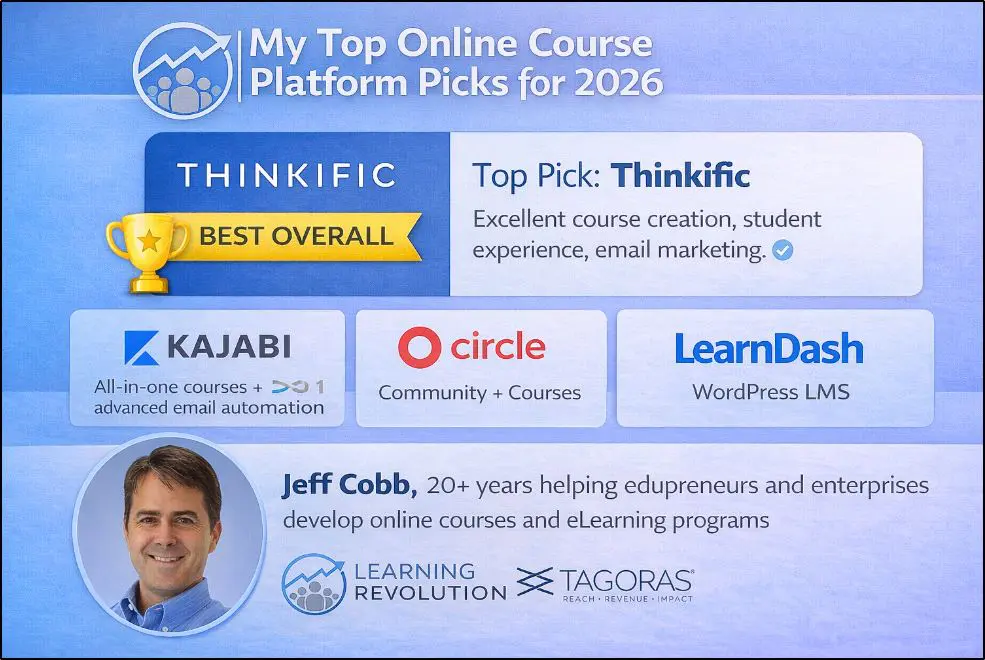
I’ve reviewed 13 course creation platforms in this guide. But if you want a straight answer on where to start, here’s my shortlist.
Choose Thinkific if you’re just starting out or scaling a course business and want excellent course creation tools without overcomplicating things.
Choose Kajabi if you have a bigger budget and want advanced email marketing, funnels, and automation all in one place.
Choose Circle if you want to build a community-first business where courses support the experience rather than lead it.
Choose LearnDash if you want to turn your existing WordPress site into a fully featured course platform without moving to a third-party tool.
Want more information before you decide? The table below covers all 13 platforms and will help you find the right one for your situation.
What Is an Online Course Creation Platform?
An online course platform is software that lets you create, host, sell, and manage online courses under your own brand. It handles things like uploading lessons, organizing modules, enrolling students, processing payments, and tracking progress. Most modern learning platforms also include tools for email marketing, memberships, communities, and analytics.
What Type of Online Training Platform Do You Need?
Before I get into my specific recommendations, it helps to understand that online course platforms don’t all do the same thing. They fall into five broad categories, and each one is built for a different kind of creator and a different kind of business.
Knowing which category fits your situation will save you a lot of time and save you from comparing platforms that were never really competing for your use case in the first place.
| Category | Best For | Platforms Covered |
|---|---|---|
| Online Course Platforms | Creating and selling online courses with solid e-learning tools. Limited marketing built in. | Thinkific, LearnWorlds, Teachable |
| All-In-One Platforms | Running your entire business (courses, email, funnels, automation) in one place. | Kajabi, Kartra, Podia |
| WordPress LMS | Adding courses to an existing WordPress site with full ownership and flexibility. | LearnDash, LifterLMS |
| Community-Led Platforms | Building an engaged community where courses support the experience. | Circle, Skool, Mighty Networks |
| Course Marketplaces | Getting quick exposure to a large existing audience. Not ideal for long-term business building. | Udemy, Skillshare |
One important distinction before we go further.
When I talk about online course selling platforms in this guide, I’m referring to modern cloud-based software that lets you build multi-module video courses and sell them directly to your audience.
I’m not talking about traditional Learning Management Systems (LMS) like TalentLMS built for corporate training, employee onboarding, and internal learning and development.
If that’s what you’re looking for, read my dedicated guide on the best LMS platforms.

Online Course Platform Comparison (2026): Which One Should You Buy?
After my latest platform testing round in January 2026, let me share my quick thoughts on which course software is worth buying.
This includes the top platforms I’ve already mentioned along with a few possible alternatives.
| Platform | Starting Price | My Verdict |
|---|---|---|
| Thinkific | $36/mo (annual) | ✅ Best overall for most creators. Solid course delivery, good enough email marketing, no headaches. The go-to starting point. |
| Kajabi | $143/mo (annual) | ✅ Best all-in-one once you’re ready to scale. Replaces 5-7 tools in one login. Too expensive and complex if you’re just starting out. |
| Circle | $89/mo (annual) | ✅ Best when community is the product and courses support it. Needs an existing audience to work — starts feeling empty below 30 active members. |
| LearnDash | $199/yr (annual) * | ✅ The best choice if you already have an established WordPress site with real traffic. You keep your SEO equity, domain authority, and audience on your own infrastructure. Not worth it if you’re starting from scratch. |
| LearnWorlds | $24/mo (annual) | ⚠️ Worth it if you need SCORM, interactive video, or B2B certification programs. Genuinely powerful for structured training. Overkill for solo creators. |
| Mighty Networks | $79/mo (annual) | ⚠️ A solid Circle alternative for cohort-based and social learning. Strong community tools but requires external video hosting, which adds cost and friction. |
| Skool | $99/mo (no annual option) | ⚠️ Simple and clean with one standout advantage — a built-in marketplace that surfaces your community to relevant people browsing the platform. Limited marketing tools and the same discoverability works both ways. Best for audience-first creators. |
| LifterLMS | $147/yr (annual) * | ⚠️ A more affordable WordPress LMS than LearnDash. Good if you’re comfortable with WordPress and want to keep costs down. Requires more technical setup and has a smaller support ecosystem. |
| Teachable | $39/mo (monthly or annual) | ⚠️ Reasonable for selling a single course with minimal admin work. Tax and payment handling is genuinely good. But transaction fees, no marketing tools, and product limits make it the wrong fit once you’re ready to grow. |
| Podia | $33/mo (annual) | ⚠️ Most affordable all-in-one for coaches selling light digital products alongside a simple course. Friendly and easy to use. Not built for serious course businesses that need depth. |
| Kartra | $52/mo (annual) * | ⚠️ Strong fit if your business is already built around funnels and automation and you want to add courses. Marketing and video tools are powerful. But the student experience doesn’t keep pace with modern course-first platforms. |
| Udemy | Free | ⚠️ Useful for validating a course idea or reaching an audience you don’t have yet. You don’t own the pricing, the relationship, or the data. Move to your own platform once a course gains traction. |
| Skillshare | Free | ⚠️ Works if you want exposure without needing revenue predictability. Income depends on platform-wide watch time, not your sales. Not a foundation for a serious course business. |
Online Course Creation Platform Selection Tool
Still confused? Simply tell us your preferences and this tool will help you find the perfect online course selling platform for your goals.
Why Trust My Advice? (I’m In The Trenches Every Day)
I use these online training platforms to run my course business and the businesses of my clients from Learning Revolution, Leading Learning, and Tagoras.
So, I actually know what’s behind those fancy features most AI-generated “best for” articles throw at you.
If a platform’s checkout fails or an update breaks a course player, I’m the one who gets the 3 AM phone call.
Here is why you can trust these recommendations:
I Pay For These Tools Out Of My Own Pocket: I maintain active, paid accounts on almost every platform I’ve mentioned, including the ones I suggest you avoid. I don’t rely on free “demo” accounts provided by marketing teams; I log in and build real modules to see where the friction actually is.
20+ Years of Real-World Data: I’ve spent two decades consulting for global organizations and solo “edupreneurs” alike. I’ve seen which platforms scale to seven figures and which ones crumble under the weight of 500+ students.
I know the features that actually matter: You’ll rarely use all those cutting edge features platforms so proudly market. I know the things that actually matter like course creation, marketing, and student engagement.
I’ve Handled the “Emergency Migrations”: I’ve personally managed the technical nightmare of moving thousands of students from one platform to another because a “simple” tool hit a scaling wall. I know where the “ceilings” are because I’ve hit them.
I am an affiliate for some of these tools, and that helps keep this site running. However, my primary loyalty is to my readers. If a platform is no longer a good deal in 2026, I will tell you because my reputation as a consultant is worth more than a commission check.

The Top Online Course Software For Teachers & Sellers [Updated Pricing & Features 2026]
I’ll now tell you more about my experience with each of the top online course software platforms I mentioned earlier in my comparison table.
Each comes with its own strengths and trade-offs. And understanding those differences is key to choosing a platform that actually fits your online learning goals, your content, and your workflow.
Let’s break them down one by one
1. Thinkific (Top Pick)
- Main features: Multimedia course builder, email marketing, live sessions, memberships
- Best for: Beginners & scaling course businesses looking for ease of use and affordability
- Starting price: $49/mo (monthly billing) $36/mo (annual billing)
Thinkific is my top choice as the best online course platform for most professionals.
It nails the three things that actually matter to a new or mid-tier course creator: solid course delivery, flexibility to grow, and just enough email marketing that you’re not forced into expensive integrations on day one.
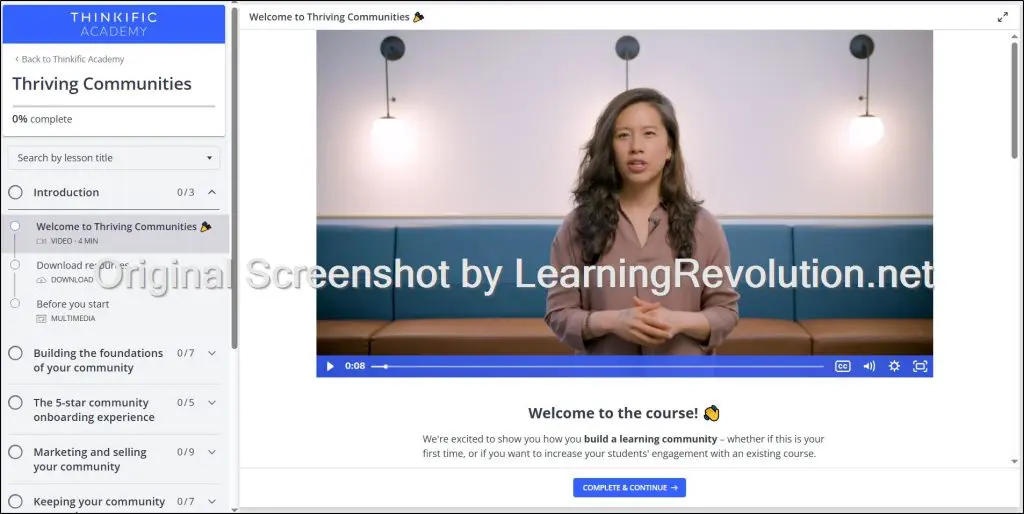
When I ran my own course on Thinkific a few years back, the platform essentially handled everything related to the backend without me noticing (which is exactly what you want). My students navigated easily, drip content worked automatically, and I spent zero weekends fixing tech issues.
In August 2025, a client launched her membership on Thinkific’s Start plan ($74/month) on my recommendation.
She needed automated welcome sequences and weekly broadcast emails. The automation worked great out of the box. For broadcasts, she connected Mailchimp, which is a minor hassle, but she saved $100+ monthly compared to Kajabi while getting proper course structure and unlimited members.
Look, Thinkific isn’t Kajabi.
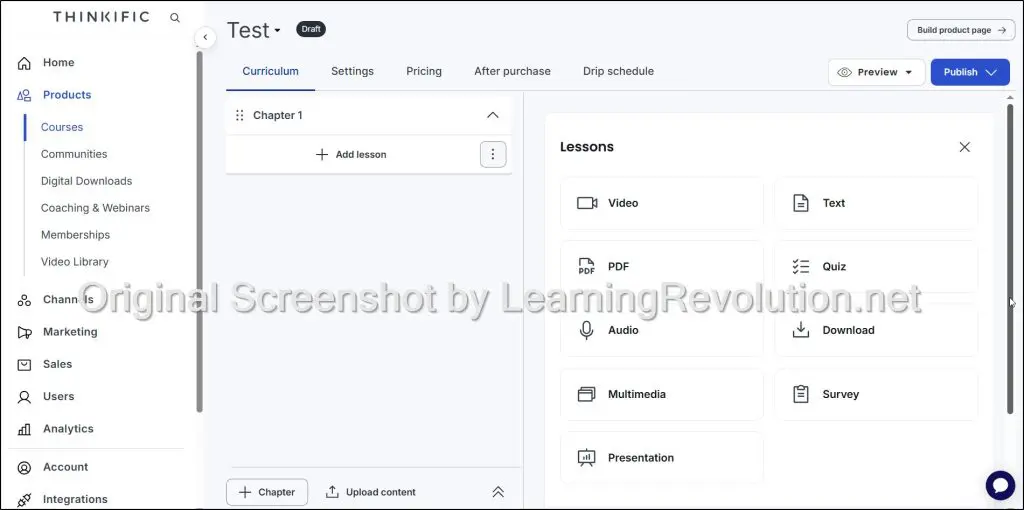
It won’t handle your entire marketing operation. But it gives you a genuinely good online course builder with modules, drip scheduling, quizzes, and tracking, along with good-enough email features.
You can run live cohorts, sell memberships, and deliver digital downloads.
The built-in email captures leads through free downloads, runs nurture sequences, and recovers abandoned carts. That covers core needs.
For newsletters or complex campaigns, you’ll integrate an email marketing platform. But most creators do this anyway, even on $300/month platforms.
What matters most is that you can start with strong course delivery, upgrade to the mid-tier plan when you need live sessions and memberships, then move to the top-tier for broadcast emails and API access. You’re not paying $200+ monthly from launch just to have features you might need later.
Bestselling author Dorie Clark, who’s been a guest on the Learning Revolution podcast and is brilliant about business, uses Thinkific for her courses. That’s a significant vote of confidence.
Thinkific Features
Here’s a quick overview of the platform’s standout capabilities:
- Unlimited Courses – No caps on how many courses you can publish, even on the Basic plan.
- Drag-and-Drop Course Builder – Easily structure your content without needing to code.
- Live Lessons & Webinars – Host Zoom sessions or webinars directly from your course interface.
- Digital Downloads – Sell or offer downloadable resources like PDFs, worksheets, or guides.
- Memberships – Create recurring revenue with member-only content and access tiers.
- Communities – Build student communities for engagement and discussion.
- Email Marketing & Automation – Capture leads, send automated AI-generated campaigns, abandoned-cart reminders, and integrate with Mailchimp/Zapier
- Bundles & Add-ons – Upsell with course bundles, bonus content, or product add-ons.
- Group Orders & Invoicing – Sell access to businesses or teams and handle B2B payments.
- Analytics & Reporting – Track sales, student progress, and engagement with Thinkific Analytics.
- Branded Experience – Remove Thinkific branding on Grow plan and above.
- SCORM Support – Use SCORM content on Plus plan for more interactive learning.
- Student Learning Paths – Create guided learning journeys on Thinkific Plus.
What I Don’t Like About Thinkific
Thinkific’s community features are good enough to build engagement, but they’re not great for scaling a community.
Not a dealbreaker, but still something they should seriously consider. Because you can no longer sell information-only courses when your audience can ask ChatGPT about anything.
A strong and engaged community is a must-have, it’s one of your main selling points now.
You’ll also outgrow Thinkific when you need sophisticated marketing automation, advanced analytics on student behavior, or native affiliate management.
The platform is excellent for delivering courses and capturing leads. It’s not built for complex funnels or deep data analysis.
Most creators hit this ceiling around $50K-$100K in revenue, then either upgrade to Grow, stack external tools, or migrate entirely.
Thinkific Pricing And Free Trial: How Much Does It Cost?
Thinkific no longer offers a free plan, but you can start with a free trial of any paid plan—no credit card required.
Here’s a breakdown of the paid plans:
- Basic – $36/mo (annual) – Great for getting started with essential course delivery tools.
- Start – $74/mo (annual) – Best for creators ready to scale with unlimited memberships and live lessons.
- Grow – $149/mo (annual) – Built for pros who want advanced features, better support, and full white-labeling.
- Thinkific Plus – Custom – Tailored for high-growth teams needing SCORM, SSO, and enterprise integrations.
All plans offer 25% savings when billed annually.
| Plan | Communities | Downloads & Coaching | Memberships & Bundles | Branding | Advanced Features |
|---|---|---|---|---|---|
| Basic | 1 | 5 each | ❌ | ❌ | ❌ |
| Start | 1 | Unlimited | ✅ | ❌ | HTML/CSS Editing |
| Grow | 3 | Unlimited | ✅ | ✅ | Group Orders, Analytics, API |
| Plus | Unlimited | Unlimited | ✅ | ✅ | SCORM, SSO, CRM, Learning Paths |
To go deeper, here’s our full Thinkific review.

2. Kajabi – The Best All-In-One Platform

- Main features: Courses & memberships, advanced email marketing automation, funnels
- Best for: Managing your whole creator business with one platform
- Starting price: $179/mo (monthly billing) $143/mo (annual billing)
I’ve been using Kajabi since 2018 and I’ve seen it evolve from a platform for selling courses into a complete creator ecosystem that has now helped its customers collectively earn over 10 billion dollars.
It’s really good. In fact, so good that it’s overkill for most beginners.
If you’re just starting out, I don’t recommend Kajabi. It’ll overwhelm you and you won’t get the most out of it. You’ll pay $143+/month to use maybe 30% of what it offers.
Thinkific or LearnWorlds are the better options for you.
But if you’re already a relatively successful creator with an existing audience that trusts you (and you’re ready to actually monetize that audience) then Kajabi makes sense.
Kajabi isn’t designed for a single product. Instead, if you’ve built your value ramp as I’ve described in this article, Kajabi helps you execute the whole ramp through products at different stages of the funnel.
Free lead magnet → low-ticket course → mid-ticket membership → high-ticket coaching. The platform handles all of it.
That’s exactly what our team member Jackie found out when we sent her to Kajabi Hero Live. She met creators like Justin Welsh who’ve built multi-million dollar businesses on the platform.
Her main takeaway? These people aren’t just selling courses online. They’re running complete businesses that offer courses, coaching, memberships, communities, all through Kajabi. That’s what it’s designed for.
Kajabi basically replaces 5-7 different tools and gives you one unified platform. You get course creation tools, email marketing, automation, funnels, communities, coaching tools, payments, and more.
One login instead of juggling multiple subscriptions and praying your Zapier connections don’t break.
You use Kajabi once you outgrow Thinkific or LearnWorlds. When you hit the point where you need sophisticated email sequences, multiple product types, integrated checkout with upsells, and you’re tired of duct-taping tools together, that’s when Kajabi becomes the obvious choice.
Kajabi Features
These are the core, product-defining features that make Kajabi an all-in-one platform:
- Unlimited Marketing Emails & Landing Pages – Build and promote as many funnels and lead magnets as you want, even on the lowest plan.
- Products & Funnels – Sell online courses, memberships, coaching, podcasts, and more with built-in funnel automation.
- Website & Custom Branding – Host your entire business on Kajabi with a no-code website builder and branded domain.
- Integrated Email Marketing & Automation – Run your email campaigns, newsletters, and automations directly inside Kajabi.
- AI Creator Studio – Generate content and build courses faster with built-in AI tools (available on all plans).
- Affiliate Program Tools – Recruit and manage affiliates to help promote your products (on Growth plan and above).
- Advanced Automation & Webhooks – Trigger personalized workflows and connect with external tools (Growth/Pro plans).
- Branded Mobile App Access – Give users access to your content on Kajabi’s app with your branding (optional add-on).
- 24/7 Support & Onboarding Help – Get help any time via chat, plus onboarding assistance on Growth and Pro plans.
What I Don’t Like About Kajabi
Kajabi keeps pushing upmarket, and it shows in how they position themselves. Every update, every rebrand, every new feature is aimed at “successful creators” and “scaling businesses.” That’s fine if you’re already there, but it creates this feeling that the ground is constantly shifting under your feet.
The January 2026 price jump reinforced this. Basic increased 20%, Growth increased 25%. After holding prices steady for a decade, they chose to raise them significantly. The message is clear: if you’re not ready to pay premium prices, Kajabi isn’t for you.
There’s also the all-your-eggs-in-one-basket problem. When Kajabi works, consolidation is beautiful, one login, everything connected. But when something breaks, your entire business is affected.
Communities remain underwhelming compared to dedicated platforms. Despite the Vibely acquisition and improvements, they’re still basic discussion forums attached to courses.
Still it’s a powerful audience building engine and worth paying for if you know what you’re doing.
Kajabi Pricing and Free Trial: How Much Does It Cost?
Kajabi doesn’t offer a free plan, but you can get started with a free trial of any paid plan. No credit card required.
Here are its four main paid plans (monthly billing)
- Kickstarter – $89/mo – Best for beginners launching their first digital product.
- Basic – $143/mo (annual) or $179/m (monthly) – Ideal for creators starting to grow with a few products and more email contacts.
- Growth – $199/mo (annual) or $249/m (monthly) – Best value for growing creators who need automations, branding, and full marketing tools.
- Pro – $399/mo (annual) or $499/m (monthly) – Built for established businesses managing large audiences and multiple product lines.
Each plan includes 20% off when billed annually.
| Plan | Products | Contacts | Emails | Admin Users | Automations / Branding |
|---|---|---|---|---|---|
| Kickstarter | 1 + 1 Community | 250 | 7,500 / month | 1 | ❌ Limited |
| Basic | 5 | 2,500 | Unlimited | 1 (+1 extra) | ❌ Core only |
| Growth | 50 | 25,000 | Unlimited | 1 (+10 extra) | ✅ Advanced + Affiliates |
| Pro | Unlimited | 100,000 | Unlimited | 1 (+25 extra) | ✅ + API, Webhooks, Custom Code |
For a more in-depth look at Kajabi, read our full Kajabi Review.

3. LearnDash– The Best WordPress LMS Plugin

- Main features: Advanced quizzes, drip content, certificates, WordPress integration
- Best for: WordPress users who want full control and flexibility
- Starting price: $199/year (plugin) or $39/month (hosted version)
LearnDash is a powerful WordPress Learning Management System (LMS) plugin that turns your existing website into a full-featured platform to sell online courses.
That’s both its main strength and its main weakness.
If you’re already running a WordPress site and know your way around plugins, hosting, and basic troubleshooting, LearnDash gives you complete control.
You own all your student data, you can customize everything, and you’re not locked into a monthly SaaS platform that can raise prices or change features on you.
I’ve used LearnDash on multiple projects.
It’s pretty good at what it does. Its online course builder is solid, the quiz options are extensive, and you can structure learning paths however you want. With the right setup, it handles drip content, certificates, assignments, and gamification without feeling clunky.
But I only recommend LearnDash if you already have a high-traffic WordPress site and your goal is to leverage that existing domain authority and audience to sell courses online.
This is critical. If you’ve spent years building traffic to yoursite.com and you’ve got thousands of monthly visitors trusting your domain, you don’t want to send them to yoursite.thinkific.com or yoursite.kajabi.com. You want courses at yoursite.com/courses so you keep all that SEO equity, all that trust, and all that traffic on your own domain.
That’s when LearnDash makes complete sense. You’re not starting from scratch—you’re adding monetization to an asset you’ve already built. The audience is already there. The domain authority is already there. LearnDash lets you capitalize on that without fragmenting your brand across multiple platforms.
But if you don’t have that existing WordPress site with established traffic? If you’re starting fresh or your site gets minimal visitors? Then routing people to a subdomain on Thinkific or Kajabi isn’t costing you anything. There’s no domain authority to preserve, no established audience to keep on your own infrastructure.
In that case, LearnDash is just extra work for zero benefit.
The other requirement: you need to be comfortable with WordPress (or have a developer who is). You’re signing up to be your own tech support.
You’re managing hosting, security updates, plugin conflicts, payment integrations, and email marketing tools. If that sounds exhausting, it will be.
LearnDash Features
Here are the standout features in LearnDash:
- Drag-and-Drop Course Builder – Visually structure courses using lessons, topics, quizzes, and multimedia with zero coding.
- Advanced Quizzes & Assessments – Create timed quizzes, question banks, grading, and detailed reporting for learner evaluation.
- Assignments & Certificate Builder – Allow submissions, award customizable certificates, and manage assessments with ease.
- Drip-Feed Content – Release course content gradually to support structured learning.
- Gamification Tools – Boost motivation with badges, leaderboards, achievements, and course completion rewards.
- Focus Mode & Video Progression – Create distraction-free learning with controlled navigation and video gating.
- Flexible Monetization – Sell courses online via one-time payment, subscriptions, memberships, or bundles using Stripe, PayPal, or WooCommerce.
- Team Collaboration Tools – Assign multiple instructors and manage permissions for scaling your team.
- Advanced Reporting (ProPanel) – Track student progress, quiz scores, enrollments, and identify learners who need help.
- Mobile Responsive & Multilingual – Fully responsive out of the box; easily translated with 3rd-party plugins.
- Add-Ons Marketplace – Extend functionality with powerful add-ons like Gradebook, Instructor Role, Groups Management, and Notes.
- StellarSites Hosting Option – Fully hosted, secure, and optimized version of LearnDash with managed WordPress, AI writing tools, and pre-built templates.
What I Don’t Like About LearnDash
The $199/year price is misleading. You still need hosting ($20-50/mo), email marketing (ConvertKit or FluentCRM), payment processing (WooCommerce), and possibly community plugins. The costs add up fast, and you’re managing it all yourself.
You’re also the tech support. Plugin conflicts, WordPress updates breaking things, theme compatibility issues—it’s all on you. Change your theme? Expect to spend time fixing layouts and adjusting course pages.
It’s all doable, but only worth it if WordPress is already your priority. For most beginners just wanting to create and sell courses online, I recommend cloud platforms like Thinkific that handle everything without the maintenance headaches.
LearnDash Pricing & Free Trial: How Much Does It Cost?
LearnDash offers two primary pricing models: the self-hosted plugin (for existing WordPress sites) and the hosted StellarSites solution (for creators who want everything ready to go).
LearnDash Plugin (Self-Hosted)
A one-time plugin license installed on your WordPress site. Includes updates and support.
- 1 Site – $199/year
- 10 Sites – $399/year
- Unlimited Sites – $799/year
Includes:
- Online course builder, quiz builder, focus mode, PayPal/Stripe integration, certificates, and marketplace add-ons.
LearnDash StellarSites (Hosted)
Includes LearnDash LMS, cloud hosting, backups, AI tools, templates, and full setup.
| Plan | Price (Monthly) | Key Features |
|---|---|---|
| Essential | $39/mo | Hosting, course builder, certificates, focus mode, Stripe, video progression |
| Plus | $69/mo | All Essential features + more storage and site customizations |
| Ultimate | $99/mo | All Plus features + priority support, more users, domains, and storage |
30-day money-back guarantee included with all plans.
Read our in-depth LearnDash Review.

We recommend using LearnDash in combination with BuddyBoss to build a powerful online course and membership/community solution. Full BuddyBoss review here.
4. Circle
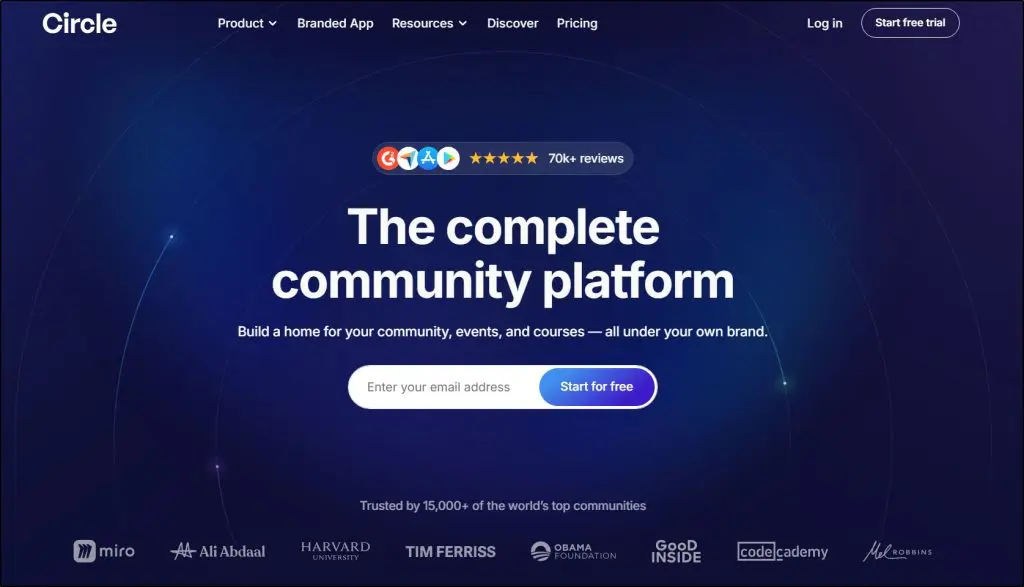
- Main features: Community spaces, course hosting, live events, AI workflows, branded apps
- Best for: Creators who want to build a course-driven membership with deep engagement
- Starting price: $89/month
Circle is the platform built for the AI age of course selling.
I say this because it’s fundamentally a specialized community platform that also happens to let you sell online courses, not the other way around.
It’s excellent for growing an engaged community, but only if you already have an audience to bring in. If you’re starting from scratch with zero following, Circle will feel like an expensive ghost town.
So ideally, you should have an existing email list, social media following, or audience from a previous course that you can move to Circle to have engagement from day one.
That said, Circle is an excellent community platform, much more advanced than the community features you get in Kajabi or Thinkific, platforms that still treat community as a side feature.
It gives you threaded discussions that actually feel alive, member directories so people can find and connect with each other, live rooms for spontaneous conversations, and engagement tools like badges and activity feeds that keep momentum going.

The course features work well enough. You can structure learning paths, drip content, host videos, and track completion.
But the platform isn’t trying to compete with Thinkific’s course builder or LearnWorlds’ interactive quizzes. It’s designed to make your courses feel like part of a living community, not standalone products.
Circle gives you member-to-member direct messaging, so conversations happen privately between students, not just in public forums. You get detailed member profiles where people showcase their expertise, interests, and progress.
The activity feed algorithm actually surfaces relevant discussions to each member based on their interests and engagement, like a private social network.
You get spaces within spaces—you can create different areas for different topics, cohorts, or membership tiers, all with separate permissions and content.
Circle’s live rooms let members jump into spontaneous voice or video conversations without scheduling Zoom links. It’s like Clubhouse built into your membership.
That’s the difference between Circle and platforms like Thinkific or Kajabi. The communities on those platforms are passive where students can go if they want to discuss.
Circle communities are active as they pull members in, facilitate connections, and make engagement feel natural.
What I Don’t Like About Circle
Communities need critical mass to work, and getting there is hard. With my coaching client, the first month felt slow. We launched with about 15 members, and discussions were sparse. People would post questions and wait hours for responses.
It wasn’t until we hit around 30-40 active members that conversations started flowing naturally.
You can’t fake that momentum.
A course on Thinkific works fine with 5 students as they consume content independently.
A Circle community with 5 members feels dead. You’re paying $89/mo for infrastructure that only delivers value once you’ve built critical mass.
The email add-on kills the all-in-one promise. Circle positions itself as a complete platform, but real email marketing costs an extra $99/mo.
That’s $188/mo total just to match what Kajabi includes at $143/mo—and Kajabi gives you better funnels, automation, and course tools.
For the community alone, Circle is worth using. But I only recommend it when you have an existing audience on your email list, from a previous course, or on social media that you can use to instantly populate your Circle community.
Circle Features
Here are some of Circle’s core product features.
- Courses, Discussions & Events – Build interactive learning and engagement spaces under one roof.
- Live Streams & Live Rooms – Host real-time sessions, virtual meetups, and AMA-style events.
- Website Builder – Create a fully functional community site with custom pages and branding.
- Paid Memberships – Offer subscriptions, gated content, and recurring payments.
- Gamification & Member Directory – Motivate with badges, scores, and searchable profiles.
- Email Hub (Add-on) – Send broadcasts, automate campaigns, and manage contacts (starts at $99/mo for 10K contacts).
- Custom Workflows & Automation – Automate member onboarding, engagement, and content delivery (Business & above).
- Analytics & Reporting – Monitor community activity, engagement levels, and member journeys.
- API & Headless Options – Integrate discussions, profiles, courses, and events directly into your own site or app.
- AI Tools – Use AI Agents, workflows, content suggestions, and transcriptions (Enterprise & Plus plans).
- Mobile App (Plus Branded App) – Get your own fully branded iOS and Android apps with in-app purchases and push notifications.
Circle Pricing & Free Trial: How Much Does It Cost?
Circle offers a 14-day free trial on all plans with no credit card required. All prices below are based on annual billing.
- Professional – $89/mo – Great for small creators or coaches starting their first paid community with essential features.
- Business – $199/mo – Ideal for scaling communities that need automation, APIs, custom fields, and branded emails.
- Enterprise – $419/mo – Designed for large businesses needing AI features, custom SSO, analytics, and concierge onboarding.
- Plus Branded App – Custom Pricing – Get your own iOS/Android app with complete branding, migration, and a dedicated launch team.
Email Hub Add-On: Starts at $99/mo for 10,000 contacts – includes broadcasts, workflows, personalization, segmentation, and analytics.
Circle Plan Comparison Table
| Plan | Courses & Events | Automations/Workflows | Email Marketing (Add-on) | AI Tools |
|---|---|---|---|---|
| Professional | ✅ | ❌ | Optional ($99/mo) | ❌ |
| Business | ✅ | ✅ Workflows & Co-Pilot | Optional ($99/mo) | ✅ Transcriptions |
| Enterprise | ✅ | ✅ Unlimited Workflows | Optional ($99/mo) | ✅ AI Agents |
| Plus App | ✅ | ✅ | Optional ($99/mo) | ✅ All Features |
There’s no free plan, but the trial gives you full access to test everything.

5. LearnWorlds

- Main features: Interactive course builder, SCORM support, AI-powered tools
- Best for: Structured learning with assessments and professional training features
- Starting price: $24/mo (billed annually) $29/mo (monthly billing)
I’ve been using LearnWorlds for years and still maintain an active account. It’s genuinely one of my top recommendations, but only when you need more sophisticated and advanced learning
Only get LearnWorlds if you’re selling to businesses (B2B training), you need SCORM compliance for corporate clients, or you’re building certification programs where assessment rigor actually matters (weighted grading, randomized question banks, detailed reporting).
For solo creators just trying to sell online courses to their audience, the platform adds unnecessary complexity. The learning curve is steeper, the interface is more cluttered, and you’ll pay more through either the $5/enrollment fee on Starter or by upgrading to $99/mo Pro Trainer.
As a learning platform, LearnWorlds shines in multiple ways.
For instance, it has embedded AI throughout the course creation process. Its AI assistant helps generate course outlines, improve lesson flow, write engaging titles, and optimize sales pages.
I’ve seen these tools genuinely speed up course creation, especially for the structured, assessment-heavy courses LearnWorlds is built for.
LearnWorlds’ interactive video features stand out from typical course platforms. You can embed questions, CTAs, and navigation buttons directly into video timelines.
Students interact as they watch rather than passively consuming content. For most informational courses, this level of interactivity adds unnecessary production time.
For training programs where engagement drives outcomes, it works well.
The assessment tools in LearnWorlds go deeper than most platforms. You get question banks, randomized quizzes, timed exams, weighted grading, and detailed gradebooks.
If you’re building certification programs or compliance training where assessment rigor matters, LearnWorlds handles it better than Thinkific or Kajabi.
SCORM compliance is the other major advantage, which LearnWorlds supports natively on all paid plans.
What I Don’t Like About LearnWorlds
My problem with LearnWorlds is that it’s already complex and its UI doesn’t really help. It’s cluttered and figuring out stuff takes time.
If you’re not tech-comfortable or don’t have time to learn a complex system, this friction slows you down.
At $99/mo for Pro Trainer, I expect better email marketing features. You get basic mass emails and automations, but you still need to integrate with Mailchimp or ConvertKit for serious email campaigns. Kajabi costs $143/mo and includes robust email marketing with advanced segmentation and automation.
LearnWorlds charges similar prices but makes you piece together your marketing stack.
LearnWorlds Features
Here are the most prominent LearnWorlds features.
- AI Tools on All Plans – Use AI for course planning, content creation, assessments, and feedback.
- Unlimited Courses – Create free or paid courses without restrictions on Pro Trainer and above.
- Email Marketing & Automation – Send mass emails, trigger automated messages, and integrate with Mailchimp, ActiveCampaign, and others.
- Interactive Video & Assessments – Add hotspots, questions, auto-transcripts, and subtitle translations to videos.
- SCORM & HTML5 Support – Deliver professional, standards-compliant content with tracking.
- Built-in Website Builder – Launch a multi-page course site with templates, domains, and popups.
- Memberships, Subscriptions & Funnels – Sell with flexible pricing, recurring payments, and sales funnels.
- Branded Mobile App – Create your own mobile learning app (Pro Trainer and above).
- Live Classes Integration – Use Zoom, Webex, Google Meet, or Microsoft Teams to host live training.
- Affiliate Marketing System – Set up affiliates and track referrals (basic and advanced levels).
- Automations & Custom Roles – Automate tasks, manage teams, and assign custom permissions.
LearnWorlds Pricing
LearnWorlds offers a 30-day free trial with access to all core features. No hidden fees, no revenue share, and transparent plan limits (monthly billing).
- Starter – $29/mo – Great for first-time creators needing essential course creation and payments.
- Pro Trainer – $99/mo – Best for trainers and coaches needing advanced engagement, sales, and branding.
- Learning Center – $299/mo – Built for growing academies that need white-labeling, reporting, automations, and team control.
- High Volume & Corporate – Custom Pricing – Ideal for enterprises needing dedicated success, custom roles, and high-availability hosting.
All plans save up to 20% when billed annually.
LearnWorlds Plan Comparison Table
| Plan | Courses | SCORM Support | Email Capabilities | Live Classes |
|---|---|---|---|---|
| Starter | Unlimited Paid | ❌ | ✅ Notifications only | 1:1 / Group |
| Pro Trainer | Unlimited | 20 SCORM files | ✅ Mass Emails & Automations | Zoom/Webinars |
| Learning Center | Unlimited | Unlimited SCORM | ✅ Advanced Email + Segments | Multiple Platforms |
| High Volume & Corp | Unlimited | Unlimited SCORM | ✅ Advanced Email + Custom Options | Enterprise-grade |
Use code LEARNREV2046 at checkout for 20% off your first 6 months of the Pro Trainer plan or higher.
To learn more, read our full LearnWorlds Review.

6. Mighty Networks
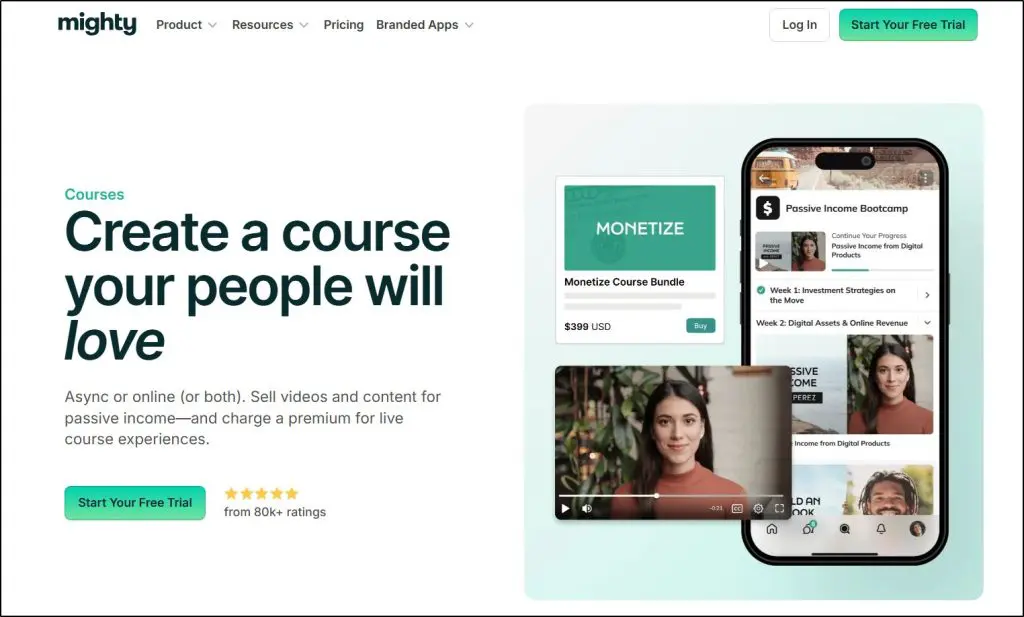
- Main features: Courses, community spaces, live events, gamification, mobile apps
- Best for: Cohort-based and social learning where community drives the experience
- Starting price: $79/mo (annual) / $95/mo (monthly)
Mighty Networks is a community-first platform with solid course creation and selling features.
In my experience, it’s a platform with genuinely good ideas that has consistently struggled to execute them cleanly. The vision is right. The implementation has friction points that real users feel every day.
For example, the community tools are solid. Live events, member profiles, activity feeds, direct messaging, gamification with badges and leaderboards all work and create real engagement when you have an active membership.
But the interface is a consistent pain point that I can’t overlook.
Navigation items are hard to locate, especially for new members who haven’t been shown around. Sections open in pop-up windows by default rather than full pages, which creates an experience that feels cramped and unfinished.
The course tools compound this.
There are no completion certificates, quizzes, or gradebook. If assessments, progress tracking, formal completion rates are important to you, Mighty Networks will frustrate you.
Where Mighty Networks genuinely makes sense is cohort-based learning.
You can run structured programs where a group of people move through content together over a set time period, with discussion and accountability built in.
The combination of course delivery, live events, and community tools supports that format well.
Still, it’s not a simple community platform like Skool. But if you know how to use it, it’s significantly more powerful.
Mighty Networks Features
- Courses & Challenges — On-demand, cohort-based, and live courses with native video, drip content, and badges.
- Community Spaces — Chat spaces, threads, activity feeds, and direct messaging between members.
- Live Events & Livestreaming — Host and manage events, webinars, and multi-speaker livestreams with up to 10,000 viewers on higher plans.
- Gamification — Points, badges, streaks, and leaderboards with detailed member profiles.
- AI Tools — Course outlines, writing assistance, and an AI co-host for community management.
- Mobile Apps — Native iOS and Android apps with full platform access. Branded apps available on Mighty Pro.
- Automations — Trigger actions based on member activity, onboarding events, and gamification milestones.
- Native Video Hosting — Host course videos directly on the platform without needing Vimeo or Wistia.
What I Don’t Like About Mighty Networks
Transaction fees on paid plans are genuinely hard to justify at this price point. Two percent on every sale, on top of your monthly subscription, adds up fast once you’re doing real volume.
Only Stripe for payment processing. No PayPal. For creators with an international audience where PayPal is the preferred payment method, that’s a meaningful limitation.
Mighty Networks Pricing: How Much Does It Cost?
All plans include a 14-day free trial, unlimited members, and unlimited admins.
- Community Plan — $41/mo (monthly) — Basic events, chat, and gamification. Does not include course selling.
- Courses Plan — $129/mo — Paid courses, basic automation, and learning tools. 2% transaction fee.
- Business Plan — $229/mo — Custom fields, intermediate automations, branded notifications. 2% transaction fee.
- Growth Plan — $430/mo — Advanced automations, expanded livestreaming, premium services. 1% transaction fee.
- Mighty Pro — Custom — Branded mobile apps, advanced reporting, strategic launch support.
Save 20% with annual billing on all plans.
| Plan | Courses | Transaction Fee | Livestreaming | Automations |
| Community | ❌ | 2% | ❌ | ❌ |
| Courses | ✅ | 2% | 20 hrs/mo | Basic |
| Business | ✅ | 2% | 30 hrs/mo | Intermediate |
| Growth | ✅ | 1% | 40 hrs/mo | Advanced |
Read our Mighty Networks Review for more details.

7. Skool
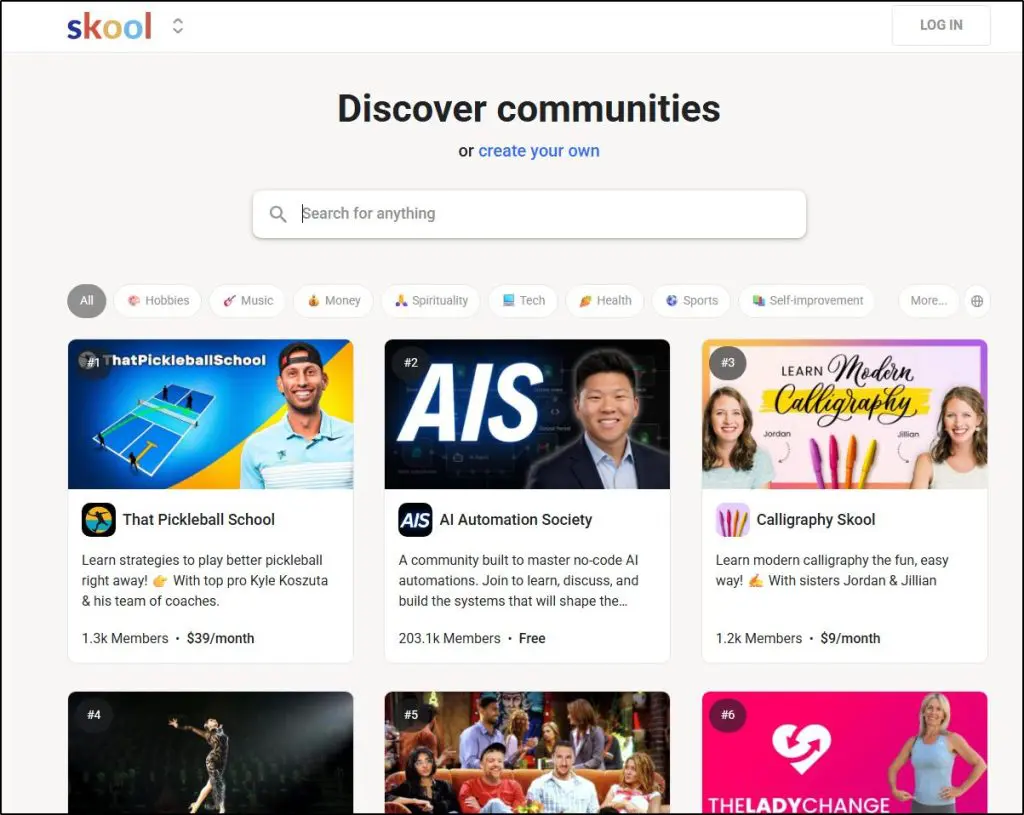
- Main features: Community spaces, course hosting, member discovery, gamification
- Best for: A simple community and course setup in one place
- Starting price: $99/mo (no annual billing option)
I’ve been using Skool for three years now and it’s a genuinely good platform, but only if you go in knowing what it is and what it isn’t.
It’s a minimalist community platform where you can sell online courses, not a course builder that happens to have a community attached.
Skool offers you a simple structure to deliver your content and engage with your audience. Once a user signs up, they get access to your community, classroom (where they get all your courses), calendar (for events), and leaderbaords.

Skool has been building serious momentum over the past few years.
Its clean, simple interface appeals to creators who are tired of bloated platforms, and high-profile names like Alex Hormozi actively promoting and building on it have brought a lot of attention its way.
What I genuinely like about Skool is its built-in discovery feature.
The platform recommends your community to other Skool users who might be interested in your topic. That’s meaningfully different from Thinkific or Kajabi, where you get a standalone site and all traffic acquisition is entirely on you. With Skool, the platform itself can help your community grow organically.
Where I stop recommending Skool is when a creator needs a focused learning experience.
If you want structured learning paths, assignments, assessments, certificates, or any kind of formal progression tracking, Skool isn’t built for that.
Skool Features
- Community Spaces — Create separate rooms for discussions, courses, events, and announcements with different access levels.
- Course Builder — Structure lessons into modules with video, text, and basic drip content. Simple and fast to set up.
- Member Directory & Discovery — Members can find and connect with each other, and your community is discoverable in Skool’s public marketplace.
- Gamification — Points, levels, and leaderboards keep members engaged and coming back.
- Live Events — Schedule and host live sessions directly inside your community space.
- Member Profiles — Detailed profiles show activity, progress, and interests across the community.
- Mobile App — Native iOS and Android app included for all communities at no extra cost.
What I Don’t Like About Skool
No email marketing is the biggest gap. Running a course business without the ability to nurture leads through automated sequences puts a ceiling on how much you can grow. You’re entirely dependent on members showing up as there’s no way to re-engage someone who goes quiet.
This is where it loses out to Circle which offers pretty impressive email features.
Skool’s course tools will also frustrate anyone who needs assessment depth. No gradebooks, no certificates, no weighted quizzes. If your course requires any kind of structured evaluation or compliance tracking, Skool isn’t built for that.
And one thing that surprised me: there’s no free trial. You pay $99 before you’ve seen the inside of the platform. Most competitors offer at least 14 days. That’s an unusual ask for a $99/mo tool, especially when you can’t test the community dynamics without actual members.
Skool Pricing: How Much Does It Cost?
Skool keeps pricing simple — one plan, one price.
- All-In — $99/mo — Includes unlimited members, courses, community spaces, and the mobile app. No transaction fees. No annual discount available.

Read our full Skool review for more details.
8. Teachable
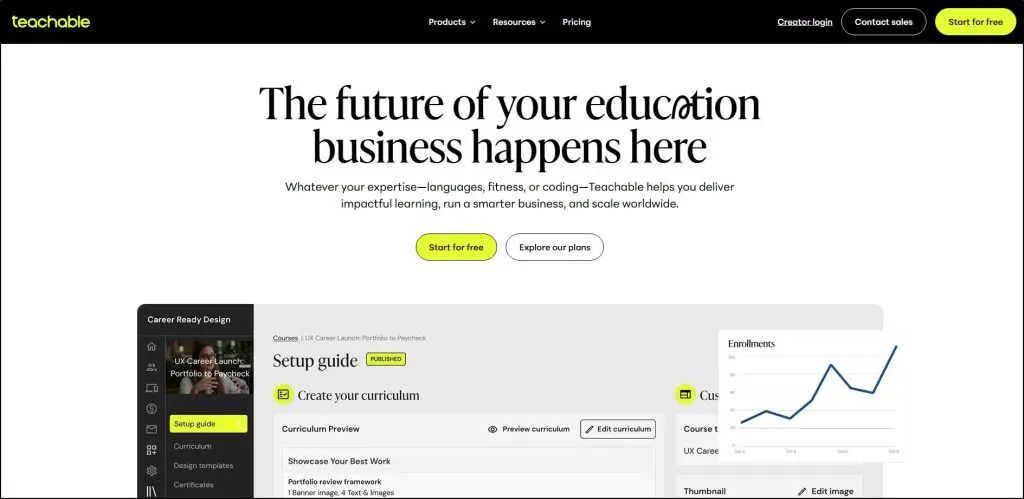
- Main features: Course and coaching builder, automatic tax handling, iOS/Android student app
- Best for: Creators who want zero administrative or tax headaches and are selling a single product
- Starting price: $39/mo (monthly or annual)
I’ve been a Teachable affiliate for years, and for a long time I genuinely recommended it. But I rarely do that these days.
Let me explain.
Teachable was once the leading platform alongside Thinkific. They pioneered a lot of what we now take for granted in online course software courseplatforms like clean student experience, reliable video delivery, straightforward checkout.
The problem is that Teachable hasn’t evolved at the same pace as the competition and has remained mostly a course delivery tool with a payment layer on top.
It used to offer an attractive free plan. But for some reason they discontinued that as well.
The math on the entry plan is genuinely hard to defend.
On the Starter plan at $39/mo, Teachable takes a 7.5% transaction fee on every sale. Sell a $500 course and they take $37.50 before Stripe takes its cut, on top of your monthly subscription.
Teachable’s fee structure made sense when they were the market leader. It doesn’t anymore.
The product limit compounds the problem.
The Starter plan allows one published product. One course or one coaching offer, not both.
The moment you want to sell anything beyond a single product, you’re forced to jump to the Builder plan at $119/mo.
That’s a steep climb for what you get.
However, there are a couple of scenarios where Teachable still makes sense
First, Teachable’s BackOffice system handles US sales tax, EU VAT, and affiliate tax forms automatically.
For a creator who finds this genuinely terrifying and has an international audience, Teachable removes that burden entirely.
No other platform on this list handles it as cleanly at this price point.
Secondly, it’s still one of the most user friendly course creation splatforms ideal for beginners who want to avoid complexity.
For everyone else, Thinkific gives you a better platform for selling courses at the same price with no transaction fees. Podia gives you more tools for roughly the same money.
Teachable’s advantage is narrow and specific.
Teachable Features
- Course & Coaching Builder — Clean, reliable course delivery with video, drip content, quizzes, and milestone tracking.
- Teachable:Pay — Handles US sales tax, global VAT, and affiliate tax forms automatically. The platform’s strongest differentiator.
- Built-In AI Tools — Course outline and lesson generation to speed up content creation.
- iOS & Android Student App — Reliable mobile access for your students on any device.
- Auto-Graded Quizzes — Basic quiz and assessment tools included on all plans.
What I Don’t Like About Teachable
There’s no native email marketing worth using, no funnels, and no automation beyond basic drip content.
Teachable Pricing: How Much Does It Cost?
Teachable doesn’t offer a free plan anymore. But you get a 7-day free trial on all plans.
| Plan | Price (Monthly) | Published Products | Transaction Fee |
| Starter | $39/mo | 1 Product | 7.5% |
| Builder | $119/mo | 5 Products | 0% |
| Growth | $199/mo | 25 Products | 0% |
| Advanced | $499/mo | 100 Products | 0% |
Read the full Teachable Review for more information or explore Teachable’s pricing plans in more detail here.

9. Podia

- Main features: Courses, coaching, digital downloads, email marketing, community
- Best for: Solo creators and coaches who want an affordable all-in-one without the complexity
- Starting price: $39/mo (monthly) / $33/mo (annual)
Podia is a lightweight all-in-one-platform I’ve been using since its early days. It now handles courses, webinars, communities, and email marketing under one roof.
But the best way to understand Podia is that everything it offers works. But nothing goes particularly deep.
It’s not a course-first platform like Thinkific, and it’s not an advanced all-in-one solution like Kajabi.
Do I recommend it? Rarely, because I feel Thinkific with integrations is a better option.
Still, if you’re a coach who sells a course and a few digital products, sends a monthly email to a modest list, and doesn’t need sophisticated automation, Podia does all of that cleanly for $33-39 a month.
Where Podia runs out of road is when your business starts to mature.
The course builder handles the basics well, like video, drip content, quizzes, certificates. But there’s no advanced learning design and no depth in reporting. The community features are functional but basic and the email automations can only cover straightforward sequences (no behavioral triggers or multi-path funnels).
If you’re starting out, want everything under one roof, and aren’t ready to commit to Kajabi prices, Podia is a sensible starting point.
Just go in knowing it’s a starting point.
Podia Features
- Online Courses — Build and sell courses with video, drip content, quizzes, certificates, and access duration controls.
- Digital Downloads — Sell ebooks, templates, audio files, and other digital products alongside your courses.
- Coaching — Offer one-on-one sessions with scheduling, payment, and session management built in.
- Webinars — Host live or pre-recorded webinars and sell access directly.
- Email Marketing — Automations, segmentation, tagging, and analytics included on all paid plans. Free for up to 100 subscribers.
- Community — Basic community space for member discussions and engagement inside your product.
- Website Builder — Full website with custom domain, blogging, live chat, and no Podia branding.
- Affiliate Marketing — Available on Shaker plan to let others promote your products for a commission.
- Free Migrations — Podia migrates your courses, downloads, and customer emails at no extra cost.
- Upsells and Bundles — Offer product bundles, upsells, coupons, and payment plans on all plans.
What I Don’t Like About Podia
The 5% transaction fee on the Mover plan is the first thing to watch. Sell a $500 course and Podia takes $25 on top of your Stripe fees. Once you’re doing consistent volume, upgrading to Shaker or moving to a platform without transaction fees becomes the smarter financial decision.
The email marketing is good enough for early-stage creators but genuinely limited for anyone who wants to build sophisticated sequences. There’s no visual automation builder, no advanced behavioral triggers, and the segmentation options are basic compared to ConvertKit or Kajabi.
Community is the weakest feature. It exists, but it’s far behind Circle, Skool, or even Kajabi’s community tools. If community is a core part of your business model, Podia is the wrong platform.
Podia Pricing: How Much Does It Cost?
Podia offers a 30-day free trial with access to all features. No credit card required.
- Mover — $33/mo (annual) / $39/mo (monthly) — Website, unlimited products, email marketing, courses, coaching, downloads. 5% transaction fee.
- Shaker — $75/mo (annual) / $89/mo (monthly) — Everything in Mover plus affiliate marketing, PayPal, and full Zapier actions. No transaction fees.
Email subscribers beyond 100 are a separate add-on cost on both plans, priced by list size.
| Plan | Transaction Fee | Affiliate Marketing | PayPal | Zapier Actions |
| Mover | 5% | ❌ | ❌ | ❌ |
| Shaker | 0% | ✅ | ✅ | ✅ |
Read our full Podia review for details.

10. Kartra

- Main features: Sales funnels, email marketing, course hosting, video tools, automation
- Best for: Marketers and coaches whose business is already built around funnels and automation
- Starting price: $59/mo (annual) / $99/mo (monthly — Starter plan)
I’ve tested Kartra extensively and used it with clients who needed serious funnel infrastructure alongside their courses.
It’s a genuinely powerful marketing platform that also happens to let you host courses, not the other way around. If you go in expecting a course hosting platform with marketing tools bolted on, you’ll be disappointed.
The marketing side is where Kartra earns its price.
Its automation builder is legitimately deep and allows you to trigger email sequences, tag contacts, move them between funnels, and fire follow-up actions based on specific behaviors like watching a percentage of a video, abandoning a checkout, or completing a survey.
One client I worked with was managing five separate tools that all needed to talk to each other through Zapier. Moving to Kartra cut that to one login.
Kartra’s video tools are also a legitimate differentiator. It hosts video natively and lets you embed opt-in forms, CTAs, and tags directly into video timelines.
For example, someone watches 75% of your sales video, they automatically get tagged and added to a follow-up sequence. That kind of behavior-triggered automation inside video is something you simply can’t do on Thinkific or even Kajabi without third-party tools.
But its course features are quite limited and frustrating.
Kartra calls its courses “membership sites” and groups of courses “portals”, terminology that confuses new users from day one.
More practically, the course builder navigation forces you to click through every configuration step in sequence. Want to jump from basic settings to automations? You can’t. You have to click through every intermediate step whether you need to change anything or not.
It’s the kind of friction that doesn’t show up in demo videos but grinds on you every time you update a course. There are no completion certificates, formal quiz grading, or learning paths.
In short, if you’re primarily a course creator who needs strong marketing tools as a complement, Kajabi gives you a better course experience at a similar price point.
Kartra is for marketers who sell courses online , not course creators who do marketing.
Kartra Features
- Sales Funnels & Campaigns — Visual funnel builder with templates, automation sequences, and behavior-based triggers throughout the customer journey.
- Email & SMS Marketing — Segmentation, tagging, and automated sequences triggered by specific actions including video views, purchases, and form completions.
- Video Hosting with CTAs — Host video natively and embed opt-ins, tags, and offers directly into video timelines at specific timestamps.
- Course & Membership Portals — Create individual courses or bundle multiple courses into a portal with tiered access and upsells built in.
- Webinars — Run live or automated webinars with registration pages and post-webinar automation sequences built in.
- Affiliate Management — Full affiliate program with custom commission rules, tracking, and payout management on Growth plan and above.
- Checkout & Upsells — Branded checkout pages with one-click upsells, order bumps, and recurring billing options.
- Surveys & Applications — Collect intake information, segment contacts, and trigger automations based on survey answers on Growth plan and above.
- Helpdesk & Calendar — Built-in support ticketing, live chat, and appointment scheduling without needing external tools.
What I Don’t Like About Kartra
No student mobile app is a meaningful gap for course-heavy use. Students on Thinkific, Kajabi, and Teachable can access courses on their phones natively. On Kartra, they’re using a mobile browser.
Kartra Pricing: How Much Does It Cost?
Kartra offers a 30-day money-back guarantee and a free onboarding call.
- Essentials — $59/mo (annual) — 1 product, 1 course, basic email and AI tools. 5% transaction fee.
- Starter — $99/mo (annual) — Unlimited products and courses, unlimited emails. No transaction fees.
- Growth — $229/mo (annual) — Webinars, affiliate marketing, surveys, helpdesk chat.
- Professional — $549/mo (annual) — Multiple brands, high-volume contacts, advanced analytics.
Save up to 22% with annual billing.
| Plan | Courses | Transaction Fee | Webinars | Affiliates |
| Essentials | 1 | 5% | ❌ | ❌ |
| Starter | Unlimited | 0% | ❌ | ❌ |
| Growth | Unlimited | 0% | ✅ | ✅ |
| Professional | Unlimited | 0% | ✅ | ✅ |

11. LifterLMS
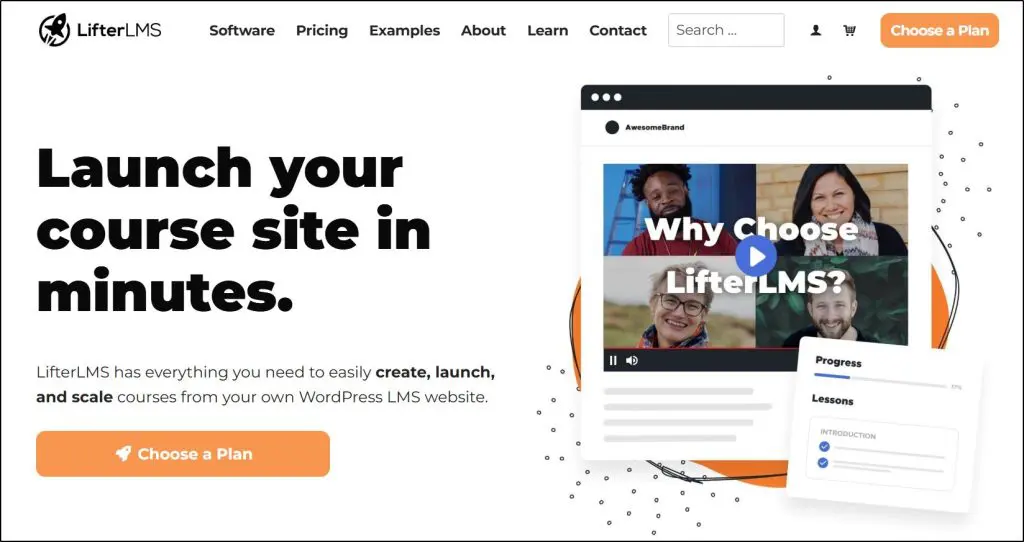
- Main features: Course builder, memberships, advanced quizzes, assignments, certificates
- Best for: WordPress users who want more flexibility and lower cost than LearnDash
- Starting price: Free core plugin / $149.50/yr for Earth Bundle
I’ve used LifterLMS across multiple projects over the years on my own sites and for clients who needed a full-featured course setup on WordPress without the constraints of a SaaS platform.
It’s genuinely capable, and in several situations it’s been my first choice over LearnDash.
LifterLMS and LearnDash solve the same core problem.
Both turn a WordPress site into a proper course platform. Both give you full ownership of your data, your domain, and your student relationships.
But unlike LearnDash, LifterLMS offers its core plugin for free with unlimited courses, unlimited memberships, and unlimited students without paying anything.
That’s a meaningful starting point if you want to test the platform before committing. LearnDash has no comparable free tier.
LifterLMS also tends to attract creators who want more control over the learning experience itself. The advanced quizzes, assignments, course cohorts, and continuing education add-ons go deep, and the add-on marketplace lets you build exactly what you need without paying for features you don’t.
Where LearnDash has the advantage is ecosystem maturity. It’s been around longer, has a larger community, more third-party integrations, and more developers who know it well.
One thing I appreciate about LifterLMS that doesn’t get mentioned enough is its support. For a smaller company, the quality of their documentation and responsiveness is genuinely good.
The weekly mastermind included in the higher bundles is also useful if you’re building something serious and want access to their team.
I recommend LifterLMS over LearnDash in two specific situations. First, if you’re budget-conscious and want to start free and pay only for what you add.
Second, if you need more granular control over learning design including things like course cohorts, continuing education credits, or private member areas that would require expensive add-ons elsewhere.
But if you already have a developer who knows LearnDash, or you’re in an agency environment where LearnDash is the standard, stick with LearnDash.
LifterLMS Features
- Course Builder — Create structured courses with lessons, sections, multimedia, and drip content on any WordPress site.
- Advanced Quizzes — Timed quizzes, question banks, multiple attempt settings, and detailed results reporting.
- Assignments — Collect and review student submissions with instructor feedback and grading.
- Memberships — Gate content by membership tier with flexible access rules and pricing.
- Course Cohorts — Run time-based cohort courses where all students move through content together.
- Certificates — Auto-generate branded completion certificates triggered by course or quiz completion.
- Continuing Education — Track and issue CE credits, useful for professional certification programs.
- Email Marketing Integrations — Native add-ons for Mailchimp, ConvertKit, and others (Universe Bundle and above).
- Ecommerce Add-ons — Stripe, PayPal, WooCommerce, and Authorize.net for flexible payment processing.
- Social Learning — Enable peer interaction, activity feeds, and community features inside your course.
- Private Areas — Create private spaces for individual students or groups with restricted content access.
What I Don’t Like About LifterLMS
The bundle pricing model can be confusing until you sit down and map out exactly what you need. The free core plugin is genuinely useful, but most serious course setups will need at least the Earth Bundle for payment processing, and many will need Universe for email integrations. Running the numbers before you buy saves surprises later.
Like LearnDash, you’re also signing up to manage your own WordPress environment. Hosting, security, plugin conflicts, payment setup — it’s all on you. If anything, it’s even more complex than LearnDash.
If that’s not something you want to deal with, a hosted platform like Thinkific will serve you better.
LifterLMS Pricing: How Much Does It Cost?
LifterLMS offers a free core plugin plus paid bundles for additional features. All bundles are currently 50% off for the first year.
- Core Plugin — Free — Unlimited courses, memberships, and students. No payment processing included.
- Earth Bundle — $149.50/yr (normally $299) — 1 site, Stripe, PayPal, WooCommerce payment add-ons, 1 support user.
- Universe Bundle — $249.50/yr (normally $499) — 5 sites, all Earth features plus email marketing integrations, forms, Sky Pilot theme, weekly mastermind, 2 support users.
- Infinity Bundle — $749.50/yr (normally $1,499) — Unlimited sites, all 13 advanced add-ons including assignments, cohorts, advanced quizzes, continuing education, and more.
A $1 sandbox demo gives you access to the full Infinity Bundle for 30 days to test everything before committing.
| Plan | Sites | Payment Processing | Email Integrations | Advanced Add-ons |
|---|---|---|---|---|
| Core Plugin | Unlimited | ❌ | ❌ | ❌ |
| Earth | 1 | ✅ | ❌ | ❌ |
| Universe | 5 | ✅ | ✅ | ❌ |
| Infinity | Unlimited | ✅ | ✅ | ✅ All 13 |

Read our full LifterLMS review for more details.
Ever thought about monetizing YouTube? Estimate your earnings using our YouTube Calculator
12. Udemy

- Main features: Course marketplace, large existing audience, basic course builder
- Best for: Validating a course idea or reaching an audience you don’t have yet
- Starting price: Free to publish
Udemy is fundamentally different from every platform we’ve covered so far, and that distinction matters before you decide whether it belongs in your plans.
Udemy is the world’s most extensive online course marketplace platform where 65 million students actively browse and buy thousands of courses in dozens of different categories.
If you’re starting from zero, you can use Udemy’s exposure to get in front of millions of potential customers.. But Udemy owns that audience, not you. When someone buys your course on Udemy, you get their first name and that’s about it. No email address, no ability to follow up, no way to sell them your next course directly.
The pricing situation makes this worse over time.
Udemy runs near-constant promotions where courses listed at $199 regularly sell for $9.99 or $14.99 during sales, which is most of the time.
Your revenue per student is a fraction of what you’d earn selling the same course (if you had your own audience) on Thinkific or Kajabi.
The only two reasons to use Udemy
The first is course validation. If you have a course idea and genuinely don’t know whether anyone will pay for it, Udemy lets you test it against real buying behavior without building a full platform first. A course that sells on Udemy despite heavy competition and rock-bottom pricing is a course with proven demand. That’s useful information.
The second is audience building as a starting point, but only with a clear exit plan. Some creators use Udemy to accumulate reviews and credibility in a niche, then direct students toward their own platform for premium content.
This works, but Udemy’s terms limit how aggressively you can promote external products.
In both cases, Udemy is a stepping stone, not a destination. The moment a course gains traction, move it to your own platform where you own the pricing, the data, and the relationship.
Udemy Features
- Course Marketplace — Your course is listed alongside millions of others in a searchable catalog with 65M+ active students.
- Basic Course Builder — Upload video lessons, organize into sections, add quizzes and assignments. Functional but limited compared to dedicated platforms.
- Udemy Business — A separate B2B product that licenses content to enterprise clients. Can generate additional passive revenue if your course is selected.
- Ratings and Reviews — Public student reviews build credibility within the platform, though they stay on Udemy if you leave.
- Certificate of Completion — Students receive a Udemy-branded certificate, not a certificate from you or your brand.
- Instructor Analytics — Basic data on enrollments, revenue, and student engagement. No individual student contact details.
Udemy Pricing: How Much Does It Cost?
Free to publish. Udemy takes a percentage of each sale depending on how the student found your course.
| Sale Type | Your Revenue Share |
|---|---|
| Udemy organic / promotion | 37% |
| Instructor referral link | 97% |
| Udemy Business pool | Varies by watch time |
No monthly fee. No upfront cost. The price you pay is control over your pricing, your students, and your brand.

Read our full Udemy review for more details.
13. Skillshare

- Main features: Course marketplace, project-based learning, subscription audience
- Best for: Exposure in creative niches without needing an existing audience
- Starting price: Free to publish
Skillshare is another leading online course marketplace with millions of monthly vistors. It operates on the same fundamental principle as Udemy where you’re listing content in someone else’s marketplace, not building your own platform.
The same limitations apply. You don’t own the student relationships, you don’t control pricing, and you can’t take your audience with you if you leave.
But unlike Udemy, Skillshare runs on a subscription model where students pay a flat monthly fee to access everything on the platform.
Skillshare tracks how many minutes students spend watching your content each month and pays you a proportional share of the instructor revenue pool.
In practice this means your income is unpredictable and entirely dependent on how Skillshare allocates that pool.
A course that gets 10,000 minutes of watch time in January might earn very differently in March if more instructors join the platform or Skillshare adjusts the formula.
Like Udemy, the only reason to use Skillshare is early exposure. If you’re a creative professional with no existing audience and you want to build credibility and get your work in front of people while you build your own platform, Skillshare can serve that purpose.
Skillshare Pricing: How Much Does It Cost?
Free to publish. Revenue is based on watch time, not per-sale revenue share.
| Revenue Driver | How It Works |
|---|---|
| Minutes watched | Your share of a monthly instructor pool based on watch time |
| Referrals | Bonus payment when someone signs up for Skillshare through your link |
No monthly fee or upfront cost. Same tradeoff as Udemy: you pay in control, not cash.
Do This Before You Choose an Online Course Hosting Platform
I’ve shared everything I know from my time using the best platforms for creating and hosting online courses — but the final call is yours.
Before you spend any money, do this: sign up for the free trial or demo of the two or three platforms that feel closest to your situation.
Spend a few hours actually building something in them. Upload a lesson. Set up a checkout page. Send a test email.
That hands-on time will tell you more than any review article, including this one.
If something isn’t clear, ping their support team. How quickly and helpfully they respond tells you a lot about what the relationship will look like after you’ve paid.
Only once you’re convinced should you put money down.
And remember.
This decision isn’t just about the monthly cost. If you choose the wrong platform and have to migrate six months later, you’re not just losing money. You’re losing the time it took to build your course, set up your sales pages, enroll your students, and learn the system.
That’s time you can’t get back.
Take the time to get this right the first time.
If you have questions about a specific platform or your particular situation, drop them in the comments. I read everything and I’m happy to help.
How We Evaluate and Test Online Course Platforms
Reviews of the best online learning platforms on the Learning Revolution site are overseen by the site’s founder, Jeff Cobb, an e-learning industry expert with more than 20 years of experience working with online course platforms. All evaluations are conducted by a team of analysts who have extensive experience using, testing, and writing about these types of platforms. We dedicate numerous hours to researching each platform, ensuring each aligns with the needs of online course sellers, and vetting specific areas like core features, usability, pricing, and customer satisfaction. Our reviews are unbiased, and while we will participate in affiliate programs, if available, we do not accept payment for placement in our articles or links to external websites.
Frequently Asked Questions (FAQs)
1. What is the best online course platform for beginners?
Thinkific is the best online course platform for beginners. It has a clean course builder, reliable video hosting, no transaction fees, and just enough email marketing to get started without needing third-party tools. The Basic plan starts at $36/month with a free trial and no credit card required.
2. Thinkific vs Kajabi: which should I choose?
Choose Thinkific if you’re starting out or scaling a course business and want strong course delivery without overcomplicating things — it starts at $36/month. Choose Kajabi if you’re already generating revenue and want to consolidate email marketing, funnels, automation, and courses into one platform — it starts at $143/month. Most creators start on Thinkific and move to Kajabi when they outgrow it, typically around $50K–$100K in annual revenue.
3. What is the difference between an online course platform and a course marketplace?
An online course platform like Thinkific or Kajabi lets you build your course business on your own branded site. You control pricing, student relationships, email lists, and all data. A course marketplace like Udemy or Skillshare gives you access to an existing audience, but you don’t own that audience. You can’t contact students directly, you can’t control pricing, and if you leave the marketplace your reviews and student data stay behind.
4. Is Kajabi worth the price?
Kajabi is worth the price if you’re already generating consistent revenue and managing multiple disconnected tools — email marketing, course hosting, funnels, checkout, communities — that don’t talk to each other cleanly. At $143/month on annual billing, Kajabi replaces 5 to 7 separate tools in one login. It’s not worth it if you’re just starting out. You’ll pay for features you won’t use for months. Start on Thinkific and upgrade when you hit the ceiling.
5. Skool vs Circle: which is better for community and courses?
Skool is better if you want a simple setup and benefit from its built-in discovery — Skool surfaces your community to relevant users browsing the platform organically. Circle is better if you want advanced community tools, email marketing, AI workflows, and a richer member experience. Circle’s email add-on costs an extra $99/month. Skool has no email marketing at all. Both require an existing audience to feel alive — neither works well if you’re starting from zero members.
6. What is the best WordPress LMS plugin?
LearnDash is the best WordPress LMS plugin for most established WordPress sites. It has a larger ecosystem, more third-party integrations, and more developers who know it well. LifterLMS is the better choice if you’re budget-conscious — its core plugin is free and you pay only for the add-ons you need. Both require you to manage your own WordPress environment including hosting, security, and plugin compatibility. If you’re not comfortable with that, use a hosted platform like Thinkific instead.
7. Should I use Udemy to sell my online course?
Udemy is useful for two specific situations: testing whether there’s demand for a course idea before building a full platform, or building early credibility in a niche when you have no existing audience. In both cases, treat it as a stepping stone. Udemy owns the student relationship — you get a first name, not an email address. Courses listed at $199 regularly sell for $9.99 during Udemy’s near-constant promotions. Once a course gains traction, move it to your own platform where you control the pricing, the data, and the relationship.
8. Which online course platform has the best email marketing?
Kajabi has the strongest native email marketing of any course platform — full automation, segmentation, behavioral triggers, and broadcast emails all in one place. Thinkific covers the basics: lead capture, welcome sequences, and abandoned cart recovery. Podia includes functional email on all paid plans but lacks advanced automation. Teachable, LearnDash, and Kartra all require a separate email tool for anything beyond basic sequences.
9. Which online course platform charges no transaction fees?
Thinkific, Kajabi, LearnDash, LearnWorlds (Pro Trainer and above), Circle, and Skool all charge no transaction fees. Teachable charges 7.5% on its Starter plan. Podia charges 5% on its Mover plan. Kartra charges 5% on its Essentials plan. Mighty Networks charges 2% on its Courses and Business plans. Udemy and Skillshare take a revenue percentage on each sale rather than charging a monthly subscription.
10. Can I switch online course platforms later if I outgrow my current one?
Yes, but migrations take real time and effort. Most platforms let you export video files and course content, but student enrollment history, progress data, and completion records are harder to move. Email lists are usually portable. Communities don’t migrate — members have to rejoin on the new platform. Teachable and Thinkific have the most straightforward export tools. Kajabi makes migration difficult by design. Always back up your content before switching and verify what the destination platform’s import tools actually support.

Jeff Cobb, Founder of Learning Revolution
Jeff Cobb is an expert in online education and the business of adult lifelong learning. Over the past 20+ years he has built a thriving career based on that expertise – as an entrepreneur, a consultant, an author, and a speaker. Learning Revolution is a place where Jeff curates tips, insights, and resources to help you build a thriving expertise-based business. Learn more about Jeff Cobb here.


Great list! I’m kind of surprised that you didn’t add CourseFunnels! It’s one of the most budget-friendly software I’ve come across. And also provides lots of free sales-boosting plugins. It is so easy to use. One of a kind, you should have it in here!
Hi. Would you add LinkedIn Learning to this list now? Why or why not? Thanks for the info! Nebosh IGC
It is mentioned in my round-up of alternatives to Udemy: https://learningrevolution.mystagingwebsite.com/alternative-to-udemy/. I only mention the ones that I consider the top choices in each category in this post.
Have you looked at Xperiencify for building courses? It’s not an all-in-one platform (yet), but it sure has way more features for a gamified, experiential learning experience for the customer. I am building my course on it, and love the responsiveness of the tech team on their Facebook group. Very responsive to input and suggestions as they continue to add new features left and right. Highly recommend it!
Yes, I like it. We’ve covered in in our post on Teachable alternatives, and I expect we will add it to this page at some point soon. – Jeff
Hello Maureen,
I have taken the free plan at Thinkific. Very recently published my course – Nov 2021.
wingsofcreativity-rozario.thinkific.com
I am all set to market my course. The support I received from Thinkific team is fantastic. Surely will take the paid plan once I start seeing small results.
-Patric Rozario
Hey Jeff! This is a great list, thank you!
I would love to introduce you to our Teachfloor platform (teachfloor.com/). It’s an LMS for cohort-based courses in order to create, manage and monetize an online live academy effortlessly.
Thanks Jeff for this list but what’s up with Skillshare? I just can’t seem to get my courses approved there. They always reply back saying I am putting promotional content inside them even though all I’m mentioning is my line of work. Anyone else having the same issue?
Thanks for sharing that, Kush. I haven’t heard of anyone else having problems, but if anyone reading this has, please comment and share.
Thanks Jeff for the article. Very useful it is. I am new to online teaching. The experience I have learned is just awesome at Thinkific. The other platform one should try is
graphy.com
This is largely for the Indian Subcontinent market – which is mega huge.
Thanks for this detailed and well-written review of popular LMS platforms. I have used LearnDash before but now I have switched to another great one, which I will like to recommend in addition to your list – Tutor LMS by Themeum.
GrassBlade xAPI Companion integrates with LearnDash as well as LifterLMS, LearnPress, and WP Courseware too. It is really an awesome plugin that you do some awesome things on WordPress. I’m a longtime user and support is super helpful.
It allows you to track add xAPI, cmi5, SCORM content support as well as Video Tracking support too.
Late to the party but telligent.com is great for an online community
Have you checked out Udutu? (udutu.com) I have been on and off their site over the years and I like their workflow and they have lots of free storage and use. You can even build your training on their platform and export it all for free (SCORM and other options); they hope to have your business by helping you so much you will use them as the LMS hosting platform.
We’ve had Udutu listed on the Course Creation Tools page for a long time. The focus on this page is platform for selling courses and I think Udutu is a little weak in that are – i.e., it lacks goor catalog/e-commerce/promotion feature.
Hi,
You can also try prodicallearning.com platform if you want to create and sell courses with your branded name at very affordable price.
Thanks