
TL;DR: Best Zoom Alternatives for Online Classes and Coaching Calls (2026)
Zoom still works well for most coaches and course creators. These alternatives make more sense when you need longer free calls, a lower per-host price, stronger teaching tools, or a tool your clients already use.
Microsoft Teams: Best overall for coaches and trainers who already work in Microsoft 365, from $4/user/mo.
Google Meet: Best for quick, browser-based coaching calls, free for 60-minute group calls.
Adobe Connect: Best for structured virtual classrooms with custom layouts, from $190/host/year.
Livestorm: Best for public workshops and webinars with registration and follow-up emails, priced by attendee credits.
BigBlueButton: Best free, open-source virtual classroom for educators who can self-host.
Webex: Best for corporate training with strong security and AI meeting tools.
Zoho Meeting: Best budget option, from $1/host/mo billed annually.
WhatsApp: Best free option for quick small-group check-ins with up to 32 people, especially with clients outside the US.
Before you switch: If you run a course or membership, check whether your platform already includes live rooms. Circle, Mighty Networks, and Skool all host live calls without a separate tool.
When I need to run a group coaching call or a live class, Zoom is still the first tool that comes to mind. Zoom has been part of my consulting and coaching work for years, long before it became the default during the pandemic, and I still recommend it to anyone running cohort courses or group coaching.
I also work with clients across many industries, and I often switch to whatever video tool they prefer so they feel comfortable. The habit has given me plenty of time in Zoom’s competitors, and a clear sense of when each one is the better choice.
In this guide, I’ll compare the best Zoom alternatives from an online teaching and coaching point of view. For each one, I cover where it beats Zoom, where it falls short, and what it costs, then help you pick the right one for your situation.
Zoom vs Alternatives: Quick Comparison
Here’s how Zoom and the eight alternatives compare on price, free limits, and capacity.
| Platform | Best for | Free plan | Paid plans from | Max participants |
|---|---|---|---|---|
| Zoom | Most coaches and course creators | 40-minute meetings, 100 participants | $14.16/user/mo billed annually | 100 on Pro, 300 on Business, more on Enterprise |
| Microsoft Teams | Microsoft 365 users and corporate trainers | 60-minute group meetings, 100 participants | $4/user/mo billed annually | 300 |
| Google Meet | Quick browser-based calls | 60-minute group calls, 100 participants | $7/user/mo billed annually | 100 to 500 by plan |
| Adobe Connect | Structured virtual classrooms | No free plan | $190/host/year | 100 per room, 300 on Enterprise |
| Livestorm | Public workshops and webinars | 30 attendee credits a year, 30-minute events | $1,200/year for 400 attendee credits | Up to 3,000 per event |
| BigBlueButton | Educators who can self-host | Free and open source | Hosting costs only | About 300 per room |
| Webex | Corporate training and security | 40-minute meetings, 100 participants | $14.50/user/mo, or $12 billed annually | 150 on Meet, 1,000 on Enterprise |
| Zoho Meeting | Tight budgets | 60-minute meetings, 100 participants | $1/host/mo billed annually | Up to 250 |
| Quick check-ins with small groups | Free, with no time limit on calls | Free | 32 |
Prices update automatically from our pricing database. Per-user tools charge for each host or team member, so multiply by the number of people who run sessions.
Why Look for a Zoom Alternative?
Zoom offers a lot even on its free plan, so most creators don’t need to switch. These are the situations where an alternative starts to make sense.
- The 40-Minute Free Limit: Zoom’s free plan ends group meetings at 40 minutes. Google Meet, Teams, and Zoho Meeting all allow 60-minute group calls for free, and BigBlueButton has no time limit at all. For a coach running hour-long sessions on a tight budget, that difference matters.
- Teaching and Engagement Tools: Zoom covers breakout rooms, polls, reactions, and whiteboards. Tools like Adobe Connect and BigBlueButton go further for teaching, with custom classroom layouts, built-in quizzes, shared notes, and learning analytics.
- Cost Per Host and Capacity: Zoom Pro allows 100 participants and charges per user, so bigger classes or several hosts push you to Business or add-ons. Zoho Meeting, Teams Essentials, and Google Workspace can cost less for the same group size.
- Tools Your Clients Already Use: Corporate clients often block Zoom or require Teams or Webex. If you train teams inside companies, meeting on their platform saves friction and approval delays.
- Your Course Platform May Already Include Live Calls: Community platforms like Circle, Mighty Networks, and Skool now host live calls inside the community. Keeping live sessions where your members already are can lift attendance and removes one more subscription.
Zoom Pricing Plans (For Comparison)
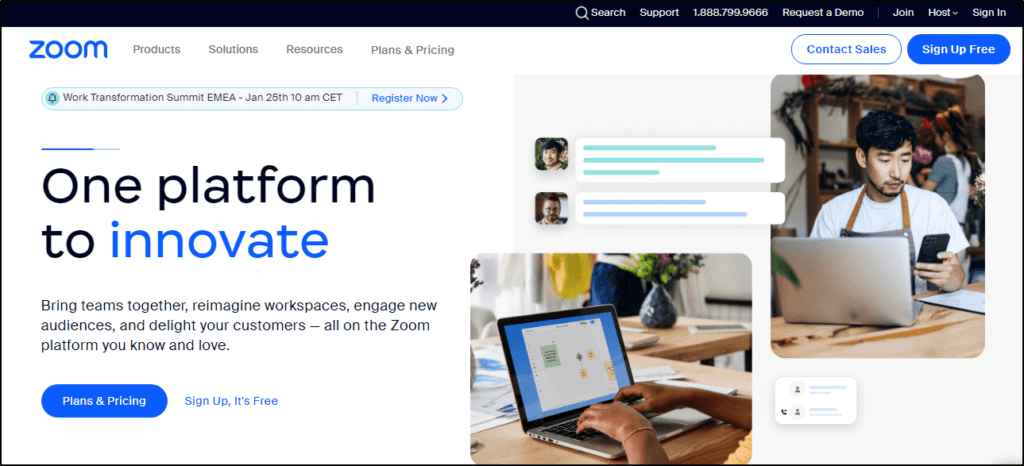
Before you switch, here’s what Zoom costs today. Zoom’s free Basic plan includes 40-minute meetings for up to 100 participants, and paid plans add 30-hour meetings, cloud recording, and unlimited AI Companion summaries.
| Plan | Billed monthly | Billed annually (per month) | Key limits |
|---|---|---|---|
| Basic | $0 | $0 | 40 minutes per meeting, 100 participants |
| Pro | $16.99 | $14.16 | Per user, 30-hour meetings, 100 participants, 10 GB cloud storage |
| Business | $21.99 | $18.33 | Per user, 300 participants, branding, unlimited whiteboards |
| Enterprise | Custom | Custom | 500 or more participants, webinars for 500 attendees included |
| Feature | Basic | Pro | Business | Enterprise |
|---|---|---|---|---|
| Meeting length | 40 minutes | 30 hours | 30 hours | 30 hours |
| Participants per meeting | 100 | 100 | 300 | 500+ |
| Recording | Local only | Local and 10 GB cloud | Local and 10 GB cloud | Local and unlimited cloud |
| Live streaming to YouTube, Facebook, Twitch, or custom | ✗ | ✓ | ✓ | ✓ |
| Polling | ✗ | ✓ | ✓ | ✓ |
| Breakout rooms | ✓ | ✓ | ✓ | ✓ |
| Whiteboards | 3 | Not listed | Unlimited | Unlimited |
| AI meeting summaries | 3 meetings a month | Unlimited | Unlimited | Unlimited |
| Clips | 5 two-minute clips | Unlimited | Unlimited | Unlimited |
| Custom branding | ✗ | ✗ | ✓ | ✓ |
| SSO and managed domains | ✗ | ✗ | ✓ | ✓ |
For running Zoom alongside a live-streaming tool, see my StreamYard vs Zoom comparison.
8 Best Zoom Alternatives for Course Creators, Coaches, and Trainers
No single tool replaces Zoom for everyone. Each one below does a different job well, so match the tool to how you teach and who you teach.
1. Microsoft Teams
- Best for: Coaches and corporate trainers who work in Microsoft 365
- Where it beats Zoom: Longer free calls, 300 participants on the cheapest paid plan, and chat and files in one place
- Starting price: Free, or $4/user/mo billed annually (Teams Essentials)
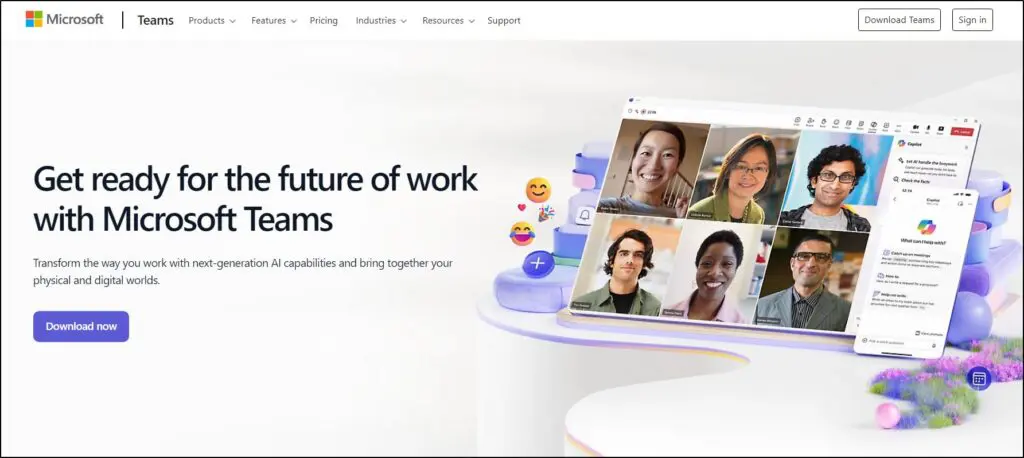
Microsoft Teams is my top Zoom alternative for coaches and trainers, especially anyone who already works in Microsoft 365. Teams combines video calls, chat, file sharing, and shared documents in one workspace, so live sessions and the conversation around them stay together.
In my years of running online workshops and training sessions, I’ve found Teams strong for keeping groups engaged. Breakout rooms, polls, hand raising, and live captions cover what most live classes need, and the persistent chat lets participants keep talking between sessions.
Pricing works in your favor too. The free plan allows 60-minute group meetings for 100 people, and Teams Essentials raises that to 300 participants and 30-hour meetings with recording and transcripts. Microsoft 365 Business Basic adds webinars with registration and reporting.
Limitation: Teams packs in a lot, which can feel heavy for a simple coaching call. Microsoft lists breakout rooms and Whiteboard on Microsoft 365 Business Basic and up but not on Teams Essentials, so check that plan before you build a class around group work. The free plan includes no recording and only 5 GB of storage, webinars need a Microsoft 365 business plan, and Copilot costs extra on most plans.
Microsoft Teams Pricing Plans
Every paid plan below shows Microsoft’s annual-commitment price per user.
| Plan | Billed monthly | Billed annually (per month) | Key limits |
|---|---|---|---|
| Teams Free | $0 | $0 | 60-min group meetings, 100 participants |
| Teams Essentials | – | $4 | Per user, 300 participants, 30-hour meetings |
| Microsoft 365 Business Basic | – | $7 | Per user, Teams plus Office web apps, 1 TB storage |
| Microsoft 365 Business Standard with Copilot | – | $23.50 | Per user, desktop Office apps and Copilot |
| Feature | Teams Free | Teams Essentials | Microsoft 365 Business Basic | Microsoft 365 Business Standard with Copilot |
|---|---|---|---|---|
| Meeting length | 60 minutes | 30 hours | 30 hours | 30 hours |
| Participants per meeting | 100 | 300 | 300 | 300 |
| Recording and transcripts | ✗ | ✓ | ✓ | ✓ |
| Cloud storage | 5 GB | 10 GB | 1 TB | 1 TB |
| Webinars with registration | ✗ | ✗ | ✓ | ✓ |
| Copilot | ✗ | Add-on | Add-on | ✓ |
| Breakout rooms and Whiteboard | Not listed | Not listed | ✓ | ✓ |
Microsoft Teams Pros and Cons
| Pros | Cons |
|---|---|
| Free 60-minute group meetings for up to 100 participants | Feature-heavy interface takes time to learn |
| Chat, files, and meetings in one workspace | No recording on the free plan |
| 300 participants and transcripts on Teams Essentials | Webinars require a Microsoft 365 business plan |
| Strong security and compliance for corporate clients | Copilot AI is a paid add-on on most plans |

2. Google Meet
- Best for: Quick coaching calls and classes with non-technical participants
- Where it beats Zoom: Free 60-minute group calls, nothing to install, and tight Google Workspace integration
- Starting price: Free, or $7/user/mo billed annually (Business Starter)
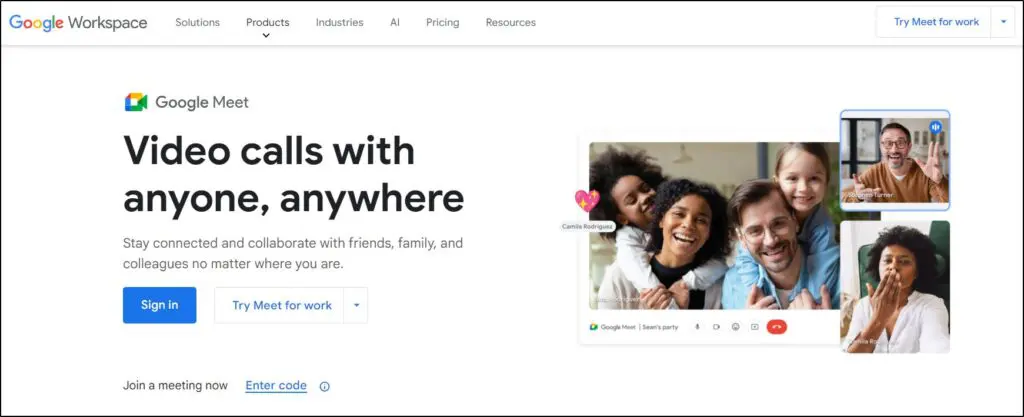
Google Meet is the simplest Zoom alternative on this list. Participants click a link and join in the browser, which makes a big difference when you run back-to-back coaching calls with clients who aren’t comfortable with technology.
When I’ve needed a quick, dependable tool for coaching calls, Meet has rarely let me down. Calendar invites, Drive files, and shared Docs all connect directly, so you can schedule a session, share materials, and edit a document together without leaving Google.
On Business Standard and higher, Meet adds recording, breakout rooms, polls, Q&A, and Gemini note-taking that writes meeting notes for you.
Limitation: The free plan and Business Starter include no recording, breakout rooms, or polls. Google doesn’t record breakout rooms, only the main session. Host controls and branding options stay thinner than Zoom’s, and the participant limit only reaches 500 on Business Plus.
Google Meet Pricing Plans
Google Meet comes with Google Workspace, priced per user.
| Plan | Billed monthly | Billed annually (per month) | Key limits |
|---|---|---|---|
| Free | $0 | $0 | 60-min group calls, 100 participants |
| Business Starter | $8.40 | $7 | 100 participants |
| Business Standard | $16.80 | $14 | 150 participants, recording |
| Business Plus | $26.40 | $22 | 500 participants |
| Feature | Free | Business Starter | Business Standard | Business Plus |
|---|---|---|---|---|
| Group meeting length | 60 minutes | 24 hours | 24 hours | 24 hours |
| Participants | 100 | 100 | 150 | 500 |
| Recording | ✗ | ✗ | ✓ | ✓ |
| Breakout rooms, polls, Q&A | ✗ | ✗ | ✓ | ✓ |
| Gemini AI notes | ✗ | ✗ | ✓ | ✓ |
Google Meet Pros and Cons
| Pros | Cons |
|---|---|
| Browser-based, with nothing for participants to install | No recording, breakout rooms, or polls on lower plans |
| Free 60-minute group calls for 100 people | Fewer host controls than Zoom |
| Works with Calendar, Drive, and Docs | Limited branding and customization |
| Gemini notes on Business Standard and up | Higher participant caps need pricier plans |

3. Adobe Connect
- Best for: Trainers who want a structured, branded virtual classroom
- Where it beats Zoom: Customizable layouts, persistent rooms, and built-in quizzes and polls
- Starting price: $190/host/year (Training Standard)
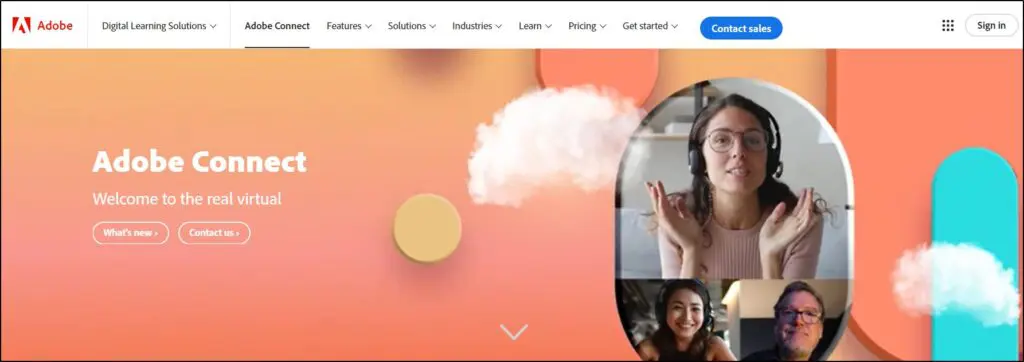
Adobe Connect is a niche tool, but it shines when you need a fully interactive classroom. Instead of a standard video grid, you arrange content pods on screen, such as one for video, one for chat, one for slides, and one for a quiz or poll.
I’ve used Adobe Connect for virtual training sessions where that level of control made the difference. Rooms stay set up between sessions, so a recurring class opens with the same layout, files, and branding every week. Collaborative whiteboards, breakout rooms, and engagement reporting help turn passive viewers into active learners.
Limitation: Adobe Connect has no free plan and bills per host for a full year up front. The cheaper tiers depend on team size, so Training Premium needs at least 6 hosts and Training Enterprise needs 25 or more, and rooms hold 100 people until you reach Training Enterprise. The interface feels dated, and the setup takes time, which makes it overkill for simple coaching calls.
Adobe Connect Pricing Plans
Adobe prices Training and Webinar licenses the same way, per host per year, and the rate drops as you add hosts.
| Plan | Billed annually (per year) | Billed annually (per month) | Key limits | Notes |
|---|---|---|---|---|
| Training Standard | $190 | $15.83 | 1 to 5 hosts, rooms up to 100 | Per host |
| Training Premium | $290 | $24.17 | 6 to 49 hosts, rooms up to 100 | Per host, 6-host minimum |
| Training Enterprise | $390 | $32.50 | 25+ hosts, rooms up to 300 | Per host, 25-host minimum |
| Feature | Training Standard | Training Premium | Training Enterprise |
|---|---|---|---|
| Room capacity | 100 | 100 | 300 |
| Host licenses | 1 to 5 | 6 to 49 | 25+ |
| Customizable pod layouts | ✓ | ✓ | ✓ |
| Persistent rooms | ✓ | ✓ | ✓ |
| Breakout rooms, quizzes, polls | ✓ | ✓ | ✓ |
Adobe Connect Pros and Cons
| Pros | Cons |
|---|---|
| Customizable pod layouts for structured classes | Lower rates need 6 or more hosts |
| Persistent rooms keep layouts and files between sessions | Dated interface with a learning curve |
| Built-in quizzes, polls, and breakout rooms | Annual billing only, with no free plan |
| Engagement reporting for trainers | Overkill for one-to-one coaching |

4. Livestorm

- Best for: Public workshops, webinars, and lead-generation events
- Where it beats Zoom: Browser-based events with registration pages, reminder emails, and replays built in
- Starting price: Free for 30-minute events, or $1,200/year for 400 attendee credits (Pro)
Livestorm is mainly a webinar platform, so it fits public workshops better than daily coaching calls. Everything runs in the browser, and registration pages, reminder emails, polls, Q&A, and replays all come built in.
In my experience, Livestorm excels when you need to keep a large audience engaged and follow up afterward. Automated emails remind people before the event and send replays after it, which is a step up from stitching Zoom together with an email tool. Livestorm also repurposes recordings into content with AI.
Limitation: Livestorm isn’t built for everyday meetings. Every unique person who joins a session uses one attendee credit, so a weekly class of 20 people burns 80 credits a month and a 400-credit pack lasts about five months. The free plan gives you 30 credits a year and 30-minute events, and on Pro the room closes to new attendees once your credits run out.
Livestorm Pricing Plans
Livestorm sells Pro as yearly credit packs, billed annually, with bigger packs costing less per credit.
| Plan | Billed annually (per year) | Key limits | Notes |
|---|---|---|---|
| Free | $0 | 30 attendee credits a year, 30-minute events | – |
| Pro | $1,200 | 400 attendee credits a year | Annual billing only |
| Enterprise | Custom | Custom credit packages | – |
| Feature | Free | Pro | Enterprise |
|---|---|---|---|
| Pricing model | 30 credits a year | $3.00 per attendee credit | Custom |
| Max live attendees | – | 3,000 per event | 3,000 per event |
| Max event length | 30 minutes | 4 hours | 12 hours |
| Team members & moderators | – | Unlimited | Unlimited |
| Simultaneous speakers | – | 25 | 25 |
| Automated, on-demand & multi-session events | – | ✓ | ✓ |
| Branded registration pages & email cadences | – | ✓ | ✓ |
| Live captions & instant replays | – | ✓ | ✓ |
| AI content repurposing | – | ✓ | ✓ |
| PowerPoint embedding | – | ✗ | ✓ |
| Zapier | – | ✓ | ✓ |
| HubSpot, Salesforce, Marketo, Pardot | – | ✗ | ✓ |
| Dedicated CSM & event shadowing | – | ✗ | ✓ |
| Support | – | Standard | VIP + SLA |
Livestorm Pros and Cons
| Pros | Cons |
|---|---|
| Browser-based, with no downloads for attendees | Not designed for daily coaching calls |
| Registration pages and reminder emails built in | Free plan limited to 30 credits a year and 30-minute events |
| Polls, Q&A, and replays included | Recurring classes burn credits fast |
| Integrates with marketing tools and Zapier | CRM integrations need Enterprise |
For more webinar options, see my roundup of the best webinar software platforms.

5. BigBlueButton
- Best for: Educators and schools that can self-host or use a hosting provider
- Where it beats Zoom: Free, open source, and built for teaching, with quizzes and learning analytics
- Starting price: Free software, with hosting costs only
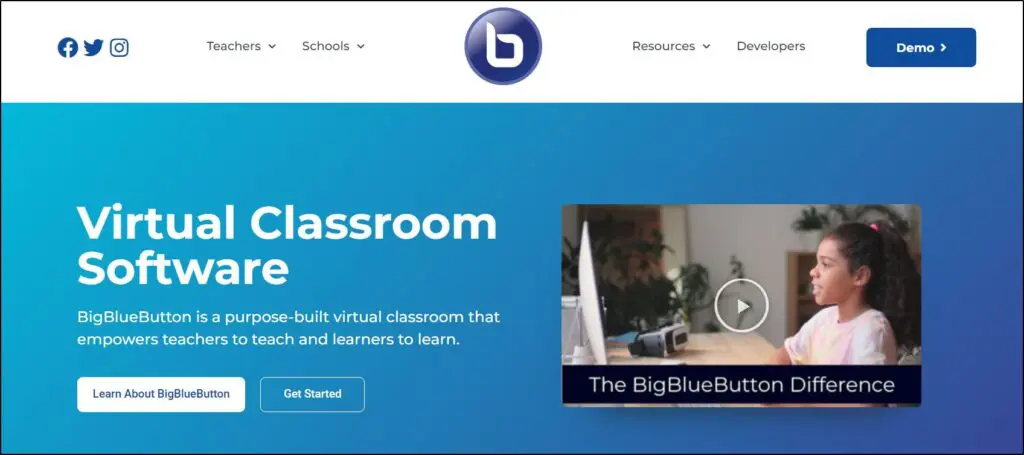
The BigBlueButton team designed it specifically for online classrooms rather than business meetings. Version 3.0 brought a rebuilt multi-user whiteboard, and recent updates added shared notes with tables, live captions, breakout rooms that inherit the main room’s settings, and support for about 300 users in a room.
The teaching tools set BigBlueButton apart. Built-in quizzes feed a learning analytics dashboard that shows how each student participated, and BigBlueButton plugs into learning management systems like Moodle and Canvas. As open-source software, it costs nothing to use and you can customize it to fit your classes.
Limitation: BigBlueButton needs your own server or a paid hosting provider, which takes technical skill or extra cost. The interface feels less polished than Zoom’s, and mobile users join through the browser rather than a dedicated app.
BigBlueButton Pricing Plans
BigBlueButton itself is free, and hosting through your own server or a provider is the only cost.
| Plan | Billed monthly | Key limits |
|---|---|---|
| Self-hosted | $0 | Free software, hosting costs extra |
| Feature | Self-hosted |
|---|---|
| Participants | Up to about 300 per room |
| Whiteboard, breakout rooms, polls | ✓ |
| Built-in quizzes and learning analytics | ✓ |
| LMS integrations (Moodle, Canvas) | ✓ |
| Mobile app | Browser only |
BigBlueButton Pros and Cons
| Pros | Cons |
|---|---|
| Free and open source | Needs self-hosting or a paid host |
| Teaching tools like quizzes, shared notes, and learning analytics | Less polished interface than Zoom |
| Integrates with Moodle, Canvas, and other LMSs | No dedicated mobile app |
| No time limits on sessions | Support depends on your host or community |

6. Webex

- Best for: Corporate trainers and organizations with strict security needs
- Where it beats Zoom: Enterprise-grade security, built-in Slido polls, and an AI Assistant on paid plans
- Starting price: Free, or $14.50/user/mo (Webex Meet)
Webex suits corporate training more than solo coaching. Many large organizations standardize on it, so trainers who work with enterprise clients often end up using it anyway.
I’ve used Webex’s annotation tools to highlight key ideas on shared documents, which keeps participants focused during technical training. Paid plans add Slido polls and Q&A, an AI Assistant that summarizes meetings, closed captions, transcripts, and noise removal that keeps audio clear in busy environments. Webex also integrates with learning management systems like Moodle and Canvas.
Limitation: The free plan caps meetings at 40 minutes, the same as Zoom. Turning on end-to-end encryption restricts cloud recording and the AI Assistant, so security-first meetings lose some of the features that make Webex attractive. Webex has a steeper learning curve, fewer room customization options, and per-license pricing that adds up for small teams.
Webex Pricing Plans
Webex charges per host, and participants join for free. Annual billing lowers the Webex Meet price.
| Plan | Billed monthly | Billed annually (per month) | Key limits |
|---|---|---|---|
| Webex Free | $0 | $0 | 40-min meetings, 100 participants |
| Webex Meet | $14.50 | $12 | Per user, 150 participants, 24-hour meetings |
| Webex Enterprise | Custom | Custom | Larger meetings, contact sales |
| Feature | Webex Free | Webex Meet | Webex Enterprise |
|---|---|---|---|
| Meeting length | 40 minutes | 24 hours | 24 hours |
| Participants | 100 | 150 | Custom |
| Cloud recording | Local only | ✓ | ✓ |
| Slido polls and Q&A | ✗ | ✓ | ✓ |
| AI Assistant | ✗ | ✓ | ✓ |
| Breakout rooms | ✓ | ✓ | ✓ |
Webex Pros and Cons
| Pros | Cons |
|---|---|
| Strong security and compliance for enterprise clients | 40-minute limit on the free plan |
| Slido polls and Q&A on paid plans | Steeper learning curve than Zoom |
| AI Assistant with summaries and transcripts | Limited room customization |
| Up to 1,000 participants on Enterprise | Costly for solo coaches |

7. Zoho Meeting

- Best for: New coaches and small teams on a tight budget
- Where it beats Zoom: Much lower paid pricing, free 60-minute meetings, and browser-based joining
- Starting price: Free, or $1/host/mo billed annually (Standard)
I’ve used Zoho Meeting for coaching calls and found it a solid low-cost option. Zoho prices paid plans by host and by number of participants, starting with 10 participants and scaling up to 250, so a coach running small groups pays little.
Standard adds recording, polls, and 5 GB of storage per host. Professional adds breakout rooms and raises co-hosts from 2 to 5. Paid plans also include 24-hour meetings, phone dial-in, and moderator controls for muting, locking meetings, and managing who presents. Zoho Meeting also connects with Zoho CRM and other Zoho apps, which helps coaches who already track clients there.
Limitation: Zoho Meeting keeps engagement tools lean. The free plan includes no recording or polls, breakout rooms need Professional, and paid plans top out at 250 participants. Branding options stay limited, and Q&A sessions for larger audiences belong in the separate Zoho Webinar product.
Zoho Meeting Pricing Plans
Zoho prices plans per host, billed annually, and the price rises with your participant count.
| Plan | Billed monthly | Billed annually (per month) | Key limits |
|---|---|---|---|
| Free | $0 | $0 | 60-min meetings, 100 participants |
| Standard | – | $1 | Per host, priced by participant tier up to 250 |
| Professional | – | $3 | Per host, priced by participant tier up to 250 |
| Feature | Free | Standard | Professional |
|---|---|---|---|
| Meeting length | 60 minutes | 24 hours | 24 hours |
| Participants | 100 | Up to 250 | Up to 250 |
| Recording | ✗ | ✓ | ✓ |
| Cloud storage | None | 5 GB per host | 5 GB per host |
| Meeting polls | ✗ | ✓ | ✓ |
| Breakout rooms | ✗ | ✗ | ✓ |
| Co-hosts | None | Up to 2 | Up to 5 |
Zoho Meeting Pros and Cons
| Pros | Cons |
|---|---|
| Low paid pricing | Breakout rooms only on Professional |
| Free 60-minute meetings for 100 participants | No polls or recording on the free plan |
| Browser-based joining | Caps out at 250 participants |
| Works with Zoho CRM and other Zoho apps | Limited branding options |

8. WhatsApp
- Best for: Quick check-ins, accountability calls, and coaching groups of up to 32 people
- Where it beats Zoom: Free with no time limit, end-to-end encrypted, and already on most clients’ phones
- Starting price: Free (WhatsApp and WhatsApp Business app)
WhatsApp isn’t a classroom tool, but it has become a real option for small-group coaching. Group voice and video calls now hold up to 32 people on mobile and desktop, call links let you invite people without adding them to a group first, and you can share your screen during video calls. WhatsApp also lets you schedule group calls ahead of time, and group calls started rolling out to WhatsApp Web in mid-2026.
The biggest advantage is reach. In much of South Asia, the Middle East, Africa, Latin America, and Europe, WhatsApp is the app clients already open every day. A coach running a small accountability group or a weekly check-in can skip the problem of resending meeting links, since the call happens in the same chat where the group already talks. Calls stay end-to-end encrypted, and the free WhatsApp Business app separates your coaching number from your personal one.
Limitation: WhatsApp caps calls at 32 people and offers no native recording, breakout rooms, polls, whiteboards, or attendance reports. Joining means sharing phone numbers unless you use call links carefully, and screen sharing works best on mobile. Use WhatsApp for quick, informal sessions and keep a meeting tool or your community platform for recorded classes and paid workshops.
WhatsApp Pricing Plans
WhatsApp and the WhatsApp Business app are both free. The paid WhatsApp Business Platform for automated messaging doesn’t affect calling.
| Plan | Key limits |
|---|---|
| Group calls up to 32 people | |
| WhatsApp Business app | Free app with a business profile, labels, and quick replies |
| Feature | WhatsApp Business app | |
|---|---|---|
| Group call size | 32 | 32 |
| Call links | ✓ | ✓ |
| Screen sharing | ✓ | ✓ |
| Call recording | ✗ | ✗ |
| Breakout rooms and in-call polls | ✗ | ✗ |
| End-to-end encrypted calls | ✓ | ✓ |
WhatsApp Pros and Cons
| Pros | Cons |
|---|---|
| Free, with no time limit on calls | Capped at 32 participants |
| Clients already have it installed | No native recording, polls, or breakout rooms |
| End-to-end encrypted calls | Phone numbers visible to group members |
| Call links and scheduled group calls | Group calls on WhatsApp Web still rolling out |
Do You Need a Separate Tool? Live Calls Inside Course and Community Platforms
If you sell a course, coaching program, or membership, check your platform before you pay for a video tool. Several platforms now host live sessions where your members already spend their time.
| Platform | Built-in live options | Good for |
|---|---|---|
| Circle | Live streams, live rooms with breakout rooms, and public webinars | Membership calls, group coaching, and workshops |
| Mighty Networks | Native livestreaming and live events | Cohort programs and community events |
| Skool | Built-in calls and a community calendar | Weekly community calls |
| Thinkific | Zoom lessons inside courses on Start and up | Live classes as part of a course |
Running live sessions inside your community keeps attendance higher and replays easier to find. If you’re planning a cohort and need to size groups and pricing, try our cohort capacity and pricing calculator. A dedicated tool still makes sense for client calls outside your program or for large public webinars. For more options, see my guide to online coaching platforms and my practical take on online coaching.
Which Zoom Alternative Is Right for You?
Zoom remains an excellent tool, and most creators can keep using it. If something about Zoom isn’t working, use this table to pick the right replacement.
| Your situation | Best choice | Why |
|---|---|---|
| You coach one-on-one or small groups and want a free option | Google Meet | 60-minute free group calls and nothing to install |
| You train corporate clients who use Microsoft 365 | Microsoft Teams | Clients already have it, and 300 participants on Teams Essentials |
| You run structured, recurring virtual classes with a team of trainers | Adobe Connect | Custom layouts and persistent rooms, priced per host per year |
| You run a few public workshops a year to build your email list | Livestorm | Registration, reminders, and replays built in, paid by attendee credits |
| You teach in a school or academy and can self-host | BigBlueButton | Free, open source, and built for classrooms |
| You deliver training inside large organizations | Webex | Enterprise security and AI meeting tools |
| You run quick check-ins with a small coaching group | Free calls for up to 32 people on an app clients already use | |
| You need the lowest paid price | Zoho Meeting | Paid plans from $1/host/mo, with breakout rooms on Professional |
| You run a membership or community | Your community platform’s live rooms | Keeps sessions where members already are |
Whichever you choose, run a real session on the free plan before you commit. My favorite test is to rehearse the same lesson in two tools, join each one from a second device as a learner, and then try to find the replay. A 20-minute check like this tells you more than any feature list. If you plan to charge for live workshops, my guide to making money from webinars covers pricing and formats, and my tips on virtual presentations help whichever tool you pick. For larger online events, my guide to virtual conference platforms covers the next step up.
Frequently Asked Questions (FAQs)
What is the best free alternative to Zoom?
Google Meet is the best free Zoom alternative for most coaches, with 60-minute group calls for up to 100 people and nothing to install. Microsoft Teams and Zoho Meeting also offer 60-minute free group meetings. BigBlueButton is free with no time limits, but you need your own hosting.
Which Zoom alternative has no time limit on the free plan?
BigBlueButton has no meeting time limit because it’s free, open-source software you host yourself. Among hosted tools, Google Meet, Microsoft Teams, and Zoho Meeting allow 60-minute free group calls, compared with Zoom’s 40 minutes. One-to-one calls on Google Meet and Teams can run much longer.
Can I switch from Zoom without losing my recordings?
Yes, but you need to move them yourself, since Zoom recordings don’t transfer to other platforms automatically. Download your cloud recordings and chat files from Zoom, then upload the ones you need to your course platform, community, or cloud storage before you cancel your Zoom plan.
Which Zoom alternatives offer breakout rooms?
Microsoft Teams on Business Basic and up, Google Meet on Business Standard and up, Webex, Adobe Connect, and BigBlueButton all include breakout rooms. Zoho Meeting adds them on its Professional plan. Community platforms like Circle also include breakout rooms in their live rooms for group coaching.
What is the best Zoom alternative for online classes?
For structured classes, Adobe Connect and BigBlueButton offer the strongest teaching tools, including custom layouts, quizzes, and learning analytics. Microsoft Teams suits classes that need ongoing chat and file sharing. If you teach inside a course or membership, your platform’s built-in live rooms may be the simplest choice.
Which Zoom alternatives work without installing software?
Google Meet, Zoho Meeting, Livestorm, and BigBlueButton all run in the browser, so participants click a link and join. Microsoft Teams and Webex also offer browser access for guests, though their desktop apps give hosts more features. Browser joining helps clients and students who aren’t comfortable with technology.
Do Zoom alternatives include AI meeting summaries?
Most do on paid plans. Microsoft Teams offers Copilot as an add-on, Google Meet includes Gemini notes on Business Standard and up, and Webex includes an AI Assistant on paid plans. Zoom includes AI Companion summaries on paid plans and a few each month on its free plan.
Can I use WhatsApp instead of Zoom for coaching calls?
Yes, for small groups. WhatsApp group calls hold up to 32 people, cost nothing, have no time limit, and work on an app most clients already use. WhatsApp lacks recording, breakout rooms, and polls, so keep Zoom or your community platform for recorded classes and larger workshops.
What is the cheapest paid Zoom alternative?
Zoho Meeting has the lowest paid pricing, starting at $1 per host per month billed annually for 10 participants. Microsoft Teams Essentials costs $4 per user per month billed annually and allows 300 participants, which offers strong value for larger groups.
Is Livestorm a good replacement for Zoom?
Livestorm replaces Zoom for webinars and public workshops, with registration pages, reminder emails, polls, and replays built in. Livestorm charges one attendee credit per person per session, so daily coaching calls get expensive. Many creators use Livestorm for lead-generation events and keep Zoom or Google Meet for client sessions.
Do I need Zoom if my course platform has live rooms?
Often, no. Circle, Mighty Networks, and Skool host live sessions inside your community, and Thinkific adds Zoom lessons inside courses on its Start plan and up. Keeping live calls inside your platform improves attendance and makes replays easy to find. Keep a separate tool for outside client calls.
See also: Best Webinar Software Platforms and Best Virtual Conference Platforms.
Table of Contents
Related Posts
7 Best Skool Alternatives For Community-Led Learning Businesses
11 Best AI Presentation Tools For Creators and Entrepreneurs: I’ve Used Them All
How To Teach Adult Learners: My Top 8 Strategies From 20+ Years of Experience