

TLDR: Is Buzzsprout Really the Best Podcast Hosting Platform for Beginners?
Buzzsprout is a beginner friendly podcast hosting platform that helps you publish, distribute, and grow your show without handling any technical setup. I have used it over the years while running the Leading Learning Podcast, and it has consistently delivered a smooth, reliable experience for audio-first creators.
Buzzsprout Pricing and Free Plan
– Free plan: Upload episodes and test the platform, but files delete after 90 days.
– 4 hours per month ($19/mo): Best for weekly one-hour shows.
– 15 hours per month ($39/mo): Good for longer interviews or multiple podcasts.
– 35 hours per month ($79/mo): Fits indie networks and high-volume creators.
Best Podcasting Features In Buzzsprout
– Podcast hosting to store your content and publish it online.
– One-click distribution so your show appears on every major listening app.
– Magic Mastering to clean and balance your audio automatically.
– Dynamic Content to update intros, outros, and promos across all episodes.
– Visual soundbites for sharing clips on Instagram, TikTok, and YouTube Shorts.
– Built-in monetization through subscriptions, donations, and ads.
– Simple analytics to understand downloads, listener locations, and platform performance.
– Cohost AI to help write titles, descriptions, transcripts, and social posts.
Best For: Creators who want an easy, reliable podcast host that handles the technical work and supports a complete audio-first workflow.
Not For: Podcasters who need native video support, advanced editing tools, private podcasting, or enterprise-level automation.
Try Buzzsprout For Free
I’ve been podcasting for more than a decade now, with 450+ episodes of the Leading Learning Podcast.
One of my biggest lessons I’ve learned is that your hosting platform quietly determines how smooth or painful your podcasting life becomes.
A good host simplifies publishing, keeps your feed reliable, gives you meaningful analytics, and grows with you as your show evolves.
Buzzsprout is one of the tools I’m asked about most often, especially by new podcasters.
I’ve tested it multiple times over the years for my podcast, and in this review, I’ll walk you through what it does well, where it falls short, and whether it’s the right choice for your podcast.
Let’s get started.
Buzzsprout Product Snapshot
| What Does Buzzsprout Do? | Helps you host, publish, and distribute your podcast everywhere with a simple dashboard built for beginners and growing creators. |
| Beyond Main Features? | Audio clean-up with Magic Mastering, Dynamic Content for intros and promos, social media soundbites, built-in monetization options, detailed analytics, and an auto-generated podcast website. |
| Does It Have AI? | Yes. Magic Mastering uses AI to enhance audio quality, and Cohost AI (add-on) helps generate titles, descriptions, transcripts, and show notes. |
| Is It Free? | Yes, Buzzsprout offers a free plan for testing the platform, although episodes delete after 90 days. |
| What’s the Starting Price? | Paid plans start at $19/month for 4 hours of uploads and full access to Buzzsprout’s core tools. |
Read: The best podcast hosting platforms
What Is BuzzSprout?
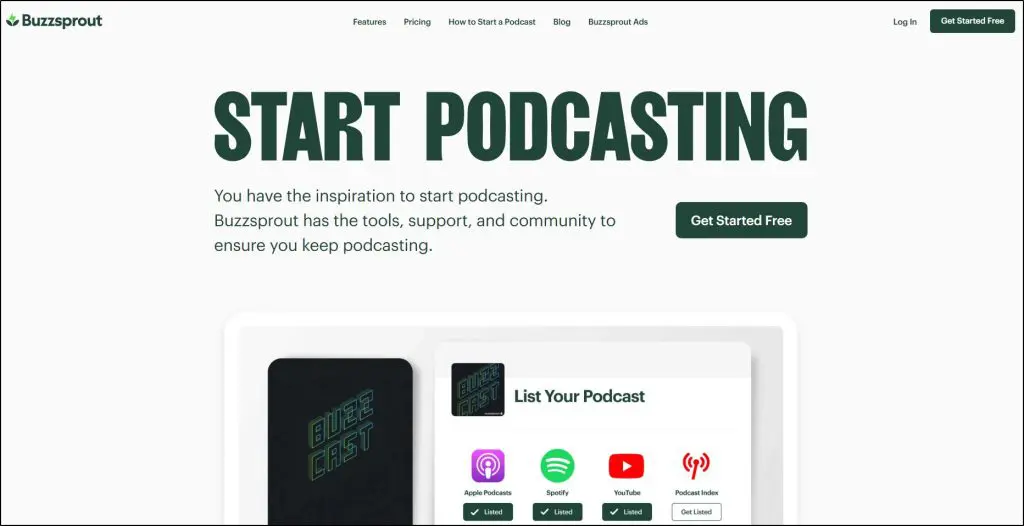
Buzzsprout is a beginner friendly podcast hosting platform built to help creators publish, distribute, and grow their shows without any technical hurdles.
At its core, Buzzsprout hosts your audio files, generates your RSS feed, and sends your episodes to major listening apps like Spotify, Apple Podcasts, Amazon Music, and all the major podcast directories.
It also gives you a simple dashboard, a podcast website, and all the essentials you need to keep your show online.
Beyond hosting, Buzzsprout supports your full production workflow.
You can monitor detailed analytics, schedule episodes, create visual soundbites for social media, improve audio with AI-powered Magic Mastering, and offer premium listener subscriptions.
It also includes Cohost AI, which helps you auto-generate episode titles, descriptions, chapter markers, and transcripts so you spend less time on admin and more time recording.
The platform is designed to remove friction so podcasters can focus on recording instead of managing technical setup or distribution.
What I like most is how it brings everything together.
You upload your audio, clean it up, add intro and outro segments using Dynamic Content, distribute it everywhere, promote episodes with visual soundbites, and monetize your show through donations, paid subscriptions, and Buzzsprout Ads. Everything lives in one place and the process stays smooth from recording to publishing.
Here are the main features and functionalities Buzzsprout offers:
- Podcast hosting: Stores your audio files and keeps your podcast online without any technical setup.
- Automatic RSS feed: Creates and updates your RSS feed so new episodes get delivered everywhere instantly.
- One-click distribution: Sends your podcast to Spotify, Apple Podcasts, Amazon Music, and all top directories.
- Free podcast website: Gives you a simple public page where listeners can find and play your episodes.
- Magic Mastering: Uses AI to polish your audio and evens out volume levels so every episode sounds consistent.
- Cohost AI: Auto-generate episode titles, descriptions, chapter markers, and transcripts.
- Dynamic Content: Adds intro, outro, and promo messages across all episodes without re-editing them.
- Visual soundbites: Turns short audio clips into shareable social videos to help promote your episodes.
- Advanced podcast analytics: Shows downloads, listener locations, listening apps, and overall performance.
- Episode scheduling: Lets you upload and queue episodes weeks in advance to stay consistent.
- Premium subscriptions: Allows you to earn recurring revenue by offering bonus episodes or supporter-only content.
- Listener support donations: Lets fans contribute monthly to help fund your show.
- Buzzsprout Ads: Helps you monetize with promoted messages or find podcast sponsors.
- Built-in transcript support: Lets you upload transcripts to improve accessibility and SEO.
- WordPress plugin: Lets you embed Buzzsprout episodes directly into your site with a few clicks.
Buzzsprout enables podcasters to publish consistently, understand their audience, and promote their show across multiple channels. It takes care of the backend and gives creators a stable, user-friendly foundation for building and growing a show at any stage.
However, Buzzsprout lacks native video podcasting, advanced editing tools, and deeper automation features that some all in one platforms offer. Still, it’s a solid platform for most beginners and mid-tier content creators.
Read: The best podcast recording and editing tools
Buzzsprout Pricing And Free Plan
Buzzsprout offers a free plan that lets you start podcasting without spending anything. You can upload and publish episodes, get a podcast website, access basic analytics, and test the full workflow before committing to a paid plan.
The limitation is that uploads are capped and long-term hosting is not ideal on the free plan, so it works best as a trial or for very light use.
When you are ready to grow, Buzzsprout has three paid plans.
- Upload 4 hours per month – $19/month: Best for solo creators or weekly episodes under one hour.
- Upload 15 hours per month – $39/month: Great for podcasters running multiple shows or longer interview episodes.
- Upload 35 hours per month – $79/month: Ideal for indie podcast networks or creators publishing high volumes of content.
Magic Mastering and Cohost AI are available as optional add-ons across all paid plans.
| Plan | Price | Main Features |
| Free Plan | $0 | Basic hosting, podcast website, RSS feed, directory distribution, limited analytics |
| 4 Hours/Month | $19/mo | Full hosting, advanced stats, Dynamic Content, visual soundbites, listener support, subscriptions, Buzzsprout Ads |
| 15 Hours/Month | $39/mo | Everything in 4 hr plan plus more upload hours for longer shows or multiple podcasts |
| 35 Hours/Month | $79/mo | High-volume uploads for indie networks or creators running several shows |
Read: Proven podcast recording tips for excellent quality
Buzzsprout Pros and Cons
Before I discuss the main Buzzsprout features in more detail, here’s a summary of the main strengths and weaknesses in this leading podcast hosting platform.
| Pros | Cons |
| Makes podcasting simple so you can publish consistently without technical stress | No native video support which limits creators who want to move into video-first podcasting |
| Helps you grow faster with one-click distribution to every major listening app | Magic Mastering costs extra which increases your monthly bill if you want polished audio |
| Gives beginners a smooth start with a clean dashboard and zero learning curve | No annual discounts so long-term users pay more over time |
| Saves time by letting you add promos and announcements across all episodes with Dynamic Content | Upload limits can restrict long-form or multi-show creators |
| Supports your marketing through visual soundbites that drive social engagement | Cohost AI is a paid add-on instead of being included in paid plans |
| Helps you earn money with subscriptions, donations, and Buzzsprout Ads | Does not offer advanced editing or automation found in some all-in-one tools |
| Provides excellent customer support so you never feel stuck | Lacks private podcasting features for teams, clients, or courses |
Read: How to start a successful podcast
Buzzsprout Features: Podcast Hosting, Publishing & Monetization For Content Creators
Let’s now take a detailed look the core features in Buzzsprout and how good they really are.
Feature #1: Reliable Podcast Hosting and Publishing
Buzzsprout handles the core job of podcast hosting with a simple upload system and dependable performance.
You upload your audio, add your title and description, and the platform stores the file, updates your RSS feed, and publishes the episode everywhere without any manual setup.
The hosting itself is stable and fast, which means episodes load quickly for listeners and the feed stays consistent across podcast apps.
You get 4, 15, or 35 hours of monthly upload time, depending on your plan. The limits are easy to understand and fit most beginner and mid-size shows.
Buzzsprout also keeps all your episodes online permanently as long as you’re on a paid plan. Even very large archives migrate smoothly according to long-term users.
Buzzsprout’s uptime and publishing reliability are frequently praised in reviews. Episodes go live when scheduled, uploads rarely fail, and the platform saves you from dealing with hosting bandwidth, compression settings, or storage headaches.
Feature #2: One-Click Distribution to Listening Apps
Distribution is often the most confusing part for new podcasters because every listening app has its own submission rules. Buzzsprout simplifies this by giving you a guided setup for each platform and preparing a clean, compliant RSS feed that meets the requirements of Spotify, Apple Podcasts, Amazon Music, and all major directories.
Instead of figuring out each platform on your own, you follow a checklist inside Buzzsprout. Most apps only need to be approved once.
After that, every episode you publish in Buzzsprout automatically appears across all the apps without any extra work.
Buzzsprout also makes it easy to troubleshoot directory issues. If a link breaks or you need to update your podcast details, everything can be fixed from one place.
Many reviewers highlight this as one of the main reasons they chose Buzzsprout because it removes the guesswork and prevents distribution errors that can cost downloads.
Feature #3: AI-Powered Audio Cleanup
Buzzsprout’s Magic Mastering is its built-in AI tool that cleans up your audio automatically. Instead of learning audio engineering or spending time adjusting EQ and loudness levels, you upload your file and the system balances everything for you.
Voices become clearer, background noise is reduced, and volume levels across your episode stay consistent so listeners don’t need to keep adjusting their headphones.
This feature is especially helpful if you record in a regular room, use a budget microphone, or don’t have time to fine-tune your audio in editing software.
Many long-time users mention that Magic Mastering noticeably improves their sound, especially for interviews or multi-speaker recordings.
It’s not a full replacement for a professional editor, and it won’t fix major recording mistakes. But for everyday creators who want clean, reliable audio with no extra work, Buzzsprout’s AI cleanup gives you a strong baseline sound quality without needing any technical skills.
Feature #4: Automatic Intros, Outros, and Announcements
Buzzsprout gives you an easy way to update the intro, outro, or announcements on all your episodes without reopening your audio editor. This feature, called Dynamic Content, lets you add a short message to thousands of episodes at once.
You upload your message, choose whether it plays at the beginning or end, and Buzzsprout attaches it to every episode instantly.
This helps when you need to share a time-sensitive update, promote a new product, announce an event, or refresh your show’s branding. Podcasters often use it to add sponsor messages or seasonal intros without re-editing old files.
It saves a lot of time, especially for long-running shows with large back catalogs. You record once and Buzzsprout handles the rest. It’s a simple automation feature that solves a problem many creators don’t notice until they face it.
Feature #5: Built-in Social Media Promotion Tools
Buzzsprout gives you a quick way to turn short audio clips into social-friendly videos you can post on Instagram, TikTok, YouTube Shorts, and other platforms.
These visual soundbites combine your audio with animated captions and simple graphics so your message stands out in fast-scrolling feeds.
You choose a short clip from your episode, customize the style, and export it as a video. It takes a few minutes and helps you share highlights, teasers, or quotable moments without using a separate editing app.
Creators often rely on these clips to bring new listeners into their podcast funnel, since most discovery now happens on short-form video platforms. Buzzsprout’s built-in tool makes the process accessible even if you don’t know video editing.
Feature #6: Simple Podcast Website
Buzzsprout automatically creates a clean, ready-to-use podcast website the moment you publish your first episode. You don’t need WordPress, design skills, or hosting.
Everything is generated for you and updates on its own whenever you release a new episode.
The site includes your show description, episode list, audio player, and subscription buttons for apps like Spotify and Apple Podcasts. You can also customize colors, add a logo, and connect your domain if you want a more polished look.
Many new podcasters rely on this built-in website because it gives them a professional online home without extra setup or cost. It’s not a full website builder, but it’s more than enough for launching, sharing episodes, and giving listeners a central place to discover your show.
Read: How to find engaging podcast ideas for your audience
Feature #7: Built-in Podcast Monetization
Buzzsprout gives new and growing podcasters simple ways to earn money without complicated setups or third-party tools.
You can turn on listener support and let fans contribute monthly, offer premium subscriber-only episodes, or join Buzzsprout Ads to get paid for promoted messages delivered in your show.
Everything runs inside your dashboard. Payments go to your Buzzsprout Wallet, and you can use the balance for hosting or cash out anytime. It’s a beginner-friendly way to test monetization early and reward engaged listeners without needing sponsors or big download numbers.
The system isn’t as advanced as what Apple and Spotify offer for large creators, but for most podcasters, it’s an easy starting point to generate recurring revenue.
Feature #8: Straightforward Podcast Analytics
Buzzsprout’s analytics focus on the numbers that actually matter to everyday podcasters rather than drowning you in charts. You see total downloads, which apps people use to listen, where your audience is located, and how each episode performs over time.
It’s simple, clear, and built for creators who want answers, not spreadsheets. Many reviewers say Buzzsprout helped them understand their growth for the first time because the data is easy to read and doesn’t require technical knowledge.
You don’t get the deeper retention graphs or advanced audience breakdowns found in enterprise tools, but for most podcasters, Buzzsprout provides enough insight to measure progress, spot trends, and know which episodes resonate.
Feature #9: Built-in AI Assistant for Titles, Descriptions, and Episode Prep
Buzzsprout includes an optional tool called Cohost AI, which helps you handle the time-consuming “episode details” that most podcasters struggle with.
Instead of writing everything from scratch, the AI listens to your uploaded audio and prepares the supporting content you normally have to create manually.
Once your episode is processed, Cohost AI gives you a full summary that includes:
• Title ideas you can pick or edit
• A drafted episode description
• A ready-to-use blog post about the episode
• Three social media posts you can copy and share
• Automatic chapter markers
• A full transcript you can edit and publish
It doesn’t publish anything automatically.
You stay in control and can revise every piece before using it. For beginners, this removes a lot of the friction around writing titles, summaries, and promotional copy.
For experienced podcasters, it simply speeds up the workflow and saves time.
Cohost AI is a paid add-on, but you can try it free on your first episode.
Read: Podcast marketing tips for beginners and pros
Is Buzzsprout Worth It?
Buzzsprout is one of the best podcast hosting platforms for new and growing creators who want a smooth, frustration free podcasting experience. It handles the technical work in the background, gives you tools that are genuinely helpful, and keeps everything simple enough that you never feel overwhelmed.
If you want a platform that gets your podcast online, sounds professional, helps you promote episodes, and even supports monetization, Buzzsprout is a strong choice. It fits beginners, solo creators, educators, and small teams who want reliability without a complicated setup.
However, it’s not the right fit for podcasters who need advanced editing, full video podcasting, or enterprise level automation. Those creators usually outgrow Buzzsprout and move to platforms that offer deeper workflows.
For most people starting a podcast or running a steady, audio-first show, Buzzsprout delivers exactly what you need to grow without getting stuck in technical details.
Frequently Asked Questions (FAQs)
1. Is Buzzsprout good for beginners?
Yes. Buzzsprout is one of the easiest podcast hosting platforms for beginners because the dashboard is simple, distribution is guided, and most technical steps are automated.
2. Does Buzzsprout support video podcasting?
No. Buzzsprout is built specifically for audio podcasts. If you plan to publish full video episodes, you’ll need a platform like YouTube or a video-friendly host such as Riverside or Spotify for Podcasters.
3. Can I move my podcast to Buzzsprout from another platform?
Yes. Buzzsprout has a migration tool that imports your existing RSS feed and audio files. You can switch hosts without losing subscribers.
4. Does Buzzsprout own my content?
No. You always keep full ownership of your podcast files, RSS feed, and branding. Buzzsprout only hosts and distributes your content.
5. How does Buzzsprout compare to Podbean?
Buzzsprout is easier to use and better for beginners. Podbean offers more storage flexibility and private podcasting, which can help larger teams or educators.
6. Can I host multiple podcasts under one account?
Yes if you’re on the 15 or 35-hour plans. But each podcast uses the same upload hour pool, so plan accordingly if you run several shows.
7. Does Buzzsprout support private or members-only podcasts?
Not in the traditional “private RSS feed” sense. It supports premium subscriber-only episodes, but not locked private feeds for teams, clients, or courses.
8. How does Buzzsprout handle podcast monetization?
Buzzsprout offers three built-in monetization tools: listener donations, paid premium episodes, and Buzzsprout Ads. You choose which ones to turn on.
9. Is Buzzsprout’s free plan enough for long-term podcasting?
No. The free plan is ideal for testing, but episodes are deleted after 90 days and bandwidth is limited. Most podcasters upgrade once they publish consistently.
10. Does Buzzsprout work with WordPress?
Yes. Buzzsprout has a dedicated WordPress plugin. You can embed episodes directly into your posts and pages without touching HTML.
11. Will Buzzsprout help me grow my audience?
It helps indirectly by distributing your show everywhere, creating social soundbites, and giving you analytics. Growth still depends on your content and promotion.
12. Does Buzzsprout compress audio or reduce quality?
Buzzsprout uses industry-standard formats, and Magic Mastering can actually improve the consistency of your audio. Your episodes will sound fine on all major apps.
13. Can Buzzsprout schedule episodes?
Yes. You can upload and schedule episodes weeks in advance, which helps maintain a consistent publishing routine.
14. Does Buzzsprout offer an app?
Buzzsprout has a mobile-friendly dashboard, but not a dedicated iOS or Android app. You can still upload and manage episodes via your phone browser.
15. Can I use Buzzsprout for branded or business podcasts?
Yes. Many companies, universities, and nonprofits use Buzzsprout because it’s simple and reliable. Just note that advanced internal features like private feeds aren’t included.
Table of Contents