

TL;DR – What Are Digital Downloads, & How To Create Them (2025)
In creator terms, a digital download is a ready-to-use file your audience can instantly access after purchase. Unlike broader digital products (like courses or memberships), downloads are quick, low-cost solutions packaged into PDFs, templates, images, audio files, or other formats.
Popular types of digital downloads
Ebooks & Guides – short, focused solutions (e.g., How to Overcome Stage Fright).
Templates & Planners – ready-to-use tools (financial spreadsheets, social media calendars).
Printables – designs to print at home (worksheets, invitations, wall art).
Checklists & Workbooks – step-by-step structures (client onboarding, daily routines).
Stock Photos & Graphics – images, icons, illustrations (now boosted with AI tools).
Audio & Music Files – meditation audios, podcast intros, AI-generated sound effects.
Video & Multimedia Assets – b-roll, animations, AI-enhanced video clips.
How to create a digital download
Step 1: Research problems with real demand (keywords, Reddit, Amazon reviews).
Step 2: Validate the problem with market checks and competitor products.
Step 3: Match the right format to audience intent (ebook vs template vs printable).
Step 4: Create using the right tools (Canva, Google Docs, MidJourney, ChatGPT, etc.).
Step 5: Upload to a delivery platform (for secure payments & instant file access).
Step 6: Build a landing page with tracking pixels to market effectively.
Step 7: Market via email, social media, ads, SEO blogs, YouTube, and communities.
Top platforms to sell digital downloads
Gumroad – simple storefront, low barrier, marketplace discovery.
Sellfy – customizable shop, upsells, email campaigns.
Payhip – beginner-friendly, unlimited products, low cost.
Shopify – best for scaling and mixing physical + digital products.
Etsy – built-in traffic, huge for printables and creative assets.
Thinkific (Digital Downloads) – perfect for course creators adding extra resources.
Creative Market / Envato Elements – design-focused marketplaces with built-in buyers.
👉 Bottom line: Digital downloads are the fastest way to monetize your expertise. Start small, validate demand, package your solution in the format your audience prefers, and sell it through the right platform.
Would you believe people still pay $49 for an ebook on “How to Overcome the Fear of Flying,” or grab a simple weight-loss checklist, or download a CV template?
You’d think anyone could ask ChatGPT for the same thing and get instant answers.
Yet thousands buy these “digital downloads” every single day, creating a billion-dollar market worldwide.
Why? Because people don’t want to search, filter, or piece things together. They want ready-to-use solutions.
For edupreneurs, that’s a huge opportunity.
In this guide, I’ll explain digital downloads, why they belong in your value ramp, and share ideas to help you create your first product fast.
What Are Digital Downloads?
A digital download is any file your audience can purchase (or get for free) and download instantly on their device. Think of it as a ready-made solution packaged into a digital format people can open, print, or use right away.
The formats vary from PDFs for guides and checklists, to PNGs for graphics, Excel sheets for planners, or even ZIP folders with multiple versions. But the principle is the same: no shipping, no physical stock, just instant value.
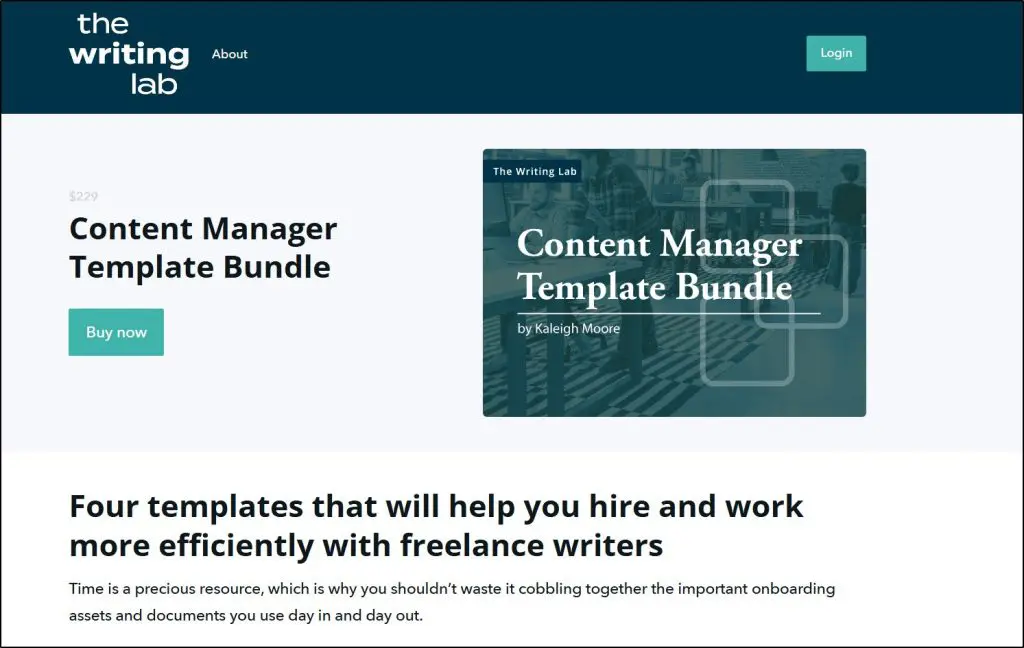
This template bundle by Kaliegh Moore, a SaaS & ecommerce content marketer, is a classic example of a digital download.
For edupreneurs, digital downloads are one of the easiest entry points into product creation:
- A fitness coach can package workouts into a “30-Day Home Workout PDF Plan” with step-by-step routines and illustrations.
- A children’s author can create personalized storybook templates where parents add their child’s name and print it at home.
- A business consultant can sell ready-to-use Excel financial models or presentation templates that save clients hours of work.
The most successful digital downloads solve a very specific problem or answer a common question. They’re usually priced between $7 and $99, and while the individual price is low, the real money comes from volume sales.
As an edupreneur, your job is to spot “low-hanging” problems or needs in your audience and package your expertise into a simple download that saves them time. You can sell through dedicated digital marketplaces, or — for more control and higher margins — directly from your own website.
Digital Downloads vs Digital Products: What’s the Difference?
It’s easy to confuse digital downloads with digital products because there are so many similarities. In fact, you could say that every digital download is a digital product, but not every digital product is a digital download. Let me explain.
- Digital downloads are files your audience can instantly save and use. They include info products like ebooks, PDF checklists, Canva templates, or spreadsheest. They’re usually quick, low-cost solutions to very specific problems.
- Digital products is the broader category. It includes downloads, but also courses, memberships, coaching programs, and even software. These often come with higher price points and a more involved learning or service experience.
For example, this online course by CXL is a digital product, not a digital download.
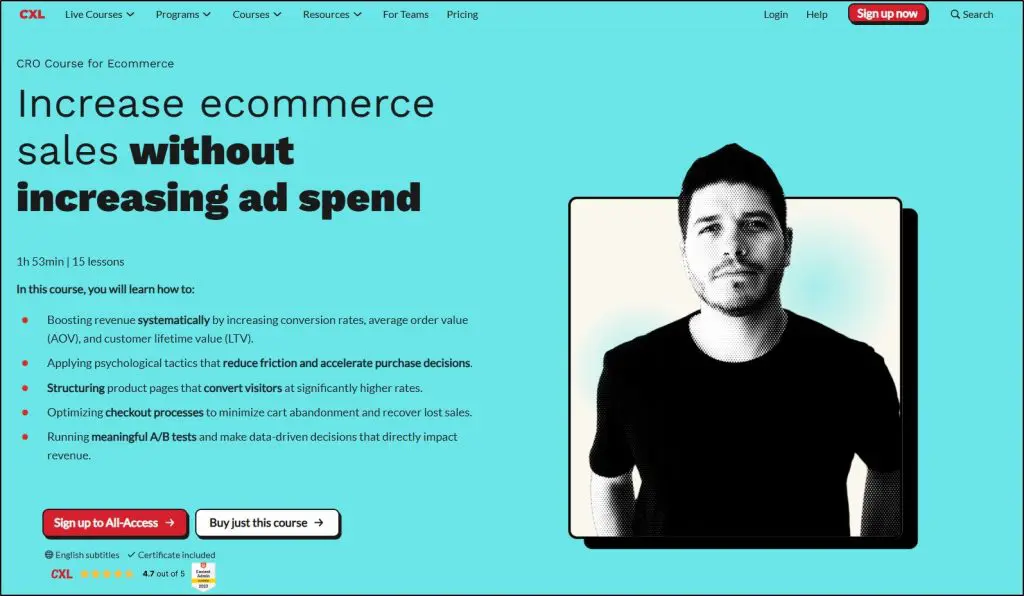
It might include digital downloads like templates and PDFs. But the curse itself is a digital product, not a download.
Digital downloads weren’t even recognized as a category a few years ago. Most people simply called them digital products.
But as downloads have grown into an industry of their own, edupreneurs now use the term specifically for files and resources their audience can grab instantly for a small price.
The Most Popular Types Of Digital Downloads With Examples
Digital downloads come in different shapes and forms. But the common factor behind all of them is that they solve a very specific problem or fulfill a clear need.
People don’t buy a “PDF” or a “template” for its format. They buy it because it saves them time, stress, or money.
In this section, I’ll share the most popular types of digital downloads, along with real examples edupreneurs are already selling. I’ll also highlight the platforms where each type works best so you know exactly where to list yours for the highest chance of success.
Digital Downloads Type #1: Ebooks & Guides
Ebooks may sound old-school, but they’re still the most lucrative digital downloads. People don’t buy them because they’re “books”. They buy them for fast, practical answers.
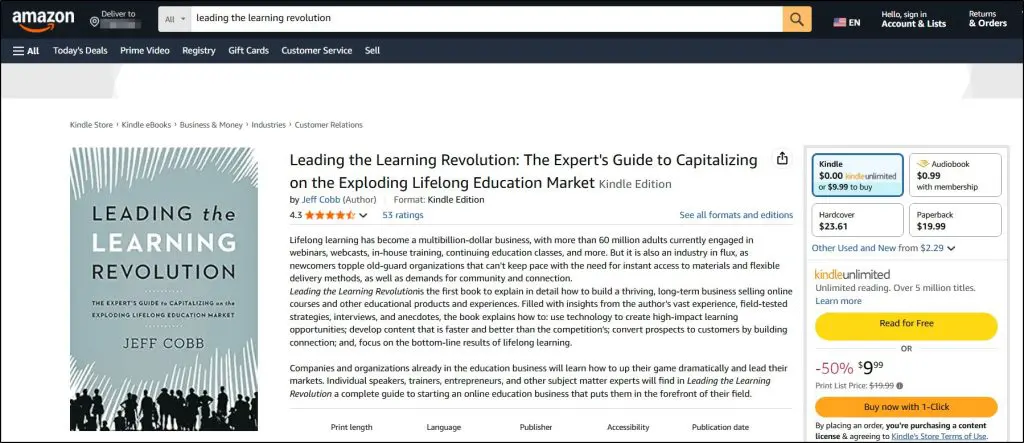
Jeff’s ebook on Amazon, Leading the Learning Revolution, is a classic example of this digital download type.
But many modern ebooks don’t need to be 300 pages long. The best-sellers today are short, focused, 40–60 page guides that cut straight to solving one specific problem.
A fitness coach can sell a “7-Day Meal Plan for Busy Moms.” A consultant can offer “5 Proven Pitch Deck Templates That Closed Deals.”
Jeremy Ethier’s Fat Loss Cookbook is the perfect example.

But look at what’s quietly driving sales on platforms like Amazon KDP and Gumroad: hyper-specific guides on things like how to put a baby to sleep, how to be more confident with girls, how to beat stage fright.
These aren’t broad textbooks; they’re quick solutions people are willing to pay $7–$49 for.
Most ebooks are delivered in PDF (easy to open anywhere), EPUB (for e-readers like Kindle), or even bundled ZIP files if they include worksheets or templates. You can create and sell them on KDP, Gumroad, Payhip, or your own site using Easy Digital Downloads.
Digital Downloads Type #2: Templates & Planners
If ebooks are about giving answers, templates and planners are about saving time. These are ready-made frameworks your audience can plug their details into and start using right away.
They’re insanely popular digital downloads because people hate starting from scratch. Templates give them a proven path.
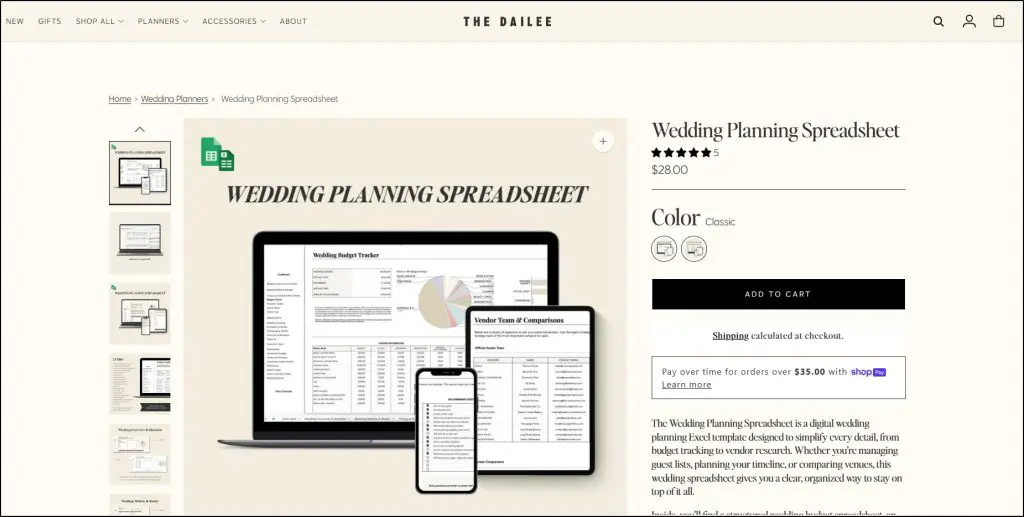
A business consultant can sell a “Financial Forecast Excel Template.” A life coach can offer a “Daily Productivity Planner.” On Etsy, you’ll see wedding planners, budget spreadsheets, social media calendars, and even niche ones like “Homeschool Lesson Plan Templates” selling every day.
Here’s a good example.
And don’t underestimate quirky demand. People happily pay for things like “Pet Feeding Trackers” or “D&D Character Sheets.”
Templates & planners are usually in Excel, Google Sheets, Word, Canva, or editable PDFs formats. They sell best on Etsy (for personal planners and printables), Creative Market (for design templates), or directly from your website with tools like SendOwl or Shopify.
Digital Downloads Type #3: Printables
Printables are predesigned files that customers can download and use immediately, no editing required. They’re especially huge on Etsy, where buyers want stylish, ready-to-print designs without having to make them themselves.
Teachers sell worksheets, fitness coaches offer meal calendars, and parents run side hustles with “Kids’ Chore Charts” or “Birthday Party Games.” Popular niches include wall art, wedding invitations, budgeting sheets, and planners.
This printable coloring book on Etsy is a good example.
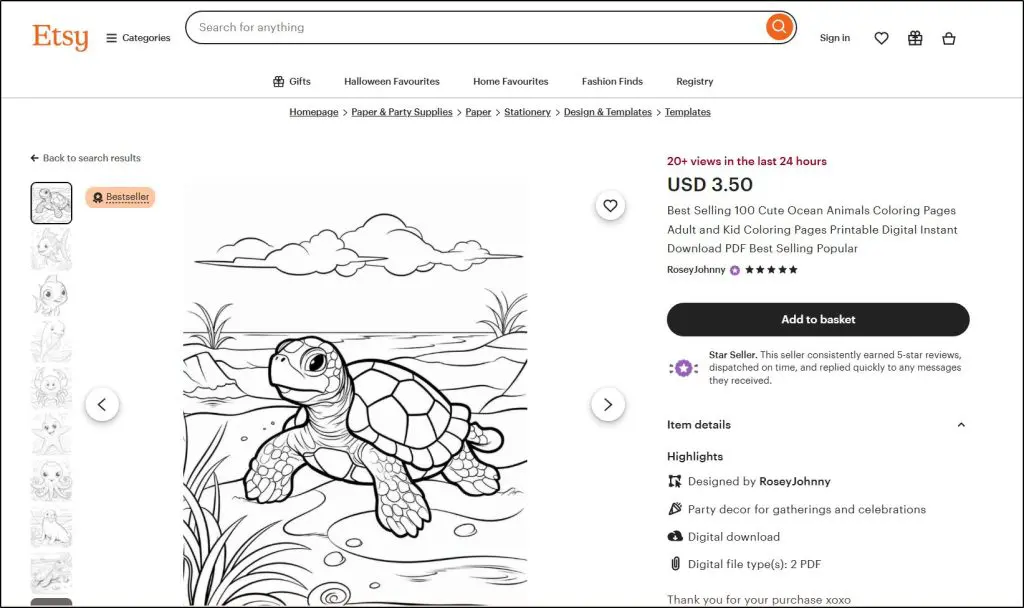
And there’s surprising demand for quirky items like camping packing lists, pantry labels, or affirmation cards.
Printables are usually delivered as PDFs or high-resolution PNGs. They sell best on Etsy (the top marketplace), Creative Market (for design-focused buyers), or directly on your site.
Digital Downloads Type #4: Checklists & Workbooks
Checklists and workbooks are all about structure and action. Instead of giving information, they guide people step by step through a process. They’re lightweight, easy to create, and surprisingly powerful because people love ticking boxes and feeling progress.
A business coach can sell a “Client Onboarding Checklist.” A fitness trainer might offer a “Weekly Meal Prep Workbook.” On Etsy, you’ll find everything from “Wedding Planning Checklists” to “Newborn Care Workbooks.”
And don’t overlook niches like public speaking prep sheets, confidence-building checklists, or morning routine trackers, all of which sell well because they give users a sense of accomplishment.
For edupreneurs, these are a goldmine because you can take any teaching framework or methodology you already use and turn it into a workbook or checklist.
Whether you’re a career coach, a children’s educator, or a financial consultant, breaking your expertise into small, actionable steps makes it instantly more valuable and sellable.
Digital Downloads Type #5: Stock Photos & Graphics
Stock photos, illustrations, and design assets are evergreen digital downloads because businesses, bloggers, and educators constantly need visuals. Instead of hiring a designer, they can grab a ready-made pack for a few dollars and use it instantly in their content.
Photographers sell curated stock photo bundles like “Wellness & Yoga Lifestyle Images.” Designers offer “Canva Instagram Templates” or “Flat Icon Packs.” On Etsy, you’ll even find hand-drawn clipart sets for teachers, wedding invitations, or watercolor illustrations.
Niche demand is huge—think food bloggers needing recipe images, educators looking for classroom clipart, or coaches using branded slide templates.
With AI tools like MidJourney and Nano Banana, creators who master prompt engineering can generate stunning, hyper-specific images on demand.
This is a lucrative skill because most people don’t know how to consistently get high-quality AI images that look exactly the way they want.
If you learn this, you can package AI-generated stock bundles (like “AI Fantasy Backgrounds” or “Diversity-Inclusive Business Headshots”) and sell them just like traditional stock art.
Formats are typically JPEGs, PNGs, SVGs, or PSD files. They sell best on Creative Market, Etsy (for craft-style graphics), Envato Elements, and platforms like Gumroad for independent creators.
Digital Downloads Type #6: Audio & Music Files
Audio is one of the most underrated but profitable digital download categories.
Think beyond selling full music albums.
Creators are making money with background tracks for YouTube, calming meditation audios, sound effects for video editors, and even podcast intros. These downloads sell because not everyone has the skill (or time) to produce audio that sounds professional.
AI music generation tools like Aiva, Mubert, or even Soundraw let you create a massive library of unique tracks and sound effects in hours. Not everyone knows how to prompt AI to make tracks that are usable, so if you master it, you’re holding a lucrative skill.
Formats are usually MP3, WAV, or FLAC, and they sell best on Etsy (meditations, sound effects), Pond5, AudioJungle, or direct platforms like Gumroad.
For edupreneurs, audio downloads can be an extension of your work, whether it’s meditation tracks for your coaching clients, study audios for your students, or custom soundscapes to go with your workshops.
Digital Downloads Type #7: Video & Multimedia Assets
Video isn’t just for YouTube or courses. Short, ready-to-use clips are one of the fastest-growing categories of digital downloads. Think stock b-roll, animated intros, slideshow templates, or explainer packs. Creators, businesses, and educators buy these because making polished video assets from scratch takes time and skill.
For example, an educator could offer animated explainer clips on math concepts that teachers can drop straight into lessons. Social media creators pay for Instagram Reel transitions, TikTok effects, or YouTube intro packs.
With AI video tools like Veo, Sora, MidJourney (for animations), and Runway Gen-2, you can now create niche-specific clips in minutes. The ability to generate custom footage, enhance existing videos, or design effects on demand makes this a goldmine.
Most people don’t know how to guide AI tools well enough to get polished outputs. If you do, you can package them as premium downloads.
Formats are typically MP4, MOV, or GIF, often bundled in ZIP folders with multiple variations. They sell best on Envato Elements, Creative Market, Etsy (for themed packs), or directly on platforms like Gumroad.
How to Create a Winning Digital Download for Your Audience
The key to a profitable digital download isn’t design or length, it’s alignment. Your product has to match a problem your audience feels right now.
When you connect that urgency with the right format, you build a solution people are happy to pay for.
Here’s a simple but proven step-by-step framework to make a digital download that sells.
Step 1: Research a Problem or Need in High Demand
Don’t build a digital download on gut feeling. The fastest way to fail is to create something nobody asked for. You need proof that people are already searching for or struggling with the problem you want to solve.
If you have an audience, a social following, an email list, a community group, or coaching clients, ask them directly. Even a simple poll like “Would you find it helpful if I created [idea] in an easy-to-use format?” gives you instant clarity.
No audience yet? Borrow someone else’s.
Look at competitor communities: what questions come up in comments, what topics they repeat, what freebies they push? These usually highlight hot-button issues.
Other goldmines include:
- Amazon Kindle reviews — readers often reveal what was missing.
- Reddit and Quora threads — full of raw, unfiltered questions people can’t find good answers to (you can even use Perplexity AI to summarize long discussions).
And my personal favorite: search demand data.
Tools like Ahrefs and Keywords Everywhere show you exactly how many people search for a topic each month. After years of testing, I’ve found Keywords Everywhere’s numbers surprisingly reliable.
For example look at this screenshot.
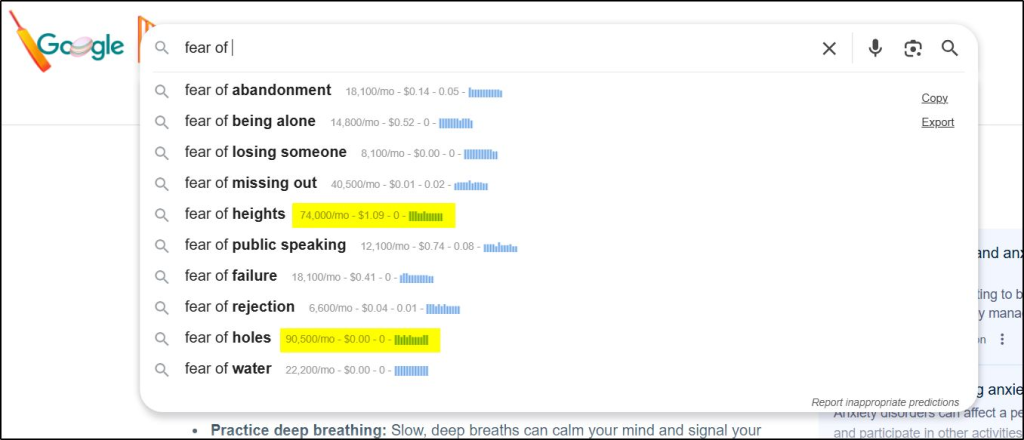
- “Fear of holes” → 90,000 monthly searches
- “Fear of flying” → 22,000 monthly searches
- “Fear of heights” → 70,000 monthly searches
These are real problems people obsess over — you wouldn’t have guessed them from intuition alone.
Also, don’t ignore YouTube search volume. As the world’s second-largest search engine, it’s a goldmine for content demand. Keywords Everywhere shows YouTube search volume estimates as well.
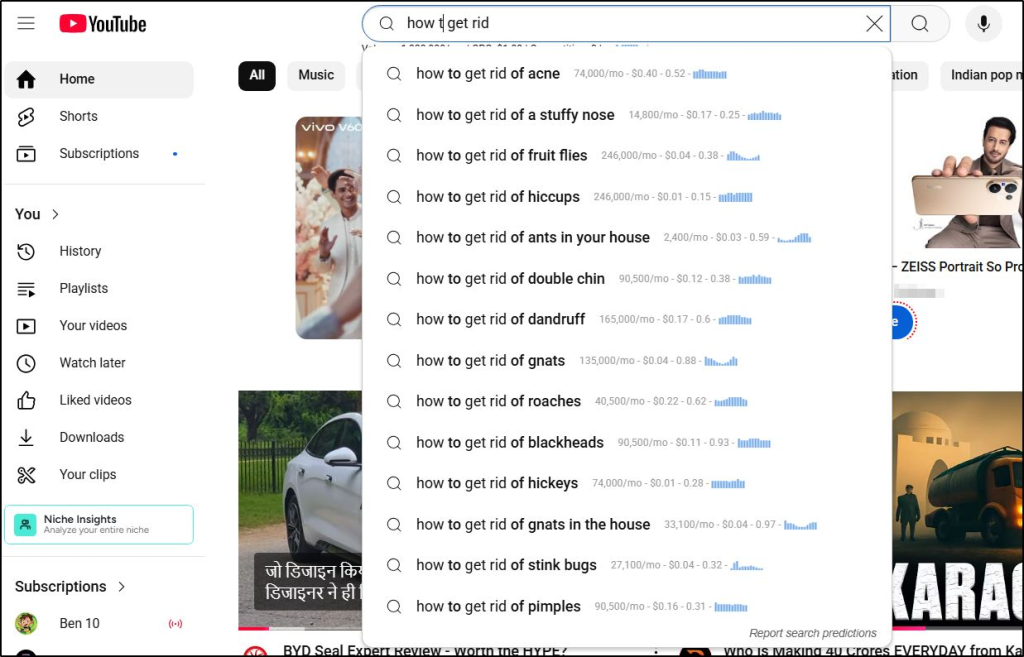
If thousands of people are typing the same question there, that’s a clear green light for your ebook, checklist, or template.
So before you create, do your homework, and find problems people are already looking for.
Step 2: Validate the Problem With Real Market Checks
Finding a problem is step one. But before you invest time creating, you need proof people are willing to pay for the solution. That’s where validation comes in.
Here’s how to do it:
- Check existing marketplaces: Browse Etsy, Amazon KDP, Gumroad, and Creative Market. Are ebooks, templates, and other digital downloads like your idea already selling? Good, that means buyers exist.
- Look at best-sellers: Pay attention to reviews, download counts, or “bestseller” tags. They show demand is strong enough to sustain multiple creators.
For example, you can browse different categories on Gumroad to find the best selling products.
If you find multiple high selling products on your topic, it’s a strong sign of consistent demand.
- Spy on social proof: On Instagram, TikTok, or Pinterest, are people already sharing similar products? Engagement (likes, comments, saves) is an indirect demand signal.
- Run a small test: Before creating the full version, mock up a one-page “lite” version (like a sample chapter, mini checklist, or demo template). Offer it to your audience or list it cheaply. If people grab it, you’ve got validation.
Validation saves you from wasted effort. If you don’t see traction in real markets or test offers, pivot early and find a problem with stronger pull.
Step 3: Identify the Best Digital Download Format Based on Audience Intent
One of the biggest mistakes edupreneurs make is assuming the format themselves. You think your audience needs a 40-page ebook, but what they really want is a one-page template they can plug numbers into.
The trick is to study the audience intent of your topic (what buyers expect when they search for answers)
- Check search results: Type your idea into Google or YouTube and look at what ranks on the first page. If you search “meal planning for busy moms” and see lots of printables and planners ranking, that’s your clue that an ebook won’t meet intent — a template will.
- Match the outcome to the format: Ask yourself, “What does the buyer want to walk away with?” If it’s clarity, an ebook works. If it’s a ready-to-use tool, give them a spreadsheet or template. If it’s motivation, audio files or guided videos fit better.
- Watch how people phrase their questions: Search modifiers like “template,” “planner,” “printable,” or “guide” show you what format they’re already expecting.
The goal isn’t to create what you want to make — it’s to deliver the solution in the format your audience believes is fastest, easiest, and most useful for them.
Step 4: Create Your Download in the Right Tool/Format
Every digital download goes through a different creation process. Each one uses different tools, formats, and techniques. But one thing is common: generative AI tools can help you come up with great ideas for your digital download. So, use them at every stage of your product development.
Here’s how you can create your download, depending on its type and format:
- Ebooks & guides → Draft in ChatGPT, Claude or Gemini, then move to Google Docs or Word for easy editing, then design in Canva or InDesign for polish. Break content into short sections with visuals, infographics, or case studies to make it skimmable. Export in both PDF (universal) and EPUB (Kindle). Add a clickable table of contents and links to upsell your other products.
- Templates & planners → Use Excel or Google Sheets if your audience needs formulas and automation. Add data validation and drop-downs so it feels “smart.” If it’s a design planner, Canva is better since buyers expect something pretty and customizable. Always lock formulas so they don’t get deleted, and include sample entries to show how it works.
- Printables → Canva and Illustrator are best for attractive designs. Use high-resolution exports (300 DPI) and set proper bleed margins for printing. Offer multiple sizes (A4, Letter, Half Letter) so international buyers can use them without resizing. Test-print your file to make sure colors and fonts look good in real life.
- Stock photos & graphics → AI tools like MidJourney, Stable Diffusion, or Nano Banana can create stunning, hyper-specific visuals. Clean them up in Photoshop or Affinity Photo, and export in multiple formats (JPEG for web, PNG for transparent, SVG for scalable graphics). Bundle sets in ZIP folders and add a clear license PDF explaining personal vs. commercial use.
- Audio files → Record in Audacity or GarageBand, or generate with AI tools like Mubert or Soundraw. Normalize volume levels across all files so they sound consistent. Export MP3 for universal access, WAV for high-quality buyers. Tag files properly with metadata so when buyers import them, they’re easy to search.
- Video assets → Use CapCut, Canva, or Premiere Pro for editing. With Veo, Sora, or Runway, you can generate niche stock clips quickly, then refine them in an editor. Export in MP4, H.264 codec, at least 1080p resolution (offer 4K as a premium). Keep file sizes optimized (under 200MB) so customers don’t struggle to download.
Before launch, always test your files on different devices — phone, tablet, desktop. Print the printable, run the template in both Excel and Google Sheets, open the audio in multiple players. A single broken formula or blurry export can tank your reviews and refund rates.
Step 5: Upload to a Digital Downloads Platform for Delivery
Creating a digital download is one thing — delivering it smoothly is another. You don’t want to manually email files every time someone buys. A platform gives you the “plumbing”: secure payments, automatic file delivery, receipts, customer data, and often marketing or discovery opportunities.
Here’s what each platform actually gives you when you sign up:
1. Gumroad
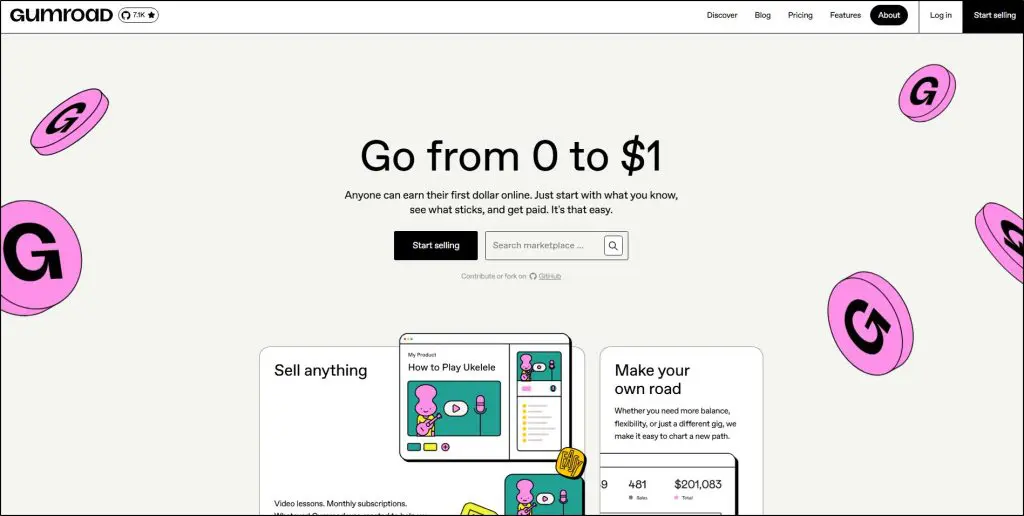
Gumroad is a simple storefront platform for selling digital downloads. You upload your file, set a price, and Gumroad places it on a clean landing page with a unique public URL.
Buyers visit that page, check out, and instantly receive the file. Gumroad handles payments, receipts, and file delivery. You get customer emails, sales data, and a dashboard to track performance.
Most sales come from your own promotion, but Gumroad also has a small built-in marketplace where new buyers can discover you.
2. Sellfy
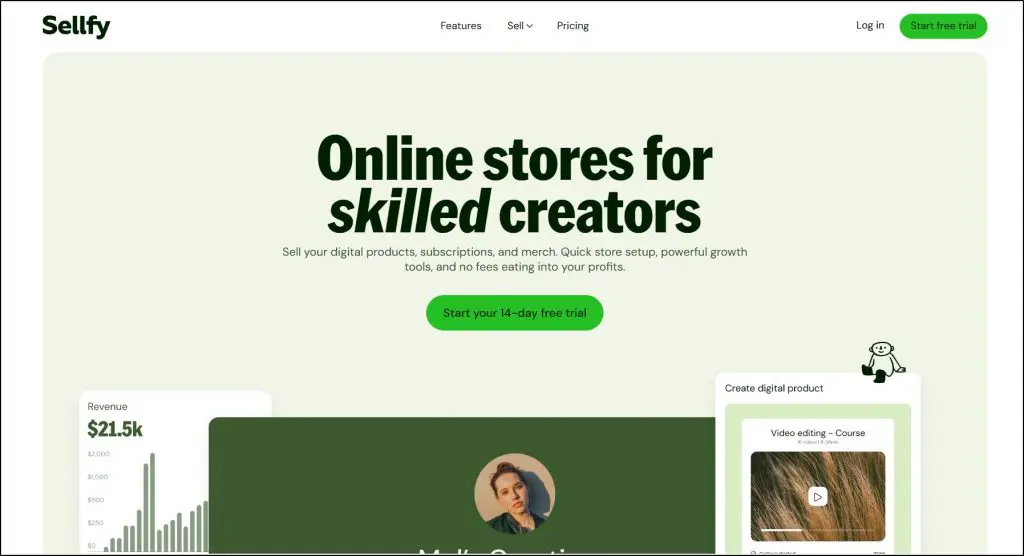
Sellfy is a hosted online store builder designed for digital creators. When you sign up, you get a fully branded website where you can upload files, set up product pages, and even run upsells or discounts.
It looks and feels like your own e-commerce shop. Sellfy also includes built-in email marketing tools so you can nurture buyers.
Unlike Gumroad, Sellfy doesn’t have a discovery platform. You’re responsible for driving traffic. But once traffic arrives, Sellfy gives you conversion-focused tools to maximize sales.
3. Payhip

Payhip is a lightweight storefront for selling digital downloads. You upload your files, set prices, and Payhip creates simple product pages for you.
Buyers get instant access after checkout, and the platform automatically handles taxes, VAT, and receipts. There’s no upfront cost, so it’s popular with beginners testing their first products.
Most of your sales will come from your own audience, though Payhip does have a small discovery marketplace where new people can find your files.
4. Shopify (with Digital Downloads apps)
Shopify is a full-scale eCommerce platform that becomes digital-friendly with apps like Digital Downloads or SendOwl. You upload your files, connect payment gateways, and your store delivers downloads automatically.
The difference with Shopify is control — you design your storefront, product pages, and customer accounts exactly how you want. It looks like a professional branded store rather than a simple product page.
However, Shopify doesn’t bring you traffic. All sales are driven by your own marketing, making it best for serious edupreneurs scaling a brand.
5. Etsy
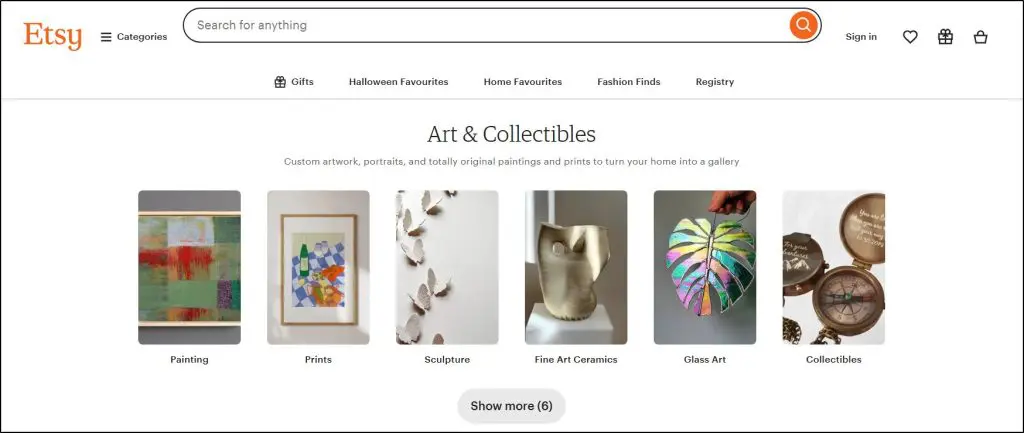
Etsy is a massive online marketplace known for handmade goods, but it’s also one of the biggest hubs for digital downloads like planners, templates, and printables.
Instead of building a site, you list products inside Etsy’s marketplace. Each product gets a public listing page that buyers can discover through Etsy’s search engine.
Etsy handles checkout, delivery, and receipts automatically.
The big draw is built-in traffic — millions of buyers are already searching there daily — but Etsy controls the customer relationship, so it’s less brand-building friendly.
6. Thinkific Digital Downloads
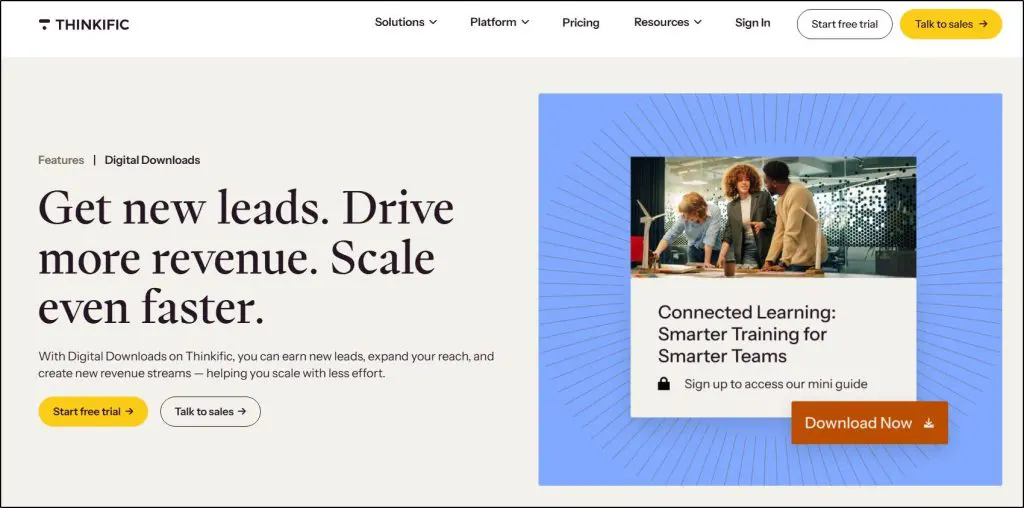
Thinkific is a course platform that now supports selling digital downloads. You can add files as standalone products or bundle them with courses and memberships.
Buyers get access through a student dashboard that looks like a learning portal. It’s a smooth upsell tool if you’re already teaching on Thinkific, but it doesn’t offer discovery traffic.
Downloads here usually sell as add-ons for your existing audience rather than as independent products.
7. Teachable Digital Downloads
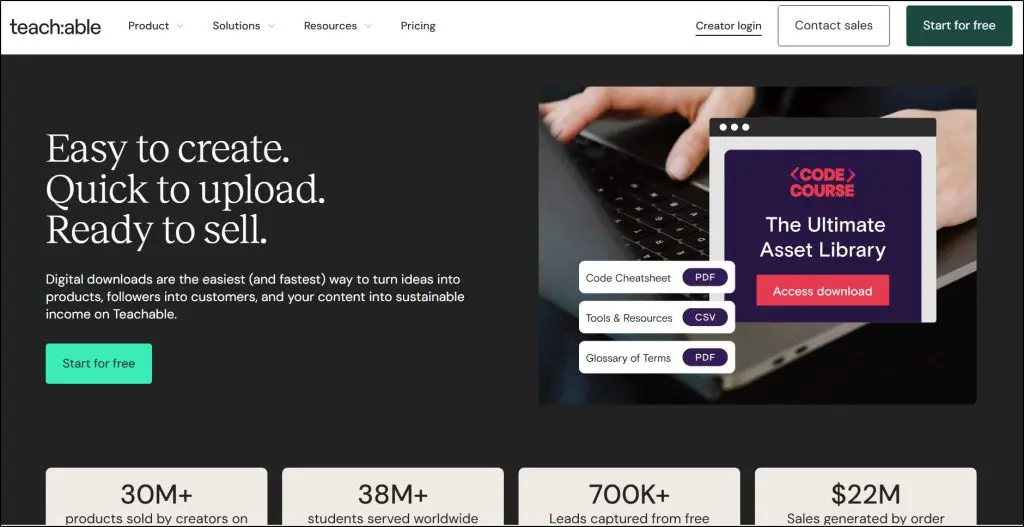
Teachable is a course and coaching platform that also allows you to sell digital downloads. You upload files directly to your Teachable dashboard (or link from Google Drive/Canva), and they can be delivered as standalone products, bundled with courses, or used as free lead magnets.
Teachable supports formats like PDFs, spreadsheets, MP3s, and images. The system looks and feels like a professional online school.
There’s no built-in marketplace, so sales come from your own traffic — but it’s perfect if you’re already on Teachable and want low-ticket offers in your funnel.
8. Easy Digital Downloads (EDD)
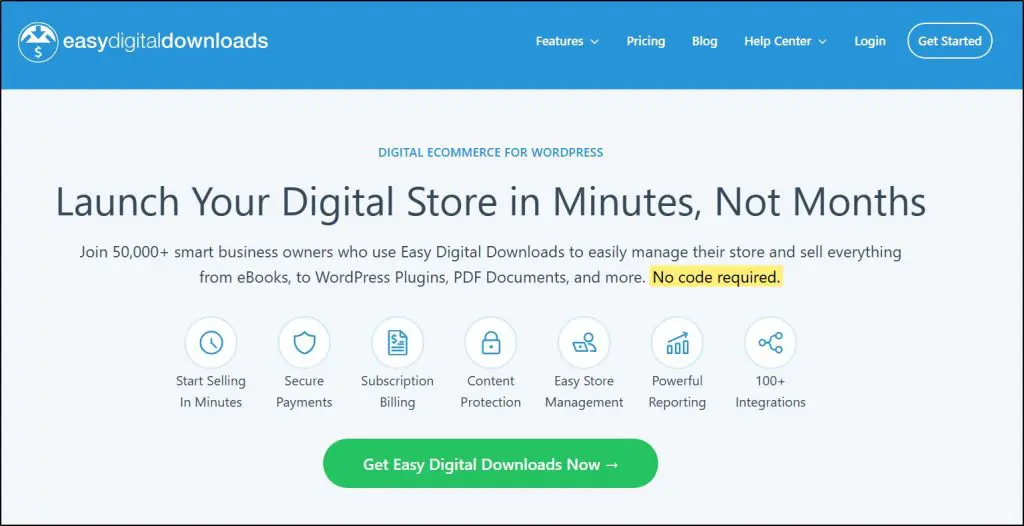
Easy Digital Downloads is a WordPress plugin that turns your site into a full digital store. Once installed, you can upload files, create product pages, and set secure delivery rules.
Customers buy directly on your website, and EDD handles payments, download tracking, and customer records. The real advantage is control — you own your store, your customer data, and your brand.
EDD also integrates with Stripe, PayPal, Mailchimp, ConvertKit, and dozens of other tools. There’s no marketplace traffic; success depends entirely on your marketing.
But for WordPress users, it’s one of the most scalable and professional setups.
9. Creative Market / Envato Elements
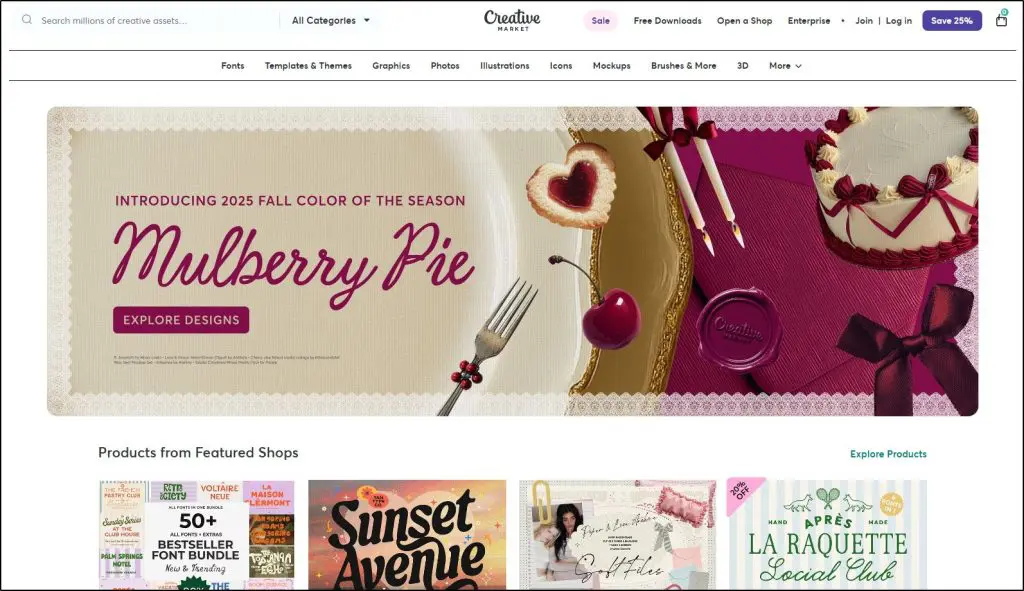
Creative Market and Envato Elements are design-focused marketplaces where you create a seller profile. You upload your assets — templates, stock photos, fonts, graphics — and they appear in a searchable catalog.
Buyers discover you through the platform’s search and categories, not your own marketing. The upside is exposure to a buyer-ready audience of designers, bloggers, and businesses.
The trade-off: they take a large revenue share, and you have little control over branding.
The takeaway:
- If you want discovery traffic, start with Etsy or Creative Market.
- If you want brand control, go with Shopify, Sellfy, or Payhip.
- If you’re already teaching, just keep it simple and upsell downloads in Thinkific.
Here’s a quick comparison table help you choose the right digital downloads platform:
| Platform | Starting price (how sales are charged) | Best for | Sales channel |
|---|---|---|---|
| Gumroad | Free to start; ~10% + $0.30–$0.50 per transaction | Solo creators testing ebooks, templates, small bundles fast | Both: your own promo + light marketplace discovery |
| Sellfy | From $29/mo, 0% platform fee (payment processing extra) | Branded shop with built-in email, upsells, discounts | Own marketing |
| Payhip | Free (5%/sale) → $29/mo (2%) → $99/mo (0%) | Beginners testing with $0 upfront; VAT handling | Both: small marketplace + your traffic |
| Shopify (+ Digital Downloads/SendOwl) | From $29/mo (+ app fees; ~2.9% + $0.30 processing) | Long-term brand mixing physical + digital | Own marketing |
| Etsy | $0.20 listing + 6.5% transaction + processing (~3%) | Printables/templates with huge built-in demand | Marketplace discovery |
| Thinkific (Digital Downloads) | From $36/mo plan; no platform % (processing applies) | Course creators bundling downloads/upsells | Own marketing (to students) |
| Creative Market / Envato | Free to join; ~40–50% revenue share | Designers selling graphics, fonts, templates | Marketplace discovery |
| Easy Digital Downloads (WordPress) | Core plugin free (0% + processing); popular extensions from ~$99/yr | WordPress users wanting full ownership, flexibility, and integrations | Own marketing |
| Teachable Digital Downloads | Free plan (typically $1 + 10%/sale) or paid plans from ~$39/mo (+ processing) | Edupreneurs already on Teachable using downloads as lead magnets, bumps, or add-ons | Own marketing (to your audience; upsells/order bumps) |
Step 6: Prepare Your Sales Landing Page
You’ll need a landing page to market and sell your digital download. It contains your core marketing message, testimonials, social proof, and proof that your download is actually the solution your audience wants. It’s also the place you’ll use to drive all your traffic — whether it’s from Facebook ads, Google ads, your email list, or organic content.
From here, the buyer clicks your product’s “Buy” button to proceed. This is important because your landing page also carries your Facebook pixel and Google tracking codes. These codes track visitors and let you re-target them with ads, dramatically improving campaign effectiveness. In other words, your landing page acts as the central hub of your marketing.
Now, not every digital download platform handles this the same way:
- Sellfy & Shopify → Give you full landing page control, branding options, and built-in pixel tracking.
- Payhip → Basic but allows adding tracking codes, which is enough for most beginners.
- Gumroad → Clean and simple product pages, but limited customization and no advanced tracking.
- Etsy, Creative Market, Envato → No landing page control at all (you rely on their marketplace layout).
- Thinkific Digital Downloads → Offers sales pages, but they look more like course pages than optimized landing pages.
If your platform doesn’t allow tracking codes or has a limited landing page, build your own sales page on your website (WordPress, Leadpages, or Carrd). Use it as your marketing hub, then route buyers to your platform’s checkout page for payment and file delivery. This way you control branding, storytelling, and data while keeping the backend secure and automated.
Step 7: Market Your Digital Download to Drive Sales
The best marketing starts with the problem your audience already feels. Talk about their frustrations, their struggles, the questions they keep asking. Once they nod along, your digital download naturally becomes the solution they’re willing to pay for.
But awareness alone isn’t enough.
You’ll need a mix of short-term pushes and long-term content assets:
1. Start With Your Email List & Social Media Followers
If you already have an email list, social following, or client community, these are your warmest buyers. Announce your download, give them a launch discount, or bundle it with other products to boost perceived value.
2. Tap Into Your Past Buyers
If you sell courses or memberships, your current students are perfect candidates. Position the download as an entry-level product for leads, or as an add-on for existing clients. This not only generates sales but also feeds your funnel, nudging people toward your higher-ticket offers.
3. Run Facebook Ads for Scale
Facebook and Instagram ads remain the fastest way to get cold traffic. Always send clicks to your landing page (not your homepage). With your Facebook Pixel and Google tracking codes, you can retarget people who visited but didn’t buy — often converting them for much less than your first ad.
4. Join Reddit & Quora Discussions
Reddit, Quora, and niche Facebook groups are full of unfiltered discussions about the very problems your downloads solve. If you sell a “Meal Prep Planner,” join threads in r/MealPrepSunday, add value, and share your product when relevant. Authentic participation often beats cold outreach.
5. Build Optimized Content Assets On Your Blog & YouTube
Write blog posts targeting the exact keywords people search when they face the problem your download solves. Create YouTube videos optimized for search around those same pain points. Over time, these become passive traffic assets — building authority, ranking in search, and feeding your sales funnel without extra ad spend.
Combine direct promotion (email, ads, communities) with long-term content (blogs, videos, SEO). That’s how you turn one-off sales into a steady stream of revenue that compounds over time.
Don’t Overthink: Make Your First Digital Download Now
Digital downloads aren’t meant to be perfect. They’re meant to be useful. With today’s AI tools like ChatGPT, Gemini, Claude, MidJourney, and others, you can go from idea to finished product in hours — not weeks.
The biggest trap edupreneurs fall into is overcomplicating things. You don’t need 100 pages, expensive software, or a polished funnel to start. All you need is one problem your audience cares about, packaged into a simple download they can use immediately.
Launch it. Watch how people respond. Learn, tweak, and launch again. That cycle — fast creation, real feedback, quick improvement — is what makes digital downloads so powerful.
Unlike courses or memberships, they’re lightweight, low-risk, and easy to produce. But together, they add a new layer to your value ladder, bringing in fresh leads and paying customers.
Don’t wait. Pick one idea today, package it, and hit publish.
Frequently Asked Questions (FAQs)
1. What file formats work best for digital downloads?
It depends on the product type. PDFs are the universal choice for ebooks, guides, and printables. PNG or JPEG work well for graphics and wall art. Editable formats like Excel, Google Sheets, and Canva are ideal for templates. Always pick the format that matches how your audience wants to use the file.
2. Can I sell digital downloads on my own website?
Yes. With plugins like Easy Digital Downloads or SendOwl, you can host and sell directly from your site. This gives you more control over branding, pricing, and customer data compared to third-party marketplaces like Etsy or Creative Market.
3. Do I need to worry about piracy when selling digital files?
Unfortunately, yes. PDFs, images, and audio files can be shared without your permission. You can limit this risk with PDF stamping (buyer’s email on each page), unique download links, or license keys for software. But the bigger defense is continuing to market and build trust so buyers prefer getting files from you directly.
4. How much money can you make selling digital downloads?
It varies widely. Some sellers make $50–100 a month in side income, while others scale to six figures with multiple products and strong marketing. The key factors are niche demand, pricing, and your ability to drive traffic consistently.
5. What’s the difference between selling on Etsy vs. Gumroad?
Etsy gives you built-in buyer traffic but also heavy competition and fees. Gumroad is simpler: you create your own storefront and do your own marketing. If you want discovery, Etsy helps. If you want control and repeat customers, Gumroad or Sellfy is better.
6. How do I price my digital downloads?
Most downloads fall between $5 and $50. The sweet spot depends on value delivered, competition, and your audience’s budget. Niche, specialized templates can go higher ($99+), but most sellers rely on volume sales at lower price points.
7. Do I need special software to create digital downloads?
Not really. Tools you already use — Canva, Google Docs, Excel, PowerPoint — are enough to create ebooks, planners, or templates. AI tools like ChatGPT, Claude, MidJourney, and Soundraw can dramatically speed up content and asset creation.
8. Can digital downloads be passive income?
Yes, but only once you set up traffic systems. Uploading files isn’t enough. You need organic content (blogs, YouTube videos, SEO), email funnels, or paid ads to bring in buyers. Once that’s in place, downloads can generate sales around the clock.
9. What niches are most profitable for digital downloads?
Etsy’s top sellers include printables (wedding invites, planners, wall art), while Gumroad and Payhip do well with ebooks, templates, and creator tools. For edupreneurs, niches like health, personal finance, productivity, homeschooling, and business strategy are especially strong.
10. Can I sell both digital and physical products together?
Yes. Platforms like Shopify or WooCommerce let you sell both in one storefront. Many sellers bundle: for example, a fitness coach sells a workout guide as a download, and branded resistance bands as a physical upsell.
Table of Contents
Related Posts
Thinkific Digital Downloads (2025): Complete Guide