

TL;DR — Podbean Review | Free Plan, Pricing & Podcast Features Worth Using?
Podbean is an all-in-one podcast hosting platform that works especially well for creators who want simple publishing, built-in monetization, and the option to host both audio and video. While running the Leading Learning Podcast over the last 10 years, I’ve used Podbean several times and always found it a reliable platform.
Podbean Free Plan & Pricing | How Much Does It Cost?
Free (Basic) – Test your show with basic hosting, RSS feed, simple stats, and a basic website. Very limited upload space.
Unlimited Audio – $9/mo (yearly) – Unlimited storage, unmetered bandwidth, advanced stats, monetization, audio-only hosting.
Unlimited Plus – $29/mo (yearly) – Everything in Audio plus video podcast hosting and deeper site customization.
Network – $79/mo (yearly) – For multiple public shows with network analytics, branded network site, and team roles.
Business – $99/mo (yearly) – For private and public business podcasts with SSO, SOC2 security, private members, and unlimited team roles.
The Main Features In Podbean
Audio and video hosting: Stable, unlimited storage on paid plans with global CDN delivery.
One-click distribution: Push episodes to all major listening apps without manual setup.
Built-in podcast website: Clean, hosted site for your show with custom domain support.
Podbean AI tools: Basic AI for cleanup, leveling, transcripts, titles, show notes, and chapters.
Mobile recording and live streaming: Record, edit, go live, and publish from the Podbean app.
Monetization tools: Ads Marketplace, PodAds, Apple Podcasts Subscriptions, premium content, live gifting.
Analytics: IAB-certified stats for downloads, devices, locations, and episode performance.
Repurposing tools: Blog-to-Podcast and Video-to-Podcast for turning existing content into episodes.
Best For Creators: Who want a straightforward all-in-one host with solid audio and video hosting, simple monetization, mobile-first creation, and the option to run private or network-style podcasts without juggling lots of separate tools.
Not Right For Creators: Who need advanced multitrack editing, deep marketing automation, highly customizable website design, or very detailed listener-level analytics. Those workflows still need external tools or more specialized platforms.
Try Podbean for Free
If you’re starting a podcast (or upgrading an existing one), your hosting platform quietly shapes almost everything: how easy it is to publish, where your show appears, how reliable your feed stays, and how simple it is to make money from your episodes.
After running the Leading Learning Podcast for more than a decade and publishing 450+ episodes, I’ve seen how much difference the right host can make.
Podbean is one of the more established options in this space, and gives you almost everything in one place: hosting for audio and video, a podcast website, built-in monetization tools, live streaming, and now AI features for editing and production.
I’ve used it over the years and have had first hand experience of its performance and features.
In this review, I’ll walk through what Podbean does well, where it falls short, and who it’s really best for so you can decide if it’s the right podcast hosting platform for your show.

Podbean Product Snapshot
| Category | Details |
|---|---|
| Founded | 2006 |
| Best For | Beginners, audio/video podcasters, networks, businesses needing private podcasts |
| Free Plan | Yes — basic hosting with limited uploads |
| Paid Plans | Unlimited Audio, Unlimited Plus, Network, Business |
| Price Range | $9/mo to $99/mo (yearly billing) |
| Monetization | Ads Marketplace, dynamic ad insertion (PodAds), Apple Podcasts Subscriptions, premium content, live gifting |
| Audio Hosting | Yes — unlimited storage on all paid plans |
| Video Hosting | Yes — available on Unlimited Plus and higher |
| AI Tools | Noise cleanup, leveling, filler-word removal, transcripts, titles, show notes, chapter markers |
| Podcast Website | Included — customizable templates with custom domain support |
| Analytics | IAB-certified stats, episode trends, device/location data, listener behavior insights |
| Mobile App | Record, edit, livestream, publish, track stats |
| Private Podcasts | Available on Business plan (SSO + SOC2 security) |
| Multi-Show Support | Available on Network and Business plans |
Read: The best podcast hosting platforms for content creators
What is Podbean?
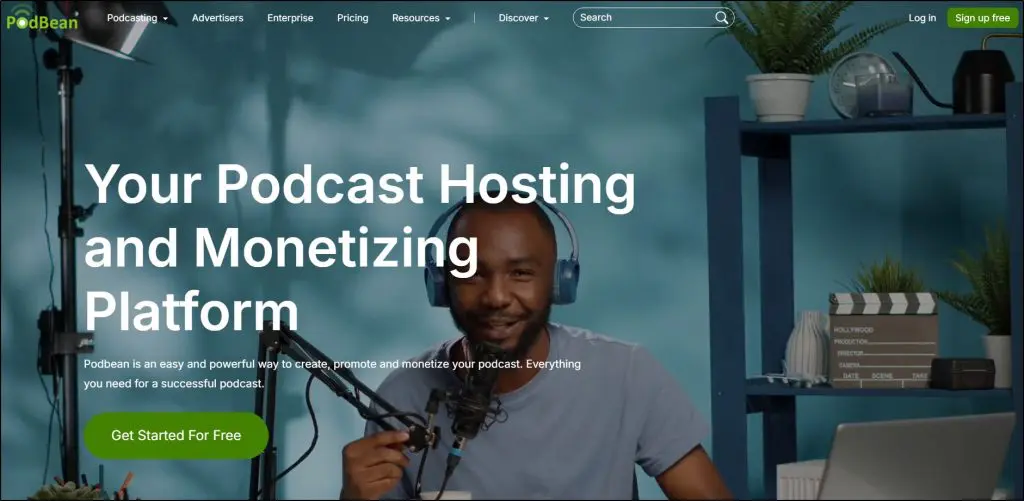
Podbean is an all-in-one podcast hosting, publishing, and monetization platform trusted by more than 149,000 podcasters worldwide.
It’s been around since 2006 and has grown into a full podcasting ecosystem where you can host audio and video episodes, run live streams, build a podcast website, and earn revenue from multiple built-in monetization tools.
You can start for free and publish your podcast in minutes.
From there, Podbean gives you everything you need to run your show: unlimited storage on paid plans, one-click distribution to major listening apps, customizable websites, advanced analytics, and access to monetization options like the Ads Marketplace, dynamic ad insertion, Apple Podcasts Subscriptions, and Fan Club memberships.
Podbean also includes production tools that go beyond basic hosting.
You can record, edit, and publish episodes from the Podbean app, livestream to your audience, auto-share episodes to social channels, and use Podbean AI for noise reduction, leveling, transcripts, titles, show notes, and chapter markers.
If you already publish blogs or YouTube videos, you can even turn them into podcast episodes with the Blog-to-Podcast and Video-to-Podcast features.
Here’s a list of the core features Podbean offers:
- Audio & video podcast hosting: Upload episodes with generous monthly limits and unlimited storage so you never worry about running out of space.
- One-click distribution: Publish to Apple Podcasts, Spotify, Amazon Music, and all major apps without dealing with technical setup.
- Built-in podcast website: Get a clean, professional site for your show without hiring a designer or touching code.
- Podbean AI tools: Clean up audio, remove filler words, generate titles, show notes, transcripts, and chapter markers to save hours in editing.
- Mobile recording & editing app: Record, edit, and publish from your phone so you can produce episodes anywhere.
- Live streaming with monetization: Host live audio shows, take listener calls, and earn through virtual gifts and Fan Club memberships.
- Multiple monetization options: Earn through ads, dynamic ad insertion, Apple Podcasts Subscriptions, and premium content.
- Advanced analytics: Track listener behavior, episode performance, and trends to grow your audience with data-backed decisions.
- Blog-to-Podcast & Video-to-Podcast: Turn written or video content into podcast episodes without re-recording everything.
In short, Podbean pulls hosting, creation, promotion, and monetization into a single dashboard—making it a strong choice for beginners, growing creators, and even organizations building public or private podcast networks.
Podbean Pricing & Free Podcast Hosting Plan
Podbean starts with a free plan that lets you publish episodes, generate an RSS feed, and get a basic podcast website. It’s a simple way to test your show without upfront costs.
Beyond the free tier, Podbean offers four paid plans, each designed for a different level of creator.
- Free (Basic) — A starter plan for testing your podcast with basic hosting and limited uploads.
- Unlimited Audio ($9/month yearly) — Best for audio-only creators who want unlimited storage, unmetered bandwidth, and monetization tools.
- Unlimited Plus ($29/month yearly) — Adds video podcast hosting and full customization on top of the Audio plan.
- Network ($79/month yearly) — Ideal for creators running multiple podcasts with network-level analytics and team access.
- Business ($99/month yearly) — Built for private/public business podcasts needing SSO, SOC2 security, private members, and unlimited team roles.
| Plan | Price (Yearly Billing) | Core Features |
|---|---|---|
| Free (Basic) | $0 | Basic hosting, RSS feed, basic stats, podcast website, embeddable player. Limited storage and upload time |
| Unlimited Audio | $9/mo | Unlimited storage, unmetered bandwidth, advanced stats, monetization tools, custom site. 10GB uploads per month (≈100 hrs) |
| Unlimited Plus | $29/mo | Everything in Audio + video podcast hosting, full site customization. 20GB uploads per month (≈200 hrs) |
| Network | $79/mo | Multiple podcasts, network analytics, branded network site, up to 50 team members. 40GB uploads per month (≈400 hrs), 3TB bandwidth |
| Business | $99/mo | Private podcasts, unlimited team roles, SSO login, SOC2 security, advanced analytics. 40GB uploads per month (≈400 hrs), unmetered premium bandwidth, 100 private members |
Podbean‘s Strengths & Weaknesses
Before diving deeper into Podbean’s features, let’s take a quick look at some of its main pros and cons, apart from its capabilities we’ve discussed so far.
Podbean Pros
| Pros | Why It Matters |
|---|---|
| Strong mobile livestreaming experience | You can interact with listeners in real time and earn through virtual gifts without needing external tools. |
| Built-in music, intros, and outros library | Saves you time because you don’t need to search for royalty-free audio elsewhere. |
| Auto-share to multiple social platforms | Helps you get more visibility instantly by posting new episodes to Facebook, LinkedIn, YouTube, Tumblr, and WordPress. |
| Easy migration from other hosts | Switching hosts takes minutes since Podbean imports your RSS feed and keeps your listeners uninterrupted. |
| One-click distribution to top directories | You can publish everywhere (Spotify, Apple, Amazon, iHeartRadio) without manually setting up each platform. |
| Custom embeddable players | Lets you place good-looking audio or video players on your website or landing pages to boost engagement. |
| IAB-certified analytics | Gives more trust and accuracy when measuring downloads for advertisers and sponsors. |
| Automatic podcast backups | Your episodes stay safe even if your device crashes or files get deleted locally. |
| Team collaboration tools | Multiple admins and contributors can help you manage episodes and analytics without sharing logins. |
Podbean Cons
| Con | Why It Matters |
|---|---|
| The free plan has very limited upload space | You’ll outgrow it quickly if you publish more than a few episodes. |
| Video hosting increases upload usage fast | Even short video episodes can eat up your monthly GB limit quickly. |
| Website templates lack modern design flexibility | You can’t fully customize layouts or add complex branding elements. |
| UI can feel outdated compared to newer hosts | Beginners may find it less sleek and intuitive than tools like Buzzsprout or Captivate. |
| No built-in newsletter or email marketing tools | You’ll need separate services like ConvertKit or MailerLite for audience communication. |
| Dynamic ad insertion has a learning curve | You need a bit of setup time to manage ad slots and campaigns properly. |
| Limited YouTube workflow support | You can’t schedule YouTube uploads or optimize thumbnails directly from Podbean. |
| Podcast website SEO tools are basic | You don’t get advanced SEO controls like schema, technical settings, or blog structure. |
| Live streaming payouts depend on virtual gifting | Income can be unpredictable since it’s tied to listener participation. |
Podbean Features and Functionality
Podbean has an impressive suite of features that make it a superb option for podcast hosting. Here’s a closer look at some of the most prominent features on the platform.
Feature #1: Podcast Hosting and Publishing
Podbean offers stable, high-quality hosting built specifically for long-term podcast growth. All paid plans include unlimited storage, unmetered bandwidth, and support for both audio and video files.
This means your show can scale without worrying about file limits, bandwidth overages, or throttling during traffic spikes.
Monthly upload limits (10GB, 20GB, or 40GB depending on your plan) ensure fast, reliable processing while keeping performance consistent across the platform.
Podbean also uses a global CDN to deliver your episodes quickly to listeners worldwide, reducing buffering and improving playback quality no matter where someone hits play.
Your podcast feed is automatically generated in IAB-compliant format, making it fully compatible with Apple Podcasts, Spotify, Amazon Music, and all major listening apps. Each feed is stable, secure, and includes automatic backups so your content stays protected in case of an error or accidental deletion.
Podbean also provides HTTPS-secure delivery, SOC2-level infrastructure on Business plans, and automatic redundancy across multiple servers to ensure maximum uptime.
Publishing is straightforward: drag and drop your audio or video file, edit the episode details, and publish instantly or schedule ahead. Podbean’s backend handles file encoding, feed updates, and delivery across all connected apps.
You can also organize episodes into seasons, mark them as bonus or trailer content, and run multiple podcast channels from the same dashboard if you’re on a higher-tier plan.
In short, Podbean’s hosting stack is built to be simple on the surface while offering the technical reliability that both new and established podcasters need—secure delivery, unlimited long-term storage, stable RSS feeds, and fast global playback.
Feature #2: Video Podcast Hosting
Podbean also supports full video podcast hosting on its Unlimited Plus, Network, and Business plans. You can upload video files directly, store them with your audio episodes, and publish them to your podcast website or video-enabled podcast apps.
Podbean manages the encoding and delivery through its CDN, so playback is stable and optimized for global audiences.
Wondering why you should host video on Podbean when you can simply upload to YouTube for free? The reason is control.
YouTube is a powerful discovery platform, but it is not a podcast hosting environment. When you host video on Podbean, you get a dedicated RSS feed for video episodes, which allows your show to appear inside podcast apps that support video.
You also get full ownership of your distribution. That means no algorithm filtering your content, no ads you didn’t approve, no risk of demonetization, and no content being removed or blocked.
If you want to offer private video podcasts, paid video episodes, or member-only visual content, YouTube cannot do that. Podbean can.
Podbean also gives you a branded podcast website, private feeds, and the ability to integrate your video episodes into course platforms, membership sites, or corporate training environments.
YouTube cannot replace these use cases because it does not allow you to control access or manage how your content is delivered outside its platform.
But there are limitations.
For example, Podbean’s video analytics are basic compared to YouTube’s deep retention and engagement reporting, and monthly upload caps apply.
But for creators who need a professional, brand-owned video podcast home that works outside of YouTube’s ecosystem, Podbean provides the structure and control that YouTube does not.
Feature #3: Podcast Distribution
Podbean handles nearly the entire distribution process for you, making it one of the smoothest ways to get your show onto all major listening apps.
Once your RSS feed is set up, Podbean automatically pushes your episodes to platforms like Apple Podcasts, Spotify (audio), Amazon Music, iHeartRadio, TuneIn, the Podbean App, Podcast Addict, Podchaser, Listen Notes, and dozens of other directories with near-instant updates whenever you publish a new episode.
You only need to connect each directory once. After that, Podbean keeps everything in sync behind the scenes.
Podbean also includes automatic social sharing to Facebook, YouTube, LinkedIn, Tumblr, and WordPress so each new episode can be published with a click.
For YouTube specifically, Podbean can auto-generate a video version of your audio episode and publish it directly to your channel, saving you from manually creating static-image videos.
Feature #4: Podcast Recording & Editing
Podbean includes a simple recording and editing setup that works well for creators who want to produce episodes without learning complex software. You can record directly from the mobile app or upload audio files from any device.
The editor allows you to trim mistakes, cut or merge clips, and add basic background music, which is enough for straightforward episodes or quick publishing needs.
Podbean’s recording workflow is designed for convenience, not for advanced audio production. You do not get multitrack editing, detailed waveform control, or professional processing tools.
If your show relies on high-end production, remote interviews with local backups, or collaborative editing, you will still need tools like Descript, Audition, Hindenburg, or Riverside.
The strength of Podbean’s recorder is its simplicity. It helps beginners publish faster and gives mobile-first creators an easy way to capture episodes on the go. For most podcasters, it functions as a helpful backup or a quick-production tool while the main editing still happens in a dedicated audio editor.
Read: The best podcast recording and editing software
Feature #5: Podbean’s AI Tools
Podbean has added a suite of AI tools designed to reduce post-production time and help creators publish episodes more efficiently. The AI features focus on cleanup, organization, and basic content generation.
They are practical for creators who want to save time, but they are not meant to replace full professional editing software.
Podbean’s AI currently offers noise reduction, volume leveling, silence trimming, filler-word removal, automated transcripts, AI-generated titles, AI-generated show notes, and automatic chapter markers.
These tools work well for improving clarity and making episodes more consistent without any manual processing. They are especially useful for solo creators or podcasters who record on the go and want a faster path from recording to publishing.
However, Podbean’s AI features are still lightweight compared to dedicated AI editing tools. You do not get multitrack enhancement, advanced EQ shaping, speaker separation, or full narrative editing.
Tools like Descript, Adobe Podcast, or Riverside still offer deeper control, stronger accuracy, and more editing flexibility. Podbean’s AI is best viewed as a convenience layer that simplifies the basics.
Overall, Podbean’s AI tools help reduce repetitive editing work and give new podcasters cleaner audio and faster workflows.
They are helpful additions to the platform, but advanced creators will likely pair Podbean with a more robust editing tool for full production control.
Feature #6: Podcast Monetization Features
Podbean offers one of the more complete monetization setups among podcast hosting platforms. It gives creators several ways to earn from their show, even if they are just starting.
The monetization options include Podbean’s Ads Marketplace, dynamic ad insertion through PodAds, Apple Podcasts Subscriptions integration, paid content, and fan-supported revenue through live streams and memberships.
The Ads Marketplace lets Podbean match your show with advertisers once your content passes a safety review. This can generate early revenue without the hassle of negotiating with brands directly.
PodAds provides dynamic ad insertion, which allows you to place pre-roll, mid-roll, and post-roll ads across new and old episodes. The tool is simple to use, although it lacks some of the granular placement controls found in enterprise ad platforms.
Creators who want fan-supported income can offer premium episodes, bonus content, or early access. Apple Podcasts Subscriptions is integrated into the Podbean dashboard, which makes it easier to manage exclusive content for listeners who subscribe through Apple’s ecosystem.
Podbean also supports live audio streaming, where fans can send paid virtual gifts, and recurring membership revenue through Fan Club.
The main limitation is that some monetization features are only available on higher-tier plans. Podbean’s revenue tools also work best for creators who produce regular content and have a growing or engaged audience.
If you rely heavily on brand sponsorships, advanced analytics, or multichannel revenue tracking, you may still need external tools.
Read: Proven ways to monetize your podcasts
Podcast #7: Podcast Analytics and User Insights
Podbean provides a solid analytics dashboard that covers the core data most podcasters need to understand their audience and track growth.
You can monitor downloads by episode, location, device type, and listening app, which helps you see where your audience is coming from and which platforms matter most.
The analytics dashboard also includes episode performance over time, top-performing content, and basic listener behavior trends.
Higher-tier plans include more detailed engagement data, such as consumption trends and episode comparison reports.
Network plans add network-level analytics, which are useful for organizations managing multiple shows under one brand.
Podbean’s analytics are strong for download tracking and general audience trends, but they do not offer advanced attribution, funnel tracking, or listener-level insights.
You cannot see individual listener journeys, retention curves by user, or marketing attribution from paid ads. Integration with third-party analytics tools like Google Analytics helps with website traffic, but not with deeper podcast behavior tracking.
Podcast #8: Podcast Marketing Features
Podbean gives podcasters a handful of built-in marketing tools that make it easier to promote new episodes and maintain a consistent presence online.
Every Podbean account comes with a dedicated podcast website that is automatically generated and fully hosted by Podbean. The site includes episode pages, subscription buttons, categories, and a clean layout that works well on both desktop and mobile.
The customization options are basic, but they’re enough to add branding elements like colors, images, and your own domain name.
On the SEO side, Podbean supports the essentials.
You can edit titles, descriptions, and episode-level metadata, and you can install a simple SEO plugin to add meta tags to your podcast website.
This helps with visibility, although Podbean does not offer advanced SEO features like schema markup, keyword optimization tools, or full site structure control.
Podbean also includes social promotion tools that automate the sharing of new episodes to platforms like Facebook, LinkedIn, Tumblr, and WordPress.
For YouTube, Podbean creates a video version of your audio episode and uploads it directly to your channel. These auto-share tools are convenient but basic. You cannot customize social captions, schedule social posts, or create platform-specific formats from inside Podbean, so creators who need more advanced social strategy still use external tools.
Read: Proven Podcast Marketing Strategies
Feature #9: Podcast Repurposing Features
Podbean includes two built-in repurposing tools that help creators transform existing content into podcast episodes without starting from scratch.
The Blog-to-Podcast feature converts written blog posts into audio using text-to-speech. It is a quick way to turn articles, newsletters, or educational posts into podcast-style audio, and it works well for creators who want a low-effort way to publish consistent episodes.
The output is clean enough for informational content, although it still sounds like AI-generated narration rather than a human voice. Creators who want personality or emotional tone will prefer recording manually.
The Video-to-Podcast feature pulls content from a YouTube playlist or a video RSS feed and automatically converts the audio into a podcast episode. This is useful for YouTubers, course creators, and webinar hosts who want to reach podcast listeners without recording separate audio versions.
It saves time and keeps content synced across platforms, though it does not replace proper audio editing for videos that were never designed for listening-only formats.
Both repurposing tools are practical for extending your existing content to a new audience and reducing the need to record from scratch. They work best for creators who publish informational or educational content where the format translates well across text, video, and audio.
Read: How to repurpose your podcasts for greater exposure
The Best Podbean Alternatives
Podbean is a strong all-in-one host, but it’s not the only good option. Depending on your workflow, audience goals, and production style, one of these alternatives may fit better.
Comparison Table: Podbean Alternatives
| Platform | Main Features | Free Plan + Starting Price |
|---|---|---|
| Podbean | Audio + video hosting, monetization tools, AI cleanup, private podcasts, live streaming, mobile studio, podcast website | Free plan available; Paid plans start at $9/month |
| Buzzsprout | Easiest UI, great analytics, Magic Mastering, strong episode optimization, directory tools | Free plan (limited hosting); Paid plans start at $12/month |
| Castos | WordPress integration, private podcasts, unlimited uploads, advanced analytics | No free plan; Paid plans start at $19/month |
| Spreaker | Programmatic ads, live broadcasting, strong analytics, radio-style tools | Free plan available; Paid plans start at $20/month |
Podbean Alternative #1: Buzzsprout
Buzzsprout a good Podbean alternative if you want the simplest publishing workflow, cleaner analytics, and stronger episode-level optimization tools.
Its interface is easier for beginners, and features like Magic Mastering and automatic file optimization give you a more polished sound without extra editing software.
Buzzsprout’s community and documentation also make onboarding smoother.
However, Buzzsprout becomes more expensive long-term because its paid plans still include upload limits. It also doesn’t offer video hosting, private podcasting, or built-in live streaming.
If you want multiple monetization options or an all-in-one mobile recording and publishing workflow, Podbean is the stronger choice.
Read our full Buzzsprout review for more details.
Podbean Alternative #2: Castos
Castos is ideal for WordPress users because of its deep integration with Seriously Simple Podcasting. If your podcast lives inside a WordPress-driven content system, Castos provides more control and cleaner website integration.
It also supports private podcasting and offers unlimited uploads on all plans, which is great for creators producing frequent episodes.
However, Castos lacks the built-in monetization tools, AI production features, and mobile recording app that Podbean provides.
It is also not beginner-friendly since most of its value shows up when paired with WordPress.
If you want a hosted website, live streaming, or a mobile-first workflow, Podbean is the easier platform.
Read our Castos review for more.
Podbean Alternative #3: Spreaker
Spreaker is the better choice than Podbean if programmatic advertising is your main priority. It lets creators monetize from day one, even with a small audience.
Its analytics are strong, and its broadcasting tools are useful for creators who treat podcasting like a radio-style streaming workflow.
The free plan is generous, especially for new hobby podcasters.
However, Spreaker’s workflow is more complex, and its hosting features are thinner than Podbean for creators who need private podcasts, video hosting, AI tools, or customizable websites.
Monetization is strong, but overall podcast management is less comprehensive than Podbean’s.
If you want an all-in-one platform instead of an ad-first hosting tool, Podbean fits better.
Read our Spreaker review for more details.
Is Podbean The Best Podcast Hosting Platform For Your Business?
Podbean is a dependable, easy-to-use podcast hosting platform that gives creators almost everything they need in one place.
It offers solid hosting, simple publishing, broad distribution, built-in monetization, AI tools, private podcasting, and even video hosting.
It’s affordable, beginner-friendly, and reliable enough for long-term use, which is why it works so well for creators who want to launch quickly without juggling multiple apps.
Podbean makes sense if you want an all-in-one platform, prefer a straightforward workflow, or need features like private feeds, live streaming, or simple monetization already built in.
But if you rely on advanced multitrack editing, deep analytics, heavy marketing automation, or highly customizable website design, Podbean won’t cover everything on its own.
In those cases, pairing it with external tools or choosing a more specialized platform may be the better fit.
Frequently Asked Questions (FAQs)
Q: Does Podbean support remote interviews?
A: Podbean doesn’t offer a built-in remote interview tool like Riverside or SquadCast. You can record interviews using external tools and upload the final audio or video to Podbean.
Q: How much storage do video podcasts typically use on Podbean?
A: A 30–40 minute 1080p video episode usually falls between 1GB and 2GB. If you publish weekly video episodes, the Unlimited Plus plan (20GB monthly upload limit) is usually enough.
Q: Can Podbean integrate with WordPress?
A: Yes. You can embed the Podbean player into WordPress posts or pages, and Podbean offers a plugin to auto-publish new episodes to your site. However, it’s not as deeply integrated as Castos with Seriously Simple Podcasting.
Q: Can I run multiple podcasts under one Podbean account?
A: Yes, but only on the Network and Business plans. Lower-tier plans support one podcast per account.
Q: Does Podbean let you schedule episodes in advance?
A: Yes. Podbean includes a built-in scheduler so you can upload now and publish at a later date and time across all connected directories.
Q: Can Podbean help grow a podcast audience?
A: Podbean offers distribution, auto-sharing, and live streaming, but it doesn’t provide advanced audience-growth tools like funnels, newsletters, or automation. You’ll still need external marketing tools for long-term growth.
Q: Does Podbean allow you to migrate away later?
A: Absolutely. You can redirect your RSS feed to another host at any time. Podbean does not lock in your content or your subscribers.
Q: Can businesses use Podbean for internal training?
A: Yes. The Business plan supports private podcasts with SSO, SOC2 security, role management, and private member access—often used for training, onboarding, and corporate communication.
Q: Where does Podbean store and deliver podcast files?
A: Podbean uses a global CDN (Content Delivery Network), which helps ensure fast playback and minimal buffering for listeners worldwide.
Q: Is Podbean suitable for podcast networks?
A: Yes, the Network plan allows multiple shows under one account, network-level analytics, a network site, and team-based access—features designed specifically for managing multiple podcasts at scale.
Q: Can I monetize my podcast without turning on ads?
A: Yes. Podbean supports premium episodes, memberships, and Apple Podcasts Subscriptions, allowing creators to earn from their show without running ads at all.
Q: Does Podbean support video RSS feeds?
A: Yes. Podbean generates a proper video RSS feed on plans that support video hosting. Apps that support video podcasts will display your episodes automatically.

Jeff Cobb, Founder of Learning Revolution
Jeff Cobb is an expert in online education and the business of adult lifelong learning. Over the past 20+ years he has built a thriving career based on that expertise – as an entrepreneur, a consultant, an author, and a speaker. Learning Revolution is a place where Jeff curates tips, insights, and resources to help you build a thriving expertise-based business. Learn more about Jeff Cobb here.
Table of Contents