
TLDR: What is the best virtual conference platform?
Virtual conference platforms let you host multi-session online events where speakers deliver content, attendees network, and you manage everything from registration to recordings in one system.
Best for coaches, consultants, and educators: WebinarNinja and HeySummit are the best platforms for edupreneurs and consultants in my experience.
The top online conference platforms
Zoom Events – Best overall for multi-day professional conferences with 100-1,000+ attendees.
Eventzilla – Best for first-time event hosts on tight budgets with pay-per-registration pricing
HeySummit – Best value for speaker summits with built-in speaker management portal
vFairs – Best for trade shows and expos needing 3D immersive environments
Bizzabo – Most user-friendly enterprise platform with 2,500+ CRM integrations
RingCentral Events – Best for scale with capacity up to 100,000 virtual attendees
ON24 – Best for analytics and data-driven B2B events tracking 20+ engagement types
Airmeet – Best for networking with social lounges and speed networking features
WebinarNinja – Best for teaching and coaching with included course platform
Webex Events – Best for corporate teams already using Cisco Webex Suite
Livestorm – Best for automated/evergreen webinars with GDPR compliance
Whova – Best for hybrid events combining in-person and virtual audiences
BigMarker – Best for marketing webinars with AI-powered lead scoring and progressive profiling
Which platform should you use?
– HeySummit — paid summits + speaker management
– WebinarNinja — coaching/cohorts + simple setup
– Zoom Events — lowest friction join experience
– Whova — hybrid (in-person + virtual)
– vFairs — expos/sponsors + virtual booths
– ON24 / BigMarker — B2B marketing + lead scoring/CRM depth
Note: This page contains affiliate links. If you purchase through links on this page, we may earn a commission at no additional cost to you.
I’ve been running virtual conferences at Tagoras since 2017, starting with our Learning Business Summit and other industry events.
Through this experience, I’ve tested platforms, compared features, and learned what actually matters when you’re trying to deliver value beyond just broadcasting slides.
Running these virtual conferences over the years, we ran into issues we didn’t foresee. With experience, I’ve understood that you can’t simply decide the best platform based on its features.
You need to understand the context and the kind of audience and speakers you’ll have.
So based on my experiences over the years, here’s what I recommend to my clients and to you if you’re hosting a virtual conference or summit for the first time.
I’ve explained my reasons with each platform.
Quick Comparison: The Best Online Event Platforms For Beginners & Professionals
Let’s take a bird’s eye view of the best virtual events platforms before we dive deeper into their features and pros and cons.
| Platform | Best For | Starting Price | Max Attendees | Main Limitation |
| WebinarNinja | Coaches, consultants, educators | $0.30/attendee/month | 1,000 live | Basic networking features |
| HeySummit | Coaches, consultants, course creators | $41.65/month | 100 (lower tiers) | No native video streaming |
| Eventzilla | First-time event hosts, solopreneurs | $1.50 per registration | 500+ | No native video streaming |
| Livestorm | Marketing teams, European companies | $105/month | 3,000 | Contact-based pricing scales up |
| Zoom Events | Corporate teams, associations | $149/month | 100,000 (webinar mode) | Limited branding customization |
| Airmeet | Community-driven events, associations | $167/month | 3,000 | 720p default (1080p add-on) |
| Whova | Hybrid conferences, associations | Custom pricing | 10,000 | Limited white-label options |
| vFairs | Trade shows, large expos | Custom pricing | Scalable | 4-6 week setup time |
| Webex Events | Cisco customers, enterprise | Custom pricing | 100,000 | Best for existing Webex users |
| BigMarker | B2B marketing, demand generation | Custom pricing | 100,000+ | Steep learning curve |
| Bizzabo | Enterprise organizations, associations | $17,999/year | 500+ | High cost for small teams |
| ON24 | B2B marketing and sales teams | ~$20,000/year | Scalable | Complex onboarding (6-8 weeks) |
| RingCentral Events | Global virtual conferences (10,000+) | ~$99/month | 100,000 | Virtual only (no hybrid/in-person) |
Read: How to Host a Virtual Conference | Complete Guide
What is a Virtual Conference Platform?
A virtual conference platform is software that manages multi-session online events from registration through post-event replays. Unlike basic webinar tools designed for single presentations, these platforms coordinate speakers, attendees, sponsors, and exhibitors across multiple days or tracks.
When we first started running the Learning Business Summit at Tagoras, I tried using basic webinar software. It worked fine for single sessions, but managing a multi-day conference quickly became a nightmare.
I was juggling separate tools for registration, speaker coordination, and session scheduling. Attendees had no way to network between sessions, and tracking who attended which sessions required manual spreadsheet work.
Moving to a dedicated conference platform changed everything. These systems handle registration and ticketing, schedule concurrent sessions, facilitate attendee networking between presentations, provide exhibitor booth spaces, automate email communications, and track engagement analytics.
You need this when you’re running events with multiple speakers, parallel sessions, or attendees who need to network beyond just watching presentations.
Key Features to Look for in a Virtual Conference Platform
Based on running conferences since 2017, I’ve learned which features actually matter versus what just looks good in marketing materials. Here’s how I evaluate platforms for my clients:
Must-have features:
- Registration and ticketing with multiple ticket tiers – You need to collect attendee information, process payments, and offer different pricing options like early bird, VIP, or group discounts. Without flexible ticketing, you lose revenue opportunities and can’t segment your audience effectively.
- Multi-session scheduling across different tracks or days – Conference attendees expect multiple sessions running simultaneously or across several days. The platform should let you build agendas with parallel tracks so attendees can choose which sessions to attend without manually coordinating schedules.
- Session recording and automatic replay access – Not everyone can attend live sessions, and attendees want to rewatch valuable content. Automatic recording and replay access extends your event value and accommodates different time zones without extra work from your team.
- Basic attendee engagement tools (Q&A, polls, chat) – Sessions need interaction beyond passive watching. Q&A lets attendees ask speakers questions, polls gauge audience opinions in real-time, and chat enables peer discussions that make virtual events feel less isolated.
- Email automation for confirmations and reminders – Manually emailing hundreds or thousands of registrants kills productivity and increases no-shows. Automated sequences send confirmation emails, reminders before sessions, and follow-ups after events without you touching each message.
Read: How to deliver the perfect virtual presentation
Important for most events:
- Mobile event apps for attendees to access schedules and content – Attendees check schedules, join sessions, and network from their phones. A mobile app makes your event accessible anywhere and increases engagement compared to requiring desktop access.
- Attendee networking capabilities (profiles, messaging, meetups) – People attend conferences to make connections, not just watch presentations. Networking features let attendees view profiles, message each other, and arrange meetups, replicating the hallway conversations from in-person events.
- Exhibitor and sponsor management with booth spaces – Sponsors fund your event and expect ROI through lead generation and brand visibility. Digital booth spaces, promotional opportunities, and lead capture tools help sponsors justify their investment and return next year.
- Analytics and reporting on attendance and engagement – You need data showing which sessions performed well, where attendees dropped off, and what content resonated. This information helps you improve future events and proves value to stakeholders or sponsors.
- Integration with your existing CRM or email tools – Registration and engagement data should flow automatically into your CRM for sales follow-up or email platform for marketing campaigns. Manual CSV exports create work, delay follow-up, and introduce errors.
Nice-to-have depending on your needs:
- AI features like transcription, content repurposing, or lead scoring – AI can automatically transcribe sessions for accessibility, extract social media clips from recordings, or score leads based on engagement patterns. These features save time but aren’t critical for basic event success.
- Advanced networking such as matchmaking or speed networking – AI-powered matchmaking connects attendees with shared interests, while speed networking creates structured one-on-one video meetings. These work well for professional development events but aren’t necessary for content-focused conferences.
- Hybrid event capabilities including check-in and badge printing – If you’re combining in-person and virtual audiences, you need on-site check-in systems, badge printing, and unified experiences. Skip this if you’re running purely virtual events.
- Deep branding customization options – Custom registration pages, branded event environments, and white-label apps create cohesive brand experiences. This matters more for client-facing corporate events than internal training sessions.
- Multiple CRM integrations – Enterprise teams often need connections to Salesforce, HubSpot, Marketo, and other systems simultaneously. Most organizations only use one or two CRM tools, so evaluate based on your actual tech stack.
Feature Priority by Event Type
To make this easier, here are the features you should look for depending on your business type.
| Feature | Solopreneurs & Coaches | Growing Businesses & Associations | Enterprise & Corporate |
|---|---|---|---|
| Registration & ticketing | Essential | Essential | Essential |
| Multi-session scheduling | Essential | Essential | Essential |
| Session recording & replays | Essential | Essential | Essential |
| Basic engagement (Q&A, polls, chat) | Essential | Essential | Essential |
| Email automation | Essential | Essential | Essential |
| Mobile event app | Nice-to-have | Important | Essential |
| Attendee networking | Nice-to-have | Important | Important |
| Exhibitor & sponsor management | Skip unless monetizing | Important | Essential |
| Analytics & reporting | Basic sufficient | Important | Advanced required |
| CRM integration | Nice-to-have (1 tool) | Important (1-2 tools) | Essential (multiple) |
| AI features | Nice-to-have | Nice-to-have | Important |
| Advanced networking | Skip | Nice-to-have | Important |
| Hybrid event capabilities | Skip | Nice-to-have | Important |
| Deep branding customization | Nice-to-have | Important | Essential |
| Multiple CRM integrations | Skip | Nice-to-have | Essential |
Start with your event format and audience size, then work backwards. A 50-person quarterly summit for coaches needs different features than a 5,000-person annual conference for an association.
I’ve seen clients overspend on features they never use and underspend on capabilities they desperately needed later.
With that said, let me now share my experience of using these online conference and event platforms over the years in more detail.
1. WebinarNinja – Best for Teaching & Coaching

- Main features: Automated webinar sequences • Live course delivery with CourseNinja • Paid webinar capabilities
- Best for: Coaches and consultants monetizing expertise • Course creators running live cohorts • Solo educators teaching without technical teams
- Not for: Large enterprise conferences • Events requiring complex networking features
WebinarNinja is a webinar platform designed specifically for coaches, consultants, and course creators who teach and sell their expertise online. The platform combines live webinars, automated evergreen webinars, webinar series, and hybrid formats in one interface.
WebinarNinja includes CourseNinja at no additional cost, which lets you create and sell both live cohort courses and on-demand video courses alongside your webinars.
The platform built its reputation on simplicity.
I recommend it to coaching clients who want to start teaching online without learning complex software. The interface handles everything from registration pages to payment processing to email sequences without requiring integrations or technical setup.
WebinarNinja supports up to 1,000 live simultaneous attendees and offers unlimited attendees for automated webinars.
The automated webinar feature works well for evergreen content you want running continuously. You pre-record your presentation, set up email sequences, and the platform delivers it on a schedule or on-demand.
This matters for coaches who want to generate leads or make sales while focusing on client work rather than hosting live sessions constantly.
WebinarNinja includes native Stripe integration for paid webinars without additional transaction fees beyond Stripe’s standard processing.
The platform handles HD video streaming using WebRTC technology, which runs directly in browsers without downloads.
Pricing starts at $0.30 per attendee per month when billed annually, making it one of the more affordable options for regular webinar hosting.
Main features in WebinarNinja:
- CourseNinja platform included free lets you create and sell both live cohort courses and on-demand video courses without separate software
- Automated webinar sequences run pre-recorded content on schedules you set, generating leads while you focus on other work
- Native Stripe integration handles paid webinar registration and processes payments without additional platform transaction fees
- Multi-session webinar series support lets you build structured learning programs that span multiple weeks or sessions
- HD video streaming uses WebRTC technology that runs in browsers without requiring attendees to download software
| Pros | Cons |
| Simple setup lets you launch your first webinar in under 15 minutes compared to platforms like Bizzabo that require weeks of configuration | Supports maximum 1,000 live simultaneous attendees, which limits scalability for larger conferences that platforms like RingCentral Events handle |
| Includes CourseNinja for free, adding live and on-demand course capabilities worth $1,200 annually according to their pricing | Basic networking features compared to platforms like Airmeet built specifically for attendee-to-attendee connections |
| Pricing at $0.30 per attendee per month makes it significantly cheaper than enterprise platforms for regular webinar hosting | Limited customization options for branding compared to platforms like vFairs that offer fully customized 3D environments |
| 24/7 phone, chat, and email support with high responsiveness helps solo educators who lack technical teams | Analytics track basic registration and attendance but lack deep engagement scoring and revenue attribution |
| Automated webinar capability runs evergreen content continuously, generating leads without requiring you to host live sessions repeatedly | No advanced features like AI content generation, custom mobile apps, or sophisticated CRM integrations that enterprise platforms offer |

2. Zoom Events – Best Overall Platform

- Main features: Multi-session scheduling • Integrated ticketing • Attendee networking hubs
- Best for: Multi-day professional conferences • Events with 100-1,000+ attendees • Teams wanting attendee familiarity
- Not for: First-time solo creators • Heavy branding customization needs
Zoom Events extends the basic Zoom interface into a full conference platform. You get multi-session scheduling, integrated ticketing, and attendee hubs where people can network between sessions. The platform handles everything from registration to live delivery to post-event analytics.
We use Zoom Meetings for our Learning Business Summit interactive sessions because attendees join without downloads or training. Zoom Events builds on that same reliability but adds the event management layer you need for conferences. You can run concurrent tracks, sell different ticket types, and give sponsors virtual booth spaces.
The real advantage is trust. When you tell someone to join a Zoom event, they don’t hesitate. They’ve used Zoom for work meetings, so the barrier to entry disappears. This matters more than you might think. I’ve watched attendance rates drop on platforms where people had to create accounts or download software.
The platform supports up to 100,000 attendees in webinar mode or 1,000 in interactive mode. Most conferences fall well within these limits. You can pre-record sessions or go fully live. Session recordings process automatically and become available to attendees within minutes, not hours.
Main features in Zoom Events:
- Session capacity scales from intimate 50-person workshops to 100,000-attendee webinars without switching platforms
- Early bird and group discount pricing options let you create multiple ticket tiers to maximize revenue
- Email automation sends confirmation and reminder sequences so you don’t manually message each registrant
- Built-in polls and Q&A during sessions capture real-time feedback without relying on external engagement tools
- Analytics dashboard shows which sessions performed best and where attendees dropped off to improve future events
| Pros | Cons |
| Attendees already know how to use Zoom, so you skip the “how do I join” support questions that eat up time on unfamiliar platforms | Pricing starts at $149/month for 100 attendees and scales up quickly, making it expensive for testing event ideas with small audiences |
| Session recordings process within 15-20 minutes instead of the 2-4 hours other platforms take | Limited branding customization compared to conference-specific platforms like vFairs that offer fully branded experiences |
| Built-in breakout rooms work without third-party tools for workshop-style sessions with small group discussions | Basic attendee hub compared to networking-focused platforms like Airmeet with matchmaking features |
| Mobile app works on older phones and slower connections better than browser-based platforms | No sponsor booth features in lower-tier plans without upgrading to enterprise pricing |
| Support responds in minutes during live events because Zoom has massive infrastructure | Analytics track attendance and engagement but lack marketing depth and lead scoring |
Read: The best Zoom alternatives for coaches and consultants
3. Eventzilla – Best for Event Registration & Ticketing
- Main features: Custom registration forms • Flexible ticketing options • Pass-through fee model
- Best for: Course creators launching first paid events • Budget-conscious organizers under 500 attendees • Simple conferences without complex networking needs
- Not for: Heavy 3D or immersive experiences • Events requiring advanced attendee matchmaking
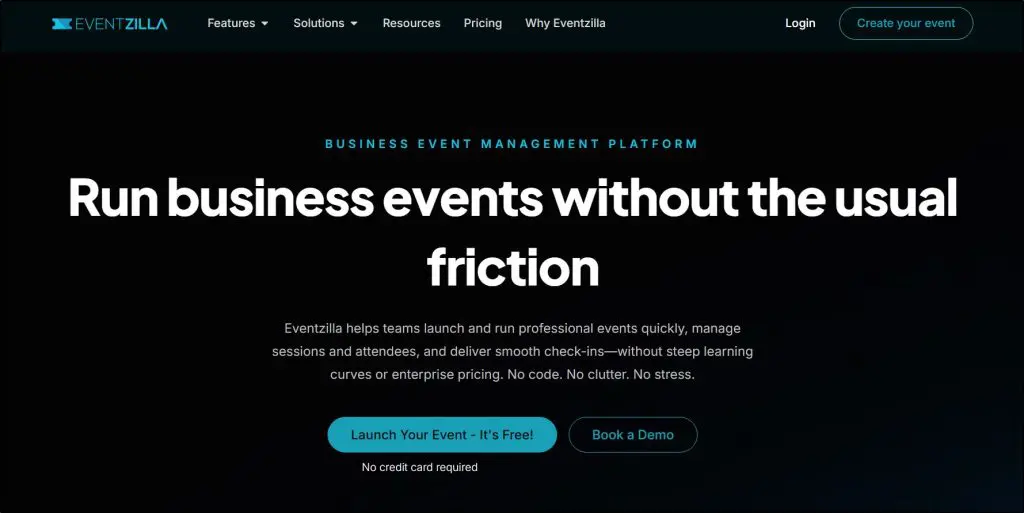
When I help course creators launch their first paid event, managing registrations without overspending becomes the main challenge. Eventzilla focuses on what most small to mid-size events actually require: clean registration pages, flexible ticketing, and reliable payment processing.
You can create custom registration forms with the fields you need, set up multiple ticket types (early bird, VIP, group discounts), and choose whether to absorb processing fees or pass them to attendees.
The platform integrates with Zoom, GoToWebinar, and other streaming tools, so you handle registration through Eventzilla and deliver content through whatever video platform you prefer.
The pricing model makes sense for testing event ideas. You pay $1.50 per registration plus processing fees. If your event doesn’t sell, you don’t pay platform fees. Compare that to monthly subscriptions on other platforms where you pay regardless of ticket sales.
For a 100-person event at $50 per ticket, you’re looking at $150 in platform fees plus standard payment processing.
The platform works well for straightforward conferences, workshops, and training sessions. You won’t get fancy 3D environments or AI-powered networking, but you will get solid registration management that doesn’t require a tutorial to understand.
Main features in Eventzilla:
- Customizable registration pages with drag-and-drop builder let you match your brand without coding skills
- Multiple ticket tiers support early bird pricing, group discounts, and VIP access to segment your audience
- Attendee data export gives you clean spreadsheets for email follow-up and CRM integration
- Mobile-responsive check-in app handles on-site registration if you run hybrid events
- Coupon codes and promotional discounts help you reward affiliates or offer special pricing to specific groups
| Pros | Cons |
| Pay-per-registration pricing means you only pay when tickets sell, not monthly fees whether your event succeeds or not | Limited video streaming features require you to integrate with Zoom or similar platforms for content delivery |
| Setup takes under an hour for basic events compared to 3-4 hours on complex platforms like Bizzabo | Basic attendee networking features compared to platforms like Airmeet built specifically for connection and interaction |
| Pass-through fee option lets you charge attendees for processing costs instead of absorbing them yourself | Analytics focus on registration metrics but lack the engagement tracking that platforms like ON24 provide |
| Free plan available for free events, which works well for testing event formats before charging | No mobile event app for attendees to browse schedules and connect between sessions |
| Customer support responds within 24 hours via email with clear answers instead of generic troubleshooting | Email marketing integration requires third-party tools like Mailchimp rather than built-in automation |

4. HeySummit – Best Value for Speaker Summits

- Main features: Speaker portal and management • Multi-session scheduling • Automated email sequences
- Best for: Coaches building authority through speaker summits • Multi-speaker virtual events with 5-10 presenters • Budget-conscious organizers hosting quarterly or annual summits
- Not for: 3D immersive environments • Events requiring heavy real-time networking features
We switched to HeySummit for one of our earlier virtual summits because managing speaker coordination through email threads had become unmanageable. The platform gives each speaker their own portal where they upload bios, headshots, presentation materials, and promotional assets. This eliminated weeks of back-and-forth emails.
The speaker management system shows exactly what each presenter has submitted and what’s still missing. You can track who’s confirmed their session time, who needs tech support, and who hasn’t uploaded their materials yet. For events with multiple speakers across different time zones, this visibility matters.
HeySummit handles the full event lifecycle. You build registration pages, set up ticket tiers, schedule sessions across multiple days, and automate email reminders to attendees. The platform integrates with Zoom, Vimeo, and other streaming tools for live delivery, then automatically makes recordings available to ticket holders.
The pricing starts at $41.65 per month for unlimited events, which makes sense if you run summits regularly. You can test the platform with a 14-day free trial before committing. For course creators and coaches who use speaker summits to build authority and grow their email lists, HeySummit provides the right features at a fraction of enterprise platform costs.
Main features in HeySummit:
- Speaker portal lets presenters manage their own profiles, upload materials, and access promotional assets without emailing you
- Session replay library automatically organizes recorded content so attendees access past sessions after your event ends
- Affiliate system tracks which speakers or partners drive registrations so you can reward top promoters
- Customizable registration pages include countdown timers and social proof widgets to increase conversions
- Integrated email marketing sends automated sequences for confirmations, reminders, and post-event follow-ups
| Pros | Cons |
| Speaker portal eliminates coordination emails by letting presenters upload their own materials and manage session details | No native video streaming requires integration with Zoom or similar platforms for live content delivery |
| Unlimited events on paid plans mean you can run monthly or quarterly summits without per-event charges | Limited to 100 live attendees on lower-tier plans, requiring upgrades for larger audiences |
| Built-in affiliate tracking shows which speakers drive the most registrations so you can focus partnership efforts | Basic analytics track registrations and attendance but lack detailed engagement metrics |
| Setup takes 2-3 hours for your first summit, then you can clone events for faster future launches | No AI-powered attendee matchmaking or networking features compared to platforms like Airmeet |
| Active community of summit hosts shares strategies and templates that help you avoid common mistakes | Mobile experience works but feels less polished than dedicated mobile apps from enterprise platforms |

5. vFairs – Best for 3D Immersive Experiences
- Main features: 3D virtual environments • Virtual exhibition halls • AI-powered attendee matchmaking
- Best for: Trade shows and expos with exhibitor booths • High-budget conferences wanting visual impact • Organizations replicating physical event experiences online
- Not for: Simple webinars or workshops • Budget-conscious first-time event hosts
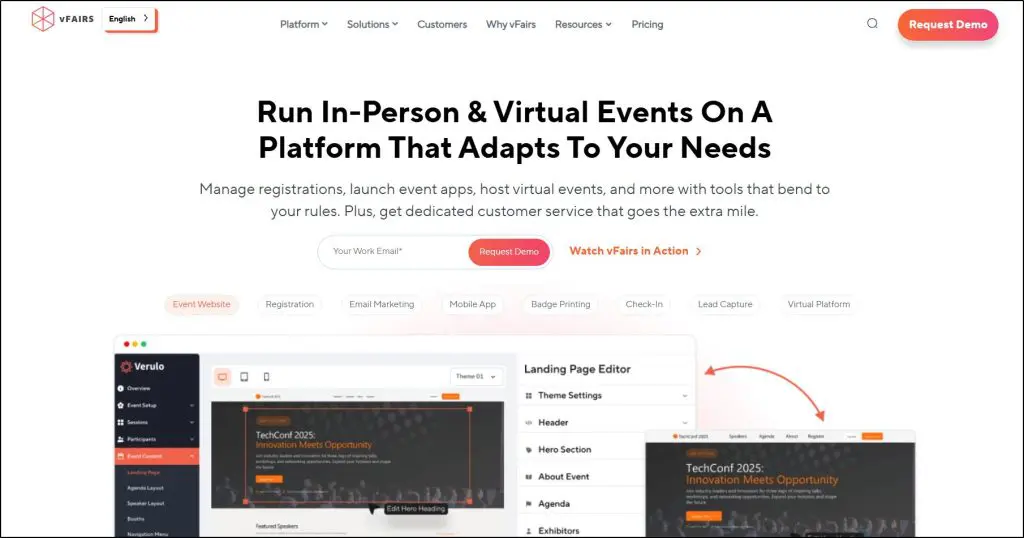
Walk into a vFairs event and you immediately notice something different. Instead of clicking through menus and session links, you navigate a 3D conference center with lobbies, auditoriums, and exhibition halls. Your attendees move through spaces that look and feel like physical venues.
The platform works particularly well for trade shows and expos where exhibitors need dedicated booth spaces. Each exhibitor gets a customizable virtual booth where they display products, share downloadable materials, and chat with visitors in real time.
You can brand the entire environment with your organization’s colors, logos, and custom graphics.
vFairs includes gamification features like scavenger hunts, leaderboards, and prize drawings that keep attendees engaged beyond passive session watching. The platform also offers AI-powered matchmaking that connects attendees based on shared interests and goals, which helps turn random networking into meaningful connections.
vFairs handles both virtual and hybrid events with mobile apps that let people join from anywhere. Setup requires more time than simpler platforms because you’re designing entire environments rather than just scheduling sessions.
You work with a dedicated project manager who guides you through the process. The platform uses custom pricing based on your attendee count and feature needs, which typically puts it in the higher budget range.
vFairs is also certified under GDPR, SOC 2 Type II, and ISO 27001 for enterprise-grade security.
Main features in vFairs:
- AI content generator creates social media posts, emails, and landing page copy from simple prompts to speed up marketing campaigns
- White-labeled mobile apps give you fully branded event apps with push notifications and interactive agendas
- Lead capture app helps exhibitors scan QR codes or business cards, add notes, and assign leads to booth reps during events
- Facial recognition check-in uses AI to speed up onsite arrival and eliminate manual check-in queues
- Multi-language support translates your event interface into 20+ languages for international audiences
| Pros | Cons |
| 3D environments create memorable visual experiences that stand out from standard video conference platforms | Setup requires 4-6 weeks of design work with dedicated project manager compared to platforms like Eventzilla you launch in days |
| AI-powered matchmaking connects attendees with shared interests automatically instead of manual networking searches | Custom pricing runs higher than fixed-rate platforms, making it expensive for testing event concepts with small budgets |
| Dedicated project manager and 24/7 tech support during live events provide hands-on assistance when you need it | Requires stronger internet connections than simpler platforms, which can exclude attendees with limited bandwidth |
| Enterprise security certifications (SOC 2, GDPR, ISO 27001) meet compliance requirements for corporate and healthcare events | Learning curve for attendees unfamiliar with 3D navigation can slow down their ability to find sessions quickly |
| Comprehensive event suite handles registration, ticketing, badge printing, and analytics in one platform | Platform focuses on trade shows and expos, making it feature-heavy for simple speaker summits or training workshops |
6. Bizzabo – Most User-Friendly Enterprise Platform
- Main features: Event Experience OS • Klik SmartBadges • Copilot AI assistant
- Best for: Enterprise B2B conferences with 500+ attendees • Organizations managing multiple annual events • Teams needing deep CRM integrations
- Not for: Solo creators with limited budgets • Simple single-day workshops
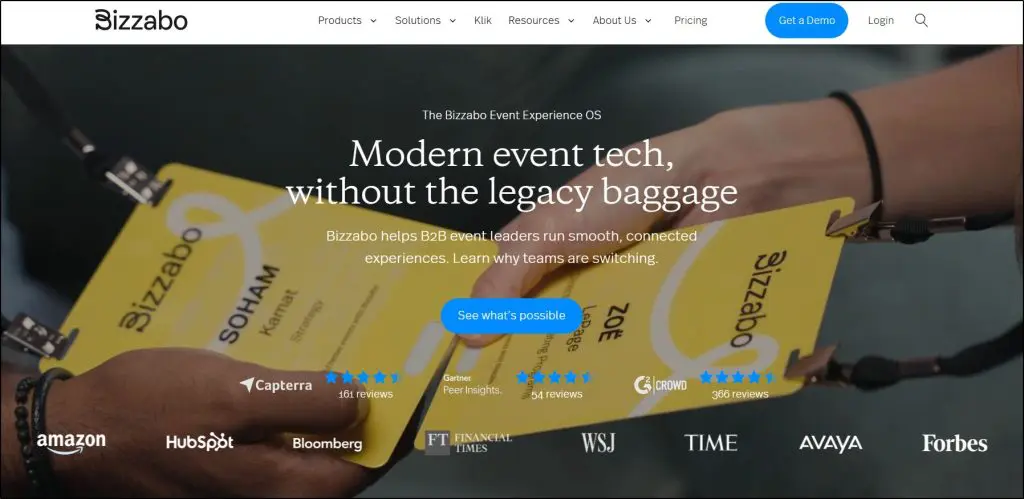
Bizzabo calls itself an Event Experience Operating System, which sounds like marketing speak until you actually use it. The platform handles registration, mobile apps, email campaigns, and analytics without forcing you to jump between different tools. For organizations running multiple conferences throughout the year, this unified approach saves considerable time.
What caught my attention when evaluating Bizzabo was the integration depth. The platform connects with over 2,500 business systems including Salesforce, HubSpot, Marketo, and Eloqua. When you’re managing events for associations or corporate clients, you need attendee data flowing directly into their CRM for sales follow-up. Bizzabo builds these connections natively instead of requiring middleware or manual exports.
The user interface design shows throughout the platform. I’ve watched clients struggle with clunky enterprise software for months, but Bizzabo customers typically launch their first event within two months. The platform includes Copilot, an AI-powered assistant that answers setup questions instantly instead of forcing you to wait for support tickets.
Bizzabo’s Klik SmartBadges represent their most interesting innovation. These wearable badges let attendees tap to exchange contact information and provide passive tracking data that shows which sessions and exhibitor booths attract the most traffic. For sponsors questioning their ROI, this data proves value beyond generic attendance numbers. Pricing starts at $499 per user per month with a three-user minimum, putting the annual entry point at $17,999 before add-ons.
Main features in Bizzabo:
- Copilot AI assistant answers platform questions instantly so you avoid waiting hours for support responses during event setup
- Klik SmartBadges enable tap-to-exchange networking and track attendee movement to show sponsors which booths drive engagement
- Native integrations with major CRM platforms sync registration and engagement data automatically for sales team follow-up
- Event templates let you duplicate successful conference setups in minutes instead of rebuilding registration flows each time
- Virtual production suite creates studio-quality broadcasts with interactive chat and Q&A without external streaming software
| Pros | Cons |
| Clean interface reduces typical 4-6 month enterprise setup time to around 2 months for first event launch | Annual pricing starts at $17,999 ($499/user/month, 3-user minimum) before add-ons, pricing out solo creators and small teams |
| Deep CRM integration pushes attendee data directly into Salesforce or HubSpot without manual CSV exports between systems | Platform breadth requires investment to master all features despite intuitive design |
| Named customer success manager provides event-specific strategy calls instead of generic support queue responses | Klik SmartBadges, speaker portal, and networking features require separate pricing beyond base platform cost |
| 24/7/365 support with phone, email, and chat access during live events | Enterprise focus means platform offers more features than needed for straightforward training workshops or small conferences |
| Recognized as 2025 Gartner Magic Quadrant Leader and Forrester Wave Customer Favorite based on user interviews | Monthly per-user pricing model gets expensive as you add team members compared to flat-rate platforms like HeySummit |
7. RingCentral Events (formerly Hopin) – Best for Scale
- Main features: Virtual reception and stages • Studio-quality streaming • Multi-track event venues
- Best for: Large-scale virtual conferences with 10,000+ attendees • Global events requiring regional accessibility • Organizations needing high-production broadcast quality
- Not for: In-person or hybrid event management • Budget-conscious teams under $5,000
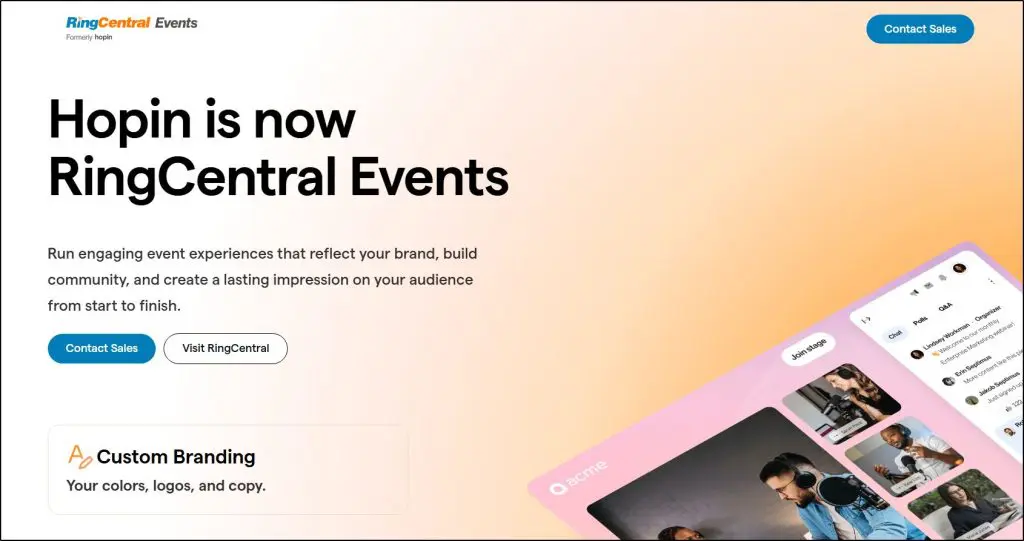
Hopin rebranded as RingCentral Events after RingCentral acquired the platform in 2023. I mention this upfront because the acquisition changed some things.
Some users I’ve spoken with report temporary feature gaps during the migration, though the platform gained enterprise backing and tighter integration with RingCentral’s communication tools.
The platform handles massive virtual events. You can host up to 100,000 attendees in a single event, which matters when you’re planning global product launches or industry-wide summits.
The architecture splits your event into virtual venues including reception areas, main stages, networking spaces, and expo halls. Your attendees move between these spaces similar to how they’d navigate a physical conference center.
What stands out is the broadcast quality. When we evaluated platforms for large-scale virtual events, RingCentral Events’ streaming infrastructure impressed us. You can bring multiple speakers on stage, manage backstage areas for speaker preparation, and switch between presentation formats during live sessions without external streaming software.
For organizations where production quality affects credibility, this capability justifies the higher investment.
The platform includes live chat, Q&A, polls, and integrated apps that keep your attendees engaged during sessions. The networking component lets attendees schedule one-on-one video meetings or join group discussions in dedicated spaces.
Pricing requires custom quotes based on your event size, typically starting around $99 per month for smaller events. They offer a free plan for events under two hours, which lets you test before committing.
Main features in RingCentral Events:
- Virtual venue builder creates separate spaces for reception, main stage, networking, and expo halls that your attendees navigate independently
- Studio-quality streaming handles multiple speakers and presentation switching without requiring you to connect external broadcast software
- Attendee capacity scales up to 100,000 participants for large virtual summits that exceed limits on most other platforms
- Networking lounges enable scheduled meetings or spontaneous video conversations between attendees who share interests
- Custom branding applies your colors and logos throughout the entire event from registration through session delivery
| Pros | Cons |
| Handles 100,000 attendees in single events, which solves capacity problems when you’re planning global conferences that exceed other platforms’ limits | Hopin-to-RingCentral transition created feature disruptions that some long-time users complained about during migration |
| Virtual venue structure with separate spaces replicates physical conference navigation better than single-screen webinar formats | Focuses exclusively on virtual events, so you’ll need different software if you run in-person or hybrid conferences |
| Free plan for events under 2 hours lets you test the platform before paying, which helps when you’re evaluating options | Custom pricing requires sales conversations instead of showing rates upfront, which slows down your decision process |
| Studio-quality broadcast tools support professional production without requiring separate streaming services you’d need with Zoom Events | Platform complexity means you’ll need 2-3 weeks for setup compared to simpler tools like Eventzilla that launch in days |
| Networking features with scheduled meetings exceed basic chat functions you get on platforms like Zoom Events | Limited integrations compared to Bizzabo’s 2,500+ connections, which means more manual work moving data between systems |
8. ON24 – Best for Analytics & Data-Driven Events

- Main features: First-party engagement tracking • AI-generated content repurposing • Real-time CRM integrations
- Best for: B2B marketing teams measuring ROI • Organizations needing detailed buyer journey data • Sales-driven events requiring lead scoring
- Not for: Simple training workshops • Budget-conscious teams under $10,000 annually
ON24 is a webinar and virtual event platform built specifically for B2B marketing and sales teams who need to prove ROI and track buyer engagement across the customer journey.
It offers multi-session event capabilities, deep analytics on attendee behavior, AI-powered content generation, and native integrations with major CRM systems like Salesforce, HubSpot, and Marketo.
I usually recommend it to clients who need to connect webinar activity to pipeline and revenue. It offers unique insights such as which presentation sections each person watched twice, what resources they downloaded during sessions, which poll questions they answered, and how this engagement connects to closed deals.
The platform captures over 20 engagement types including chat participation, Q&A questions, clickthrough behavior, and heatmaps showing which slide moments captured attention.
This first-party data becomes the foundation for lead scoring, account prioritization, and personalized follow-up that actually works.
Main features in ON24:
- Engagement heatmaps show exactly which presentation moments captured attention so you understand what content resonates before planning your next event
- AI content generator converts webinar recordings into blog posts, ebooks, and social clips without requiring manual editing or transcription work
- Account-level analytics aggregate individual attendee data to reveal buying committee engagement patterns across your target companies
- Personalized content hubs deliver different resources to different audience segments based on criteria you define like industry or job role
- Native CRM sync pushes engagement data to Salesforce or HubSpot in real time for immediate sales follow-up on qualified leads
| Pros | Cons |
| Tracks 20+ engagement types including chat, polls, downloads, and heatmapped viewing patterns that reveal buyer intent beyond basic attendance numbers | Enterprise pricing typically starts around $20,000 annually, which prices out organizations testing webinar strategies on limited budgets |
| Real-time CRM integration triggers sales alerts and lead scoring automatically when attendees hit engagement thresholds you define in advance | Platform complexity requires 6-8 weeks of onboarding and training compared to simpler tools like WebinarNinja you can launch in days |
| AI repurposes one webinar into dozens of content assets across multiple formats, extending event value without additional production work | Analytics depth can overwhelm teams without dedicated marketing operations staff to interpret data and build workflows |
| Major enterprise clients include 3 of 6 largest global software companies and 4 of 5 top asset management firms, proving scalability at serious volume | Focus on B2B marketing and sales means features like course delivery or certification tracking feel underdeveloped compared to teaching platforms |
| Personalized content hubs continue engaging attendees after events end by serving relevant resources based on their demonstrated interests and behavior | Requires substantial content library to fully utilize personalization features, making it less valuable if you run occasional events |
9. Airmeet – Best for Networking Features

- Main features: Social lounges with virtual tables • Speed networking • One-on-one meeting scheduler
- Best for: Community-driven events requiring attendee connections • Virtual conferences with 100-1,000 attendees • Organizations prioritizing peer-to-peer interaction
- Not for: Simple webinars without networking needs • Events focused purely on presentation delivery
Airmeet is a virtual event platform designed around attendee networking and engagement rather than passive content consumption. The platform offers social lounges where attendees join virtual tables for group conversations, speed networking that randomly pairs people for one-on-one video calls, and a meeting scheduler that lets attendees book private sessions with each other throughout your event.
The platform differentiates itself through what it calls Fluid Spaces, which are dedicated networking areas where attendees move between rooms for spontaneous conversations. Each room accommodates up to 60 people, and you can set up multiple rooms within a single space. This works well for association conferences or community events where connection between attendees matters as much as session content.
I’ve used Airmeet for clients who specifically wanted attendees networking with each other rather than just watching presentations. The social lounge lets you create virtual tables that hold up to 125 people each. Attendees can see who’s sitting at each table before joining, which reduces the awkwardness of random networking. The platform also allows attendees to create their own tables around specific topics or interests.
Airmeet includes a speed networking feature that runs timed one-on-one video sessions between random attendees. You set the duration (typically 5-10 minutes), and the platform automatically matches people and rotates them through multiple connections.
For professional development events or job fairs where making multiple contacts quickly matters, this structured approach works better than hoping people initiate conversations on their own.
The platform handles standard event management functions including registration, ticketing, multi-track sessions, exhibitor booths, and analytics. Airmeet offers 720p streaming quality by default with 1080p available as an add-on. Pricing starts at $167 per month for the Premium Webinars plan supporting 100 attendees, with costs scaling based on audience size. The platform includes iOS and Android apps for mobile access.
Main features in Airmeet:
- Social lounge with virtual tables lets attendees see who’s at each table before joining, reducing friction in starting conversations
- Speed networking automatically pairs attendees for timed one-on-one video calls, cycling through multiple connections in structured rounds
- Meeting scheduler allows attendees to book private sessions with speakers or other attendees directly through the platform
- Fluid Spaces create dedicated networking areas with multiple rooms where attendees move freely for spontaneous group discussions
- Leaderboard and gamification track attendee participation across sessions, networking, and booth visits to encourage active engagement
| Pros | Cons |
| Social lounges with visible table occupancy make networking less awkward by showing you who’s already in conversations before you join | Limited to 720p streaming quality by default, requiring paid add-ons for 1080p video compared to platforms with higher baseline quality |
| Speed networking creates structured one-on-one connections that work better than hoping attendees initiate conversations themselves | Networking features add complexity that makes the platform overkill if you’re running straightforward presentation-focused webinars |
| Meeting scheduler lets attendees book time with each other without external tools, keeping all event activity within one platform | Setup requires more planning than simple webinar platforms because you need to design networking spaces and table structures in advance |
| Rated 4.6/5 on G2 with 750+ reviews and recognized as Leader in both Enterprise and Mid-Market segments for ease of setup and support | Pricing scales quickly with audience size, making larger events expensive compared to flat-rate platforms like HeySummit |
| Includes hybrid event capabilities with mobile apps for on-site check-ins, extending platform value beyond purely virtual conferences | Analytics focus on engagement metrics but lack revenue attribution and lead scoring capabilities |
10. Webex Events – Best for Corporate/Cisco Ecosystem

- Main features: In-person check-in and badge printing • Mobile event app • Multi-track event agendas
- Best for: Cisco customers using Webex Suite • Corporate events requiring enterprise security • Organizations running both in-person and virtual events
- Not for: Budget-conscious small teams • Organizations outside Cisco ecosystem
Webex Events (previously Socio) is an end-to-end event management platform that handles virtual, in-person, and hybrid events from a single interface. The platform offers registration and ticketing, mobile event apps, on-site check-in with badge printing, production studio for branded live streams, lead retrieval for exhibitors, and virtual event capabilities with networking features. Webex Events supports events from small internal meetings up to 100,000 attendees.
I recommend Webex Events primarily to organizations already embedded in the Cisco ecosystem. If your team conducts daily meetings on Webex, adding Webex Events makes sense because attendees use familiar technology rather than learning new interfaces.
The integration runs deeper than typical third-party connections since both products come from the same company.
The platform works particularly well for corporate clients who prioritize security and compliance. I’ve seen this matter most in regulated industries like finance, healthcare, and government where enterprise-grade security infrastructure isn’t optional.
Webex Events inherits Cisco’s security features including single sign-on, data encryption, and audit trails that smaller platforms don’t typically offer at this level.
Main features in Webex Events:
- In-person check-in and badge printing streamline on-site registration for conferences and trade shows with QR code scanning
- Mobile event app provides attendees with schedules, speaker information, and networking tools for both physical and virtual participation
- Lead retrieval system lets exhibitors and sponsors capture attendee information by scanning QR codes with enriched contact data
- Production studio creates branded live streams without external broadcasting software or technical production teams
- Multi-track agendas support parallel sessions running simultaneously across different topics or audience segments
| Pros | Cons |
| Deep integration with Webex Suite means corporate teams using Webex Meetings already have familiar technology and reduced training time | Custom pricing requires sales conversations instead of transparent rate cards, slowing down decision process for budget planning |
| Enterprise security infrastructure includes single sign-on, data encryption, and compliance features that regulated industries require | Platform complexity makes it overpowered for simple webinars or small virtual workshops that don’t need full event management |
| Supports event capacities from small internal meetings to 100,000 attendees, scaling across different event sizes without platform changes | Best value comes from being part of Cisco ecosystem, making it less attractive if you’re not already invested in Webex products |
| Handles virtual, in-person, and hybrid formats from one platform, letting you switch formats without migrating event data to different software | Learning curve steeper than specialized platforms like WebinarNinja built specifically for coaches and simpler use cases |
| Mobile event app works for both physical venue navigation and virtual content access, unifying attendee experience across formats | Limited information available about AI features or advanced automation |
11. Livestorm – Best for Automated/Evergreen Webinars
- Main features: Automated webinar sequences • AI-powered transcripts and content repurposing • Browser-based with no downloads
- Best for: Marketing teams running continuous lead generation • Organizations needing evergreen content delivery • European companies requiring GDPR compliance
- Not for: Events requiring complex networking features • Large conferences over 3,000 attendees
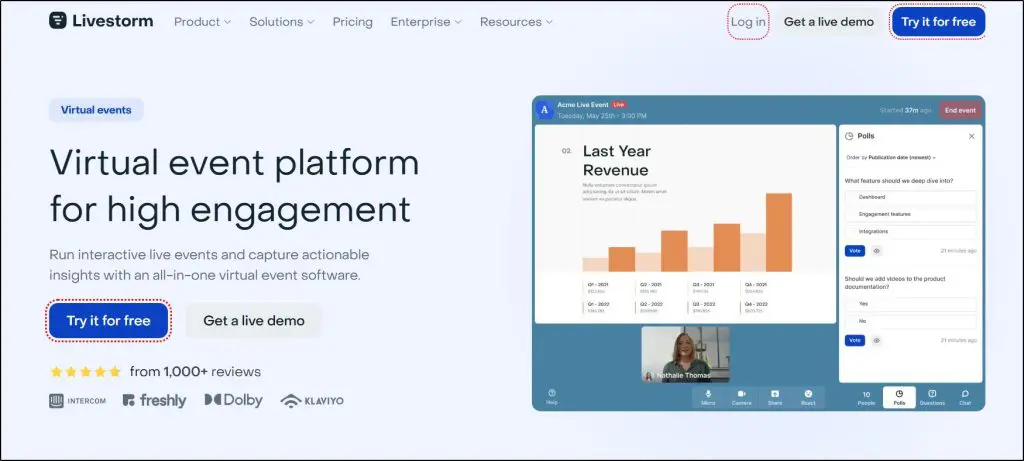
Livestorm is a browser-based webinar platform that specializes in automated and on-demand webinars alongside live events. It offers live webinars, automated webinar sequences that run on schedules, on-demand content available anytime, and multi-session events.
I recommend Livestorm most often to marketing teams who need their webinar content working continuously rather than just during live sessions. The automated webinar capability stands out because you record your presentation once, set up email sequences, and it delivers content on schedules you define or on-demand when prospects register. This matters when you want lead generation running 24/7 without hosting the same live presentation repeatedly.
Livestorm supports up to 3,000 live attendees per session and includes AI features for transcription, live captions in over 96 languages, and content repurposing. It runs entirely in web browsers without requiring downloads or software installation, which reduces technical barriers for attendees. The service is EU-hosted, ISO 27001 certified, and GDPR compliant by design, making it particularly relevant for European organizations or companies serving European customers where data compliance isn’t optional. Pricing starts at $105 per month billed annually for the Pro plan, with costs based on annual active contacts rather than per-event fees.
Main features in Livestorm:
- Automated webinar sequences deliver pre-recorded content on schedules you set, generating leads continuously without requiring live hosting
- AI-powered transcripts and captions support 96 languages, making content accessible and creating searchable replay libraries
- Browser-based access runs without downloads or software installation, reducing technical friction for attendees joining events
- Content repurposing AI extracts highlights from events and generates social media posts, blog content, and marketing materials automatically
- EU-hosted infrastructure with ISO 27001 certification and GDPR compliance built into design rather than added afterward
| Pros | Cons |
| Automated webinar capability runs evergreen content 24/7, generating leads while marketing teams focus on other priorities | Maximum capacity of 3,000 live attendees limits scalability compared to platforms like RingCentral Events supporting 100,000 participants |
| Browser-based access eliminates software downloads, reducing technical support requests and lowering barriers for attendee participation | Pricing based on annual active contacts can become expensive as your database grows, unlike per-attendee models that charge only for actual event participation |
| EU-hosted with GDPR compliance built into platform architecture matters for European companies or organizations serving European customers | Limited networking features compared to platforms like Airmeet designed specifically for attendee-to-attendee connections |
| AI content repurposing automatically creates marketing assets from webinar recordings, extending content value without manual editing work | Four-hour session limit on Pro and Business plans requires Enterprise upgrade for longer events compared to unlimited duration on some platforms |
| Unlimited events and team licenses on all paid plans mean you pay for contacts rather than restricting how many webinars you run |

12. Whova – Best for Hybrid Events
- Main features: Mobile event app with attendee networking • On-site check-in and badge printing • Virtual session streaming
- Best for: Hybrid conferences combining in-person and virtual audiences • Association events requiring attendee engagement • Events with 500-10,000 attendees
- Not for: Simple webinars without networking needs • Organizations wanting white-label branding
Whova is an all-in-one event management platform designed specifically for in-person, virtual, and hybrid events. The platform combines registration and ticketing, a mobile event app, on-site check-in with badge generation, virtual session streaming, attendee networking features, exhibitor management with lead retrieval, and event marketing tools.
I recommend Whova to organizations running hybrid events where you need both in-person and virtual attendees participating simultaneously.
It handles this complexity better than most because it was built around the mobile app experience that works for both audience types. In-person attendees use the app to navigate the venue, check schedules, and network with other attendees on-site.
Virtual attendees use the same app to watch live sessions, participate in discussions, and connect with people remotely.
The attendee networking features stand out across both formats. Whova includes attendee profiles, one-on-one messaging, community discussion boards, meet-up creation, and Network Tables for speed networking.
The platform also offers gamification through leaderboards, trivia contests, and passport challenges that encourage participation from both in-person and virtual audiences.
For exhibitors and sponsors, Whova provides digital booth capabilities, lead retrieval through QR code scanning, and promotional tools that work whether attendees visit physically or virtually.
Main features in Whova:
- Mobile event app works for both in-person venue navigation and virtual session access, unifying the experience across audience types
- On-site check-in with badge generation streamlines registration for physical attendees while virtual participants join through the same platform
- Network Tables create speed networking video chat rooms where attendees rotate through connections in timed intervals
- Community Board facilitates event-wide discussions where attendees share photos, articles, and tips before, during, and after sessions
- Lead retrieval tools let exhibitors scan QR codes or business cards to capture attendee information with enriched profile data
| Pros | Cons |
| Hybrid event capabilities handle simultaneous in-person and virtual audiences through unified mobile app experience without separate platforms | White-label branding options limited compared to platforms like vFairs that offer fully customized environments with your own domain |
| Attendee networking features including matchmaking, meet-ups, and speed networking create connections that matter more than passive session watching | Custom pricing requires sales conversations instead of transparent rate structure, slowing down budget planning for straightforward events |
| Gamification with leaderboards and contests drives 3x higher survey responses by rewarding active participation with prizes | Platform complexity means setup takes longer than simple webinar tools like WebinarNinja designed for quick launches |
| Exhibitor lead retrieval with QR code scanning and booth analytics helps sponsors measure ROI beyond generic attendance numbers | Analytics focus on engagement metrics but lack the revenue attribution and marketing automation |
| Customer support responds within 30 minutes on business days and remains available on weekends and holidays for live event assistance | Virtual streaming requires integration with Zoom or other platforms rather than native broadcasting |
13. BigMarker – Best for Marketing Webinars

- Main features: AI-powered lead scoring and insights • Progressive profiling for CRM enrichment • Simulive webcast automation
- Best for: B2B marketing teams running demand generation programs • Organizations needing detailed lead scoring • Companies wanting AI content repurposing
- Not for: Simple one-off webinars • Budget-conscious small teams under $5,000 annually
BigMarker is an AI-powered digital experience platform that combines webinars, virtual events, in-person event technology, and on-demand content hubs in one system. It offers custom audience experiences, CRM profile enrichment through progressive profiling, simulive webcasts that blend pre-recorded and live elements, interactive engagement tools, full-service email marketing, and AI-powered personalization for different audience segments.
I recommend BigMarker primarily to B2B marketing teams focused on demand generation and lead qualification. The platform excels at capturing behavioral data during webinars and translating it into actionable sales intelligence.
Progressive profiling shortens registration forms by only asking for new information you don’t already have, which increases conversion rates while continuously enriching CRM profiles over time.
The AI capabilities address two common marketing challenges. First, BigMarker AI generates lead scores based on engagement behavior, creates intent signals for sales follow-up, and produces personalized messaging for different segments.
Second, the AI Content Studio automatically creates social media clips, blog posts, ebooks, and transcripts from webinar recordings, extending content value without manual editing work. Major clients include Amazon, Microsoft, Deloitte, KPMG, and PWC.
The platform supports up to 1 million live attendees and maintains SOC 2 Type II compliance. Pricing requires custom quotes based on features and scale.
Main features in BigMarker:
- Progressive profiling captures only new data at each registration, shortening forms to boost conversion while enriching CRM profiles over time
- AI lead scoring analyzes engagement patterns to generate intent signals and automate personalized follow-up for sales teams
- Simulive webcasts blend pre-recorded presentations with live Q&A, letting you deliver polished content while focusing on audience interaction
- AI Content Studio generates social clips, blog posts, ebooks, and transcripts from webinar recordings without manual editing
- CRM integration guarantee ensures registration and engagement data syncs to Salesforce, Marketo, HubSpot, or Eloqua
| Pros | Cons |
| Progressive profiling increases registration conversion by shortening forms while continuously enriching contact data across multiple touchpoints | Enterprise pricing requires custom quotes without transparent rate cards, making budget planning difficult for straightforward programs |
| AI generates lead scores, intent signals, and enrichment data that sales teams use for prioritization and personalized outreach | Platform breadth means steeper learning curve compared to focused tools like WebinarNinja built specifically for simpler webinar delivery |
| Simulive capability combines pre-recorded content with live interaction, delivering polished presentations while maintaining real-time engagement | Best value comes from running frequent webinar programs, making it expensive if you only host occasional events |
| Rated 4.7/5 on G2 as category leader in webinars and virtual events with high marks for ease of use and customer satisfaction | Setup and customization require more time investment than plug-and-play platforms like Zoom Events with familiar interfaces |
| SOC 2 Type II compliance and enterprise security features meet requirements for regulated industries requiring data protection |
How We Evaluate and Test Online Course Platforms & Related Software
Reviews of platforms and software on the Learning Revolution site are overseen by the site’s founder, Jeff Cobb, an e-learning industry expert with more than 20 years of experience working with online course platforms. All evaluations are conducted by a team of analysts who have extensive experience using, testing, and writing about these types of platforms. We dedicate numerous hours to researching each platform, ensuring each aligns with the needs of online course sellers, and vetting specific areas like core features, usability, pricing, and customer satisfaction. Our reviews are unbiased, and while we will participate in affiliate programs, if available, we do not accept payment for placement in our articles or links to external websites.
Frequently Asked Questions (FAQs)
How much does virtual conference software typically cost?
Budget platforms like Eventzilla charge $1.50 per registration, mid-tier options like Livestorm start at $105/month, while enterprise solutions like ON24 and Bizzabo cost $17,000-$20,000 annually.
What’s the difference between webinar software and virtual conference platforms?
Webinar software handles single-session presentations, while virtual conference platforms manage multi-day events with features like speaker management, attendee networking, exhibitor booths, and ticketing systems.
Can I run hybrid events where some attendees join in-person and others virtually?
Yes. Platforms like Whova, Webex Events, and vFairs specialize in hybrid events with on-site check-in, badge printing for physical attendees, and streaming capabilities for virtual participants through unified mobile apps.
Do I need to download software to host or attend virtual conferences?
Most modern platforms like Livestorm, WebinarNinja, and BigMarker run directly in web browsers without downloads. Zoom Events requires the Zoom app, which most people already have installed for work meetings.
How do I monetize my virtual conference with ticket sales?
Platforms like Eventzilla, HeySummit, Zoom Events, and WebinarNinja offer built-in ticketing with payment processing through Stripe or PayPal. You can create multiple ticket tiers (early bird, VIP, group discounts) and either absorb processing fees or pass them to attendees.
Which platforms work best for international audiences across different time zones?
Livestorm offers 96-language support and automated webinars for different time zones. vFairs provides multi-language interfaces in 20+ languages. ON24 and BigMarker support global audiences with timezone-aware scheduling and localization features.
How do sponsors and exhibitors get ROI from virtual conferences?
Platforms provide digital booth spaces, lead retrieval through QR code scanning, attendee engagement analytics, and promotional opportunities. Whova, vFairs, and Bizzabo offer dedicated exhibitor management tools with detailed booth visit tracking and lead capture capabilities.
Can I record sessions and make them available on-demand after my conference?
Yes. All platforms automatically record sessions. Zoom Events processes recordings within 15-20 minutes, HeySummit creates session replay libraries, and ON24 offers personalized content hubs where different audience segments access relevant recordings based on their interests.
What security features should I look for in conference platforms?
Enterprise platforms like Webex Events, Bizzabo, and ON24 offer SOC 2 Type II compliance, single sign-on (SSO), data encryption, and GDPR compliance. Livestorm is EU-hosted and GDPR compliant by design, making it suitable for European organizations.
How do I integrate my virtual conference platform with my CRM or email marketing tools?
Most platforms integrate with major CRMs like Salesforce, HubSpot, and Marketo. Bizzabo connects with 2,500+ business systems, ON24 offers real-time CRM sync for engagement data, and BigMarker guarantees CRM integration as part of enterprise packages. Budget options like Eventzilla and HeySummit use Zapier for third-party integrations.