
TL;DR: What is the best virtual conference platform?
Virtual conference platforms let you host multi-session online events where speakers deliver content, attendees network, and you manage everything from registration to recordings in one system.
Best for coaches, consultants, and educators WebinarNinja and HeySummit are the best platforms for edupreneurs and consultants in my experience. WebinarNinja costs $0.30 per attendee per month on annual billing, and HeySummit starts at $33/month on annual billing.
The top online conference platforms
Zoom Events is best overall for multi-day professional conferences. From $124.17/month on annual billing.
Eventzilla is best for first-time event hosts on tight budgets. From $1.50 per registration.
HeySummit is the best value for speaker summits, with a built-in speaker portal.
vFairs is best for trade shows and expos that need 3D environments. Pricing is by quote.
Bizzabo is the most user-friendly enterprise platform. Pricing is by quote.
RingCentral Events is best for large events with studio-quality production. From $99/organizer/month on annual billing.
ON24 is best for analytics and data-driven B2B events. Pricing is by quote.
Airmeet is best for networking, with social lounges and speed networking. From $167/month on annual billing.
WebinarNinja is best for teaching and coaching, with a course platform included.
Webex Events is best for corporate teams that already use Cisco Webex. Pricing is by quote.
Livestorm is best for automated and evergreen webinars with GDPR compliance. From $100/month on annual billing.
Whova is best for hybrid events that combine in-person and virtual audiences. Pricing is by quote.
BigMarker is best for marketing webinars with AI-powered lead scoring. Pricing is by quote.
Which platform should you use?
Choose HeySummit for paid summits and speaker management.
Choose WebinarNinja for coaching, cohorts, and simple setup.
Choose Zoom Events for the easiest join experience.
Choose Whova for hybrid events.
Choose vFairs for expos, sponsors, and virtual booths.
Choose ON24 or BigMarker for B2B marketing with lead scoring and CRM depth.
Note: This page contains affiliate links. If you purchase through links on this page, we may earn a commission at no additional cost to you.
I’ve been running virtual conferences at Tagoras since 2017, starting with our Learning Business Summit and other industry events.
Through this experience, I’ve tested platforms, compared features, and learned what matters when you’re trying to deliver more value than a slide broadcast.
Running these virtual conferences over the years, we ran into issues we didn’t foresee. With experience, I’ve understood that you can’t pick the best platform on features alone.
You need to understand the context and the kind of audience and speakers you’ll have.
So based on my experiences over the years, here’s what I recommend to my clients and to you if you’re hosting a virtual conference or summit for the first time.
I’ve explained my reasons with each platform. I also checked every price in this guide against the vendor’s live pricing page.
Quick Comparison: The Best Online Event Platforms For Beginners & Professionals
Here’s an overview of the best virtual event platforms before I cover their features, pros, and cons.
| Platform | Best For | Starting Price |
|---|---|---|
| WebinarNinja | Coaches, consultants, educators | $0.30 per attendee per month on annual billing |
| HeySummit | Coaches, consultants, course creators | $33/mo on annual billing |
| Eventzilla | First-time event hosts, solopreneurs | $1.50 per registration |
| Livestorm | Marketing teams, European companies | $100/mo on annual billing |
| Zoom Events | Corporate teams, associations | $124.17/mo on annual billing |
| Airmeet | Community-driven events, associations | $167/mo on annual billing |
| RingCentral Events | Large virtual and hybrid conferences | $99/organizer/mo on annual billing |
| Whova | Hybrid conferences, associations | Custom pricing |
| vFairs | Trade shows, large expos | Custom pricing |
| Webex Events | Cisco customers, enterprise | Custom pricing |
| BigMarker | B2B marketing, demand generation | Custom pricing |
| Bizzabo | Enterprise organizations, associations | Custom pricing |
| ON24 | B2B marketing and sales teams | Custom pricing |
Read: How to Host a Virtual Conference | Complete Guide
What is a Virtual Conference Platform?
A virtual conference platform is software that manages multi-session online events from registration through post-event replays. Basic webinar tools are designed for single presentations. Conference platforms coordinate speakers, attendees, sponsors, and exhibitors across multiple days or tracks.
When we first started running the Learning Business Summit at Tagoras, I tried using basic webinar software. It worked fine for single sessions, but managing a multi-day conference quickly became a nightmare.
I was juggling separate tools for registration, speaker coordination, and session scheduling. Attendees had no way to network between sessions, and tracking who attended which sessions required manual spreadsheet work.
Moving to a dedicated conference platform changed everything. These systems handle registration and ticketing, schedule concurrent sessions, support attendee networking between presentations, provide exhibitor booth spaces, automate email communications, and track engagement analytics.
You need this when you’re running events with multiple speakers, parallel sessions, or attendees who want to network as well as watch presentations. If you only run single sessions, one of the best webinar software platforms will cost less. For a single public broadcast, live streaming software may be all you need.
Key Features to Look for in a Virtual Conference Platform
Based on running conferences since 2017, I’ve learned which features matter and which ones only look good in marketing materials. Here’s how I evaluate platforms for my clients.
Must-have features
- Registration and ticketing with multiple ticket tiers. You need to collect attendee information, process payments, and offer different pricing options like early bird, VIP, or group discounts. Without flexible ticketing, you lose revenue opportunities and can’t segment your audience effectively.
- Multi-session scheduling across different tracks or days. Conference attendees expect multiple sessions running simultaneously or across several days. The platform should let you build agendas with parallel tracks so attendees can choose which sessions to attend.
- Session recording and automatic replay access. Some people can’t attend live, and attendees want to rewatch valuable content. Automatic recording and replay access extends your event’s value and accommodates different time zones without extra work from your team.
- Basic attendee engagement tools (Q&A, polls, chat). Sessions need interaction. Q&A lets attendees ask speakers questions, polls gauge audience opinions in real time, and chat enables peer discussions that make virtual events feel less isolated.
- Email automation for confirmations and reminders. Manually emailing hundreds or thousands of registrants kills productivity and increases no-shows. Automated sequences send confirmation emails, reminders before sessions, and follow-ups after events. Many platforms also connect to your email marketing platform.
Read: How to deliver the perfect virtual presentation
Important for most events
- Mobile event apps for attendees. Attendees check schedules, join sessions, and network from their phones. A mobile app makes your event accessible anywhere and increases engagement.
- Attendee networking capabilities (profiles, messaging, meetups). People attend conferences to make connections. Networking features let attendees view profiles, message each other, and arrange meetups, which replicates the hallway conversations from in-person events.
- Exhibitor and sponsor management with booth spaces. Sponsors fund your event and expect ROI through lead generation and brand visibility. Digital booth spaces, promotional opportunities, and lead capture tools help sponsors justify their investment and return next year.
- Analytics and reporting on attendance and engagement. You need data showing which sessions performed well, where attendees dropped off, and what content resonated. This information helps you improve future events and proves value to stakeholders or sponsors.
- Integration with your existing CRM or email tools. Registration and engagement data should flow automatically into your CRM for sales follow-up or your email platform for marketing campaigns. Manual CSV exports create work, delay follow-up, and introduce errors.
Nice-to-have depending on your needs
- AI features like transcription, content repurposing, or lead scoring. AI can transcribe sessions for accessibility, extract social media clips from recordings, or score leads based on engagement patterns. Several platforms now also offer AI assistants or MCP connections that let an AI assistant work with your event data. These features save time but aren’t critical for basic event success.
- Advanced networking such as matchmaking or speed networking. AI-powered matchmaking connects attendees with shared interests, while speed networking creates structured one-on-one video meetings. These work well for professional development events but aren’t necessary for content-focused conferences.
- Hybrid event capabilities including check-in and badge printing. If you’re combining in-person and virtual audiences, you need on-site check-in systems, badge printing, and unified experiences. Skip this if you’re running purely virtual events.
- Deep branding customization options. Custom registration pages, branded event environments, and white-label apps create cohesive brand experiences. This matters more for client-facing corporate events than internal training sessions.
- Multiple CRM integrations. Enterprise teams often need connections to Salesforce, HubSpot, Marketo, and other systems simultaneously. Most organizations only use one or two CRM tools, so evaluate based on your own tech stack.
Feature Priority by Event Type
To make this easier, here are the features you should look for depending on your business type.
| Feature | Solopreneurs & Coaches | Growing Businesses & Associations | Enterprise & Corporate |
|---|---|---|---|
| Registration & ticketing | Essential | Essential | Essential |
| Multi-session scheduling | Essential | Essential | Essential |
| Session recording & replays | Essential | Essential | Essential |
| Basic engagement (Q&A, polls, chat) | Essential | Essential | Essential |
| Email automation | Essential | Essential | Essential |
| Mobile event app | Nice-to-have | Important | Essential |
| Attendee networking | Nice-to-have | Important | Important |
| Exhibitor & sponsor management | Skip unless monetizing | Important | Essential |
| Analytics & reporting | Basic sufficient | Important | Advanced required |
| CRM integration | Nice-to-have (1 tool) | Important (1-2 tools) | Essential (multiple) |
| AI features | Nice-to-have | Nice-to-have | Important |
| Advanced networking | Skip | Nice-to-have | Important |
| Hybrid event capabilities | Skip | Nice-to-have | Important |
| Deep branding customization | Nice-to-have | Important | Essential |
| Multiple CRM integrations | Skip | Nice-to-have | Essential |
Start with your event format and audience size, then work backwards. A 50-person quarterly summit for coaches needs different features than a 5,000-person annual conference for an association.
I’ve seen clients overspend on features they never use and underspend on capabilities they desperately needed later.
With that said, here’s my experience of using these online conference and event platforms over the years in more detail.
1. WebinarNinja – Best for Teaching & Coaching

- Main features: Automated webinar sequences • Live course delivery with CourseNinja • Paid webinar capabilities
- Starting price: $0.30 per attendee per month on annual billing ($0.60 monthly)
- Free plan or trial: 14-day free trial
- Best for: Coaches and consultants monetizing expertise • Course creators running live cohorts • Solo educators teaching without technical teams
- Not for: Large enterprise conferences • Events requiring complex networking features
WebinarNinja is a webinar platform designed for coaches, consultants, and course creators who teach and sell their expertise online. It’s now part of ProProfs and appears as ProProfs WebinarNinja. The platform combines live webinars, automated evergreen webinars, webinar series, and hybrid formats in one interface.
WebinarNinja includes CourseNinja at no additional cost, which lets you create and sell both live cohort courses and on-demand video courses alongside your webinars.
The platform built its reputation on simplicity.
I recommend it to coaching clients who want to start teaching online without learning complex software. The interface handles everything from registration pages to payment processing to email sequences without requiring integrations or technical setup.
WebinarNinja’s standard pricing covers up to 1,000 attendees. Larger audiences need an enterprise quote.
The automated webinar feature works well for evergreen content you want running continuously. You pre-record your presentation, set up email sequences, and the platform delivers it on a schedule or on demand.
This matters for coaches who want to generate leads or make money from webinars while focusing on client work.
WebinarNinja includes native Stripe integration for paid webinars. It streams in the browser, so attendees don’t download anything.
WebinarNinja has also added AI tools. They include an AI Webinar Co-Host, an AI Content Strategist, an AI Conversion Writer, and an AI Sales Coach.
Pricing works per attendee, which makes it one of the more affordable options for regular webinar hosting with small audiences.
Main features in WebinarNinja
- CourseNinja included free, so you can create and sell live cohort courses and on-demand video courses without separate software
- Automated webinar sequences that run pre-recorded content on schedules you set
- Native Stripe integration for paid webinar registration
- Multi-session webinar series for structured learning programs that span several weeks
- AI tools for webinar planning, co-hosting, and sales copy
| Pros | Cons |
|---|---|
| Simple setup lets you launch your first webinar quickly, without the weeks of configuration enterprise platforms need | Standard pricing covers up to 1,000 attendees, which limits it for larger conferences |
| Includes CourseNinja for free, which adds live and on-demand course capabilities | Basic networking features compared to platforms like Airmeet |
| Per-attendee pricing keeps costs low for small, regular webinars | Limited branding customization compared to platforms like vFairs |
| Automated webinars run evergreen content continuously and generate leads without repeated live sessions | Analytics cover registration and attendance but lack deep engagement scoring and revenue attribution |
WebinarNinja Pricing Plans
- All-in-one: $0.30 per attendee per month on annual billing or $0.60 paid monthly. Priced per attendee seat per month
WebinarNinja Features By Plan
| Feature | All-in-one |
|---|---|
| Price | $0.60 per attendee/mo monthly, $0.30 yearly |
| Free trial | 14 days |
| Webinars, registrants, co-presenters | Unlimited |
| Live, automated, series & hybrid webinars | ✓ |
| Recording & cloud storage | Unlimited |
| Max webinar length | 8 hours (more on request) |
| Paid webinars via Stripe | Yes, no WebinarNinja fee |
| Live & on-demand courses (CourseNinja) | ✓ |
| Custom branded URL | ✓ |
| API & Zapier | ✓ |
| Email automation | ✓ |
| 1,000+ attendees | Talk to sales |

2. Zoom Events – Best Overall Platform

- Main features: Multi-session scheduling • Integrated ticketing • Attendee networking hubs
- Starting price: $124.17/month on annual billing ($149 monthly) for the Events plan
- Free plan or trial: None listed
- Best for: Multi-day professional conferences • Events with 100-1,000+ attendees • Teams wanting attendee familiarity
- Not for: First-time solo creators • Heavy branding customization needs
Zoom Events extends the basic Zoom interface into a full conference platform. You get multi-session scheduling, integrated ticketing, and attendee hubs where people can network between sessions. The platform handles everything from registration to live delivery to post-event analytics.
We use Zoom Meetings for our Learning Business Summit interactive sessions because attendees join without training. Zoom Events builds on that same reliability and adds the event management layer you need for conferences. You can run concurrent tracks, sell different ticket types, and give sponsors virtual booth spaces.
The real advantage is trust. When you tell someone to join a Zoom event, they don’t hesitate. They’ve used Zoom for work meetings, so the barrier to entry disappears. This matters more than you might think. I’ve watched attendance rates drop on platforms where people had to create accounts or download software.
Zoom sells Events alongside its Webinars and Webinars Plus plans. The listed price covers 500 attendees, and larger capacities cost more. You also need a paid Zoom Workplace plan. Zoom’s pricing page shows more than one figure for annual billing, so confirm the price at checkout.
You can pre-record sessions or go fully live, and session recordings become available to attendees after the event.
Main features in Zoom Events
- Session capacity that scales from small workshops to very large webinars without switching platforms
- Early bird and group discount pricing options for multiple ticket tiers
- Email automation for confirmation and reminder sequences
- Built-in polls and Q&A during sessions
- Analytics dashboard that shows which sessions performed best and where attendees dropped off
| Pros | Cons |
|---|---|
| Attendees already know how to use Zoom, so you skip the “how do I join” support questions | The price scales up quickly with capacity, which makes it expensive for testing event ideas with small audiences |
| Built-in breakout rooms work without third-party tools for workshop-style sessions | Limited branding customization compared to conference-specific platforms like vFairs |
| The mobile app is familiar to most attendees | Basic attendee hub compared to networking-focused platforms like Airmeet |
| Zoom’s large infrastructure handles big live audiences reliably | Analytics track attendance and engagement but lack marketing depth and lead scoring |
Zoom Events Pricing Plans
- Webinars: $66.67/month on annual billing or $89/month paid monthly. 500 attendees (more for extra cost)
- Webinars Plus: $82.50/month on annual billing or $99/month paid monthly. 500 attendees
- Events: $124.17/month on annual billing or $149/month paid monthly. 500 attendees, multi-session events
Zoom Events Features By Plan
| Feature | Webinars | Webinars Plus | Events |
|---|---|---|---|
| Max attendees (by tier) | Up to 100,000 | Up to 100,000 | Up to 100,000 |
| Video panelists | Up to 1,000 | Up to 1,000 | Up to 1,000 |
| Max event length | 30 hours | 30 hours | 30 hours |
| Pre-recorded sessions (simulive) | ✗ | ✓ | ✓ |
| Backstage & production studio | ✗ | ✓ | ✓ |
| Breakout rooms | ✗ | ✓ | ✓ |
| Video resolution | 720p | 1080p | 1080p |
| Landing pages & reminder emails | Basic | Advanced | Advanced |
| Ticketing | Basic | Advanced | Advanced |
| AI content generation (text, images, clips) | ✗ | ✓ | ✓ |
| Analytics | Basic | Advanced + cross-event | Advanced + cross-event |
| Multi-session / multi-day events | ✗ | ✗ | ✓ |
| Attendee networking, expo floor, sponsors | ✗ | ✗ | ✓ |
| Hybrid tools (badges, QR check-in) | ✗ | ✓ | ✓ |
| Stripe payments | ✗ | ✓ | ✓ |
| HubSpot, Salesforce, Marketo integrations | ✓ | ✓ | ✓ |
Read: The best Zoom alternatives for coaches and consultants
3. Eventzilla – Best for Event Registration & Ticketing
- Main features: Custom registration forms • Flexible ticketing options • Pass-through fee model
- Starting price: $1.50 per registration on the Basic plan
- Free plan or trial: Free for free events
- Best for: Course creators launching first paid events • Budget-conscious organizers under 500 attendees • Simple conferences without complex networking needs
- Not for: Heavy 3D or immersive experiences • Events requiring advanced attendee matchmaking
When I help course creators launch their first paid event, managing registrations without overspending becomes the main challenge. Eventzilla focuses on what most small to mid-size events require, which is clean registration pages, flexible ticketing, and reliable payment processing.
You can create custom registration forms with the fields you need, set up multiple ticket types (early bird, VIP, group discounts), and choose whether to absorb fees or pass them to attendees.
The platform integrates with Zoom and other webinar and streaming tools, so you can handle registration through Eventzilla and deliver content through whatever video platform you prefer. The Plus plan now includes built-in virtual events and live streaming, so you no longer need a separate tool at that level.
The pricing model makes sense for testing event ideas. You pay a fee per registration plus payment processing. If your event doesn’t sell, you don’t pay platform fees. Compare that to monthly subscriptions on other platforms, where you pay regardless of ticket sales.
The fee depends on the plan. Basic charges a flat fee per registration. Pro and Plus add a percentage of the ticket price in exchange for more features. An annual plan removes per-registration fees for organizers with steady volume.
Eventzilla sells a few add-ons per registered attendee. They include an Event Hub with a mobile app for networking, self-service check-in kiosks, and lead capture.
The platform works well for conferences, workshops, and training sessions with simple needs. You won’t get 3D environments or AI-powered networking, but you will get solid registration management that doesn’t require a tutorial to understand.
Main features in Eventzilla
- Registration forms and an event website designer that match your brand without coding
- Multiple ticket tiers for early bird pricing, group discounts, and VIP access
- Event agenda with sessions and tracks on the Pro plan and above
- Onsite check-in and sales through a mobile app for hybrid events
- Discount codes for affiliates or special groups
| Pros | Cons |
|---|---|
| Pay-per-registration pricing means you only pay when tickets sell | Lower plans rely on integrations with Zoom or similar platforms for content delivery |
| Pass-through fee option lets you charge attendees for the fees | Basic attendee networking unless you buy the Event Hub add-on |
| Free for free events, which works well for testing event formats before charging | Analytics focus on registration metrics and lack the engagement tracking that platforms like ON24 provide |
| Built-in virtual events and live streaming on the Plus plan | The percentage fee on Pro and Plus adds up on high-priced tickets |
Eventzilla Pricing Plans
- Basic: $1.50 per registration. Unlimited events, free registration types
- Pro: 1.9% + $1.50 per registration. Unlimited paid ticket types, agenda with tracks
- Plus: 2.9% + $1.50 per registration. Built-in virtual events and live streaming
- Unlimited: No per-registration fees. From $1,999/year. 500 registrations included
Eventzilla Features By Plan
| Feature | Basic | Pro | Plus | Unlimited |
|---|---|---|---|---|
| Unlimited events | ✓ | ✓ | ✓ | ✓ |
| Paid ticket types | ✗ | Unlimited | Unlimited | Unlimited |
| Discount codes | ✗ | ✓ | ✓ | ✓ |
| Agenda with sessions and tracks | ✗ | ✓ | ✓ | ✓ |
| Speaker, sponsor, and exhibitor management | ✗ | ✗ | ✓ | ✓ |
| Built-in virtual event and live streaming | ✗ | ✗ | ✓ | ✓ |
| Pass on all fees to attendees | ✗ | ✗ | ✓ | ✓ |
| Dedicated account manager | ✗ | ✗ | ✗ | ✓ |

4. HeySummit – Best Value for Speaker Summits

- Main features: Speaker portal and management • Multi-session scheduling • Automated email sequences
- Starting price: $33/month on annual billing for the Starter plan
- Free plan or trial: Free trial, no credit card required
- Best for: Coaches building authority through speaker summits • Multi-speaker virtual events with 5-10 presenters • Budget-conscious organizers hosting quarterly or annual summits
- Not for: 3D immersive environments • Events requiring heavy real-time networking features
We switched to HeySummit for one of our earlier virtual summits because managing speaker coordination through email threads had become unmanageable. The platform gives each speaker their own portal where they upload bios, headshots, presentation materials, and promotional assets. This eliminated weeks of back-and-forth emails.
The speaker management system shows exactly what each presenter has submitted and what’s still missing. You can track who’s confirmed their session time, who needs tech support, and who hasn’t uploaded their materials yet. For events with multiple speakers across different time zones, this visibility matters.
HeySummit handles the full event lifecycle. You build registration pages, set up ticket tiers, schedule sessions across multiple days, and automate email reminders to attendees. The platform connects to Zoom, Vimeo, and dozens of other broadcast tools for live delivery, then makes recordings available to ticket holders.
HeySummit has changed its pricing since I first reviewed it. Plans are now sized by attendees, active events, and team members, and HeySummit takes a transaction fee on ticket sales that falls as you move up the plans. The Starter plan covers one active event at a time. You can test the platform with a free trial before committing.
It has also added an MCP connection, which lets an AI assistant work with your HeySummit account.
For course creators and coaches who use speaker summits to build authority and grow their email lists, HeySummit provides the right features at a fraction of enterprise platform costs. A summit also works well as a lead magnet for your courses.
Main features in HeySummit
- Speaker portal where presenters manage their own profiles, upload materials, and access promotional assets
- Session replay library that organizes recorded content for attendees after your event ends
- Affiliate system that tracks which speakers or partners drive registrations
- Landing pages for registration, with ticket and add-on sales
- Automated emails for confirmations, reminders, and post-event follow-ups
| Pros | Cons |
|---|---|
| Speaker portal eliminates coordination emails by letting presenters upload their own materials | Relies on broadcast integrations such as Zoom for most live content delivery |
| Built-in affiliate tracking shows which speakers drive the most registrations | The Starter plan covers 250 attendees and one active event, so larger audiences need an upgrade |
| You can clone events, so later summits launch faster | HeySummit takes a transaction fee on ticket sales on every plan |
| Low entry price compared to enterprise event platforms | Networking, attendance insights, and hybrid events need the Success plan |
HeySummit Pricing Plans
- Starter: $33/month on annual billing, plus a 4% transaction fee. 250 attendees, 1 active event, no team members
- Growth: $66/month on annual billing, plus a 2% transaction fee. 1,000 attendees, 10 active events, 10 team members
- Success: $158/month on annual billing, plus a 1% transaction fee. 1,000 attendees, unlimited active events and team members
HeySummit Features By Plan
| Feature | Starter | Growth | Success |
|---|---|---|---|
| Capacity and team | |||
| Attendees | 250 | 1,000 | 1,000 |
| Active events | 1 | 10 | Unlimited |
| Team members | 0 | 10 | Unlimited |
| Support | Basic | Priority | Priority |
| Event site and delivery | |||
| Landing pages and event website | ✓ | ✓ | ✓ |
| Broadcast integrations | 37 | 37 | 37 |
| Custom domain | ✗ | ✓ | ✓ |
| Remove HeySummit branding | ✗ | ✗ | ✓ |
| In-person and hybrid events | ✗ | ✗ | ✓ |
| Selling | |||
| Transaction fee | 4% | 2% | 1% |
| Tickets and add-ons | ✓ | ✓ | ✓ |
| Advanced ticketing | ✗ | ✓ | ✓ |
| Engagement and data | |||
| Live chat, Q&A, and surveys | ✗ | ✓ | ✓ |
| Event lobby and networking | ✗ | ✗ | ✓ |
| Reporting and analytics | ✓ | ✓ | ✓ |
| Attendance insights | ✗ | ✗ | ✓ |
| CRM integrations | ✗ | 18 | 18 |
| API and MCP access | ✓ | ✓ | ✓ |

5. vFairs – Best for 3D Immersive Experiences
- Main features: 3D virtual environments • Virtual exhibition halls • AI-powered attendee matchmaking
- Starting price: Custom pricing. vFairs builds a quote for each event
- Free plan or trial: None listed
- Best for: Trade shows and expos with exhibitor booths • High-budget conferences wanting visual impact • Organizations replicating physical event experiences online
- Not for: Simple webinars or workshops • Budget-conscious first-time event hosts
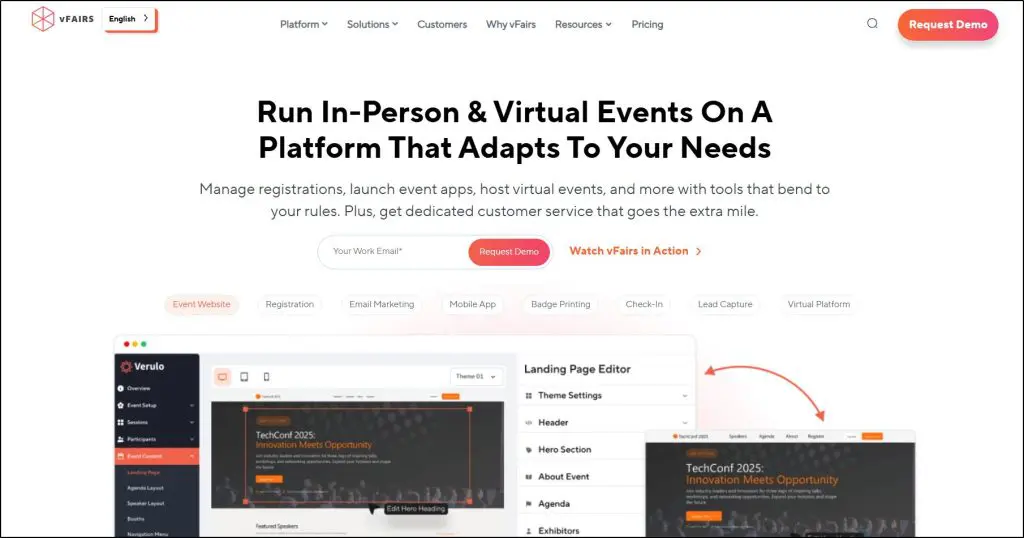
Walk into a vFairs event and you immediately notice something different. You navigate a 3D conference center with lobbies, auditoriums, and exhibition halls. Your attendees move through spaces that look and feel like physical venues.
The platform works particularly well for trade shows and expos where exhibitors need dedicated booth spaces. Each exhibitor gets a customizable virtual booth where they display products, share downloadable materials, and chat with visitors in real time.
You can brand the entire environment with your organization’s colors, logos, and custom graphics.
vFairs includes gamification features like scavenger hunts, leaderboards, and prize drawings that keep attendees engaged. The platform also offers AI-powered matchmaking that connects attendees based on shared interests and goals.
vFairs handles virtual, hybrid, and in-person events, with mobile apps, badge printing, and check-in tools. Setup requires more time than simpler platforms because you’re designing entire environments as well as scheduling sessions.
You work with a dedicated project manager who guides you through the process. vFairs doesn’t publish prices. It quotes each event based on the modules you need, which typically puts it in the higher budget range.
vFairs lists SOC 2 Type II certification and GDPR compliance, and Gartner named it a Leader in its 2026 Magic Quadrant for event technology platforms.
Main features in vFairs
- AI-powered matchmaking with one-on-one video meetings and group chat rooms
- White-labeled mobile apps with push notifications and interactive agendas
- Lead capture tools and performance analytics for exhibitors
- Onsite check-in apps with QR code scanning and badge printing
- Multi-language support in 20+ languages for international audiences
| Pros | Cons |
|---|---|
| 3D environments create memorable visual experiences that stand out from standard video conference platforms | Setup takes weeks of design work, while platforms like Eventzilla launch in days |
| AI-powered matchmaking connects attendees with shared interests automatically | Quote-only pricing makes it expensive for testing event concepts with small budgets |
| Dedicated project manager and 24/7 tech support provide hands-on assistance | 3D environments need stronger internet connections than simpler platforms |
| One platform handles registration, ticketing, badge printing, and analytics | The feature set is heavy for simple speaker summits or training workshops |
6. Bizzabo – Most User-Friendly Enterprise Platform
- Main features: Event Experience OS • Klik SmartBadges • Copilot AI assistant
- Starting price: Custom pricing. Bizzabo no longer publishes prices
- Free plan or trial: None listed
- Best for: Enterprise B2B conferences with 500+ attendees • Organizations managing multiple annual events • Teams needing deep CRM integrations
- Not for: Solo creators with limited budgets • Simple single-day workshops
Bizzabo calls itself an Event Experience Operating System, which sounds like marketing speak until you use it. The platform handles registration, mobile apps, email campaigns, and analytics without forcing you to jump between different tools. For organizations running multiple conferences throughout the year, this unified approach saves considerable time.
What caught my attention when evaluating Bizzabo was the integration depth. The platform connects with marketing and CRM systems including Salesforce, HubSpot, Marketo, and Eloqua. When you’re managing events for associations or corporate clients, you need attendee data flowing directly into their CRM for sales follow-up.
The care in the interface design shows throughout the platform. I’ve watched clients struggle with clunky enterprise software for months, and Bizzabo is noticeably easier to learn. The platform includes Copilot, an AI-powered assistant that answers setup questions.
Bizzabo’s Klik SmartBadges are its most interesting innovation. These wearable badges let attendees tap to exchange contact information, and they provide passive tracking data that shows which sessions and exhibitor booths attract the most traffic. For sponsors questioning their ROI, this data proves value.
Bizzabo used to publish a per-user price. It now sells through its sales team. The core platform includes unlimited events and registrations. The virtual event experience, CRM integrations, networking, and the sponsor and speaker portals are premium add-ons.
Main features in Bizzabo
- Copilot AI assistant that answers platform questions during event setup
- Klik SmartBadges for tap-to-exchange networking and attendee tracking
- Integrations with major CRM and marketing platforms as an add-on
- Unlimited event templates so you can duplicate successful conference setups
- Streaming studio with chat, polls, Q&A, and simulive sessions
| Pros | Cons |
|---|---|
| Clean interface is easier to learn than most enterprise event software | No public pricing, and the cost prices out solo creators and small teams |
| CRM integrations push attendee data into Salesforce or HubSpot without manual CSV exports | The platform’s breadth takes time to master |
| Dedicated event success specialist and structured onboarding | Klik SmartBadges, virtual events, networking, and portals cost extra |
| 24/7/365 support during live events | More features than you need for training workshops or small conferences |
7. RingCentral Events (formerly Hopin) – Best for Scale
- Main features: Virtual reception and stages • Studio-quality streaming • Multi-track event venues
- Starting price: $99/organizer/month on annual billing ($119 monthly) for Events Pro
- Free plan or trial: 30-day free trial
- Best for: Large-scale virtual conferences • Global events requiring regional accessibility • Organizations needing high-production broadcast quality
- Not for: Solo creators running occasional small events • Teams that want a one-time event fee
Hopin’s events platform became RingCentral Events after RingCentral acquired it in 2023. I mention this upfront because the acquisition changed some things.
Some users I’ve spoken with reported temporary feature gaps during the migration. The platform has since gained enterprise backing and tighter integration with RingCentral’s communication tools.
The platform is built for large virtual events. The architecture splits your event into virtual venues including reception areas, main stages, networking spaces, and expo halls. Your attendees move between these spaces much as they’d navigate a physical conference center.
What stands out is the broadcast quality. When we evaluated platforms for large-scale virtual events, RingCentral Events’ streaming infrastructure impressed us. You can bring multiple speakers on stage, manage backstage areas for speaker preparation, and switch between presentation formats during live sessions without external streaming software.
For organizations where production quality affects credibility, this capability justifies the higher investment.
RingCentral Events has changed in two ways since my last update. It now supports onsite and hybrid events on the Pro+ plan and above, so it’s no longer virtual only. It has also added AI features that generate promotional content, manage Q&A, and create clips and transcripts from your sessions.
Pricing is now public and charged per organizer. Every plan includes unlimited events and registrations. The old free plan has been replaced by a free trial.
Main features in RingCentral Events (formerly Hopin)
- Virtual venue with separate spaces for reception, main stage, networking, and expo halls
- Production studio that handles multiple speakers and presentation switching
- Unlimited webinars, virtual events, and registrations on every plan
- Creator Lab with AI clips and transcripts
- Onsite and hybrid event tools on the Pro+ plan and above
| Pros | Cons |
|---|---|
| Virtual venue structure replicates physical conference navigation better than single-screen webinar formats | Some long-time Hopin users reported feature disruptions during the move to RingCentral |
| Studio-quality broadcast tools support professional production without separate streaming services | Per-organizer pricing gets expensive as your events team grows |
| Public per-organizer pricing with unlimited events and registrations | Hybrid events, integrations, and single sign-on need the Pro+ plan |
| The free trial lets you test the platform before paying | Platform complexity means more setup time than simpler tools like Eventzilla |
RingCentral Events (formerly Hopin) Pricing Plans
- Events Pro: $99/organizer/month on annual billing or $119/organizer/month paid monthly. Unlimited webinars and virtual events
- Events Pro+: $199/organizer/month on annual billing or $239/organizer/month paid monthly. Adds onsite and hybrid events
- Events Enterprise: $299/organizer/month on annual billing or $359/organizer/month paid monthly. Adds APIs, content hubs, lead retrieval
RingCentral Events (formerly Hopin) Features By Plan
| Feature | Events Pro | Events Pro+ | Events Enterprise |
|---|---|---|---|
| Unlimited webinars, virtual events, and registrations | ✓ | ✓ | ✓ |
| Virtual venue with stage, networking, and expo | ✓ | ✓ | ✓ |
| AI clips and transcripts | ✓ | ✓ | ✓ |
| Onsite and hybrid events | ✗ | ✓ | ✓ |
| 40+ app integrations | ✗ | ✓ | ✓ |
| Single sign-on | ✗ | ✓ | ✓ |
| AI captions translation | ✗ | ✗ | ✓ |
| APIs, content hubs, and custom domains | ✗ | ✗ | ✓ |
| Lead retrieval | ✗ | ✗ | ✓ |
8. ON24 – Best for Analytics & Data-Driven Events

- Main features: First-party engagement tracking • AI-generated content repurposing • Real-time CRM integrations
- Starting price: Custom pricing. ON24 sells by quote only
- Free plan or trial: None listed
- Best for: B2B marketing teams measuring ROI • Organizations needing detailed buyer journey data • Sales-driven events requiring lead scoring
- Not for: Simple training workshops • Budget-conscious small teams
ON24 is a webinar and virtual event platform built for B2B marketing and sales teams who need to prove ROI and track buyer engagement across the customer journey.
It offers multi-session event capabilities, deep analytics on attendee behavior, AI-powered content generation, and native integrations with major CRM systems like Salesforce, HubSpot, and Marketo.
I usually recommend it to clients who need to connect webinar activity to pipeline and revenue. It shows what resources each person downloaded during sessions, which poll questions they answered, and how this engagement connects to closed deals.
The platform captures many engagement types including chat participation, Q&A questions, and clickthrough behavior.
This first-party data becomes the foundation for lead scoring, account prioritization, and personalized follow-up.
ON24 doesn’t publish prices. Expect an enterprise-level annual contract, and ask for a quote that matches the number of events you plan to run.
Main features in ON24
- Engagement analytics that show which content resonates before you plan your next event
- AI content tools that turn webinar recordings into other content formats
- Account-level analytics that reveal engagement across your target companies
- Personalized content hubs that deliver different resources to different audience segments
- Native CRM sync that pushes engagement data to Salesforce or HubSpot for sales follow-up
| Pros | Cons |
|---|---|
| Tracks many engagement types that reveal buyer intent beyond basic attendance numbers | Enterprise pricing by quote prices out organizations testing webinar strategies on limited budgets |
| CRM integration supports sales alerts and lead scoring | Onboarding and training take far longer than simpler tools like WebinarNinja |
| AI repurposes one webinar into several content assets | Analytics depth can overwhelm teams without dedicated marketing operations staff |
| Content hubs continue engaging attendees after events end | Course delivery and certification features feel underdeveloped compared to teaching platforms |
ON24 Pricing Plans
- Essentials: Custom
- Standard: Custom
- Advanced: Custom
ON24 Features By Plan
| Feature | Essentials | Standard | Advanced |
|---|---|---|---|
| Price | Quote only | Quote only | Quote only |
| Live, simulive & on-demand webinars | ✓ | ✓ | ✓ |
| Branded registration pages & automated emails | ✓ | ✓ | ✓ |
| 30+ CRM & marketing automation integrations | ✓ | ✓ | ✓ |
| Performance analytics | ✓ | ✓ | ✓ |
| Segment personalization | ✗ | ✓ | ✓ |
| Key Moments (engagement heat map) | ✗ | ✓ | ✓ |
| Automated nurtures | ✗ | ✓ | ✓ |
| AI-generated content & clips | ✗ | ✓ | ✓ |
| Account-level analytics | ✗ | ✓ | ✓ |
| Content hubs | ✗ | ✗ | ✓ |
| Personalized landing pages | ✗ | ✗ | ✓ |
| Virtual events | Add-on | Add-on | Add-on |
9. Airmeet – Best for Networking Features

- Main features: Social lounges with virtual tables • Speed networking • One-on-one meeting scheduler
- Starting price: $167/month on annual billing for the Premium Webinars plan
- Free plan or trial: Free trial on the Events plan
- Best for: Community-driven events requiring attendee connections • Virtual conferences with 100-1,000 attendees • Organizations prioritizing peer-to-peer interaction
- Not for: Simple webinars without networking needs • Events focused purely on presentation delivery
Airmeet is a virtual event platform designed around attendee networking and engagement. The platform offers social lounges where attendees join virtual tables for group conversations, speed networking that pairs people for one-on-one video calls, and a meeting scheduler that lets attendees book private sessions with each other throughout your event.
I’ve used Airmeet for clients who specifically wanted attendees networking with each other. In the social lounge, attendees can see who’s sitting at each table before joining, which reduces the awkwardness of random networking. Attendees can also create their own tables around specific topics or interests.
Airmeet includes a speed networking feature that runs timed one-on-one video sessions between attendees. You set the duration, and the platform matches people and rotates them through multiple connections.
For professional development events or job fairs where making multiple contacts quickly matters, this structured approach works better than hoping people start conversations on their own.
Airmeet sells two main plans. Premium Webinars covers live, simulive, and on-demand webinars. The Events plan adds multi-track conferences, hybrid and in-person formats, and scheduled private meetings, and it’s priced by quote. Both start at 100 attendees and scale up to 10,000.
Airmeet also offers Managed Events, where its team runs your event from planning to post-event reporting. Streaming is 720p by default, with 1080p available as an add-on on the Events plans. The platform includes iOS and Android apps for mobile access.
Main features in Airmeet
- Social lounge with virtual tables where attendees see who’s at each table before joining
- Speed networking that pairs attendees for timed one-on-one video calls
- Scheduled private meetings between attendees on the Events plan
- Multi-track events with parallel sessions on the Events plan
- Ticketing and sponsorship tools for monetization
| Pros | Cons |
|---|---|
| Social lounges with visible table occupancy make networking less awkward | 720p streaming by default, with 1080p as a paid add-on |
| Speed networking creates structured one-on-one connections | Networking features add complexity that makes the platform overkill for presentation-focused webinars |
| Scales from 100 to 10,000 attendees on the same platform | The full Events plan has no public price |
| Includes hybrid event capabilities with a mobile app for on-site check-ins | Pricing scales with audience size, which makes larger events expensive compared to HeySummit |
Airmeet Pricing Plans
- Premium Webinars: $167/month on annual billing. From 100 attendees, 2 team members
- Events: Custom. From 100 attendees, 5 team members
- Managed Events: Custom. Full-service, from $4,999 per event
Airmeet Features By Plan
| Feature | Premium Webinars | Events | Managed Events |
|---|---|---|---|
| Attendees | From 100, up to 10,000 | From 100, up to 10,000 | From 100, up to 10,000 |
| Team members | 2 | 5 | Not listed |
| Live, simulive, and on-demand webinars | ✓ | ✓ | ✓ |
| In-person, virtual, and hybrid events | ✗ | ✓ | ✓ |
| Multi-track events with parallel sessions | ✗ | ✓ | ✓ |
| Streaming and recording quality | 720p | 1080p add-on | 1080p add-on |
| Full-service event planning | ✗ | ✗ | ✓ |
10. Webex Events – Best for Corporate Teams Using Cisco Webex

- Main features: In-person check-in and badge printing • Mobile event app • Multi-track event agendas
- Starting price: Custom pricing through Cisco sales
- Free plan or trial: None listed
- Best for: Cisco customers using Webex Suite • Corporate events requiring enterprise security • Organizations running both in-person and virtual events
- Not for: Budget-conscious small teams • Organizations that don’t use Cisco products
Webex Events (previously Socio) is an end-to-end event management platform that handles virtual, in-person, and hybrid events from a single interface. The platform offers registration and ticketing, mobile event apps, on-site check-in with badge printing, a production studio for branded live streams, lead retrieval for exhibitors, and virtual event capabilities with networking features. Webex Events supports events from small internal meetings up to 100,000 attendees.
I recommend Webex Events primarily to organizations already invested in Cisco’s products. If your team conducts daily meetings on Webex, adding Webex Events makes sense because attendees use familiar technology.
The integration runs deeper than typical third-party connections since both products come from the same company.
The platform works particularly well for corporate clients who prioritize security and compliance. I’ve seen this matter most in regulated industries like finance, healthcare, and government, where enterprise-grade security is a requirement.
Webex Events builds on Cisco’s security infrastructure, which smaller platforms don’t typically match.
Main features in Webex Events
- In-person check-in and badge printing for conferences and trade shows
- Mobile event app with schedules, speaker information, and networking tools
- Lead retrieval that lets exhibitors and sponsors capture attendee information by scanning QR codes
- Production studio for branded live streams without external broadcasting software
- Multi-track agendas with parallel sessions
| Pros | Cons |
|---|---|
| Deep integration with Webex Suite means corporate teams already know the technology | Custom pricing requires sales conversations, which slows down budget planning |
| Enterprise security features that regulated industries require | Platform complexity makes it overpowered for simple webinars or small virtual workshops |
| Supports events from small internal meetings to 100,000 attendees | Best value comes from already using Webex products |
| Handles virtual, in-person, and hybrid formats from one platform | I found little public information about AI features or advanced automation |
11. Livestorm – Best for Automated/Evergreen Webinars
- Main features: Automated webinar sequences • AI-powered transcripts and content repurposing • Browser-based with no downloads
- Starting price: $100/month on annual billing for the Pro plan (400 attendee credits a year)
- Free plan or trial: None listed
- Best for: Marketing teams running continuous lead generation • Organizations needing evergreen content delivery • European companies requiring GDPR compliance
- Not for: Events requiring complex networking features • Very large conferences
Livestorm is a browser-based webinar platform that specializes in automated and on-demand webinars alongside live events. It offers live webinars, automated webinar sequences that run on schedules, on-demand content available anytime, and multi-session events.
I recommend Livestorm most often to marketing teams who need their webinar content working continuously. The automated webinar capability stands out because you record your presentation once, set up email sequences, and it delivers content on schedules you define or on demand when prospects register. This matters when you want lead generation running around the clock without hosting the same live presentation repeatedly. It’s a core part of good webinar marketing.
Livestorm includes AI features for transcription, live captions, and content repurposing. It runs entirely in web browsers without downloads, which reduces technical barriers for attendees.
The service is EU-hosted, ISO 27001 certified, and GDPR compliant by design. That makes it particularly relevant for European organizations or companies serving European customers.
Livestorm has changed how it charges. Pricing is now usage-based. You buy a yearly pack of attendee credits, and each unique attendee in a session uses one credit. The Pro plan starts with a small pack, and larger packs cost more. It no longer offers monthly billing, and the old free plan is gone.
Main features in Livestorm
- Automated webinar sequences that deliver pre-recorded content on schedules you set
- AI-powered transcripts and captions that make content accessible and searchable
- Browser-based access with no downloads or software installation
- AI content repurposing that extracts highlights from events for marketing
- EU-hosted infrastructure with ISO 27001 certification and GDPR compliance
| Pros | Cons |
|---|---|
| Automated webinars run evergreen content around the clock and generate leads | Credit-based pricing gets expensive as your audience grows |
| Browser-based access reduces technical support requests | Limited networking features compared to platforms like Airmeet |
| EU hosting and GDPR compliance matter for European companies | No monthly billing and no free plan |
| You pay for attendees who show up, with no cap on the number of events | Session length is limited on the Pro plan, so long events need a higher plan |
Livestorm Pricing Plans
- Pro: $100/month on annual billing. 400 attendee credits a year
- Enterprise: Custom. Custom credit packages
Livestorm Features By Plan
| Feature | Free | Pro | Enterprise |
|---|---|---|---|
| Pricing model | 30 credits a year | $3.00 per attendee credit | Custom |
| Max live attendees | – | 3,000 per event | 3,000 per event |
| Max event length | 30 minutes | 4 hours | 12 hours |
| Team members & moderators | – | Unlimited | Unlimited |
| Simultaneous speakers | – | 25 | 25 |
| Automated, on-demand & multi-session events | – | ✓ | ✓ |
| Branded registration pages & email cadences | – | ✓ | ✓ |
| Live captions & instant replays | – | ✓ | ✓ |
| AI content repurposing | – | ✓ | ✓ |
| PowerPoint embedding | – | ✗ | ✓ |
| Zapier | – | ✓ | ✓ |
| HubSpot, Salesforce, Marketo, Pardot | – | ✗ | ✓ |
| Dedicated CSM & event shadowing | – | ✗ | ✓ |
| Support | – | Standard | VIP + SLA |

12. Whova – Best for Hybrid Events
- Main features: Mobile event app with attendee networking • On-site check-in and badge printing • Virtual session streaming
- Starting price: Custom pricing. Whova quotes by event format, length, and attendee count
- Free plan or trial: None listed
- Best for: Hybrid conferences combining in-person and virtual audiences • Association events requiring attendee engagement • Events with 500-10,000 attendees
- Not for: Simple webinars without networking needs • Organizations wanting white-label branding
Whova is an all-in-one event management platform designed for in-person, virtual, and hybrid events. The platform combines registration and ticketing, a mobile event app, on-site check-in with badge generation, virtual session streaming, attendee networking features, exhibitor management with lead retrieval, and event marketing tools.
I recommend Whova to organizations running hybrid events where you need both in-person and virtual attendees participating simultaneously.
It handles this complexity better than most because it was built around a mobile app experience that works for both audience types. In-person attendees use the app to navigate the venue, check schedules, and network with other attendees on-site.
Virtual attendees use the same app to watch live sessions, participate in discussions, and connect with people remotely.
The attendee networking features stand out across both formats. Whova includes attendee profiles, one-on-one messaging, community discussion boards, meet-up creation, and Network Tables for speed networking.
The platform also offers gamification through leaderboards, trivia contests, and passport challenges that encourage participation from both in-person and virtual audiences.
For exhibitors and sponsors, Whova provides digital booth capabilities, lead retrieval through QR code scanning, and promotional tools that work whether attendees visit physically or virtually.
Whova doesn’t publish prices. Its quote form asks how you’ll run the event, how long it is, how many attendees you expect, and how many events you run each year.
Main features in Whova
- Mobile event app that works for both in-person venue navigation and virtual session access
- On-site check-in with badge generation for physical attendees
- Network Tables for speed networking in video chat rooms
- Community Board for event-wide discussions before, during, and after sessions
- Lead retrieval tools that let exhibitors scan QR codes to capture attendee information
| Pros | Cons |
|---|---|
| Handles simultaneous in-person and virtual audiences through one mobile app experience | White-label branding options are limited compared to platforms like vFairs |
| Networking features including meet-ups and speed networking create real connections | Custom pricing requires a sales conversation |
| Gamification with leaderboards and contests rewards active participation | Setup takes longer than simple webinar tools like WebinarNinja |
| Exhibitor lead retrieval and booth analytics help sponsors measure ROI | Analytics focus on engagement metrics and lack revenue attribution and marketing automation |
13. BigMarker – Best for Marketing Webinars

- Main features: AI-powered lead scoring and insights • Progressive profiling for CRM enrichment • Simulive webcast automation
- Starting price: Custom pricing. BigMarker sells by quote only
- Free plan or trial: Trial on request
- Best for: B2B marketing teams running demand generation programs • Organizations needing detailed lead scoring • Companies wanting AI content repurposing
- Not for: Simple one-off webinars • Budget-conscious small teams
BigMarker is an AI-powered digital experience platform that combines webinars, virtual events, in-person event technology, and on-demand content hubs in one system. It offers custom audience experiences, CRM profile enrichment through progressive profiling, simulive webcasts that blend pre-recorded and live elements, interactive engagement tools, email marketing, and AI-powered personalization for different audience segments.
I recommend BigMarker primarily to B2B marketing teams focused on demand generation and lead qualification. The platform excels at capturing behavioral data during webinars and translating it into actionable sales intelligence.
Progressive profiling shortens registration forms by only asking for information you don’t already have. That raises conversion rates while it continuously enriches CRM profiles.
The AI capabilities address two common marketing challenges. First, BigMarker AI generates lead scores based on engagement behavior, creates intent signals for sales follow-up, and produces personalized messaging for different segments.
Second, the AI Content Studio creates social media clips, blog posts, ebooks, and transcripts from webinar recordings, which extends content value without manual editing work.
BigMarker sells three plans that differ mainly by live attendee capacity and the number of hosts. Pricing requires a custom quote.
Main features in BigMarker
- Progressive profiling that captures only new data at each registration
- AI lead scoring that analyzes engagement patterns and generates intent signals for sales teams
- Simulive webcasts that blend pre-recorded presentations with live Q&A
- AI Content Studio that generates social clips, blog posts, ebooks, and transcripts from webinar recordings
- CRM integrations with Salesforce, Marketo, HubSpot, and Eloqua
| Pros | Cons |
|---|---|
| Progressive profiling increases registration conversion while enriching contact data | Custom quotes without public rates make budget planning difficult |
| AI generates lead scores and intent signals that sales teams use for prioritization | Platform breadth means a steeper learning curve than focused tools like WebinarNinja |
| Simulive combines polished pre-recorded content with live interaction | Best value comes from running frequent webinar programs |
| Plans scale to very large live audiences | Setup and customization take more time than plug-and-play platforms like Zoom Events |
BigMarker Pricing Plans
- Basic: Custom. 1,000 live attendees, 1 host
- Enterprise: Custom. 10,000 live attendees, 4 hosts
- Enterprise+: Custom. 500,000 live attendees, 6 hosts
BigMarker Features By Plan
| Feature | Basic | Enterprise | Enterprise+ |
|---|---|---|---|
| Price | Quote only | Quote only | Quote only |
| Live attendees | Up to 1,000 | Up to 10,000 | Up to 500,000 |
| Host licenses | 1 | 4 | 6 |
| Webcams on screen | Up to 9 | Up to 64 | Up to 64 |
| Live & on-demand webinars, recording | ✓ | ✓ | ✓ |
| Facebook & YouTube Live | ✓ | ✓ | ✓ |
| Simulive, evergreen & 24/7 webinars | ✗ | ✓ | ✓ |
| Ticketing & payments | ✗ | ✓ | ✓ |
| Breakout rooms & certificates | ✗ | ✓ | ✓ |
| CRM/marketing automation integrations | Basic | 1 | 2 |
| API & Zapier | ✗ | ✓ | ✓ |
| Analytics | Basic | Advanced | Advanced |
| White-labeled domains & custom page designer | ✗ | ✗ | ✓ |
| Live captions & live translation | ✗ | ✗ | ✓ |
| SSO & MFA | ✗ | ✗ | ✓ |
| Support | Not listed | Customer success manager + SLA | Enhanced success + live event monitoring |
How to Choose and Launch Your First Virtual Conference
If you’re a coach, consultant, or course creator, start small. Run a one-day summit with a handful of speakers on HeySummit or WebinarNinja, and learn what your audience responds to before you invest in a larger platform.
Plan your promotion before you pick your software. You’ll need a registration page, an email sequence, and a clear offer for attendees after the event. My guides on running successful webinars and how to host an online masterclass cover the delivery side. If you want a dedicated sales page for the event, compare these landing page tools.
Think about what happens after the event too. Recordings can become a paid product on one of the best online course platforms or a library inside a membership site. You can also live stream the event to social platforms to reach people who didn’t register, and good live streaming equipment will improve every session.
To work out ticket prices and revenue targets, try our free creator tools. For help producing slides, promo copy, and clips, see my list of the best AI tools for creators.
How We Evaluate and Test Online Course Platforms & Related Software
Reviews of platforms and software on the Learning Revolution site are overseen by the site’s founder, Jeff Cobb, an e-learning industry expert with more than 20 years of experience working with online course platforms. All evaluations are conducted by a team of analysts who have extensive experience using, testing, and writing about these types of platforms. We dedicate numerous hours to researching each platform, ensuring each aligns with the needs of online course sellers, and vetting specific areas like core features, usability, pricing, and customer satisfaction. Our reviews are unbiased, and while we will participate in affiliate programs, if available, we do not accept payment for placement in our articles or links to external websites.
Frequently Asked Questions (FAQs)
How much does virtual conference software typically cost?
Budget platforms like Eventzilla charge from $1.50 per registration. HeySummit starts at $33 a month, RingCentral Events at $99 per organizer a month, and Airmeet at $167 a month, all on annual billing. Enterprise platforms like ON24, Bizzabo, vFairs, and Whova sell by custom quote.
What’s the difference between webinar software and virtual conference platforms?
Webinar software handles single-session presentations. Virtual conference platforms manage multi-day events with features like speaker management, attendee networking, exhibitor booths, and ticketing systems.
Can I run hybrid events where some attendees join in-person and others virtually?
Yes. Whova, Webex Events, and vFairs specialize in hybrid events with on-site check-in, badge printing for physical attendees, and streaming for virtual participants. RingCentral Events and Airmeet also support hybrid formats on their higher plans.
Do I need to download software to host or attend virtual conferences?
Most modern platforms like Livestorm, WebinarNinja, and BigMarker run directly in web browsers without downloads. Zoom Events works best with the Zoom app, which most people already have installed for work meetings.
How do I monetize my virtual conference with ticket sales?
Platforms like Eventzilla, HeySummit, Zoom Events, and WebinarNinja offer built-in ticketing with payment processing. You can create multiple ticket tiers such as early bird, VIP, and group discounts. Check each platform’s fees, because some charge a per-registration or transaction fee on top of payment processing.
Which platforms work best for international audiences across different time zones?
Livestorm offers captions and automated webinars that suit different time zones. vFairs provides multi-language interfaces in 20+ languages. RingCentral Events includes AI captions translation on its Enterprise plan.
How do sponsors and exhibitors get ROI from virtual conferences?
Platforms provide digital booth spaces, lead retrieval through QR code scanning, attendee engagement analytics, and promotional opportunities. Whova, vFairs, and Bizzabo offer dedicated exhibitor management tools with booth visit tracking and lead capture.
Can I record sessions and make them available on-demand after my conference?
Yes. The platforms on this list record sessions or work with tools that do. HeySummit creates session replay libraries, and ON24 offers content hubs where different audience segments access relevant recordings.
What security features should I look for in conference platforms?
Look for SOC 2 Type II compliance, single sign-on (SSO), data encryption, and GDPR compliance. vFairs and Bizzabo list SOC 2 and GDPR compliance, and Webex Events builds on Cisco’s security. Livestorm is EU-hosted and GDPR compliant by design, which suits European organizations.
How do I integrate my virtual conference platform with my CRM or email marketing tools?
Most platforms integrate with major CRMs like Salesforce, HubSpot, and Marketo. Bizzabo sells CRM integrations as an add-on, ON24 syncs engagement data to your CRM, and BigMarker connects to Salesforce, Marketo, HubSpot, and Eloqua. HeySummit includes CRM integrations from its Growth plan.