

TL;DR — Podcast Hosting & the Best Platforms (Free + Paid)
A podcast hosting platform stores your episodes, creates your RSS feed, and distributes your show to Apple Podcasts, Spotify, and every major listening app.
You need one because your website alone can’t handle media delivery, analytics, or distribution at scale.
We say this based on hosting 450+ episodes of the Leading Learning Podcast over the past decade.
The Best Free Podcast Hosting Platforms
1. Spotify for Podcasters: The easiest zero-cost option for beginners who want unlimited hosting and simple publishing tools.
2. RSS.com: A clean and beginner-friendly host with unlimited uploads and automatic transcripts.
3. Substack Podcasts: Best free option if you want your podcast and newsletter to live in one place.
4. SoundCloud (Free Plan): Good early-stage option if you want to test a show inside a large audio community.
5. Podbean Free Plan: A practical sandbox for uploading your first episodes before moving to paid hosting.
6. Buzzsprout Free Plan: A polished, simple way to learn hosting basics before upgrading for serious features.
Best Paid Podcast Hosting Platforms
5. Buzzsprout (Paid): My Number 1 Choice. The best all-around choice for serious podcasters who want clean workflows and great audio.
6. Podbean (Paid): Best for creators who want room to grow into video, private feeds, and deeper monetization.
7. Castos: Best for WordPress users and anyone running multiple shows or private podcast feeds.
8. Transistor: Best value for creators or teams managing several shows with strong analytics.
9. Libsyn: Best for reliable long-term hosting with advertiser-trusted analytics and ad tools.
10. Spreaker: Best if your top priority is monetization through programmatic and host-read ads.
11. Captivate: Best all-in-one marketing and growth suite for creators running their show like a business.
12. Simplecast: Best for brands and larger shows that need advanced analytics and AdsWizz monetization.
13. Blubrry: Best for WordPress users who want full control of their feed through PowerPress.
14. AudioBoom: Best for ad-focused creators and networks aiming to maximize revenue at scale.
Most of these platforms offer free trials or plans. So do take them for a ride before making the final call.
I’ve been running the Leading Learning Podcast for years now with 450+ episodes. Over time, it has become one of the top shows in the online learning industry, winning the Gold Signal Award in Education category.
That means I’ve used almost every major free and paid podcast hosting platform at some point in our journey.
So, if you’re wondering which podcast software to use, I’ve got solid advice for you in this article.
Podcasting itself is exploding.
The global market is projected to climb from $32.49 billion in 2025 to $362.9 billion by 2030, driven by younger listeners, smart speakers, and the rise of video podcasts on connected TVs.
More course creators, coaches, and experts are using podcasts to build trust and sell higher-value programs.
The best part? You don’t need a huge budget to start.
Several platforms now offer strong, reliable free podcast hosting with full RSS distribution.
In the rest of this article, I’ll share both free and paid podcast hosting services that I recommend to beginners and professionals depending on their needs.
What Do We Know?
At Learning Revolution, we don’t just talk about podcasting, we are highly experienced podcasters. Founder Jeff Cobb has co-hosted over 400 episodes of the Leading Learning Podcast, a recent Gold Signal Award Winner! We also used a podcast as part of the launch platform for Leading the Learning Revolution.
The Best Free Podcast Hosting Platforms For Beginners (2026)
In the early stages of your podcasting career, the smartest move is to keep your costs at zero. You are testing ideas, finding your rhythm, and building your first group of loyal listeners. You do not need advanced workflows or expensive software at this point.
What you really need is a reliable free podcast hosting platform that helps you publish without pressure.
Thankfully, today’s free podcast hosting options are strong enough to support your entire early journey.
They give you a proper RSS feed, smooth distribution to all major listening apps, solid analytics, and in some cases built-in monetization and audience tools.
Free Podcast Hosting Comparison Table (2026)
These are the free podcast hosting services I have found most helpful for beginners who want to create consistently, learn the craft, and grow their show without spending a single dollar.
| Platform | What You Get (Free Plan) | Upload / Storage Limit |
|---|---|---|
| Spotify for Podcasters | Unlimited hosting, automatic distribution, listener interaction tools, video support, clean dashboard | Unlimited audio + video |
| RSS.com | Unlimited uploads, free website, automatic transcripts, scheduling, basic monetization tools | Unlimited uploads + audio |
| Substack Podcasts | Free hosting, built-in newsletter, RSS feed for Apple & Spotify, comments, publish free + paid episodes | Unlimited hosting |
| SoundCloud (Free) | Public page, basic stats, embeddable player, simple RSS feed | 3 hours total uploads |
| Podbean Free Plan | Basic site, RSS feed, basic analytics, embeddable player, mobile app upload | 5 hours storage + 100GB bandwidth |
| Buzzsprout Free Plan | Free website, distribution, customizable player, episode scheduling, basic analytics | 2 hours uploads per month (90-day hosting) |
Let’s now discuss these free podcast hosting platforms in more detail.
Free Podcast Platform #1: Spotify for Podcasters
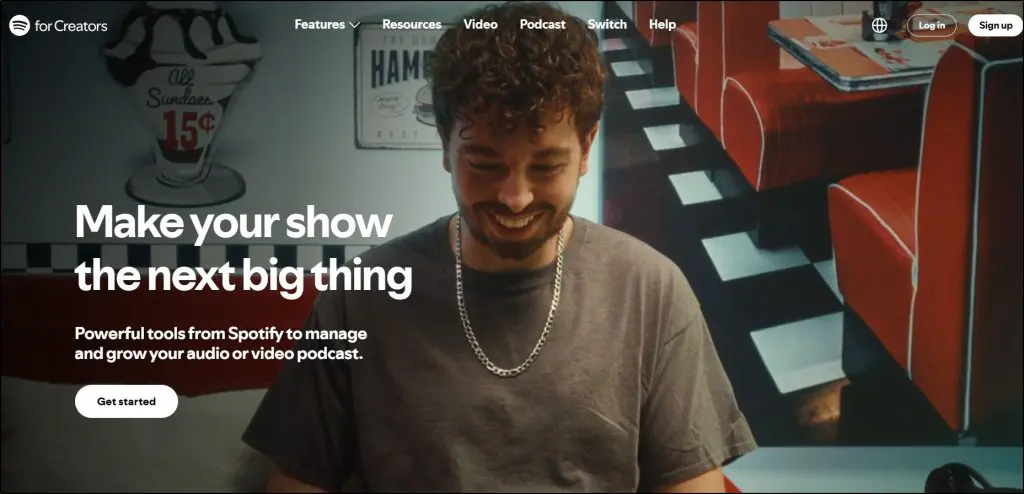
Spotify for Podcasters (formerly Anchor) is one of the easiest ways to start a podcast without worrying about cost or complexity. If you used Anchor in the past, this is the upgraded version with a lot more flexibility.
If you’re new to podcasting, you’ll appreciate how simple it feels. You upload an episode, fill in a few details, and you’re ready to publish.
I like it because it lets you focus on creating instead of wrestling with tech. You get unlimited hosting for both audio and video, automatic distribution, and a clean dashboard that shows exactly how people engage with your episodes.
If you want a lightweight workflow that helps you get your show out into the world quickly, this is a solid place to begin.
Features You Get With Spotify for Podcasters (Free)
- Unlimited audio and video hosting
- Automatic distribution to Spotify, Apple, Google, and other major podcast apps
- Episode-level analytics like retention and demographic data
- Basic listener interaction tools (comments, Q&A)
- Customizable show page and episode thumbnails
- Clip uploading for short previews
- Easy migration if you’re switching from another host
Things the Free Version Of Spotify Doesn’t Offer
- Full monetization unless you qualify for the Spotify Partner Program
- Advanced analytics or ad tools (available only on Megaphone)
- Multi-user permissions or team collaboration features
- Automation or advanced workflow tools
Free Podcast Platform #2: RSS.com
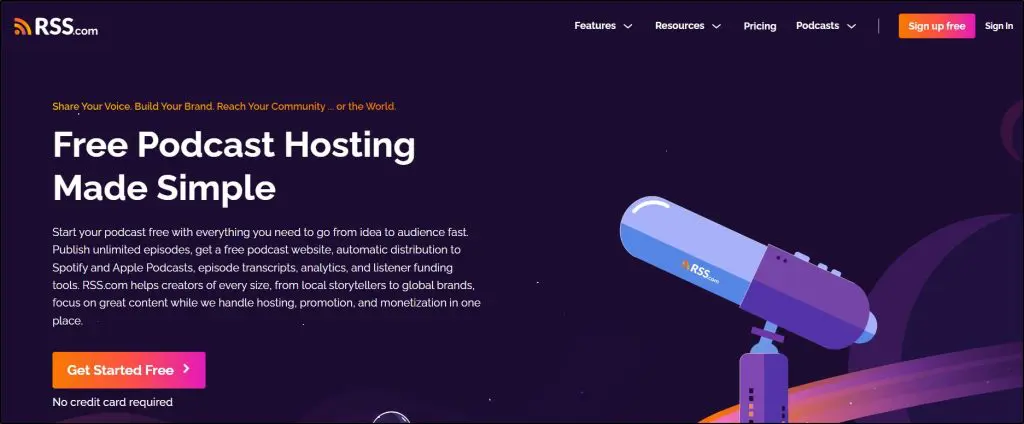
RSS.com is a good fit if you want a clean, beginner-friendly podcast host that keeps everything simple.
I like it because it gives you unlimited episode uploads even on the free plan, which makes it easier to build momentum early in your podcasting journey.
You also get a basic podcast website, automatic distribution, and transcripts without having to stitch different tools together. If you prefer a platform that handles hosting, promotion, and simple monetization in one place, RSS.com is straightforward enough that you won’t feel overwhelmed.
It’s especially useful if you’re starting a niche or local-community podcast and just want an easy way to publish consistently.
Features You Get With RSS.com (Free)
- Unlimited episode uploads with unlimited audio
- Automatic distribution to Spotify, Apple Podcasts, Google Podcasts, Amazon Music and more
- Free podcast website with basic customization
- Episode scheduling and easy episode management
- Automatic transcripts for each episode
- Cross-platform analytics with 90-day data
- Basic monetization tools like listener donations and Value-4-Value
- Embeddable podcast player for your website
- Simple social sharing tools
- Copyright protection and email privacy
Things the Free Version of RSS.com Doesn’t Offer
- Advanced analytics beyond 90 days
- Ad insertion or Apple Podcasts Subscriptions
- AI transcripts or audio-to-video tools
- Branding-free embeddable player
- Team collaboration or multiple user seats
- Priority customer support
Free Podcast Platform #3: Substack Podcasts

If you want your podcast and newsletter to live in the same home, Substack is one of the strongest free podcast hosting options I can point you to.
You can host your audio files for free, send every episode by email, and still distribute to apps like Apple Podcasts and Spotify through your podcast RSS feed.
On top of that, you keep direct ownership of your email list and payment stream when you decide to go paid later.
I like Substack most for “expert” or teaching style shows where you publish essays, links, and transcripts around each episode.
Instead of juggling a separate email provider and podcast host, you manage everything from one dashboard.
If your long term goal is a subscription supported podcast with a tight community around it, Substack is worth serious consideration as your free hosting base.
Features You Get With Substack Podcasts (Free)
- Free podcast hosting with an RSS feed you can submit to Apple, Spotify, and other apps
- Ability to publish both free and paid podcast episodes from the same place
- Built in email newsletter so every new episode can land directly in your subscribers’ inboxes
- Simple browser based recording and audio upload tools for quick episodes
- Basic podcast stats in your dashboard such as downloads and episode performance
- Comments and discussion threads so listeners can respond to each episode
- A public site for your show that can host written posts, transcripts, and extra materials
- No monthly hosting fee since Substack only takes a cut when you turn on paid subscriptions
Things The Free Version of Substack Podcasts Doesn’t Offer
- Advanced audio editing tools such as multitrack editing or detailed sound processing
- Deep podcast analytics and cross platform breakdowns at the level of a pro host
- Built in dynamic ad insertion or a proper ad marketplace for sponsorship campaigns
- Fine grained control over every technical detail of your RSS feed and distribution
- A clean way to run many separate podcasts under one account like a full network host
Free Podcast Platform #4: SoundCloud Podcasts

SoundCloud isn’t a traditional podcast host, but it is still a useful free podcast hosting option in some cases. It started as a music platform, which is why a lot of podcasters who already make music or DJ sets feel at home there. You upload your audio, add artwork and descriptions, and SoundCloud gives you a public page for every episode plus a simple RSS feed you can submit to Apple Podcasts, Spotify, and other apps.
If you are starting a simple interview show, sermon series, or audio journal and you like the idea of being part of a big open audio community, SoundCloud can work as your first free podcast hosting platform. I have seen creators use it to test show ideas with very little setup, then move to a more podcast-focused host once they outgrow the free limits.
Features You Get With SoundCloud (Free)
- 3 hours of audio uploads, which is usually enough for your first few podcast episodes.
- A public profile page where listeners can follow you and comment on episodes.
- An embeddable player you can drop into your website or course pages.
- Basic stats, such as plays and likes, to see which episodes are getting traction.
- A simple RSS feed you can submit to podcast directories so people can subscribe in their favorite app.
Things The Free Version of SoundCloud Doesn’t Offer
- Enough upload time for a long running weekly podcast or multiple shows.
- Advanced podcast analytics, such as completion rates or listener retention.
- Built in podcast specific monetization or dynamic ad insertion.
- Deeper branding control, advanced players, or custom pro level support.
Free Podcast Platform #5: Podbean Free Plan
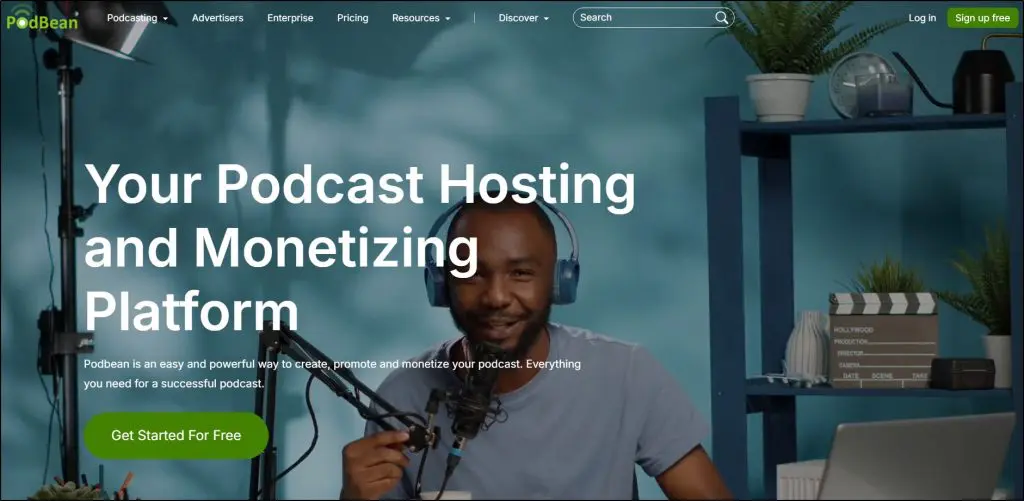
If you want to dip your toe into podcasting without paying upfront, Podbean’s free plan is a nice sandbox. You can set up a show, publish episodes, and get them into the main listening apps without pulling out your credit card.
When I’m talking to beginners who just want to “see if this podcast thing sticks,” this is the kind of setup I recommend: basic hosting, a simple website, and a way to test your ideas with real listeners.
You won’t get all the bells and whistles, but you will learn how podcasting works, build a small audience, and decide whether it’s worth moving to a paid plan later.
Features You Get With Podbean (Free)
- 5 hours of total audio storage for all your episodes
- 100GB monthly bandwidth, enough for small early audiences
- A simple podcast website with basic customization
- A standard RSS feed so you can submit to Apple Podcasts, Spotify, and Amazon Music
- Basic analytics, including download counts and listener location
- Embeddable podcast player for your site or blog
- Podbean mobile app for recording, editing, and uploading
- Social sharing tools for new episodes
Things the Free Version of Podbean Doesn’t Offer
- No unlimited uploads (once you hit 5 hours, you must delete or upgrade)
- No advanced analytics like retention curves or device breakdowns
- No dynamic ad insertion, premium monetization, or Podbean Ads Marketplace
- No Apple Podcasts Subscriptions integration
- Limited website customization and Podbean branding remains visible
- No support for multiple podcasts, private podcasts, or team members
Free Podcast Platform #6: Buzzsprout

Buzzsprout has been one of the go-to platforms for both beginners and experienced podcasters. What I love about Buzzsprout, especially for new podcasters, is that it makes the entire process of starting and growing a podcast super straightforward.
The free plan is simple and covers all the essentials like hosting, distribution, and even a podcast website without needing to pay a cent.
As a beginner, you can focus on making great content without worrying about tech issues. Plus, if you want to scale, their paid plans are flexible and offer features that will grow with your show.
Buzzsprout is well-known for its ease of use, which is why so many new podcasters love it.
Features You Get With Buzzsprout (Free)
- 2 hours of monthly upload time for your episodes.
- A free podcast website with your RSS feed and episode links.
- Distribution to major podcast directories like Spotify, Apple Podcasts, and Google Podcasts.
- Basic podcast analytics to track your show’s growth and performance.
- Customizable podcast player that you can embed on your website.
- Episode scheduling so you can publish your content at the optimal time.
Things The Free Version of Buzzsprout Doesn’t Offer
- Unlimited storage or bandwidth for long-term podcast growth.
- Advanced analytics, including insights on listener behavior and trends over time.
- The ability to add additional team members or collaborate with co-hosts.
- Enhanced podcast website customization options, including a custom domain.
- Monetization features like listener support, ads, and subscriptions.
- Magic Mastering (AI-based sound improvement) or advanced editing tools.
The Best Paid Podcast Hosting Tools | Features, Pricing, And Free Trial
Now that you know what to look for in podcast hosts, let’s evaluate some of the most popular podcast hosting platforms and see which one is suitable for your business.
Read our complete guide to starting a successful podcast
Paid Podcast Hosting Comparison Table (2026)
Here’s a bird’s eye view of the paid podcast hosting services I recommend.
| Platform | What You Get in Paid Plans | Pricing / Limits |
|---|---|---|
| Buzzsprout | Magic Mastering, advanced analytics, dynamic content, Visual Soundbites, customizable website, team members, AI add-ons | $19, $39, $79 per month based on upload hours (4, 15, 35 hours). Add-ons extra. |
| Podbean | Audio + video hosting, dynamic ads, Ads Marketplace, Apple Subscriptions, private podcasts, AI cleanup, transcripts, remote recording | $9, $29, $79, $99 per month depending on upload GB and features. Unlimited storage on most plans. |
| Castos | Unlimited podcasts, unlimited downloads, AI transcripts, dynamic ads, donations, paid subscriptions, private podcasts, YouTube publishing, WordPress plugin | $19, $49, $99 per month. Higher tiers add more transcripts, analytics, and private subscriber limits. |
| Transistor | Unlimited podcasts, up to 250K monthly downloads, private podcasts, dynamic ads, team members, YouTube auto-post, advanced analytics | $19, $49, $99 per month based on download limits (20K, 100K, 250K). Enterprise for higher needs. |
| Libsyn | Audio + video hosting, dynamic ads, Apple Subscriptions, Canva integration, advanced analytics, distribution, website, players | $5, $7, $15, $20, $40, $75, $150 depending on storage hours (3 to 55 hours). |
| Spreaker | Unlimited episodes, strong monetization (programmatic + host reads), private podcasts, Apple Subscriptions, AI ad matching, advanced analytics | Free, $20, $50, $250 per month. Download stats + ad tools increase with tiers. |
| Captivate | Unlimited podcasts/uploads, AI assistant for notes/titles/SEO, memberships, dynamic ads, guest booking, private podcasts, full analytics | $17, $44, $90 per month based on download limits (30K, 150K, 300K). |
| Simplecast | Unlimited storage/uploads, multi-show management, advanced analytics (Audience), team seats, website + custom domain, pro ad tools on higher tiers | $15, $35 per month for indie shows (20K/50K downloads). Professional/Enterprise for full monetization. |
| Blubrry | File-based hosting, PowerPress WordPress plugin, free WordPress site, AI assistant, IAB stats, programmatic ads, video-to-podcast conversion | $15, $25, $100 per month based on monthly storage (125MB, 400MB, unlimited). |
| AudioBoom | Unlimited episodes, distribution, IAB analytics, global ad marketplace (Showcase), premium ad products for larger shows, multi-show accounts | $12.99, $24.99 per month for 15K/50K downloads. Podcast Pros plan for unlimited downloads. |
Let’s now take a close look at each platform.
Paid Podcast Hosting #1: BuzzSprout
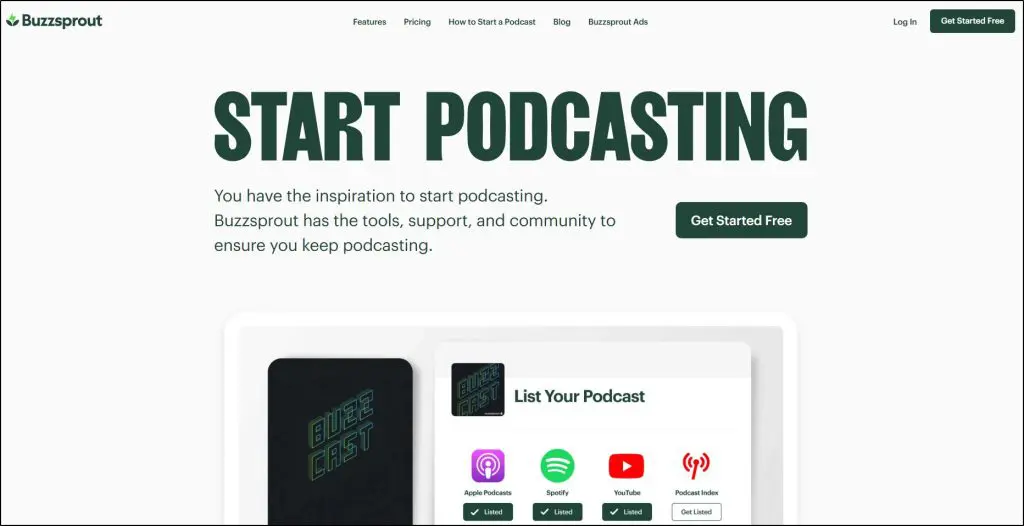
Buzzsprout works well if you want a clean, reliable hosting platform that removes the technical stress from podcasting.
I’ve seen a lot of course creators, coaches, and solo experts get great results with Buzzsprout because it gives you polished audio, solid distribution, and a very intuitive publishing workflow.
It is especially useful if your podcast is education-focused, interview-based, or tied to your coaching or course business.
The paid plans unlock a level of audio consistency and convenience that helps you publish faster and present your episodes professionally without mastering advanced audio tools.
It’s not ideal if you want to run a large multi-show network or manage video podcasts, but for most independent podcasters it hits a sweet spot.
Top Features in the Paid Version of Buzzsprout
- Magic Mastering for cleaner, balanced, studio-style audio
- Automatic episode optimization for file size, bitrates, loudness, and ID3 tags
- Advanced analytics with deeper insights on apps, devices, and geographic data
- Episode scheduling with a simple interface
- Hosted podcast website with customizable branding
- Unlimited team members on all plans
- Dynamic Content to add pre-roll or post-roll messages across all episodes
- Visual Soundbites for social media promotion
- Distribution to all major directories in a few clicks
- Cohost AI add-on for transcripts, chapters, and basic show notes
- Monetization options including listener support, subscriptions, and Buzzsprout Ads
What Buzzsprout Still Lacks
- No true video podcast hosting
- No unlimited uploads (upload hours are capped by plan)
- No advanced network tools for managing multiple shows at scale
- Magic Mastering and advanced AI tools require add-ons, not included by default
- Not the best choice if you need enterprise-grade analytics or multi-show dashboards
Buzzsprout Pricing
- $19 per month: Upload up to 4 hours per month. Includes core hosting features and analytics.
- $39 per month: Upload up to 15 hours per month. Works well for creators publishing multiple weekly episodes.
- $79 per month: Upload up to 35 hours per month. Best for creators running several shows or long-form content.
- Add-ons: Magic Mastering, Cohost AI, and Dynamic Content upgrades available for extra fees.

Paid Podcast Hosting #2. PodBean
Podbean is a solid option if you want a hosting platform that gives you more upload room than most entry-level services and lets you grow into video, private podcasting, or monetization over time.
I used Podbean myself in the early days of Leading Learning, mainly because it offered generous storage and a very straightforward way to publish long educational episodes.
The interface isn’t the cleanest, but the platform gives you enough flexibility to handle interview shows, training-style episodes, and even private audio feeds if you teach online courses.
It’s not as streamlined as Buzzsprout, but it’s strong if you want a feature-heavy platform you won’t outgrow quickly.
Top Features in the Paid Version of Podbean
- Monthly upload limits of 10 GB, 20 GB, or 40 GB depending on plan
- Unlimited total storage and unmetered bandwidth on most plans
- Audio and video podcast hosting
- Dynamic ad insertion with Podbean’s ad management system
- Podbean Ads Marketplace for automated advertiser matching
- Apple Podcasts Subscriptions integration for paid, exclusive content
- Private podcasting with access controls and protected feeds
- Live streaming with listener call-ins and audience gifting
- Podbean AI for noise reduction, leveling, removing filler words, and AutoEQ
- Automatic transcripts, titles, show notes, and chapter markers
- Customizable podcast website included
- Automatic distribution to Spotify, Apple Podcasts, Amazon Music, and more
- Embeddable players and simple social sharing
- Retention analytics, episode comparison, and listening behavior insights
- Remote recording for up to 7 co-hosts inside the Podbean app
- Blog-to-podcast and video-to-podcast conversion options
What Podbean Still Lacks
- No advanced text-based editing like Descript
- The dashboard isn’t as simple or beginner-friendly
- Network tools and private podcasting features require higher-tier plans
- AI show notes and summaries are not as strong as tools like Buzzsprout’s CoHost AI
- Can feel heavy if you only need basic audio hosting
Podbean Pricing
Unlimited Audio – $9 per month billed annually (or $14 monthly): 10 GB monthly upload limit, unlimited storage, audio-only hosting.
Unlimited Plus – $29 per month billed annually (or $39 monthly): 20 GB monthly upload limit, adds video hosting and full monetization tools.
Network – $79 per month billed annually (or $99 monthly): 40 GB monthly upload limit, supports multiple public shows and network-level analytics.
Business – $99 per month billed annually (or $129 monthly): Private podcasting, SSO, enterprise analytics, unlimited team members.
Read our full review of Podbean.

Paid Podcast Hosting #3: Castos
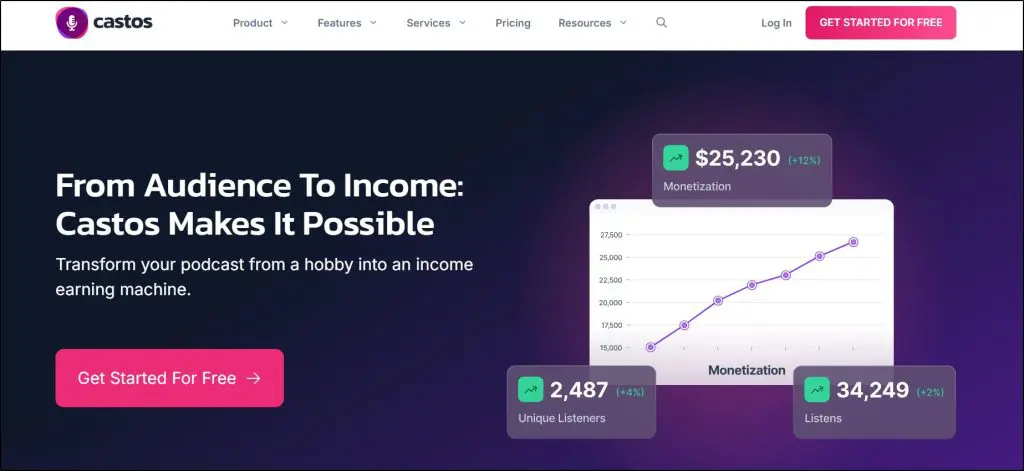
Castos is a strong pick if you want a hosting platform that supports multiple shows, private podcasting, and full WordPress integration without the usual storage restrictions.
It works well for course creators, coaches, and businesses that run public and private feeds together.
I like Castos most for users who publish long educational episodes or maintain several series at once because the unlimited storage, unlimited shows, and WordPress plugin make everything easy to manage.
The paid plans also include AI-powered transcripts and an AI assistant for titles, show notes, and social content.
Castos also leans heavily into monetization. You get ad insertion, donations, paid subscriptions, and private feeds, so it works for creators who want predictable recurring revenue.
It is not the simplest platform, but it is powerful if you want flexibility and room to grow.
Top Features in the Paid Version of Castos
- Unlimited podcasts, unlimited episodes, unlimited downloads
- Unlimited storage for audio and video files on higher plans
- Automatic distribution to all major platforms
- 10, 25, or 100 AI transcription credits per month depending on plan
- Dynamic ad management for automated ad insertion
- Accept listener donations and recurring contributions
- Paid subscriptions and premium podcast feeds
- Private podcasting with 100, 250, or 500 subscribers depending on plan
- Additional private subscriber add-ons available
- YouTube publishing that converts each episode into a video
- Customizable podcast website with your own domain
- Advanced analytics with audience location, device type, and playback duration
- Custom analytics reports on Growth and Pro plans
- Seriously Simple Podcasting WordPress plugin for direct publishing
- Remote collaboration with up to 5 or 10 team members depending on plan
- Headliner audiogram integration for social clips
- Mobile app for private podcast access
- Priority support on Pro and higher
- AI Assistant for titles, show notes, and social content (add-on)
What Castos Still Lacks
- No advanced editing workflow like Descript
- Interface feels heavier than Buzzsprout and takes longer to learn
- AI tools are helpful but not as polished as more mature AI editing platforms
- YouTube republishes audio only, not full video episodes
- Private podcasting scaling can get expensive if you go beyond 500 subscribers
Castos Pricing
Essentials – $19 per month: Unlimited podcasts and downloads, 10 transcripts monthly, up to 100 private subscribers.
Growth – $49 per month: Adds YouTube publishing, Headliner integration, advanced analytics, 25 transcripts monthly, up to 250 private subscribers, and the mobile app for private podcasting.
Pro – $99 per month: Adds video hosting, 100 transcripts monthly, priority support, and up to 500 private subscribers.
Castos Premium – From $499 per month: For organizations that need single sign-on, unlimited transcripts, higher private subscriber caps, and dedicated support.

Paid Podcast Hosting #4: Transistor
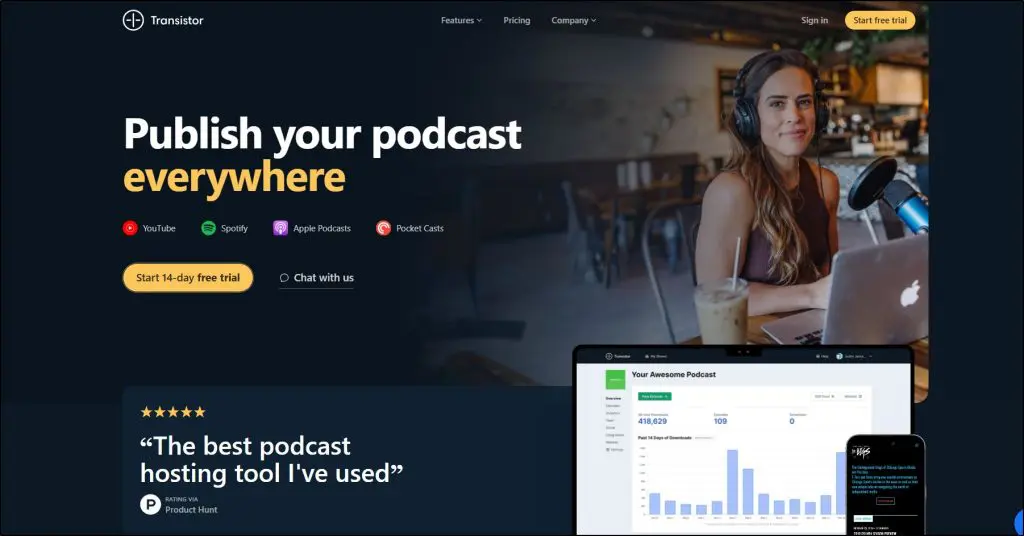
Transistor works well if you want a platform built for serious podcasting workflows. I like it for creators who run multiple shows, publish consistently, or want room to grow without worrying about storage limits.
Everything inside Transistor feels streamlined. You upload your audio, check your analytics, manage your website, and distribute everywhere from one clean dashboard.
It also handles private podcasts, which is helpful if you run a membership, course, or internal company show.
There are no flashy AI tools besides optional transcription, but the strength here is stability, clean design, and reliable analytics.
If you want something simple to use yet powerful enough to run a full podcast network, Transistor is a strong choice.
Top Features in the Paid Version of Transistor
- Host unlimited podcasts under one account
- Up to 250,000 monthly downloads depending on plan
- Private podcasting with up to 3,000 subscribers
- Advanced episode analytics including average downloads per episode and subscriber trends
- Dynamic ads for pre-roll, mid-roll, and post-roll placements
- Dynamic show notes that update across all episodes
- Built-in podcast website and podcast network website
- Unlimited team members for collaboration
- Auto-post to YouTube with automatic audio-to-video conversion
- Customizable embeddable podcast players
- Integrations with email tools like ConvertKit, Mailchimp, HubSpot, and ActiveCampaign
- Optional AI-powered transcription add-on
What Transistor Still Lacks
- No built-in audio cleanup, mastering, or AI production tools
- No video hosting for full video podcasts
- No monetization tools like donations, subscriptions, or ad networks included in the platform
- No automated show notes, titles, or summaries unless you use external AI tools
- Not ideal if you publish extremely high-download shows without moving to Enterprise
Transistor Pricing
Starter – 19 dollars per month: For up to 20,000 monthly downloads, 50 private subscribers, unlimited podcasts, and advanced analytics.
Professional – 49 dollars per month: For up to 100,000 monthly downloads, 500 private subscribers, dynamic ads, dynamic show notes, and YouTube auto-posting.
Business – 99 dollars per month: For up to 250,000 monthly downloads, 3,000 private subscribers, branding removal, dynamic ads, and full network tools.
Enterprise – 199 dollars per month and up: For companies that need more than 250,000 downloads or more than 3,000 private subscribers.

Paid Podcast Hosting #5: Libsyn

Libsyn is one of the oldest names in podcast hosting and still makes sense if your main focus is reliability, long term publishing, and advertising.
In my experience, Libsyn suits creators who run talk shows, interview series, or news style podcasts that publish on a consistent schedule and want serious ad tools.
The core hosting is stable, the stats are trusted by advertisers, and the monetization stack is stronger than most competitors.
Where Libsyn feels a bit dated is the interface and workflow.
It is more “broadcaster platform” than creator friendly studio, which some independent podcasters will love and others will find clunky.
Top Features in the Paid Version of Libsyn
- Audio and video podcast hosting on all paid plans
- Upload limits tied to new content per month, starting at 3 hours and going up to 55 hours
- Storage caps from 162 MB per month on Basic to 3000 MB per month on the highest tier
- Unlimited bandwidth and unlimited audience on every plan
- IAB Tech Lab verified basic stats on all plans plus advanced stats on the 20 dollar and higher plans
- Advanced analytics including interactive maps, app level stats, listener consumption patterns, and custom date ranges
- Dynamic podcast ads with automatic ad insertion across your full back catalog
- Access to Libsyn Ads marketplace for host read and programmatic campaigns
- Apple Podcasts Subscriptions integration with no extra Libsyn fee on subscription revenue
- Built in Canva integration for episode and show artwork
- Social promotion tools on lower plans and full social scheduling calendar on the 20 dollar and higher plans
- Free podcast website and embeddable audio and video players
- Video podcast support without needing a separate platform
- Enterprise options with SSO, private podcasting, dedicated apps, and more for large organizations
What Libsyn Still Lacks
- No native AI mastering, noise removal, or automatic show notes and titles
- No built in live streaming, you need external tools if you want live audio
- Interface and workflow feel older compared to more modern hosts, which can slow down beginners
- Storage based pricing means you must watch monthly upload hours and file sizes
- Website and player customization are functional but not as modern or flexible as some newer platforms
- Not ideal if you want strong video first workflows with YouTube republishing and visual tools built in
Libsyn Pricing
5 dollar plan: Bare essentials for very small shows. Limited upload space, basic hosting, and core distribution.
Basic – 7 dollars per month: 3 hours of new uploads per month, around 162 MB of storage, basic stats, unlimited bandwidth, website, players, and basic social promotion.
Plus – 15 dollars per month: 6 hours of new uploads per month, around 324 MB of storage, basic stats, website, players, and standard monetization options.
Advanced – 20 dollars per month: 10 hours of new uploads per month, around 540 MB of storage, advanced stats, social promotion scheduler, and the full marketing toolkit.
40 dollar, 75 dollar, and 150 dollar video storage tiers: 14, 27, or 55 hours of new uploads per month with 800 MB, 1500 MB, or 3000 MB of storage.
All include the same core features as the 20 dollar plan, aimed at heavy or video focused publishers.

Paid Podcast Hosting #6: Spreaker
Spreaker is a good fit if you care most about monetization, ad tech, and audience data. It feels more like a “radio network in a box” than a lightweight indie host, which works well for serious creators who want ads from day one.
You get automatic programmatic ads, a Supporters Club for listener payments, and IAB certified analytics with a Nielsen partnership.
Recent updates add automatic transcriptions for monetized episodes and AI powered ad matching, which helps with both discoverability and revenue.
It is less attractive if you want heavy site customization or built in AI editing tools for production.
Top Features in the Paid Version of Spreaker
- Unlimited episodes on all plans, so you can publish as often as you like
- Auto distribution to iHeartRadio, Spotify, Apple Podcasts, and other major directories
- Monetization built in, including automatic programmatic ads and host read options
- Control over ad placement, with pre roll, mid roll, and post roll slots you define
- Supporters Club with 0% platform fee on paid plans for listener memberships and premium content
- Enhanced private podcasts for internal shows, member only feeds, or paid tiers
- Apple Podcasts Subscriptions integration for recurring revenue
- Advanced statistics on Broadcaster and full statistics on Anchorman and Publisher plans
- Certified analytics through IAB and Nielsen, useful if you plan to work with serious advertisers
- Automatic transcriptions for monetized episodes in supported languages, which improves accessibility and search
- Spreaker Create mobile tools for recording, editing, and publishing from your phone
- Collaboration features on Anchorman and above, with unlimited collaborators on higher tiers
- Customizable player colors on Anchorman and Publisher for better brand fit
- Ad Campaign Manager on Publisher so you can sell and manage your own ad inventory
What Spreaker Still Lacks
- No native AI audio mastering or show note generation, so you still need external tools for production polish
- The interface focuses heavily on monetization, which can feel like overkill if you just want a simple publishing workflow
- Advanced statistics and more serious features sit behind higher priced plans
- Support and onboarding are solid but not as hand holding as some creator first platforms
- Website and branding options are serviceable but not as flexible as a dedicated website builder or WordPress stack
Spreaker Pricing
Free Speech – 0 dollars per month: Unlimited episodes for one podcast, automatic distribution, customizable RSS feeds, ads based monetization, Supporters Club with a 20 percent fee, and 6 months of statistics.
Broadcaster – 20 dollars per month: Unlimited episodes and unlimited podcasts, automatic ads and subscriptions, enhanced private podcasts, Apple Podcasts Subscriptions, in app support, advanced statistics, Supporters Club with 0 percent fee, and 12 months of statistics.
Anchorman – 50 dollars per month: Everything in Broadcaster plus full statistics, customizable player colors, collaboration feature, unlimited collaborators, and unlimited podcasts.
Publisher – 250 dollars per month: All Anchorman features plus priority support, 24 months of statistics, Ad Campaign Manager, and tools to sell and manage your own ads across unlimited podcasts and collaborators.
Read our full Spreaker review.

Paid Podcast Hosting #7: Captivate
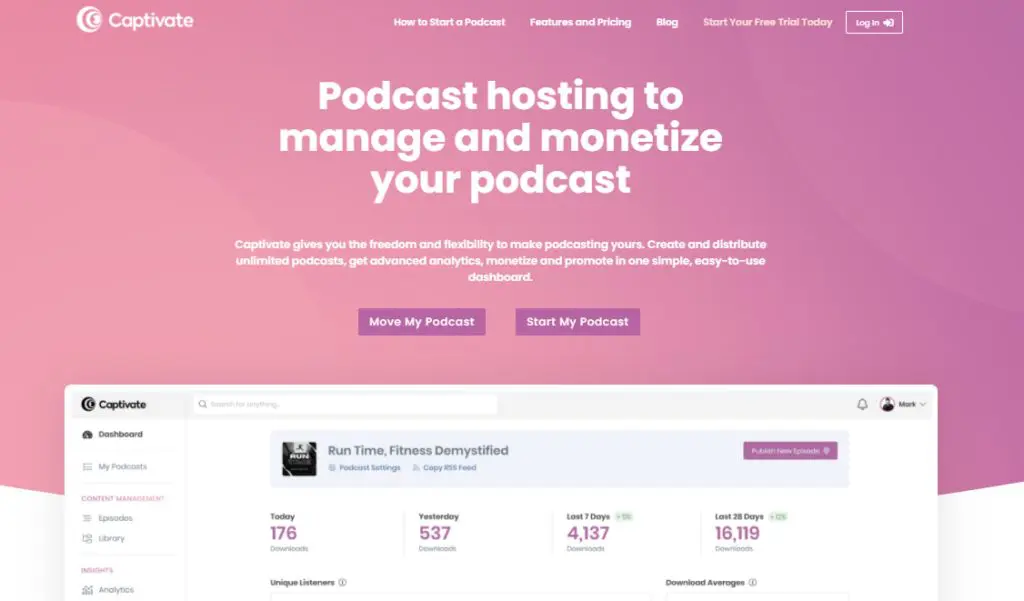
Captivate is built for podcasters who treat their show like a real media asset, not just a weekend hobby.
Its biggest strength is how it combines serious monetization tools, detailed IAB-certified analytics, and workflow helpers like Captivate Assistant, which uses AI to draft titles, show notes, and basic SEO content.
I have found it especially useful when you run multiple shows, manage client podcasts, or want memberships, tips, and private training feeds all from one place.
It is a great fit for growth-focused indie creators, agencies, and networks.
However, it is not ideal if you only need a simple place to upload one basic show.
Top Features in the Paid Version of Captivate
- Unlimited podcasts and unlimited uploads on every plan
- Download limits based on plan rather than storage
- Captivate Assistant AI for titles, descriptions, show notes, chapters, ad markers, SEO, and niche trend insights
- Built-in memberships for recurring subscriptions, one-off tips, early access, and exclusive bonus episodes
- AMIE dynamic ad engine for inserting house ads or paid campaigns across your catalog
- Full IAB Tech Lab 2.2 certified analytics with performance comparison, retention, location, device, and web player data
- Analytics Importer to bring your complete download history from another host into Captivate
- Integrated guest booking platform with custom booking pages and full interview management
- Episode planning tools for ideas, research links, default publish times, and show notes building
- Private podcasting for up to 100 private shows and up to 50,000 private subscribers per account
- Strong network tools with cross-promo feed drops, aggregated network analytics, and custom network websites
- Descript and Zapier integrations for tighter editing and workflow automation
What Captivate Still Lacks
- No true free plan, so hobby shows on zero budget may prefer a free host
- Download caps can feel tight if you have a show that suddenly goes viral and you stay on a lower plan
- Built-in recording and editing tools are still rolling out, so many creators will still rely on external editors for a while
- Interface has a lot of options, which can feel overwhelming if you only want basic hosting and a simple website
Captivate Pricing
- Personal – $17 per month (paid yearly): Up to 30,000 downloads per month, unlimited podcasts and uploads, full feature access, private podcasts, and complete analytics.
- Professional – $44 per month (paid yearly): Up to 150,000 downloads per month, unlimited podcasts and uploads, full feature set, stronger headroom for growing shows and small networks.
- Business – $90 per month (paid yearly): Up to 300,000 downloads per month, unlimited podcasts and uploads, full feature set, built for larger creators, agencies, or networks that need higher download limits.
All plans get the same tools. You mainly move up when your download volume grows or when you want more room for multiple active shows under one account.

Paid Podcast Hosting #8: Simplecast

Simplecast is built for podcasters who care about clean publishing workflows, serious analytics, and ad revenue at scale. It’s been around for more than a decade and now sits under AdsWizz, which gives it a strong advantage on the monetization side.
I like Simplecast most for shows that either partner with brands or plan to treat sponsorships and programmatic ads as a real revenue line. The core hosting is solid, the players look great, and the analytics (via Audience by Simplecast) go much deeper than the usual download charts.
For most course creators and experts, the Basic and Essential plans cover the hosting, distribution, and analytics piece very well. If you later move into full-blown ads with networks and brand campaigns, the Professional and Enterprise tiers add the monetization muscle.
It’s not the best fit if you’re just dabbling or want built-in editing and AI tools. But if you already have an audience or a brand behind your show, Simplecast gives you a very “grown up” podcast stack.
Top Features in the Paid Version of Simplecast
- One-click distribution to Apple Podcasts, Spotify, Pandora, SiriusXM, and all major podcast apps.
- Unlimited storage and uploads on every plan, so you don’t have to babysit file sizes.
- Manage multiple shows from a single account, which is handy if you run more than one podcast or client shows.
- Customizable show website with HTTPS security and support for your own domain.
- Modern embeddable players (single episode, show, mini players) that support sharing, topic markers, and basic listener behavior data.
- Team collaboration with 2–4 seats on indie plans and more for bigger setups.
- Audience by Simplecast analytics, including unique listeners, location data (country and region), web player analytics, and technology analytics (apps, browsers).
- Migration tools and a guided Show Migrator so you can move an existing show with minimal friction.
- Monetization for bigger shows on Professional and Enterprise plans: dynamic ad insertion, inventory controls, brand safety tools, and access to the AdsWizz Marketplace where major brands buy podcast ads.
What Simplecast Still Lacks
- No true free plan – you get a 14-day free trial, but hosting stays paid after that.
- Built-in monetization is reserved for Professional and Enterprise plans, so small indie shows won’t see the full AdsWizz benefits on Basic or Essential.
- No native recording or editing studio – you still need external tools for production.
- Download limits apply per plan (20K, 50K, etc.), so you’ll need to upgrade as you grow.
- The platform leans toward network and brand use cases, which can feel like overkill if you just want a simple home for one small show.
Simplecast Pricing
For independent podcasters, Simplecast’s public plans look like this:
- Basic – $15 per month ($13.50/month if paid annually): 20,000 downloads per month included, unlimited storage and uploads, distribution to all major podcast apps
- Essential – $35 per month ($31.50/month if paid annually): Everything in Basic, plus: 50,000 downloads per month included, additional web players (Mini & Show players), location analytics, unique listener reports
All plans come with a 14-day free trial with no credit card required.
If you want Simplecast’s full monetization stack with dynamic ad insertion at scale, advanced inventory controls, and direct access to the AdsWizz Marketplace, you’ll need to move to a Professional or Enterprise package, which is priced on request and aimed at networks, publishers, and larger shows.

Paid Podcast Hosting #9: Blubrry

Blubrry focuses on three things: solid hosting, deep stats, and tight WordPress integration. You get traditional file-based plans (storage per month), a free managed WordPress site if you want it, and the long-standing PowerPress plugin if you already run your own site.
I tend to recommend Blubrry when someone says, “My podcast lives on WordPress and I want full control over my feed.” PowerPress gives you that control plus direct Apple/Spotify submission, and Blubrry’s dashboard layers on IAB-certified analytics, AI tools, and optional extras like media mastering and transcriptions.
It works best for course creators, educators, and independent experts who either already run a WordPress site or want their show to live on their own domain from day one.
If you treat your podcast like part of a broader content hub (blog, resources, course pages), Blubrry fits that model nicely.
It’s not the simplest platform for beginners who don’t care about WordPress, and the storage-based pricing can feel restrictive if you publish long weekly episodes and hate watching file sizes.
Top Features in the Paid Version of Blubrry
- File-based hosting plans with unlimited downloads and bandwidth.
- Free managed WordPress site on all plans, or publish via the PowerPress plugin on your existing WordPress install.
- Podcast AI Assistant for episode planning, titles, summaries, show notes, social captions, and simple clip ideas.
- Standard and Advanced statistics, with IAB-certified data, episode comparison, listener devices, apps, geography, and “Impactful Play” listening-time insights.
- Programmatic advertising built in, plus a Premium Podcasting add-on for paid, ad-free or bonus content.
- Vid2Pod video-to-podcast service that converts YouTube playlists into audio podcast feeds.
- Interactive widgets and embeds that support Podcasting 2.0 features (credits, funding, Value-4-Value, trailers, live info, podroll, and more).
- Private and Professional hosting options for networks, businesses, and internal training shows.
- Strong human support via email, phone, and documentation, which matters if you’re not technical.
What Blubrry Still Lacks
- No true unlimited everything on lower plans – you still track monthly storage in MB.
- The interface and options can feel busy if you don’t use WordPress or advanced stats.
- You don’t get a built-in full editor or recording studio; you still rely on external tools for production.
- Dynamic ad insertion only arrives at the Professional level or via add-ons like Thrive, so small shows won’t see full ad tools out of the box.
Blubrry Pricing
Public plans currently look like this (monthly billing, first month often free):
- Standard Hosting – $15 per month: 125 MB new storage each month (about 2 hours of audio), standard statistics, unlimited downloads, custom embed player, managed WordPress site
- Advanced Hosting – $25 per month: Starts at 400 MB new storage per month (about 6.5 hours), extra storage available, advanced statistics
- Professional Hosting – $100 per month: Unlimited storage, 1 TB bandwidth included, full dynamic ad insertion, private podcasting, video-to-podcast conversion

Paid Podcast Hosting #10: AudioBoom

AudioBoom leans heavily into one thing: advertising and revenue at scale. It’s less of a “beginner-friendly host with a cute website” and more of an ad-driven publishing platform for shows that already pull decent download numbers or want to grow into that tier.
You still get the basics – hosting, distribution, and IAB-compliant analytics – but the real draw is their ad stack. Even on smaller plans you can access Showcase, their global programmatic marketplace. On higher tiers, you can layer in live reads, host endorsements, and branded content.
In my view, AudioBoom makes the most sense if your long-term plan is to run a serious show (or network) where ad revenue is a main pillar of the business. It’s less compelling if you’re a beginner course creator just testing 2–3 episodes or if you want a simple “host + website + AI helper” setup.
Top Features in the Paid Version of AudioBoom
- Unlimited episodes on all creator plans.
- Standard and Plus plans for shows under 50,000 downloads per month.
- Podcast Pros account for bigger shows and independent networks that need unlimited downloads.
- Wide distribution to Apple Podcasts, Spotify, Amazon Music, iHeartRadio, YouTube Podcasts, Stitcher, and more.
- IAB-compliant advanced analytics dashboard so you can see performance, trends, and audience behavior at a level advertisers actually trust.
- Showcase global ad marketplace to monetize inventory with programmatic ads.
- On Podcast Pros, access to premium ad products like live reads, host endorsements, and branded content.
- Ability to manage multiple podcast channels with contributor accounts, which is useful for agencies or small networks.
What AudioBoom Still Lacks
- No real “all-in-one creator studio” – you’ll still need external tools for editing, transcripts, and show notes.
- No built-in full website builder like some competitors; you’ll usually pair it with your own site or landing pages.
- Very ad-centric. If you prefer memberships, courses, or direct audience revenue over ads, Captivate, Castos, or Substack will feel more aligned.
- Not the best fit if you’re just starting and don’t yet have consistent downloads; the value really shows up as your audience grows.
AudioBoom Pricing
For individual creators and small shows, AudioBoom offers two main tiers:
- Standard Plan – $12.99 per month or $129 per year: Unlimited episodes, Up to 15,000 downloads per month
- Plus Plan – $24.99 per month or $249 per year: Unlimited episodes, Up to 50,000 downloads per month
For larger shows and networks:
- Podcast Pros Account – custom pricing: Unlimited episodes and unlimited downloads, multi-show management with contributor accounts, advanced analytics, access to premium ad options.
If your main goal is to turn reach into ad revenue, AudioBoom is worth a serious look. If you’re earlier in the journey and just need a forgiving, education-friendly host to support your courses or coaching offers, Buzzsprout, Podbean, or Castos will feel more comfortable.

What Is a Podcast Hosting Platform?
A podcast hosting platform is the backbone of your entire show. It’s where your audio (and video, if you publish it) lives, but it does far more than store files.
When you upload a new episode, your hosting platform generates and updates your RSS feed—the universal format podcast apps use to pull your content.
That single feed pushes every episode to Apple Podcasts, Spotify, Amazon Music, YouTube Podcasts, and dozens of other listening apps automatically.
Do you absolutely need a podcast host?
In practical terms, yes. You technically can upload audio files to your own website or server, but it’s a mistake for three reasons:
- Your site will crash the moment you get even moderate download traffic because regular web hosting isn’t built for serving large media files.
- You won’t have a real RSS feed, which means podcast apps can’t find or update your episodes. Your audience won’t be able to “subscribe.”
- You lose analytics, monetization, and workflow tools that help you grow and manage your show.
A podcast hosting platform solves all of this. It handles the heavy lifting—storage, bandwidth, load balancing, fast delivery—so your listeners get a smooth playback experience and you don’t have to become a server admin.
But the best hosts go further. They help you create a better podcast through:
• Episode scheduling
• Listener analytics
• Embeddable players
• Podcast websites or WordPress plugins
• Monetization tools (ads, subscriptions, donations)
• Private feeds for members or online courses
• Transcripts and accessibility features
• AI editing, cleanup, or show notes
• Multi-show management and team collaboration
A host essentially becomes your publishing partner. It keeps your show reliable, discoverable, and easy to maintain—while you stay focused on creating meaningful content and connecting with your listeners.
Podcast Hosting vs. Podcast Directories: What’s the Difference?
A lot of beginners mix these up, but they play completely different roles in the podcasting ecosystem.
Podcast Hosting Platforms
Podcast hosts are the backbone of your show.
They store your audio or video files, generate your RSS feed, and distribute your episodes to all podcast apps.
When someone hits “play” on Spotify or Apple Podcasts, the file is actually streaming from your podcast host—not the app.
A podcast host gives you:
- File storage and bandwidth
- Your RSS feed
- Distribution to listening apps
- Analytics
- Monetization tools (depending on the platform)
- A web player or basic podcast site
Think of podcast hosting as your podcast’s home base.
Podcast Directories
Podcast directories (or listening apps) are places where listeners find and consume your show. They don’t store your files, and you can’t upload episodes directly to them. They simply read your RSS feed, list your episodes, and play them.
Podcast directories include:
- Apple Podcasts
- Spotify
- YouTube Music / YouTube Podcasts
- Google Podcasts (sunset but still relevant historically)
- Amazon Music
- iHeartRadio
- Stitcher (legacy)
- Pocket Casts
- Overcast
Directories act like a search engine for podcasts.
How They Work Together?
- You upload an episode to your podcast host
- Your host updates your RSS feed
- Podcast directories read your RSS feed
- Your episode appears instantly in apps worldwide
No hosting = no RSS feed.
No RSS feed = nothing to show in directories.
In Simple Terms
- Hosting = Your server
- Directory = Your storefront
Use a podcast host to publish.
Use podcast directories to get discovered.
Is YouTube A Podcast Hosting Service?
YouTube is a video-first discovery platform. It doesn’t read RSS feeds, it doesn’t list episodes automatically, and it doesn’t deliver your content to listening apps. When you upload to YouTube, your content stays on YouTube.
YouTube offers:
- Great algorithmic discovery
- A massive audience
- Strong search visibility
- Video-first engagement
- YouTube-only analytics and monetization
But it’s a closed ecosystem.
Why You Still Need a Podcast Host
If you only upload to YouTube (or YouTube Podcasts)
- Your show does not appear on Apple Podcasts or Spotify
- Listeners cannot follow your RSS feed
- You don’t own your distribution
- You rely 100 percent on YouTube’s algorithm
- You lose a big portion of the podcast audience who listen while driving, running, or commuting
A real podcast needs a real podcast host because the host powers your distribution, not YouTube.
5 Things to Consider When Choosing a Podcast Hosting Site
Here’s what you need to consider when evaluating the best podcast hosting platforms.
Storage And Duration Limits
- How much storage capacity do the podcast hosts offer?
- Do you get podcast recordings?
- Is there a limit on your podcast duration?
- Is there a limit on podcast listeners?
Bandwidth And Server Reliability
- How many podcasts can you host per month?
- Is there a monthly bandwidth limit?
- Is there a download limit to your podcast recordings?
- What’s the average server uptime?
Supported Content Types
- Do you plan to host both video and audio podcasts?
- If yes, does your podcast host support video podcasts?
- What audio files formats does it support?
- Can your listeners download podcasts in different formats?
Podcast Monetization
- Does your podcast hosting platform come with native monetization features?
- What monetization types does it support?
- Can you integrate it with advertising platforms and podcast networks?
- Is there a sponsorship feature available?
Pricing And Renewal Costs
- What’s your monthly/annual budget for a podcast hosting site?
- Is the renewal cost of your podcast hosting platform the same as its sign-up cost?
- Are there any discounts available?
It’s important to consider all of these questions when evaluating a podcast hosting platform for your expertise-based business.
Which Podcast Hosting Service Is the Best?
We’ve covered some of the best podcast hosting service and platforms in this article. They’re all excellent products with their own strengths and weaknesses.
But ultimately, you have to choose which is the best podcast hosting site for your business.
To make your choice easier, here are my top recommendations from this list.
BuzzSprout – The most complete podcast hosting solution for serious podcasters.
Podbean – The most easy-to-use podcast hosting service.
Castos – The best WordPress podcast hosting solution.
Captivate – The best all-in-one marketing suite.
Transistor– The best value for money.
We recommend you try all of these services with a free trial or free plan before making your final choice.
Let us know if you have any questions about choosing a podcast hosting platform. We’d be happy to respond in the comments section.
How We Evaluate and Test Software & Platforms
Reviews of platforms on the Learning Revolution site are overseen by the site’s founder, Jeff Cobb, an e-learning industry expert and Gold Signal Podcast award winner, with more than 20 years of experience working with online course and related platforms. All evaluations are conducted by a team of analysts who have extensive experience using, testing, and writing about these types of platforms. We dedicate numerous hours to researching each platform, ensuring each aligns with the needs of online course sellers, and vetting specific areas like core features, usability, pricing, and customer satisfaction. Our reviews are unbiased, and while we will participate in affiliate programs, if available, we do not accept payment for placement in our articles or links to external websites.

Jeff Cobb, Founder of Learning Revolution
Jeff Cobb is an expert in online education and the business of adult lifelong learning. Over the past 20+ years he has built a thriving career based on that expertise – as an entrepreneur, a consultant, an author, and a speaker. Learning Revolution is a place where Jeff curates tips, insights, and resources to help you build a thriving expertise-based business. Learn more about Jeff Cobb here.