
TL;DR: What Is A Webinar Platform & How To Choose One
A webinar platform is software designed to host live, automated, or on-demand online events. Unlike regular video meeting apps, these platforms include tools for audience engagement, lead generation, monetization, and integrations with CRMs, email systems, and course platforms. That makes them essential for coaches, educators, and businesses that rely on webinars for sales and training.
What’s the Best Webinar Software & Hosting Platform?
1. WebinarNinja: Best overall for course creators who need an all-in-one solution with CourseNinja included.
2. WebinarJam: Best for selling during webinars with built-in CTAs, offers, and urgency tools.
3. Livestorm: Best Zoom alternative for businesses that want advanced lead gen, analytics, and usage-based pricing.
4. Demio: Best user-friendly option with strong engagement tools and ROI-focused analytics.
5. ClickMeeting: Best value for money, offering live, automated, and paid webinars in one affordable package.
If you want me to name only one, WebinarNinja is the best choice.
Key Tips When Choosing a Webinar Hosting Platform:
– Match the format support (live, on-demand, automated) to your business model.
– Look for engagement features like polls, Q&A, breakout rooms, and offers.
– Check integrations with your CRM, email, and payment systems.
– Confirm it can handle your expected audience size.
– Compare pricing models (per attendee vs. flat monthly fee).
– Test the attendee experience, and check whether it is browser-based or download-only.
👉 Use free trials to test each platform before committing, and choose the one that best supports your growth and audience needs.
Webinars remain one of the strongest channels in content marketing. In the Content Marketing Institute’s latest B2B research, 52% of marketers named speaking events and webinars among their most effective channels for thought leadership.
Based on my experience with webinars, I honestly expected this percentage to be even higher.
Webinars are fantastic for instantly building authority with new audiences. A well-organized webinar is one of the best ways to educate potential customers about your online courses and coaching offers.
Hosting a great webinar boils down to two key components:
- Detailed, high-quality content.
- A modern, reliable webinar platform.
In this article, I’ll share my favorite webinar platforms.
Having used plenty of software over the years for product launches and promoting affiliate offers, I can confidently say that not every webinar platform is right for your business.
You must consider your business goals, feature requirements, and budgets while evaluating different webinar software.
This market has also changed a lot. Several platforms have moved to per-attendee or usage-based pricing, and almost all of them now include AI tools for transcripts, summaries, and repurposed content.
To help you choose the best option, I’ve shortlisted the most feature-rich webinar platforms that offer the best value for your money.
My personal favorite is WebinarNinja which I use for most webinars I run for Learning Revolution and Tagoras. It’s very user friendly and gives you the right balance of engagement tools and administrative features.
The Best Webinar Platforms Comparison
Let’s take a quick high-level view of the best webinar platforms with recording and automation features designed for marketers and course creators.
| Platform | Best For | Engagement Tools | Attendees On Entry Plan | Starting Price | Free Trial |
|---|---|---|---|---|---|
| WebinarNinja | All-in-one solution for course creators | Polls, Q&A, Offers, Handouts, AI co-host | You choose at checkout | $0.30 per attendee/mo on annual billing ($0.60 monthly) | 14-day free trial |
| Zoom Webinars | Familiarity and large-scale reliability | Polls, Q&A, Chat, Reactions | 500 | $66.67/mo on annual billing ($89 monthly), plus a Zoom Workplace Pro license | No free plan |
| WebinarJam | Selling during live events | CTAs, Scarcity Timers, Polls, Whiteboard | 100 | $39/mo on annual billing ($49 monthly) | $1 for a 14-day trial |
| Demio | Easiest setup & modern interface | Polls, Handouts, Q&A, Chat, Bring attendees on stage | 50 | $45/mo on annual billing ($63 monthly) | 14-day free trial |
| Livestorm | Professional events with usage-based pricing | Polls, Q&A (upvotes), Breakouts, File Sharing, Emojis | 400 attendee credits a year | $1,200 a year, which is $3 per attendee | Free to try |
| GoToWebinar | Corporate-grade webinars with reliability | Polls, Q&A, Surveys, Handouts | 500 | $59/mo on annual billing ($69 monthly) | Free trial, no credit card |
| ClickMeeting | Budget-friendly webinars with teaching tools | Polls, Surveys, Whiteboard, Breakouts, Q&A | 50 | €31.92/mo on annual billing (€41 monthly) | 14-day free trial (25 attendees, no card) |
| ON24 | Enterprise marketing & large virtual events | 20+ tools: Polls, Surveys, Breakouts, Networking | Custom | Custom quote | Demo on request |
| BigMarker | Hybrid events, summits & advanced engagement | CTAs, Pop-ups, Polls, Forms in player | 1,000 | Custom quote | Trial on request |
The Best Webinar Platforms for Creators and E-learning Experts
Over the years, I’ve personally used every webinar tool mentioned in this article to host live, recorded, and hybrid sessions for a wide range of audiences for my own businesses and for my clients.
But my evaluations are specifically tailored to course creators because of how crucial webinars are to this business model. A webinar is often the step between a free lead magnet and a paid course on one of the best online course platforms.
1. WebinarNinja

- Starting price: $0.30 per attendee per month on annual billing ($0.60 monthly)
I’ve been using WebinarNinja to host webinars for Learning Revolution and my consulting company, Tagoras, for several years.
It remains my top choice because it strikes the right balance between ease of use and depth of features.
At its core, it’s designed for creators and educators who want to generate leads, build authority, and sell courses without needing a stack of extra tools.
WebinarNinja supports every major format, including live, automated, series, and hybrid webinars, so you can run anything from a one-off masterclass to a multi-session training program.
What I’ve found especially valuable is how well it handles the marketing side. You can create branded landing pages in minutes, set up automated email reminders, and insert offers or handouts mid-webinar to boost conversions.
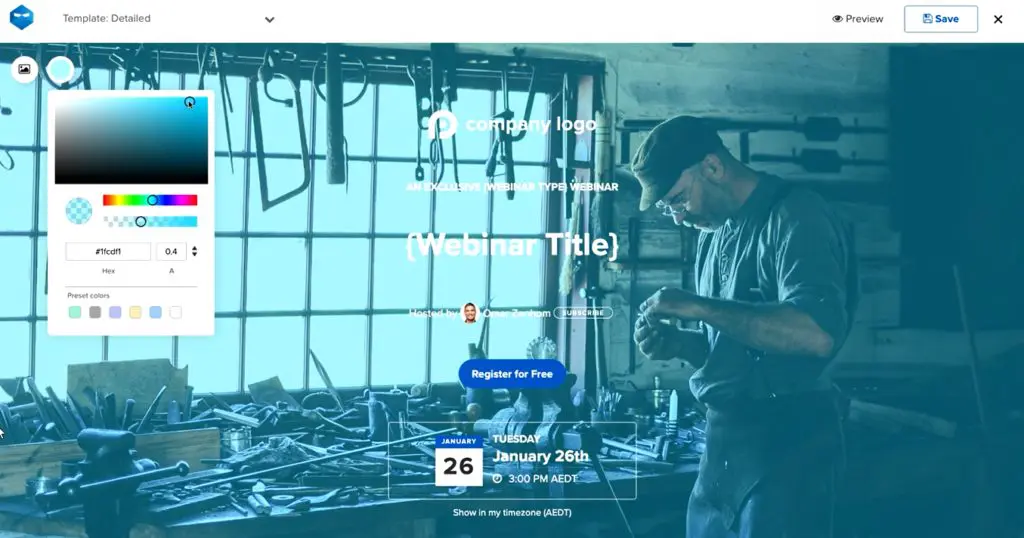
WebinarNinja is now part of ProProfs, and two things have changed. Pricing has moved to a single plan that you pay for per attendee, and a set of AI tools now comes with it. The AI can answer common questions in the live chat, write registration page headlines, and turn a finished webinar into blog posts, social snippets, and follow-up emails.
For course sellers, the integration with CourseNinja is a real plus. It lets you run live or on-demand courses alongside your webinars, complete with a student portal and payment options.
Add in the analytics, Stripe integration, and easy connections with email tools like Kit or Mailchimp, and you’ve got a platform built to drive both engagement and sales.
Standout Features In Webinar Ninja
- Supports all webinar types, including live, automated, series, and hybrid
- Unlimited webinars, registrants, co-presenters, and replays on the one plan
- Built-in landing pages and registration forms (no extra software needed)
- Automated email reminders and follow-ups
- Mid-webinar engagement tools such as polls, Q&A, offers, and handouts
- AI tools for live chat answers, headlines, follow-up content, and sales coaching
- Stripe integration for paid webinars and courses
- Native CourseNinja platform included for live and on-demand courses
- Detailed analytics and reporting to track sign-ups, attendance, and conversions
- Integrations with top email marketing tools, an API, and Zapier
WebinarNinja Pricing and Free Trial
WebinarNinja offers a 14-day free trial with full access so you can test before committing. It no longer sells Basic, Pro, and Business tiers. You get one plan with every feature, and the price depends on how many attendees you want to host per session.
- All-in-one plan, $0.60 per attendee per month
Billed monthly. A room for 100 attendees works out to $60 a month. - Annual billing, $0.30 per attendee per month
The same plan at half the price. A room for 100 attendees works out to $30 a month. - 1,000+ attendees
Enterprise pricing through the sales team.
If you’re looking for webinar software that helps you generate leads, nurture prospects, and tie everything into your course business, WebinarNinja is one of the most complete options available.
| Feature | All-in-one |
|---|---|
| Price | $0.60 per attendee/mo monthly, $0.30 yearly |
| Free trial | 14 days |
| Webinars, registrants, co-presenters | Unlimited |
| Live, automated, series & hybrid webinars | ✓ |
| Recording & cloud storage | Unlimited |
| Max webinar length | 8 hours (more on request) |
| Paid webinars via Stripe | Yes, no WebinarNinja fee |
| Live & on-demand courses (CourseNinja) | ✓ |
| Custom branded URL | ✓ |
| API & Zapier | ✓ |
| Email automation | ✓ |
| 1,000+ attendees | Talk to sales |
WebinarNinja Strengths & Weaknesses
| Strengths | Weaknesses |
|---|---|
| Simple pricing model that scales with attendees instead of confusing tiers. | No native CRM, so you’ll still need an external system for full sales pipelines. |
| Strong reputation for reliability, with fewer connection or streaming glitches compared to some smaller platforms. | Lacks deep customization for branding beyond templates (bigger brands may find it limiting). |
| Every feature, including automated webinars and AI tools, comes with the one plan. | Pricing gets expensive quickly if you’re consistently hosting large-scale webinars (500+ attendees). |
| Smooth presenter experience, and unlimited co-presenters can join without technical hassle. | Reporting is useful but not as advanced as enterprise-level platforms like ON24 or BigMarker. |
| Bundled access to CourseNinja gives real value if you want both webinars and courses under one roof. | Not as widely adopted for corporate events, so some attendees may prefer familiar platforms like Zoom. |

2. Zoom Webinars

- Starting price: $66.67/month on annual billing ($89 monthly) for up to 500 attendees
I’ve used Zoom Webinars for client workshops, training sessions, and larger events, and the biggest advantage is how simple it is for people to join.
Everyone already knows Zoom, which means no time wasted explaining the tech.
For coaches and course creators, that matters because you want your audience focused on your content, not fumbling with logins.
It’s important to note that Zoom Webinars is not the same as regular Zoom Meetings. In webinars, attendees are in view-only mode while you, as the host, control who can present or come on stage. That makes it far better for structured events like course launches or paid workshops.
Zoom’s standard webinar plan includes only basic registration pages and reminder emails, which is a drawback if you want an all-in-one system. The stronger event pages, pre-recorded sessions, and backstage tools sit in the Webinars Plus plan.
But it does integrate with CRMs, email tools, and course platforms such as Thinkific and Kajabi, so you can still connect registrations and follow-ups into your business flow.
Add in Zoom’s AI features like smart chapters for recordings and AI-written event pages, and you also get useful ways to repurpose your recordings into evergreen assets.
Standout Features
- Supports up to 100,000 attendees with enterprise options
- One-click join links that your audience already knows how to use
- AI tools that create smart chapters, event page text and images, and content from recordings
- Backstage space for speaker prep before going live (Webinars Plus)
- Audience engagement tools such as polls, Q&A, chat, and reactions
- Integrations with HubSpot, Salesforce, Marketo, and other marketing tools
- Professional layouts, branding tools, and recording options
- Hybrid event features for large summits and multi-day programs (Zoom Events)
Zoom Webinars Pricing and Free Trial
Zoom requires a paid Zoom Workplace Pro license to access its webinar features, and it has no free webinar plan. Pricing then depends on the level of functionality and the attendee capacity you need. The prices below are for 500 attendees.
- Zoom Webinars, $89/month ($66.67 on annual billing)
Standard plan with unlimited webinars at your chosen attendee capacity. Best for creators who need a reliable broadcast tool. - Zoom Webinars Plus, $99/month ($82.50 on annual billing)
Adds advanced production features like backstage, “Simulive” pre-recorded sessions, and AI event pages. More suited to professional educators and marketers. - Zoom Events, $149/month ($124.17 on annual billing)
Full event platform for multi-day or hybrid events, with ticketing, sponsor tools, and attendee networking. Ideal if you’re hosting conferences or large-scale launches.
Zoom’s checkout showed me higher annual figures than its plan cards for Webinars Plus and Events, so confirm the final price for your attendee capacity before you buy.
| Feature | Webinars | Webinars Plus | Events |
|---|---|---|---|
| Max attendees (by tier) | Up to 100,000 | Up to 100,000 | Up to 100,000 |
| Video panelists | Up to 1,000 | Up to 1,000 | Up to 1,000 |
| Max event length | 30 hours | 30 hours | 30 hours |
| Pre-recorded sessions (simulive) | ✗ | ✓ | ✓ |
| Backstage & production studio | ✗ | ✓ | ✓ |
| Breakout rooms | ✗ | ✓ | ✓ |
| Video resolution | 720p | 1080p | 1080p |
| Landing pages & reminder emails | Basic | Advanced | Advanced |
| Ticketing | Basic | Advanced | Advanced |
| AI content generation (text, images, clips) | ✗ | ✓ | ✓ |
| Analytics | Basic | Advanced + cross-event | Advanced + cross-event |
| Multi-session / multi-day events | ✗ | ✗ | ✓ |
| Attendee networking, expo floor, sponsors | ✗ | ✗ | ✓ |
| Hybrid tools (badges, QR check-in) | ✗ | ✓ | ✓ |
| Stripe payments | ✗ | ✓ | ✓ |
| HubSpot, Salesforce, Marketo integrations | ✓ | ✓ | ✓ |
Zoom Webinars Strengths & Weaknesses
| Strengths | Weaknesses |
|---|---|
| Familiar interface that attendees already know how to use. | Landing pages and reminder emails are basic on the standard plan. |
| Can scale from small webinars to 100,000 attendees. | Requires an extra subscription (Zoom Workplace Pro) before you can use webinars at all. |
| Engagement tools (polls, Q&A, reactions) work reliably. | Branding and customization options are basic compared to competitors. |
| AI features save time with chapters, event pages, and repurposed content. | Pricing adds up quickly if you only run small, occasional webinars. |
| Strong set of integrations with CRMs and course platforms. | Reporting and analytics are more limited than dedicated webinar marketing tools on the standard plan. |

3. WebinarJam

- Starting price: $39/month on annual billing ($49 monthly)
Webinars should teach and actively sell, and WebinarJam is built exactly for that.
It’s one of the few platforms where you can pop up clickable offers, add scarcity timers, and push handouts or links right inside the presentation.
For coaches and course creators running live launches or high-ticket sales calls, those features can directly boost conversions.
The scale is another big plus, with up to 5,000 live attendees and six presenters on screen. That makes it suitable for summits, group coaching events, or joint ventures. The “Replica Replay” is also valuable. Replays mimic the live room, complete with offers and chat, so you can keep selling after the session ends.
But WebinarJam isn’t perfect. The interface feels dated compared to newer platforms, and setup takes time. Its automation runs through EverWebinar, a sister product that comes included from the Basic plan up. Session length is also capped by plan, starting at one hour on Starter.
If you want a sales page to go with your webinar funnel, pair it with one of the tools in my list of the best landing page software.
Standout Features
- Supports up to 5,000 live attendees and 6 presenters
- Built-in sales tools such as live offers, urgency timers, and clickable CTAs
- Replica Replay, which makes replays mimic the live session with chat and offers
- Page builder for branded registration and thank-you pages
- Email and SMS reminders with behavioral follow-ups
- Panic Button, which instantly reboots the room during tech issues (higher plans)
- Polls, whiteboard, and attendee spotlight for interaction
- Broadcasting to Facebook and YouTube
- Full integrations with CRMs and autoresponders, plus one-click registration links
WebinarJam Pricing and Free Trial
WebinarJam doesn’t have a free plan, but it does offer a paid trial ($1 for a 14-day trial) and a 30-day money-back guarantee. Plans scale by audience size and features:
- Starter, $39/month on annual billing ($49 monthly)
100 attendees, 1 host. Good for new course creators testing webinars as a sales or teaching tool. Includes the core engagement and replay features. - Basic, $79/month on annual billing ($99 monthly)
500 attendees, 2 hosts. Designed for growing coaches and online educators running regular webinars. Comes with EverWebinar automation at no extra cost. - Professional, $229/month on annual billing ($299 monthly)
2,000 attendees, 4 hosts. Great for established businesses scaling large coaching or product launch events. Adds longer durations and more team seats. - Enterprise, $379/month on annual billing ($499 monthly)
5,000 attendees, 6 hosts. Built for organizations or creators running major virtual summits. Maximum capacity with advanced controls.
| Feature | Starter | Basic | Professional | Enterprise |
|---|---|---|---|---|
| Attendees per webinar | 100 | 500 | 2,000 | 5,000 |
| Max webinar length | 1 hour | 2 hours | 3 hours | 4 hours |
| Hosts | 1 | 2 | 4 | 6 |
| Extra team members | 1 | 5 | 10 | 25 |
| Webinars | Unlimited | Unlimited | Unlimited | Unlimited |
| Automated webinars (EverWebinar) | ✗ | ✓ | ✓ | ✓ |
| Email & SMS reminders | ✓ | ✓ | ✓ | ✓ |
| Live offers, polls, whiteboard | ✓ | ✓ | ✓ | ✓ |
| Broadcast to Facebook & YouTube | ✓ | ✓ | ✓ | ✓ |
| Attendee spotlight | ✗ | ✓ | ✓ | ✓ |
| Always-on live room & panic button | ✗ | ✗ | ✓ | ✓ |
| Control panel | ✗ | ✗ | ✗ | ✓ |
| Money-back guarantee | 30 days | 30 days | 30 days | 30 days |
WebinarJam: Strengths & Weaknesses
| Strengths | Weaknesses |
|---|---|
| Excellent for selling during webinars with live offers and CTAs. | Interface feels dated compared to modern platforms like Demio. |
| Replica Replay makes replays feel live and boosts conversions. | Pricing jumps steeply once you need higher attendee limits. |
| Scales to 5,000 attendees, great for large launches. | Setup and customization can be overwhelming for beginners. |
| Panic Button is a unique safeguard against tech failures. | The Starter plan leaves out EverWebinar automation and caps webinars at one hour. |
| Deep CRM integrations with tagging and behavioral rules. | Support response times can be inconsistent during peak demand. |

4. Demio

- Starting price: $45/month on annual billing ($63 monthly)
I’ve used Demio for coaching sessions and course launches where I wanted a platform that felt modern, clean, and simple for both me and the attendees.
It’s one of the easiest webinar tools to get up and running. I’ve been able to set up events in under half an hour without worrying about tech headaches.
From a course creator’s perspective, the big win is how Demio balances engagement with analytics. You get polls, handouts, Q&A, and the option to bring attendees on stage, while in the background the system tracks who engaged most so you can spot real prospects.
Since joining the Banzai family, Demio has leaned heavily into ROI-focused features, with detailed engagement analytics and integrations with CRMs like HubSpot, Salesforce, and Marketo on its top plan.
The addition of Demio AI also means you can auto-transcribe recordings and answer on-demand chat messages.
On the downside, Demio isn’t as customizable for branding as WebinarJam or ON24, and while it’s sleek, pricing climbs quickly once you scale beyond the Starter plan.
Demio’s Standout Features
- Clean, modern interface with quick setup (under 30 minutes)
- Engagement tools such as polls, handouts, Q&A, and chat with tagging and mentions
- Bring attendees on stage for live interaction
- Engagement analytics to track who’s most interested
- CRM integrations with HubSpot, Salesforce, and Marketo on the Premium plan
- Automated and on-demand webinars with Showcase pages from the Growth plan
- Demio AI for auto-transcriptions and answers to on-demand chat messages
- Works across devices with no downloads required
Demio Pricing and Free Trial
Demio offers a 14-day free trial (limited to 20 attendees and 1-hour sessions) so you can test it out. Paid plans are based on attendee room size and features:
- Starter, $45/month paid yearly ($63 monthly)
50 attendees, 1 host. Best for solo coaches or course sellers running smaller live sessions. - Growth, from $80/month paid yearly ($117 monthly)
Priced per host for a 150-attendee room, with larger rooms up to 3,000. Ideal for growing educators and businesses needing automated webinars, branding, and multiple hosts. - Premium, from $196/month paid yearly
Adds live captions and transcripts, custom domains, premium integrations, and up to 10 people on stage. Best for established course businesses that rely heavily on webinars for sales.
| Feature | Starter | Growth | Premium |
|---|---|---|---|
| Attendee room | 50 | 150 to 3,000 | 150 to 3,000 |
| Hosts | 1 only | Per host | Per host, no limit |
| Session limit | 3 hours | 8 hours | 10 hours |
| People on stage | 4 | 6 | 10 |
| Event admins | 15 | 25 | 50 |
| Chat, polls, handouts, analytics | ✓ | ✓ | ✓ |
| Live & event series | ✓ | ✓ | ✓ |
| Pre-recorded & automated webinars | ✗ | ✓ | ✓ |
| Custom room & email branding | ✗ | ✓ | ✓ |
| Embed events on your site (Showcase) | ✗ | ✓ | ✓ |
| 1080p streaming & restreaming | ✗ | ✗ | ✓ |
| Live captions & auto-transcripts | ✗ | ✗ | ✓ |
| Custom domains | ✗ | ✗ | ✓ |
| HubSpot, Salesforce, Marketo integrations | ✗ | ✗ | ✓ |
| Support | Standard | Standard | Priority + dedicated CSM |
| Free trial (20 attendees, 1-hour sessions) | 14 days | 14 days | 14 days |
Demio Strengths & Weaknesses
| Strengths | Weaknesses |
|---|---|
| Super intuitive, and setup is faster than most webinar tools. | Pricing rises steeply once you scale beyond the Starter plan. |
| Great engagement analytics for spotting your hottest leads. | Limited customization for branding compared to WebinarJam or ON24. |
| Demio AI adds practical features like auto-transcription and chat replies. | The Starter plan has no automated webinars and allows a single host. |
| Strong integrations with top CRMs and email tools. | Session length is capped (3 to 10 hours depending on plan). |
| Modern, no-download interface improves attendee experience. | Not as feature-rich for hybrid or very large-scale events. |

5. Livestorm

- Starting price: $1,200 a year for 400 attendee credits, which is $3 per attendee
Livestorm is a high-end webinar platform for corporate sessions.
When I’ve used it for course launches and client training sessions, I’ve enjoyed how it combines lead generation, engagement, and integrations into one polished package.
Unlike basic webinar tools, Livestorm comes with conversion-focused registration pages you can fully brand, automated email sequences for reminders and follow-ups, and source tracking so you know which marketing channels drive sign-ups.
Inside the webinar room, it feels closer to a professional event platform than a meeting app. You can run polls, Q&As with upvotes, breakout rooms, file sharing, and emoji reactions, all of which keep audiences engaged and help you gather feedback in real time.
If you’re coaching internationally, live captions and AI-powered translated subtitles add another layer of accessibility. Translations are a paid add-on.
After the event, you get detailed analytics that show who registered, who stayed engaged, where attendees dropped off, and which offers or links got the most clicks.
Livestorm has also changed how it charges. You no longer pay a monthly fee. You buy attendee credits for the year and spend one credit each time a person joins a session, so you only pay for people who show up.
For larger teams, the Enterprise plan adds deep native integrations with tools like HubSpot, Salesforce, Marketo, and Pardot.
That means your leads, engagement data, and replay views flow straight into your CRM or automation system. If webinars are a key part of how you generate and convert leads, Livestorm offers one of the most complete pipelines in this space.
Livestorm’s Standout Features
- 100% browser-based, with no downloads required
- Customizable, branded registration pages with conversion tracking
- Automated email cadences for reminders and follow-ups
- Engagement tools such as polls, Q&A with upvotes, breakout rooms, file sharing, and emojis
- Live captions, instant replays, and AI content repurposing
- AI Studio add-on that turns replays into short clips
- Source tracking and detailed analytics on engagement and drop-offs
- Zapier on every plan, with HubSpot, Salesforce, Marketo, and Pardot on Enterprise
- Unlimited events, recordings, and team members
- Supports up to 3,000 live attendees per event
Livestorm Pricing and Free Trial
Livestorm lets you try the platform for free before you buy. Paid plans are based on attendee credits, and one credit covers one unique attendee in one session, whether they watch live or on demand.
- Pro, from $1,200 a year
400 attendee credits a year, with 4-hour sessions and all core features like branded pages, automation, and unlimited team members. Bigger credit packs cost less per attendee. Best for solo creators or small coaching teams running regular webinars. - Enterprise, custom pricing
Built for organizations running large-scale events, with 12-hour sessions, enterprise integrations, custom analytics, and a dedicated customer success manager.
| Feature | Pro | Enterprise |
|---|---|---|
| Pricing model | $3.00 per attendee credit | Custom |
| Max live attendees | 3,000 per event | 3,000 per event |
| Max event length | 4 hours | 12 hours |
| Team members & moderators | Unlimited | Unlimited |
| Simultaneous speakers | 25 | 25 |
| Automated, on-demand & multi-session events | ✓ | ✓ |
| Branded registration pages & email cadences | ✓ | ✓ |
| Live captions & instant replays | ✓ | ✓ |
| AI content repurposing | ✓ | ✓ |
| PowerPoint embedding | ✗ | ✓ |
| Zapier | ✓ | ✓ |
| HubSpot, Salesforce, Marketo, Pardot | ✗ | ✓ |
| Dedicated CSM & event shadowing | ✗ | ✓ |
| Support | Standard | VIP + SLA |
Livestorm: Strengths & Weaknesses
| Strengths | Weaknesses |
|---|---|
| Browser-based access means no downloads or tech hurdles for attendees. | No monthly billing. The Pro plan is sold as yearly attendee credits. |
| Usage-based pricing means you pay only for people who attend. | Pricing starts high compared to simpler platforms. |
| Detailed analytics on attendance, engagement, and source tracking. | Native CRM integrations and custom analytics are locked behind the Enterprise plan. |
| Strong engagement tools such as polls, Q&A upvotes, breakout rooms, and file sharing. | Can feel like overkill if you only need a simple webinar tool. |
| Professional-grade reliability and GDPR/ISO 27001 compliance. | Event duration limits (4 hours on Pro) may restrict long-form training. |

6. GoToWebinar

- Starting price: $59/month on annual billing ($69 monthly)
GoToWebinar stands out for its balance between simplicity and scale. Unlike lighter tools, GoToWebinar is built for structured, professional events where you want both engagement and reliable reporting.
Setting up is straightforward, and you don’t need IT support, which is a relief if you’re running everything yourself as a course creator.
For lead generation, it covers the basics well on every plan, with registration, reporting, automated email reminders, polls, and live Q&A.
On the top plan, registration source tracking tells you exactly where signups came from, and you can run paid events and certified training.
It has also added AI. The Elevate plan creates summaries and transcripts of your webinars, and channel pages let you turn recordings into on-demand assets that continue attracting leads.
The platform isn’t as sleek or modern as competitors like Livestorm or Demio, and branding options feel limited.
But if you need a dependable, corporate-grade webinar tool with CRM integrations, automated emails, and certificate generation, GoToWebinar delivers consistently.
Standout Features in GoToWebinar
- Up to 3,000 participants, plus live streaming to unlimited attendees on the Complete plan
- Reporting, automated emails, polls, and live Q&A on every plan
- Simulive events that run a recording as a live session
- Closed captions, plus AI summaries and transcripts from the Elevate plan
- Cloud recordings, breakout rooms, custom branding, and custom URLs from the Elevate plan
- Channel pages for sharing replays with wider audiences
- Paid events, certificates, and source tracking on the Complete plan
- Integrations with Salesforce, HubSpot, and other business tools
GoToWebinar Pricing and Free Trial
GoToWebinar offers a free trial with no credit card required. It has replaced its old Lite, Standard, Pro, and Enterprise tiers with three plans:
- Reach, $59/month billed annually ($69 monthly)
500 participants, 1 organizer. Webinars with registration, reporting, automated emails, polls, and Q&A. - Elevate, Custom pricing
1,000 participants. Adds cloud recordings, custom branding, breakout rooms, and AI summaries. You now need to contact sales for a price. - Complete, Custom pricing
3,000 participants, paid events. Adds source tracking, certificates, live streaming, and a GoTo Meeting license.
| Feature | Reach | Elevate | Complete |
|---|---|---|---|
| Participants | Up to 500 | Up to 1,000 | Up to 3,000 |
| Organizer seats | 1 | 1 | Custom |
| Reporting, email reminders, polls & Q&A | ✓ | ✓ | ✓ |
| Simulive (pre-recorded as live) | ✓ | ✓ | ✓ |
| Closed captions | ✓ | ✓ | ✓ |
| Cloud recordings | ✗ | Yes (unlimited storage) | Yes (unlimited storage) |
| Breakout rooms | ✗ | ✓ | ✓ |
| Custom branding & custom URL | ✗ | ✓ | ✓ |
| AI summaries & transcripts | ✗ | ✓ | ✓ |
| Video editor & embedding | ✗ | ✓ | ✓ |
| Channel pages | ✗ | 10 | 30 |
| Paid events (accept payments) | ✗ | ✗ | ✓ |
| Certificates | ✗ | ✗ | ✓ |
| Registration source tracking | ✗ | ✗ | ✓ |
| Live stream to unlimited attendees | ✗ | ✗ | ✓ |
| GoTo Meeting license included | ✗ | ✗ | ✓ |
GoToWebinar: Strengths & Weaknesses
| Strengths | Weaknesses |
|---|---|
| Reliable, enterprise-grade security and stability. | Interface feels dated compared to newer tools. |
| Generous 500-participant limit on the entry plan. | Branding/customization is limited beyond templates. |
| Strong analytics, with source tracking and post-event reports. | Only the entry plan has a public price. The two higher plans need a sales call. |
| Solid CRM and marketing integrations (HubSpot, Salesforce, etc.). | Cloud recordings, breakout rooms, and branding are missing from the entry plan. |
| Channel pages let webinars generate ongoing leads as evergreen content. | Mobile experience and user interface aren’t as smooth as Demio or Zoom. |

7. ClickMeeting
- Starting price: €31.92/month on annual billing (€41 monthly)
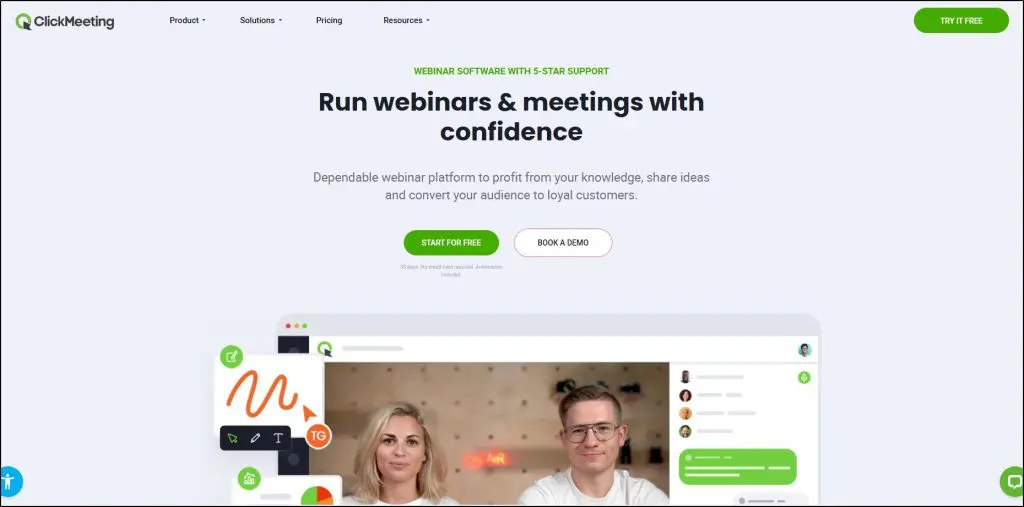
ClickMeeting is one of the more balanced webinar tools I’ve used. It’s not as flashy as Demio or Livestorm, but pound for pound, it delivers a lot of value for coaches and course creators.
What sets it apart is flexibility. You can run live, automated, and on-demand webinars, and paid sessions too, all from a single dashboard.
For example, I’ve seen creators sell training replays directly through its payment integrations without needing another ecommerce tool.
It’s also practical for teaching. Breakout rooms let you split learners into smaller groups, while the whiteboard, polls, and surveys make it easier to keep sessions interactive. Live and AI transcription now come with every plan.
You can stream directly to YouTube, Facebook, or LinkedIn if you want wider reach, and the built-in registration pages and email reminders mean you don’t have to juggle too many external tools.
On the downside, the interface feels more “functional” than polished, and the reporting isn’t as deep as Livestorm or GoToWebinar.
But for the price, ClickMeeting gives small and mid-sized creators a dependable way to run professional webinars without breaking the bank.
Standout Features in ClickMeeting
- Live, automated, and on-demand webinars
- Paid webinars with Stripe, PayPal, and PayU integration
- Breakout rooms for training or group coaching
- Whiteboard, polls, surveys, and Q&A tools
- Live and AI transcription
- Stream to Facebook, YouTube, or LinkedIn
- Custom room branding and email invitations
- Integrations through Zapier, HubSpot, and an API
- Certificates of attendance for students
ClickMeeting Pricing and Free Trial
ClickMeeting offers a 14-day free trial (25 attendees, no card). Paid plans scale by attendees, and the prices below are for a 50-attendee room. ClickMeeting showed me its prices in euros, so your currency may differ.
- Live Plan, from €31.92/month on annual billing (€41 monthly)
Best for creators running small live sessions with all core tools included. - Automated Plan, from €42/month on annual billing (€52 monthly)
Adds automation, on-demand replays, reminders, follow-up emails, and certificates. Useful if you want to monetize replays or run evergreen webinars. - Enterprise, custom pricing
Scales to 10,000 attendees, with white-labeling, SSO, and dedicated support.
| Feature | Live | Automated | Enterprise |
|---|---|---|---|
| Attendees | 50 to 1,000 (priced by tier) | 50 to 1,000 (priced by tier) | Up to 10,000 |
| Presenters (incl. host) | 2 to 4 by tier | 2 to 4 by tier | From 5 |
| Extra logins (multiusers) | 3 | 3 | From 5 |
| Recording storage | 6 hours | 10 hours | From 10 hours |
| File storage | 1 GB | 2 GB | From 2 GB |
| Number of meetings & webinars | No limit | No limit | No limit |
| Breakout rooms, polls, Q&A, whiteboard | ✓ | ✓ | ✓ |
| Custom room branding | ✓ | ✓ | ✓ |
| Live & AI transcription | ✓ | ✓ | ✓ |
| Paid webinars (Stripe, PayPal, PayU) | ✓ | ✓ | ✓ |
| Automated & on-demand webinars | ✗ | ✓ | ✓ |
| Automated reminders & follow-up emails | ✗ | ✓ | ✓ |
| Certificates of attendance | ✗ | ✓ | ✓ |
| Auto-stream to Facebook, YouTube, LinkedIn | ✗ | ✓ | ✓ |
| API, Zapier & HubSpot | ✓ | ✓ | ✓ |
| Account manager & onboarding | On demand | On demand | ✓ |
| White label, reseller & SSO | ✗ | ✗ | ✓ |
ClickMeeting Strengths & Weaknesses
| Strengths | Weaknesses |
|---|---|
| Affordable entry price compared to most webinar tools. | Interface is functional but feels dated compared to Demio or Livestorm. |
| Supports live, automated, on-demand, and paid webinars in one platform. | Reporting and analytics are basic and not ideal for data-driven teams. |
| Breakout rooms and whiteboard make it effective for teaching. | Recording storage is limited on the standard plans. |
| Built-in monetization via Stripe, PayPal, or PayU without needing external checkout. | Free trial is capped at 25 attendees, which is very restrictive. |
| AI transcription comes with every plan. | Video quality can dip slightly in larger sessions. |

8. ON24
- Starting price: Custom quote
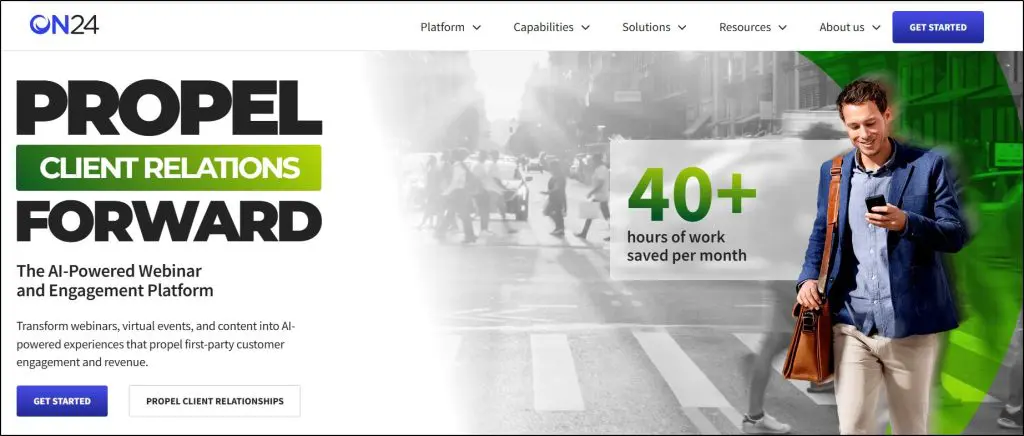
ON24 isn’t software you buy to run a small coaching webinar. It’s built for enterprise-level marketing, product demos, virtual conferences, and high-ticket course launches.
What sets ON24 apart is how it uses AI. ON24 turns webinars into full content journeys. After an event, you can repurpose your session into AI-generated blogs, ebooks, transcripts, highlight clips, and personalized nurture pages for different audience segments.
For a big course launch or multi-day summit, that’s incredibly powerful because you’re creating a library of assets that continue to work after the live session ends.
It also has deep analytics.
You see exactly who clicked what, downloaded resources, asked questions, and showed buying intent.
That data flows directly into your CRM (Salesforce, HubSpot, Marketo, etc.), giving your sales or enrollment team qualified leads right away.
The flip side is that ON24 is complex and expensive.
It’s not designed for solo coaches or small course creators. Its setup takes more work, and pricing is only available through sales reps. But for larger businesses running high-stakes webinars, it’s one of the most advanced platforms available.
Standout Features in ON24
- AI-generated content that repurposes webinars into blogs, ebooks, clips, and transcripts
- Personalized webinar journeys with dynamic CTAs, layouts, and nurture pages
- Over 20 engagement tools, including polls, surveys, breakout rooms, chat, Q&A, and handouts
- Detailed attendee analytics with engagement heat maps, buying signals, and account-level insights
- More than 30 CRM and marketing automation integrations (Salesforce, HubSpot, Marketo, Eloqua)
- Content hubs for always-on webinars and campaigns
- Virtual event capabilities as an add-on, with multi-track conferences, networking lounges, and sponsor tools
ON24 Pricing and Free Trial
ON24 does not publish its pricing. You’ll need to request a custom quote based on your audience size and feature requirements. Pricing is structured for mid-to-large businesses and includes three tiers:
- Essentials: Core webinar and analytics features
- Standard: Adds AI-generated content, personalization, and advanced analytics
- Advanced: Includes content hubs, personalized landing pages, and enterprise-level event support
ON24 has no free plan, but you can request a demo to see how it works.
| Feature | Essentials | Standard | Advanced |
|---|---|---|---|
| Price | Quote only | Quote only | Quote only |
| Live, simulive & on-demand webinars | ✓ | ✓ | ✓ |
| Branded registration pages & automated emails | ✓ | ✓ | ✓ |
| 30+ CRM & marketing automation integrations | ✓ | ✓ | ✓ |
| Performance analytics | ✓ | ✓ | ✓ |
| Segment personalization | ✗ | ✓ | ✓ |
| Key Moments (engagement heat map) | ✗ | ✓ | ✓ |
| Automated nurtures | ✗ | ✓ | ✓ |
| AI-generated content & clips | ✗ | ✓ | ✓ |
| Account-level analytics | ✗ | ✓ | ✓ |
| Content hubs | ✗ | ✗ | ✓ |
| Personalized landing pages | ✗ | ✗ | ✓ |
| Virtual events | Add-on | Add-on | Add-on |
ON24 Strengths & Weaknesses
| Strengths | Weaknesses |
|---|---|
| AI repurposing saves huge time by turning one webinar into multiple content assets. | No public pricing, so it requires sales calls and enterprise contracts. |
| Advanced analytics with intent signals and CRM integration. | Too complex for solo creators or small teams, with a steep learning curve. |
| Strong engagement suite (20+ tools) plus networking and sponsor features. | Overkill if all you need is simple webinars or masterclasses. |
| Works for multi-day, multi-track conferences as well as single webinars. | Setup and customization can be time-intensive compared to plug-and-play tools. |
| Enterprise-level security, compliance, and reliability. | High cost, which makes it viable mainly for large organizations. |

9. BigMarker
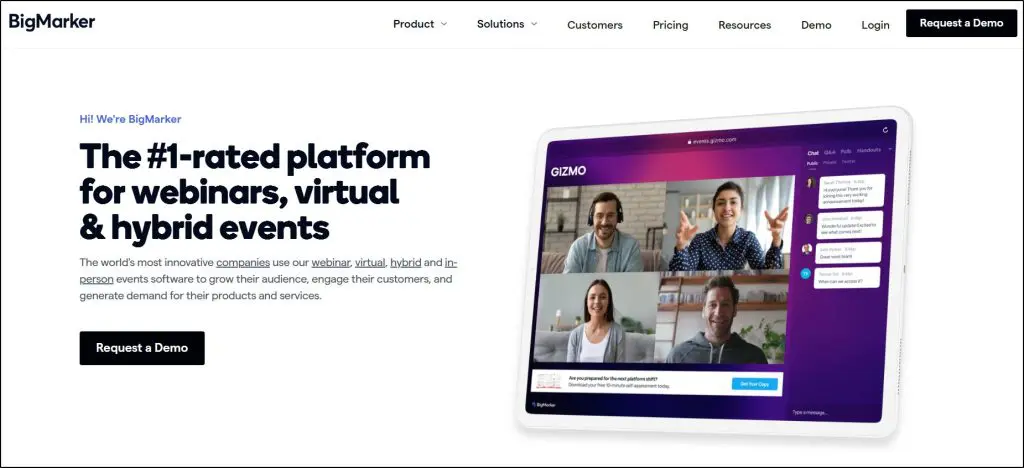
- Starting price: Custom quote
I’ve seen a lot of webinar platforms try to stretch into the “all-in-one” category, but BigMarker is one of the few that pulls it off.
Unlike repurposed video tools, this one was built specifically for webinars, virtual conferences, and hybrid events.
For course creators and coaches running live launches, summits, or evergreen funnels, the real differentiator is its interactive player.
You can insert clickable CTAs, pop-ups, handouts, and embedded forms right inside the webinar stream.
That means your audience is actively engaging and buying.
What also stands out is its flexibility of format. You can run live, simulive, on-demand, or fully automated events, all in the same platform.
And because it’s fully browser-based, attendees don’t need to download anything, which reduces friction (a big deal when you’re selling high-ticket offers).
On the downside, BigMarker is complex. It has a learning curve, especially if you’re coming from Zoom or Demio, and the interface can feel overwhelming at first.
Pricing is also opaque and you’ll need to talk to sales for a custom quote, which isn’t ideal if you want to get started quickly.
Still, for creators scaling into virtual summits, hybrid conferences, or year-round content hubs, it’s one of the most complete platforms you’ll find.
Standout Features
- Interactive webinar player with CTAs, pop-ups, forms, and polls
- Supports live, simulive, on-demand, and 24/7 evergreen webinars
- Virtual event “venues” with breakout rooms, exhibitor halls, and networking tools
- Built-in ticketing and payments on the Enterprise packages
- Media hubs for repurposing webinars into always-on content libraries
- Integrations with CRMs and marketing automation tools, plus an API and Zapier
- Live captions and live translation on the top package
- White-labeling options for agencies and enterprises
BigMarker Pricing & Free Trial
BigMarker doesn’t list standard pricing on its site, so you’ll need to request a quote. It does, however, structure its offerings into three main packages:
- Basic (Quote-based): 1,000 live attendees, 1 host, live and on-demand webinars, interactive features, and basic analytics.
- Enterprise (Quote-based): 10,000 live attendees, 4 hosts, CRM integrations, advanced analytics, breakout rooms, evergreen webinars, and API access.
- Enterprise+ (Quote-based): 500,000 live attendees, 6 hosts, advanced branding and white-label options, live translation, enhanced security, and dedicated success management.
BigMarker offers trials and proofs of concept on request.
| Feature | Basic | Enterprise | Enterprise+ |
|---|---|---|---|
| Price | Quote only | Quote only | Quote only |
| Live attendees | Up to 1,000 | Up to 10,000 | Up to 500,000 |
| Host licenses | 1 | 4 | 6 |
| Webcams on screen | Up to 9 | Up to 64 | Up to 64 |
| Live & on-demand webinars, recording | ✓ | ✓ | ✓ |
| Facebook & YouTube Live | ✓ | ✓ | ✓ |
| Simulive, evergreen & 24/7 webinars | ✗ | ✓ | ✓ |
| Ticketing & payments | ✗ | ✓ | ✓ |
| Breakout rooms & certificates | ✗ | ✓ | ✓ |
| CRM/marketing automation integrations | Basic | 1 | 2 |
| API & Zapier | ✗ | ✓ | ✓ |
| Analytics | Basic | Advanced | Advanced |
| White-labeled domains & custom page designer | ✗ | ✗ | ✓ |
| Live captions & live translation | ✗ | ✗ | ✓ |
| SSO & MFA | ✗ | ✗ | ✓ |
| Support | Not listed | Customer success manager + SLA | Enhanced success + live event monitoring |
BigMarker Strengths & Weaknesses
| Strengths | Weaknesses |
|---|---|
| Fully browser-based, with no downloads for attendees. | Pricing is not transparent and requires sales calls. |
| Interactive player boosts engagement and conversions. | Can feel overwhelming to set up compared to simpler tools. |
| Handles everything from small webinars to 500K-person virtual summits. | Higher learning curve for casual users or small creators. |
| Offers unique “media hubs” for repurposing content into evergreen assets. | Evergreen webinars, ticketing, and breakout rooms are left out of the Basic package. |
| Strong enterprise features such as white-labeling, SSO, and custom branding. | Best features (automation, advanced analytics) are locked behind enterprise tiers. |

7 Qualities of the Best Webinar Platforms
Whether a webinar platform is worth your money largely depends on your business goals and resources.
But here are the main questions you need to ask when choosing a webinar platform:
Webinar Types & Features
- How’s the video and streaming quality?
- Can you offer pre-recorded and scheduled webinars?
- What are the user engagement features?
- Can you offer recordings and replays?
Number Of Participants
- Can the webinar platform host all your audience?
- Does its streaming quality deteriorate with more participants?
- Can you manually add/remove participants?
User Accessibility
- How easily can people join your webinar?
- Do they need to download a new app or register for an account?
- Is there a time limit for unregistered participants?
- Does it support your target countries?
eCommerce Features
- Can you sell products, such as courses and digital downloads, from your webinars?
- What are the supported payment gateways?
- What are the transaction charges?
User Experience
- Is the platform easy to use and explore?
- Is it cloud-based or device-based, or both?
- Are the key options clearly highlighted?
Third-Party Integrations
- Does it integrate with the top email marketing and list building tools?
- Can you link it with your CRM?
- What business apps does it support?
Pricing Structure
- Is it within your budget? Our free creator tools can help you work out the numbers.
- Does it charge users a monthly/annual rate or per participant?
Which is the Best Webinar Software for Your Business?
I’ve shared my experience of using the top webinar platforms and given you guidelines for choosing the best option for your expertise-based business.
Now it’s your turn to carefully evaluate these platforms and make the right call.
For us, these are the top five platforms for 2026.
- WebinarNinja: The best overall solution for course creators.
- WebinarJam: The strongest built-in sales tools at a very affordable price.
- Livestorm: The best alternative to Zoom for fast-growing businesses.
- Demio: The most user-friendly webinar platform with advanced marketing features.
- ClickMeeting: The overall best value for money.
Many of these webinar platforms offer free trials. So, take the time to test them out and see which one aligns with your business goals. It’s worth investing that little extra effort to find the platform that will help you deliver impactful webinars.
Once the webinar is over, the follow-up decides how much you earn from it. My guide to email marketing best practices covers how to turn registrants into customers.
Frequently Asked Questions (FAQs)
What is the best webinar platform for course creators?
WebinarNinja is my top pick for course creators. It supports live, automated, series, and hybrid webinars, includes landing pages and email reminders, and comes with CourseNinja for live and on-demand courses. It costs $0.30 per attendee per month on annual billing.
What’s the difference between a webinar platform and Zoom Meetings or Google Meet?
Webinar platforms include marketing features like registration pages, email reminders, CRM integrations, payments, and engagement tools. Zoom Meetings and Google Meet are mainly meeting tools. Zoom sells its webinar features separately as Zoom Webinars.
How much does webinar software cost?
Entry plans range from about $39 to $66.67 a month on annual billing. WebinarJam starts at $39, Demio at $45, GoToWebinar at $59, and Zoom Webinars at $66.67. WebinarNinja charges $0.30 per attendee per month, and Livestorm sells yearly attendee credits from $1,200. ON24 and BigMarker quote custom prices.
Can I monetize my webinars directly through these platforms?
Yes. WebinarNinja, ClickMeeting, Zoom Webinars Plus, BigMarker, and GoToWebinar’s Complete plan support paid sessions through Stripe, PayPal, or built-in ticketing. WebinarJam focuses on selling during the webinar with live offers and clickable calls to action.
Do I need a separate landing page builder or funnel software?
Not always. Tools like WebinarNinja, Livestorm, and WebinarJam already provide customizable registration and thank-you pages. You need separate software only if you want a full sales funnel with upsells or A/B testing.
Can I repurpose my webinars into evergreen funnels?
Yes. WebinarNinja, Demio, ClickMeeting, and BigMarker offer automated and on-demand webinars, and WebinarJam does it through EverWebinar. ON24 and WebinarNinja also use AI to turn a recording into blog posts, clips, and follow-up emails.
How many attendees can these platforms realistically support?
It depends on the platform and plan. Entry plans allow 50 to 500 attendees. WebinarJam scales to 5,000, Livestorm and GoToWebinar to 3,000, and ClickMeeting to 10,000 on its Enterprise plan. Zoom and BigMarker support 100,000 attendees or more.
Are webinar platforms mobile-friendly?
Most modern platforms are browser-based and mobile-ready. Livestorm, Demio, and BigMarker run fully in the browser with no downloads. Zoom works best through its app, which most attendees already have installed.
How do webinar tools help with lead generation?
They offer registration forms, email reminders, source tracking, polls, and CRM integrations to capture, qualify, and nurture leads. Engagement analytics in tools like Demio and ON24 also show which attendees are most likely to buy.
Can I run hybrid or multi-day events on these platforms?
Yes. BigMarker, ON24, and Zoom Events are built for hybrid conferences and multi-day summits, with multiple sessions, networking, and sponsor tools. The other platforms on this list focus on single webinars and webinar series.
Do these platforms support AI features?
Yes. WebinarNinja, ON24, Zoom, Demio, Livestorm, GoToWebinar, and ClickMeeting now include AI tools. They cover transcripts, summaries, live chat answers, translated subtitles, and content repurposed from recordings. Some of these features need a higher plan or an add-on.
What security measures do webinar platforms have?
Enterprise-grade platforms such as ON24, GoToWebinar, and BigMarker offer encryption, single sign-on, and compliance with standards like GDPR. Livestorm is ISO 27001 certified. These measures matter most for corporate training and high-ticket sessions.

Jeff Cobb, Founder of Learning Revolution
Jeff Cobb is an expert in online education and the business of adult lifelong learning. Over the past 20+ years he has built a thriving career based on that expertise – as an entrepreneur, a consultant, an author, and a speaker. Learning Revolution is a place where Jeff curates tips, insights, and resources to help you build a thriving expertise-based business. Learn more about Jeff Cobb here.