

TL;DR: What’s The Best AI Presentation Tool for Creators (2026)
An AI presentation tool takes your content, notes, documents, or a prompt and turns it into a structured, visually designed slide deck in minutes. The output is a first draft you edit and own, not a finished product. Every tool here lets you adjust content, swap layouts, apply your branding, and export to PDF or PowerPoint before you present.
Best Free AI Presentation Tools In My Experience
Gamma — 400 one-time credits, enough to build several complete decks before you spend anything.
Alai — 300 credits with access to all premium design features on free.
NotebookLM — Completely free for up to 50 sources.
5 Best AI Presentation Tools for Creators, Consultants, and Entrepreneurs
1. Gamma — Best overall for anyone who builds decks regularly and shares them as links or PDFs.
2. Alai — Best when you need Gamma-level content quality plus a PPTX export that doesn’t break.
3. Beautiful.ai — Best for teams where brand consistency across every deck matters more than design freedom.
4. Canva Magic Design — Best when you need presentations alongside social graphics and marketing assets.
5. Manus AI – Best prompt to PPTX presentation tool for a quic turnaround
As an e-learning consultant I’ve been a part of thousands of presentations both as a presenter and a part of the audience.
And one pattern I’ve seen consistently is that most people, even the intelligent ones, struggle to translate their ideas and knowledge into engaging slides.
AI presentation tools fix that gap when you use them right.
These tools become your design partners and turn your knowledge into professional presentations while you focus on your core business.
I’ve been testing the leading Ai presentation makers across different projects this year.
In this article, I’ll share my findings and help you choose the best tool for your needs.
Check out my course: Presenting for Impact – Presentation Skills Training Couse
The Best AI Presentation Makers: Quick Comparison Table (2026)
| Platform | Quick Review | My Pick | Starting Price |
| Gamma | Fastest prompt-to-deck tool I’ve used. Paste your notes, a document, or a URL and get a structured, visually varied deck in under 90 seconds. Best for consultants, coaches, and course creators who share decks as links or PDFs. But when you need a proper PowerPoint file, the layout breaks, fonts shift, and you end up rebuilding slides you already made. | Best overall for solo creators | $10/month (Free: 400 credits) |
| Alai | Solid choice like Gamma. It gives you four distinct layout options per slide so you choose instead of regenerating the whole deck. Its context-aware AI keeps edits consistent across the full presentation. Best for consultants and course creators who want strong generation quality with a PPTX export that holds. But I noticed its initial content generation isn’t as research-rich or structurally sophisticated as Gamma when you’re working from a minimal prompt. | Best if clean PPTX export matters | Free / $20/month (Plus) |
| Manus | Autonomous AI agent that researches the web in real time before building your deck. Best for consultants, researchers, and entrepreneurs who need a presentation on a topic they haven’t fully researched yet and want the AI to handle both the research and the deck in one step. The editing experience is less hands-on than a dedicated tool like Gamma or Alai. | Best prompt-to-PPTX for quick turnaround | Free (300 daily credits) / paid plans from $20/month |
| Beautiful.ai | Enforces design consistency across every deck your team creates. Smart Slides automatically rebalances layout as you add content. Best for consulting firms and coaching businesses where multiple people build decks under one brand. But the auto-layout that keeps things consistent actively fights you when you want to place something precisely or try an unconventional design. | Best for team brand consistency | $12/month (no free plan) |
| Pitch | Combines brand-enforced deck creation with slide-level engagement analytics. Shareable links show which slides your audience spent the most time on. Best for sales consultants and business coaches who send proposals externally and want engagement data before the follow-up call. But design flexibility is a weakness. | Best for external deck analytics | $8/user/month (Free: 100 credits) |
| Gemini in Google Slides | AI assistant built directly into Google Slides. Generates individual slides, creates custom images, and drafts speaker notes without leaving the tool. Best for educators, researchers, and consultants already in Google Workspace who want AI without switching platforms. Its weakness is generation depth. It works well slide by slide but can’t generate a full, well-structured deck from a single prompt the way Gamma or Alai can. | Best for Google Workspace users | $14/user/month (Workspace Standard) |
| Plus AI | Installs inside Google Slides or PowerPoint and generates slides natively into your existing file. Accepts prompts up to 100,000 characters so you can brief it with your full audience context, key arguments, and desired outcomes. Best for coaches and consultants who want serious AI generation without leaving their existing workflow. Its output is functional but noticeably less polished than dedicated tools, and the visual hierarchy decisions are often flat. | Best for PowerPoint-native workflow | ~$10/month |
| Canva Magic Design | All-in-one visual content platform. Best for course sellers and content creators who need a webinar deck, social graphics, and a lead magnet PDF from one place. But its 100-character prompt cap means the AI can’t take in enough context to generate slides that reflect your specific argument, and most of what comes back is generic filler you’ll end up rewriting. | Best for all-in-one content creation | $15/month (Free plan available) |
| Microsoft Copilot | Converts Word documents into PowerPoint decks in under a minute. Best for researchers and consultants who already write their thinking in Word and want to turn reports into presentations without rebuilding from scratch. But every slide gets the same generic layout regardless of what the content actually needs, and there’s no visual hierarchy logic applied automatically. | Best for Microsoft 365 teams | $30/user/month (M365 add-on) |
| Slidebean | Purpose-built for investor pitch decks. Produces the problem/solution/market/traction/ask structure automatically, shaped by data from 30,000+ real startup decks. Best for first-time founders raising a seed or Series A round. But outside of fundraising, the content generation is thin and the design options feel narrow | Best for investor pitch decks | $8/month / $96/year |
| NotebookLM | Generates slides strictly from documents you upload. Every point traces back to a source you provided, making it the most accurate tool in this list for content that must reflect your actual research. Best for researchers presenting original findings, educators turning course material into decks, and consultants converting assembled reports into presentations. The slides are clean but visually basic, with no layout variation, no animations, and no visual hierarchy beyond simple text formatting. | Best for research-to-slides | Free / $20/month (Plus) |
| Prezi | Spatial canvas format that shows how ideas relate to each other rather than sequencing them linearly. Best for educators and trainers presenting complex frameworks or curriculum structures where the connections between concepts matter as much as the concepts themselves. The weakness is ease of use — the spatial canvas takes real time to learn, and if your content doesn’t genuinely have relational structure, the format works against you rather than for you. | Best for spatial, non-linear content | $7/month (Free plan available) |
What Is an AI Presentation Tool?
AI presentation tools turn your prompts into structured, professionally designed,visual slide decks that you can confidently present to your audience.
You can feed an AI presentation maker a topic, a document, a URL, a set of notes, or raw data, along with a descriptive prompt explaining what you want it to do.
In response, it handles the layout, the slide flow, the visual hierarchy, and usually the imagery and gives you a presentable first draft in minutes.
That’s the simple version.
But there’s a mistake I see people make constantly while using AI presentation tools, and it’s worth addressing before you try any of them.
Most people treat AI presentation makers like a search engine. They type a vague prompt, hit generate, and expect something useful.
“Create a 10-slide presentation about content marketing strategy.” What comes back is generic and thin. It reads like Wikipedia wrote your slides.
A coach who has spent years developing a unique framework deserves better than that. So does a researcher presenting original findings. And so does a course creator building a sales deck.
I made the same mistake the first few times I tested these tools. The output was fine but impersonal. It wasn’t about my content or my audience.
Once I changed how I briefed the tools, provided unique data sources, and learned how to write better prompts, the output quality jumped dramatically.
The right way to use an AI presentation tool is to brief it like a designer who also happens to be a strong writer.
Give it your specific angle, not just the topic. Tell it who the audience is and what they already know. Give it the key points you want to make in your own words. Hand it the data or evidence you want on specific slides. Tell it the outcome you want.
What should someone think, feel, or do after seeing this? If you have examples, include them. If you need a comparison table on slide 4 and a timeline on slide 7, say so.
When you brief a tool that way, it stops filling a template and starts making real decisions. It notices that your market data deserves a chart instead of a bullet point. It puts your core argument on the first content slide instead of burying it in the middle.
It gives a single strong insight its own slide rather than cramming it under three others. That’s when these tools actually work the way they promise.
Read: How to deliver impactful virtual presentations
How to Choose the Right AI Presentation Maker
Five things determine which AI presentation software works best for your situation. When choosing a tool, evaluate these factors.
Content generation quality: How good is the first draft? Does the AI understand structure and flow, or does it just fill a template? For consultants, coaches, and course creators whose credibility lives or dies on how clearly they communicate, this is the most important factor.
Design and visual appearance: Does the output look professional without manual design work? Good AI presentation tools make layout decisions automatically: fonts, spacing, visual hierarchy, and imagery that makes your content easier to follow. Entrepreneurs pitching investors and researchers presenting at conferences both need this.
Brand and color consistency: If your slides need to look like they came from your business, does the tool apply your colors, fonts, and logo reliably across every slide? This matters more for coaches and consultants with established brands than for someone building a one-time deck.
Animation and interactivity: Some tools add transitions, animations, or interactive elements that improve the audience experience, especially for webinars, virtual presentations, and online courses.
Workflow fit: Do you need to build from scratch, or do you have existing documents and data to feed in? Are you working alone or with a team? Your answers narrow the list significantly.
Read: The Best AI Tools for Course Creators and Entrepreneurs
The Best Free AI Presentation Tools For Beginners
If you need a deck today and you’re not ready to commit to a subscription, several tools in this list have free tiers that are genuinely useful. They won’t replace a dedicated paid workflow, but for a quick internal presentation, a rough first draft, or a deck where “good enough to present” is the actual standard, these five are worth knowing.
| Tool | What You Get on the Free Plan | Best Free Use Case |
|---|---|---|
| Gamma | 400 one-time AI credits, no credit card required. Enough to build several complete decks before spending anything. | Best free option for generating a full structured deck from a prompt or document. |
| Alai | 300 credits with access to all premium design elements, no credit card required. Four layout options per slide available on free. | Best free option when you want real design choices without committing to a paid plan. |
| Canva Magic Design | Free plan with no payment details required. Large template library and full manual editing tools available. AI generation is limited but the editing environment is strong. | Best free option for course creators who need a deck plus social graphics or marketing assets built alongside it. |
| Manus | Free 300 daily credits. Ideal for beginners who want a quick slide decks based on prompts | Best free option for researchers, educators, and consultants who want to create data heavy slides without spending hours. |
| Prezi | Free plan with access to the full spatial canvas format and basic AI features. Enough to build and present without paying. | Best free option for educators and trainers presenting complex frameworks or curriculum structures that need a non-linear format. |
Why Not Just Use ChatGPT or Claude Design for making Presentations?
Both ChatGPT and Claude Design can create pretty impressive presentations with multiple slides that you can download in the PPTX format.
When I need a quick presentation, I do sometimes use them.
However, since they’re not specialized presentations tools, their results aren’t as consistent or easily editable.
So, treat ChatGPT as raw material, not a finished deck. It’s genuinely useful for brainstorming structure, drafting copy, and writing speaker notes. It’s a weak final delivery tool.
For example, here’s a prompt I used in ChatGPT plus to get a slide deck.
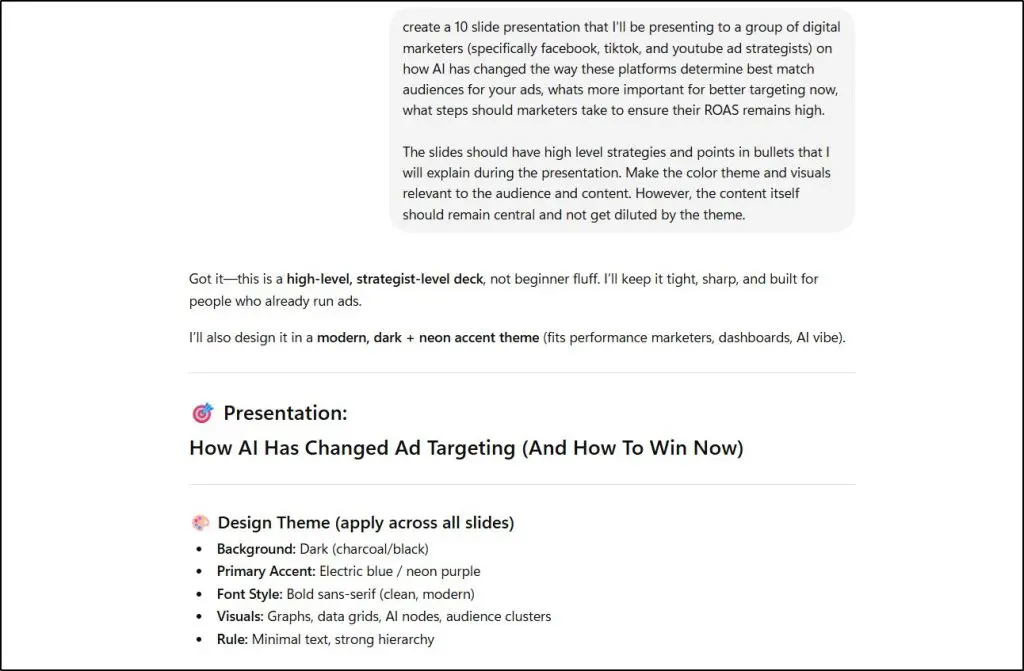
In a dedicated AI presentation tool, a conversational prompt like that would result in a basic but well designed slide deck.
But look what ChatGPT Plus generated.
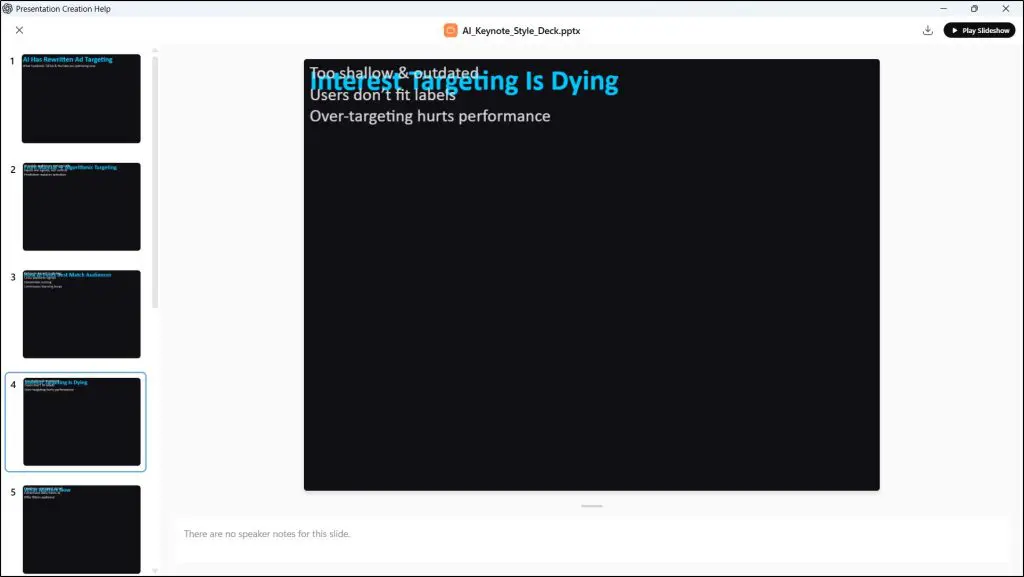
Not exactly what I was looking for.
With a more detailed prompt, ChatGPT will improve this. But a dedicated presentation tool wouldn’t take as uch effort.
Claude Design, launched in April 2026, produces visually stronger output than ChatGPT from a well-written prompt. The design quality is genuinely better. But it’s an HTML-first tool that hands off to Canva or PowerPoint for editing, and the PPTX conversion introduces formatting inconsistencies on anything beyond simple layouts.
For a client proposal, a course launch deck, an investor pitch, or any presentation attached to your professional reputation, use a specialized tool.
That’s my experience till now.
But the pace with which both these tools are improving we might well use them for high-stake presentations in a few months.
The Best AI Presentation Design Tools For Course Creators, Consultants, and Entrepreneurs (2026)
Let me now share the best specialized AI presentation tools and software in my experience. The difference between these presentation makers and generic Ai chatbots is that they’ve been trained specifically on presentation styles and data.
Plus, many of them offer detailed editing controls and have superior brand consistency. So, whenever you’re presenting in a webinar, running a live cohort, delivering online courses, or pitching investors, use one the following presentation makers.
1. Gamma – Best for Fast Content Generation and First Drafts
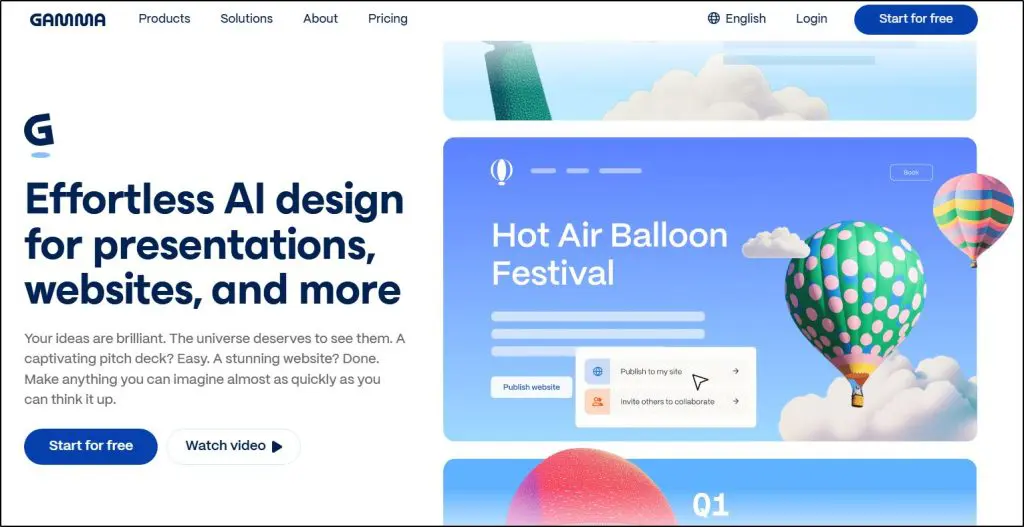
Gamma is an AI presentation tool that generates complete, structured slide decks from a text prompt, an uploaded document, a URL, or raw notes. It’s web-based and produces presentations in a card-based format that works well as a shared web link or PDF.
Gamma is the tool I reach for first when I need a deck quickly. I used it for a conference presentation earlier this year and it saved me close to three hours of layout work.
What I appreciate is that it understands presentation logic. Feed it a pitch deck prompt and it produces a problem/solution/market/ask structure without you specifying it. Give it a research summary and it puts the key finding up front with supporting detail behind. For a consultant turning notes into a deck, or a course creator building a webinar outline, that structure matters. The design output is clean with varied layouts per slide rather than a repeated template.
Where it falls apart is the PowerPoint export. Gamma’s card-based format doesn’t translate cleanly to fixed slide dimensions. When I export to PPTX, fonts shift and layouts break. G2 and Trustpilot reviews flag this consistently.
Free plan gives you 400 one-time credits. Paid plans start at $10/month.
Pick Gamma if you need strong content generation and a polished result fast. Skip it if handing someone an editable PowerPoint file is the deliverable.
Verdict: The best default for creators who need strong output quickly. Know the export limit before you commit.
2. Alai – Best for Design Quality With Clean PowerPoint Export
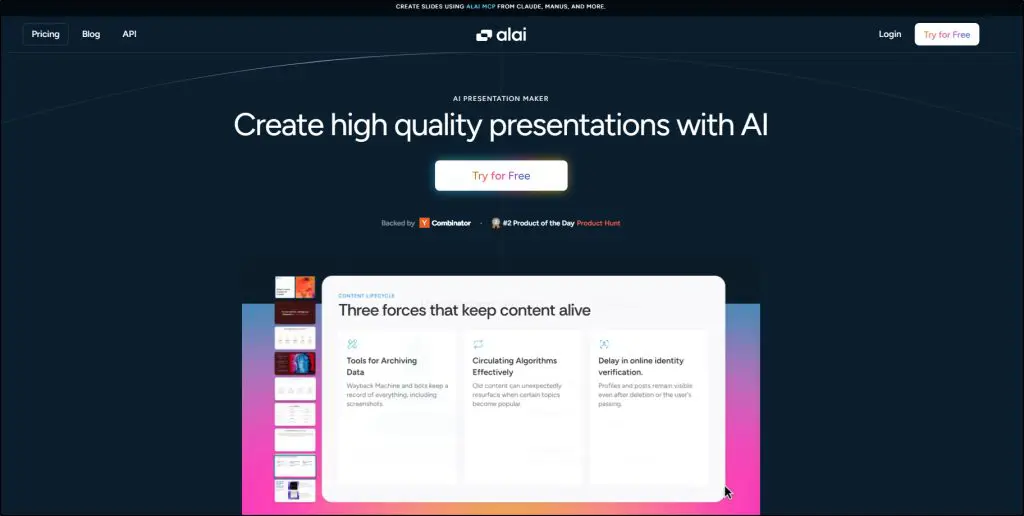
Alai is an AI presentation tool that generates structured slide decks from a text prompt, document, PDF, URL, or imported PowerPoint. It runs in a web-based editor and exports to PPTX, PDF, and Google Slides without the formatting breakage that makes Gamma’s export frustrating.
The feature that genuinely sets it apart is four layout options per slide on every generation. When you generate a slide, Alai gives you four distinct design variations for the same content. You pick the one that fits, rather than regenerating the whole deck or accepting whatever came out first. For a consultant who builds client decks weekly, or a course creator who cares how their materials look, that choice reduces iteration time significantly.
The AI is also context-aware across the full deck. When you edit slide 8, Alai keeps slides 1 through 7 in context so the change stays visually and tonally consistent with everything that came before. Most tools edit slides in isolation, which is why decks start looking inconsistent after you’ve touched half of them.
The element library covers the visual patterns that business presentations repeat constantly: comparison tables, funnel diagrams, feature matrices, timelines, hub-and-spoke charts. A consultant building a strategy deck or a researcher building a findings presentation can pull these in directly rather than importing static images from another tool.
Where it has limits: the free plan caps you at 10 slides per prompt and 300 non-renewing credits, which runs out faster than Gamma’s 400. Some users also note the credit consumption on larger decks adds up quickly on the Plus plan.
Free plan available, no credit card required. Plus plan at $20/month, Pro at $30/month.
Pick Alai if you want Gamma-level generation quality with a PPTX export that actually holds. Skip it if Gamma’s web-sharing format already fits your workflow and you never need to hand someone an editable file.
Verdict: The strongest choice when design quality and clean export both matter. Fills the gap that Gamma leaves for anyone whose audience needs a real PowerPoint file.
Read: The best AI voice generator for creators and edupreneurs
3. Beautiful.ai – Best for Brand Consistency Across a Team
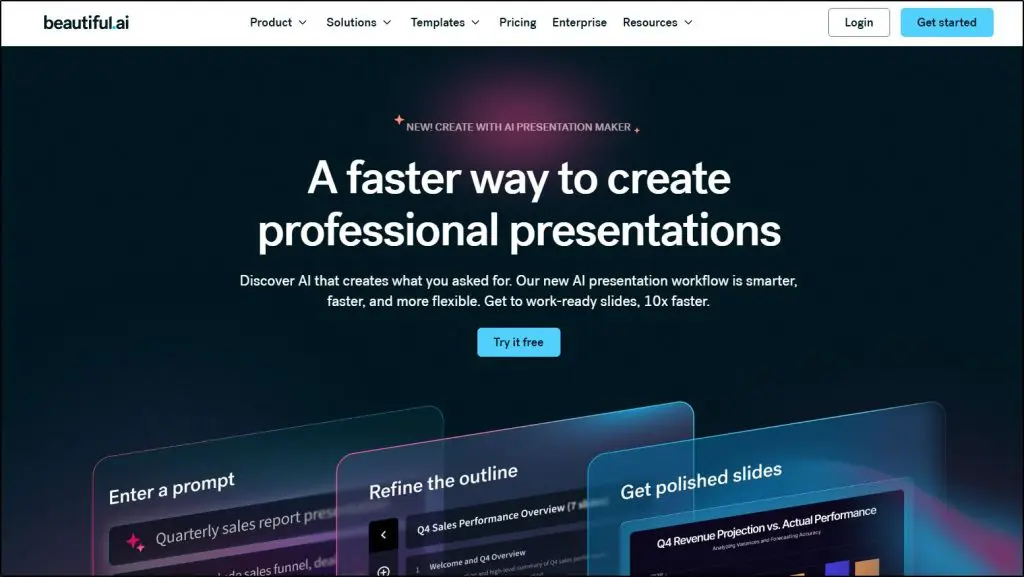
Beautiful.ai is an AI-assisted presentation tool built around automated design enforcement. You create slides and the AI handles layout decisions automatically so every deck from your team looks like it came from the same company.
Its core feature is called Smart Slides. As you add or change content, Smart Slides automatically adjusts the layout, spacing, and alignment in real time. You can’t create an overloaded slide because the system rebalances as you go. It also has a Brand Kit feature that stores your colors, fonts, and logos and applies them automatically, and a content locking feature that prevents team members from breaking key slides.
For a consulting firm where five people build client-facing decks, or a coaching business where associates present under a shared brand, that consistency matters. I’ve seen Smart Slides described as a relief by non-designers and frustrating by experienced ones.
The AI generator called DesignerBot produces a starter deck from a prompt, but the content tends to be generic. The real value is design consistency after generation, not first draft quality.
The smart layout system works against you when you want precise placement. G2 reviews consistently describe fights with the auto-repositioning. No free plan, trial requires a credit card.
Pro plan at $12/month. Teams pay $40/user/month.
Pick Beautiful.ai if brand consistency across a team is your main problem. Skip it if you work solo or want creative control.
Verdict: Right for teams sending a lot of external decks. Wrong for anyone who wants to design freely.
4. Manus – Best for Research-First Presentations From a Single Prompt
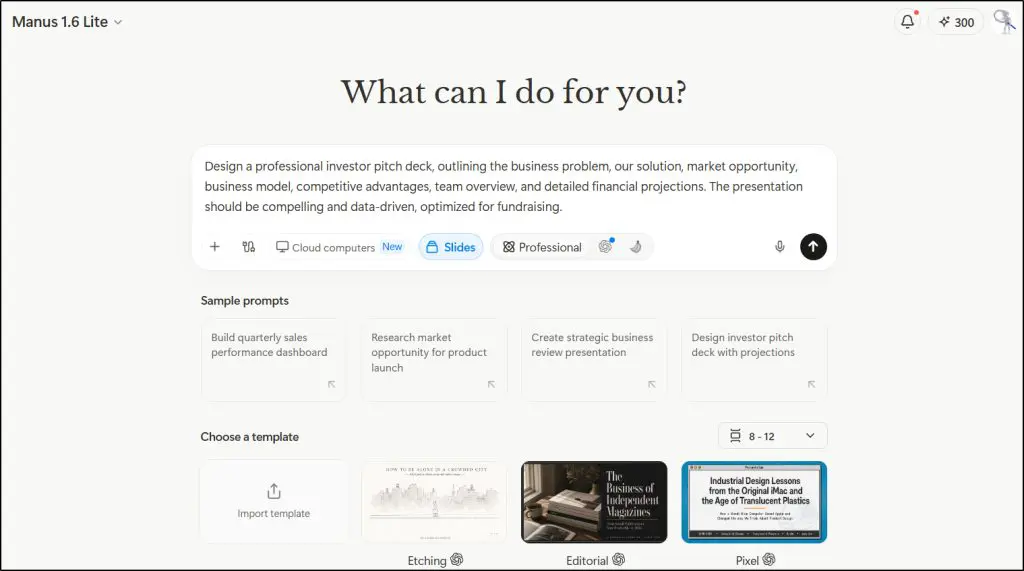
Manus is an autonomous AI agent, not a dedicated presentation tool. But its slides feature is one of the most impressive prompt-to-deck experiences I’ve tested this year, and I’d be doing you a disservice by leaving it out.
When I typed in a detailed investor pitch deck prompt, Manus didn’t immediately start building slides. It opened a research phase first, pulling from multiple web sources in parallel, synthesizing what it found, and then building the deck from that research.
The result had real data points, structured arguments, and a logical narrative arc I didn’t have to engineer myself.
Looking at the output from my own testing, the design quality genuinely surprised me. It has a template library that covers stylistically varied options, from editorial and sketch-style layouts to pixel and whiteboard formats.

The deck it generated, a CattleTrace investor pitch, came back with a comparison table, team member cards, a revenue roadmap, and financial projections across ten slides, all holding a consistent dark navy and orange color scheme throughout. That kind of visual consistency across a multi-slide deck is hard to get even from dedicated tools.
The editing controls are also meaningfully deeper than what ChatGPT offers after generation. The right panel gives me Refine, Redesign, Add more, Enrich visual, and Change theme at the slide level. I can tell it to tighten the copy on slide 6, add more context to the market size section, or apply a completely different theme across the whole deck without rebuilding anything manually.

But Manus is still a general AI agent first, and a presentation tool by extension.
The editing experience is less hands-on than Gamma or Alai, and server load issues have caused slow generation or mid-task failures during my testing. The free plan gives 300 daily credits, enough for one solid deck per day.
It exports to PowerPoint, Google Slides, PDF, and a shareable link.
Pick Manus if you need a research-grounded deck and don’t have the source material ready yourself. Skip it if brand consistency, team collaboration, or a dedicated editing environment are non-negotiable.
Verdict: Impressive for a tool that wasn’t built specifically for presentations. The research-to-slides workflow is genuinely unlike anything else in this list, and the output quality backs it up.
5. Gemini in Google Slides – Best for Simple Professional Presentations
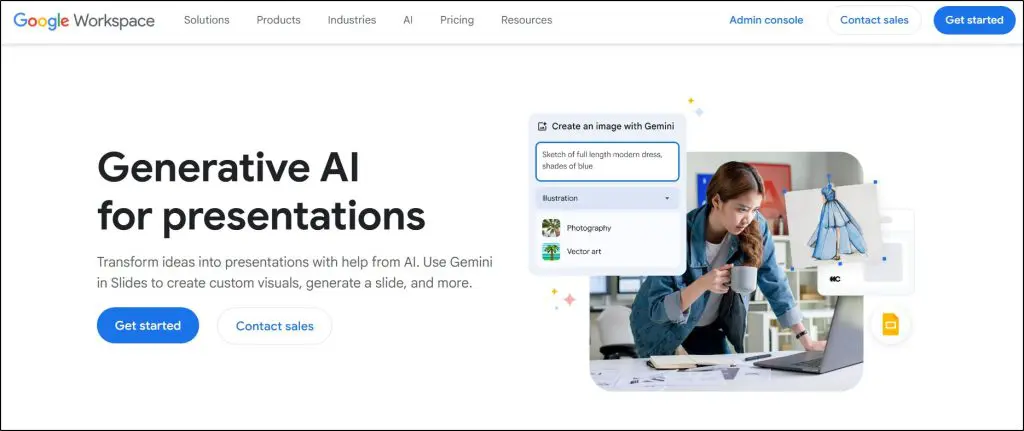
Gemini in Google Slides is Google’s AI assistant built directly into the Slides interface, available with Google Workspace Business Standard and above, and with Google AI Pro for individual users.
You access it through the Gemini sidebar inside an open presentation. From there you can generate a new slide from a prompt, create a unique AI image rather than pulling stock photos, write speaker notes, or refine copy on an existing slide. It works inside your actual file with your existing templates applied.
The use case that makes this compelling is continuity. An educator extending an existing deck, a researcher adding a specific data slide, a consultant drafting speaker notes from a current structure. Gemini handles all of those without asking you to leave Slides or export anything.
What it doesn’t do well is generate a full polished deck from a one-line prompt. Gamma and NotebookLM are better at full-deck generation from scratch. Gemini in Slides works best as a co-pilot for a deck you’re already building.
The design output reflects Google Slides’ existing templates, which are functional but not visually distinctive.
Available with Google Workspace Business Standard at $14/user/month. Google AI Pro at $19.99/month for individuals.
Pick Gemini if you’re in the Google ecosystem and want AI assistance without adding a new tool. Skip it if full-deck generation is your priority.
Verdict: The right choice for Google Workspace users who want AI in the tool they already use. Not a replacement for dedicated tools when deep content generation matters.
6. Plus AI – Best for Deeper AI Generation Inside Google Slides or PowerPoint

Plus AI is an add-on that installs directly inside Google Slides and PowerPoint. You open its panel inside your existing document, type your prompt, and slides generate natively into the file you’re already working in.
The difference from Gemini in Google Slides is generation depth. Plus AI accepts prompts up to 100,000 characters, which means you can brief it the way a consultant would brief a junior analyst: give it your audience, your angle, your key arguments, the specific data you want on slide 4, the outcome you need from slide 7. Gemini currently caps at much shorter inputs. For a coach building a full program overview from detailed notes, or a researcher turning a structured outline into a complete deck, that prompt capacity matters.
It also has an editing feature for existing decks. You can upload an old presentation and ask it to restructure the layout, tighten the copy, or update sections without rebuilding from scratch.
You don’t switch platforms. You don’t export anything. Your existing brand templates apply automatically because you never left your own file. The content generation is solid but not as visually sophisticated as Gamma.
Pick Plus AI if you want deeper AI generation than Gemini offers without leaving Google Slides or PowerPoint. Skip it if you want a visually new format.
Verdict: The right answer for professionals who need serious AI generation capability inside the tools they already use.
7. Canva Magic Design – Best for Presentations Plus Broader Visual Content
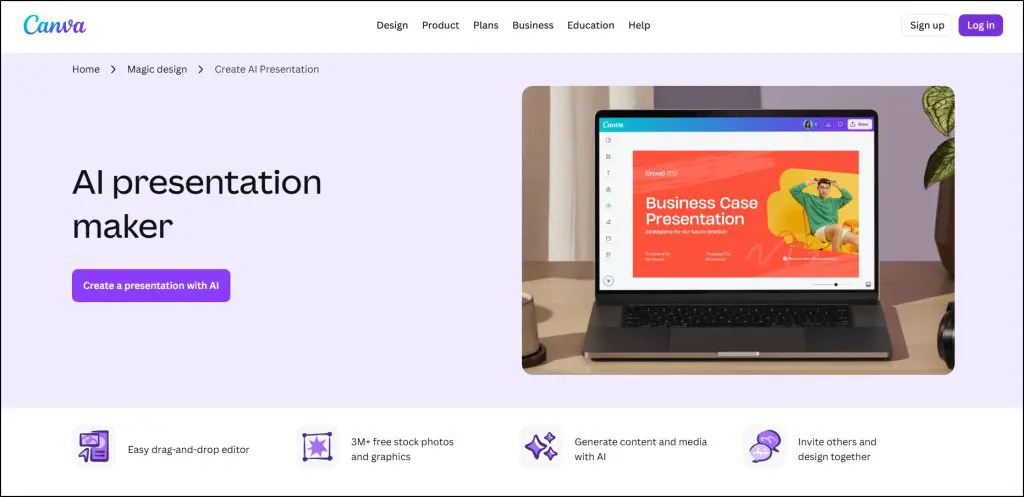
Canva is an all-in-one visual content platform. It handles presentations, social media graphics, marketing collateral, video, print assets, and brand kits. Magic Design is its AI presentation generator.
For a content creator who needs a course launch deck alongside Instagram graphics and a lead magnet PDF, Canva is the only tool in this list that does all three from one place. That’s its real case.
The presentation AI is limited in isolation. Magic Design caps your prompt at 100 characters, which means you can’t brief it with the detail that produces specific output. Most generated decks come back with generic filler: cover pages, contact slides, quotes unrelated to your content. I consistently needed to rebuild a significant portion of what it produced.
Where Canva earns its place is the editing experience after generation. The asset library is enormous. It has a Magic Charts feature that converts raw data into clean visuals in one click. Real-time collaboration and the Brand Kit are both strong.
The credit system trips people up. AI features run on shared monthly credits across every Canva tool, and regenerating burns through them faster than the plans suggest.
Pick Canva if you need a full visual content workflow and presentations are one part of it. Skip it if presentation content depth is what matters most.
Verdict: Right when you need everything in one place. Shallow when strong presentation content is the main job.
8. Microsoft Copilot for PowerPoint – Best for Microsoft 365 Teams

Microsoft Copilot is an AI assistant built directly into PowerPoint as part of the Microsoft 365 suite. It generates slides from text prompts, converts Word documents into presentations, and drafts speaker notes without requiring any new platform.
Its strongest use case is document-to-deck conversion. A consultant who writes a strategy report in Word can ask Copilot to turn it into a presentation. It pulls the key points, organizes them into slides, and produces a first draft in under a minute. For business coaches who write client reports, researchers who publish in Word, or any professional whose thinking already lives in documents, that workflow saves real time.
Where Copilot falls short is design intelligence. It uses standard PowerPoint templates with repetitive layouts and doesn’t make visual hierarchy decisions automatically. The prompt input also caps at 2,000 characters on the standard interface, which isn’t enough context for complex presentations.
Copilot requires a $30/user/month add-on on top of your existing Microsoft 365 subscription. That’s expensive as a standalone presentation tool. As part of a suite used daily across Word, Excel, Teams, and Outlook, the math changes.
Pick Copilot if your team is already on Microsoft 365 and you want AI across the whole suite. Skip it if presentations are the only thing you want AI help with.
Verdict: Makes sense inside an M365 organization. Poor value as a standalone presentation tool.
9. Pitch – Best for Teams Sharing Decks Externally

Pitch is a presentation platform built for teams that send decks externally and need every one to look consistent. It combines AI generation with brand enforcement and built-in engagement analytics.
The brand enforcement works through locked color palettes, enforced font choices, and template guardrails that prevent off-brand slides from being created. When a consulting team sends 30 client proposals a month, Pitch keeps them looking like they came from the same company without anyone having to check.
The feature I find most underrated is Pitch Rooms. When you share a deck through Pitch, it creates a trackable link showing who opened it, which slides they spent time on, and whether they clicked any links. For a business coach sending a program proposal, or a consultant following up on a strategy deck, knowing a client spent six minutes on your methodology and skipped your pricing tells you exactly what to address in your next conversation.
The AI generation produces on-brand first drafts because your templates apply from the start. Over 25 AI editing actions let you tighten text and adjust tone after generation.
The brand enforcement limits creative flexibility. If you want experimental layouts, Pitch will resist you.
Pick Pitch if you send decks externally and engagement intelligence matters. Skip it if design freedom is more important than consistency.
Verdict: The right call for teams managing external decks at scale. Too constraining for individual creators.
10. Slidebean – Best for Investor Pitch Decks

Slidebean is a presentation platform purpose-built for startup founders raising investment. It combines AI-assisted deck creation with investor-specific templates, financial projection tools, and an optional service where Slidebean’s team builds the deck for you.
The AI generation understands investor pitch structure: problem, solution, market size, traction, team, ask. It produces that arc without you specifying it, using templates shaped by data from over 30,000 startup pitch decks. It also has a financial model template feature for building out revenue projections inside the platform.
An entrepreneur building a learning platform business, a SaaS founder raising a seed round, or a content creator turning their audience into a venture-backed company will find the specificity here genuinely useful. The structure that Slidebean enforces is exactly what most first-time founders get wrong on their own.
The PPTX export is weak. Premium fonts get replaced on export, and charts become non-editable images. Capterra and Trustpilot reviewers also flag customer support response times.
Outside investor pitch decks, Slidebean feels narrow. It’s not built for recurring team presentations, training decks, or client proposals.
Pick Slidebean if you’re raising capital and want structure informed by real investor data. Skip it if you need a general-purpose tool.
Verdict: Purpose-built and good at its purpose. Mediocre for everything else.
11. Prezi – Best for Non-Linear and Spatial Presentations
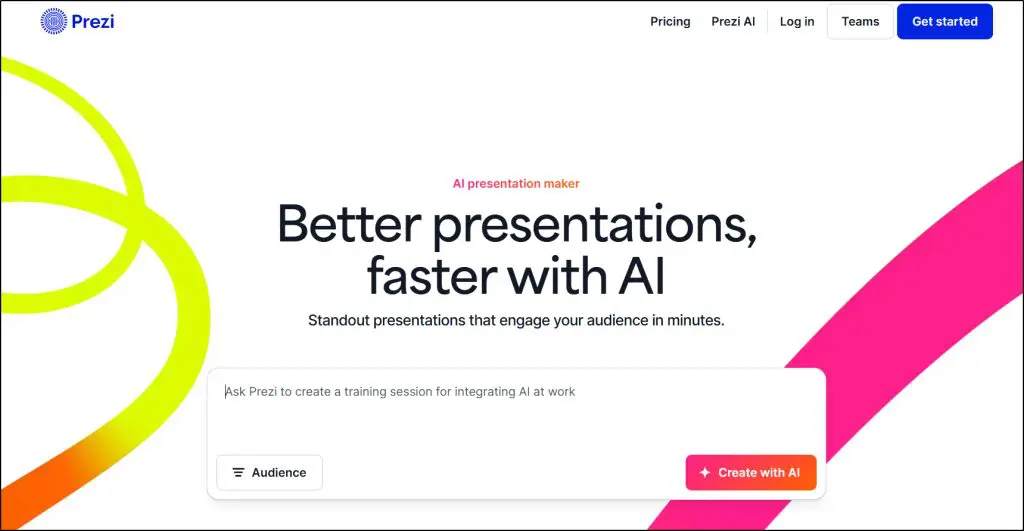
Prezi is a presentation platform that replaces the traditional sequence of flat slides with a spatial canvas. You build a visual map of your content and zoom into different sections during delivery. Your audience sees how ideas relate to each other rather than a linear sequence of them.
I’ve used this format for presenting learning frameworks and curriculum structures where the connections between concepts are as important as the ideas themselves. For educators presenting taxonomies, trainers mapping skill progressions, consultants showing how one part of a strategy connects to another, Prezi communicates something a slide deck genuinely can’t.
The AI features in Prezi assist with content generation and layout suggestions inside the canvas format. They’re functional rather than impressive. If you’re choosing Prezi, you’re choosing it for the spatial format, not the AI generation quality.
The caveat: Prezi presentations can feel disorienting in settings where the audience expects conventional slides. The zooming transitions come across as gimmicky when the content doesn’t genuinely have relational structure. Use it when spatial relationships are the point, not as a way to make ordinary content feel more interesting.
Pick Prezi if your content has real spatial structure and showing relationships between ideas matters. Skip it if your content is sequential or your audience expects standard slides.
Verdict: Right for a specific kind of content and presenter. For everything else, a conventional tool serves better.
12. NotebookLM — Best for Converting Existing Research Into Slides

NotebookLM is a research and knowledge tool from Google that generates presentations strictly from the source material you upload. You feed it your actual documents and it builds slides from that specific content, not from general training data.
Google added the Slide Deck feature in November 2025. You upload PDFs, Google Docs, YouTube videos, reports, or URLs and NotebookLM generates a deck from that material. Because it’s working from your documents rather than its training data, the content is factually accurate and specific in a way that prompt-only tools aren’t. You can trace every point back to its source.
This is particularly powerful for researchers presenting original findings, educators turning course material into student-facing decks, or consultants converting a lengthy client report into a presentation. You’ve already done the intellectual work. NotebookLM turns it into slides without a separate step.
The design output is clean but not visually elaborate. No animation options currently. And one hard limit: you can’t start from scratch. Without source material to upload, the tool has nothing to work with. There’s also no PPTX export, so slides live in NotebookLM’s own viewer.
Pick NotebookLM if you have existing research and want to convert it into a presentation. Skip it if you’re building a deck from a blank prompt.
Verdict: Genuinely different from everything else in this list. For research-grounded presentations, nothing comes close.
How to Pick the Right Tool for Your Situation
If you’re a consultant or coach who builds a lot of decks from your own thinking: Gamma is the right starting point. It produces the best first drafts in this category and handles unstructured notes, documents, and prompts equally well.
If you run a team and every deck needs to look consistent: Beautiful.ai or Pitch. Beautiful.ai enforces design consistency automatically. Pitch does the same and adds engagement tracking when you share externally.
If you’re a researcher or educator with existing documents: NotebookLM turns your research and course materials into a structured presentation without a separate generation step. The output reflects your actual content, not generic AI training data.
If you’re a content creator or course seller who needs more than just slides: Canva handles presentations alongside social graphics, lead magnets, and marketing collateral from one platform.
If you’re a startup founder or entrepreneur pitching investors: Slidebean for investor-specific structure and templates. Gamma for a faster first draft you’ll edit heavily.
If you teach or train and your content has genuine relational structure: Prezi when showing how ideas connect is the point. Gamma for everything else.
If you’re already in Google Workspace: Start with Gemini in Google Slides, which is already part of your plan. Use Plus AI when you need deeper generation than Gemini currently offers.
If you’re already in Microsoft 365: Copilot is your best option for converting documents into decks without leaving your existing workflow.
Overall, Gamma is the right starting point for most people. Test it on a real project and brief f it with your actual content, your audience, and your desired outcome. The difference between a vague prompt and a specific one is often the difference between a generic deck and one that actually sounds like you.
Frequently Asked Questions
What is the best free AI presentation tool?
Gamma gives you 400 one-time AI credits with no credit card required, enough to build several complete presentations and get a real sense of the tool. NotebookLM is free for up to 50 sources per notebook. Gemini in Google Slides is included with Google Workspace Business Standard plans. Use Gamma if you’re starting from a prompt. Use NotebookLM if you’re converting existing documents. Use Gemini if you’re already in Google Workspace.
Which tool produces the best-looking slides?
Gamma produces the most visually polished output from a prompt. Beautiful.ai produces the most consistently professional output across a team over time. Gamma looks better on first generation. Beautiful.ai looks better across the 30 decks your consulting team sends this quarter.
Which tool is best for educators and course creators?
NotebookLM for converting existing course material into slides with full source accuracy. Gamma for building new lesson decks and module overviews from a prompt. Canva Magic Design if you need presentation slides alongside workbooks, social posts, and course graphics from one platform. Prezi for curriculum frameworks where showing relationships between concepts is the main goal.
Which AI presentation tool is best for consultants?
Gamma for fast, high-quality first drafts from your notes and client documents. NotebookLM if you’re working from research or reports you’ve already assembled. Beautiful.ai if you send branded client decks regularly and need every one to look consistent. Pitch if you want to know how clients engage with your proposals after you send them.
Which tool works best for researchers presenting findings?
NotebookLM is the strongest option because it grounds every slide in your actual source material. You upload your papers, data, and references and the tool builds slides from that content specifically. Gamma handles research prompts competently but won’t match the accuracy and specificity of NotebookLM for original research presentations.
Can I use these tools with no design background?
Yes. Beautiful.ai and Gamma make design decisions automatically. You don’t need to know what makes a slide look good because the tools enforce those principles. They handle visual presentation. Your job is still to know what you want to say and why it matters to your audience. The expertise, the argument, the insight: that part only you can supply.
Table of Contents