

TL;DR — Best LMS Platforms for Small Businesses (2026)
The best LMS platforms for small businesses combine professional course delivery with built-in e-commerce, branding, and learner tracking features—allowing you to sell training programs directly to individuals or organizations without stitching together multiple tools.
Which Is The Best Small Business LMS?
TalentLMS is the best overall LMS for small businesses. It’s SCORM-compliant, supports blended learning, integrates with major tools, and includes a free plan, making it ideal for selling structured training at scale.
Here are all the top LMS platforms I recommend, along with what they’re best for and starting price:
1. TalentLMS – Best overall LMS for course-selling SMBs with a free plan (Paid plans from $109/month)
2. Academy of Mine – Best all-in-one LMS with deep customization for compliance-focused industries (From $999/month)
3. LearningCart – Best for selling digital content with built-in marketing and blog tools (From $399/month)
4. LearnDash – Best LMS for WordPress users with flexible plugin and cloud hosting options (From $199/year or $29/month for cloud)
5. DigitalChalk – Best for small teams wanting professional production support and branding (From ~$33/month)
6. EZ LCMS – Best for turning PowerPoint into mobile-friendly, SCORM-compliant courses fast (From $199/month)
7. LearnUpon – Best for branded client portals and managing external training clients (Custom pricing)
8. Thought Industries – Best for advanced course catalogs and scaling customer training (Custom pricing)
These platforms offer serious LMS functionality plus the sales and branding tools small businesses need to grow.
Click here if you’re looking for more modern online course platforms with better marketing & sales features instead of the traditional LMS software we’ve covered in this article.
When you think of Learning Management Systems (LMS), small businesses probably aren’t the first thing that comes to mind.
Most LMS platforms are traditionally designed for large corporations and enterprises focused on training their staff, partners, or customers at scale.
But in recent years, there’s been a growing demand for LMS solutions tailored to small businesses, particularly those looking to sell online courses and training directly to their customers.
The challenge?
Most conventional LMS platforms weren’t built with this teaching style in mind. As a result, small business owners often find themselves struggling to identify the right solution for their unique goals.
I intend to make your search easier through this article.
Having used some of the best LMS platforms available, I’ve developed a clear understanding of what works—and what doesn’t—when it comes to small business needs.
My goal here is to help you cut through the confusion and find an LMS that combines robust e-commerce features with the tools of a traditional LMS.
In this article, I’ll walk you through my top LMS picks for small businesses, breaking down their features, strengths, and limitations. By the end, you’ll have a much better idea of which platform is the best fit for your business.
Let’s get started.
My Top Learning Management Software (LMS) Platform For Selling Online Courses: TalentLMS

I’ve used all the platforms I’ve listed in this post (plus many others) over the years.
In my experience, TalentLMS is the overall best LMS for small businesses looking to sell courses.TalentLMS gives you the ability to manage and sell SCORM-based online courses as well as classroom-based training – or a blend of the two.
It has a solid assessment engine, certification management, reporting, and even gamification. It also integrates well with other key systems.
Perhaps best of all, there is a free plan you can use for as long as you want (with limits, of course).
The Best LMS Platforms Comparison Table
| LMS Platform | Starting Price | Best For | Key Features |
|---|---|---|---|
| TalentLMS | $0 Free Plan / $109/month | Most small businesses selling SCORM-compliant courses | ✅ SCORM ✅ E-commerce ✅ Custom Branding ✅ Live Sessions ✅ Free Plan |
| Academy of Mine | $999/month | Regulated industries needing custom workflows & CE credits | ✅ SCORM ✅ E-commerce ✅ Custom Branding ✅ Live Sessions ❌ Free Trial |
| LearningCart | $399/month | Course sellers who need built-in marketing tools | ✅ SCORM ✅ E-commerce ✅ Custom Branding ✅ Live Sessions ❌ Free Trial |
| LearnDash | $199/year (plugin) or $29/month (cloud) | WordPress users wanting full control over LMS features | ✅ SCORM (via add-ons) ✅ E-commerce ✅ Custom Branding ✅ Live Sessions ✅ Trial |
| DigitalChalk | ~$33/month | Small teams wanting done-for-you course setup | ✅ SCORM ✅ E-commerce ✅ Custom Branding ✅ Live Sessions ❌ Free Trial |
| EZ LCMS | $199/month | Quick conversion of PowerPoint to SCORM training | ✅ SCORM ❌ Strong E-commerce ✅ Custom Branding ❌ Live Sessions ✅ Free Trial |
| LearnUpon | Custom Pricing | Managing multiple branded client portals | ✅ SCORM ✅ E-commerce ✅ Custom Branding ✅ Live Sessions ❌ Free Trial |
| Thought Industries | Custom Pricing | Scaling training businesses with advanced storefronts | ✅ SCORM ✅ E-commerce ✅ Custom Branding ✅ Live Sessions ❌ Free Trial |
The Best Affordable Learning Management Systems (LMS) For Small Businesses And Extended Enterprises
Let’s now discuss the top Learning Management Systems (LMS) for selling courses and training.
Although I consider these the best LMS platforms for small businesses, they still cost more than an online course platform designed specifically for solo entrepreneurs, edupreneurs, or businesses looking to self-paced courses directly to consumers.
The reason is obvious.
These are small business LMS platforms with all the qualities of a conventional LMS designed for structured and standardized training. On top of that, these platforms come with e-commerce and marketing features that corporate LMSs usually don’t offer.
They comply with major e-learning standards like SCORM and tend to be much better suited to scaling businesses that have relatively large catalogs and complex customer relationships. Basically, you get what you pay for.
Best Small Business LMS #1: Academy of Mine

Academy of Mine is an excellent choice for small businesses and organizations seeking an all-in-one solution. It’s a robust LMS platform that handles everything from managing your courses (online or offline) to running your main website.
For businesses juggling multiple tools to manage training, this is a significant advantage.
What makes Academy of Mine stand out is its support for SCORM courses, sophisticated quizzing and assessment features, and the ability to issue continuing education credits.
These features are essential for industries where compliance, skill certification, or professional development are non-negotiable, such as healthcare, legal, or corporate training.
On top of that, its website-building capabilities are top-notch.
You can create a fully functional, branded website that showcases your courses, includes detailed descriptions, and provides a seamless enrollment process.
Unlike some LMS platforms that only offer basic landing pages, Academy of Mine provides the flexibility to create a site that can handle the entire learner journey—from discovery to purchase to completion.
Paragon Compliance, an HR compliance firm, is a great example of a company that scaled its training programs using the Academy of Mine.

If you don’t want to handle the setup yourself, Academy of Mine offers fully managed plans. These include customizations and hands-on support to ensure your courses align perfectly with your business goals.
If you’re new to building online courses or need to accommodate complex requirements, this is a lifesaver.
One standout feature is the ability to blend online and offline learning. For example, if your business offers in-person workshops or classroom sessions, the Academy of Mine lets you manage registrations, attendance, and follow-ups in the same system as your online courses.
This flexibility is ideal for organizations looking to offer hybrid training solutions.
Academy Of Mine Pricing
The pricing starts at $999/month, which might seem steep for smaller budgets.
But considering the all-in-one functionality and dedicated support, it’s worth the investment if you need a professional-grade LMS that can scale with your business.
Pros And Cons Of Using Academy Of Mine
| Pros | Cons |
| The platform lets you deeply customize both the front-end and back-end to create an LMS that fits your exact needs, including support for SCORM files and unique workflows. | Setting up and navigating the backend can feel overwhelming initially, especially for new admins. |
| Their customer support team stands out for being responsive, accommodating, and solution-driven, always ready to tailor features to your requirements. | Managing backend content requires meticulous organization. Without clear labeling, things can quickly become confusing. |
| Unlimited student enrollments with no additional fees or revenue-sharing make it a great option for scaling businesses that handle high volumes. | Uploading multiple files requires using zip formats, which can slow things down during course creation. |
| Built-in e-commerce tools allow you to bundle courses, offer discounts, and integrate payment gateways seamlessly for a professional purchasing experience. | Mobile user experience is functional but lacks the polish needed for top-notch engagement on smaller screens. |
| Dynamic website creation features give you the power to build professional-grade pages that showcase your courses, perfect for B2B training and branding. |
Best Small Business LMS #2: Learning Cart

LearningCart focuses on e-commerce features tailored for selling online courses and digital content. Whether you’re selling training videos, PDFs, or subscription-based content, LearningCart offers flexibility and sophistication.
LearningCart combines course delivery with built-in tools for marketing and selling courses. For example, the platform includes an integrated blog engine to support content marketing efforts and SEO, helping you drive organic traffic to your courses.
This is particularly useful for small businesses aiming to create a comprehensive online presence.
LearningCart supports a wide range of third-party software integrations. For example, it works seamlessly with tools like GoToWebinar for live training sessions and Google Analytics for tracking visitor behavior and conversions.
Here’s what makes LearningCart stand out:
- Flexible Content Selling: Perfect for selling any type of online content, from individual courses to bundled packages.
- Customizable Storefronts: Build and brand your e-commerce site to match your business identity.
- User-Friendly Course Creation: Upload videos, documents, and SCORM-compliant materials with ease.
- Marketing and Analytics Tools: Integrated blog engine, email marketing, and analytics for growing your audience and tracking performance.
LearningCart Pricing
Licenses start at $399 per month, which is reasonable considering the platform’s dual focus on learning and selling.
Pros And Cons Of Using LearningCart
| Pros | Cons |
| Learning Cart is a highly scalable platform that grows with your business and has the ability to handle complex learning needs. | The platform lacks built-in gamification elements, which could enhance learner engagement and motivation. |
| It comes with integrated e-commerce and payment gateway features allowing you to sell courses and training programs. | Customizing design elements, such as button colors or course cards, may require CSS knowledge, posing challenges for non-developers. |
| It supports SCORM-compliant content, enabling seamless integration with various authoring tools and ensuring compatibility with industry standards. | |
| It has an intuitive and easy-to-navigate interface, which simplifies the process of managing and delivering courses. |
Best Small Business LMS #3: LearnDash

LearnDash is a standout LMS option for anyone already using WordPress, and in my opinion, it’s the best choice for integrating a serious learning management system into your WordPress website.
I’ve used it, and for me, it’s evident that the team behind it knows e-learning inside and out.
The platform is packed with features that cater to both beginners and advanced users looking to deliver professional-grade courses.
The base license includes a wealth of integrations and add-ons like WooCommerce, bbPress, Stripe, and Zapier, which make it flexible for a variety of use cases.
For e-learning enthusiasts, premium add-ons like the GrassBlade LRS integration are also available, which can elevate the platform for users needing advanced analytics or SCORM compatibility.
What sets LearnDash apart for me is their introduction of LearnDash Cloud.
It’s perfect if you want the benefits of WordPress but without the hassle of self-hosting or technical setup. This cloud version is fully hosted, making it ideal for users who want an all-in-one solution but still want to tap into the power and flexibility of WordPress.
LearnDash Pricing
LearnDash plugin licenses start at $199 per year, which covers a single site, and go up to $799 for unlimited sites.
LearnDash Cloud pricing starts at $29 per month or $299 annually, which is a steal if you consider the hosting and support bundled in.
Pros And Cons Of Using LearnDash
| Pros | Cons |
| The drag-and-drop interface of LearnDash simplifies course creation, allowing for easy organization of lessons, topics, and quizzes | As a WordPress plugin, LearnDash requires familiarity with the WordPress ecosystem, which may not be ideal for all users. |
| LearnDash offers a robust quiz builder with various question types and customization options, enhancing the assessment process. | To access some advanced functionalities, users may need to invest in premium add-ons, increasing the overall cost. |
| The platform integrates with numerous third-party tools, including e-commerce solutions like WooCommerce and payment gateways such as Stripe, expanding its functionality. | The platform’s native payment gateways are limited, meaning you’ll need additional plugins for broader payment functionalities. |
| Features like drip-feed content, gamification, and certificates help in maintaining learner engagement and motivation |
Best Small Business LMS #4: DigitalChalk

DigitalChalk is an all-in-one platform designed to make online course creation and delivery straightforward and effective.
For those who have the expertise but don’t want to handle the technical aspects of course production, DigitalChalk offers not just a variety of plans but also professional production services to help get your courses online.
In my opinion, what sets DigitalChalk apart is its blend of flexibility and support. If you’re a small business, educator, or a niche expert, you’ll appreciate their self-service features for course creation.
But if you’d rather focus entirely on content, their production services step in to handle the heavy lifting, from setting up the course framework to uploading materials.
This hybrid approach ensures that no matter your comfort level with technology, you can bring your expertise to life as an online course.
For me, the platform shines because of its attention to detail and creator-focused design. Beyond the basics of uploading videos and creating quizzes, DigitalChalk offers tools for customizing course navigation, embedding interactive elements, and automating certificates of completion.
This is great for educators who want their courses to feel polished and professional without needing advanced technical skills.
The integrations available—like single sign-on (SSO) and custom branding—allow businesses to seamlessly weave the platform into their existing operations. And, if you’ve got a larger team, the reporting tools make it easy to track learner progress and engagement.
Additionally, the platform doesn’t shy away from advanced features. Support for SCORM and other e-learning standards makes it a versatile choice for organizations that might already be using other LMS systems but need an additional platform for specific use cases.
DigitalChalk Pricing
DigitalChalk hasn’t listed its pricing plans on its website. But I know their entry-level plan starts at around $33/month.
Pros And Cons Of Using DigitalChalk
| Pros | Cons |
| DigitalChalk allows you to fully customize the platform to reflect your branding, including logos, colors, and custom domains | While beginner-friendly overall, some of the more complex tools like SCORM compliance or advanced reporting require extra time to master. |
| Features like drag-and-drop activities, timed assessments, and live video integrations enhance learner engagement and make courses more dynamic. | Unlike some LMS platforms, DigitalChalk doesn’t emphasize learner interaction, such as discussion boards or peer collaboration. |
| DigitalChalk’s platform is fully responsive, ensuring learners can access courses on any device without compromising user experience. | Compared to competitors, DigitalChalk doesn’t include features like badges or leaderboards, which might appeal to audiences who enjoy gamified learning. |
| The analytics dashboard provides detailed insights into learner performance, course completion rates, and registration data, helping instructors optimize their courses. |
Best Small Business LMS #5: EZ LCMS

In my opinion, EZ LCMS is an interesting choice for small businesses or educators who value simple, adaptive course creation without needing to become an expert in instructional design tools.
One standout feature for me is their Adaptive Course Authoring PowerPoint Plug-In, which lets you transform your existing PowerPoint presentations into fully mobile-friendly, HTML-based courses.
For someone like me who’s worked on creating content with minimal time for complex setups, this plug-in is a time-saver.
EZ LCMS also delivers when it comes to assessments. If you’re in the business of serious learning programs or compliance training, their item analysis feature is a game-changer.
It provides detailed insights into how learners are performing on individual test items, which is particularly useful for improving course quality or identifying knowledge gaps.
While it’s not the flashiest platform on this list, I think it has a strong focus on getting the basics right, and its ease of use makes it a good option for teams with limited technical resources.
EZ LCMS Pricing
Its pricing starts from $199 per month and all plans come with a 15-day free trial.
Pros And Cons Of Using EZ LCMS
| Pros | Cons |
| Courses created through EZ LCMS are automatically mobile-friendly, ensuring seamless delivery across devices. | Unlike some competitors, EZ LCMS doesn’t offer robust integrations with tools like Zapier, email marketing platforms, or e-commerce features. |
| You can add your own logos, colors, and themes to maintain brand consistency. | Lacks forums or collaboration tools for learners to engage with each other. |
| The item analysis tool helps identify patterns in learner responses, improving test reliability and training outcomes. | While functional, the platform’s media handling (videos, interactive elements) isn’t as advanced as some other tools. |
Best Small Business LMS #6: LearnUpon

For me, one of the standout features of LearnUpon is its ability to create branded client portals. This capability isn’t something you often find in small-business-focused LMS platforms, and I think it’s a game-changer if you license courses to customers who need their own unique branding.
These portals aren’t just a cosmetic addition; they offer full functionality, allowing your clients to manage their own users, track performance, and even offer courses to their own customers.
LearnUpon is also SCORM and TinCan (xAPI) compliant, which means it works seamlessly with most e-learning content standards.
Whether you’re hosting online training or delivering classroom-based sessions, LearnUpon provides the flexibility to support both approaches.
I like that it accommodates hybrid models too, which makes it a versatile choice for businesses with diverse training needs.
Another point I appreciate is how user-friendly the platform is. LearnUpon’s straightforward interface ensures that administrators, instructors, and learners all have an easy time navigating the system.
And for businesses looking to scale, the platform’s reporting tools provide insightful analytics to help you track progress and optimize course delivery.
LearnUpon Pricing
LearnUpon offers three different subscription plans for its customers. However, it recently updated its website and removed the monthly pricing information. So, you’ll need to contact its sales team for more information.
Pros And Cons Of Using LearnUpon
| Pros | Cons |
| Admins can efficiently handle large groups of users through bulk actions like importing, enrolling, and managing progress. | The number of branded portals is restricted in lower-tier plans, which might be limiting for businesses with multiple clients. |
| Offers the ability to design and issue branded certificates upon course completion, adding a professional touch. | While LearnUpon is mobile-friendly, the app lacks some of the functionality available on the desktop version. |
| Includes support for tools like Salesforce, Shopify, and Zapier, making it easier to connect with your existing business systems. | File size limits can be restrictive for businesses that need to upload large video or media files. |
| Provides in-depth tracking and reporting for SCORM-based courses, ensuring detailed insights into learner activity. |
Best Small Business LMS #7: Thought Industries

Thought Industries markets itself as the world’s first “Learning Business Platform,” and in my experience, it lives up to the claim.
What sets this platform apart is how much thought has gone into supporting organizations that focus on selling and marketing e-learning, making it a standout choice for businesses offering training to external customers, not just internal employees.
The platform’s course development and management tools are user-friendly and designed with business growth in mind.
One feature I particularly like is its e-commerce capabilities, which go beyond the basics. The catalog design and management options are among the best I’ve come across in an LMS.
They allow for a professional, polished storefront that makes it easy for learners to navigate, browse, and purchase courses. For businesses selling courses at scale, this can make a huge difference.
Pricing is not published on the company’s site.
Pros And Cons Of Using Thought Industries
| Pros | Cons |
| Integrates with marketing tools like HubSpot, Google Analytics, and CRMs, making it easier to connect your learning platform with your broader business strategy. | While feature-rich, the platform may feel overwhelming or too complex for small businesses or teams with limited technical expertise. |
| Offers businesses the ability to create fully branded portals or even white-label solutions, allowing a professional and customized learner experience. | Advanced features like catalog management and integrations might require some training or onboarding time for new users. |
| Thought Industries provides onboarding, customizations, and ongoing support to help businesses get up and running quickly and efficiently. | The platform is designed for scalability and advanced features, which may put it at a higher price point compared to other LMS options. |
| Thought Industries provides onboarding, customizations, and ongoing support to help businesses get up and running quickly and efficiently. |
Best Small Business LMS #8: TalentLMS
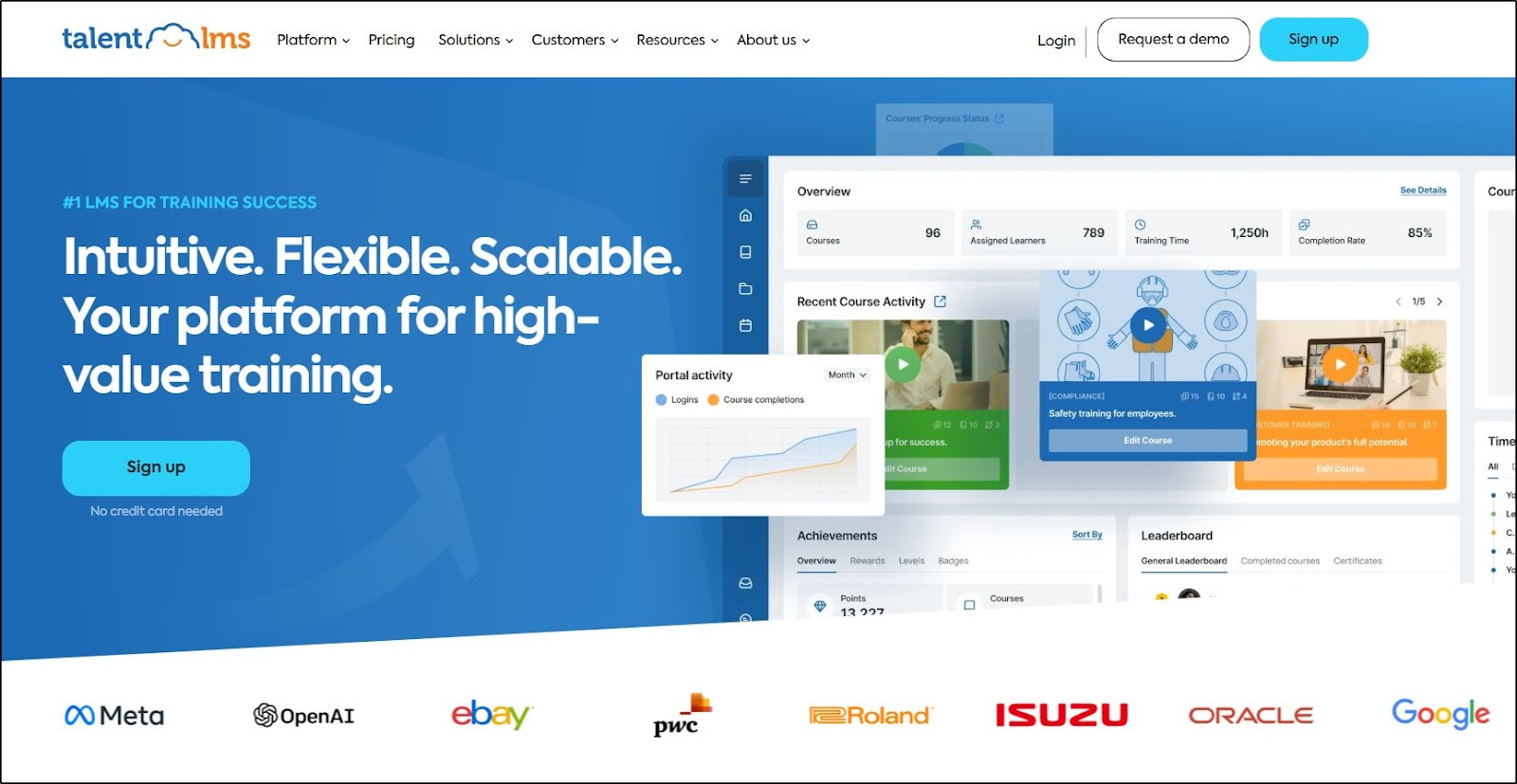
Over the years, I’ve watched TalentLMS grow into one of the most robust and versatile options in the learning management system market.
In my opinion, it’s not just one of the more visible players in this space, but also one of the most well-rounded platforms out there, making it the best overall LMS for small to medium-sized businesses.
TalentLMS packs a lot into its system, offering a highly customizable and brandable platform. You can easily tailor the interface to match your branding, ensuring a seamless experience for your users.
Beyond the basics, TalentLMS integrates with a wide range of tools through Zapier, enabling businesses to connect it to their broader ecosystem without any headaches.
For businesses looking to monetize their courses, TalentLMS supports both one-time purchases and subscriptions through trusted payment gateways like PayPal and Stripe.
This flexibility means you can sell courses the way that works best for your audience and revenue model.
TalentLMS Pricing
One of my favorite aspects is TalentLMS’s free plan, which allows you to explore the platform and test its capabilities without any upfront cost.
It’s a risk-free way to evaluate whether it’s the right fit for your needs. If you decide to dive in, TalentLMS offers the following premium plans:
- Core Plan: Starts at $109/month
- Grow Plan: Starts at $229/month
- Pro Plan: Starts at $399/month.
Whether you’re just starting with e-learning or looking for a platform to support rapid growth, TalentLMS hits the sweet spot with its balance of usability, features, and pricing.
 Take TalentLMS for a free spin today.

If you would like high-quality, vetted reviews of learning management systems that are a good fit for small businesses that want to sell courses, be sure to check out ReviewMyLMS. It is the only LMS review site focused specifically on platforms that are a fit for market-facing education and training businesses – Jeff
Online Course Platforms vs. Learning Management Software (LMS) With E-commerce Features
It used to be that if you were a small-to-medium business that wanted a learning management system (LMS) to sell courses, you either had to develop custom software or bolt e-commerce features onto platforms that were built for big corporate training or delivering college classes.
Needless to say, this usually came with plenty of headaches and a less-than-ideal experience for customers and channel partners.
Fortunately, the “LMS for SMBs” and “extended enterprise” categories have improved dramatically in the past few years for businesses interested in selling online courses – including selling courses to other businesses.
These days, many small businesses or larger businesses with an extended enterprise strategy may be able to take advantage of the new breed of affordable LMS platforms geared toward solopreneurs and very small entrepreneurial businesses that I cover in my round-up of the best online course platforms.
This is particularly true, for example, of Thinkific, which has begun expanding its efforts to support enterprise customers.
This new breed of platform isn’t just about providing a low-cost LMS, it is also about addressing the need for LMS with e-commerce that most corporate LMS providers have ignored (because most employees don’t have to buy their training, or course).
However, based on my own experiences and feedback from many small business owners, some of these LMS platforms may not meet the more sophisticated demands of businesses that:
- Sell business-to-business and may need to set up separate portals for each customer
- Need to award continuing education credit to learners
- Already have an extensive catalog of courses built out in SCORM or TinCan-based authoring tools like Camtasia, Articulate, Captivate, Lectora, or iSpring
- Plan to build out a catalog of courses and don’t want to be “trapped” by using proprietary LMS tools
- Need to manage online and classroom-based courses in the same system
- Need complex assessment capabilities (creating questions and answer pools, randomizing questions, ability to analyze the performance of individual questions – i.e., item analysis)
Because many course sellers do have these needs, I decided to create a separate page dedicated to the best LMS platforms for small businesses and even large companies.
I would not call any of these LMS platforms cheap, but each is an affordable LMS for SMBs, and each will give you the ability to sell training and education.
Compared to the modern breed of online course platforms, the tools I’ve recommended are primarily LMS platforms but with more marketing and e-commerce features, making them perfect for selling structured courses and training programs.
Which LMS Is Right For Your Small Business?
So, that’s my list of the best learning management systems for small businesses. If you have used any of these systems and have constructive things to say about them, please comment.
If you haven’t, take them for a ride because most of them offer free trials or demos. Get in touch with their sales teams, discuss your specific scenarios, and see if they have the right answers for you.
But as I said, TalentLMS is my choice for most businesses.
Let me know if you have any questions.
Frequently Asked Questions (FAQs)
Can I use an LMS to train my internal employees and external customers at the same time?
Yes, many LMS platforms like LearnUpon and Academy of Mine support multiple user groups and portals for internal staff and external clients.
Do I need SCORM or xAPI support if I’m just uploading videos and PDFs?
Not necessarily. SCORM is essential only if you’re using authoring tools or need detailed tracking. Simple video/PDF courses don’t require it.
Can I host live Zoom or webinar-based sessions within these LMS platforms?
Yes, platforms like LearningCart, TalentLMS, and LearnDash support integrations with Zoom, GoToWebinar, or similar tools for live training.
Which LMS platforms support affiliate marketing or referral tracking?
LearnDash (via plugins) and TalentLMS (via integrations like Zapier) can support affiliate/referral systems for course marketing.
Can I offer multi-language support for international customers?
Yes, LMS platforms like TalentLMS and LearnUpon offer multi-language user interfaces and course translation support.
Are there LMS platforms that let me white-label the experience completely?
Yes, Thought Industries, Academy of Mine, and LearnUpon offer full white-labeling, including custom domains and branding.
Can I drip content or schedule lessons over time?
Yes, LearnDash, TalentLMS, and DigitalChalk support content dripping to gradually release course material to learners.
Do any of these LMS platforms integrate with CRMs like HubSpot or Salesforce?
Yes, LearnUpon, Thought Industries, and Academy of Mine offer native or Zapier-based integrations with major CRMs.
What payment gateways are supported for selling courses directly?
Most platforms support PayPal and Stripe. Some, like LearningCart, also support Authorize.net and other gateways.
Can I track learner progress and issue certificates automatically?
Yes, all platforms listed (especially LearnDash, TalentLMS, and DigitalChalk) support progress tracking, quizzes, and automated certificates.
Table of Contents



Hello Jeff,
Thanks for sharing all this useful knowhow!
I have been working as a trainer (off-line) on my own, have lots of contents, etc. So, I plan to teach also online through video-courses.
After sometime analysing learning platforms to do so, I narrowed the spectrum and was on my final step, deciding between teachable and thinkific.
BUT, I’ve just read this post, and at the beginning, I got confused with this paragraph you wrote:
However, based on my own experiences and feedback from many small business owners, some of these platforms may not meet the more sophisticated demands of established businesses, particularly those that already have a significant base of face-to-face education customers or an existing catalog of online courses. That’s why I decided to create a separate “learning management system for small business” page. The following is my short list of platforms to consider
I already have no online courses, but as I don’t understand this paragraph, I feel like if I could miss some criteria, and make a wrong choice.
Could you go into more detail on this?
Which sophisticated demands do you refer at?
Under which set of conditions would you consider the solutions on this post, rather than other lik teachable/thinkific/podia etc?
Thanks in advance.
Regards,
Jordi
Hi Jordi – Good question. Some of the main areas of “sophistication” include:
– Whether you need to manage online and classroom-based courses in the same system
– Whether you would benefit from creating SCORM-based courses or already have a catalog of SCORM-based courses (see https://learningrevolution.mystagingwebsite.com/does-scorm-matter-selling-online-courses/)
– Whether you need “multi-tenancy” – i.e., the ability to deploy multiple instances of your platform that can be managed (and usually branded) separately
– Whether you you need complex assessment capabilities (creating questions and answer pools, randomizing questions, ability to analyze the performance of individual questions – i.e., item analysis
Those are some of the big ones. If you don’t need any of those capabilities, then definitely just go with Thinkific or Teachable. They are both very good platforms that will fit the needs of most edupreneurs.
Jeff
You should also look into https://simteklearning.com, they’re a learning management system and cost only 20$ per month and they are best when it comes to audio video quality even with multiple users.
Thanks for that suggestion, I’ll check it out. – Jeff
Hi
Have you looked at Flora LMS from Ispring? I have been researching instructional design and best course creation software a lot and thought Ispring was a good choice but don’t hear or see much about it in the field. Not sure if there was a reason for that. I liked the idea of creating interactive courses with Ispring and utilizing their LMS that sells courses as well but wasn’t sure if this was a good idea since I don’t see many others using it. Thanks for any insight to this!
Hi Hannah – I’m aware of other iSpring offerings, but have not reviewed this one. While they have had an LMS for a while, I believe this is a relatively new version – with better selling capabilities – that they have started promoting much more actively recently. On my list to have a look.
I agree they should be listed (I have them on another list on this site) and have added them. The “fraction of the cost comment, however, is not accurate. Review SkyPrep pricing at https://skyprep.com/pricing. Thanks, Jeff
This is true – companies like Digital Chalk and Talent LMS (listed above) have cheaper starting plans than SkyPrep. Also not listed are platforms like CourseGenius and Thinkific, which also have cheaper starting plans. As always though you need to ask yourself what you’re trying to achieve with your platform, and which company offers you what you need at the best price point.
You should also look into https://skyprep.com, they’re a learning management system but the fraction of the cost of the ones you’ve listed above.