
TL;DR: The Best SCORM Authoring Tools for Course Creators
My top pick: iSpring Suite. It works inside PowerPoint, so a course you already teach from slides can become a SCORM package in an afternoon.
Best on a Mac: iSpring Cloud AI or isEazy Author. Both tools run in a browser and export SCORM 1.2, SCORM 2004 and xAPI.
Best for complex interactions: Storyline 360, part of Articulate 360. It builds almost anything, but it runs only on Windows and costs the most of the main tools on this list.
Best for video courses: Camtasia. It exports a recorded lesson with in-video quizzes as a SCORM package.
Best free option: Adapt, an open-source tool for teams with someone technical to set it up.
What to check first: Which SCORM version your client’s LMS needs, which computer you work on and what format your course is in today. Your answers to those three questions rule out most of this list.
You have a video course that sells well to individuals. Now a company wants to load that course into its own learning management system. The company’s training team asks you for a SCORM file.
Your course platform can’t export one. So you need a SCORM authoring tool, which is software that packages your lessons and quizzes into a file any SCORM-compliant LMS can play and track.
Most SCORM authoring tool roundups are written for corporate instructional designers with large budgets. Course creators have different questions. They want to know how much the tool costs for one person, how long it takes to learn and how much of their existing course they can reuse.
In my experience, course creators choose an authoring tool on those three questions. Most of them never touch the bulk of a long feature list. This guide compares 10 SCORM authoring tools on exactly those points. The guide also explains why one tool’s SCORM output can suit you better than another’s. For most course creators, my pick is iSpring Suite.
If you’re still deciding whether you need SCORM at all, read my guide on what SCORM is and whether it matters for selling online courses first.
SCORM Authoring Tools Comparison and Pricing
This table gives you the short version of all 10 tools. The prices come from each vendor’s pricing page and apply to one author unless the row says otherwise.
| Tool | Exports | Best for | Not for | Starting price |
|---|---|---|---|---|
| iSpring Suite | SCORM 1.2, SCORM 2004, xAPI, cmi5, AICC | Turning PowerPoint courses into SCORM | Mac users | $970/yr |
| iSpring Cloud AI | SCORM 1.2, SCORM 2004, xAPI, cmi5 | Fast browser-based courses on any computer | Complex interactions | $720/yr |
| Storyline 360 | SCORM 1.2, SCORM 2004, xAPI, cmi5, AICC | Custom interactions and simulations | Beginners and Mac users | $1,449/yr for Articulate 360 AI |
| Rise 360 | SCORM 1.2, SCORM 2004, xAPI, cmi5, AICC | Mobile-friendly courses built fast | Branching scenarios | Included in Articulate 360 |
| isEazy Author | SCORM 1.2, SCORM 2004, xAPI | Low-cost interactive courses | Deep custom logic | Free plan, or €72/mo |
| Adobe Captivate | SCORM 1.2, SCORM 2004, xAPI, AICC | Software training and simulations | Clients who need cmi5 | $39.99/mo |
| Camtasia | SCORM | Video lessons with quizzes | Slide-based interactive courses | $179.88/yr |
| Easygenerator | SCORM, xAPI | Teams of subject experts using AI | Solo creators on a budget | $1,499/yr |
| Confirm Create (formerly Elucidat) | SCORM 1.2, SCORM 2004, xAPI tracking | Large teams producing courses at scale | Solo creators | Custom pricing |
| Adapt | SCORM | Free responsive courses | Non-technical users | Free |
How SCORM Authoring Tools Differ
Every tool on this list can produce a SCORM file. The tools differ in five ways. The five differences decide which tool fits your course, your computer and your clients.
1. Which Formats Each Tool Exports
Most clients ask for SCORM 1.2. Rustici Software reported that SCORM accounted for 92% of course launches in its SCORM Cloud service in 2025. SCORM 1.2 held the majority share.
A few clients ask for SCORM 2004, xAPI or cmi5. If you sign one of those clients after building your course in a tool that can’t export the format they need, you’ll have to rebuild the course in another tool. This table shows which formats each vendor documents.
| Tool | SCORM 1.2 | SCORM 2004 | xAPI | cmi5 | AICC |
|---|---|---|---|---|---|
| iSpring Suite | Yes | Yes | Yes | Yes | Yes |
| iSpring Cloud AI | Yes | Yes | Yes | Yes | Not stated |
| Storyline 360 | Yes | Yes | Yes | Yes | Yes |
| Rise 360 | Yes | Yes | Yes | Yes | Yes |
| isEazy Author | Yes | Yes | Yes | Not stated | Not stated |
| Adobe Captivate | Yes | Yes | Yes | Not stated | Yes |
| Camtasia | Version not stated | Version not stated | Not stated | Not stated | Not stated |
| Easygenerator | Version not stated | Version not stated | Yes | Not stated | Not stated |
| Confirm Create | Yes | Yes | As a tracking mode | No | No |
| Adapt | Version not stated | Version not stated | Not stated | Not stated | Not stated |
Sources for each row are linked in the reviews below. “Not stated” means the vendor’s documentation doesn’t mention the format, so test an export before you promise that format to a client.
2. Which Computer Each Tool Runs On
Course creators who work on a Mac should check this before anything else. iSpring Suite needs Windows and a desktop version of PowerPoint. Articulate also says Storyline 360 runs on Windows 11, with Mac users needing Parallels or VMware Fusion.
| Tool | Where it runs | What it means for you |
|---|---|---|
| iSpring Suite | Windows, inside Microsoft 365 PowerPoint | Mac users need a Windows setup |
| iSpring Cloud AI | Any web browser | Works on a Mac with no installation |
| Storyline 360 | Windows 11 | Mac users need Parallels or VMware Fusion |
| Rise 360 | Any web browser | Works on a Mac with no installation |
| isEazy Author | Any web browser | Works on a Mac with no installation |
| Adobe Captivate | Desktop app | Check Adobe’s current requirements for your computer |
| Camtasia | Desktop app | Install it on the computer you record on |
| Easygenerator | Any web browser | Several authors can work on one course on team plans |
| Confirm Create | Any web browser | Built for teams with review workflows |
| Adapt | Self-hosted web app | Someone has to install and maintain it |
3. How Much Interactivity Each Tool Allows
A tool’s interactivity decides what kind of learning experience your client gets. Storyline 360 and Adobe Captivate let you build branching scenarios, drag-and-drop activities and software simulations. iSpring Suite and isEazy Author cover quizzes, dialogue simulations and interactive slides without that depth.
Rise 360, iSpring Cloud AI and Adapt build scrolling, page-like courses from ready-made blocks. Courses built in these three tools look good on a phone, but you can’t build complex branching in them.
For example, a sales trainer who wants learners to practice a difficult customer conversation would need Storyline 360 or iSpring Suite’s dialogue simulations. A coach teaching a five-step framework would do fine in Rise 360 or isEazy Author.
4. How Much of Your Existing Course You Can Reuse
Most course creators already have a course. The best tool is often the one that reuses that course with the least rework.
| Your course today | Tool that reuses it best | Why |
|---|---|---|
| PowerPoint slides | iSpring Suite | iSpring Suite works inside PowerPoint, so your slides become the course |
| Recorded video lessons | Camtasia | Camtasia adds quizzes to your videos and exports them as SCORM |
| Written lessons and documents | Easygenerator | Easygenerator’s EasyAI assistant drafts course structure and content from your material |
| Nothing yet | Rise 360 or isEazy Author | Ready-made blocks and templates give you a structure to fill |
5. Pricing: What Each Tool Costs Over a Year
Prices range from free to well over a thousand dollars a year for one author. Some tools bill monthly, some bill yearly and some quote a price only after a sales call.
| Tool | Yearly cost for one author | Billing |
|---|---|---|
| Adapt | Free | Open source, plus hosting |
| isEazy Author | Free plan, or €864/yr | Monthly or yearly |
| Camtasia | $179.88/yr | Yearly |
| iSpring Cloud AI | $720/yr | Yearly |
| iSpring Suite | $970/yr | Yearly |
| Articulate 360 AI Personal, with Storyline and Rise | $1,449/yr | Yearly |
| Easygenerator | $1,499/yr | Yearly |
| Adobe Captivate | $39.99/mo | Monthly |
| Confirm Create (formerly Elucidat) | Custom pricing | Quote from sales |
Two pricing details catch buyers out. Easygenerator’s Pro plan covers one author, 10 courses and 100 learners, while co-authoring starts on the Team plan at $7,495/yr for five authors. Articulate also sells Frontline from $500/yr, but Frontline doesn’t include Storyline, Rise or SCORM export, so buy Articulate 360 AI if you need a SCORM package.
isEazy Author lists its prices in euros, so the amount you pay in dollars depends on the exchange rate.
The 10 Best SCORM Authoring Tools for Course Creators
The first five tools suit most course creators. The second five fit narrower situations, which each review explains.
1. iSpring Suite

- Main features: A PowerPoint add-in with quizzes, dialogue simulations, narration and screen recording
- Best for: Course creators whose lessons already exist as PowerPoint slides
- What makes it different: iSpring Suite builds the course inside PowerPoint, so there’s almost no new software to learn
- Starting price: $970/yr per author
iSpring Suite is the tool I’d recommend to most course creators who need SCORM for the first time.
The reason is PowerPoint. iSpring Suite adds a toolbar to PowerPoint, so you build quizzes, branching dialogues and narrated slides with menus you already know. When you’re done, it publishes the course to SCORM 1.2, SCORM 2004, AICC, xAPI and cmi5. That list covers every format a client is likely to ask for.
For example, say you teach a six-module workshop from a slide deck. You can add a knowledge check after each module and a final quiz, record your narration over the slides and publish a SCORM 1.2 file for your client the same day.
iSpring Suite has two limits worth knowing before you buy. It runs only on Windows with a desktop version of Microsoft 365 PowerPoint, so Mac users need a Windows setup or the browser-based iSpring Cloud AI. Its custom interactions also stop short of what Storyline 360 can build.
Overall, I recommend iSpring Suite for most course creators. My iSpring review covers the full toolkit. My guide to recording a PowerPoint presentation covers the slide side of the workflow.
2. iSpring Cloud AI
- Main features: A browser-based builder for scrolling, page-like courses with SCORM and xAPI export
- Best for: Mac users and creators who want a quick, clean course with little setup
- What makes it different: iSpring’s export quality without Windows or PowerPoint
- Starting price: $720/yr per author
iSpring Cloud AI is iSpring’s answer for people who don’t work in PowerPoint on Windows.
iSpring describes Cloud AI as a lightweight tool for minimalist, page-like online courses. iSpring Cloud AI runs in any browser, including on a Mac. It exports SCORM 1.2, SCORM 2004, xAPI and cmi5 packages for any compatible LMS. You can also share a course through a direct link when a client has no LMS.
The trade-off is depth. Cloud AI courses are scrolling pages built from blocks, similar to Rise 360, so you won’t build branching scenarios or slide-based simulations in it. iSpring includes Cloud AI in its higher iSpring Suite plans, so check whether you need both before you buy.
iSpring Cloud AI suits a Mac-based coach or consultant who needs a professional SCORM course quickly and doesn’t need complex interactions.
3. Storyline 360
- Main features: Slide-based authoring with triggers, variables, branching scenarios and software simulations
- Best for: Experienced designers building custom interactions for corporate clients
- What makes it different: Storyline 360 can build almost any interaction you can imagine
- Starting price: $1,449/yr for an Articulate 360 subscription
Storyline 360 is the most capable authoring tool on this list. Many corporate instructional designers use it every day.
Storyline 360 lets you control what happens on every slide with triggers and variables. With triggers and variables, you can build scenarios where a learner’s choices change what they see next, simulations of software tasks and drag-and-drop activities. Articulate lists SCORM 1.2, SCORM 2004, AICC, xAPI and cmi5 among its publishing options.
Three things make me hesitate to recommend Storyline 360 to most course creators:
- Price. Articulate 360 costs more per year than iSpring Suite and isEazy Author.
- Learning curve. Storyline 360 takes real time to learn well, and most creators repackaging an existing course won’t use its advanced features.
- Windows only. Articulate says Storyline 360 runs on Windows 11. Mac users need Parallels or VMware Fusion to run it.
Choose Storyline 360 when a corporate client is paying for custom interactive training. For repackaging a course you already sell, iSpring Suite gets you there faster and for less.
4. Rise 360

- Main features: Browser-based course building from blocks such as text, video, quizzes, tabs and flashcards
- Best for: Teams already paying for Articulate 360 that want fast, mobile-friendly courses
- What makes it different: Rise 360 handles the design, so every course looks polished on any screen
- Starting price: Included in Articulate 360
Rise 360 comes with the same Articulate 360 subscription as Storyline 360. With both tools in one subscription, you can build most courses in Rise and save Storyline for the few that need custom interactions.
Rise 360 builds a course from stacked blocks in your browser while it takes care of layout and design. A Rise course scrolls like a well-designed web page and works on a phone without extra effort. When a lesson needs more, you can embed a Storyline 360 interaction inside a Rise 360 course.
Rise 360 can’t build complex branching or custom layouts. And because it’s only sold inside Articulate 360, I wouldn’t buy the subscription for Rise alone. iSpring Cloud AI and isEazy Author cover similar ground for less money.
5. isEazy Author
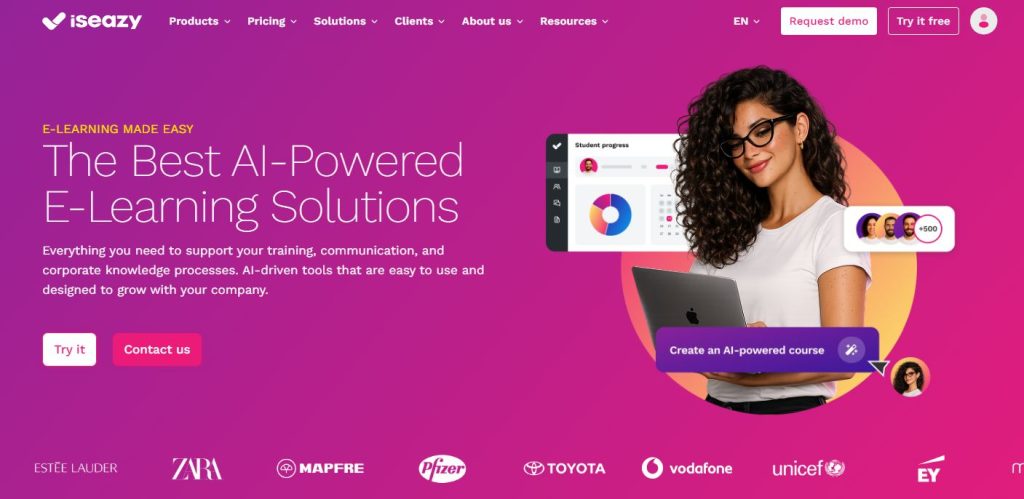
- Main features: Browser-based authoring with templates, games, interactive slides and SCORM and xAPI export
- Best for: Creators who want attractive interactive courses at a low price
- What makes it different: isEazy Author offers a free plan and runs on any computer
- Starting price: Free plan, or €72/mo
isEazy Author gives you the most for the money on this list.
isEazy Author runs in a browser, so it works on a Mac or a Windows PC with nothing to install. Its templates and games help non-designers produce courses that look professional. isEazy says the tool exports SCORM 1.2, SCORM 2004 and xAPI.
isEazy Author’s free plan lets you test the tool with one author and up to three projects. It also adds an isEazy watermark and limits storage, so you’ll need a paid plan before you send anything to a paying client. isEazy doesn’t say which plans include SCORM export, so confirm that during your trial.
For example, a consultant on a MacBook who needs a 45-minute onboarding course for a client could build it in isEazy Author from a template and export a SCORM 1.2 file without touching Windows.
Choose iSpring Suite instead if your course already lives in PowerPoint on Windows. My isEazy review covers the tool in more depth.
6. Adobe Captivate

- Main features: Software simulations, responsive course design and quizzes, with SCORM, xAPI and AICC publishing
- Best for: Course creators who teach people how to use software
- What makes it different: Adobe Captivate records a software task and turns it into a demo, a practice activity and an assessment
- Starting price: $39.99/mo
If your course teaches software, Adobe Captivate deserves a close look.
Adobe Captivate records you completing a task in an application, then turns that recording into three versions. Learners can watch the demo, try the task themselves with hints and then complete it on their own as an assessment. Adobe says Captivate publishes to SCORM 1.2, SCORM 2004, AICC and xAPI.
Adobe’s publishing documentation doesn’t mention cmi5, which matters only if a client asks for it. Captivate also has a smaller user community than Articulate, so you’ll find fewer templates and tutorials when you get stuck.
I’d pick Adobe Captivate over Storyline 360 for software training. For most other topics, iSpring Suite or Storyline 360 is the better fit.
7. Camtasia
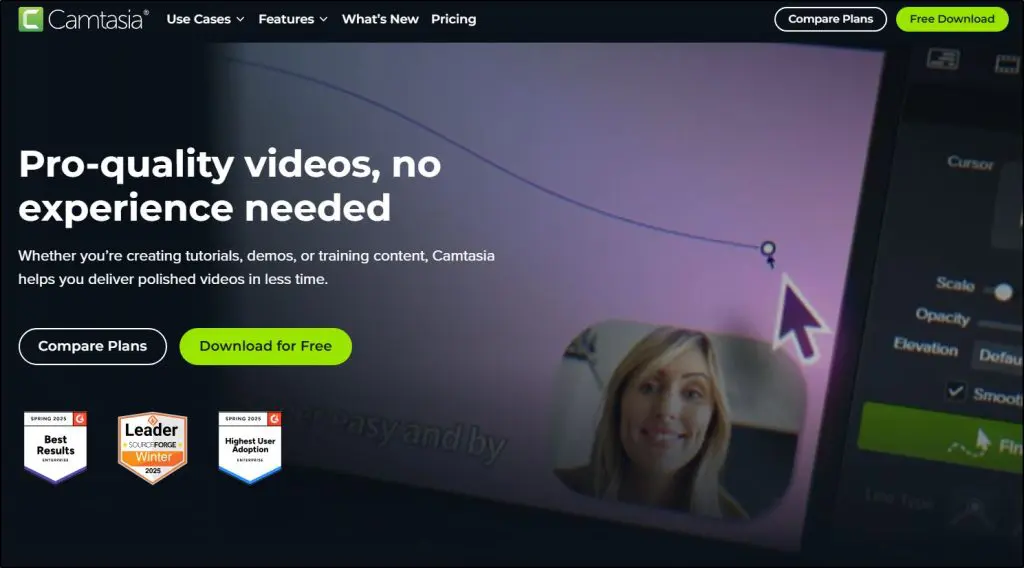
- Main features: Screen recording, video editing and in-video quizzes, with SCORM export
- Best for: Course creators whose lessons are mostly recorded video
- What makes it different: Camtasia turns the videos you already have into trackable SCORM packages
- Starting price: $39/yr (the entry plan watermarks exported videos)
Many course creators already own Camtasia, because they recorded their lessons with it.
Camtasia is the shortest path from a video course to a SCORM package. TechSmith says it can export a video as a SCORM package with in-video quizzes that send each learner’s responses and scores to the LMS.
For example, a course creator with 20 screen-recorded Excel lessons could add two quiz questions to each video in Camtasia and export each lesson as a SCORM package. The client’s LMS would then show who watched each lesson and how they scored.
Camtasia is a video tool, so it can’t build slide-based courses, branching scenarios or rich assessments. TechSmith’s documentation also doesn’t say which SCORM version it exports, so test a package in your client’s LMS before you deliver. Its entry plan adds a watermark to exported videos, so plan on a higher plan for client work.
See my Camtasia review, my roundup of the best screen recording software and my guide to a simple home video studio for more.
8. Easygenerator
- Main features: Browser-based authoring with the EasyAI assistant, SCORM and xAPI export and team co-authoring
- Best for: Organizations where several subject experts build courses
- What makes it different: Easygenerator is designed for people with no instructional design background
- Starting price: $1,499/yr for one author
Easygenerator is built for a situation most solo course creators don’t face, where several experts inside an organization each need to build courses.
Easygenerator’s EasyAI assistant comes with every plan and drafts a course structure and content from your material. The pricing page lists SCORM and xAPI export on every plan as well. Co-authoring, reviewer comments and learner tracking start on the higher tiers built for teams.
Easygenerator’s entry plan allows one author, 10 courses and 100 learners. That covers a pilot project. A training business serving several clients will hit the 100-learner cap fast. The entry plan also costs more per year than iSpring Suite or isEazy Author for a single author, so the value only shows up once a team shares the higher tiers.
I’d recommend Easygenerator for a training business with a team of experts writing courses. A solo creator gets more for the money from iSpring Suite or isEazy Author.
9. Confirm Create (Formerly Elucidat)
- Main features: Browser-based, AI-assisted team authoring with review workflows, brand controls and auto-translation
- Best for: Large learning teams and agencies producing courses in volume
- What makes it different: Confirm Create is built for many authors working on many courses at once
- Starting price: Custom pricing
Elucidat now goes by Create. Learning Pool acquired Elucidat in October 2025 and then rebranded as Confirm in 2026. Confirm says Elucidat accounts, content and workflows continue under the new name.
Confirm Create handles the problems large teams face, such as reviews, translations and keeping every course on brand. Confirm says its auto-translation now covers more than 75 languages, which matters to a team that publishes the same course for staff in several countries. The Elucidat help center lists SCORM 1.2 and SCORM 2004 output, with xAPI available as a tracking mode. The same help center says cmi5 and AICC aren’t available.
Confirm only quotes prices after a sales conversation. For a solo course creator or a small training business, Confirm Create is more platform and more cost than you need.
10. Adapt
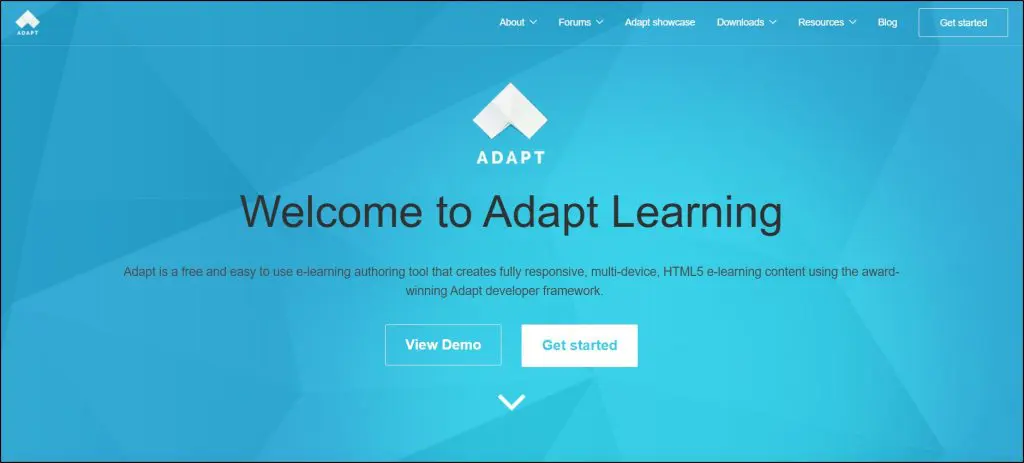
- Main features: Free, open-source authoring for responsive, scrolling courses
- Best for: Organizations with technical help that want free authoring
- What makes it different: Adapt has no license fee and no vendor lock-in
- Starting price: Free
Adapt is a free, open-source authoring tool that builds responsive, scrolling courses similar in style to Rise 360.
Adapt courses can run on a web server or inside a SCORM-compliant LMS. The Adapt project says you can build courses without programming knowledge. Because it’s open source, you never pay a license fee.
The cost shows up as setup time. Someone has to install and maintain the Adapt authoring tool, or you need a company that hosts it for you. Help comes from community forums, with no vendor support desk.
Adapt makes sense for an organization with a developer on staff. Most solo course creators will save more time than money by paying for iSpring Suite or isEazy Author.
Which SCORM Authoring Tool Should You Choose?
Your situation narrows this list quickly. Find the row that describes you.
| Your situation | My pick | Why it fits |
|---|---|---|
| Your course is built in PowerPoint and you use Windows | iSpring Suite | iSpring Suite turns your slides into a SCORM course with the least rework |
| You work on a Mac | isEazy Author or iSpring Cloud AI | Both tools run in a browser and export SCORM 1.2, SCORM 2004 and xAPI |
| Your course is mainly recorded video | Camtasia | Camtasia adds quizzes to your videos and exports them as SCORM |
| A client is paying for custom interactive training | Storyline 360 | Storyline 360 builds branching scenarios and simulations other tools can’t |
| You need polished, mobile-friendly courses quickly | Rise 360 | Rise 360 handles the design for you |
| You teach software | Adobe Captivate | Adobe Captivate turns a recorded task into practice and assessment |
| Several experts in your organization write courses | Easygenerator | Easygenerator combines AI drafting with team collaboration |
| You have a developer and no budget | Adapt | Adapt is free and open source |
Head-to-Head: Choosing Between Similar Tools
Many readers narrow the list to two tools and then get stuck. This table shows the deciding factor for five common comparisons.
| Matchup | Choose the first if | Choose the second if | Deciding factor |
|---|---|---|---|
| iSpring Suite vs. Storyline 360 | Your course lives in PowerPoint and you want results this week | A client is paying for complex custom interactions | How custom the interactions need to be |
| iSpring Suite vs. isEazy Author | You work on Windows with PowerPoint | You work on a Mac or want a free plan to start | Which computer you use |
| Rise 360 vs. iSpring Cloud AI | You also need Storyline 360 for some courses | You want page-like courses without paying for Articulate 360 | Whether you need Storyline 360 too |
| Camtasia vs. iSpring Suite | Your lessons are recorded videos | Your lessons are slides with narration | The format your course is in today |
| Easygenerator vs. Articulate 360 | Subject experts with no design training build the courses | Trained designers build the courses | Who does the building |
iSpring Suite vs. Storyline 360 is the closest call of the five. Both tools export every major format, so the choice comes down to the course you’re building. iSpring Suite gets a PowerPoint-based course to a client faster. Storyline 360 is worth its higher price and learning curve only when the client pays for interactions iSpring Suite can’t build.
Buying Guide: What to Check Before You Pay
Every tool on this list offers a free trial or a free plan. Use the trial to answer these questions before you pay for a year.
| Question to answer | Why it matters | How to check it |
|---|---|---|
| Which format does my client’s LMS need? | A tool that can’t export that format forces a rebuild later | Ask the client for the standard and version, usually SCORM 1.2 |
| Does the tool run on my computer? | iSpring Suite and Storyline 360 need Windows | Read the vendor’s system requirements |
| Can it reuse my existing course? | Reuse saves days of rebuilding | Import one module during the trial |
| Does my exported package track correctly? | A package that doesn’t report completion fails the client’s main need | Upload a test export to Rustici’s free SCORM Cloud trial |
| Does the free plan or entry plan add a watermark? | A watermark looks unprofessional to a paying client | Export a test file and check it |
| What will it cost per year? | Several tools bill yearly per author | Compare the yearly totals in the pricing table above |
How to Turn an Existing Course Into a SCORM Package
Most course creators aren’t starting from scratch. This is the order I’d follow to repackage a course you already sell.
- Confirm the client’s requirements. Ask which standard and version the client’s LMS needs and how the client defines completion, such as viewing every lesson or passing a final quiz.
- Gather your source files. Collect your slides, original video files, quiz questions and worksheets in one folder. My guide on how to move your online course explains why keeping master files outside your platform pays off.
- Rebuild the course in your authoring tool. Import your slides or videos, then add a knowledge check after each module and a final quiz.
- Let AI draft the first pass. In our elearning statistics, 57.3% of creators said they use AI daily. Most tools on this list can draft quiz questions and summaries from your content, so you edit the draft for accuracy. My tips to humanize AI content help with that edit.
- Set the completion rules. Match the rules in your authoring tool to the client’s definition of complete.
- Export and test. Publish the package and test it in SCORM Cloud before you send it to the client.
Once your package works, you need somewhere to deliver it. My roundup of the best SCORM-compliant LMS platforms covers platforms that play SCORM files and still let you sell courses. For the wider market, see my list of the best online course platforms. My Course Container review explains how to license packages into a client’s own LMS while you keep control.
If a client asks for xAPI or cmi5, iSpring Suite, iSpring Cloud AI, Storyline 360 and Rise 360 export both formats. Plan for what the client wants to learn from the data, though. As xAPI expert Megan Torrance told my co-host Celisa Steele on episode 319 of the Leading Learning Podcast, “The magic of xAPI isn’t the technology.” My guide to SCORM alternatives covers xAPI and cmi5 in more detail.
My Take: Match the Tool to the Course You Already Have
Back to that company asking for a SCORM file. The fastest way to say yes is to pick the authoring tool that fits the course you already have and the computer you already use.
Overall, I recommend iSpring Suite for most course creators, because a PowerPoint-based course becomes a reliable SCORM package with the least effort. If you work on a Mac, choose isEazy Author or iSpring Cloud AI. If your course is mostly video, Camtasia gets you there fastest.
Save Storyline 360 and the enterprise tools for the day a client pays for complex custom training. Until then, they cost you more time and money than they return.
For the bigger picture, see my guides to what an LMS is, instructional design, how to create an online course and selling online courses to businesses.
Frequently Asked Questions (FAQs)
Here are quick answers to common questions about SCORM authoring tools.
What is a SCORM authoring tool?
A SCORM authoring tool is software that builds e-learning courses and exports them as SCORM packages. A SCORM package is a zip file that any SCORM-compliant LMS can upload, play and track, recording each learner’s completion, score and time without you writing code.
What is the easiest SCORM authoring tool?
iSpring Suite is the easiest SCORM authoring tool for people who already know PowerPoint, because iSpring Suite works inside PowerPoint. isEazy Author, Rise 360 and iSpring Cloud AI are the easiest browser-based tools, since each one builds courses from ready-made templates or blocks.
Is there a free SCORM authoring tool?
Yes. Adapt is free and open source, while isEazy Author offers a free plan for one author and up to three projects, with a watermark. iSpring Suite, Articulate 360, Adobe Captivate and Easygenerator offer free trials, so you can test a SCORM export before you pay.
Which SCORM authoring tool works on a Mac?
iSpring Cloud AI, isEazy Author, Rise 360, Easygenerator and Confirm Create run in a web browser, so they work on a Mac. iSpring Suite needs Windows and PowerPoint. Articulate says Storyline 360 runs on Windows 11, so Mac users need Parallels or VMware Fusion.
Can I make a SCORM course from PowerPoint?
Yes. iSpring Suite works inside PowerPoint and publishes your slides as SCORM 1.2, SCORM 2004, xAPI or cmi5 packages, ready to upload to a client’s LMS. Storyline 360 and Adobe Captivate can also import PowerPoint slides, which saves you from rebuilding content you’ve already designed.
Can I turn a video course into SCORM?
Yes. Camtasia can export a video as a SCORM package with in-video quizzes. It then sends the learner’s responses and scores to the LMS. Course Container can also convert video into tracked SCORM playback when you license courses to clients with their own LMS.
Is Articulate 360 worth it for course creators?
Articulate 360 is worth it when clients pay for complex, custom interactions that Storyline 360 builds well. For repackaging an existing course, Articulate 360’s price and learning curve are hard to justify. iSpring Suite or isEazy Author gets the job done for less.
Which SCORM version should I export?
Export SCORM 1.2 unless your client asks for something else. SCORM 1.2 has the widest LMS support and the largest share of course launches in Rustici’s SCORM Cloud data. Choose SCORM 2004 only when a client requires it or your course depends on its sequencing rules.

Jeff Cobb, Founder of Learning Revolution
Jeff Cobb is an expert in online education and the business of adult lifelong learning. Over the past 20+ years he has built a thriving career based on that expertise – as an entrepreneur, a consultant, an author, and a speaker. Learning Revolution is a place where Jeff curates tips, insights, and resources to help you build a thriving expertise-based business. Learn more about Jeff Cobb here.
Table of Contents
Related Posts
The Best SCORM Alternatives: xAPI, cmi5, LTI and More for Different Use Cases
10 Best SCORM-Compliant LMS Platforms for Selling Courses
What Is SCORM And Is It Necessary For Selling Online Courses