

TL;DR: What Is a Cohort-Based Course and How Do You Create One?
A cohort-based course is an online course where a group of students starts and finishes together on a fixed schedule, with live sessions, group work, and deadlines. The format suits topics where students need feedback, practice, and accountability to get a result.
– Cohorts completed at 53.4% in Ruzuku’s 2026 data, compared with 41.9% for open self-paced courses
– Run 4 to 8 weeks with one live session a week, plus office hours and recorded lessons
– Aim for 11 to 25 students in your first cohort, which had the highest completion in Ruzuku’s data
– Price higher than a self-paced course, since students get live access to you
– Validate demand with a waitlist or a free live lesson before you build
– Use Kajabi, Mighty Networks, Circle, or Maven to run your cohort, plus Zoom if your platform lacks live video
Say you launch a self-paced course and 40 people buy it in the first week. A month later, your dashboard shows most of them stopped after the second module. Nobody emailed to say they were stuck, so you never had a chance to help.
Cohort-based courses fix much of this.
Students move through the course together on a fixed schedule, with weekly live sessions and an instructor who knows their names. When someone falls behind, the group and the instructor notice in time to help.
In this guide, I’ll explain what a cohort-based course is, when it makes sense for your business, and how to plan, price, run, and sell one. I’ll also compare the platforms I recommend for running cohorts, including what each one costs.
What Is a Cohort-Based Course?
A cohort-based course is an online course where a group of students, called a cohort, goes through the same material at the same time. The course has a start date and an end date. Students attend live sessions, complete assignments by set deadlines, and learn from each other as well as from the instructor.
For example, a copywriting coach might run a six-week cohort. Each week, students watch a short recorded lesson, write a piece of copy, and bring it to a live session for feedback from the coach and the group. By the end, every student has a finished portfolio piece.
Cohort-based courses resemble a traditional classroom, delivered online. The difference from a self-paced course comes down to three things.
- A shared schedule: Everyone starts together and moves through the course week by week
- Live interaction: Students meet with the instructor and each other in real time
- A group: Students work together, give each other feedback, and hold each other accountable
| Self-paced course | Cohort-based course | Hybrid course | |
|---|---|---|---|
| Start date | Anytime | Fixed | Anytime or fixed |
| Pace | Set by each student | Set by the schedule | Self-paced lessons with optional live sessions |
| Live sessions | None | Weekly or more | Monthly or optional |
| Instructor time | Low after launch | High during each cohort | Medium |
| Community | Optional | Central to the course | Usually included |
| Typical price | $49 to $299 | $297 to $1,898 or more | Between the two |
| Best for | Knowledge and step-by-step skills | Skills that need practice and feedback | Scaling a proven course |
Do Cohort-Based Courses Really Improve Completion?
Yes, though the gap is smaller than many cohort platforms claim. In a 2026 Ruzuku study of more than 1.3 million enrollments, scheduled cohort courses had a 53.4% completion rate. Open self-paced courses came in at 41.9%, and drip courses at 42.9%. For comparison, the same report cites MOOC completion rates of only 3% to 12.6%.
| Course type | Completion rate |
|---|---|
| Scheduled cohort | 53.4% |
| On-demand drip | 42.9% |
| Open self-paced | 41.9% |
| MOOCs | 3.0% to 12.6% |
Two details in the data are crucial for creators. First, cohort size matters. Cohorts of 11 to 25 students completed at 65.2%, while cohorts of more than 100 students completed at about 51%.
Second, the topic matters. Coaching and mentorship cohorts completed at 77.0%, compared with 38.5% for self-paced coaching courses. Spiritual education went the other way, with self-paced courses completing at a higher rate.
In my experience, the format works when two things are true. First, the topic calls for practice and feedback. Second, the instructor actively runs the group.
When a Cohort-Based Course Makes Sense
A cohort-based course isn’t the right choice for every topic or every creator. The format works best when students need help applying what they learn, and when you have the time to teach live.
| Good fit | Poor fit |
|---|---|
| Skills that need practice and feedback, like copywriting, coaching, or design | Reference topics students look up once, like software settings |
| Outcomes students struggle to reach alone, like launching a business or losing weight | Quick wins students can get from a 20-minute video |
| Professional audiences who value networking with peers | Audiences spread across many time zones with no shared hours |
| Experts who enjoy teaching live | Creators who want fully passive income |
| Topics where a group adds value through shared examples | Broad topics with mixed skill levels |
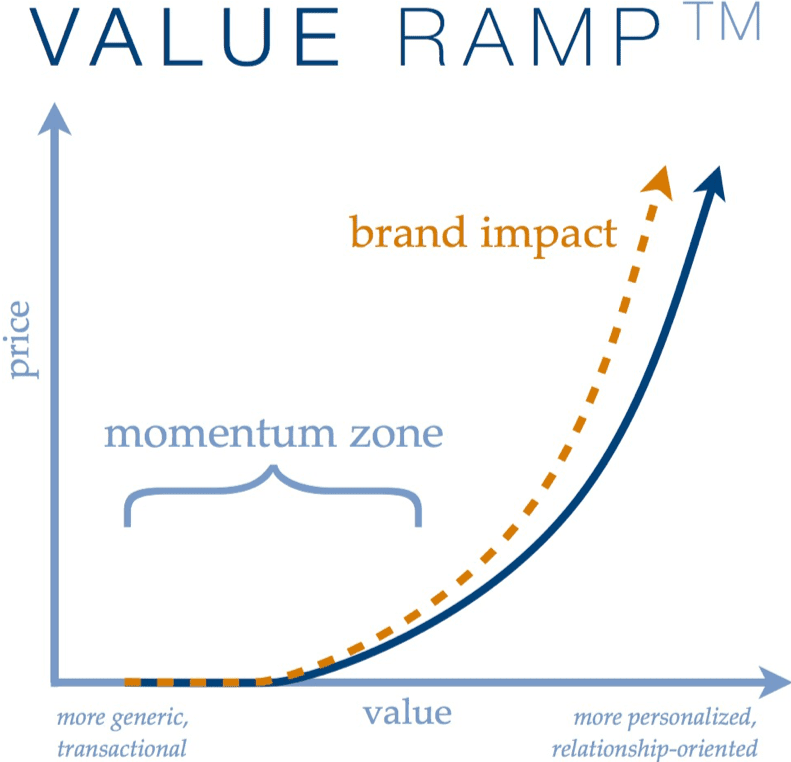
Cohorts also belong higher on your Value Ramp. I use the Value Ramp to map offers from free and low-cost resources at the bottom to high-touch, higher-priced offers at the top. A cohort sits near the top, because students get direct access to you.
Be honest about your capacity before you commit. In our research at Leading Learning, capacity came up again and again as the main limit on what learning businesses can deliver. In The Strategic Outlook for Association Learning Businesses 2026, 47.6% of association learning businesses named insufficient internal resources as a top challenge to growing enrollments. A cohort needs your time every week, so plan your calendar before you plan your curriculum.
Benefits of Cohort-Based Courses
Cohorts help students get results. Those results then make your next cohort easier to sell. Each row in the tables below includes one practical way to put the benefit to work.
Benefits for Students
| Benefit | Why it works | How to use it |
|---|---|---|
| Higher completion | Deadlines and a shared schedule make it harder to put the course off | Set weekly deliverables and send a reminder before each one |
| Accountability | Students don’t want to let the group down | Pair students as accountability partners for the length of the course |
| Peer learning | Students see how others solve the same problem | Share anonymized examples of student work in each live session |
| Active learning | Students practice and create, instead of only watching | Build every week around an assignment students bring to the live session |
| Real-time help | Questions get answered while students are working on the problem | Hold weekly office hours, and answer questions in the community within a day |
For example, in a web development cohort, the instructor can view a student’s shared screen and point to the line of code causing a problem. The student fixes it immediately, which helps the lesson stick. Everyone else in the session learns from the same fix.
Benefits for Your Business
| Benefit | Why it works | How to use it |
|---|---|---|
| Higher prices | Live access to you is worth more than recorded content | Price your cohort at two to five times your self-paced course |
| Easier selling | More finished students means more results and testimonials | Ask for a testimonial in the final live session, while results are fresh |
| Word of mouth | Students talk about the people they learned with | Invite past students to a private alumni group they can share with friends |
| Better feedback | You see exactly where students get stuck | Survey students at the midpoint and the end of each cohort |
| Standing out | Most courses in any niche are self-paced | Lead your sales page with the live sessions and the group |
Feedback gets more valuable with every cohort you run. Each cohort shows you which lessons work, which confuse people, and what students ask for next. Within two or three cohorts, you’ll have a far better course and clear ideas for your next offer.
How to Create a Cohort-Based Course in 9 Steps
Here is the process I recommend for planning and running your first cohort. The steps work whether you’re turning an existing course into a cohort or starting from scratch.
| Step | What to do |
|---|---|
| 1. Choose one transformation and one audience | Pick a specific result your students will reach by the end, for a specific group of people. |
| 2. Validate demand before you build | Build a waitlist, run a free live lesson, or pre-sell the first cohort. |
| 3. Set the length and weekly schedule | Plan 4 to 8 weeks with one main live session each week. |
| 4. Set your cohort size and price | Aim for 11 to 25 students and price for your time and the result. |
| 5. Design the curriculum around doing | Give each week a project or assignment students complete and share. |
| 6. Plan group work and onboarding | Prepare students before day one and set up small groups that work. |
| 7. Choose your platform | Pick a platform that handles cohort schedules, live sessions, and community. |
| 8. Run engaging live sessions | Follow a consistent agenda with teaching, practice, and Q&A. |
| 9. Launch, run, and improve | Open enrollment for a set window, then collect feedback and testimonials. |
Step 1: Choose One Transformation and One Audience
A cohort works best when everyone in it is working toward the same result. Students with different goals or skill levels slow each other down and get less from the group.
Write a one-sentence promise for the course. Use this format: “In [number] weeks, [specific audience] will [specific result].” For example, “In six weeks, new freelance writers will land their first paying client.”
Then answer these questions about the group you plan to teach.
- What experience level do they have with the topic?
- What problem or goal do they all share?
- What will they be able to do at the end that they can’t do now?
- Why would learning with a group help them more than learning alone?
My guide to audience research for course creators shows how to find these answers by talking to your audience. If you coach clients one-on-one today, a cohort is also a natural way to turn online coaching into a group program.
Step 2: Validate Demand Before You Build
Before you build any lessons, confirm people will pay for the cohort. A cohort has a fixed start date, so you need enough students signed up before day one.
- Build a waitlist. Write a simple landing page with your promise and dates, and ask people to join the waitlist.
- Run a free live lesson. Teach a 45-minute session on one part of the topic, then invite attendees to the cohort.
- Pre-sell the first cohort. Offer a founding price to the first 10 to 15 students in exchange for feedback and a testimonial.
- Set a minimum. Decide how many students you need to run the cohort, and offer refunds if you don’t reach it.
The cohort platform Maven builds this into its process. Its instructor policy requires instructors to show traction, such as interest surveys, free live lessons, or lead magnets, before it approves a course. My guide to validating an online course idea covers more methods.
Step 3: Set the Length and Weekly Schedule
Most cohort-based courses run 4 to 8 weeks. Shorter cohorts don’t give students time to practice, while longer ones lose momentum as people fall behind.
Keep most of the teaching in recorded lessons and use live time for interaction. The cohort platform Teachfloor recommends a split of about 70% self-paced content and 30% live sessions, which matches what I’ve seen work for busy adult learners. Here is a sample weekly schedule.
| Day | Activity | Time for students |
|---|---|---|
| Monday | New recorded lesson and assignment released | 30 to 45 minutes |
| Tuesday to Wednesday | Students work on the assignment and post questions in the community | 1 to 2 hours |
| Thursday | Main live session with teaching, feedback, and Q&A | 60 to 90 minutes |
| Friday | Optional office hours for one-on-one questions | 30 to 60 minutes |
| Weekend | Small-group check-ins and peer feedback | 30 minutes |
Pick live session times that work for most of your students. If your audience spreads across time zones, poll the group before the cohort starts and record every session.
Step 4: Set Your Cohort Size and Price
For your first cohort, aim for 11 to 25 students. Cohorts in that range had the highest completion rate in Ruzuku’s data, at 65.2%. The group is big enough for good discussion and small enough for you to know every student.
Price the cohort for the result and your time. Ruzuku’s cohort pricing data puts typical cohort prices at about $297 to $1,898 or more, compared with $49 to $299 for self-paced courses. Run the numbers before you set your price.
| Price per student | Students | Revenue per cohort | Live hours (6 weeks) | Revenue per live hour |
|---|---|---|---|---|
| $297 | 20 | $5,940 | 15 | $396 |
| $597 | 15 | $8,955 | 15 | $597 |
| $997 | 12 | $11,964 | 15 | $798 |
The live hours assume a 90-minute session and a one-hour office hour each week. Use my cohort capacity and pricing calculator to test your own numbers, and try my online course pricing calculator for a self-paced version.
Step 5: Design the Curriculum Around Doing
Self-paced courses handle the lower levels of learning well, such as remembering and understanding. Cohorts shine at the higher levels, where students apply, analyze, evaluate, and create. Bloom’s Taxonomy shows these levels.

So build each week around something students do. Follow this structure for each module.
- Short recorded lesson: Teach the core idea in 10 to 20 minutes.
- Assignment: Give students a task that applies the lesson to their own situation. Add a short quiz where it helps, using my guide on how to create quizzes.
- Share and feedback: Students post their work for you and their peers to review.
- Live session: Review common mistakes, answer questions, and work through examples.
- Reflection: Students note one thing they’ll do differently next week.
Start with a short refresher in week one, since students arrive with different levels of background knowledge. Then build each week on the last, so the final project brings everything together. My guide on how to create an online course covers lesson design in more detail.
Step 6: Plan Group Work and Onboarding
Group work separates a cohort from a self-paced course with a few live calls added on. Good group work needs planning, because poorly organized groups waste students’ time.
Connie Malamed, who publishes The eLearning Coach, explained the research behind this when she talked with my co-host Celisa Steele on the Leading Learning Podcast. Working in a group can expand what students can handle mentally, because the group shares the work. The benefit only holds when the group coordinates well. Connie also noted that collaborative learning works best for novices. Facilitators can help by teaching the group how to work together.
Use these practices to set up groups that work. My guides on building a learning community and increasing community engagement have more ideas.
- Keep small groups to 4 to 6 students, and keep the same groups for the whole cohort
- Give each group a clear task and a deadline, such as reviewing each other’s drafts by Wednesday
- Assign rotating roles, such as facilitator, note taker, and timekeeper
- Share a short guide on how to give useful feedback before the first group task
- Check in with each group during the first two weeks to fix problems early
Onboarding matters as much. Send a welcome email a week before the start with the schedule, login details, and a short pre-work task. Learning designer Tracy King suggested exactly this kind of priming on the Leading Learning Podcast, along with clearly communicating the course objectives and the level it’s designed for.
She also suggested a useful question to ask before you design anything for online learners.
What’s the tech profile of your target learners on a scale from comfy to terrified?
Tracy King, Leading Learning Podcast
If your students fall closer to terrified, add a short orientation call in week zero to walk them through the platform before the course starts.
Step 7: Choose Your Platform
Your platform needs to handle four jobs. The platform should release content on a cohort schedule, host or connect to live sessions, give students a community, and take payments. Choosing an all-in-one platform keeps everything behind one login, which students appreciate.
| Platform | Cohort scheduling | Live video | Community | Transaction fee | Starting price |
|---|---|---|---|---|---|
| Kajabi | Yes, Growth plan and up | Built in | Yes | None | $249/mo |
| Mighty Networks | Yes, all plans | Built in | Yes | 2% on Launch | $79/mo billed annually |
| Circle | Through courses and events | Built in, 100 attendees on Professional | Yes | 2% on Professional | $89/mo billed annually |
| Maven | Yes, built for cohorts | Live sessions | Yes | 10% plus Stripe fees | Free to list |
| LearnWorlds | Through drip and Zoom sessions | Zoom integration, Pro Trainer and up | Yes | $5 per sale on Starter | $29/mo |
| Skool | Basic | Unlimited live calls | Yes | 10% + 30¢ on Hobby | $9/mo |
| Heartbeat | Yes, all plans | Use Zoom | Yes | 5% on Build | $49/mo |
I cover each platform in more detail in the platforms section below. If your platform doesn’t include live video, add Zoom for live sessions. Its Pro plan costs $16.99 a month. Zoom’s breakout rooms also work well for small-group work.
Step 8: Run Engaging Live Sessions
The live session is where students get feedback on their work, so give it the same structure every week. Students settle in faster when they know what to expect.
| Segment | Time | What happens |
|---|---|---|
| Welcome and check-in | 5 minutes | Students share a quick win or question in the chat |
| Teaching | 15 to 20 minutes | Expand on the week’s lesson with new examples |
| Feedback | 20 to 30 minutes | Review two or three student submissions live |
| Breakout practice | 15 to 20 minutes | Small groups work on a short exercise |
| Q&A | 10 to 15 minutes | Answer open questions |
| Commitment | 5 minutes | Each student names one action for the coming week |
I like the closing question Dr. Alaina Szlachta, author of Measurement and Evaluation on a Shoestring, uses at the end of her own sessions. She described it when she joined me on the Leading Learning Podcast.
What’s one thing different that you’re going to do because of this one-hour conversation today?
Dr. Alaina Szlachta, Leading Learning Podcast, episode 436
Alaina records the answers and later asks participants which actions they took and what happened. Copy her approach with a short survey at the end of each cohort, which gives you real results to share in testimonials.
Record every session and post it in the course within a day for students who missed it. If you need a dedicated tool for larger sessions, see my list of the best webinar software. My guide on how to live stream an online class covers the software, equipment, and setup.
Step 9: Launch, Run, and Improve
Cohorts sell best with a clear enrollment window and a firm start date. A deadline gives people a real reason to decide.
- Open enrollment for 1 to 2 weeks. Email your waitlist first, then your full list and social audience.
- Close enrollment on a set date. Tell people when the next cohort opens, so those who miss it join the waitlist.
- Onboard students the week before. Send the welcome email, the schedule, and the pre-work.
- Check in at the midpoint. Run a short survey to find out what’s working and what isn’t.
- Collect testimonials at the end. Ask during the final live session, while results are fresh.
- Improve the next cohort. Update the lessons that confused students and fix the schedule if it felt rushed.
After two or three cohorts, consider a hybrid version. Turn the session recordings and your improved lessons into a self-paced course, and add a monthly live Q&A. The hybrid version gives you a lower-priced offer for students who can’t commit to a schedule, while the cohort stays your premium option. My guide on how to create a sales funnel shows how to connect the two.
Best Platforms for Running Cohort-Based Courses
Here are the platforms I recommend for cohort-based courses, along with who each one suits best. For a broader comparison, see my list of the best online course platforms.
Kajabi
- Starting price: $249/mo for cohort courses (Growth plan)
- Key features: Cohort course type, built-in live video, communities, email, and payments
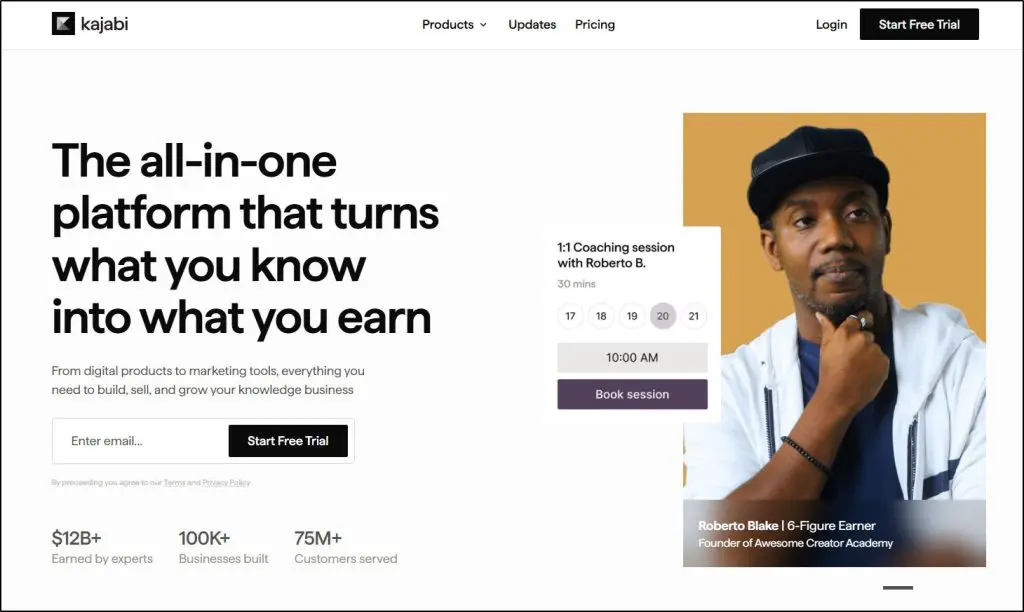
Kajabi is an all-in-one platform for courses, coaching, communities, email marketing, and payments. Its Cohort Courses let you set a fixed start date for each cohort, so modules open on the same schedule for the whole group. Kajabi also lets you run several cohorts of the same course, each with its own start date.
Kajabi’s built-in live video lets up to 200 people appear on video, with up to 20 breakout rooms, so you can run live sessions without Zoom. The catch is that cohort courses require the Growth plan or higher, since the Basic plan supports only evergreen courses. Kajabi fits experts who want cohorts, email, and sales pages in one place. My Kajabi review covers it in depth.
Mighty Networks

- Starting price: $79/mo billed annually
- Key features: On-demand, cohort, and live courses on every plan, live streaming, events, and mobile apps
Mighty Networks is a community platform with courses, events, and live streaming built in. Mighty supports on-demand, cohort, and live courses on every plan, so even the entry plan can run a full cohort with a community around it.
Students can join from the web or Mighty’s mobile apps, so they can follow discussions between sessions. Mighty takes a transaction fee of 2% on the Launch plan, falling to 1% on Scale. My Mighty Networks review covers the plans in detail.
Try Mighty Networks free for 14 days
Circle
- Starting price: $89/mo billed annually
- Key features: Courses, community spaces, live streams, live rooms, and events
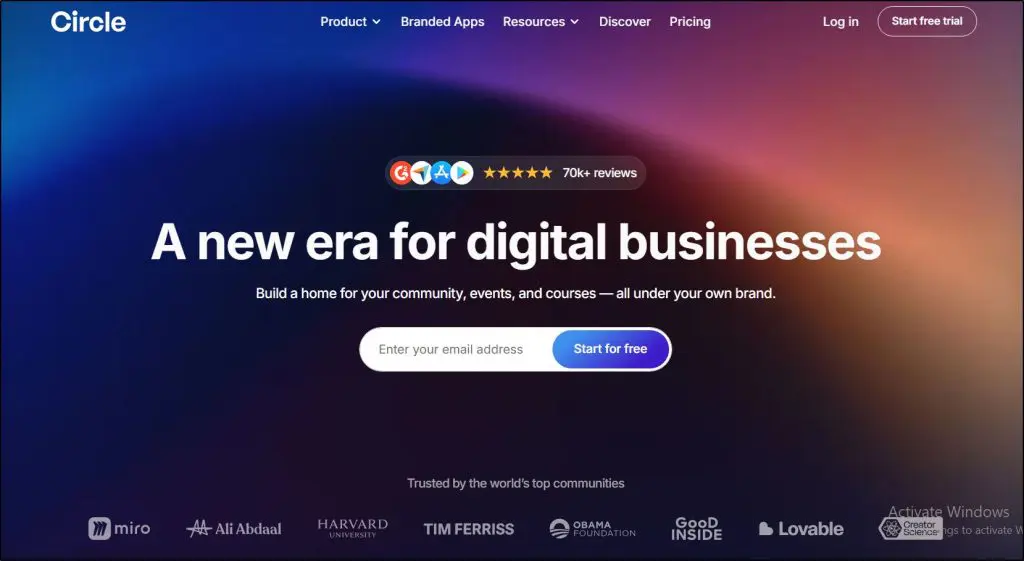
Circle combines community spaces, courses, and live video in one platform. On the Professional plan, live streams hold up to 100 attendees and live rooms hold up to 15 people on camera, with 10 live hours a month. Higher plans raise those limits.
Circle works well when community discussion is the core of your cohort. Live rooms suit small-group sessions. Replays stay in your community, so students who miss a session can catch up. Circle takes a 2% transaction fee on Professional. My Circle review and Mighty Networks vs. Circle comparison cover it in more depth.
Maven

- Starting price: Free to list, Maven keeps 10% of revenue plus Stripe fees
- Key features: Marketplace for live cohorts and workshops, payments, and promotion to Maven’s audience
Maven is a marketplace built specifically for cohort-based courses and live workshops. Maven keeps 10% of your revenue and you keep 90%, with Stripe processing fees deducted separately. Maven also promotes courses through its newsletters, social media, and ads, which can bring you students you wouldn’t reach alone.
The trade-off is control. Maven reviews every course before listing it, requires proof of interest first, and can run promotions with discounts of up to 30% off your price. Maven fits experts in business and professional topics who want access to an audience in exchange for a revenue share.
LearnWorlds

- Starting price: $29/mo, Zoom integration from Pro Trainer
- Key features: Interactive video, assessments, Zoom sessions inside courses, and automatic attendance tracking
LearnWorlds is a course platform built around graded assessments, exams, and interactive video with questions inside the video. Its Zoom integration adds Zoom meetings and webinars as activities inside a course. Students join from the course player. LearnWorlds tracks attendance automatically and replays recordings inside the course.
LearnWorlds suits cohorts that rely on graded assignments and assessments, such as professional training or certification prep. The Zoom integration starts on the Pro Trainer plan. The Starter plan also charges $5 per paid enrollment, which adds up quickly across a full cohort. My LearnWorlds review covers it in depth.
Try LearnWorlds free for 30 days
Skool
- Starting price: $9/mo
- Key features: Community, classroom, calendar, unlimited live calls, and leaderboards
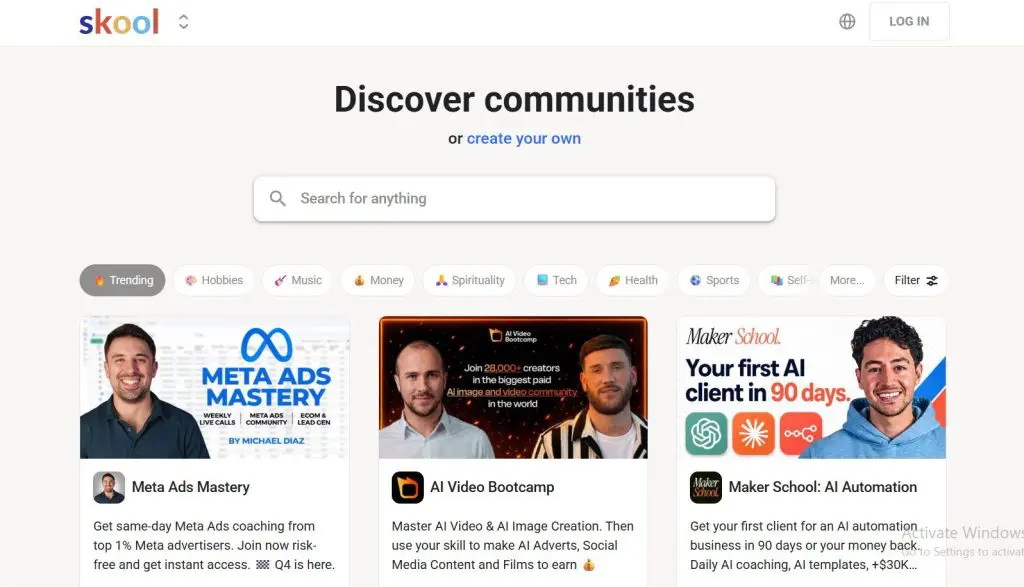
Skool combines a community, a course classroom, a calendar, and unlimited live calls at a low price. Its points and leaderboards encourage participation, which helps a cohort stay active between sessions.
Skool doesn’t offer a dedicated cohort course type, so it suits creators who run cohorts as a group inside a community. The Hobby plan takes 10% plus 30 cents per transaction, compared with 2.9% plus 30 cents on Pro. My Skool review and Skool vs. Circle comparison cover it in more depth.
Heartbeat

- Starting price: $49/mo
- Key features: Community, evergreen, drip, and cohort courses, events, and member directories
Heartbeat is a community platform that supports evergreen, drip, and cohort courses on every plan. Heartbeat suits small cohorts that need discussion threads, events, a member directory, and courses in one place.
Heartbeat has no built-in live streaming, so plan to use Zoom for live sessions. The Build plan covers up to 350 members and takes a 5% transaction fee, falling to 2.5% on Grow.
Try Heartbeat free for 14 days
Common Mistakes to Avoid
Avoid these common mistakes when you run your first cohort. Each one has a simple fix you can plan for before day one.
| Mistake | What happens | How to avoid it |
|---|---|---|
| Too much content | Students fall behind and stop attending | Cut each week to one core idea and one assignment |
| Mixed skill levels | Beginners feel lost and advanced students feel bored | Define the level clearly on the sales page and in onboarding |
| Live sessions that are only lectures | Attendance drops after week two | Spend at least half of each session on feedback and practice |
| No plan for group work | Groups never meet or one person does everything | Assign tasks, deadlines, and rotating roles |
| Underpricing | You burn out running cohorts for little income | Price for your live hours and the result |
| No feedback loop | The same problems repeat in every cohort | Survey students at the midpoint and the end |
Frequently Asked Questions About Cohort-Based Courses
What is a cohort-based course?
A cohort-based course is an online course where a group of students starts and finishes together on a fixed schedule. Students attend live sessions, complete assignments by set deadlines, and learn from the instructor and each other. Most cohort courses run 4 to 8 weeks and focus on skills that need practice and feedback.
What is the difference between a cohort-based course and a self-paced course?
A self-paced course lets each student start anytime and move at their own pace through recorded lessons. A cohort-based course has fixed dates, live sessions, and a group that learns together. Cohorts cost more and take more instructor time, but they usually lead to higher completion and better results.
How long should a cohort-based course be?
Most cohort-based courses run 4 to 8 weeks, with one main live session of 60 to 90 minutes each week. Shorter cohorts leave little time for practice, while longer ones lose momentum. Add weekly office hours and short recorded lessons so students can learn between sessions.
How many students should be in a cohort?
For a first cohort, aim for 11 to 25 students. In Ruzuku’s 2026 data, cohorts of that size had the highest completion rate, at 65.2%. Larger cohorts can work if you split students into small groups of 4 to 6 led by assistants or mentors.
How much should I charge for a cohort-based course?
Ruzuku’s data shows typical cohort prices of about $297 to $1,898 or more, compared with $49 to $299 for self-paced courses. Price for the result students get and the live hours you put in. Many creators charge two to five times the price of a self-paced version.
What is the best platform for cohort-based courses?
Kajabi suits experts who want cohort scheduling, live video, email, and sales pages in one place. Mighty Networks and Circle suit community-centered cohorts. Maven suits experts who want access to a marketplace audience in exchange for a 10% revenue share, plus Stripe fees.
Do cohort-based courses have higher completion rates?
Yes, on average. A 2026 Ruzuku study of more than 1.3 million enrollments found scheduled cohorts completed at 53.4%, compared with 41.9% for open self-paced courses. The data is observational, so results depend on your topic, cohort size, and how actively you run the group.
Can I turn my self-paced course into a cohort-based course?
Yes. Keep your recorded lessons as weekly pre-work, then add a fixed start date, weekly live sessions, assignments, and a community. Many platforms, including Kajabi, let you import an existing course into a cohort format. Run a small pilot cohort first to test the schedule.
Is a Cohort-Based Course Right for You?
Think back to those 40 buyers who stopped after the second module. In a cohort, they would have had a start date, a weekly session, and a group expecting them to show up. The cohort structure is why more students finish. The same structure is also why you can charge more for it.
The trade-off is your time. A cohort makes the most sense when you enjoy teaching live and your topic needs practice and feedback.
Overall, I recommend starting small. Run a pilot cohort of 10 to 15 students with a founding price, a simple weekly schedule, and the platform you already use. What you learn from that first group will shape everything about the next one.

ABOUT YOUR HOST
Learning Revolution founder Jeff Cobb is an expert in online education and the business of adult lifelong learning. Over the past 20+ years he has built a thriving career based on that expertise – as an entrepreneur, a consultant, an author, and a speaker. Learning Revolution is a place where Jeff curates tips, insights, and resources to help you build a thriving expertise-based business.
Table of Contents
Related Posts
OneStream Live Review | Is It The Best Live Streaming Tool For Multiple Destinations?
WebinarJam Review | Is It the Best Webinar Software for Creators?
19+ Traffic Generation Tips For Online Course Websites