
TL;DR: How to Sell Online Courses to Businesses (2026)
Selling online courses to businesses means licensing your training to a company for its staff, usually many seats at once. One B2B deal can bring in what hundreds of single sales would, but it takes a different offer, buyer, price, and delivery setup.
Start with: One course that solves a clear work problem, offered to people who already know you.
Sell to: The person who owns the budget, along with the manager who wants the training.
Price: Hold full price under 10 seats and add live support before you give a discount.
Deliver: Group seats on Thinkific for small clients, client portals in TalentLMS for bigger ones, and SCORM licensing through Course Container when clients want your course inside their own LMS.
My take: Keep selling to individuals, and add one business client before you change platforms or hire anyone.
Selling a course to one person at a time gets harder every year. Ad costs keep rising, prices keep falling, and new creators enter every niche each month. Plenty of good courses earn far less than they deserve.
Businesses buy training in a different way. U.S. companies spent $102.8 billion on training in 2025, and spending on outside products and services jumped 29% to $16 billion, according to Training magazine’s 2025 Training Industry Report. A growing share of that money goes to outside experts like you.
I learned how much one business client can change a company when I ran Isoph, my first e-learning business. In this guide, I explain how to sell online courses to businesses in seven steps, from picking the right course to delivering it inside a client’s own LMS.
Read: The best platforms to sell online courses to consumers
Why Sell Online Courses to Businesses?

Selling to businesses gives you bigger deals, steadier cash, and a stronger brand. Keep selling to individuals, since automated B2C sales still bring in money, and add B2B as a second stream.
| Selling to individuals (B2C) | Selling to businesses (B2B) | |
|---|---|---|
| Who pays | The learner, with their own card | A manager or budget owner who may never take the course |
| Deal size | One seat | Ten to thousands of seats |
| How the sale happens | Checkout page, ads, and email | Calls, demos, proposals, and invoices |
| Time to close | Minutes | Weeks to months |
| Price pressure | High, with constant discounting | Lower, since buyers judge the business result |
| Repeat revenue | Depends on new launches | Yearly license renewals |
One business sale can take minutes to sign and replace months of single sales. Referrals grow faster too. A happy training manager tells peers at other companies, and each referral brings another multi-seat deal.
Cash flow changes most. At Isoph, we signed a major business customer that licensed a large number of our courses for the platform we provided. The deal also made that customer a reference and a source of referrals, and it let us grow the company without debt or venture capital.
Business clients also lift your brand. A list of company logos builds trust faster than a list of individual buyers. If you plan to sell your business someday, a record of B2B sales usually raises its value too.
Is Your Course Ready for Business Buyers?
Check fit before you pitch anyone. Business buyers pay for courses that fix a work problem, and they pass on courses built around personal goals. Compare your course against the signals below.
| Ready to sell to businesses | Needs work first |
|---|---|
| Teaches a skill people use at work, like sales calls, safety, or software | Focuses on personal growth, hobbies, or life goals |
| Learners finish with a result a manager can see | Results show up only for the learner |
| Works for a group of employees at once | Depends on one-on-one coaching |
| Has quizzes or projects that prove progress | Has video lessons with no checks |
| Uses a professional tone and examples from work | Uses casual stories that won’t fit a company setting |
Most courses land somewhere in the middle. A course on running better meetings fits well. A course on personal productivity may sell to companies after you add workplace examples and a manager’s guide.
How to Sell Online Courses to Businesses in 7 Steps

Follow these steps in order. The first four get you a buyer, and the last three make sure you can deliver, get paid, and renew. Most creators skip straight to platforms, and that order wastes money.
Step #1: Adapt Your Course for a Business Audience
Start with your strongest course and review it through a manager’s eyes. Check the learning goals, the tone, and the examples, and ask whether each one fits a workplace.
Small changes usually go a long way. Swap a personal story for a workplace case study, re-record one video, or add a downloadable checklist or job aid. A short facilitator or manager guide also helps, since managers want to know how to support their team.
Some courses need a full rebuild. Run the numbers before you start, and rebuild only if a buyer has already shown interest. Our Online Course Pricing Calculator helps you test whether the extra work pays off.
Step #2: Know Who Buys and Who Signs
The person who takes your course is rarely the person who buys it. A business sale usually involves several people, and each one cares about something different.
| Role | What they care about | What to give them |
|---|---|---|
| Team manager | Better results from the team | A clear outcome and a simple rollout plan |
| L&D or HR lead | Fit with existing training and easy tracking | A course outline, sample lesson, and reporting details |
| Budget owner | Return on the money | Cost per employee and the business result |
| Procurement | Contracts and vendor rules | A quote, license terms, and tax forms |
| IT | Security and system access | Answers on data, logins, and SCORM support |
Find the budget owner early, the same way a consultant would. The manager who loves your course can open the door, but the budget owner decides. If you can’t reach that person, ask your contact what the budget owner needs to see before saying yes.
Step #3: Rewrite Your Offer Around Business Results
Business buyers pay for outcomes like faster onboarding, fewer mistakes, or higher sales, so lead with those. A B2C sales page talks to the learner, while a B2B offer has to talk to the company.
| B2C message | B2B message |
|---|---|
| Learn to write emails people answer | Cut the time your sales team spends on follow-ups |
| Feel confident speaking in public | Help managers run shorter, clearer team meetings |
| Master Excel in a weekend | Get new finance hires working in their reports during week one |
Put the business version on a separate page or a one-page PDF. Add a course outline, the time each lesson takes, and how you’ll report progress. Keep company-specific results out of it until a real client gives you permission to share them.
Step #4: Reach Buyers Through Direct Channels
B2B buyers rarely find you through a social post or a website pop-up. Direct outreach works better. Find strong prospects and contact them by email, phone, video call, or in person at events.
Start with the people who already know you. Consultants, coaches, and speakers usually have the best prospects in their client lists. A course can extend a consulting project or a speaking engagement, the same way authors sell books in bulk at a talk.
Build a presence on LinkedIn too. B2B marketers rank LinkedIn as their most effective channel for thought leadership, at 76%, in the Content Marketing Institute and MarketingProfs 2026 research. Post about the work problems your course solves, and connect with the managers who own them.
Trade and professional associations open another door. At Tagoras, Celisa Steele and I have spent years working with associations, and many of them partner with outside experts to offer education to members and member companies. Speaking at their events puts you in front of buyers from a whole industry at once.
Check your email list as well. A segment of your subscribers may already work at companies that buy training. My guide to building an audience for selling courses covers how to grow that list.
Step #5: Price Your Course for Volume
Expect business buyers to ask for a volume discount, and plan your answer before the first call. I advise adding value before cutting price. Offer a live Q&A, a coaching webinar, or a kickoff session with each company license.
I don’t give any discount until a purchase hits double digits. Even then, I keep it modest, around 5 to 10 percent, until the volume grows much larger. Here’s a sample ladder to adapt.
| Seats | Discount | Extras to offer first |
|---|---|---|
| 1 to 9 | None | Standard course access |
| 10 to 49 | 5% | A live kickoff or Q&A session |
| 50 to 249 | 10% | Progress reports and a manager guide |
| 250 or more | Custom yearly license | Custom examples and quarterly check-ins |
Set your own numbers with our Course Bundle Discount Calculator, and use the Break-Even Calculator to see how many seats cover the cost of your platform. My guide on how to price online courses goes deeper.
Step #6: Pick the Right Way to Deliver Your Course
Delivery decides how big a client you can serve, so match it to your buyers. Small companies often accept a link to your course site. Larger companies usually want their own branded space, or they want your course inside the LMS they already run.
| Delivery option | How it works | Best for | Tools |
|---|---|---|---|
| Enrollment codes | Clients send staff to your course site with a code you provide | Small clients and your first test deals | Most course platforms |
| Group seats | Clients buy a block of seats, and a manager assigns them | Small and mid-size companies | Thinkific Grow and Plus |
| Client portals | Each client gets a branded space with its own users and reports | Mid-size and large companies | TalentLMS, LearnUpon |
| SCORM licensing | Clients run your course inside their own LMS while you keep the files | Large companies with an LMS | Course Container, Rustici Content Controller |
The next sections cover the three tools I’d start with, one for each of the last three options. My guide to the best LMS platforms to sell courses compares nine more.
Thinkific: Group Seats for Small and Mid-Size Clients
- Best for: Creators adding their first business clients to an existing course business
- Key features: Group orders with seat assignment, B2B invoicing and purchase orders, cohorts, certificates, and SCORM on Plus
- Starting price: $82/mo billed annually, with group orders from $164/mo on Grow (30-day free trial)
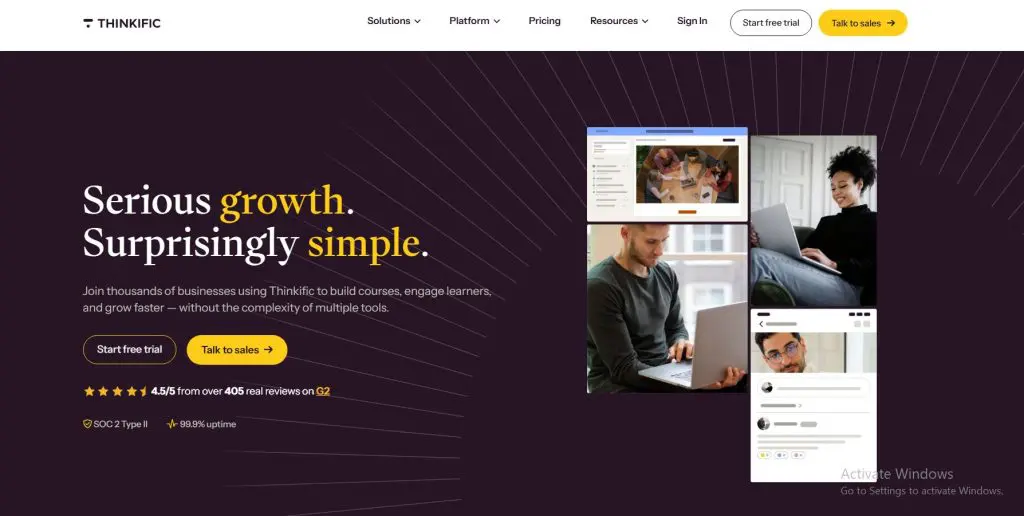
I run my own live courses on Thinkific, so I know its strengths well. Group orders let a company buy a block of seats while its manager assigns them and tracks progress. Thinkific also handles invoices and purchase orders, which saves you from chasing payments by hand.
Thinkific works best when clients accept your branding and your course site. SCORM only comes on Thinkific Plus, its enterprise plan. Read my Thinkific review for the full picture.
Thinkific pricing plans:
| Plan | Billed monthly | Billed annually (per month) | Key limits |
|---|---|---|---|
| Start | $109 | $82 | 1 community; 10 spaces; 2 administrators; 200 GB/mo video bandwidth |
| Grow | $219 | $164 | 3 communities; 20 spaces; 6 administrators; 400 GB/mo video bandwidth |
| Expand | $499 | $374 | 10 communities; 200 spaces; 15 administrators; 1,000 GB/mo video bandwidth |
| Plus | Custom | Custom | Custom |
Thinkific features by plan:
| Feature | Start | Grow | Expand | Plus |
|---|---|---|---|---|
| Courses & students | ||||
| Published courses | Unlimited | Unlimited | Unlimited | Unlimited |
| Current students | 10,000 | 10,000 | 10,000 | Custom |
| Video bandwidth | 200 GB/mo | 400 GB/mo | 1,000 GB/mo | From 7,500 GB/mo |
| Digital downloads | Unlimited | Unlimited | Unlimited | Unlimited |
| Coaching & webinars | Unlimited | Unlimited | Unlimited | Unlimited |
| Certificates, assignments, private courses | ✓ | ✓ | ✓ | ✓ |
| Zoom lessons in courses | ✓ | ✓ | ✓ | ✓ |
| SCORM | ✗ | ✗ | ✗ | ✓ |
| Learning paths | ✗ | ✗ | ✗ | ✓ |
| Exams and credentialing | ✗ | ✗ | ✗ | ✓ |
| Community | ||||
| Communities | 1 | 3 | 10 | Unlimited |
| Spaces per community | 10 | 20 | 200 | Unlimited |
| Selling | ||||
| Paid memberships / subscriptions | ✓ | ✓ | ✓ | ✓ |
| Bundles & payment plans | ✓ | ✓ | ✓ | ✓ |
| PayPal payments | ✗ | ✓ | ✓ | ✓ |
| B2B sales, group orders & invoicing | ✗ | ✓ | ✓ | ✓ |
| Revenue sharing with partners | 1 | 3 | 10 | Unlimited |
| Site & admin | ||||
| Remove Thinkific branding | ✗ | ✓ | ✓ | ✓ |
| Reporting & analytics | Standard only | ✓ | ✓ | Yes, plus custom dashboards |
| Bulk import & enrollment (CSV) | ✗ | ✓ | ✓ | ✓ |
| API, webhooks & Zapier actions | No (Zapier triggers only) | ✓ | ✓ | ✓ |
| Single sign-on (SSO) | ✗ | ✗ | ✗ | ✓ |
| Support | Email & chat | Phone & priority chat | Phone & priority chat, plus dedicated launch support | Dedicated customer success team |
| Branded mobile app | $199/mo add-on | $199/mo add-on | $199/mo add-on | Included on select contracts |
| AI & integrations | ||||
| AI teaching assistant | ✗ | ✗ | ✗ | ✓ |
| Thinkific MCP (Claude, ChatGPT) | ✗ | ✗ | Not listed | ✓ |
| Marketing | ||||
| Email Automation | ✓ | ✓ | ✓ | ✓ |
| Landing Pages | ✓ | ✓ | ✓ | ✓ |
| Site Builder | ✓ | ✓ | ✓ | ✓ |
| Third-party gateway fee (Stripe/PayPal, select countries) | 2% | 1% | Varies by plan; confirm with Thinkific | 0 |
| Card processing (Thinkific Payments) | 2.9% | 2.9% | 2.9% | 2.9% |
| Administrators | 2 | 6 | 15 | By plan |
| Maximum learners per group | 50 | 100 | Unlimited | Unlimited |
| Bulk student email | ✗ | ✓ | ✓ | ✓ |
| Email white-labeling | ✗ | ✗ | ✓ | ✓ |
| Custom SSL certificates | ✗ | ✗ | ✓ | ✓ |
Verdict: The easiest first step into B2B for creators already selling to individuals.
TalentLMS: Branded Portals for Each Client

- Best for: Training businesses that need a separate, branded space for each corporate client
- Key features: Branches with their own domain and branding, group keys for enrollment, SCORM and xAPI, reports, and ecommerce
- Starting price: $119/mo billed annually (Free plan, no credit card)
Larger clients often want their own portal with their logo, their users, and their reports. TalentLMS calls these branches, and the industry calls the setup multi-tenancy. Each client acts like a tenant in your building, and you stay the landlord with control over the whole system.
Clients can manage their own learners inside their branch without seeing any other client’s data. Watch the branch limit on each plan, because most B2B sellers need one branch per client. My TalentLMS review covers the details.
TalentLMS pricing plans:
| Plan | Billed monthly | Billed annually (per month) | Key limits |
|---|---|---|---|
| Free | Free | Free | Up to 5 users, 10 courses |
| Core | $149 | $119 | Up to 40 users, 1 branch |
| Grow | $299 | $229 | Up to 70 users, 3 branches |
| Pro | $579 | $449 | Up to 100 users, 15 branches |
| Enterprise | Custom | Custom | 1,000+ users, unlimited branches |
TalentLMS features by plan:
| Feature | Free | Core | Grow | Pro | Enterprise |
|---|---|---|---|---|---|
| Users (base bracket) | 5 | 40 | 70 | 100 | 1,000+ |
| Courses | 10 | Unlimited | Unlimited | Unlimited | Unlimited |
| Branches | N/A | 1 | 3 | 15 | Unlimited |
| SCORM, xAPI and cmi5 | N/A | ✓ | ✓ | ✓ | ✓ |
| Single sign-on (SSO) | N/A | ✓ | ✓ | ✓ | ✓ |
| Custom domain and SSL | N/A | ✓ | ✓ | ✓ | ✓ |
| Automations and custom reports | N/A | ✓ | ✓ | ✓ | ✓ |
| Gamification | N/A | ✓ | ✓ | ✓ | ✓ |
| TalentCraft AI credits | Trial credits | 5,000 one-time | 10,000/mo | 15,000/mo | 80,000/mo |
| Onboarding | None | One discovery call | 2 weeks, 2 sessions | 1 month, weekly | Unlimited |
| TalentLibrary ready-made courses | Add-on | Add-on | Add-on | Add-on | Add-on |
Verdict: The most affordable way to give every corporate client its own branded portal.
Course Container: SCORM Licensing Into Client LMSs

- Best for: Course sellers licensing content to companies that already run their own LMS
- Key features: SCORM and xAPI dispatch, one-place updates, usage tracking by client, license limits, and a built-in LMS for clients without one
- Starting price: $80/mo for up to 100 active users (30-day free trial)
Many large companies already run an LMS and want your course inside it. Courses built on a typical creator platform can’t move there, because they don’t export in a standard format. My article on whether your course platform holds your course prisoner explains why.
The fix starts with an authoring tool that exports SCORM, the standard most LMSs accept. From there, you can zip the files and send them to the client. Zipping works for a first test deal, but you hand over your files, lose track of usage, and must resend every update by hand.
Course Container solves those problems. Each course lives in one central library, and the client loads a small file that calls your course into their LMS. The client tracks learners as if it hosted the course, while you protect your files, push updates to every client at once, and see usage by client. My Course Container review goes deeper.
Course Container pricing plans:
| Plan | Billed monthly | Key limits |
|---|---|---|
| Small | $80 | Up to 100 course users a month |
| Medium | $210 | Up to 275 course users a month |
| Large | $395 | Up to 550 course users a month |
| XL | $750 | Up to 1,250 course users a month |
| Platinum | $1,500 | Up to 4,500 course users a month |
Course Container features by plan:
| Feature | Small | Medium | Large | XL | Platinum |
|---|---|---|---|---|---|
| Course users a month | 100 | 275 | 550 | 1,250 | 4,500 |
| Overage per extra user | $1.75 | $1.25 | $1.00 | $0.80 | $0.50 |
| Update once, push to every client | ✓ | ✓ | ✓ | ✓ | ✓ |
| Usage tracking by client | ✓ | ✓ | ✓ | ✓ | ✓ |
| Seat and date limits per license | ✓ | ✓ | ✓ | ✓ | ✓ |
| SCORM 1.2, SCORM 2004, Dispatch and Relay | ✓ | ✓ | ✓ | ✓ | ✓ |
| Video converted to tracked SCORM playback | ✓ | ✓ | ✓ | ✓ | ✓ |
| LTI content delivered as SCORM | ✓ | ✓ | ✓ | ✓ | ✓ |
| Near real-time reports with Excel export | ✓ | ✓ | ✓ | ✓ | ✓ |
Verdict: The simplest way to license courses into client LMSs without giving away your files.
Rustici Software offers a similar setup through Rustici Dispatch and Content Controller. Dispatch connects through an API, so it suits teams with developers, while Course Container works out of the box.
Authoring Tools for Building SCORM Courses
SCORM licensing needs courses built in a standards-based authoring tool. Pick one before you rebuild anything, since each tool works a little differently. My guide on whether SCORM matters for selling courses helps you decide if you need it yet.
| Tool | How you build | Best for | Starting price |
|---|---|---|---|
| Articulate 360 | Storyline for custom interactions and Rise for fast web courses | Creators who want the industry standard | $1,199/yr |
| iSpring Suite | Inside PowerPoint | Creators who already build slides | $970/yr |
| isEazy | In a web browser with templates | Teams that want quick, good-looking courses | See my review |
Export SCORM 1.2 unless a client asks for something else. Almost every corporate LMS accepts it.
Step #7: Set Up Sales, Contracts, and Support

B2B sales change how you run the business behind the course. Most creators need to build their own sales skills or bring in someone who has them.
Payments change too. Business clients pay by invoice and purchase order, and some route every purchase through a procurement team. Expect to fill in vendor forms, tax forms, and sometimes an IT security questionnaire.
Support shifts from individual learners to an account. Most accounts come down to one contact or team at each client, and that contact may change from year to year. Keep notes on every account, check in before renewal, and send usage reports so the client sees the value.
Put a simple license agreement in place before the first deal. Cover the number of seats, the license term, how employees can use the course, what happens with updates, and who owns the content.
Mistakes to Avoid When Selling Courses to Businesses
I’ve watched many experts try B2B and stall for the same few reasons. Most of these mistakes cost months, so check your plan against them.
- Buying an enterprise LMS before the first client: Sign one deal on your current setup, then upgrade when a client needs more.
- Pitching the learner instead of the buyer: A manager needs a business result, and personal benefits won’t carry the sale.
- Discounting too early: Every cut sets the price for the next deal, so add value first.
- Sending raw course files: Once files leave your hands, you can’t track usage or stop sharing.
- Skipping the renewal plan: Yearly licenses only renew when the client sees results, so report on usage before renewal comes up.
Is B2B the Right Move for Your Course Business?
For most experts with a work-related course, yes. The B2B market has competition, but it’s quieter than the B2C market, and your niche may be wide open. My guide to the online course business covers the bigger picture.
Running a B2B course business looks a lot like running a software company. Clients pay yearly, they expect support, and they renew when the product keeps working. Most creators keep selling to individuals at the same time, and the two streams support each other.
Frequently Asked Questions (FAQs)
Here are answers to the questions experts ask me most often when they start selling online courses to businesses.
What should a course license agreement include?
A course license agreement should list the number of seats, the license term, who can use the course, and how you’ll deliver updates. Add payment terms, renewal terms, and a clause stating that you keep ownership of the content. Have a lawyer review your first agreement, then reuse it as a template.
Can I sell courses to businesses on Kajabi or Teachable?
Yes, but only in a basic way. Kajabi and Teachable focus on individual buyers and don’t offer group orders, seat management for company buyers, or SCORM. Clients can buy single seats or use codes. For seat blocks and invoicing, Thinkific Grow or a training LMS like TalentLMS handles B2B deals better.
How long does it take to close a B2B course sale?
Small companies can decide within a few weeks, especially when the manager also controls the budget. Larger companies often take a few months, since the deal may need sign-off from HR, procurement, and IT. Keep a pipeline of several prospects so one slow deal doesn’t stall your revenue.
Can I sell my courses through professional associations?
Yes. Many associations partner with outside experts to offer education to their members, often with a revenue share or a flat license fee. Associations bring trust and a ready audience, and some can approve continuing education credits. Start by speaking at an association event and building a relationship with its education staff.
Will companies with LinkedIn Learning or Udemy Business still buy my course?
Often, yes. Libraries like LinkedIn Learning and Udemy Business cover general skills such as Excel or leadership basics. Companies still buy specialized training for their industry, their tools, or a specific problem. Position your course as the deep, focused option that a general library doesn’t offer.
Do I need a company to sell courses to businesses?
Most business buyers expect to work with a registered business that can send invoices and provide tax forms. A sole proprietorship or small LLC usually works fine for smaller deals. Larger clients may also ask for business insurance or a signed vendor agreement before they approve a purchase.
Final Thoughts: Land One Business Client First
Pick one course, rewrite its offer for a business buyer, and contact five people who already know your work this month. Sell the first deal with enrollment codes or Thinkific group seats, and upgrade only when a client asks for portals or SCORM.
When you reach that point, compare your options in my guide to the best LMS platforms to sell courses. If you also train your own team, my guide to the best LMS for small business covers that side.
Notebook image by StockSnap from Pixabay
Coin image by Nattanan Kanchanaprat from Pixabay

Jeff Cobb, Founder of Learning Revolution
Jeff Cobb is an expert in online education and the business of adult lifelong learning. Over the past 20+ years he has built a thriving career based on that expertise – as an entrepreneur, a consultant, an author, and a speaker. Learning Revolution is a place where Jeff curates tips, insights, and resources to help you build a thriving expertise-based business. Learn more about Jeff Cobb here.
Table of Contents


GREAT information…thank you much! You provided insight on every option possible. Especially the Course Container… that was new to me.