

TL;DR: Best LMS for Selling Courses to Businesses and Professionals (2026)
An LMS for selling courses gives you training tools, like SCORM, certificates, and reports, plus a way to sell seats and give each client its own space. Training companies, associations, and certification providers need both sides, and most software only covers one.
TalentLMS: Best affordable starting point for selling training to companies.
LearnWorlds: Best for adding company sales to individual sales.
LearningCart: Best for selling bulk seats to corporate clients.
Academy of Mine: Best for continuing education and certification.
Arlo: Best for providers who run scheduled classroom, virtual, and on-site courses.
LearnDash: Best on WordPress.
LearnUpon: Best for training companies with many corporate clients.
Thought Industries: Best for large training businesses.
Absorb LMS: Best for training staff and selling to customers in one system.
My take: Start with TalentLMS or LearnWorlds unless you need CE credits, classroom scheduling, or dozens of client portals right away.
Selling training to organizations is a different business from selling a course to one person. A safety training firm sells 40 seats to a contractor. A professional education provider tracks credits for licensed nurses, and an association sells exam prep to members and their employers.
Most software only handles half of that job.
Course platforms like Thinkific and Kajabi make checkout easy, but they fall short on SCORM, group sign-ups, and client portals. Corporate LMS tools handle the training side well, but they assume nobody ever pays for a course.
I’ve worked on this problem for most of my career. I co-founded an LMS company called Isoph, and our early LMS research at Tagoras became the reason many associations still call us before they choose a platform. In this guide, I compare nine LMS platforms built for selling training, with honest costs, so you can narrow your list before you sit through a single demo.
See the best online course platforms if you sell to individuals as a solo creator
Best LMS for Selling Courses Compared
Use this table to find two or three platforms that match how you sell.
| Platform | Best for | Sells bulk seats or client portals? | Starting price |
|---|---|---|---|
| TalentLMS | Affordable sales to companies | Yes, through branches and group keys | $119/mo billed annually (Free plan, no credit card) |
| LearnWorlds | Adding company sales to individual sales | Yes, on higher plans | $79/mo billed annually |
| LearningCart | Bulk seats for corporate clients | Yes, sub-portals on Platinum | $199/mo (Free trial) |
| Academy of Mine | CE credits and certification | Yes | $999/mo (Free trial, no credit card) |
| Arlo | Classroom and live course providers | Yes, customer portal on Professional | $105/mo, usage based (Free trial, no credit card) |
| LearnDash | Training businesses on WordPress | Yes, with Groups and add-ons | $259/yr plus hosting |
| LearnUpon | Training companies with many clients | Yes, branded portals | Quote, about $10,000 to $15,000/yr minimum |
| Thought Industries | Large training businesses | Yes | Quote, median about $55,000/yr |
| Absorb LMS | Several audiences in one system | Yes | Quote, about $14,500/yr for 500 learners |
Do You Need an LMS or a Course Platform?
A course platform is enough when you sell self-paced courses to people who pay with their own card. An LMS becomes necessary once your buyers are companies, your learners need credits or certificates, or you teach in more than one format.
| What you need | Course platform | LMS |
|---|---|---|
| Individual checkout, coupons, and subscriptions | Yes | Yes |
| Selling 50 seats to one company and letting their manager hand them out | Rarely | Yes |
| A branded portal for each corporate client | No | Yes |
| SCORM courses built in Articulate or iSpring | Only on top plans | Yes |
| Continuing education credits tied to rules | No | Yes |
| Classroom sessions alongside online courses | No | Yes |
Thinkific shows where the line falls. I run my own live courses on Thinkific, and it works well for that. SCORM and learning paths only come on Thinkific Plus, its enterprise plan, because the standard plans focus on selling to individuals. My guide on whether SCORM matters for selling courses explains when you need it, and my LMS explainer covers the basics.
Four Ways to Sell Training to Organizations
How you sell decides which LMS fits, so settle that before you compare features. Most training businesses use one or two of these four models.
| Sales model | How it works | Platforms that handle it well |
|---|---|---|
| Seat licenses | A company buys a block of seats, and its manager assigns them | LearningCart, TalentLMS, LearnUpon |
| Client portals | Each client gets a branded space with its own users and reports | TalentLMS, LearnUpon, Thought Industries |
| Subscriptions and memberships | Professionals or members pay yearly for access to a catalog | LearnWorlds, Academy of Mine, LearnDash |
| Scheduled live courses | Learners sign up for dated classroom or virtual sessions | Arlo, Academy of Mine, TalentLMS |
Some training businesses add a fifth model and license SCORM files that clients load into their own LMS. Large companies often prefer this, since their staff never need another login. Our Course Bundle Discount Calculator helps you set volume prices for seat packages.
What These Platforms Cost in Year One
Year-one costs on this list run from a few hundred dollars to more than $100,000. The quote-only platforms rarely say so upfront, so here’s what to expect, based on published prices and the best outside estimates I could find.
| Platform | Published starting price | Year-one cost | Pricing model |
|---|---|---|---|
| LearnDash | $259/yr | A few hundred dollars plus hosting and add-ons | Annual license |
| LearnWorlds | $79/mo | About $950 to $3,000 | Flat plans with learner limits |
| Arlo | $105/mo | About $1,300 to $2,900 | Usage-based monthly plans |
| TalentLMS | $119/mo | About $1,400 to $5,400 | Flat user brackets |
| LearningCart | $199/mo | About $2,400, or $14,400 with sub-portals | Flat monthly plans |
| Academy of Mine | $999/mo | About $12,000 | Flat monthly plan |
| LearnUpon | Not published | About $10,000 to $16,000 | Quote, per active user |
| Absorb LMS | Not published | About $14,500 for 500 learners | Quote, annual contract |
| Thought Industries | Not published | About $25,000 to $115,000 | Quote, annual contract |
Estimates for the quote-only platforms come from SchoolMaker for LearnUpon, Educate-Me for Absorb, and Vendr’s contract data for Thought Industries. All three usually add setup fees on top.
Check your margins before you commit. Our Gross Profit Calculator shows what you keep per seat after fees, and the Break-Even Calculator tells you how many seats you need to cover the platform.
How I Picked These Platforms
Organizations selling training need different things from a solo creator. I rated each platform on these six points.
- Ways to sell: Single purchases, bulk seats, company accounts, and subscriptions.
- Client portals: A branded space for each client.
- Standards and credentials: SCORM and xAPI support, certificates, and continuing education credits.
- Mixed formats: Classroom, virtual, and on-site sessions managed in the same system as online courses, with attendance tracked next to completions.
- White labeling: Training sold under your brand.
- Full cost: License, setup, and transaction fees together, beyond the headline price.
The 9 Best LMS Platforms for Selling Courses
Each review covers who the platform suits, what it does well, and where it falls short. Every review ends with tables showing the platform’s plans and features, so you can compare them side by side.
1. TalentLMS: Best Affordable LMS for Selling to Companies

- Best for: Training businesses selling to small and mid-size companies
- Key features: Branches with their own branding, Stripe and PayPal checkout, group keys, SCORM, xAPI, and cmi5, live sessions, and certificates
- Starting price: $119/mo billed annually (Free plan, no credit card)
TalentLMS is my first pick for training businesses that want to sell to companies without signing an enterprise contract. Checkout runs through Stripe or PayPal, with coupons and subscriptions built in.
Branches do the heavy work for B2B sellers. Each corporate client gets its own portal, domain, and branding, and group keys let the client’s manager enroll their own staff.
The training side is solid too, with SCORM, live sessions, certificates, and automations. Watch your branch count, though, because each plan allows only so many, and most B2B sellers need one per client. My TalentLMS review covers the rest.
TalentLMS pricing plans:
| Plan | Billed monthly | Billed annually (per month) | Key limits |
|---|---|---|---|
| Free | Free | Free | Up to 5 users, 10 courses |
| Core | $149 | $119 | Up to 40 users, 1 branch |
| Grow | $299 | $229 | Up to 70 users, 3 branches |
| Pro | $579 | $449 | Up to 100 users, 15 branches |
| Enterprise | Custom | Custom | 1,000+ users, unlimited branches |
TalentLMS features by plan:
| Feature | Free | Core | Grow | Pro | Enterprise |
|---|---|---|---|---|---|
| Users (base bracket) | 5 | 40 | 70 | 100 | 1,000+ |
| Courses | 10 | Unlimited | Unlimited | Unlimited | Unlimited |
| Branches | N/A | 1 | 3 | 15 | Unlimited |
| SCORM, xAPI and cmi5 | N/A | ✓ | ✓ | ✓ | ✓ |
| Single sign-on (SSO) | N/A | ✓ | ✓ | ✓ | ✓ |
| Custom domain and SSL | N/A | ✓ | ✓ | ✓ | ✓ |
| Automations and custom reports | N/A | ✓ | ✓ | ✓ | ✓ |
| Gamification | N/A | ✓ | ✓ | ✓ | ✓ |
| TalentCraft AI credits | Trial credits | 5,000 one-time | 10,000/mo | 15,000/mo | 80,000/mo |
| Onboarding | None | One discovery call | 2 weeks, 2 sessions | 1 month, weekly | Unlimited |
| TalentLibrary ready-made courses | Add-on | Add-on | Add-on | Add-on | Add-on |
Verdict: The best value for selling training to companies, as long as your client count fits your plan’s branch limit.
2. LearnWorlds: Best for Adding Company Sales

- Best for: Creators and training firms adding company deals to individual sales
- Key features: A polished storefront, sales funnels, interactive video, SCORM, certificates, and white labeling
- Starting price: $79/mo billed annually
LearnWorlds sits between a course platform and an LMS. Sellers get a strong storefront, funnels, and email, along with SCORM support, certificates, and tools for managing company buyers.
LearnWorlds works best for sellers who started with individual buyers and now land company deals. When the first corporate client signs, you don’t have to move platforms.
Pick your plan with care. The entry plan skips certificates and charges a fee on each sale, so B2B sellers should start on a higher tier. Every plan also caps monthly active learners, which large client rollouts can hit. My LearnWorlds review goes deeper.
LearnWorlds pricing plans:
| Plan | Billed monthly | Billed annually (per month) | Transaction fee |
|---|---|---|---|
| Starter | $29 | $24 | $5 per paid enrollment |
| Pro Trainer | $99 | $79 | None |
| Learning Center | $299 | $249 | None |
| Corporate | Custom | Custom | None |
LearnWorlds features by plan:
| Feature | Starter | Pro Trainer | Learning Center | Corporate |
|---|---|---|---|---|
| Enrollment fee | $5 per paid enrollment | None | None | None |
| Monthly active learners | 1,000 | 2,000 | 2,000 | Custom |
| Admins & team seats | 1 | 5 | 25 | Custom |
| AI credits per month | 300 | 500 | 1,000 | Custom |
| Paid courses | Unlimited | Unlimited | Unlimited | Unlimited |
| Free courses & learning paths | ✗ | Unlimited | Unlimited | Unlimited |
| Certificates | ✗ | ✓ | ✓ | ✓ |
| SCORM & HTML5 | ✗ | 20 packages | Unlimited | Unlimited |
| Interactive video with AI | ✗ | Basic | Advanced | Advanced |
| Bundles, subscriptions & installments | ✗ | ✓ | ✓ | ✓ |
| Page funnels | ✗ | 15 | Unlimited | Unlimited |
| Mass emails per month | ✗ | 2,000 | 5,000 | 10,000 |
| Affiliate marketing | ✗ | Basic | Advanced | Advanced |
| Landing pages | ✗ | ✓ | ✓ | ✓ |
| White-label (no LearnWorlds logos) | ✗ | ✗ | ✓ | ✓ |
| Zapier | ✗ | ✓ | ✓ | ✓ |
| Branded mobile app | ✗ | Add-on | Add-on | Add-on |
| Email support | 24/5 | 24/7 | 24/7 | 24/7 |
| Client groups (B2B training) | ✗ | ✗ | Up to 10 | Custom |
| Automation engine (triggers, conditions, delays) | ✗ | ✗ | ✓ | ✓ |
| Single sign-on and API | ✗ | ✗ | ✓ | ✓ |
| Scheduled course reports | ✗ | ✗ | ✓ | ✓ |
| LTI 1.3 activities | ✗ | ✗ | Unlimited | Unlimited |
| Setup help with a specialist | ✗ | ✗ | 2 hours | Dedicated success manager |
| Uptime guarantee | 99.90% | 99.90% | 99.90% | 99.95% |
Verdict: The best bridge for sellers moving from individual buyers to company deals.
3. LearningCart: Best for Bulk Seats and Client Portals

- Best for: Training companies selling seat licenses to corporate clients
- Key features: An ecommerce storefront, SCORM courses, a built-in blog, webinar integration, sub-portals, SSO, and a Salesforce connector
- Starting price: $199/mo (Free trial)
LearningCart focuses on selling training, and the ecommerce shows it. Sellers can offer single courses, bundles, and subscriptions from a branded storefront.
A built-in blog helps you bring buyers in through content marketing, and higher plans add webinar integration and student identity checks for certification programs.
Client sub-portals, SSO, and Salesforce only come on the Platinum plan, so check that tier first if corporate portals matter to you. Design changes beyond the templates may also need someone who knows CSS.
LearningCart pricing plans:
| Plan | Billed monthly | Key limits |
|---|---|---|
| Starter | $199 | 50 active users, storefront, SCORM |
| Silver | $399 | Unlimited courses, custom URLs |
| Gold | $829 | APIs, webinar integration, identity verification |
| Platinum | $1,199 | Sub-portals, SSO, Salesforce connector |
| Enterprise | Custom | Dedicated server, Avalara tax |
LearningCart features by plan:
| Feature | Starter | Silver | Gold | Platinum | Enterprise |
|---|---|---|---|---|---|
| Active users | 50 | 50 to 100 (confirm) | Not listed | Not listed | Custom |
| Ecommerce storefront and SCORM LMS | ✓ | ✓ | ✓ | ✓ | ✓ |
| Unlimited products and courses | ✗ | ✓ | ✓ | ✓ | ✓ |
| Custom URLs | ✗ | ✓ | ✓ | ✓ | ✓ |
| APIs and webinar integration | ✗ | ✗ | ✓ | ✓ | ✓ |
| Student identity verification | ✗ | ✗ | ✓ | ✓ | ✓ |
| Sub-portals, SSO and Salesforce connector | ✗ | ✗ | ✗ | ✓ | ✓ |
| Dedicated server and Avalara tax | ✗ | ✗ | ✗ | ✗ | ✓ |
| Support | Phone | Phone | Custom hours |
Verdict: A dependable choice for seat-based corporate sales once you’re ready for the top plans.
4. Academy of Mine: Best for Continuing Education and Certification
- Best for: CE providers, certification bodies, and regulated industries
- Key features: Continuing education credits, SCORM, quizzes and assignments, ecommerce, a website builder, SSO, and API access
- Starting price: $999/mo (Free trial, no credit card)
Academy of Mine combines an LMS, an online store, and a website builder, with continuing education credits built in. Healthcare, legal, and compliance training providers get the credit tracking and testing their learners need to keep a license.
Online and in-person training live in the same system. Registrations, attendance, and follow-ups for your workshops sit right next to your online courses.
Academy of Mine also offers fully managed plans, where its team sets up and customizes the site for you. New admins often find the back end confusing at first, so plan extra time for setup.
Academy of Mine pricing plans:
| Plan | Billed monthly | Key limits |
|---|---|---|
| Professional | $999 | 1 TB storage, SCORM, ecommerce, SSO, API |
| Enterprise | Custom | 1,000+ monthly active users, dedicated account manager |
Academy of Mine features by plan:
| Feature | Professional | Enterprise |
|---|---|---|
| Storage | 1 TB | Custom |
| SCORM 1.2 and 2004 | ✓ | ✓ |
| Quizzes and assignments | ✓ | ✓ |
| Integrated ecommerce | ✓ | ✓ |
| SSO and API access | ✓ | ✓ |
| Dedicated account manager | ✗ | ✓ |
| Custom SLAs and hosting | ✗ | ✓ |
| Migration from an existing LMS | ✗ | ✓ |
Verdict: The strongest pick for credit-bearing training, if your revenue can support a premium platform.
5. Arlo: Best for Classroom and Live Training Providers
- Best for: Providers who run scheduled classroom, virtual, and on-site courses
- Key features: Course scheduling, registration and waitlists, online checkout, email automation, a customer portal, and certification management
- Starting price: $105/mo, usage based (Free trial, no credit card)
Arlo is training management software, which is a little different from a classic LMS. Arlo handles what live training providers struggle with most, like course schedules across venues, sign-ups, waitlists, invoices, and reminders.
If most of your revenue comes from dated classes, Arlo saves your team hours of spreadsheet work every week. Higher plans add a customer portal and certification management.
Arlo’s features focus on scheduling and running the business, more than hosting self-paced lessons. If much of your catalog is self-paced, ask how Arlo handles e-learning, or plan to pair it with an LMS.
Arlo pricing plans:
| Plan | Billed monthly | Key limits |
|---|---|---|
| Simple | $105 | Usage based, scheduling, website and checkout |
| Professional | $179 | Adds course management and customer portal |
| Enterprise | $240 | Adds certification management and SSO |
Arlo features by plan:
| Feature | Simple | Professional | Enterprise |
|---|---|---|---|
| Course scheduling and email automation | ✓ | ✓ | ✓ |
| Website, checkout, CRM and reporting | ✓ | ✓ | ✓ |
| Course management and customer portal | ✗ | ✓ | ✓ |
| Third-party integrations | ✗ | ✓ | ✓ |
| Custom registration rules, regions and tax rates | ✗ | ✗ | ✓ |
| Certification management and advanced reporting | ✗ | ✗ | ✓ |
| SSO (SAML) | ✗ | ✗ | ✓ |
| Support | Chatbot and email | Chatbot and email | Live chat |
Verdict: The best fit for providers who sell scheduled live courses, and only a partial fit for self-paced catalogs.
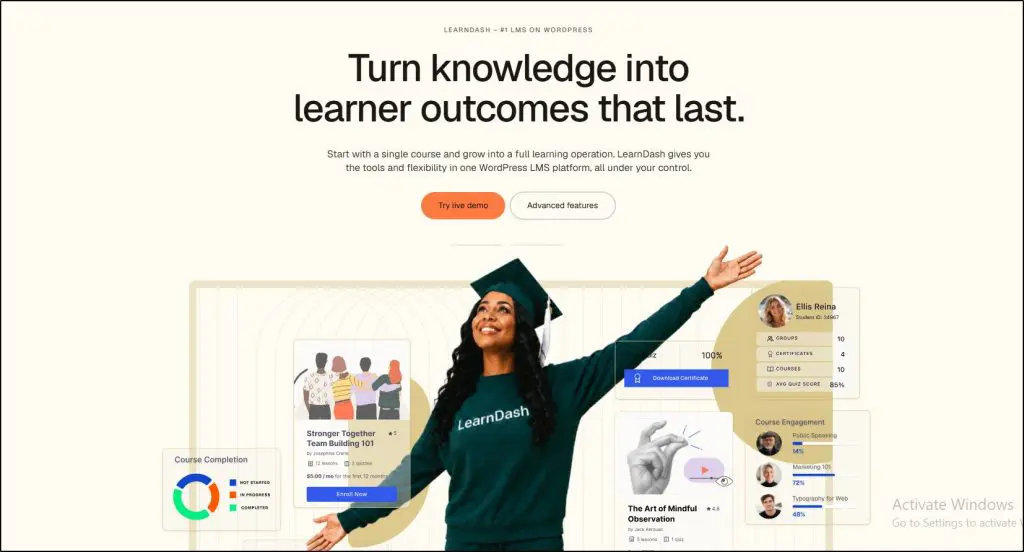
6. LearnDash: Best for Training Businesses on WordPress
- Best for: Training businesses whose website runs on WordPress
- Key features: Course builder, quizzes, certificates, drip lessons, Groups for company clients, and WooCommerce selling
- Starting price: $259/yr plus hosting
LearnDash turns a WordPress site into an LMS. I’ve used it, and Groups make it useful for B2B sales, since a client’s manager can track their own staff.
Payments run through the built-in Stripe option or through WooCommerce, which opens up bulk purchases and subscriptions with add-ons. Everything lives on your own site, under your own brand.
LearnDash only makes sense if your team is comfortable running WordPress. Hosting, security, and plugin updates all fall on you. My LearnDash review covers the trade-offs.
LearnDash pricing plans:
| Plan | Billed annually (per year) | Key limits |
|---|---|---|
| Essentials | $259 | 1 site |
| Pro | $399 | 1 site |
| Elite | $599 | – |
LearnDash features by plan:
| Feature | Essentials | Pro | Elite |
|---|---|---|---|
| Price | $259/year | $399/year | $599/year |
| Courses & learners | Unlimited | Unlimited | Unlimited |
| Per-student fees | None | None | None |
| Memberships, subscriptions & bundles (MemberDash) | ✓ | ✓ | ✓ |
| Stripe & PayPal | ✓ | ✓ | ✓ |
| Quiz builder, certificates, video progression | ✓ | ✓ | ✓ |
| AI course outline & quiz builder | ✗ | ✓ | ✓ |
| Advanced reporting (ProPanel) | ✗ | ✓ | ✓ |
| Gradebook (weighted grading, report cards) | ✗ | ✓ | ✓ |
| Student notes & group leader messages | ✗ | ✓ | ✓ |
| Group management & selling seats | ✗ | ✗ | ✓ |
| Instructor role & front-end course creation | ✗ | ✗ | ✓ |
| Multi-instructor courses | ✗ | ✗ | ✓ |
| Ratings & reviews | ✗ | ✗ | ✓ |
Verdict: The most flexible option for training businesses already at home in WordPress.
7. LearnUpon: Best for Training Companies With Many Clients
- Best for: Training companies serving many corporate clients at once
- Key features: Branded client portals, SCORM and xAPI, classroom and online training, and Salesforce, Shopify, and Zapier integrations
- Starting price: Quote, about $10,000 to $15,000/yr minimum
Client portals are LearnUpon’s standout feature. Each portal carries the client’s own branding, and clients can manage their own users, track results, and even offer courses to their own customers.
LearnUpon also supports SCORM and xAPI, mixes classroom and online training, and connects to tools like Salesforce and Shopify. Admins and learners both find it easy to use.
Lower tiers limit how many portals you get, so count your clients before you negotiate. Expect a demo-led sale and an annual contract.
LearnUpon pricing plans:
| Plan | Key limits |
|---|---|
| Essential | Quote only, estimated $900 to $1,350 a month |
| Premium | Quote only |
| Enterprise | Quote only |
LearnUpon features by plan:
| Feature | Essential | Premium | Enterprise |
|---|---|---|---|
| Typical users (estimated) | Up to about 150 | 150 to 500 | 500+ |
| Estimated monthly cost | $900 to $1,350 | About $3,500 for 500 users | About $7,000 for 1,000 users |
| SCORM and xAPI | ✓ | ✓ | ✓ |
| Classroom and online training | ✓ | ✓ | ✓ |
| Branded client portals | Limited | ✓ | ✓ |
Verdict: A strong choice for established training companies with many corporate clients.
8. Thought Industries: Best for Large Training Businesses
- Best for: Established training businesses selling at scale
- Key features: Ecommerce storefronts, catalog management, white-label portals, and HubSpot and CRM integrations
- Starting price: Quote, median about $55,000/yr
Thought Industries calls itself a learning business platform, and the product backs that up. Storefronts, catalogs, and ecommerce sit at the center, with CRM and analytics connections that tie training sales to the rest of the business.
White-label portals, onboarding, and ongoing support come with the platform. All that depth suits large training businesses, but it can overwhelm a small team.
Plan for a long buying process. Thought Industries sells through demos and annual contracts, and setup takes real time from your team.
Thought Industries pricing plans:
| Plan | Key limits |
|---|---|
| Custom | Quote only, median about $55,000 a year per Vendr |
Thought Industries features by plan:
| Feature | Custom |
|---|---|
| Ecommerce storefronts and catalogs | ✓ |
| White-label portals | ✓ |
| HubSpot, CRM and analytics integrations | ✓ |
| Onboarding and ongoing support | ✓ |
| Typical annual contract (Vendr) | $24,750 to $115,333, median $54,960 |
Verdict: Built for training businesses already selling at scale, and more platform than most need.
9. Absorb LMS: Best for Training Staff and Selling to Customers
- Best for: Organizations that train employees, partners, and customers in one system
- Key features: One LMS for staff, partner, and customer training, ecommerce for paid courses, and strong reporting
- Starting price: Quote, about $14,500/yr for 500 learners
Absorb LMS handles employee, partner, and customer training in one place, with ecommerce for the paid side. Organizations that sell training and also train their own people can skip running two systems.
Absorb sells through demos and annual contracts, and setup usually comes with a one-time implementation project. Small training businesses will find the process heavier than the platforms higher on this list.
Absorb LMS pricing plans:
| Plan | Key limits |
|---|---|
| Custom | Quote only, about $14,500 a year for about 500 learners |
Absorb LMS features by plan:
| Feature | Custom |
|---|---|
| Employee, partner and customer training | ✓ |
| Ecommerce for paid training | ✓ |
| Reporting | ✓ |
| Implementation fee | One-time, quoted |
| Estimated annual cost | About $14,500 for 500 learners |
Verdict: A sensible single system for mixed audiences, with an enterprise buying process to match.
A Note for Associations
Associations selling education to members have needs most LMS vendors don’t understand. Most LMS companies handle continuing education poorly, and many don’t know what an association management system is, let alone connect to one.
If you run an association, also look at platforms built for this market, such as Cadmium’s Elevate, Oasis LMS, TopClass LMS, BenchPrep, and D2L. Several of these companies have sponsored our Leading Learning events, so weigh my mention with that in mind, and test each one on AMS connections and CE handling in demos.
Questions to Ask in Every LMS Demo
Vendors run demos to show off their strengths, so bring your own script. I drew these questions from years of helping organizations choose an LMS at Tagoras, and they bring out most of the gaps a polished demo hides.
- Show me a company buying 25 seats, assigning them to staff, and pulling a completion report.
- What will year one cost in total, including setup, payment processing, and any per-learner fees on top of the license?
- How many client portals does my plan include, and what does each extra one cost?
- If I leave, can I export my learner records and courses?
- Which connections work out of the box, and which need Zapier or custom work?
Ask for two reference customers who sell training the way you do. A vendor who can’t name one is telling you something important.
How to Choose the Right LMS for Selling Training
Once you know your sales model, the choice gets much simpler. Find your situation below.
| Your situation | Start with | Why |
|---|---|---|
| You sell to small and mid-size companies on a budget | TalentLMS | Client portals through branches at a small business price |
| You sell to individuals now and want company deals | LearnWorlds | A creator-friendly store with LMS features added |
| You sell seat licenses to corporate clients | LearningCart | Seat-based ecommerce with sub-portals |
| Your learners need CE credits or certification | Academy of Mine | Credit tracking and testing built in |
| Most of your revenue comes from scheduled live courses | Arlo | Scheduling, sign-ups, and invoicing for live training |
| Your site already runs on WordPress | LearnDash | Full control on your own site |
| You serve dozens of corporate clients | LearnUpon | Portals clients manage themselves |
| You’re an established training business selling at scale | Thought Industries | Storefronts and connections for large catalogs |
| You train staff and sell to customers | Absorb LMS | One system for every audience |
Set your seat price with our Online Course Pricing Calculator, and see my guide to selling online courses to businesses for the sales side.
Frequently Asked Questions (FAQs)
Here are answers to the questions training businesses ask me most often when they pick a platform.
Can Thinkific sell courses to businesses?
Yes, through Thinkific Plus, its enterprise plan, which adds SCORM support and learning paths. Standard Thinkific plans focus on selling to individuals and lack features like SCORM and client portals. For bulk seat sales and corporate portals, a training-focused LMS like TalentLMS or LearningCart fits better.
How much does an LMS for selling courses cost?
Costs run from a few hundred dollars a year for LearnDash to more than $50,000 a year for Thought Industries. Most training businesses spend between $1,500 and $15,000 a year. Quote-based platforms usually add setup fees, so ask for the full year-one cost in writing before you sign.
Do I need SCORM to sell training?
SCORM matters if you build courses in tools like Articulate or iSpring, buy courses from other companies, or sell to clients who will load your courses into their own LMS. Video and quiz courses built inside your platform don’t need it. Corporate buyers often ask for SCORM, so plan for it if you sell to companies.
How do continuing education credits work in an LMS?
An LMS with CE support gives learners credits automatically when they meet your rules, such as passing an exam or attending a session. The system records the credits, issues certificates, and keeps transcripts that learners and licensing boards can check. Academy of Mine builds this in, while most general LMS tools need workarounds.
Can I sell my courses to other companies’ LMS instead?
Yes. Many training businesses license SCORM files that clients load into their own LMS, alongside direct sales. Marketplaces like Coggno also resell compliance and workplace training to companies. Licensing works best when buyers already run an LMS, while hosting on your own platform gives you more control and better data.
How long does it take to launch an LMS for selling training?
Self-serve platforms like TalentLMS, LearnWorlds, and LearnDash can start selling within a few weeks once your courses are ready. Quote-based platforms like LearnUpon, Absorb, and Thought Industries usually take one to three months, including contracts, setup, client portals, and connections to your other systems.
Final Verdict: Match the Platform to How You Sell
For most training businesses selling to companies, TalentLMS gives you the best mix of selling tools, client portals, and value. LearnWorlds is the better pick if you also sell to individuals. Choose Academy of Mine for credit-bearing training, and Arlo when live courses bring in most of your revenue.
Narrow your list to two platforms from the table above, and run the same 25-seat purchase on both during a trial or demo. The platform that handles that flow cleanly is the one to build on. If you also train your own staff, my guide to the best LMS for small business training covers that side.

Jeff Cobb, Founder of Learning Revolution
Jeff Cobb is an expert in online education and the business of adult lifelong learning. Over the past 20+ years he has built a thriving career based on that expertise – as an entrepreneur, a consultant, an author, and a speaker. Learning Revolution is a place where Jeff curates tips, insights, and resources to help you build a thriving expertise-based business. Learn more about Jeff Cobb here.
Table of Contents
Related Posts
8 Best Small Business LMS Platforms For Employee Training [2026]
MasterStudy LMS Review (2026) | Is It The Right WordPress LMS For You?
Thrive Apprentice Review (2026) | Is This WordPress LMS Worth It?