
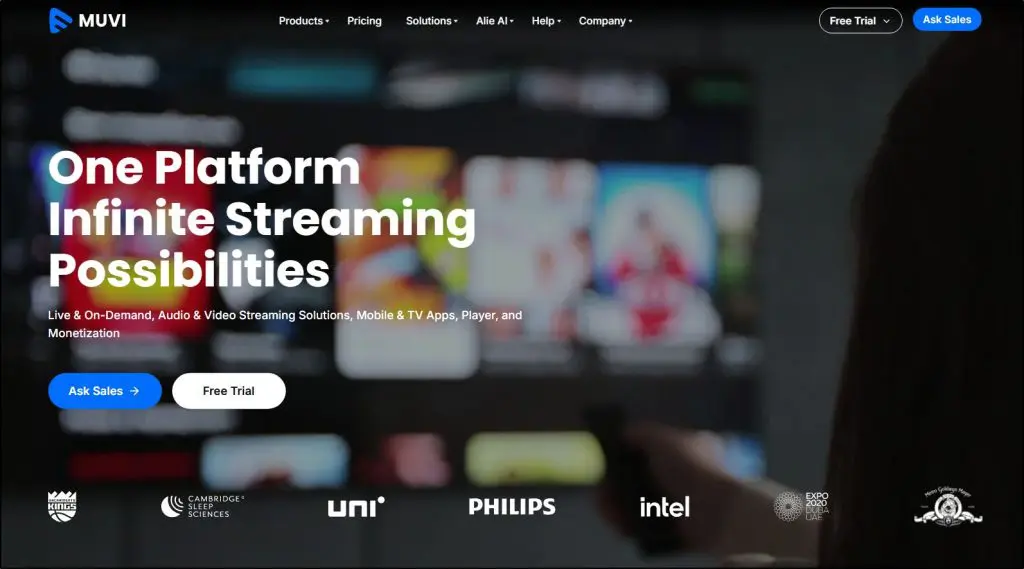
TL;DR — What Is Muvi & Who Is It For?
Muvi is an enterprise-grade OTT and video streaming platform that lets organizations build their own Netflix-style content libraries with fully branded websites, mobile apps, TV apps, secure global delivery, and flexible monetization. It’s built for corporate training teams, large organizations, media brands, and companies treating video as a strategic asset, not for selling a few online courses.
Muvi is not a traditional LMS or course platform like Kajabi or Thinkific. It doesn’t focus on quizzes, assignments, drip schedules, or certificates out of the box. If your business revolves around structured courses and classroom-style learning, Muvi will feel heavy and expensive.
Muvi Pricing (Annual Billing)
Standard – $399/month: Entry-level OTT platform for small pilots and branded video libraries
Professional – $1,499/month: 4K video, live interactivity, TV apps, stronger security
Enterprise – $3,900/month: High concurrency, advanced AI, SSO, custom analytics
Ultimate – Custom ($10,000+/month): Fully customized, global-scale deployments
14-day free trial. Infrastructure costs scale with usage.
Muvi’s Key Features
White-label OTT platform – Fully branded web, mobile, and TV apps
Secure video infrastructure – Multi-DRM, watermarking, geo-blocking, SSO
Live streaming & events – Webinars, town halls, virtual conferences
Monetization engine – Subscriptions, pay-per-view, ads, hybrid models
Global CDN delivery – AWS-backed, high-performance streaming
AI automation (Alie) – Subtitles, translations, search, recommendations
Best For
– Corporate training & L&D teams
– Customer and partner education platforms
– Masterclass-style, video-first content brands
– Media and OTT businesses
– Enterprises delivering content at scale
Not For
– Solo course creators or coaches
– Edupreneurs focused on quizzes and certifications
– Small teams with limited budgets
– Anyone needing a plug-and-play LMS
Bottom line: Choose Muvi when video is the product and scale matters. Choose an LMS when learning mechanics come first.
Try Muvi Now
Ever thought about building your own Netflix-style video library for customers, partners, or even employees? Think platforms like MasterClass, Mindvalley or Udemy, where large volumes of high-quality video content are delivered to audiences at scale across devices.
Most online course platforms and corporate LMS tools aren’t designed for that. They’re built to run classes and programs, not to power a media-style content library with secure access, strong branding, and global distribution.
That’s where Muvi is an interesting option.
I’ve seen Muvi used firsthand working with corporate clients, and what it enables goes far beyond traditional learning platforms. That said, this isn’t a tool for most course creators or edupreneurs, and comparing it with Kajabi, TalentLMS, or Thinkific would be wrong.
In this article, I’ll break down what Muvi does well, who it’s designed for, where it falls short, and when it’s actually worth the investment.
Muvi Product Snapshot (2026)
| Category | Details |
| Product Name | Muvi (Muvi One platform) |
| What It Is | An enterprise-grade OTT and video streaming platform that can deliver courses, training libraries, and large-scale video content |
| Primary Use Case | Netflix-style video libraries, corporate training portals, customer education platforms, media and OTT services |
| Best For | Enterprises, corporate L&D teams, training organizations, large content libraries, OTT founders |
| Course Support | Yes — video-first courses, training modules, masterclass-style content (not a traditional LMS) |
| Learning Use Cases | Corporate training, partner enablement, customer education, certification video libraries |
| Content Types Supported | Video on Demand, Live Classes, Recorded Courses, Audio, Podcasts, Short-form video |
| Delivery Channels | Web, mobile apps, TV apps (16+ platforms including iOS, Android, Roku, Apple TV, Fire TV) |
| Branding | Fully white-labeled (custom domain, branding, apps under your developer account) |
| Core Strength | Scalable, secure video infrastructure built for high-volume content delivery |
| Security | Multi-DRM, watermarking, geo-blocking, VPN detection, SSO, ISO-certified infrastructure |
| Monetization Options | Subscriptions (SVOD), Pay-Per-View (TVOD), Ads (AVOD), hybrid models |
| Live Training | Live classes, webinars, events, and meetings (up to ~600 interactive participants) |
| Course Management | Video CMS, playlists, structured content, access control (not lesson-based LMS logic) |
| Assessments & Quizzes | Very limited / not LMS-centric (not its core focus) |
| Certificates | Possible via integrations or custom setup, not native LMS-style certification |
| Analytics | Real-time engagement, viewing behavior, and revenue analytics |
| AI Features | AI subtitles, translations, metadata, clips, recommendations (via Alie AI credits) |
| Integrations | APIs, SDKs, webhooks, payment gateways, analytics tools |
| Scalability | Designed for thousands to millions of viewers with AWS-backed CDN |
| Pricing Model | Subscription-based, starting around $399/month (billed annually) + infra/app costs |
| Free Trial | Yes — 14-day free trial, no credit card required |
| Not Designed For | Solo edupreneurs, coaching businesses, or creators who need quizzes, assignments, drip logic out of the box |
What Is Muvi and How It Works for Creators
Muvi is an enterprise-grade video and audio streaming platform that lets organizations build their own Netflix-style content libraries—complete with branded websites, mobile apps, TV apps, and secure global delivery.
At its core, Muvi is not a course platform in the traditional sense. It’s a video-first infrastructure platform designed to host, manage, secure, and distribute large volumes of content at scale. That includes on-demand videos, live streams, audio, podcasts, short-form content, and yes—courses, when those courses are delivered primarily through video.
Muvi is built for organizations that want full control over their content, branding, distribution, and monetization. Think corporate training teams building internal learning libraries, companies creating customer education portals, media brands launching subscription platforms, or enterprises rolling out training across regions, devices, and varying internet conditions.
What Muvi is not is a typical LMS or creator platform like Kajabi or Thinkific. It doesn’t focus on lesson-by-lesson course building, quizzes, assignments, or drip schedules out of the box.
If your business revolves around selling a handful of structured courses with certificates and assessments, Muvi will likely feel heavy—and expensive.
That’s not what it’s designed for.
Muvi shines when the goal is to deliver large-scale, secure, video-based learning or content experiences, not when you’re trying to recreate a classroom inside a course platform.
From a learner’s perspective, it feels closer to watching a high-quality, private YouTube or Netflix-style library—fully branded and owned by the organization.
Heer’s what Muvi lets you do
- White-label websites and apps – Launch fully branded web, mobile, and TV apps under your own name.
- Video & audio CMS – Manage on-demand videos, live streams, podcasts, and audio content from one central dashboard.
- Native apps across 16+ platforms – iOS, Android, Roku, Apple TV, Fire TV, Android TV, Samsung, LG, Xbox, and more.
- Live streaming & virtual events – Host live training sessions, town halls, webinars, and large-scale broadcasts.
- On-demand video hosting – Upload, organize, and stream large video libraries at global scale.
- Course-ready video delivery – Deliver video-based courses and learning libraries without LMS limitations.
- Advanced content security – Multi-DRM, watermarking, geo-blocking, VPN detection, and screen-recording protection.
- Enterprise-grade CDN – Global content delivery powered by AWS CloudFront for fast, buffer-free streaming.
- Flexible monetization models – Subscriptions (SVOD), pay-per-view (PPV), ads (AVOD), or internal access.
- Multi-currency & payment gateway support – Sell content globally with localized payments.
- User & access management – Control who can view what content across teams, partners, and customers.
- Playlists & content libraries – Organize content into structured libraries, collections, and learning paths.
- Real-time analytics & reporting – Track viewer behavior, engagement, device usage, and revenue.
- Offline streaming support – Enable secure offline access for remote, travel, or low-connectivity environments.
- Content partner portal – Let partners upload, manage, and track their own content and revenues.
- API, SDKs & webhooks – Integrate Muvi into existing systems, portals, or enterprise workflows.
- Live meeting & two-way streaming – Run interactive meetings with up to 600 participants and unlimited viewers.
- AI-powered features (Alie AI) – Automated subtitles, translations, clips, metadata, recommendations, and search.
- Scalable infrastructure – Support thousands to millions of viewers without performance bottlenecks.
- Professional & managed services – Implementation, customization, migration, and ongoing platform support.
How Muvi Works in Practice
Most organizations use Muvi as the backbone of their video ecosystem.
They upload and manage content through Muvi’s video CMS, organize it into playlists or libraries, apply access rules, and deliver it through fully branded web, mobile, and TV apps.
Content can then be offered as part of a subscription, sold via pay-per-view, bundled into training programs, or made available internally for employees and partners.
The most common use cases I see include:
- Corporate training libraries for onboarding, compliance, leadership development, and skills training
- Customer and partner education platforms that replace scattered videos with a single branded portal
- Masterclass-style platforms featuring expert-led sessions delivered at scale
- Media and content businesses launching OTT or subscription video services
- Hybrid learning setups where Muvi handles video delivery and security, while an LMS handles assessments
In short, Muvi works best when video is the product or at least the primary delivery mechanism and when scale, security, and control matter more than traditional course mechanics.
Read: The LMS Platforms for Small Businesses
How To Use Muvi For Building Your Own OTT Platform
If you wanted to create the next Mindvalley or MasterClass, Muvi would sit entirely at the infrastructure layer of the business.
In practical terms, you would take your video content and run it on Muvi’s platform and backend—handling hosting, security, performance, scalability, and global delivery. You’d then apply Muvi’s white-label capabilities to build a fully branded experience across web, mobile, and TV apps, so the platform looks and feels like a completely independent product. To your audience, it appears as your own proprietary platform, not a third-party tool.
Your users subscribe or pay for access, Muvi processes payments and enforces access rules, and the content is delivered securely through Muvi’s CDN and DRM systems. You earn revenue while Muvi quietly handles the technical heavy lifting in the background.
Muvi Pricing and Free Trial (2026)
Muvi does not offer a free plan, but it does provide a free trial on most of its products. You can explore the platform, test core features, and understand the workflow without entering a credit card.
That said, Muvi is firmly positioned as an enterprise platform, not a freemium creator tool.
Pricing follows a tiered, infrastructure-based model. Plans scale based on concurrent users, apps, security, AI usage, and infrastructure limits. In addition to the base plan price, you should expect infrastructure fees (storage, bandwidth, encoding) as usage grows.
Muvi currently offers four main plans, plus a custom enterprise tier (billed annually).
- Standard — $399/month: Entry-level plan for launching a branded video platform with core streaming, CMS, and monetization.
- Professional — $1,499/month: Designed for growing platforms that need 4K video, live interactivity, TV apps, and stronger security.
- Enterprise — $3,900/month: Built for large organizations with high concurrency, advanced AI, analytics, SSO, and dedicated infrastructure.
- Ultimate — Custom pricing (starts around $10,000/month): Fully customized deployment for massive scale, compliance-heavy environments, and mission-critical use cases.
Muvi Pricing Comparison (Core Value Differences)
| Feature / Value Area | Standard | Professional | Enterprise | Ultimate |
| Monthly Price (Annual Billing) | $399 | $1,499 | $3,900 | Custom |
| Concurrent Users | Up to 1,000 | Up to 5,000 | Up to 50,000 | 50,000+ |
| Web, Mobile & TV Apps | Web + Mobile (paid add-ons) | Full Mobile & TV support | Full Mobile & TV support | Full + Custom |
| Video Quality | HD | 4K | Lossless / Per-title | Custom |
| Live Streaming & Events | Yes | Yes (with interactivity) | Yes (enterprise-grade) | Yes |
| Security & DRM | Standard DRM | Advanced DRM + watermarking | Enterprise security + SSO | Custom security stack |
| AI Features (Alie AI) | Basic credits | Expanded AI tools | Advanced AI + recommendations | Custom AI workflows |
| Analytics & Reporting | Basic analytics | Advanced filters | Custom reports & exports | Custom dashboards |
| Admin Accounts | 1 | 3 | 10 | 20+ |
| Infrastructure Limits | Lower included limits | Higher included limits | Dedicated server | Custom infra & CDN |
| Support Level | Basic support | Basic support | Priority support (add-on) | VIP support |
| Best For | Small pilots | Growing platforms | Large enterprises | Global-scale deployments |
Muvi’s pricing is not all-inclusive in the way Kajabi or Thinkific is. You’re paying for a streaming infrastructure, not just software. For corporate teams, media companies, or large training organizations, that tradeoff makes sense. For solo creators, it usually doesn’t.
Read: The best online course platforms for edupreneurs
Muvi Pros and Cons | Its Advantages & Disadvantages for Enterprise Customers
As I’ve said earlier, Muvi isn’t for solo creators. For enterprises, corporate L&D teams, and media companies looking for an OTT platform, here are Muvi’s biggest strengths & weaknesses.
| Pros | Cons |
| True white-label ownership – Full control over branding, apps, domains, and user experience. | High entry cost – Pricing starts in the hundreds per month and quickly moves into four figures. |
| Built for scale, not classrooms – Handles large content libraries and high concurrent usage reliably. | Not a traditional LMS – No native quizzes, assignments, grades, or certifications. |
| Multi-device delivery – Web, mobile, TV, and even offline streaming from one platform. | Implementation requires planning – Not a “sign up and launch today” tool for small teams. |
| Enterprise-grade security – Multi-DRM, watermarking, geo-blocking, VPN detection, SSO. | Infrastructure fees add up – Bandwidth, storage, and encoding scale with usage. |
| Flexible monetization models – SVOD, PPV, AVOD, internal access, or hybrid models. | Overkill for simple training needs – Heavy if you just need onboarding or internal courses. |
| Live streaming & virtual events – Supports large-scale live training, town halls, and broadcasts. | Requires technical oversight – Best managed with IT or platform owners involved. |
| API-first architecture – Integrates with existing portals, CRMs, LMS tools, and internal systems. | Course structuring is manual – Learning paths need to be designed via playlists and access rules. |
| Global CDN performance – Reliable delivery across regions and bandwidth conditions. | Limited learning analytics – Focuses on content consumption, not learner assessment outcomes. |
| Offline streaming support – Valuable for remote locations, travel, or low-connectivity environments. | Admin complexity increases at scale – More power means more configuration responsibility. |
| Professional services available – Implementation, customization, and migration support. | Vendor reliance for deep customizations – Advanced changes often require paid services. |
Muvi makes sense when video is a strategic asset, not just a training format. If your organization needs ownership, scale, and control, the trade-offs are justified. If structured learning is the priority, a traditional LMS is often the better fit.
Muvi’s Ideal Use Cases | Who Should Use It
To help you understand what Muvi can do, here are some of its ideal use cases.
1. Corporate Training & L&D Teams
Best for organizations that need a centralized, secure video library for onboarding, compliance, leadership training, and ongoing employee development across regions and devices.
2. Customer Education Platforms
Ideal for companies building customer-facing learning hubs with product training, tutorials, certifications, or usage guides delivered primarily through video.
3. Partner & Channel Training
Works well for training resellers, distributors, and partners who need controlled access to branded content without exposing internal systems.
4. Masterclass-Style Content Brands
A strong fit for expert-led, video-first platforms modeled after MasterClass, where production quality, branding, and scale matter more than quizzes or grades.
5. Media & Content Businesses
Designed for publishers, studios, and creators launching subscription or pay-per-view video platforms with OTT apps and global delivery.
6. Large Enterprises with Global Audiences
Suitable for organizations delivering content across countries, bandwidth conditions, and devices, with strict security, DRM, and compliance requirements.
7. Live Events, Town Halls & Virtual Conferences
Useful for companies hosting large-scale live streams, internal broadcasts, or hybrid events that need recording, replay, and monetization options.
8. Hybrid Learning Ecosystems
A good choice when Muvi handles secure video delivery while an LMS manages assessments, certifications, and learner progress.
9. Offline or Low-Connectivity Environments
Valuable for training in remote locations, transportation, defense, energy, or field operations where offline access is required.
10. Brands Monetizing Knowledge at Scale
Fits organizations turning training, expertise, or premium content into a revenue stream via subscriptions, PPV, or bundled access.
Who Muvi Is Not For (and Why)
If you still have any doubts, here’s what Muvi isn’t designed for.
1. Solo Course Creators & Coaches
If you sell a few structured courses, cohorts, or coaching programs, Muvi will feel heavy, expensive, and unnecessary. Platforms like Kajabi or Thinkific are far better suited for this.
2. Edupreneurs Focused on Course Mechanics
Muvi is not built around lessons, quizzes, assignments, certificates, or drip schedules. If assessments and learner progress tracking are central to your business, a traditional LMS is the right choice.
3. Small Teams with Limited Budgets
Muvi’s pricing and infrastructure costs make sense at scale. For startups or small training teams, the investment often outweighs the benefits.
4. Anyone Wanting a Plug-and-Play Course Builder
Muvi requires content architecture, access rules, and platform thinking. If you want to launch a course in a weekend, this isn’t the tool.
5. Instructors Teaching Live, Interactive Classes Only
If your model relies on small-group discussions, workshops, and hands-on interaction rather than video libraries, Muvi adds little value.
6. Organizations Without IT or Platform Ownership
Muvi works best when someone owns the platform internally. Without technical oversight, configuration and scaling can become challenging.
7. Users Expecting LMS-Style Reporting
Muvi tracks content consumption well, but it doesn’t replace LMS analytics like completion rules, grades, or learning outcomes.
8. Creators Comparing It Directly to Kajabi or Thinkific
Muvi isn’t a “better course platform.” It’s a different category entirely. Comparing them directly usually leads to the wrong decision.
Muvi Platform Features & Products | What Does It Offer
Muvi is a full-stack streaming platform designed to help organizations build, launch, and scale their own video and audio experiences across web, mobile, TV, and offline environments.
Instead of focusing on course creation or classroom workflows, Muvi provides the underlying infrastructure needed to securely host, manage, distribute, and monetize content at scale.
Everything runs from a central CMS and can be delivered as on-demand libraries, live streams, OTT apps, internal portals, or customer-facing platforms.
At its core, Muvi combines content management, streaming delivery, security, monetization, and app deployment into one enterprise-grade platform.
Muvi Core Products & Solutions
- Muvi One (OTT & VOD Platform): The main platform for launching Netflix-style video and audio libraries with branded websites, mobile apps, and TV apps.
- Muvi Live (Live Streaming & Virtual Events): Enables large-scale live streaming, virtual conferences, town halls, webinars, and two-way meetings with DVR and recording.
- Muvi Flex (Secure Video Hosting): A secure video and audio hosting solution for managing, sharing, embedding, and protecting media assets without public platforms.
- Audio On Demand Platform: Supports podcasts, audiobooks, music, and spoken-word content with DRM, subscriptions, and multi-device delivery.
- Podcast Hosting Platform (Audio & Video): End-to-end hosting for audio and video podcasts with branded apps, monetization, analytics, and secure distribution.
- Streaming Apps for Mobile & TV: Native white-label apps across iOS, Android, Roku, Apple TV, Fire TV, Android TV, and more, managed from one dashboard.
- Cloud Playout & FAST Channels: Tools to launch scheduled 24/7 live TV channels or FAST-style streaming with ad support and content scheduling.
- Offline Streaming Solution: Enables secure access to content without internet connectivity for remote locations, transportation, defense, and field training.
- Enterprise Security & DRM: Multi-DRM, watermarking, geo-blocking, VPN detection, SSO, and ISO-certified infrastructure for content protection.
- Monetization & Billing Engine: Supports subscriptions (SVOD), pay-per-view (PPV), ads (AVOD), hybrid models, and multi-currency payments.
- APIs, SDKs & Integrations: Allows deep integration with existing systems, portals, LMS tools, CRMs, and custom applications.
- Professional & Managed Services: Implementation, customization, CMS management, and enterprise support for organizations running large platforms.
Next, I’ll cover some of its main features in more detail to help you understand the value it offers.
Feature #1: Muvi One (OTT & VOD Platform)
Muvi One is the core product behind the entire Muvi ecosystem. It’s the platform that lets organizations build and operate their own Netflix-style video or audio service with full ownership over branding, distribution, security, and monetization.
At a high level, Muvi One allows you to create a centralized content library and deliver it through branded websites, mobile apps, TV apps, and even offline environments, all managed from a single CMS.
This is the engine enterprises use to power large-scale video platforms, not just host files.
What Muvi One Lets You Do
Muvi One gives you end-to-end control over your streaming experience:
- Launch fully white-labeled web, mobile, and TV apps under your own brand
- Host on-demand videos, live streams, audio, podcasts, and video-based courses
- Secure content using enterprise-grade DRM, watermarking, and geo-restrictions
- Monetize content through subscriptions, pay-per-view, ads, or internal access
- Deliver content globally with built-in CDN and adaptive bitrate streaming
- Manage users, access rules, billing, and analytics from one dashboard
Unlike course platforms, Muvi One is designed to handle large libraries, high traffic, and multi-device delivery without compromising performance or security.
How to Get Started with Muvi One
Getting started is structured, not rushed:
- Define your use case: internal training, customer education, monetization, or media distribution
- Choose your deployment model (web only, apps, TV, or all)
- Configure branding, security, and access rules
- Launch with Muvi’s professional services if customization or scale is required
Muvi One isn’t about fast course launches. It’s about building a long-term, scalable video platform that your organization owns and controls.
Feature #2: Muvi Live (Live Streaming & Virtual Events)
Muvi Live is Muvi’s live streaming and real-time broadcasting solution, designed for organizations that need to deliver secure, large-scale live video experiences without relying on public platforms like YouTube, Zoom, or LinkedIn Live.
It allows companies to stream live events, internal town halls, training sessions, webinars, conferences, and even two-way meetings, while retaining full control over branding, access, security, and monetization.
What Muvi Live Lets You Do
Muvi Live extends Muvi One by adding real-time capabilities:
- Broadcast live events to unlimited viewers worldwide
- Host two-way interactive meetings with up to 600 participants
- Stream securely behind paywalls or internal access controls
- Record live sessions and convert them into on-demand content
- Deliver low-latency, buffer-free streams at enterprise scale
This makes Muvi Live especially valuable for organizations that treat live video as a core communication or training channel, not just a one-off event.
What Muvi Live Offers (Specific Capabilities)
Low-Latency Global Live Streaming: Streams are delivered using AWS CloudFront CDN with adaptive bitrate streaming for consistent quality across regions and devices.
Paywalled & Monetized Live Events: Monetize live sessions using pay-per-view, subscriptions, or ads with support for 135+ currencies and multiple payment gateways.
Two-Way Live Meetings: Host interactive meetings, training sessions, or webinars with live chat, screen sharing, moderation, and participant controls.
DVR-Enabled Streaming: Viewers can pause, rewind, or replay live streams while the event is still running.
Live-to-On-Demand Conversion: Automatically record live events and publish them as on-demand videos inside your content library.
Mobile Live Streaming: Go live directly from iOS or Android devices using the Muvi Live app, useful for field events, announcements, or quick broadcasts.
Third-Party Feed Streaming: Ingest HLS or RTSP feeds from external sources such as production studios or broadcast setups.
Enterprise Security for Live Content: Built-in DRM, watermarking, geo-blocking, VPN detection, and screen-recording protection safeguard live streams.
Interactive Engagement Tools: Live chat, emojis, polls, links, and viewer interaction tools to increase engagement during events.
How Organizations Use Muvi Live in Practice
Muvi Live is commonly used for:
- Global town halls and leadership broadcasts
- Live training and certification events
- Customer webinars and product launches
- Paid virtual conferences and workshops
- Live podcasts and expert sessions
Many organizations run live sessions using Muvi Live, then archive them inside Muvi One as part of an ongoing content library.
Feature #3: Audio On-Demand Platform & Podcast Hosting
Muvi’s Audio On-Demand platform extends the same enterprise-grade infrastructure to audio content, making it possible to launch secure, branded audio streaming and podcast platforms alongside video.
This is not just basic podcast hosting. Muvi treats audio the same way it treats video: as a premium, controlled, and monetizable content asset delivered across web, mobile, and TV apps.
For organizations building learning libraries, thought-leadership platforms, or internal knowledge hubs, audio becomes a powerful complement to video, especially for mobile and on-the-go consumption.
What Muvi’s Audio Platform Enables
With Muvi, organizations can:
- Host audio libraries, podcasts, audiobooks, and recorded sessions
- Launch fully branded audio apps and websites
- Secure audio content using DRM and encryption
- Monetize audio via subscriptions or pay-per-view
- Deliver content across 16+ platforms, including mobile and TV
- Combine audio and video inside a single content ecosystem
This makes Muvi especially useful when audio is not just marketing, but part of the product or training experience.
How Organizations Use Audio on Muvi
Common use cases include:
- Internal podcasts for leadership updates and training
- Customer education audio series
- Expert interviews and masterclass discussions
- Audio versions of video courses
- Private or paid podcast networks
In practice, teams use Muvi audio alongside video to give learners flexibility, especially in global or mobile-first environments.
Feature #4: Monetization & Billing Engine
Muvi’s monetization and billing engine is built for organizations that treat content as a business asset, not just a marketing add-on.
Whether the goal is selling training, offering premium access to knowledge libraries, charging for live events, or bundling content into customer or partner programs, Muvi provides multiple monetization models with full control over pricing, access, and revenue ownership.
Unlike many course platforms, Muvi does not take a revenue share. You keep 100% of what you earn.
How Organizations Make Money with Muvi
Muvi supports three core monetization models, which can be used individually or combined.
1. Subscription Video on Demand (SVOD): Charge recurring monthly or annual fees for access to a content library. This works well for:
- Corporate learning portals
- Customer education platforms
- Industry knowledge subscriptions
- Ongoing professional development libraries
2. Transactional / Pay-Per-View (TVOD / PPV): Sell access to specific videos, playlists, live events, or premium sessions. Common uses include:
- Paid masterclasses and workshops
- One-time training programs
- Live conferences or webinars
- Premium expert sessions
3. Ad-Supported Content (AVOD): Monetize content using advertising, either standalone or alongside subscriptions. This is often used for:
- Public-facing content platforms
- Freemium training models
- Media-style educational platforms
Pricing & Access Controls
Muvi allows organizations to define who can access what, and under what conditions:
- Tiered subscription plans
- Time-based access (rentals, expirations)
- Device and screen limits per account
- Geo-based pricing and availability
- Free plans supported by ads
This makes it easy to support different audiences such as employees, customers, partners, and the public using a single platform.
Built-In Billing Infrastructure
Muvi handles billing at scale with:
- Support for multiple payment gateways (Stripe, PayPal, Razorpay, Paystack, Braintree, operator billing, and more)
- Multi-currency support (135+ currencies)
- In-app purchases on mobile and TV apps
- Secure checkout and payment processing
- No revenue sharing with Muvi
Organizations can also integrate their own payment systems if needed.
Monetizing Live & On-Demand Content Together
A key advantage of Muvi is the ability to monetize live and recorded content seamlessly:
- Charge PPV for a live event
- Record the session
- Resell it as on-demand training
- Bundle it into a subscription library
This workflow is especially valuable for training providers, conferences, and expert-led programs.
Feature #5: Muvi AI (Alie) & Automation
Alie is Muvi’s AI engine, built specifically for streaming, content operations, and large content libraries.
Its purpose isn’t to “create courses” or replace instructors. It exists to reduce manual work, improve discoverability, and scale content management across video and audio assets.
For organizations managing hundreds or thousands of hours of content, Alie becomes an operational layer that saves time and improves the learner or viewer experience.
What Alie Is Designed to Do
Alie focuses on automation and intelligence around existing content, not instructional design.
It helps organizations:
- Process content faster
- Make large libraries easier to search and navigate
- Improve accessibility and localization
- Deliver more relevant content to users
All AI features are usage-based through Alie Credits, keeping costs predictable and scalable.
Key AI Capabilities
AI Subtitles & Translations: Automatically generate subtitles and translate content into multiple languages, supporting global audiences and accessibility requirements.
AI Chaptering: Break long videos into chapters automatically, making training and long-form content easier to consume and revisit.
AI Metadata Generation: Auto-generate titles, descriptions, tags, and keywords to improve content organization and discovery.
AI Posters, Banners & Trailers: Create visual assets and short previews from existing content to speed up publishing workflows.
AI Clips: Extract short, shareable clips from long videos for internal highlights, promotions, or microlearning.
AI Dubbing: Dub content into other languages without re-recording, helping scale training globally.
AI Search Inside Video: Enable users to search within video content itself, not just titles or descriptions.
AI Chat With Video: Allow users to ask questions and get contextual responses based on the video they’re watching.
AI Recommendations (SuggestIQ): Recommend relevant content to users based on viewing behavior and engagement patterns.
How Organizations Use Alie in Practice
In real deployments, Alie is commonly used to:
- Speed up onboarding of large video libraries
- Localize training content across regions
- Improve content discovery inside learning portals
- Reduce manual tagging and metadata work
- Support self-serve learning through better search
For corporate training teams, this means less time managing content and more time improving outcomes.
Is Muvi Right For Your Business?
Muvi is a powerful platform when video is the product and scale truly matters. It excels at secure, high-performance video delivery, global distribution, white-label branding, and enterprise-grade monetization.
For organizations building large content libraries, corporate training portals, or media-style learning platforms, Muvi solves problems most LMS tools can’t.
That said, Muvi is not a lightweight course builder. It’s complex, expensive for small teams, and lacks the structured learning tools many edupreneurs expect.
If your business depends on quizzes, assignments, or simple course launches, Muvi is the wrong fit. Used for the right purpose, it’s impressive.
Used for the wrong one, it’s overkill.
Frequently Asked Questions (FAQs)
1. Is Muvi an LMS or an OTT platform?
Muvi is an OTT and video streaming platform, not a traditional LMS. While it can deliver video-based learning, it does not focus on assessments, grades, or instructional workflows like an LMS does.
2. Can Muvi replace an existing corporate LMS?
In most cases, Muvi complements an LMS rather than replacing it. Organizations often use Muvi for secure video delivery and keep their LMS for quizzes, certifications, and learner tracking.
3. Does Muvi support SCORM or xAPI?
Muvi does not natively function as a SCORM-first LMS. SCORM or xAPI use cases typically require integrations or pairing Muvi with a dedicated learning platform.
4. Can Muvi be used for internal employee training only?
Yes. Many companies use Muvi purely for internal training, onboarding, compliance, and leadership libraries without any public monetization.
5. Is Muvi suitable for selling courses online?
Muvi can sell video-based courses, but it’s best suited for libraries, programs, or masterclass-style content, not highly structured, assessment-heavy courses.
6. How is Muvi different from Kajabi or Thinkific?
Kajabi and Thinkific focus on course creation and marketing funnels. Muvi focuses on video infrastructure, security, scale, and multi-device delivery. They solve different problems.
7. Does Muvi take a revenue share?
No. Muvi does not take a percentage of your revenue. You keep 100% of earnings and only pay platform and infrastructure costs.
8. Can Muvi handle millions of users?
Yes. Muvi is designed for high concurrency and global scale, using AWS-backed CDN infrastructure to support thousands to millions of viewers.
9. Does Muvi support mobile and TV apps?
Yes. Muvi supports native white-label apps across 16+ platforms, including iOS, Android, Roku, Apple TV, Fire TV, Android TV, Samsung, LG, and more.
10. Can Muvi be used for live corporate events and town halls?
Absolutely. Muvi Live is commonly used for global town halls, leadership broadcasts, virtual conferences, and live training, with recording and replay built in.
11. Is Muvi secure enough for sensitive or regulated content?
Yes. Muvi includes Multi-DRM, watermarking, VPN detection, geo-blocking, SSO, and ISO-certified infrastructure, making it suitable for regulated environments.
12. Does Muvi support offline video access?
Yes. Muvi supports secure offline streaming, which is valuable for field training, travel, defense, energy, and low-connectivity environments.
13. Can Muvi be branded as my own platform?
Yes. Muvi is fully white-labeled, including custom domains, branding, and apps published under your own developer accounts. End users never see Muvi.
14. Is Muvi good for universities or higher education?
Muvi can work well for content delivery and media libraries, but universities usually still need an LMS for grading, exams, and academic workflows.
15. How long does it take to launch a platform with Muvi?
A basic deployment can go live quickly, but enterprise-grade implementations require planning. Most organizations treat Muvi as a long-term platform, not a weekend launch tool.
Table of Contents
Related Posts
7 Best Camtasia Alternatives for Creating Online Courses (2026)
How To Make Money on YouTube: 10 Proven Strategies (2026)
10 Best YouTube Alternatives For Creators in 2026 (+ Monetization Tips)