
I’ve been helping professional online coaches as a consultant for over two decades. Here are my top picks for the best online coaching platforms for different types of caoches.
Best All Around

Upcoach
Best For Coaching + Courses

Teachable
Best for Marketing

Coaches Console
Best Value

Satori
Best All-in-One

Kajabi
These are just some of our stand-outs but there are lots of great options below to explore. Read on and see which coaching platforms have the best features to meet your needs.
How We Evaluate and Test Software & Platforms
Reviews of platforms on the Learning Revolution site are overseen by the site’s founder, Jeff Cobb, an e-learning industry expert with more than 20 years of experience working with online course and related platforms. All evaluations are conducted by a team of analysts who have extensive experience using, testing, and writing about these types of platforms. We dedicate numerous hours to researching each platform, ensuring each aligns with the needs of online course sellers, and vetting specific areas like core features, usability, pricing, and customer satisfaction. Our reviews are unbiased, and while we will participate in affiliate programs, if available, we do not accept payment for placement in our articles or links to external websites.
Comparison Of The Best Online Coaching Platforms
| Tool | My Rating | Best For | Session Delivery | Progress Tracking | Entry Price |
| Upcoach | 9.2 | Framework-driven coaching, accountability, habit tracking | Via Zoom | Tasks, habits, Smart Docs | $49/mo |
| Delenta | 8.9 | Group programs, teams, coaching CRM | Built-in video/chat | Tasks, sessions, goals | $29/mo |
| Coaches Console | 7.5 | Admin-heavy solo coaches | External links or manual | Notes, forms, CRM | $197/mo |
| Paperbell | 8.3 | Simple 1:1 & group delivery | Zoom integration | Notes, history, forms | $57/mo |
| Satori | 8 | Lean solo coaches with live sessions | Google/Zoom links | Forms, notes, sessions | $33/mo |
| CoachAccountable | 8.7 | Structured, metric-driven coaching | No native video, uses integrations | Action items, metrics, notes | $20/mo |
| CoachVantage | 8.5 | Streamlined solo coaching | Built-in CV Meet | Resources, session tracking | $26/mo |
| Simply.Coach | 8.8 | Executive or leadership coaching | Zoom, Teams, Meet integration | Goals, stakeholder feedback | $29/mo |
| Simplero | 8.6 | Scaling coaching + marketing | Built-in sessions + automation | Forms, custom flows | $59/mo |
| Kajabi | 8 | Audience builders adding coaching | Built-in video | No structured tracking | $143/mo |
| Podia | 7.5 | Coaching + courses on a budget | Embed external tools | None | $33/mo |
| Teachable | 7.8 | Coaching as part of course business | Add Zoom links in milestones | Basic milestones only | $39/mo |

Top 12 Online Coaching Platforms in 2026
We have categorized our online coach platform reviews into two main types: dedicated online coaching platforms and all-in-one platform solutions.
Dedicated online coaching platforms are specifically designed for coaching. They typically offer a wide range of features that are essential for coaching, such as video conferencing, file sharing, payment processing, client management, and marketing tools.
All-in-one platform solutions offer a wider range of features than dedicated online coaching platforms. They can be used for a variety of purposes, including e-commerce, project management, and marketing. However, they may not offer all of the features that are essential for coaching.
The best type of coaching platform for you will depend on your specific needs and preferences. If you are looking for a simple and easy-to-use platform, a dedicated online coaching platform may be a good choice. If you need a more flexible platform with a wider range of features, an all-in-one platform solution may be a better fit.
Read our complete guide to starting an online coaching business
Dedicated Online Coaching Platforms
Dedicated online coaching platforms typically offer a more streamlined experience, making them a good choice for coaches who want to focus on their coaching work.
1. Upcoach

If you coach using frameworks, run repeatable programs, or want clients to stay accountable beyond the call, Upcoach gives you more structure than anything else on this list.
The platform lets you combine live calls, course content, Smart Docs (editable client-facing forms), task lists, and habit tracking—all into one seamless program.
It doesn’t try to be a full LMS, but it gives you the core tools you need to teach, track, and coach without duct-taping five apps together.
You start by building a program template.
Each includes reusable call agendas, session outlines, tasks, habits, and shared docs. You can deliver this to individuals or groups. The structure helps you stay consistent.
And when clients log in, they immediately see their next steps, not just a calendar.
Client experience is clean, structured, and accountability-focused.
Each client gets access to their program with clear agendas for each session, tasks to complete, habits to log, and Smart Docs to submit updates, reflections, or feedback.
You assign these in advance, and they show up exactly when they’re needed.
You still need Zoom for the live calls, but everything else, like the prep work, homework, journaling, habit check-ins, and shared documents, lives in Upcoach.
No more chasing clients by email or asking, “Did you do the worksheet?”
And then there’s the built-in community.
Each program includes a native forum where clients can post updates, celebrate wins, ask questions, and support each other.
It gives clients peer support and extra value without extra effort from you. It also helps your coaching scale naturally as your clients start driving the conversation forward.
Upcoach tracks everything.
You see progress at a glance: who showed up, who completed tasks, who’s slipping. You can even automate check-ins or send Smart Docs after a session.
And with built-in forums, clients can engage between calls, share wins, or ask questions, without jumping to Slack or Facebook.
The only major gap? Marketing. But that’s expected since it’s a dedicated coaching platform, not a sales tool.
Upcoach doesn’t include landing pages, email marketing, or funnels. You’ll need an external tool like ConvertKit or ActiveCampaign to build and nurture your audience.
Overall, if you’re a coach building IP, running group cohorts, or scaling delivery across multiple clients or coaches, this is the most complete coaching delivery platform I’ve used. It focuses on outcomes, not just admin.
Key Features in Upcoach
- Smart Docs: Editable intake forms, journals, and worksheets linked to each client
- Task + Habit Tracking: Build weekly accountability flows into your program
- Live Session Agendas: Structured call templates you can reuse or customize per cohort
- Client CRM: Track history, progress, resources, and notes from one dashboard
- Community Forums: Threaded discussions built into the client portal
- Simple Course Builder: Drip or deliver content alongside sessions
- Automation: Trigger docs, reminders, and updates based on program flow
- Scheduling & Stripe Integration: Offer pages, payment plans, and calendar sync
- Third-Party Integrations: Works with Zoom, Google Calendar, Zapier, Airtable, and more
Upcoach Pricing & Trial
You won’t find a free plan, but there’s a 14-day money-back guarantee to test it out:
- Starter ($49/month): Great for 1-on-1 coaches, but no group delivery or custom branding
- Pro ($99/month): Unlocks group coaching, custom branding, and deeper automation
- Business+ ($199/month): For multi-coach teams, large programs, or API-level customization
Upcoach Pros and Cons
| Pros | Cons |
| Combines live sessions, tasks, habits, and curriculum in one platform | No native video or chat—requires Zoom and external messaging if needed |
| Clients log in to structured agendas, not a blank portal | Mobile app still in development (client access is desktop only) |
| Habit and task tracking keeps accountability high without manual check-ins | Smart Docs are powerful but not designed for complex assessments |
| Community features encourage peer support within coaching programs | Course builder lacks advanced LMS features (quizzes, certs, etc.) |
| Automations reduce repetitive tasks and scale delivery easily | Custom branding starts at the mid-tier Pro plan |
Verdict: Upcoach is the most complete delivery system I’ve seen for coaching programs that rely on habits, accountability, and real transformation, not just content. You’ll coach better, not just manage better.
Rating: 9.2/10
Why not a perfect 10? It still depends on Zoom, and there’s no mobile app yet.
Read our complete Upcoach Review.

2. Delenta

Delenta is an impressive coaching platform that works for solo coaches and multi-coach teams alike.
It gives you a single dashboard to manage coaching sessions, group programs, client communication, payments, contracts, reporting, and even course delivery.
You can onboard new clients with automated forms, assign tasks and goals, track session notes, and manage contracts, all within each client’s private portal.
Add to that the new AI-powered session summaries and upcoming note-taking tools, and you’ve got serious backend firepower that frees you to actually coach.
Each client gets a branded portal to track their goals, tasks, sessions, and documents. There’s built-in live chat, session reminders, progress reports, and even digital contract signing.
This makes the coaching feel polished and organized without any third-party tools or back-and-forth emails.
Where Delenta really shines is in group coaching and team management.
You can run cohort-based programs, assign team members to clients or groups, and share resources at scale.
Each group even gets its own live chat, file sharing hub, and progress tracking—giving clients more value while letting you scale without losing the personal touch.
And yes, it does include a lightweight community layer through live chat and group hubs, which gives clients a space to connect, share wins, and stay accountable, without needing Facebook or Circle.
It’s not a full-blown community platform, but it’s enough to boost engagement and increase the value of your offer.
That said, Delenta isn’t a marketing platform.
There’s no built-in funnel builder, no advanced lead nurturing, and no sales pipeline management. You’ll get a landing page, booking widget, and direct messaging from your coach page, but serious client acquisition still requires tools like ConvertKit, MailerLite, or your own CRM.
If you’ve already got leads and visibility, Delenta takes over everything from onboarding to delivery to retention—and does it with a level of depth and polish that’s rare in all-in-one tools.
Delenta Pricing & Plans
Delenta offers a 14-day free trial (no credit card required), and pricing is structured to grow with your coaching business.
- Starter ($29/month): For new solo coaches. Includes calendar, CRM, notes, contracts, and limited client portals.
- Pro ($49/month): Adds group coaching, resource management, multiple calendar sync, and up to 40 client portals.
- Premium ($79/month): Unlocks unlimited client portals, branded client experience, automated forms, digital course builder, and up to 100GB storage.
- Teams (From $99/month): Designed for growing coaching businesses. Add multiple coaches, assign roles, track analytics across clients and staff.
There are no transaction fees, and all plans include Stripe/PayPal integration.
Delenta Pros and Cons
| Pros | Cons |
| All-in-one platform with scheduling, CRM, payments, and session tracking | No dedicated community or forum feature for clients |
| Great for both solo coaches and multi-coach teams | Curriculum builder is limited compared to platforms like Upcoach |
| Integrated group coaching with live video and client tracking | Fewer engagement tools for asynchronous learning or group interaction |
| Automations for forms, reminders, and payments save admin time | Branding/custom domain options only available on higher plans |
| Supports digital products, course creation, and memberships | Lacks built-in marketing tools like funnels, landing pages, or email automation |
| Direct client messaging and mobile access | Interface and UX still evolving; some features (like AI note-taker) not fully released |
Verdict: Delenta is a serious platform for serious coaches. For delivery, accountability, and growth, especially with groups or teams, it’s one of the best coaching CRMs available.
Rating: 8.9/10
Why not a perfect 10? Delenta’s curriculum builder is basic compared to Upcoach. The client engagement tools, like habit tracking or interactive content, aren’t as deeply integrated.
3. Coaches Console

Coaches Console is not the flashiest tool, but in terms of functionality, it covers almost every admin task that gets in your way: onboarding, scheduling, billing, client notes, follow-ups, and even marketing.
You start with a branded website. You can connect a custom domain, publish lead magnets, set up email opt-ins, and track prospects.
Once someone signs up, they go through automated onboarding flows including agreements, payment, intake forms, and session scheduling. It all feels seamless to the client, even if you’re running solo behind the curtain.
From your dashboard, you can manage clients, launch self-paced courses, sell coaching packages, send invoices, and set up automated emails.
And for what it’s worth, their support team offers real 1-on-1 Zoom help, something most platforms have cut back on.
What I appreciate most is how Coaches Console wraps everything around your coaching workflow. The CRM, calendar, client portal, shopping cart, and email tools are designed specifically for coaching businesses, not just generic creators.
Now, this won’t be for everyone.
If your coaching is built around a community experience or includes lots of interactive course content, you may find Coaches Console too rigid.
But if you want to look professional, keep things organized, and stop duct-taping platforms together, this is one of the most complete options I’ve seen.
Main Coaches Console Features
- Client Portal: Give clients secure access to session notes, forms, schedules, and billing
- Branded Website: Launch a professional site with opt-in forms, landing pages, and lead magnets
- CRM: Track leads, manage contacts, and organize client communication in one place
- Calendar & Scheduling: Let clients book sessions online, send reminders, and auto-send pre/post work
- Email Marketing: Build funnels with autoresponders, opt-ins, and follow-up campaigns
- Shopping Cart: Sell coaching packages, digital products, and courses with easy checkout
- Course Delivery: Offer self-paced or evergreen courses with access control and tracking
- Pre-Built Templates: Use 30+ done-for-you coaching and marketing templates to save time
- Automation: Onboard clients, send emails, and deliver content with minimal manual work
- Support: Access 1-on-1 Zoom calls, live chat, tutorials, and community guidance when needed
Pricing & Trial
There’s no free plan, but you can try the platform risk-free for 30 days.
- Core Console ($197/month): A full back-office system for solo coaches who want everything under one roof
- Total Console ($297/month): Adds shopping cart, product sales, course delivery, and advanced reporting
Annual plans come with a 15% discount. No contracts, no setup fees.
Coaches Console Pros and Cons
| Pros | Cons |
| You can run your entire coaching business without third-party tools | Interface feels outdated in places |
| Automates onboarding from the very first client “yes” | Not ideal for coaches running large communities or group cohorts |
| Includes dozens of pre-written templates to save hours | Limited customization for site design and emails |
| Real support: 1-on-1 Zoom calls, live chat, and in-depth guides | Premium pricing, especially before you’re fully booked |
Verdict: Coaches Console gives you a complete back office, perfect for coaches who want done-for-you systems and a polished client experience.
Rating: 7.5/10
Why not a perfect 10? Robust admin system, but aging UX, high price, and lack of deep community or learning features hurt it. Still solid for solo, ops-heavy coaches.

4. Paperbell

If you’re a solo coach looking for a clean, focused way to sell your services and run your business, Paperbell gets you there fast.
It gives you a full-featured coaching storefront where you can sell 1:1 packages, group coaching, subscriptions, and even digital downloads, no extra tools needed.
Your clients land on a branded offer page, buy your package, pick a time, sign the contract, and get onboarded, all in one flow.
Paperbell auto-generates Zoom links, handles time zone conversion, and sends reminders. You stay out of email chains and scheduling back-and-forth.
On your end, you get a visual dashboard with everything tied to each client: session history, purchases, signed contracts, forms, notes. Clients get a secure portal to manage appointments and access content.
It’s not trying to be everything, and that’s what makes it work.
If you’re selling coaching, not courses or memberships, Paperbell gives you the exact tools you need and nothing you don’t.
Simple, fast, and surprisingly powerful.
Main Paperbell Features
- Coaching Website: Branded, beautiful website included with every account
- Scheduling: Clients self-book; supports buffers, time zone detection, and rescheduling
- Packages & Payments: Sell subscriptions, pay-in-full, payment plans, and coupons
- Client CRM: Track client history, purchases, surveys, and notes
- Contract Signing: Built-in e-signatures tied to each package
- Client Portal: Everything clients need in one secure place
- Content Delivery: Deliver PDFs, videos, links; drip content over time
- Forms & Surveys: Intake, feedback, offboarding, and custom forms
- Zoom & Calendar Integration: Meeting links and reminders automated
- Group Coaching: Add group sessions or classes to any package
- Automated Emails: Autoresponders for onboarding and post-session follow-ups
Paperbell Pricing & Trial
Paperbell keeps things simple. One plan with all features included:
- Monthly: $57/month
- Annual: $570/year (equivalent to $47.50/month)
There’s a 30-day money-back guarantee, and no credit card is required to try it out.
Pros and Cons
| Pros | Cons |
| No more duct-taping multiple tools together | Not ideal for course-based businesses |
| Every package comes with its own landing page | No native community or engagement features |
| Includes scheduling, payments, forms, and contracts | No mobile app for coaches or clients yet |
| Flexible payment options: subscriptions, discounts, and more | Custom workflows are limited to built-in automations |
| Very easy to use for both you and your clients |
Verdict: I’m very impressed with Paperbell. If you’re running a mix of 1:1, group coaching, and content delivery and want to keep things simple, this tool can save you hours a week.
Rating: 8.2/10
Why not a perfect 10? Elegant, simple, but lacks depth for group coaching or curriculum-based programs. Fantastic for clean 1:1 delivery.

5. Satori

Satori is built for coaches who focus on 1:1 or small-group client work and want to streamline the admin without drowning in features they’ll never use.
If your practice revolves around recurring sessions, client check-ins, and manual onboarding tasks, Satori automates almost everything behind the scenes — booking, contracts, payments, reminders, and even pre-session forms.
You create packages with a set number of sessions, attach intake forms, track progress, and let clients self-schedule within the rules you define.
The client experience feels smooth and professional, and on your end, you spend less time managing and more time coaching.
Where Satori shines over something like Paperbell is in its deeper engagement workflows and tighter control over the coaching flow.
But compared to Upcoach, it’s lighter on content delivery or group-based structure since there’s no course builder, community space, or habit tracking.
In short, if your coaching is mostly live and personalized, not curriculum-heavy, Satori gives you everything you need, without the overhead of running an LMS.
Main Satori Features
- Custom Coaching Packages: Pre-build sessions with automated onboarding, forms, and reminders
- Client Onboarding: Intake forms, agreements, billing — all in one smooth flow
- Progress Tracking: Check-ins, session notes, shared resources, and feedback loops
- Flexible Scheduling: Let clients self-book while syncing with your Google, Outlook, or Apple calendar
- Proposal Builder: Create and send personalized coaching proposals for clients to accept
- Subscription & Installments: Charge per session, upfront, monthly, or via custom billing plans
- Client Portal: Private area for session history, documents, and scheduling
- Engagement Analytics: View package status, track sessions used, and spot revenue gaps
- Custom Branding: Style your client-facing pages to match your coaching brand
- Group Coaching: Add multiple participants and manage light group offerings
Satori Pricing & Trial
Satori offers a 15-day free trial with no credit card required. Plans scale based on the number of clients and features:
- Essentials ($33/mo) – Up to 10 clients, 3 programs, 60 sessions
- Pro ($49/mo) – Up to 50 clients, 10 programs, custom branding, group sessions
- Leader ($124/mo) – 150+ clients, concierge onboarding, dedicated account manager
- Scholar Plan – Free for coaching students doing pro-bono work
Annual plans offer 2 months free.
Pros and Cons of Satori
| Pros | Cons |
| Great for coaches who rely on recurring sessions and personalized touchpoints | No built-in content delivery or course builder |
| Intake forms, agreements, and payment setup all flow from one link | Group coaching features are limited compared to platforms like Upcoach |
| Strong check-in, follow-up, and engagement tracking per client | Doesn’t support video hosting or community features |
| Proposal builder is useful for higher-ticket or custom coaching offers | No mobile app for coaches or clients yet |
| Concierge onboarding and real human support on higher plans | Scaling beyond coaching (e.g. digital products) requires other tools |
Verdict: Satori is perfect for coaches who run a lean 1:1 practice and want high client engagement without high platform complexity.
Rating: 8.0/10
Why not a perfect 10? Excellent for solo coaches, but no content delivery or community options makes it harder to grow into a full coaching business.
Read our complete Satori review.

6. CoachAccountable
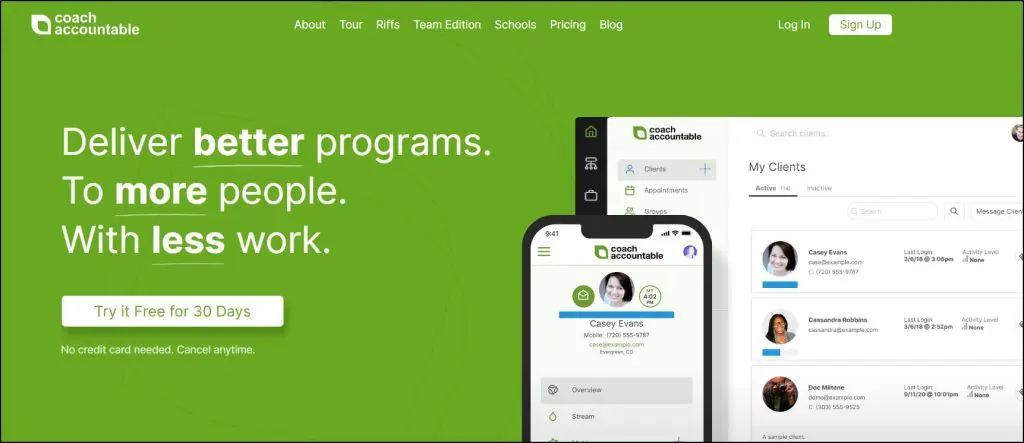
What stands out to me about CoachAccountable is how it turns coaching into a process, not just a conversation. If your approach is structured and results-driven, this platform gives you the tools to back that up.
You can assign action items, track progress, and automate client check-ins without chasing anyone. That’s a huge win when you’re juggling multiple clients.
Compared to something like Paperbell, which focuses more on simplicity and aesthetics, CoachAccountable leans into depth.
It’s not the prettiest interface, but the functionality runs deep, especially if you care about accountability, outcomes, and keeping coaching organized.
Unlike Upcoach, which adds community and curriculum tools, CoachAccountable stays laser-focused on 1-on-1 or group coaching delivery.
I’ve found it especially helpful for tracking long-term client goals. Everything, including session notes, metrics, content, and communications, lives in one client view.
It makes you look more professional, and it saves hours of manual follow-up.
This isn’t the tool I’d pick for a brand-new coach or someone who wants modern design. But if you’re serious about client outcomes and systems, it’s one of the most powerful tools out there.
Key CoachAccountable Features
- Action Plans: Assign tasks between sessions, with automated follow-up
- Metrics Tracking: Track client goals, habits, or KPIs visually
- Scheduling: Built-in calendar with reminders and timezone support
- Client Engagement Tools: Forms, worksheets, and progress check-ins
- Mobile Access: Fully accessible from any device, no app install needed
- Team Edition: Create coach/admin roles, assign clients, manage permissions
- Custom Branding: Add your logo, colors, and messaging
- Integrations: Zapier, Google Calendar, Stripe, and more
CoachAccountable Pricing & Free Trial
CoachAccountable has a unique pricing model based on active clients. You can deactivate and reactivate clients without losing access to their data.
- Starter: 2 clients – $20/month
- Level 1: 5 clients – $40/month
- Level 2: 10 clients – $70/month
- Level 3: 20 clients – $120/month
- …scales up to 1,000 clients at $4,000/month
All plans include the full feature set. You also get a 30-day free trial with no credit card required.
Pros and Cons
| Pros | Cons |
| Helps you track progress and show tangible client results | Interface feels outdated compared to modern tools |
| Action plans and metrics make coaching outcomes visible | Can be overwhelming if you don’t need advanced tracking |
| Flexible plans for solo coaches and teams | No native email marketing or funnel tools |
| Unique group features like group metrics and shared goals | Lacks a polished, all-in-one branded site experience like Paperbell |
Verdict: Once you get over the initial learning curve, CoachAccountable is a serious platform for structured coaches who want to deliver measurable, high-impact results.
Rating: 8.7/10
Why not a perfect 10/10? It’not beginner beginner-friendly, the design and UX feel clunky, and it’s not built for coaches who want to combine course delivery, community, and marketing in one sleek interface.

7. CoachVantage
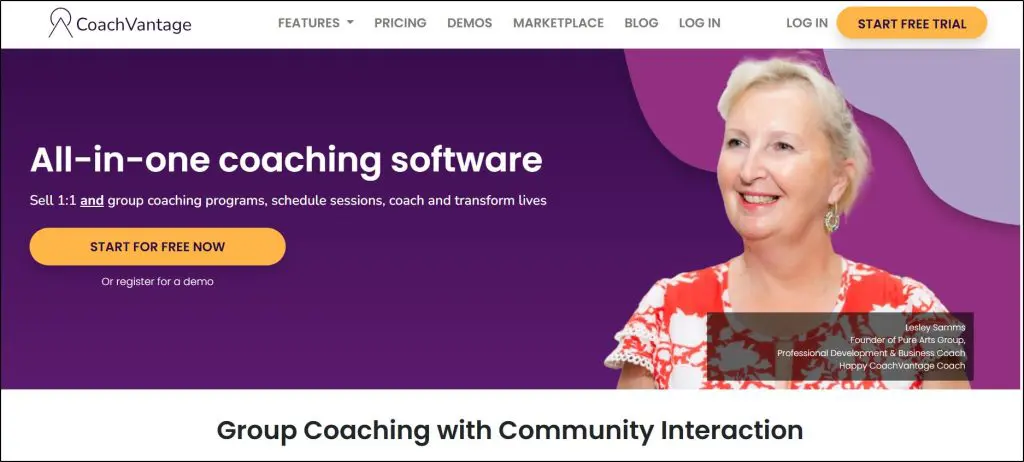
If you’re a solo coach or small team focused on client delivery, not funnels, ads, or list-building, CoachVantage is one of the cleanest platforms I’ve used.
You get a full coaching workflow: program pages, contract signing, payment collection, onboarding forms, scheduling, and a branded client portal—all automated. Clients can enroll, sign, pay, and book their first session in one smooth flow.
Compared to CoachAccountable, which dives deep into analytics and client metrics, or Upcoach, which adds curriculum and habit tracking, CoachVantage hits the sweet spot for coaches who want a streamlined, modern interface with just the right amount of structure.
CV Meet, its built-in video call tool, saves you a Zoom subscription and makes it easy to run, record, and share coaching sessions. What I really like is how automation rules let you send forms, notes, or resources before or after sessions—no reminders needed.
But it’s not perfect.
There’s no email marketing, no visual funnels, no habit or mood tracking, and limited group engagement (no chat threads or advanced analytics). You also won’t find reporting dashboards that track outcomes across clients.
Storage is limited on lower plans (500MB to 1GB), which works for most PDF templates, worksheets, and light video use. But if you coach using lots of large video files or documents, you’ll need to lean on Google Drive or Dropbox and link them from inside the platform.
Still, for session-based coaching and great client experience, it’s hard to beat at this price.
Key CoachVantage Features
- 1:1 & Group Coaching Programs with onboarding flows
- CV Meet: Built-in video, recording, and real-time collaboration
- Automated Client Enrollment: Intake forms, contracts, payments
- Coaching Portal: Shared notes, resources, goals, session tracking
- Scheduling with calendar sync, reminders, and policies
- Session-by-session or package-based billing with Stripe or PayPal
- Group Coaching + Group Wall for community interaction
- Resource Library + Coaching Logs for session history
- Automation Rules to trigger files, forms, and notes by session timing
- Branding across the portal, invoices, emails, and client pages
CoachVantage Pricing & Free Trial
CoachVantage offers a full-featured 14-day free trial to help you decide which of its two premium plans is best for you.
Clarity Plan ($26/mo) – Up to 2 program pages, 2 group programs, 48 contract sends/year, 500MB storage
Aha! Plan ($44/mo) – Unlimited coaching pages, groups, and contracts, 4GB storage, full automation
Both plans include CV Meet, automations, full client portal, and payment integration.
CoachVantage Pros and Cons
| Pros | Cons |
| Replaces Zoom for most sessions with CV Meet | No built-in email marketing or sales funnel tools |
| Clean client onboarding: contracts, payment, scheduling, all-in-one | Limited group interaction (no threaded discussions or DMs) |
| Coaching automations tied to session timing | No client progress analytics or engagement reporting |
| Works well across solo and group coaching models | No habit tracking or journaling features for accountability |
Verdict: CoachVantage is ideal if you want smooth coaching delivery and a clean client experience without marketing complexity.
Rating: 8.5/10
8. Simply.Coach
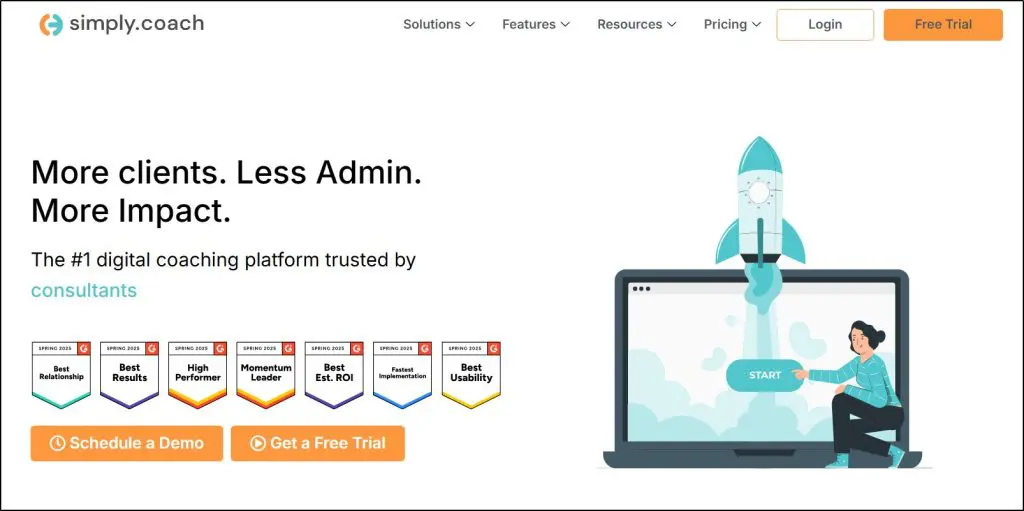
Simply.Coach is clearly built with executive and leadership coaching in mind.
If you coach professionals, run programs inside companies, or offer high-ticket engagements with multiple stakeholders involved, it gives you the kind of structure and polish you need to deliver at that level.
You get a branded client portal, pre-built onboarding workflows, coaching journeys, progress tracking, and a way to loop in sponsors or managers for feedback—all in one system. That’s not something most tools offer. For example, Paperbell or Satori handle 1-on-1 coaching well but don’t support team-based coaching or 360° feedback.
That said, Simply.Coach feels overengineered for solo life or wellness coaches.
There’s no built-in course builder, no habit tracking, no community features, and no email marketing. If your coaching model depends on group interaction, accountability tools, or nurturing leads with content and automation, this platform won’t help you.
Also, the interface takes some getting used to. It’s powerful, but it’s not the most intuitive setup, especially when building out custom journeys or digging into client analytics.
You’ll probably spend a few hours watching tutorials and customizing flows to fit your own practice.
Still, for client delivery, it’s solid.
You can create session templates, send automated pre/post-work, assign goals, and even track client satisfaction ratings. The Showcase Page feature (a branded public page with testimonials and booking links) is a nice touch, especially for coaches who don’t have a website yet.
But the best use case remains executive coaching—especially when you need to keep notes, resources, and results organized across several stakeholders.
Key Features in Simply.Coach
- Client Portal: Branded dashboard for each client with notes, goals, and files
- Coaching Journeys: Pre-set flows with automated onboarding, contracts, check-ins
- 360° Feedback: Collect stakeholder input on coaching progress
- Session Templates: Create repeatable agendas or workflows for different client types
- Goal Tracking: Assign and track progress across sessions
- Scheduling: Built-in calendar with Zoom, Teams, and Google Meet support
- Showcase Page: Create a public coaching profile without building a full website
- Security: GDPR and HIPAA-compliant, with enterprise-level access controls
Simply.Coach Pricing & Free Trial
You get a 14-day free trial with full access. Pricing scales by the number of clients:
- Essentials ($29/mo): 5 clients, 10GB storage, basic coaching workflows
- Growth ($49/mo): 25 clients, stakeholder feedback, automation, team support
- Leap ($99/mo): Unlimited clients, concierge onboarding, advanced analytics
No transaction fees. All plans include scheduling, portals, and contracts.
Simply.Coach Pros and Cons
| Pros | Cons |
| Built for serious, high-trust coaching (especially executive or B2B) | Overkill for basic 1-on-1 or wellness coaches |
| Stakeholder features are rare and useful | No community, habit tracking, or group chat |
| Branded client portal and workflows are polished | Interface feels heavy compared to Paperbell or Satori |
| Strong automation for onboarding and post-session follow-up | No built-in email marketing or funnel tools |
| Supports international clients with time zones, invoices, and contracts | Lacks coaching-specific analytics like habit trends or mood tracking |
Verdict: If you run a structured coaching practice that works with companies or senior professionals, Simply.Coach offers excellent delivery tools. But if you’re a solo coach doing general life coaching, group sessions, or audience-building, you’ll probably hit its limits fast.
Rating: 8.8/10: Why not a perfect 10? Great for B2B coaching delivery, but missing too many engagement, marketing, and content tools that most solo coaches need to grow.
Why not 10? Lacks deeper engagement tools (habit tracking, analytics) and built-in marketing features you’d need to scale beyond coaching.
9. Simplero
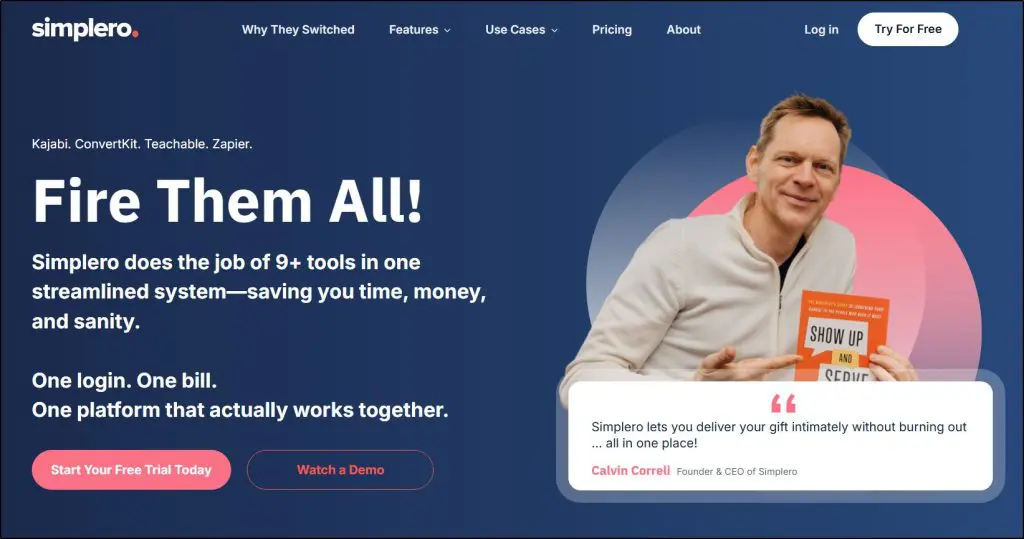
If you want serious coaching tools and pro-level marketing automation in one login, Simplero is a rare find. Unlike Kajabi, which favors creators selling courses, or Upcoach, which centers coaching delivery, Simplero blends both worlds.
You can build 1:1 or group coaching programs with structured content, gated client areas, calendar scheduling, and an integrated community.
Sessions can be part of full coaching pipelines that include custom forms, access rules, drip content, and personalized automations.
There’s no native habit tracker, but triggers based on behavior (like session completion or course progress) allow coaches to build accountability flows and engagement journeys.
The standout here is marketing. Simplero replaces tools like ConvertKit and ClickFunnels with visual automation builders, conditional email sequences, A/B testing, upsells, affiliate tracking, and sales funnels, all native.
It beats Kajabi for coaches who need deeper automations and more flexibility in building client journeys. And while Upcoach still wins on team-based coaching delivery, Simplero gives you stronger tools to attract, convert, and re-engage clients over time.
Simplero Pricing & Free Trial
Simplero offers a 14-day free trial with access to all features (except email sending, which requires verification). All plans include course creation, coaching tools, marketing automation, email, and landing pages. Pricing is based on contacts, storage, and team access.
Starter Plan ($59/month): For new coaches with small lists. Includes 5 products, 5 courses, 1 site, 2 custom domains, and 500 contacts.
Scale Plan ($149/month): Unlimited products and courses, 3 custom domains, 1,000 contacts, 3 team schedulers, and 1 TB storage.
Skyrocket Plan ($249/month): For scaling coaches with bigger teams. Adds 25 team schedulers, unlimited domains, unlimited storage, and 5,000 contacts.
All plans have 0% transaction fees and include advanced automation, affiliate tools, upsells, and concierge support.
Simplero Pros and Cons
| Pros | Cons |
| Split-test landing pages and coaching funnels | No mobile app for coaches or clients |
| AI-generated transcripts and subtitles for coaching videos | Learning curve is steeper than Paperbell or Podia |
| Integrated affiliate management with recurring commissions | Storage and contact limits on lower-tier plans |
| Built-in SMS for reminders and client check-ins | Lacks habit tracking and shared journaling tools |
| Concierge onboarding and implementation support | Advanced automation may overwhelm coaches looking for simplicity |
Verdict: Get Simplero if you’re scaling a coaching business and need powerful marketing tools without duct-taping platforms. Not ideal if you only need session tracking or run therapy-style practices.
Rating: 8.6/10
Why not a perfect 10? Missing advanced coaching-specific UX like shared notes, habit logs, or session feedback tools.
Not sure how to price your online coaching offer? Use our pricing calculator
All-In-One Platforms with Online Coaching Features
All-in-one platforms with online coaching features are a great way for coaches to streamline their businesses and provide a better experience for their clients. These platforms offer a variety of tools and features that can help coaches manage their schedules, deliver coaching sessions, track client progress, and more.
Coaches can also enhance their offerings by using all-in-one platforms to create self-guided online classes and even selling physical products.
10. Kajabi

If you want to build a real coaching business, not just run coaching sessions, Kajabi gives you more tools under one roof than any other platform I’ve tried.
It replaces your email marketing tool, funnel builder, lead magnet system, newsletter platform, and even your community space.
That means you spend less time duct-taping tools together, and more time growing your audience and turning them into clients.
Kajabi’s coaching features include the ability to sell 1:1 or group coaching packages, schedule sessions, share resources, track homework, and even host live video calls—without needing Zoom or Calendly.
It’s a strong offering, but it’s not a dedicated coaching platform like CoachAccountable or UpCoach.
Here’s where it falls short if you’re using it just for coaching:
- No goal tracking, accountability check-ins, or progress dashboards.
- No built-in CRM-style tagging for coaching stages (like lead → client → alumni) unless you build that manually through automation
- No client-side journaling, mood tracking, or behavior logging that tools like UpCoach offer
- Limited reporting on coaching outcomes—you won’t find coaching-specific analytics like completion rates or coach-client engagement stats
If your business relies heavily on performance tracking, session outcomes, or structured coaching workflows like assigning forms, collecting pre-session check-ins, and doing progress reviews, Kajabi won’t cover that out of the box.
But if you’re building an ecosystem where coaching is just one income stream among courses, digital products, and memberships, then Kajabi is a no-brainer.
So, should you buy Kajabi just for coaching? Not really.
At $149/month and up, Kajabi is too expensive if all you need is scheduling and session tracking. You’ll get more coaching-specific features (and pay less) with tools like Practice or CoachAccountable.
But if you’re already spending money on tools like ConvertKit, Leadpages, and Circle, switching to Kajabi could replace all of them with one login and that’s where it starts making sense.
Key Coaching Features In Kajabi
- Sell single or multi-session packages (1:1 or group)
- Built-in video calls, no Zoom needed
- Session notes, task assignment, and resource sharing
- Automated follow-ups and email reminders
- Group coaching and cohort-based learning support
- Branded mobile app for clients
Kajabi Pricing & Free Trial
Kajabi offers an exclusive 30-day free trial with our referral link. After that, you can upgrade to one of the following premium plans.
- Basic Plan ($143/month): 3 products, 3 funnels, 10,000 contacts, 1 admin user. Best for solo coaches just getting started with digital products.
- Growth Plan ($199/month): 15 products, 15 funnels, advanced automation, affiliate marketing, 10 admin users. Good for scaling coaching + selling courses.
- Pro Plan ($399/month): 100 products, 100 funnels, 3 websites, 25 admins, full white labeling and code editing. Ideal for agencies or teams.
Kajabi Pros & Cons
| Pros | Cons |
| Replaces 4–5 tools (email, sales funnel, newsletter, video host) in one | No goal tracking or structured progress reports for clients |
| Beautiful branded client experience on both desktop and mobile | Lacks client journaling, behavior logging, or personal dashboards |
| Seamless upsells from coaching to courses, membership, or community | No built-in CRM logic for coaching lifecycle stages |
| Automated replays & coaching session recordings saved to library | Coaching workflows require custom setup (no templates or flows) |
| 0% transaction fee, even on high-ticket programs | Steep price if you’re only doing coaching without audience building |
Verdict: Kajabi is best for coaches who need world-class audience-building features along with fundamental coaching capabilities. But it’s not worth using only for its coaching features.
Rating: 8.0/10
Why not 10 out of 10? Coaching workflows and client tracking are basic compared to UpCoach and CoachAccountable.

Read our detailed Kajabi Coaching review to learn more.
11. Podia

If Kajabi feels overkill or overpriced, Podia might hit the sweet spot—especially for solo coaches who want to sell sessions, build an email list, and grow a simple digital product business without duct-taping ten tools together.
Podia gives you coaching + audience-building tools in one place. You can sell 1:1 sessions or coaching packages, create landing pages and lead magnets, send newsletters and automations, and track purchases—all without needing ConvertKit, Leadpages, or a separate course platform.
Compared to Kajabi, Podia’s interface is easier to learn and quicker to set up. Its built-in email marketing is more streamlined and surprisingly powerful for segmenting by product purchases and automating campaigns. You even get a full website, blog, and course/membership tools included.
But how does it hold up just for coaching?
Podia lacks:
- Pre-session forms or custom client intake workflows
- Progress tracking or goals dashboard per client
- Structured session notes or templates
- CRM-style lifecycle tagging for coaching clients
- Client-side engagement tools like journals or feedback forms
So while it can deliver coaching, it’s not designed for in-depth client management like UpCoach.
You can track sessions and deliver resources, but you’ll have to create your own structure and accept fewer coaching-specific insights.
Key Coaching Features in Podia
- Sell single sessions or coaching bundles
- Offer group coaching with signup caps and access limits
- Schedule sessions and add resource links
- Bundle coaching with courses or downloads
- Built-in video hosting (you embed Zoom, Loom, or other tools)
- Full website + blog + product landing pages included
- Robust email platform: automations, tags, segmentation, product-triggered campaigns
Pricing (with annual billing savings)
Podia used to offer a free plan, but it’s no longer available. Instead, you can get a free 30-day trial, after which you need to upgrade to one of its paid plans.
- Mover Plan ($33/month): Includes coaching, courses, downloads, email marketing, and website. 5% transaction fee.
- Shaker Plan ($75/month): Adds affiliate marketing, PayPal integration, no Podia branding, and 0% transaction fee.
Pros & Cons of Podia
| Pros | Cons |
| Much easier to set up than Kajabi or CoachAccountable | No pre-session forms or client check-ins |
| Email platform is powerful, clean, and built-in | No client progress tracking or session analytics |
| Works well if you’re mixing coaching, courses, and memberships | Embedding video tools (like Zoom) adds a layer of friction |
| Affordably replaces ConvertKit, Gumroad, and Leadpages | No real coaching “workspace” feel—just product delivery |
| Upsells, bundles, coupons, and automations are easy to set up | CRM and lifecycle tagging require workarounds (via email tags) |
Verdict: Podia doesn’t replace a dedicated coaching platform. But if you want audience-building features with basic coaching tools, it’s a more affordable option than Kajabi.
Rating: 7.5/10
Why we deducted 2.1 points: While it’s more affordable than Kajabi, it lacks Kajabi’s advanced marketing tools. So, you’re getting half-cooked features for both coaching and marketing.

12. Teachable

Teachable makes it easy to offer coaching alongside courses and digital downloads, but it’s built for creators who want everything in one place, not for coaches needing clinical-level workflows.
The coaching workflow starts with creating a “Coaching Product,” which works like a simple service package. You set your price, upload intake forms using customizable blocks, and define “milestones” for each session. These task-like checklists can include file uploads, instructions, video call links, or questions for clients to answer before your meeting.
There’s no built-in scheduler, but you can embed tools like Calendly or SavvyCal inside the coaching flow. Each client sees their own dashboard with milestone progress, file uploads, and messaging history.
Sessions themselves are typically delivered through external video call links (Zoom, Meet, etc.), which you drop into the milestone or message thread.
While it’s not a replacement for coaching CRMs like CoachAccountable, Teachable does a good job of managing client flow if you don’t need complex session logging or analytics.
A big advantage is the ability to combine your coaching offer with community and courses. You can place coaching inside a membership, use community for group support or Q&A, and upsell courses to deepen the learning.
This layered structure lets you build a high-ticket coaching funnel without piecing together multiple tools.
That said, Teachable’s email features are limited. You can send product updates and simple automations (like post-purchase sequences), but you won’t find visual workflows, newsletter campaigns, or segmentation based on tags or behavior.
If you rely heavily on email for nurture and sales, you’ll need a platform like ConvertKit or MailerLite alongside it.
So, should you use Teachable just for coaching?
If your business revolves around structured coaching, accountability tracking, and client progress metrics, dedicated tools like UpCoach or Practice will serve you better.
Teachable is ideal when coaching is part of a bigger ecosystem. Its pricing only makes sense if you’re also offering courses, downloads, or memberships.
Key Coaching Features in Teachable
- Create 1:1 or group coaching “products” with custom pricing
- Intake forms built into onboarding (no Google Forms required)
- Milestones for session outlines, files, call links, and notes
- Embedded scheduling links via third-party tools
- Client dashboard for progress, file uploads, and messages
- Integrates with community and course products for bundle offers
- Easy upsells with order bumps and product recommendations
- Automated payments, sales tax, and global currency support
Teachable Pricing & Free Plan (Annual Plans)
Teachable is among the few platforms that offer a free forever plan with limited features. For advanced options, you can upgrade to one of its paid plans.
- Basic Plan ($39/month): 5 coaching products, upsells, tax/VAT handling, 5% transaction fee.
- Pro Plan ($119/month): 50 coaching products, affiliate marketing, course certifications, 0% Teachable fee.
- Pro+ Plan ($199/month): 200 coaching products, custom admin roles, all Pro features.
- Enterprise Plan: Custom pricing, white-glove onboarding, unlimited scale.
All plans allow unlimited draft products. Published product limits are plan-specific.
Pros & Cons of Teachable
| Pros | Cons |
| Milestone-based coaching workflow keeps sessions structured | No native session reminders or recurring appointment logic |
| Client dashboard offers organized progress tracking | No built-in scheduling or video delivery—requires external tools |
| Coaching, courses, and community integrate seamlessly | Email features lack segmentation, visual flows, and tagging logic |
| AI product creation speeds up coaching offer setup | Doesn’t support collaborative client notes or shared dashboards |
| Built-in payment handling with teachable:pay reduces setup stress | Limited control over client access per milestone or tier |
Verdict: Teachable is not meant for high-volume coaching teams or therapist-level support, but it does a good job of keeping things simple, client-friendly, and integrated. When combined with memberships and courses, it becomes a compelling offer that’s easy to scale.
Rating: 7.8/10
Why not a perfect 10/10? No built-in scheduler, light email features, and limited analytics make it less viable for coaching-only use

The Best Free Online Coaching Tools for Beginners
If you’re still testing the waters, working with your first few clients, or just don’t want to commit to a paid platform yet, you can absolutely run a professional online coaching setup using free tools.
Now, it won’t be seamless.
You’ll be stitching different apps together, and managing everything will take more clicks and copy-pasting than you’d like.
But if you’re on a tight budget, this is your best path forward.
Here are the best free online coaching tools for different steps involved in setting up and delivering online coaching services.
Step 1: Book Sessions with Calendly (Free Plan)
Start by setting up a Calendly account. It’s your scheduling assistant. You define your availability, and your clients can book sessions without emailing back and forth. Connect it to Google Meet or Zoom so it automatically adds a call link. Use it for letting prospects book discovery calls or ongoing coaching sessions hassle-free.
Step 2: Collect Intake Info with Google Forms or Notion
Before your first session, you’ll want some background. Use Google Forms to ask intake questions — goals, challenges, what they’re looking to achieve. Or use Notion to create a shared doc with prompts they can fill out directly. This makes you look professional and helps you personalize the first call.
Step 3: Host Coaching Calls with Google Meet or Zoom (Free)
For the actual coaching session, stick with Google Meet (no time limits for 1:1) or Zoom (40-minute limit, free tier). Share the link via Calendly or email. Both work great and are widely trusted. Use this to deliver your live sessions, no need to pay for fancy webinar tools just yet.
Step 4: Track Progress and Share Notes in Notion
After every session, update the client’s Notion workspace. Include session notes, key takeaways, next steps, and habit tracking if needed. You can even build a simple dashboard to help them visualize progress. This becomes your shared coaching journal — easy to update, easy to follow.
Step 5: Share Files with Google Drive
Need to send a PDF, worksheet, or replays? Google Drive makes it easy. Create a folder for each client, upload your materials, and set permissions. This keeps all your resources organized and gives your client easy access.
Step 6: Send Feedback or Lessons with Loom
Sometimes, you’ll want to explain something between sessions or send quick video feedback. That’s where Loom shines. Record your screen, add voice, and share a link — all for free (up to 5 minutes per video). It’s great for async support, onboarding instructions, or celebrating client wins.
Step 7: Build a Community with Facebook Groups
Giving your clients a dedicated community space to network and share ideas can be a game-changer for your coaching business.
Facebook Groups are the perfect free platform to do this because most of your clients are probably already using it.
Use Facebook Groups to host live Q&As, share motivational content, post reminders, or simply give them a space to support one another. It’s not fancy, but it works — and it makes your coaching more valuable.
Step 8: Get Paid with PayPal
Finally, collect payments using PayPal.me or PayPal invoices. Set up a link, send it to your client, and you’re done. It’s quick, secure, and works globally. You can upgrade to Stripe or integrated payments later, but this is more than enough to start.
Why Should Coaches Use An Online Platform?
Here are some of the most important benefits of online coaching:
- Reach a wider audience: Online coaching allows you to work with clients from all over the world, regardless of their location. This can help you grow your business and reach more people.
- Increase flexibility: Online coaching is more flexible than traditional coaching methods. You can work with clients from anywhere, at any time, which makes it easier for both you and your client to fit coaching into busy schedules.
- Improve efficiency: Online coaching can help you improve your efficiency by automating tasks such as scheduling, billing, and tracking progress. This frees up your time so you can focus on providing the best possible coaching experience to your clients.
- Provide a more personalized experience: Online coaching can help you provide a more personalized experience to your clients by allowing you to track their progress and tailor their coaching accordingly. This can help clients achieve their goals more quickly and effectively.
- Reduce costs: Online coaching can help you reduce your costs by eliminating the need for office space and travel. This can make coaching more affordable for clients, which can lead to increased business.
Which Is The Best Online Coaching Platform For You?
Choosing the right online coaching platform can be difficult, as it depends on your specific needs and goals. However, this post should give you the information you need to make an informed decision.
Here are some factors to consider when choosing an online coaching platform:
- Your budget: Online coaching platforms can range in price from free to hundreds of dollars per month. It’s important to choose a platform that fits your budget and your needs.
- Your features: Think about what features are important to you. Do you need a platform that allows you to create and sell courses? Do you need a platform that allows you to offer coaching services? Do you need a platform with a built-in community?
- Your technical skills: Some online coaching platforms are more complex to use than others. If you’re not tech-savvy, you’ll want to choose a platform that is easy to use.
- Your level of experience: If you’re just starting out, you may want to choose a platform that offers a free trial or a low-cost plan. As your business grows, you can upgrade to a more advanced platform.
Remember, many of these coaching platforms offer free trials, providing you with the opportunity to test a coaching software without committing.

Jeff Cobb, Founder of Learning Revolution
Jeff Cobb is an expert in online education and the business of adult lifelong learning. Over the past 20+ years he has built a thriving career based on that expertise – as an entrepreneur, a consultant, an author, and a speaker. Learning Revolution is a place where Jeff curates tips, insights, and resources to help you build a thriving expertise-based business. Learn more about Jeff Cobb here.
See Also:
- Comparison Of The Best Online Coaching Platforms
- Dedicated Online Coaching Platforms
- All-In-One Platforms with Online Coaching Features
- The Best Free Online Coaching Tools for Beginners
- Step 1: Book Sessions with Calendly (Free Plan)
- Step 2: Collect Intake Info with Google Forms or Notion
- Step 3: Host Coaching Calls with Google Meet or Zoom (Free)
- Step 4: Track Progress and Share Notes in Notion
- Step 5: Share Files with Google Drive
- Step 6: Send Feedback or Lessons with Loom
- Step 7: Build a Community with Facebook Groups
- Step 8: Get Paid with PayPal
- Why Should Coaches Use An Online Platform?
- Which Is The Best Online Coaching Platform For You?