

TL;DR: Skool vs Teachable — Which Platform Should You Choose?
Skool is a community-first platform built around a central activity feed, gamified member engagement, and a built-in discovery engine. On Skool, the community is the product and courses play a supporting role
Teachable is a course-first platform built around structured content delivery, student management, and clean sales infrastructure. On Teachable, the course is the product. Community exists as a supporting feature.
Skool and Teachable Pricing:
Skool starts at $9/month with 10% transaction fees
Teachable starts at $29/mo billed annually or $39/mo on monthly billing with 7.5% transaction fees
I recommend Skool for most coaches and creators who want community to be the core of what they sell. I recommend Teachable when your course is the product, you need a superior learning experience, certificates or structured completion tracking.
Try Skool for Free | Try Teachable for Free
Note: This page contains affiliate links. If you purchase through links on this page, we may earn a commission at no additional cost to you.
Skool vs Teachable: Why I See Them Differently From Most Reviewers
I’ve used Skool both as a member inside other creators’ communities and as a consultant helping clients build and grow their own Skool communities.
I’ve been evaluating and recommending Teachable to clients for years and I’ve watched it evolve from a straightforward course platform into something more complex and, for some creators, more expensive.
Most Skool vs Teachable comparisons treat this like a feature war.
They count up course tools on one side and community tools on the other and declare a winner. That approach misses the point.
Skool and Teachable are not competing for the same creator at the same moment. They’re built around fundamentally different beliefs about what the product is.
If you believe your students are paying for structured online learning, for a defined curriculum with a beginning, middle, and end, for certificates they can show their employer, for a learning path they can complete and move on from, then Teachable is built for you.
If you believe your members are paying for access to you, to your community, to the daily conversation and peer accountability that keeps them engaged and growing, then Skool is built for you.
I’ve watched creators make the wrong call in both directions.
A fitness coach invests in Teachable because it looks professional, then realizes her members log in once to download the workout plan and never return because there’s no community pulling them back.
An online educator builds his entire business on Skool and then discovers he can’t issue the completion certificates his clients require.
Both made the same mistake: they chose the platform that looked right without asking which one matched what they were actually selling.
This comparison will help you avoid that mistake.
Looking for the best online course platforms? Here are my top picks
The Main Differences Between Skool and Teachable
| Category | Skool | Teachable |
| Platform overview | Community-first platform with a central feed, basic course hosting, gamification, and internal discovery | Course-first platform with structured content delivery, student management, assessments, and community as a supporting feature |
| Best for | Coaches, solopreneurs, creators who sell community access and engagement | Educators and subject matter experts who sell structured courses and learning programs |
| Primary growth model | Internal discovery inside Skool’s public directory | No discovery — you bring your own traffic through SEO, Zoom, social media, or email marketing |
| Community architecture | Single central feed with categories, points, levels, and leaderboard | Forum-style discussions organized by categories and topics, no gamification |
| Course features | Basic modules and lessons, drip content, simple completion tracking | Full course builder with quizzes, assessments, certificates, compliance, drip scheduling |
| Student management | Basic, focused on community members | Detailed progress tracking, completion data, bulk imports, full student email access |
| Automation | Minimal, Zapier and webhooks only | Basic, Zapier and webhooks, limited native workflows |
| Pricing model | Low monthly fee plus revenue share | Monthly subscription, transaction fee on Starter only |
| Product limits | Unlimited | 1 on Starter, 5 on Builder, 25 on Growth, 100 on Advanced |
| Tax handling | Basic | Automated global VAT, GST, and US sales tax |
| Certificates | No | Yes on Builder and above |
| Discovery | Yes, built-in public directory | No |
| Try Skool for Free | Try Teachable for Free |
What Is Skool?
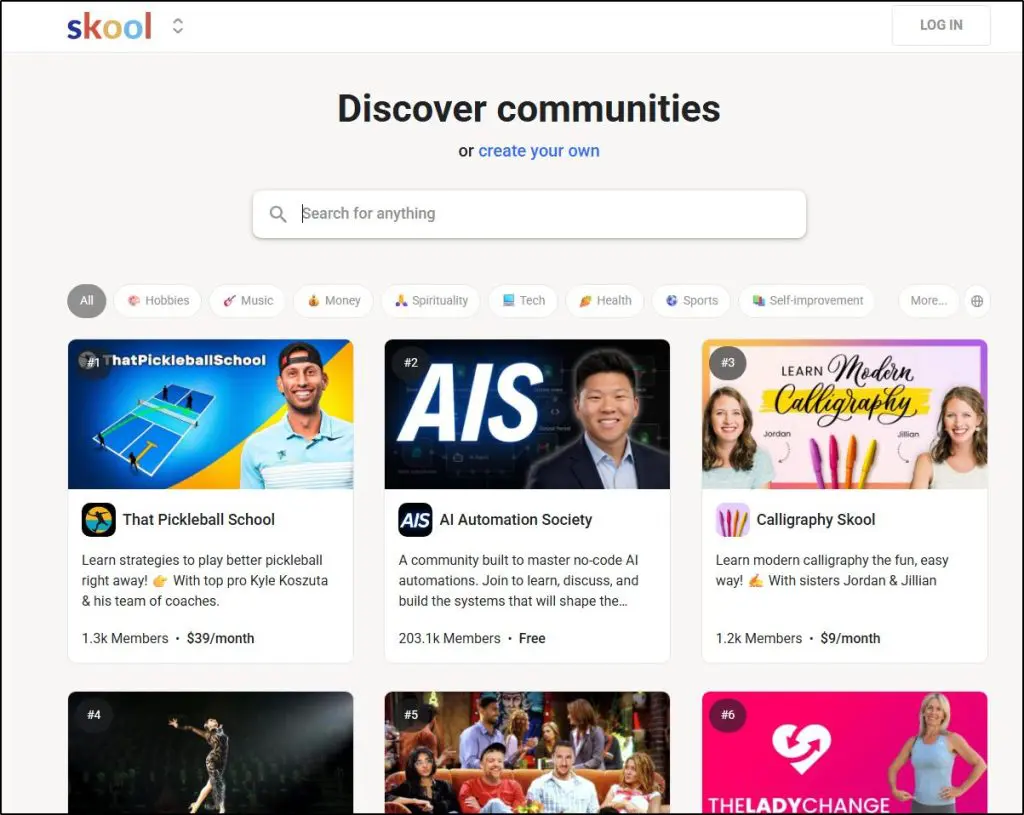
Skool is an online community platform where the discussion feed is the product and courses play a supporting role.
Skool was founded by Sam Ovens in 2019 and later backed by Alex Hormozi. It combines a central discussion feed, a course area called the Classroom, an event calendar, and Stripe payments inside one interface built around three tabs: Community, Classroom, and Calendar.
I’ve used Skool since 2021, both as a member inside communities built by other creators and as a consultant helping clients launch and grow their own communities on the platform.
The thing that stands out most about Skool isn’t any single feature. It’s the behavioral design. Every decision Skool makes is aimed at getting members to participate more.
For example, its discussion feed makes activity immediately visible, points reward every contribution, levels create a progression system that gives members a reason to keep showing up.
The public leaderboard makes engagement social and competitive in a way that keeps communities feeling alive even at relatively small member counts.
Skool also runs a public directory of communities that gets millions of monthly visitors. People search it by topic, find communities that match their interests, and join. That built-in discovery gives creators a genuine path to organic growth that Teachable simply doesn’t offer.
I’ve worked with clients who built paid Skool communities of several hundred members without an existing email list, purely through consistent activity and Skool’s recommendation engine surfacing them to the right people.
Where Skool falls short is just as clear. The course tools are basic. No quizzes, no certificates, no detailed student analytics. Branding options are limited and most Skool communities look visually similar because the platform doesn’t give you much control over customization.
Read my detailed Skool review for a more in-depth analysis
The main Skool features:
- Central community feed with categories
- Classroom tab for course modules and lessons
- Gamification through points, levels, and public leaderboards
- Built-in event calendar for live sessions
- Internal discovery through Skool’s public community directory
- Stripe payments for recurring memberships
| Skool Strengths | Skool Weaknesses |
| Community feed drives immediate daily engagement | No quizzes, certificates, or student analytics |
| Gamification creates participation habits | Limited branding and visual customization |
| Fast to launch, minimal setup required | No email marketing or funnel builder |
| Built-in discovery for organic community growth | Approval friction hurts course conversion on Hobby plan |
| Strong mobile app for daily check-ins | One community per workspace, segmentation needs separate groups |

What Is Teachable?
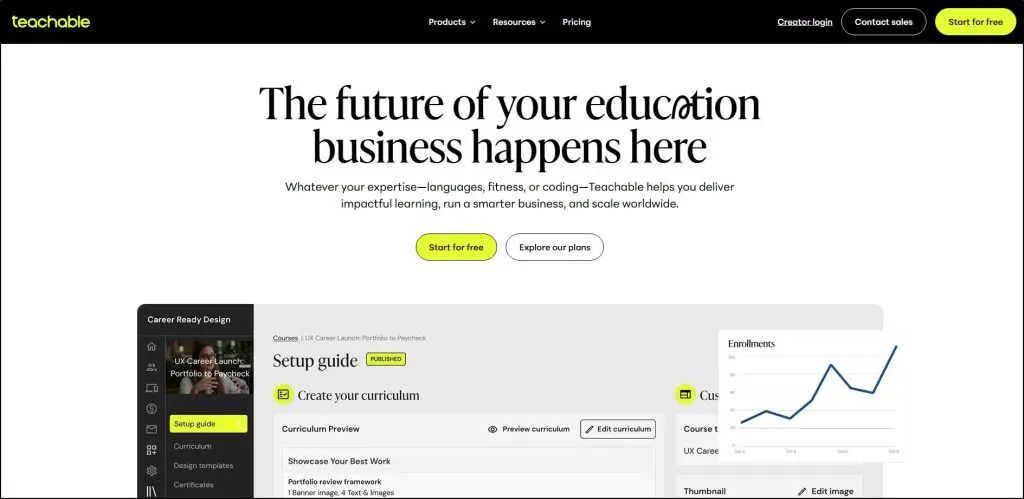
Teachable is an online course platform with sophisticated e-learning features, detailed quizzes, assessments, and integrated payments. In Teachable, the course is the product and community plays a supporting role.
Teachable was founded in 2013 and is now part of the Hotmart group. I’ve been using it for years and, for a long time, considered it the top course platform alongside Thinkific.
Teachable combines course hosting, student management, checkout pages, automated tax handling, and community inside one system built specifically for selling and delivering structured learning content.
Teachable’s core strength has always been course delivery infrastructure and its ease of use.
It handles the things that give course creators headaches: global tax compliance across 180 countries, payment processing through Stripe and PayPal, student progress tracking, certificate generation, and course completion enforcement.
For edupreneurs who want to sell courses in multiple countries without worrying about VAT, GST, or US sales tax, Teachable genuinely solves real problems that Skool doesn’t address.
Teachable added community across all paid plans at no extra cost, and it works reasonably well as an add-on to courses and coaching programs.
But it doesn’t replace a purpose-built community platform.
There’s no gamification, no discovery engine, no events calendar, and no community analytics. It’s a clean, distraction-free forum where students can discuss course content and connect with peers. For keeping enrolled students engaged with each other around course material, it works adequately. As a standalone community product, it falls well short of what Skool delivers.
Read my detailed Teachable review for a more in-depth analysis
The main Teachable features:
- Full course builder with modules, drip scheduling, and assessments
- Auto-graded quizzes, short answer assessments, and completion certificates
- Automated global tax handling for VAT, GST, and US sales tax
- Student management with detailed progress tracking and bulk imports
- Community with categories, topics, threaded discussions, and access control
- Upsells, order bumps, abandoned cart emails, and affiliate program
- Custom domain and white label website on Growth plan and above
| Teachable Strengths | Teachable Weaknesses |
| Best-in-class course delivery and student management | Community has no gamification or engagement mechanics |
| Automated global tax compliance | No discovery engine, you bring all your own traffic |
| Certificates, quizzes, and compliance tracking | Product limits push you to higher-priced plans quickly |
| Frictionless checkout for one-time course sales | Transaction fee on Starter plan gets expensive fast |
| Upsells, bundles, and affiliate program built in | Pricing has increased aggressively for long-term users |
| White label and custom domain on Growth and above | Community lacks events, livestreaming, and analytics |

Skool vs Teachable Pricing: What You Will Actually Pay
Skool is cheaper to start but the transaction costs makes it expensive at scale. Teachable is more expensive upfront but you keep more of your money once you’re past the Starter plan.
Skool and Teachable use different pricing models and the difference matters more than the headline numbers suggest.
Let me explain.
Skool Pricing
Skool keeps it simple with two plans.
Hobby at $9/month gives you the full platform: unlimited members, courses, community, calendar, and Stripe payments. Skool takes 10% of all membership revenue on this plan. There are no feature restrictions between Hobby and Pro. The difference is only how much revenue you give up.
Pro at $99/month drops the transaction fee to 2.9% and adds auto-approval for new members. That auto-approval matters more than it sounds.
On the Hobby plan, every new member must request access and wait for approval before they can purchase a course. That cooling-off period kills impulse buys.
If you plan to sell courses to people who find you through external traffic or Skool’s discovery engine, the Pro plan is practically required.
Teachable Pricing
Teachable’s pricing looks straightforward but has more friction built into it than Skool.
Starter at $29/month comes with a 7.5% transaction fee and only one published product. If you’re testing your first course, that works. The moment you want to publish a second course, you need to upgrade.
Builder at $69/month removes transaction fees and allows five published products. For most independent course creators, this is the realistic entry point.
Growth at $139/month adds white labeling, free subtitles and translations, up to 25 products, and custom admin permissions. This is where Teachable starts to look genuinely valuable for creators running a multi-course business.
Advanced at $309/month expands to 100 products and unlimited integrations.
How Much Will You Actually Keep: Skool vs Teachable
Let’s look at two scenarios with real numbers.
Scenario 1: Recurring community membership at $49/month with 200 members
That’s $9,800/month in revenue.
| Plan | Monthly fee | Platform fee | Total platform cost | You keep |
| Skool Hobby | $9 | 10% ($980) | $989 | $8,811 |
| Skool Pro | $99 | 2.9% ($284) | $383 | $9,417 |
| Teachable Builder | $69 | 0% | $69 | $9,731 |
| Teachable Growth | $139 | 0% | $139 | $9,661 |
Scenario 2: One-time course at $297 with 30 sales per month
That’s $8,910/month in revenue.
| Plan | Monthly fee | Platform fee | Total platform cost | You keep |
| Skool Hobby | $9 | 10% ($891) | $900 | $8,010 |
| Skool Pro | $99 | 2.9% ($258) | $357 | $8,553 |
| Teachable Starter | $29 | 7.5% ($668) | $697 | $8,213 |
| Teachable Builder | $69 | 0% | $69 | $8,841 |
Teachable Builder keeps the most revenue on one-time course sales by a clear margin.
Skool Pro is competitive for recurring memberships but loses ground on one-time purchases because the revenue share applies to every transaction regardless of type.
Skool Hobby is the most expensive option at any meaningful revenue level in both scenarios.
If you’re primarily selling one-time courses from external traffic, Teachable Builder at $69/month beats every Skool plan on revenue retention once you’re generating consistent sales.
If you’re running a recurring membership community, Skool Pro and Teachable Builder are close, but Teachable Builder keeps slightly more.
Read: Skool vs Circle: Which is the better online community platform
Skool vs Teachable Community Features: A Direct Comparison
Short answer: Skool wins the community comparison decisively. Teachable’s community is a functional forum. Skool’s community is an engagement engine.
This is the comparison you actually need. If you’re evaluating Skool and Teachable specifically on their community features, here’s the honest picture.
How Skool Handles Community
On Skool, a member logs in and lands directly in the community feed. Posts, questions, wins, and discussions are immediately visible without navigating anywhere.
That single design decision shapes everything about how Skool communities feel. There’s no friction between logging in and participating. Members just start scrolling and posting.
On top of that immediate immersion, Skool layers gamification that creates genuine behavioral habits. Points reward every contribution. Levels give members a progression system that makes participation feel meaningful over time.

The public leaderboard makes engagement social and competitive. Together, these mechanics mean Skool communities feel active quickly, even with relatively small member counts, because the platform is engineered to surface activity and reward it.
The discovery engine adds another dimension that Teachable simply doesn’t have. Skool’s public directory generates organic visibility for your community. People who have never heard of you can find your community by browsing topics they care about. For early-stage creators without an existing audience, this is a genuine growth lever.
What Skool’s community doesn’t give you is structure, segmentation, or analytics. You get one community per workspace.
If you want separate spaces for different programs or membership tiers, you typically need to create separate Skool groups, each with its own subscription.
There’s no events calendar deep enough to replace a proper scheduling tool, no native livestreaming, and no data on how your community engagement is trending over time.
How Teachable Handles Community
Teachable’s community is a clean, forum-style discussion space organized by categories and topics. Students can post, reply, tag each other, and search across discussions by keyword.
The integration with Teachable’s courses is its strongest feature: students can access community discussions directly from inside a course lesson, which creates a natural connection between the learning content and the conversation around it.
What Teachable’s community doesn’t do is drive daily participation on its own.
There’s no gamification, no leaderboard, no points system, and no discovery engine bringing new people in.
When a student logs into Teachable, they see their course dashboard. The community is one click away, but that extra click matters more than you’d think.
I’ve seen Teachable communities with hundreds of enrolled students go quiet not because the content was poor, but because students logged in, accessed their course, and never thought to check the community tab.
Keeping a Teachable community active requires consistent manual effort: email reminders through ConvertKit or ActiveCampaign, course-linked discussion prompts, and regular facilitator posts to spark conversation.
The platform gives you a clean space for discussion but does none of the work of filling it.
| Community Feature | Skool | Teachable |
| Default view on login | Community feed | Course dashboard |
| Gamification | Points, levels, leaderboard | None |
| Discovery engine | Yes, public directory | No |
| Events calendar | Yes | No |
| Livestreaming | No, Zoom link required | No, Zoom link required |
| Multiple spaces per account | No, one per workspace | No, one per school |
| Community analytics | Basic | None |
| Access control by product or tier | Limited | Yes, by course or membership |
| Mobile experience | Strong dedicated app | Mobile browser and iOS app |
| Community as standalone product | Yes | Yes |
| Built-in engagement mechanics | Strong, self-sustaining | Weak, manually driven |
Read: Skool vs Kajabi: Which platform should you choose
Skool vs Teachable Course Features: A Direct Comparison
Short answer: Teachable wins the course comparison decisively. Skool’s course tools are sufficient for community-led programs. Teachable is built for serious course businesses.
How Skool Handles Courses
Skool’s Classroom gives you what you need to deliver video-based course content alongside a community. You build modules and lessons, upload videos, drip content on a schedule, and track basic completion.
For a coaching program or accountability course where the community carries most of the learning value, that’s genuinely sufficient.
What Skool doesn’t give you is a proper learning management system.
No quizzes, no certificates, no compliance controls, no detailed student analytics. If you need to know exactly where each student is in your curriculum, what they scored on an assessment, or which students haven’t completed your course, Skool can’t tell you that with any precision.
If your students need a completion certificate for professional development, continuing education credits, or employer reimbursement requirements, Skool simply can’t provide it.
There’s also the checkout friction issue specific to course sales on Skool.
On the Hobby plan, a new member must request access to your community and wait for manual approval before they can purchase a course. That approval step creates a cooling-off window.
Most of my clients who’ve migrated from Teachable to Skool consistently describe this as the biggest hit to their course conversion rate.
Someone finds your Skool community, wants to buy your course, requests access, and by the time approval comes through a few hours later, the moment has passed.
Upgrading to Skool Pro enables auto-approval and removes that friction, but it changes the cost math significantly.
Read: The best online community platforms for edupreneurs
How Teachable Handles Courses
Teachable’s course builder is the strongest part of the platform and the main reason serious course creators choose it over Skool. You get categories, subcategories, drip scheduling, downloadable resources, auto-graded quizzes, short answer assessments, compliance controls that prevent students from skipping ahead, and detailed per-student analytics.
The student management system gives you full data ownership.
You can see every student’s completion percentage, quiz scores, time spent in lessons, and enrollment history. You can export your complete student list including email addresses at any time.
That data ownership matters enormously if you ever need to run a re-engagement campaign, migrate to a different platform, or understand why students aren’t completing your course.
Teachable also handles the checkout experience better than Skool for one-time course sales. Someone clicks your course link, pays through Stripe or PayPal, and they’re immediately enrolled.
No approval step, no waiting period, no gap between purchase intent and access.
That frictionless flow is one of Teachable’s most underrated advantages for creators whose revenue depends on converting external traffic into course buyers.
| Course Feature | Skool | Teachable |
| Course structure | Modules and lessons | Modules, sections, lessons |
| Drip content | Yes | Yes |
| Quizzes and assessments | No | Yes, auto-graded and short answer |
| Certificates | No | Yes on Builder and above |
| Compliance controls | No | Yes |
| Student progress tracking | Basic | Detailed per-student analytics |
| Student email access | Limited | Full access |
| Bulk student import | Yes | Yes |
| Global tax handling | Basic | Automated VAT, GST, US sales tax |
| Checkout friction | Approval step on Hobby plan | Frictionless direct purchase |
| Product limits | Unlimited | Plan-dependent |
Comparing the Main Features of Skool and Teachable
Apart from courses and community, here’s what Teachable and Skool offer.
Feature #1: Marketing and Audience Growth
Neither Skool nor Teachable includes email marketing or a funnel builder. Both platforms require external tools like ConvertKit, ActiveCampaign, Kit, or MailerLite for email campaigns. Both require Zapier or webhooks for any meaningful automation beyond basic platform notifications.
Where they differ completely is in how you grow your audience.
Skool has a built-in discovery engine. Its public directory of communities gets millions of monthly visitors who browse by topic and join communities that match their interests.
If your Skool community is active and well-positioned around a clear topic, the platform can surface you to people who have never heard of you.
I’ve helped clients build paid communities of several hundred members without an email list or significant social following, purely through consistent activity and Skool’s discovery algorithm doing the work of connecting them to the right audience.
Teachable has no discovery engine at all.
Your Teachable school is effectively a private website. Nobody finds it through Teachable itself. Every student you enroll comes from your own marketing: your YouTube channel, your SEO content, your social media following, your email list, or your paid ads.
If you already have an audience you can drive to Teachable, that’s not a problem. If you’re starting from zero, Teachable gives you no organic growth path inside the platform.
Feature #2: Payments and Offers
Teachable’s payment infrastructure is more sophisticated for course creators who sell multiple products. You get upsells, order bumps, product bundles, abandoned cart emails, an affiliate program, and automated global tax handling. Those features together represent a meaningful conversion and revenue optimization stack that Skool doesn’t come close to matching.
Skool’s payment setup is straightforward. You connect Stripe, set a recurring membership price, and Skool handles the transactions. The simplicity works well for a single membership offer. For anyone running multiple products at different price points, offering one-time purchases alongside memberships, or running affiliate partnerships, Skool becomes a constraint quickly.
Feature #3: Automation and Integrations
On Skool, automation is minimal.
You manage most things manually or connect external tools through Zapier. There are no native behavior-triggered workflows. When a new member joins, you either handle their onboarding manually or build a Zapier sequence that connects Skool to your email tool like ConvertKit or ActiveCampaign.
It works, but it adds cost and complexity.
Teachable has basic native automation through Zapier and webhooks, plus some built-in triggers like abandoned cart emails and enrollment-based notifications.
It’s not the deep behavioral automation you get with Kajabi, but it handles the basics of course enrollment and student communication without needing third-party tools for every workflow.
Feature #4: Live Events and Sessions
Both Skool and Teachable handle live events the same way at the core: you schedule the event and paste in a Zoom link. Neither platform hosts native live video. When the session starts, members or students click through to Zoom in a separate window.
Where they differ is in event infrastructure. Skool’s Calendar lets you create one-time or recurring events that appear inside the community interface with member notifications. It’s clean, simple, and effective for regular community calls.
Teachable has no dedicated events calendar. You can post Zoom links inside community topics or course content, but there’s no structured scheduling system.
For creators who run weekly live sessions as a core part of their program, Skool’s Calendar is meaningfully better than Teachable’s manual approach.
Feature #5: Student and Member Data
This is an area that doesn’t get enough attention in most comparisons and it’s one of the most important practical differences between Skool and Teachable.
On Teachable, you own the student relationship fully. You have access to every student’s email address, completion data, quiz scores, progress through each lesson, and enrollment history. You can export your complete student list at any time.
If you decide to move to a different platform or want to run a re-engagement campaign to students who haven’t finished your course, you have everything you need.
On Skool, member data is more limited. You can see activity levels and basic engagement metrics, but accessing email addresses for members who joined organically through Skool’s discovery engine rather than being invited by you is restricted.
If you decide to leave Skool, rebuilding your member contact list outside the platform takes real effort. I always advise clients building on Skool to capture email addresses independently through a separate tool like ConvertKit from day one, precisely because Skool’s data portability is limited.
What My Clients And I Experienced Switching Between Skool and Teachable
I’ve had several clients over the past couple of years switch from Teachable to Skool because I personally recommend course sellers to focus more on community building these days.
But even without the added community focus, convincing people to switch from teachable isn’t hard.
Teachable’s prices have increased quite a bit over the past few years. Some of their features that they initially launched free, were later moved behind paywalls like auto-generated captions.
The migration experience itself was also quite challenging.
Moving student records from Teachable to Skool requires exporting student emails and inviting them via CSV. In practice, only about a quarter of invited students accept immediately. The rest require follow-up.
And Skool doesn’t import course completion history, so students who migrate lose their progress records.
However, I’ve had clients who refused to switch from Teachable despite cost increases because of their course features. Some required certificates or structured completion tracking for their students, and Skool simply couldn’t replicate that.
For them, Teachable’s price was the cost of infrastructure they genuinely needed.
The pattern is consistent: creators whose business centers on community engagement and recurring membership revenue find Skool’s model more sustainable.
Creators whose business centers on one-time course sales to external traffic find Teachable’s frictionless checkout and data ownership hard to replace.
My Verdict: Skool or Teachable? Which Platform Should You Choose
If you aren’t particular about the learning experience you want to offer in your courses, I generally recommend Skool to most clients.
It’s a much more flexible platform with superior community and engagement features.
So, if you’re a coach, a solopreneur, or a personality-driven creator whose audience pays to be in your orbit, I’d point you toward Skool.
As for Teachable, I don’t recommend it as broadly as I once did. The pricing has become harder to justify because other platforms offer a much wider range of e-learning and marketing features in the same price bracket
Still, I recommend Teachable if your course is the product and your revenue depends on selling it cleanly, while your community only plays a supporting role.
If your students need completion certificates, if you’re selling to corporate clients or professionals who need documented training, if your business model runs on one-time course sales from external SEO or social traffic, Teachable gives you the infrastructure Skool can’t match.
The one thing I’d tell you about Teachable is to build your student email list in ConvertKit or ActiveCampaign independently from day one. Teachable’s pricing has increased significantly for long-term users, and if you ever need to move platforms, having your student contacts outside Teachable makes that transition far less painful.
Overall, seeing the way AI is impacting the course industry, I’d say go for Skool because it lets you build a community around your personality, which is something AI cannot fully replace.
Frequently Asked Questions About Skool vs Teachable
Is Skool better than Teachable?
Skool is the better choice for community-first businesses where daily member participation and peer connection are what people are paying for. Teachable is the better choice for course-first businesses that need structured delivery, completion certificates, student analytics, and frictionless one-time purchase conversion. Neither is objectively better. The right answer depends on whether your primary product is the community or the course.
Does Teachable have a community feature?
Yes. Teachable includes community on all paid plans at no extra cost. It’s a forum-style discussion space with categories, topics, threaded replies, tagging, and access control by product or membership tier. It doesn’t include gamification, an events calendar, analytics, or a discovery engine. It works well as an add-on to your courses but it’s not a replacement for a purpose-built community platform like Skool or Circle.
Can Skool replace Teachable for selling courses?
Not fully. Skool handles basic course delivery well enough for most community-led programs, but it lacks quizzes, certificates, compliance controls, and detailed student analytics. The member approval step on Skool’s Hobby plan also creates real friction for one-time course sales driven by external traffic. If your business model depends on converting external visitors into course buyers, Teachable’s frictionless checkout is a significant advantage.
Does Skool have certificates?
No. Skool does not generate course completion certificates. If your students need certificates for professional development, continuing education, or employer documentation, you need Teachable or a dedicated LMS.
Does Teachable take a percentage of revenue?
Only on the Starter plan, where Teachable charges a 7.5% transaction fee. Builder, Growth, and Advanced plans have no transaction fee. Skool charges 10% on the Hobby plan and 2.9% on the Pro plan.
Which platform is better for coaches?
Skool works better for group coaching and accountability programs where community discussion and peer interaction drive the value. Teachable works better for structured coaching programs that include defined curricula, completion tracking, onboarding email sequences, and certificate delivery.
Does Teachable have a built-in discovery engine like Skool?
No. Teachable has no internal discovery directory. You must drive all traffic yourself through SEO, YouTube, social media, email marketing through tools like ConvertKit or ActiveCampaign, or paid advertising. Skool’s public community directory generates organic growth inside the platform, which is a meaningful advantage for early-stage creators without an existing audience.
Which platform handles taxes better?
Teachable handles global VAT, GST, and US sales tax automatically across 180 countries through its built-in tax compliance system. Skool’s tax handling is basic and most creators manage international tax compliance through Stripe’s tax features or external tools. If you’re selling courses internationally at any meaningful volume, Teachable’s automated tax handling is a real time saver.
Can I migrate from Teachable to Skool?
Yes, but the process has real limitations. You can export student emails from Teachable and invite them to Skool via CSV import. In practice, only around a quarter of invited students accept the invitation immediately. Skool does not import course completion history, so students who migrate lose their progress records. Migration works better when you’re moving new cohorts over than when you’re trying to transfer an established student base that has already started your courses.
What are the alternatives to Skool and Teachable?
Kajabi combines courses, community, email marketing, funnels, and automation in one platform and works best for established creators with a full value ladder. Circle is a community-first platform with stronger community features than both Skool and Teachable and works well for creators who want more structural control than Skool offers. Thinkific is a course-first platform comparable to Teachable with strong course delivery tools and a cleaner pricing structure. The right choice depends on whether you prioritize community engagement, course delivery depth, or full marketing infrastructure.
Table of Contents
Related Posts
Skool vs Kajabi (2026): I’ve Used Both, Here’s My Comparison & Verdict
Skool vs Circle (2026): I’ve Used Both, Here’s My Choice
Skool Review (2026) | Pricing & Community Features (Legit, No Scam But Is It Worth It?)