

TL;DR: Skool vs Whop
Skool is a community-first learning platform built for coaches, course creators, and edupreneurs who run paid communities where discussion, accountability, and peer learning drive the value. Members interact through a feed-style community with gamification (points, levels, leaderboards) and an integrated course library.
Whop is a digital product commerce platform designed for creators selling multiple types of digital products from one storefront, including communities, courses, SaaS tools, templates, downloads, and memberships, often supported by affiliates and marketplace discovery.
Pricing
Skool: $9/month (10% + 30¢ fee) or $99/month (2.9% + 30¢ fee). Both fees include card processing. Skool also acts as merchant of record and handles VAT globally.
Whop: Free to start, with 2.7% + $0.30 per transaction on US cards. International cards, managed tax, and affiliate sales cost extra.
Best for
Skool: Paid learning communities where engagement and retention are the core product and courses support it.
Whop: Creators selling multiple digital products without paying a monthly platform fee, less engaging community but superior courses.
Verdict
Choose Skool if you’re an edupreneur building a community-led learning business and want strong engagement mechanics that keep members participating daily.
Choose Whop if learning is secondary and your main goal is to deliver different forms of digital products from a single storefront.
I have spent years working in the online education and community space, long enough to watch several generations of platforms rise, stagnate, and get disrupted.
I started using Skool even before Alex Hormozi got involved and gave it the marketing boost that accelerated its adoption among digital creators. I have used it for a couple of my own communities and with clients across fitness, business education, professional development, and creative fields.
I came to Whop more recently. My first impression was that it was mostly for trading groups and crypto communities. That turned out to be wrong. Whop has grown into something much broader, and more of my clients have started asking about it.
Both Whop and Skool serve creators and allow them to grow audiences and sell courses. But they are very different platforms with their own strengths and trade-offs.
Since I have been getting so many requests for a detailed comparison, this article breaks down my experience using both platforms and will help you understand the differences so you can decide which one is right for you.
Looking for a specialized platform to sell online courses? Here are my top picks
The Main Differences Between Skool and Whop
Before I dive deeper, let me show you how Skool and Whop are different from each other and the audiences they serve.
| Category | Skool | Whop |
|---|---|---|
| Core idea | Community-first learning platform | Digital product commerce platform |
| What the platform is built to do | Run a paid learning community where discussion, accountability, and peer learning drive the value | Sell multiple digital products from one storefront |
| The main thing you sell | Access to a community membership that includes courses, discussions, and events | Individual digital products like courses, software tools, template packs, downloads, memberships, or communities |
| Typical audience | Coaches, business educators, fitness coaches, marketing mentors, course creators, professional skill communities, mastermind groups | Trading communities, crypto and investing groups, sports betting picks, reselling groups, software tools, online business creators, template sellers |
| Product flexibility | One core offer: a paid community membership with courses inside it | Many product types: communities, courses, SaaS tools, template packs, ebooks, prompt libraries, trading signals, downloads |
| Community experience | Feed-based discussions designed for structured learning | Chat-style community attached to products |
| Engagement mechanics | Points, levels, leaderboard, content unlocks tied to participation | No built-in points, levels, or content unlocks |
| Monetization model | Recurring membership community, with tiers and one-time payments | Storefront selling subscriptions and one-time digital products |
| Affiliate system | Affiliate program on the Pro plan | Built-in affiliate system for promoters and marketplace discovery, free to start |
| Discovery | Directory focused on learning communities. Skool keeps 30% on members it brings you | Marketplace focused on digital products. Affiliates earn 30% by default |
| Choose if: | You want to run one paid learning community where members interact daily, complete courses, attend events, and stay subscribed for the community experience | You want to sell multiple digital products (courses, downloads, tools, memberships) from one account and use affiliates or a marketplace to drive sales |
| Try Skool for Free | Try Whop for Free |
Skool vs Whop: Best for Each Use Case
So what exactly are Skool and Whop built for? Let me simplify this for you before we get into the details.
| If you want this… | Choose this |
|---|---|
| A paid learning community with high daily engagement | Skool |
| Multiple digital products sold from one account | Whop |
| The best community engagement mechanics available | Skool |
| A native affiliate program from day one | Whop |
| Organic discovery relevant to coaches and educators | Skool |
| Lower upfront cost to test an unproven offer | Whop |
| Simpler setup and easier member experience | Skool |
| Quizzes, certificates, and upsells in your course funnel | Whop |
| VAT and tax handled automatically across countries | Skool |
| An audience already waiting or an existing email list | Skool |
Let’s now take a closer look at both Skool and Whop and what they offer.
Read: The best Skool alternatives for community + courses
What Is Skool?
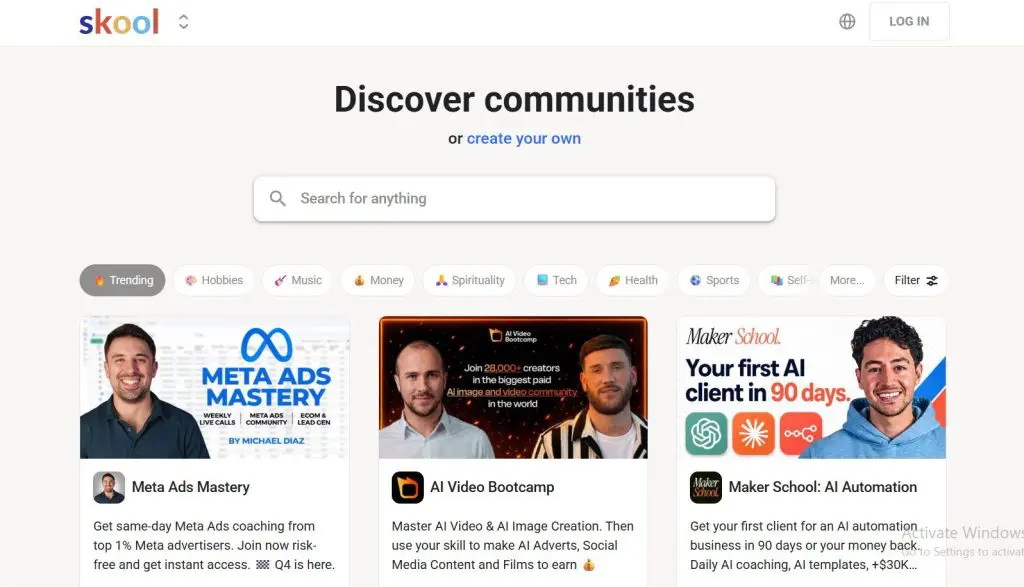
Skool is a community-first learning platform built around a central activity feed, a gamified participation system, and a public discovery directory. It sits at the intersection of online community platforms, course platforms, and paid membership software, but the community is always the core product.
Think of the Skool experience as a Facebook Group with behavioral mechanics built underneath. When you log in, you land directly in the feed. Posts, questions, and wins are immediately in front of you. Members post, others comment. The rhythm is deliberate and structured, which suits online learning communities better than fast-moving chat.
The gamification layer is what makes Skool genuinely different from other community platforms. Members earn points for every post and comment. Levels provide visible progression displayed on every post. The public leaderboard makes participation social and competitive.
Members who have climbed to Level 6 or 7 have built a visible identity in your community that motivates them to keep showing up.
You can tie course content to levels directly.
For example, level 3 unlocks a bonus module, level 5 unlocks a private resource library. The locked content could be a PDF guide, a checklist, a bonus video lesson, or an entire course section. You choose what to gate. This creates a behavioral link between community participation and learning progression.
I have run communities where I spent very little time manually prompting conversation because the mechanics did that work.
I have also helped clients build paid learning communities of several hundred members without large existing audiences, purely through consistent posting and Skool’s discovery algorithm. For coaching and education communities specifically, that organic growth path is real.
Where Skool falls short is equally clear.
One community per workspace. No quizzes, no certificates. Minimal branding control. An affiliate program only on the Pro plan. The platform is intentionally stripped down, and that simplicity is both its strength and its ceiling.
Read my detailed Skool review to learn how to use it to grow your community
How Selling Works on Skool
On Skool, everything revolves around a single community membership.
When someone buys access, they enter a private community space that includes the discussion feed, the course library, and any resources or events the creator provides. Courses live inside the community through the Classroom feature, where lessons are organized into modules and can be released immediately or through drip scheduling.
Downloads such as guides, templates, or worksheets are usually attached to lessons or posted in the community feed. Live sessions can be scheduled through the built-in event calendar and livestreaming tools.
What Skool does not include is a storefront or product catalog. Skool now supports membership tiers and one-time payments inside a community, but there is no concept of selling multiple standalone items from one workspace. If you want to sell a course separately from a community, you typically have to create separate communities or use external checkout and delivery tools.
In practice, that means Skool is best suited for businesses where the membership itself is the product, and courses, resources, and live calls are simply part of that experience.
Main Skool Features
- Central activity feed with categories and topic tagging
- Gamification: points, levels, public leaderboard, participation-based content unlocks
- Classroom with course modules, lessons, and drip scheduling
- Native live streaming and event calendar on all plans
- Public discovery directory for organic community growth
- Skool acts as merchant of record: VAT and tax compliance handled automatically
- Built-in payments for memberships
- Custom URL and affiliate program on the Pro plan
| Skool Strengths | Skool Weaknesses |
|---|---|
| Deepest gamification system in the category | One community per workspace |
| Discovery directory drives organic growth for educators | No quizzes, assessments, or certificates |
| Feed-first design creates daily engagement habits | Affiliate program needs the Pro plan |
| Handles VAT and tax as merchant of record | Minimal branding control |
| Simple, distraction-free interface for members | No branded mobile app |
| Custom URL on the Pro plan | Manual member approval on Hobby plan kills conversion |

What Is Whop?

Whop is a digital product commerce platform where you can sell almost any type of digital product from a single storefront. That includes paid communities, video courses, software tools and trading bots, downloadable files like templates, ebooks, Notion docs, and prompt packs, trading signals and alerts, coaching program access, and event tickets.
It also includes a public marketplace where buyers discover and purchase products across dozens of categories.
Whop’s own positioning says it plainly: “where the internet does business.”
Whop is not primarily a community platform like Skool. Community is one app you add to a storefront alongside courses, files, events, and live streams.
The community experience inside Whop feels closer to Discord than to a feed-based learning community. It is a higher-energy environment that works well for trading communities, software tool subscribers, and fast-moving business niches where members want quick answers and real-time updates.
For a coaching program or mastermind where thoughtful peer learning drives the value, that energy can work against the experience you are trying to create.
What Whop does exceptionally well is the commerce layer.
The native affiliate system lets you recruit promoters and pay commissions automatically. Product bundling and landing pages with upsells increase average order value in ways Skool’s simple pricing structure does not support. The free-to-start model means you test your offer and only pay fees when you make sales.
Whop’s community tools are real and functional. What they do not include is a built-in system of points, levels, leaderboards, or content unlocks that encourage members to participate daily. Whether your community stays active depends almost entirely on your own content output.
Read: The best online community platforms for edupreneurs
How Selling Works on Whop
Whop works much more like a digital product storefront.
Instead of centering everything around one membership, creators can set up different product types inside a single account and sell them individually or bundle them together. Each product can have its own pricing, access rules, and delivery method.
For example, a creator might run a private community with chat channels and discussion threads, while also selling a course, a template library, and a monthly coaching subscription from the same Whop storefront.

1. Courses
Courses on Whop are structured in modules and lessons, similar to most course platforms. Creators can include video lessons, written content, downloadable resources, quizzes, and completion certificates. Access to the course can be sold as a one-time purchase, a subscription, or bundled with other products such as a community membership.
2. Digital downloads
Whop also supports downloadable products like templates, guides, ebooks, and resource libraries. These files are delivered directly through the customer’s account after purchase. Some creators sell standalone digital downloads, while others include them as bonus resources inside a larger course or membership.
3. Communities
Communities on Whop function more like a chat environment, similar to Discord. Creators can create channels for discussion, announcements, or specific topics. Access to the community is usually tied to purchasing a membership product.
4. Software and tools
Another common use of Whop is selling access to software tools. In these cases, the software itself is not built inside Whop. Instead, Whop handles the payments, subscriptions, and access control. When someone purchases the product, Whop grants them access to the external software or provides the login credentials or API key required to use it.
This is why many SaaS tools and trading platforms use Whop as their billing and membership system rather than their product infrastructure.
5. Bundles and product tiers
One of Whop’s more powerful capabilities is bundling. Creators can package several products together and sell them as a single offer. For example, a creator might sell a bundle that includes a course, a private community, and a monthly group coaching call. They can also create multiple subscription tiers with different levels of access.
Main Whop Features
- Modular storefront: chat, forums, courses, live streams, files, events
- Public marketplace with built-in product discovery
- Native affiliate system: set your own commission rate (30% default), tracked and paid automatically
- Product bundling and tiered membership access
- Landing pages and upsells to increase average order value
- Free-to-start: 2.7% + $0.30 per transaction on US cards, no monthly cost
- Quizzes and certificates in courses
- Buy now, pay later support
- Dispute handling built in, at $15 per dispute
| Whop Strengths | Whop Weaknesses |
| Native affiliate system: set your own commission rate, tracked and paid automatically | No points, levels, leaderboard, or content unlocks |
| Multiple digital product types in one account | More complex, less intuitive interface for members |
| Landing pages and upsells drive higher order value | No custom domain |
| Free to start, no monthly platform fee | Managed tax handling costs an extra 2% |
| Product bundling and tiered pricing options | Community engagement is entirely host-driven |
| Complete course tools: quizzes and certificates | Marketplace skews toward trading and internet business niches |
| Dispute handling built in |
Skool vs Whop Pricing: What You Actually Pay
Skool and Whop offer very different pricing models that you must understand before choosing any platform.
Skool Pricing
Hobby at $9/month ($7.50 on annual billing) gives you the core platform, but Skool takes 10% + 30¢ of every payment and requires manual member approval before purchasing. That approval step kills conversion for anyone relying on Skool’s discovery directory or external traffic. Below $1,000/month the Hobby plan is defensible. Above that it is not.
Pro at $99/month ($82 on annual billing) drops the fee to 2.9% + 30¢, rising to 3.9% + 30¢ on payments above $900. It removes the approval step and adds a custom URL and the affiliate program. For anyone generating real revenue, Pro is effectively required.
Both Skool fees already include card processing. Skool also keeps a 30% commission on paying members that its Discovery directory brings you, through a program called Growth Boost. It’s on by default and you can turn it off under Settings > Discovery, which also removes your community from Discovery.
Here’s the full Skool plan comparison.
| Feature | Hobby | Pro |
|---|---|---|
| Transaction fee | 10% + 30¢ | 2.9% + 30¢ (3.9% above $899) |
| Members | Unlimited | Unlimited |
| Courses | Unlimited | Unlimited |
| Videos | Unlimited | Unlimited |
| Live calls | Unlimited | Unlimited |
| Custom URL | ✓ | ✓ |
| Affiliate program | ✓ | ✓ |
| Skool Calls and native video | ✓ | ✓ |
| Tiers, free trials, and one-time purchases | ✓ | ✓ |
| Skool branding removed | ✗ | ✓ |
| Zapier and webhook plugins | ✗ | ✓ |
| Discovery listing (Growth Boost, 30% on members it brings) | ✓ | ✓ |
Whop Pricing
Whop charges no monthly fee and no platform fee. The base cost is card processing at 2.7% + $0.30 per sale on US cards, and that rate applies wherever the sale comes from.
Other charges stack on top when they apply. International cards add 1.5% and currency conversion adds 1%. If you want Whop to calculate and remit sales tax for you, that’s an optional 2% per transaction. A disputed payment costs about $15, and withdrawing to your bank carries a payout fee that varies by method and country. So a $1,000 sale on a US card pays out $972.70 before the payout fee, or $952.70 with managed tax switched on.
Here’s the full Whop fee and feature breakdown.
| Feature | Free |
|---|---|
| Monthly fee | $0 |
| Platform fee | None |
| Card processing (US cards) | 2.7% + $0.30 |
| International cards | +1.5% |
| Currency conversion | +1% |
| Managed sales tax (optional) | 2% per transaction |
| Disputed payment | About $15 |
| Payout to bank | Fee varies by method and country |
| Default affiliate commission | 30%, adjustable, paid to the affiliate |
| Courses with quizzes and certificates | ✓ |
| Community chat and forums | ✓ |
| Marketplace listing | ✓ |
| Built-in affiliate system | ✓ |
| Understanding Whop’s affiliate commission Whop’s marketplace runs on an affiliate model. The default commission rate is 30%, meaning if a Whop affiliate sends a customer your way and they buy, the affiliate earns 30% of that sale. That 30% goes to the affiliate, not to Whop. You keep roughly 67% after the 2.7% + $0.30 transaction fee. You can adjust this rate. Set it lower if 30% cuts too deep into your margins. Set it higher if you want more aggressive promotion from the marketplace. If you drive your own traffic through your email list, social media, or paid ads, no affiliate commission applies. You pay 2.7% + $0.30 per transaction and keep the rest. |
Skool vs Whop Pricing: How Much Do You Actually Keep
Let me share a couple of scenarios to help you understand how much of your revenue you will actually keep with Skool and Whop. I’ve used monthly billing prices for Skool and US card rates for Whop, without Whop’s optional managed tax.
Scenario 1: $49/month membership, 100 members = $4,900/month
| Plan | Monthly Fee | Transaction Fee | Platform Cost | You Keep |
|---|---|---|---|---|
| Plan | Monthly Fee | Transaction Fee | Total Cost | You Keep |
| Skool Hobby | $9 | 10% + 30¢ ($520) | $529 | $4,371 |
| Skool Pro | $99 | 2.9% + 30¢ ($172) | $271 | $4,629 |
| Whop (own traffic) | $0 | 2.7% + $0.30/sale ($162) | $162 | $4,738 |
| Whop (affiliate sales) | $0 | 30% commission + processing ($1,632) | $1,632 | $3,268 |
Scenario 2: $99/month membership, 50 members = $4,950/month
| Plan | Monthly Fee | Transaction Fee | Platform Cost | You Keep |
|---|---|---|---|---|
| Plan | Monthly Fee | Transaction Fee | Total Cost | You Keep |
| Skool Hobby | $9 | 10% + 30¢ ($510) | $519 | $4,431 |
| Skool Pro | $99 | 2.9% + 30¢ ($159) | $258 | $4,692 |
| Whop (own traffic) | $0 | 2.7% + $0.30/sale ($149) | $149 | $4,801 |
| Whop (affiliate sales) | $0 | 30% commission + processing ($1,634) | $1,634 | $3,316 |
The affiliate row assumes every sale came through an affiliate at the default 30% rate. In practice most creators will have a mix of direct and affiliate-driven sales. The key question is whether affiliates are bringing high-retention members who justify the commission you set.
The same logic applies to Skool. Members who join through Skool’s Discovery with Growth Boost switched on cost you a 30% commission, so a Skool community that grows mainly through the directory keeps far less than the Pro row shows.
If you are on Skool Hobby generating more than $1,000/month, upgrade to Pro immediately. The fee difference pays for itself within weeks.
Learn how Skool compares with Circle, Mighty Networks, Teachable and Kajabi
Skool’s VAT and Tax Advantage
Skool acts as the merchant of record. All payments flow through Skool and Skool handles VAT collection and remittance across all countries automatically, at no extra charge. For international creators and anyone selling to EU customers, that removes a significant compliance burden. On Whop, managed tax collection and remittance is an optional service that costs an extra 2% per transaction. Without it, you handle tax and VAT yourself. Either way, it’s a real cost that does not show up in the headline fee.
Skool vs Whop Community Features: Where the Real Difference Is
This is what determines whether your members stay subscribed or cancel.
Skool Community Features
Skool has points, levels, a public leaderboard, and content unlocks tied to participation. Those four mechanics create daily engagement habits without requiring constant effort from you as the host.
Every post earns points. Every comment earns points. Members climb levels, visible on every post they write. The public leaderboard makes participation social and competitive. Members who reach Level 6 or 7 have built a visible identity in your community that they protect by continuing to show up.

Tie course content to levels and you get a direct behavioral link between participation and learning: Level 3 unlocks a bonus module, Level 5 unlocks a resource library. I have run communities where I spent very little time manually seeding conversation because the mechanics did that work.
Whop: Discord-Style Energy, Commerce Focus
Whop does not include points, levels, leaderboards, or content unlocks. Its community experience feels closer to Discord than to a feed-based learning community. Chat channels are fast-moving. The energy is higher intensity.
For trading communities and fast-moving digital product audiences, that fits. For a coaching program or mastermind where thoughtful peer discussion drives the value, it works against the experience you are trying to create. Whether your Whop community stays active depends almost entirely on your own output.
Skool communities develop denser daily participation at comparable member counts because the platform is doing work that Whop does not.
Community Features Side by Side
| Feature | Skool | Whop |
|---|---|---|
| Community UX feel | Facebook Group-style feed | Discord-style chat |
| Points for participation | Yes | No |
| Levels and progression | Yes | No |
| Public leaderboard | Yes | No |
| Content unlocks tied to participation | Yes | No |
| Feed-first design | Yes | No |
| Member matching | Yes | No |
| Real-time chat | Yes | Yes |
| Forum-style discussion | Yes | Yes |
| Native live streaming | Yes | Yes |
| Direct member messaging | Yes | Yes |
| Affiliate commission | Affiliate program on Pro. Skool keeps 30% on Discovery members | 30% default rate (creator-adjustable, paid to affiliate) |
Course Features: Whop Wins on Completeness
Skool’s Classroom handles video-based content well for most coaching programs. Modules, lessons, drip scheduling, and completion tracking are all there. Course discussions happen inside the same community environment, which helps learning continuity.

Skool has no quizzes, no assessments, and no certificates. If your curriculum requires knowledge verification or your members need completion credentials, Skool cannot deliver that.
Whop includes quizzes, certificates, and multimedia content. If community drives the primary value in your offer and courses are supporting material, Skool is sufficient. If structured curriculum with knowledge checkpoints is central to what you sell, Whop is the better choice.
Marketplace Discovery: Audience Fit Matters More Than Size
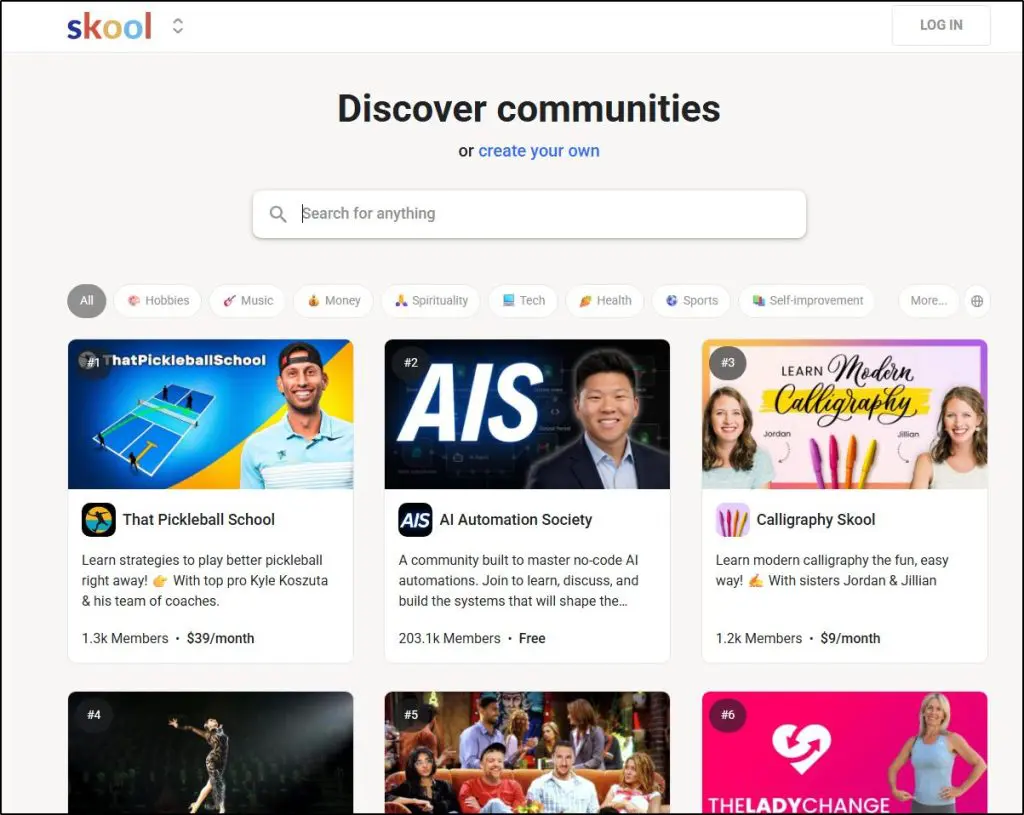
Skool’s community directory surfaces active communities to people browsing by topic. I have built paid communities of several hundred members for clients starting from scratch, with no social following and no email list, purely through consistent posting and Skool’s algorithm.
That discovery is no longer free. Under Skool’s Growth Boost program, Skool keeps a 30% commission on paying members its directory brings you. You can switch it off, but that removes your community from Discovery.
For coaching and education communities specifically, Skool generates more relevant organic discovery than any other membership platform in this space.
Whop publishes 22.7 million registered users on their site, which speaks to the platform’s overall scale, but raw user numbers matter less than audience fit when you are filling a coaching or education community.
Whop’s marketplace is growing quickly, but audience fit matters more than raw visitor count. Open the marketplace today and you will find trading communities, crypto signal groups, sports betting picks, and reselling tools dominating the popular listings. Real businesses generating real revenue, but not the audience a coach or edupreneur is typically trying to attract.
If affiliates drive those sales, you are also paying out the commission rate you set, which is 30% by default, though you can lower it. For a $49/month membership that means the affiliate earns $14.70 per sale. Worth it if the affiliate is consistently bringing high-retention members. Less worth it if the traffic is low-quality.
If you already have an email list, platform discovery matters far less. Starting from zero and counting on the platform for organic members, Skool’s directory is more relevant for the coaching and education niche. On cost, the two are now similar, because both take about 30% on members the platform brings you.
Monetization and Product Flexibility: Whop Is Clearly Better
Skool is built around one product: a paid community membership. Inside that membership you can include a course library, live events, and downloadable resources like PDFs, checklists, and templates. Skool now supports membership tiers and one-time payments, but everything still lives inside one community. You cannot sell a standalone course without a community attached, sell a template pack separately, or bundle products with upsells. For a single-offer membership this works cleanly. When your business grows into multiple distinct products, it becomes a real constraint.
Whop supports genuine product complexity. A free entry community alongside a $49/month membership and a $199/month premium tier, all in one account with automatic access control. A video course bundled with a community, a Notion template library, and a monthly coaching call, sold as one package. A standalone ebook or prompt pack available for one-time purchase alongside a recurring membership. Landing pages and upsells that increase what each customer pays. Affiliates promoting any product with commissions tracked and paid automatically.
To replicate this on Skool you would need multiple workspaces at $99/month each and separate checkout infrastructure for standalone products. For a creator building a multi-product digital business, Whop’s architecture is a clear practical advantage.
Who Uses Skool and Whop?
Skool attracts coaches, consultants, course creators, and professionals. The association with Sam Ovens and Alex Hormozi has defined its reputation in business education and coaching. Members who join Skool communities arrive expecting a structured learning environment with peer support and thoughtful discussion.
Whop’s user base skews younger and heavier toward trading, internet business, and fast-moving digital product niches. Fitness coaches, sales trainers, music educators, and content creators are building on Whop now. But open the marketplace today and those original niches still dominate.
For a professional development program or executive coaching community, the mismatch between platform culture and your audience’s expectations is worth factoring in.
Can Whop Replace Skool?
Technically, yes. Whop can host a community, deliver courses, charge membership fees, and handle payments. For many creators it is a fully functional alternative.
But Whop and Skool are optimized for different outcomes. Whop is optimized for product sales and monetization flexibility. Skool is optimized for community engagement and member retention. The points system, public leaderboard, and content unlocks are why Skool communities stay active without constant host intervention.
The better question to ask is “what is your primary business model.” If you are selling community belonging and peer learning, Skool is the better tool. If you are selling access to digital products and want a community as one component, Whop handles that better.
My Verdict: Skool or Whop? Which Platform Is Right for You
Skool is the right long-term platform for coaches, course creators, and edupreneurs building paid learning communities. The gamification mechanics, feed-first design, discovery directory, and VAT handling are all built for this use case. When members stay engaged, they stay subscribed, and that is what determines whether a community business works.
But paying $99 a month before you have proven your offer is a bad idea. An empty Skool community with a great leaderboard is still an empty community.
If you are just starting out and have not yet validated your offer, start on Whop. No monthly fee, test with real paying members, prove the concept. Once you have 20 or 30 members and the offer is working, move to Skool Pro. That migration has real friction, including retraining members, re-establishing habits, and some churn. Treat it as a deliberate business decision.
If you already have an email list, skip this debate. Route your subscribers to Skool directly and let the engagement mechanics do the retention work from day one.
| Bottom line: Skool is the better platform for community-led learning. Whop is the better platform for selling multiple digital products, such as courses, templates, tools, signals, and downloads, from one account. Coaches starting from scratch with no proven offer: Whop lowers upfront risk but increases long-term migration friction. Edupreneurs with an existing audience or email list: Skool is the cleaner long-term choice. Creators relying on platform discovery: Skool’s directory is more relevant for the coaching and education niche. Both platforms take about 30% on members they bring you. |
One thing that applies regardless of which platform you choose: build your email list independently from day one using a tool like Kit. Your community lives on the platform. Your business lives in your email list.
Detailed Skool Comparisons With Other Platforms
Check out my detailed Skool comparisons with other course and community platforms
Frequently Asked Questions: Skool vs Whop
Is Skool better than Whop?
Skool is better for paid learning communities where daily peer engagement drives member retention. Whop is better for creators who sell multiple distinct products, such as a course, a template pack, a community, and a coaching offer, and want affiliates, upsells, and tiered pricing all managed from one account.
Is Whop cheaper than Skool?
On direct sales, yes. Whop charges 2.7% + $0.30 per transaction on US cards with no monthly cost, which beats Skool Pro at $99/month plus 2.9% + 30¢. If affiliates drive some of your sales, you also pay the commission rate you set, which is 30% by default and adjustable. That commission goes to the affiliate. Factor it into your actual revenue per member when comparing costs.
What fees does Whop charge?
Whop charges 2.7% + $0.30 per transaction on US card sales, with no monthly subscription and no platform fee. International cards add 1.5% and currency conversion adds 1%. Managed sales tax is optional at 2% per transaction, a disputed payment costs about $15, and payouts carry a fee that varies by method and country. If a sale comes through an affiliate, you also pay that affiliate the commission rate you set, which is 30% by default and fully adjustable.
Does Skool handle VAT and taxes?
Yes. Skool acts as the merchant of record, handling VAT collection and compliance across countries automatically at no extra charge. On Whop, managed tax collection is an optional service that costs an extra 2% per transaction.
Does Whop have community features like Skool?
Whop has real community features: chat, forums, and live streaming. What it does not have is Skool’s built-in participation mechanics of points, levels, a public leaderboard, and content unlocks. For learning communities where daily engagement matters, that difference is significant.
Which platform is better for beginners selling online courses?
If you have no proven offer and no existing audience, Whop is the lower-risk starting point. Once you have paying members and a validated concept, move to Skool for the retention mechanics. If you already have an email list, go straight to Skool.
Can you run a coaching program on Whop?
Yes. Whop supports courses with quizzes and certificates, community discussion, live streaming, and event scheduling. The engagement mechanics are weaker than Skool’s, so keeping your community active requires more direct effort from you as the host.
Which platform has better course tools?
Whop. It includes quizzes, certificates, and multimedia content that Skool does not. Skool’s Classroom is sufficient for most coaching programs where community drives the value, but if knowledge verification or completion credentials are part of your offer, Whop is the right choice.
Does Skool or Whop have a native affiliate program?
Both do. Whop has a built-in affiliate system with automatic referral tracking and commission payments, available for free. Skool includes an affiliate program on its Pro plan, so Hobby communities don’t get it.
Which platform is easier to set up?
Skool is significantly faster and more intuitive for both creators and members. Most paid communities are live within an hour. Whop has improved but still requires more setup planning and is more complex for members unfamiliar with Discord-style navigation.
Can I migrate from Whop to Skool later?
Yes, but migration has real friction: moving members, rebuilding participation habits, and managing some churn. Treat it as a deliberate business decision with proper planning and communication to your community.
What are the main alternatives to Skool and Whop?
Mighty Networks for structured community building with better branding control. Circle for strong community tools with better native automation. Kajabi for creators who want email marketing, sales funnels, and deep automation in one platform. Teachable if structured course delivery is your core product. Podia for a simpler all-in-one option with email included.
Which platform is better for building a paid membership site?
Skool is better for membership sites where the primary value is peer community and daily learning. Whop is better for membership sites that sit alongside other products, such as a $29 ebook, a $97 course, or a $500 coaching package, where you want one storefront, tiered access, and affiliates promoting the whole thing.
Is Whop good for coaches?
Whop can support a coaching business, particularly if you sell multiple products or want a built-in affiliate program. For coaches whose primary value is a live, engaged learning community where members learn from each other daily, Skool’s engagement mechanics make it the stronger long-term choice.

Jeff Cobb, Founder of Learning Revolution
Jeff Cobb is an expert in online education and the business of adult lifelong learning. Over the past 20+ years he has built a thriving career based on that expertise – as an entrepreneur, a consultant, an author, and a speaker. Learning Revolution is a place where Jeff curates tips, insights, and resources to help you build a thriving expertise-based business. Learn more about Jeff Cobb here.
Table of Contents
Related Posts
7 Best Skool Alternatives For Community-Led Learning Businesses
Skool Review | Pricing & Community Features (Legit, No Scam But Is It Worth It?)
Skool vs Circle (2026): I’ve Used Both, Here’s My Choice