
TL;DR – Best Web Hosting Companies for Course Creators
Even if you use a course platform like Kajabi or Thinkific, you still need a website of your own. Hosting your WordPress site gives you control, flexibility, and a stronger brand presence.
My Top Picks For The Best WordPress Web Hosting Services
Hostinger – Best value for money and AI-powered site building
Nexcess – Best for high-traffic sites and reliable scaling
Bluehost – Best beginner-friendly option for WordPress users
WP Engine – Best for businesses focused on growth and performance
A2 Hosting – Fastest hosting with lightning server speeds
If you want to host online courses on your WordPress site, LearnDash is the best tool for it.
What to Look For When Choosing Web Hosting
– Speed & Uptime – Fast response times and 99.9%+ reliability
– Security – SSL, backups, malware scanning, and DDoS protection
– Scalability – Easy plan upgrades as your audience grows
– Ease of Use – Intuitive dashboard, 1-click WordPress, and site migration support
– Email & Domains – Free domain and professional email options included
But if you want to pick one as a beginner, start with Hostinger.
Use the code LEARNREV when checking out to get an exclusive 7% off on 12, 24, and 48 month Hostinger plans.
The best WordPress web hosting services provide you with a secure and high-performance infrastructure for your website and directly impact your site’s performance, user experience, and search engine rankings – all of which play an important role in growing your brand and business.
However, finding the right web hosting company isn’t easy with so many options out there.
For example, some services are cheaper and designed for beginners, some are optimized for high speed but cost a lot more, while others are fully managed by dedicated hosting professionals.
So, which one should you choose for your website?
In this article, we’ll share some of the best web hosting services and describe their strengths and weaknesses to help you make the right choice.
Let’s dive in.
Best Web Hosting Services Comparison Table
Before we explore the best web hosting companies in detail, let me give you a bird’s eye view of my top choices.
This comparison table will help you understand what each hosting company offers.
| Hosting Service | Price (Starting) | Strengths | Weaknesses |
|---|---|---|---|
| Hostinger (best for beginners on a budget) | $2.99/mo | AI builder, Fast setup, Great value | No phone support, Weekly backups only |
| Bluehost (top choice for beginners) | $2.95/mo | Beginner-friendly, WordPress recommended, Multi-site | Slower under load, Pricey renewals |
| HostGator | $3.75/mo | Affordable, Easy setup, Good uptime | Outdated dashboard, Paid migrations |
| A2 Hosting (fastest performance) | $1.99/mo | Very fast, Free migration, Strong security | No free domain, Limited templates |
| WP Engine (best managed hosting) | $25/mo | Fully managed, Expert support, High uptime | Expensive, Plugin restrictions |
| Kinsta | $30/mo | Premium speed, Elite support, Google Cloud | Costly, Limited storage |
| DreamHost | $2.59/mo | Affordable, 97-day guarantee, AI builder | Slower speeds, No cPanel |
| SiteGround | $3.99/mo | Google Cloud, Free CDN, Daily backups | Renewal hikes, No phone support |
| ScalaHosting | $2.95/mo | Secure, VPS power, Strong support | Expensive, One-site limit on entry plan |
| Ionos | $1–5/mo | Cheap, AI tools, Strong resources | One site only, Slower speeds |
| Nexcess | $21/mo | Autoscaling, Daily backups, Plugin monitoring | Expensive, Not beginner-friendly |
What are the Best Web Hosting Companies For WordPress (2025)?
We’ve handpicked the best web hosting services for online course creators, coaches, and beginner marketers in this article.
In addition, we’ve also mentioned several scalable managed hosting services that offer superior performance at a slightly higher price point.
Let’s discuss all of these options in detail and see which ones are right for you to compete in 2025 and beyond.
1. Hostinger

Hostinger has been around since 2004 but reinvented itself in recent years as a go-to web hosting service for beginners, creators, and small businesses.
It is best for beginners and course creators who want an all-in-one website solution with built-in AI tools, fast setup, and great pricing.
It offers several hosting types including shared hosting, VPS, cloud hosting, agency hosting, and dedicated plans. But its managed WordPress hosting stands out as one of the best value-for-money options on the market today.
Hostinger’s current plans are optimized for speed, security, and ease of use, with features like free automatic website migration, weekly or daily backups, a dedicated IP address, free domain registration, and priority customer support.
Their servers also integrate Cloudflare protection and provide unlimited SSL certificates across all plans.
In 2024, Hostinger rolled out a revamped AI website builder, and in 2025, it’s evolved into one of the most powerful tools for beginners and solo creators.

With just a few prompts, you can generate a full website layout, complete with written content, page sections, navigation, and visuals. It includes:
- AI copywriting for homepage text, product descriptions, course pages, and more
- AI image generation for banners, hero images, and section backgrounds
- SEO optimization tools that help structure your pages and improve on-page elements
- Blog generator to help you quickly spin up new content ideas
- Heatmaps that show where users are clicking, so you can improve design and conversions
The best part? You don’t need any coding or design experience. You just describe your business or course idea, and the AI builds a starter site you can then tweak with the drag-and-drop editor.
For course creators, this means faster launches, better-looking websites, and less time stuck writing or designing content from scratch.
Hostinger’s user dashboard is still one of the most intuitive in the industry. Even if you’ve never hosted a site before, you’ll be able to manage everything from one place: domains, files, backups, databases, email, and security.
And unlike some budget hosts, Hostinger doesn’t cut corners on speed. With NVMe storage, LiteSpeed caching, and optimized WordPress environments, most beginner and mid-tier sites see excellent page load performance — even during high-traffic spikes.
Overall, if you’re launching a website or online course and want premium hosting at beginner-friendly prices, Hostinger remains one of our top picks in 2025.
Hostinger WordPress Hosting Plans and Pricing
All plans come with a 30-day money-back guarantee, 2 months free, and major discounts for 48-month terms.
- Premium – $2.99/month (25 websites, 25GB SSD, ~25K visits/month)
- Business – $3.99/month (50 websites, 50GB NVMe, daily backups, ~100K visits/month)
- Cloud Startup – $7.99/month (100 websites, 100GB NVMe, advanced performance, ~200K visits/month)
Renewal prices range from $7.99 to $19.99/month depending on the plan.
Use the code LEARNREV when checking out at Hostinger and you will get 7% off all hosting plans for 12, 24, and 48 months.
Hostinger Pros and Cons
| Pros | Cons |
| Includes a staging environment even on lower-tier plans | No phone support — only live chat and email |
| Offers WooCommerce-ready templates and tools | Only weekly backups on Premium plan (daily costs extra) |
| Great performance for websites with up to ~200K visitors | Some dashboard elements (like email setup) can feel buried |
| Full compatibility with WP-CLI and SSH access for developers | Domain and email are free for only the first year |
Read our detailed Hostinger review to learn more.

2. BlueHost
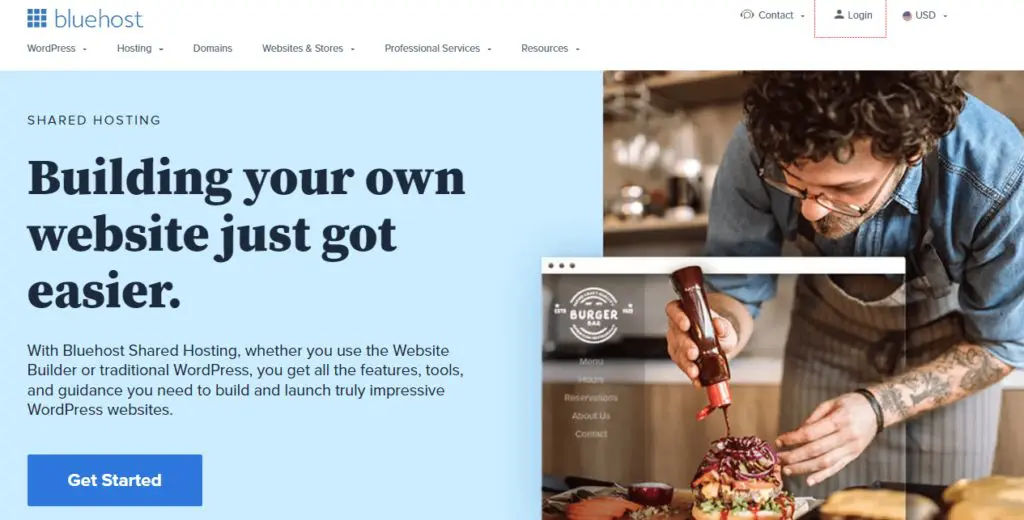
Bluehost is one of the most recognizable names in web hosting and still a solid choice for beginners who want to launch a WordPress site quickly.
It’s officially recommended by WordPress.org and offers a clean, beginner-friendly dashboard, pre-installed WordPress, and bundled tools like a free domain for the first year, malware scanning, and Cloudflare CDN.
Their shared hosting plans now come with built-in AI tools to help you design and launch your website with minimal effort. These tools are useful for creators who don’t want to deal with templates or hire a developer.

WooCommerce support is included in higher-tier plans, and you also get access to tools like Yoast SEO, Creative Mail, and staging environments.
Bluehost’s Choice Plus and Online Store plans are best suited for course sellers who want to run multiple websites, offer digital products, or integrate email marketing and basic ecommerce into their setup.
You also get NVMe storage and object caching on some plans, which improves page speed for small to mid-sized sites.
But Bluehost isn’t without its issues — especially for creators planning to grow.
We run several websites on BlueHost and can vouch for its 99.99% Uptime claim.
However, its shared hosting performance can slow down during traffic spikes, especially if you’re running multiple plugins, video-heavy landing pages, or checkout flows.
Here’s a quick snapshot of BlueHost’s server response times.

As you can see, the speeds aren’t impressive. But you can counter this by using BlueHost’s integration with Cloudflare, a leading content delivery network (CDN) that improves website performance and security.
Their support is also a bit of a hit or miss, with long wait times and limited help on more technical problems.
And while the first-year pricing is attractive, renewal rates go up significantly — something many users only realize after the fact.
For new creators or course builders on a budget, Bluehost is still one of the easiest ways to get started.
But if you’re expecting high traffic, running time-sensitive launches, or offering a membership experience, you may want to upgrade to a more performance-focused host like SiteGround, Nexcess, or A2Hosting down the line.
BlueHost Shared Hosting Plans And Pricing
All plans come with a 30-day money-back guarantee and free domain for the first year.
- Basic – $2.95/month (10 websites, 10GB SSD, ~15K visits/month) — renews at $11.99
- Plus – $4.95/month (20 websites, 20GB SSD, ~50K visits/month) — renews at $16.99
- Choice Plus – $5.45/month (50 websites, 50GB SSD, ~200K visits/month, backups & privacy) — renews at $21.99
- Pro – $13.95/month (100 websites, 100GB SSD, ~400K visits/month, high performance) — renews at $28.99
Bluehost Pros and Cons
| Pros | Cons |
| AI builder makes it easy to launch a site fast | Slower performance during high-traffic periods on shared plans |
| Great for multi-site WordPress hosting with built-in tools | Renewal prices are steep compared to intro offers |
| WooCommerce support includes built-in payments, memberships, and bookings | No true monthly billing — all plans are prepaid for 12+ months |
| Strong onboarding for non-tech users with pre-built templates | Phone support is limited to higher-tier plans |

3. Hostgator

HostGator has been around since 2002 and remains one of the most affordable and beginner-friendly web hosting providers — especially for users who want a simple WordPress site with minimal fuss.
Hostgator is best for beginners and small business owners looking for low-cost hosting with essential features and room to grow.
Its shared hosting plans include one-click WordPress installation, unmetered bandwidth, a free domain for the first year, and free SSL.
While it’s not the fastest hosting provider on this list, it’s a dependable option for first-time site owners who don’t need blazing-fast load speeds.
HostGator now includes AI-powered tools to help users create websites more easily. While functional, these AI features are fairly basic compared to what you’ll find with platforms like Hostinger or Bluehost — more helpful for layout suggestions and basic content blocks than full automation or smart editing. They’re a nice addition, but not a game-changer.
Security tools like SiteLock, CodeGuard, and Cloudflare CDN are available (though some require add-ons), and support is available 24/7 via phone and chat. You also get WooCommerce support and an improved control panel with staging environments and caching on higher plans.
That said, HostGator’s backend dashboard still feels a bit outdated compared to more modern hosts. And while uptime is solid (99.9% as advertised), page load times can be underwhelming during traffic spikes.

If you’re looking for a reliable, no-frills host to get your blog, business, or course site online without spending a lot, HostGator is still worth considering, especially for beginners.
Hostgator Pricing And MoneyBack Guarantee
All plans include a 30-day money-back guarantee, free SSL, and unmetered bandwidth.
- Hatchling Plan – $3.75/month (1 site, limited storage, basic features)
- Baby Plan – $4.50/month (up to 20 sites, 20GB SSD)
- Business Plan – $6.25/month (up to 50 sites, 50GB SSD, advanced tools)
- Pro Plan – $13.95/month (up to 100 sites, 100GB SSD, max performance)
HostGator Pros and Cons
| Pros | Cons |
| Very affordable entry-level pricing for WordPress beginners | Dashboard interface feels outdated and cluttered |
| Scalable plans make it easy to upgrade as your site grows | Paid migrations (no longer free site transfers) |
| Strong uptime record (99.9%) and unmetered bandwidth | Page speed still lags behind faster hosts like A2 or SiteGround |
| Basic AI tools available to help create starter layouts | AI features are very limited and don’t offer deep customization |

4. A2 Hosting

If your top priority is speed, A2 Hosting is hard to beat. Known for its blazing-fast performance and solid uptime, A2 consistently ranks among the fastest shared hosting providers on the market.
It’s best for small to mid-sized websites that need exceptional load times without the complexity or cost of a dedicated server. In fact, if you’re running a WordPress blog or an online store and want every second of loading time to count, this one’s worth a close look.
A2’s Turbo plans use LiteSpeed and NVMe SSDs, giving you up to 20x faster page loads than traditional shared hosting.
Their Pingdom numbers had them comfortably under 300 ms for server response time—solid gold if you’re aiming for high search rankings and lower bounce rates.

You also get a lot of thoughtful features packed in: free site migration, unlimited emails, a full security suite (DDoS protection, firewalls, virus scans, and more), and automatic backups even on their entry-level plans.
A2Hosting is specifically designed for high-traffic websites looking to sustain their performance during peak hours. However, as a web host, it is equally attractive to beginners and low-traffic site owners because of its affordable pricing plans.
A2Hosting offers shared, dedicated, and managed web hosting services with diverse plans for different end-users. All plans include one-click WordPress installation, the highest security standards, free site migration, and a money-back guarantee.
A2 Hosting Pricing (Shared Hosting)
All prices are for a 36-month term:
- Ignite – $1.99/month (1 site, 10GB SSD)
- Accel – $5.99/month (Unlimited sites, SSD storage)
- Turbo Velocity – $7.99/month (NVMe storage, LiteSpeed caching)
- Turbo Nitro – $14.99/month (More CPU power, best for busy sites)
All plans come with a 30-day money-back guarantee.
You can review all hosting plan pricing on A2Hosting’s website.
Read our detailed A2 Hosting review to learn more.
A2 Hosting Pros and Cons
| Pros | Cons |
| You can choose your server location (helps with local SEO and speed) | No built-in CDN on the basic plans (others include this by default) |
| Includes free site staging tools even on shared plans | Website design templates in A2 SiteBuilder are limited and not as modern |
| Full root access available on higher-tier plans (great for developers) | No free domain on the cheapest plan (most hosts offer it) |
| Advanced caching even for dynamic content with LiteSpeed | Turbo plans don’t support all plugins due to caching conflicts |

5. WP Engine

If you’re building a course site, coaching brand, or membership business and want a WordPress host that takes care of everything behind the scenes, WP Engine is hard to beat.
It’s known for best-in-class managed WordPress hosting—meaning your updates, security, backups, and speed optimizations are all handled by experts.
You can focus on growing your audience and delivering content while WP Engine keeps your site running smoothly.
Here’s what makes it stand out: WP Engine is built for performance.
Their EverCache® system, global CDN, and 99.99% uptime guarantee ensure lightning-fast load times—even during launch days or email blasts when traffic spikes.
They also offer powerful tools like 1-click staging environments, daily backups, auto plugin updates, and advanced caching to give you peace of mind.
Support is another major win.
Unlike many hosts that limit help to forums or email, WP Engine gives you access to 24/7 WordPress-trained support—via chat or phone depending on your plan.
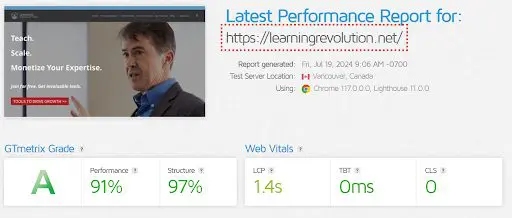
For these reasons, we use WPEngine to host Learning Revolution and consider it among the very best web hosting services.
You only need to see our site’s performance metrics to understand why we’re such big fans.
A quick note: In 2023, WP Engine had a brief public disagreement with the WordPress Foundation over plugin compatibility and branding—but it was resolved.
Currently, there are no risks to performance or support for WordPress-powered sites hosted on WP Engine.
That said, this isn’t the cheapest option.
WP Engine starts at $25/month and scales based on traffic, storage, and bandwidth.
If you’re launching your first course site on a tight budget, you may want to start with a lower-cost host.
But if performance, security, and uptime matter more than saving a few bucks, WP Engine is a premium choice worth considering.
WP Engine Pricing
- Startup – $25/month (1 site, 25K visits/mo)
- Professional – $50/month (3 sites, 75K visits/mo)
- Growth – $96/month (10 sites, 100K visits/mo)
- Scale – $242/month (30 sites, 400K visits/mo)
- Core Hosting – $400/month (for larger or enterprise sites)
All plans include daily backups, automatic updates, EverCache®, SSL, staging environments, and a 60-day money-back guarantee.
Read the complete WP Engine review here.
WP Engine Pros and Cons
| Pros | Cons |
| Fully managed WordPress hosting with expert support | Premium pricing may be too steep for beginners |
| Enterprise-grade security and 99.99% uptime SLA | Plugin restrictions can limit flexibility for advanced users |
| Free automated site migration and white-glove onboarding | Entry plan only includes chat support (no phone) |
| Smart Plugin Manager automatically updates plugins without breaking your site | Limited storage and bandwidth on lower-tier plans |

6. Kinsta
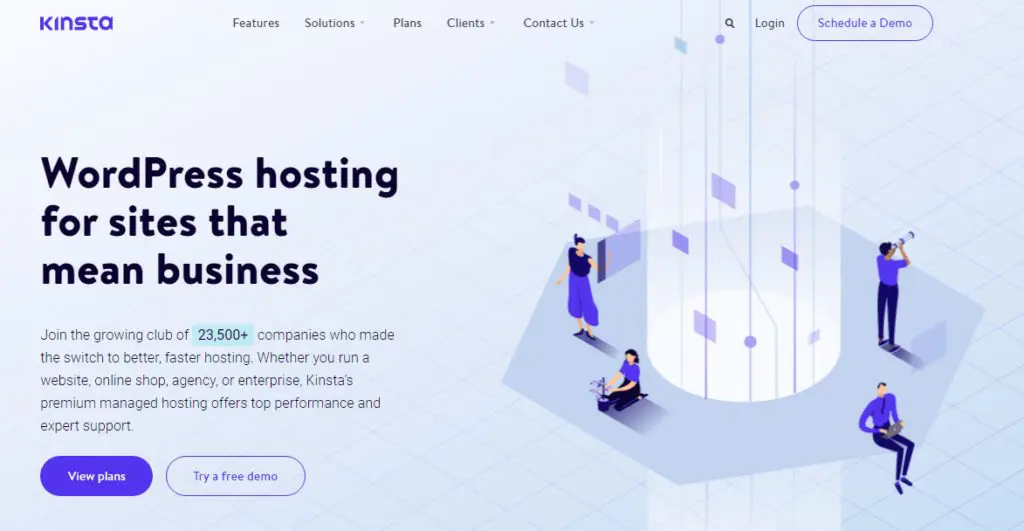
If you’re running a high-traffic course or membership site and can’t afford downtime, Kinsta is the kind of hosting that gives you peace of mind.
This is premium managed WordPress hosting built purely for performance, security, and support — not flashy AI tools or drag-and-drop builders. Everything is optimized for speed, thanks to Google Cloud’s top-tier infrastructure, a 260+ location CDN, edge caching, and built-in performance monitoring.
Kinsta’s support is one of the best in the industry. You get 24/7 live chat with real engineers (no chatbots or tiers), and their team often spots and flags plugin issues before you do. If something breaks, they’ll not only fix it but also explain what caused it — in plain English.
It’s overkill if you’re just starting. But for course creators running WooCommerce, BuddyBoss, or heavy membership plugins with spikes in traffic, Kinsta’s infrastructure keeps things fast and stable.
You also get security baked in: automatic daily backups, Cloudflare Enterprise-grade protection, free malware cleanup, and hourly backup add-ons if needed.
One thing to note: Kinsta doesn’t offer an AI website builder or marketing tools like email or funnel automation.
It focuses strictly on hosting.
Kinsta Pricing And Free Trial
Kinsta offers tiered plans based on traffic and storage. Monthly plans start at:
- Starter – $30/month (35,000 visits, 10GB storage)
- Pro – $59/month (2 sites, 70,000 visits)
- Business – $96/month and up
All plans come with a 30-day money-back guarantee and include free expert site migration. First month is free if you pay annually.
Kinsta Pros and Cons
| Pros | Cons |
| Google Cloud + Cloudflare Enterprise = elite performance | Too expensive for early-stage creators |
| Real human-only support, 24/7, with <2 min response times | Limited storage (10–15GB on base plans) |
| Built-in APM tool and proactive plugin vulnerability alerts | No bundled email, marketing, or AI site-building features |
| Unlimited free expert migrations | Some WooCommerce or LMS plugin add-ons may require higher-tier plans |

7. DreamHost

DreamHost used to be a market leader in the web hosting industry a few years ago. With more than 1.5 million customers, it’s still one of the big players.
But its inconsistent server uptimes and slow speeds make it a less attractive option for established website owners.

This is a significant drawback due to which DreamHost has lost considerable market share in the shared hosting space.
DreamHost also guarantees 100% uptime for all its hosting plans. However, Pingdom’s monitoring shows that their claim isn’t always right.
That said, for beginners just setting up their first WordPress site or digital product, DreamHost remains an affordable and user-friendly place to start.
They’ve introduced a Liftoff AI website builder that auto-generates a WordPress site with content suggestions and templates.
It’s useful if you’re short on time or design experience. Their plans now also include automated WordPress migrations, SSD storage, free SSL, and built-in caching.
So you get a modern WordPress setup without needing to touch code.
But the real value here is in their long-standing commitment to privacy, open-source tools, and generous money-back guarantee. You get 97 days to test things out, which is more than triple what most hosts offer.
In short, if you’re launching a low-traffic coaching site, a personal blog, or a basic online course, DreamHost is still a decent place to begin.
But don’t expect enterprise-grade speed or scalability. You’ll eventually need to move to a more performance-focused host once your audience grows.
DreamHost Pricing
DreamHost offers beginner-friendly pricing, especially if you pay upfront for 3 years.
- Shared Starter – $2.59/month (1 website, no email included)
- Shared Unlimited – $3.95/month (unlimited sites + email hosting)
- DreamPress (Managed WP Hosting) – Starts at $16.95/month
- VPS WordPress Hosting – Starts at $10/month
- AI Website Builder – Included with WordPress plans
All plans come with a 97-day money-back guarantee, which is the most generous in the industry.
DreamHost Pros and Cons
| Pros | Cons |
| Email hosting included only in Unlimited plan — a good value | You need to pay extra for email in the Starter plan |
| AI-powered WordPress site builder saves setup time | The AI builder is limited compared to tools like Wix or Webflow |
| Easy-to-use, custom-built dashboard with no upsell clutter | No cPanel, which may be a learning curve if you’re switching hosts |
| Strong commitment to privacy: free WHOIS protection for domains | Shared hosting plans still lag behind in performance under load |
| Developer-friendly features like WP-CLI, Git, and SSH access | VPS and DreamPress plans cost more than competitors at the same tier |
| Free automated WordPress migration plugin — truly no-code required | Daily backups aren’t included in basic shared plans |

8. SiteGround

SiteGround remains one of the top hosting choices for creators launching their first WordPress site or running a small online business. It offers fast servers, reliable performance, and is still one of the few web hosts officially recommended by WordPress.org.
What makes SiteGround stand out is how it blends simplicity with smart performance features.
Every plan now runs on Google Cloud infrastructure and includes multi-level caching, custom MySQL configurations, and Ultrafast PHP, which all combine to deliver up to 85% faster load times for WordPress sites.

You don’t need to set any of this up yourself. Everything’s ready out of the box. They even throw in a free CDN, SSL, email hosting, and daily backups.
Plus, their Speed Optimizer and Security Optimizer plugins come pre-installed to help boost site speed and harden your site against attacks without touching a line of code.
For creators selling digital products or courses, their GrowBig plan is the sweet spot. It gives you enough storage, staging environments, and the ability to host multiple sites — perfect if you’re running a main course site, a blog, and maybe a client project on the side.
But it’s not perfect.
If your site starts getting a lot of traffic or you’re hosting large video files or membership content, SiteGround’s shared hosting limits can feel tight.
There’s no phone support, and while chat works well most of the time, during peak hours you’ll sometimes have to wait.
Also, their renewal pricing jumps quite a bit after the first year, something beginners often miss.
Still, if you’re looking for a reliable host that keeps things simple while giving your site real performance gains, SiteGround is hard to beat at the entry level.
SiteGround Pricing
SiteGround’s promo pricing is for first-time customers who pay yearly.
- StartUp – $3.99/month (1 site, 10GB space, ~10K visits/month)
- GrowBig – $6.69/month (unlimited sites, 20GB, ~100K visits)
- GoGeek – $10.69/month (unlimited sites, 40GB, ~400K visits)
All plans come with a 30-day money-back guarantee. Regular prices apply after the first billing cycle.
SiteGround Pros and Cons
| Pros | Cons |
| Built-in staging tool (GrowBig & GoGeek) saves tons of dev time | Renewal pricing jumps a lot after the first year |
| Custom Site Tools dashboard is cleaner and easier than cPanel | No phone support; chat can be slow during peak hours |
| AI assistant helps with simple tasks instantly | Storage and resource limits may not work for large content sites |
| WooCommerce pre-installed with optimizations on all plans | Not ideal for high-traffic membership sites or video-heavy content |
| White-label client access available on higher plans (GoGeek) | No month-to-month plans for discounted pricing |

9. ScalaHosting

ScalaHosting has carved a solid niche in the VPS and cloud hosting space, offering a balance of advanced performance and ease of use.
With over 700,000 websites hosted across 120+ countries, it’s become a go-to option for developers, agencies, and growing businesses that want something more reliable than shared hosting—without jumping all the way to enterprise pricing.
Its in-house SPanel control panel makes site management surprisingly simple for a VPS setup.
And unlike most providers, it doesn’t rely on cPanel (though you can still use it if you want). SPanel includes essentials like a 1-click app installer, real-time malware protection, email hosting, backups, staging, and even white-labeled site access without any extra fees.
Entry-level plans give you 2 CPU cores, 4GB RAM, and 50GB NVMe SSD, with unmetered bandwidth. That’s way more server power than standard shared hosting and enough to run high-performance sites that need consistently fast loading times.
ScalaHosting also wins points for its excellent live support. You get real help from trained professionals within seconds over chat, or under 15 minutes through tickets.
Still, this isn’t the cheapest option. Even its shared hosting plans are more expensive than traditional hosts.
So if you’re running a small blog or testing an idea, you might be better off starting with a basic shared host.
But if you want your site to load fast, stay secure, and scale with your business, ScalaHosting is absolutely worth considering.
ScalaHosting Pricing (2025)
Here are ScalaHosting’s intro offers for its shared and cloud hosting plans:
Shared Hosting Plans
- Mini – $2.95/month (1 website, 10GB SSD)
- Start – $5.95/month (Unlimited sites, 50GB SSD, free domain)
- Advanced – $9.95/month (100GB SSD, malware protection, priority support)
Managed Cloud VPS (Entry Cloud Plan)
- Entry Cloud – $14.95/month (2 CPU, 4GB RAM, 50GB upgradeable NVMe SSD, dedicated IP)
All plans come with daily backups, real-time malware scanning, and a free domain on select tiers. 30-day money-back guarantee included.
ScalaHosting Pros And Cons
| Pros | Cons |
|---|---|
| Extremely secure shared and managed cloud hosting | Expensive plans for beginners |
| High-performance servers well-positioned to handle high-traffic sites | Not suitable for low traffic sites |
| 24/7/365 professional customer support | Only one website in its lowest tier plan |
| 100% server uptime |

10. Ionos
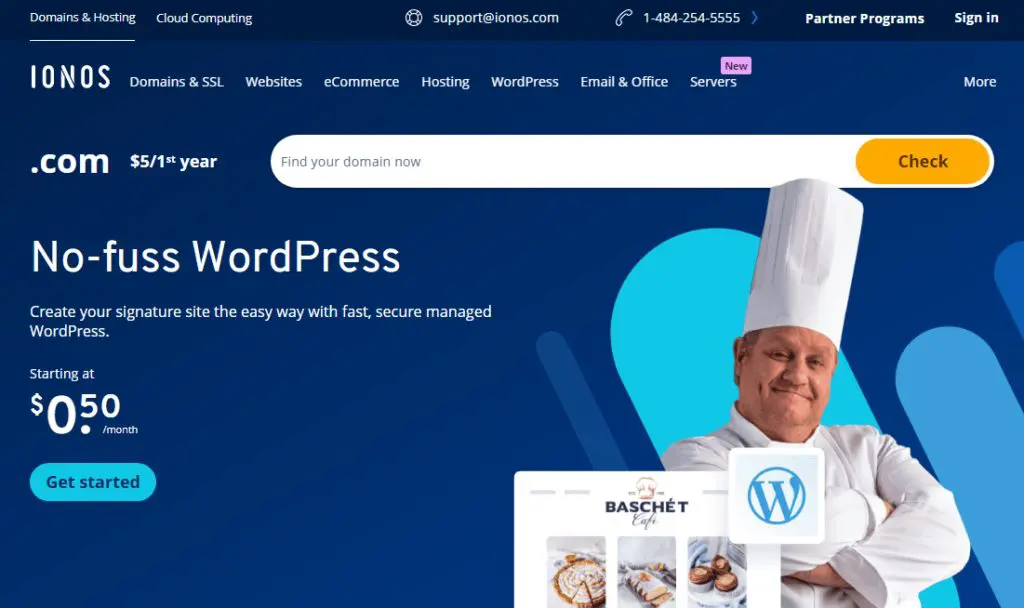
If you’re launching a small website or WordPress blog and don’t want to spend a fortune, Ionos still offers one of the most beginner-friendly hosting plans around.
Their biggest edge in 2025? AI.
Ionos has fully embraced AI tools to help new users get up and running. You can now generate a complete WordPress site layout, content, and images just by answering a few questions—no design or copywriting skills needed.
Every plan comes with SSD storage, free SSL, malware and vulnerability scanning, auto updates, and even Jetpack backups on higher tiers.
You’ll also find developer tools like SSH, WP-CLI, and PHP version control even in their lower-priced plans, which is rare for shared hosting.
However, speed is still a concern. Despite upgrades, Pingdom tracking still shows average response times of over 700ms, making it slower than most other shared hosts on this list.
If you’re aiming for serious performance or expect traffic spikes, this might be a limiting factor.
Still, for a new site with zero traffic, it’s a decent starting point—especially if you want built-in AI tools and don’t mind the slower response.
Ionos Pricing (Introductory for 12-month term)
- Start – $5/month – 25 GB SSD, AI builder, 1 site
- Grow – $1/month – 50 GB SSD, Jetpack Backup, AI tools, 1 site
- Boost – $12/month – 75 GB SSD, Malware repair, SiteAnalytics+, more AI features
All plans include a free domain, SSL, daily backups, and a 30-day money-back guarantee.
View updated pricing plans here.
Ionos Pros and Cons
| Pros | Cons |
| You get significantly more server resources (RAM and vCPU) than most shared hosts at this price, which can improve performance for small sites. | You can only host one website per plan, even on the highest-tier Boost plan, which makes it hard to scale or manage multiple sites. |
| The AI assistant isn’t just for setup — it also helps you edit content and make ongoing changes with contextual suggestions. | There’s no direct upgrade path from shared hosting to VPS or cloud within the same environment, so scaling up usually requires a complete migration. |
| You have full control over automatic updates for WordPress core, themes, plugins, and PHP, which is rare among beginner-friendly hosts. | The hosting dashboard and control panel aren’t as intuitive or clean as what you get with SiteGround or Bluehost, which can be frustrating for new users. |
| Unlike many shared hosts, Ionos shares the actual RAM and vCPU specs of each plan, giving you a clearer idea of what you’re paying for. | Some key Jetpack features like real-time backups and advanced analytics are only included in the Boost plan, limiting value in lower tiers. |

11. Nexcess

Nexcess is high-performance, fully managed WordPress hosting — great if your online course business is scaling fast or already getting consistent traffic.
It’s not a basic shared hosting setup. It’s built for creators who can’t afford downtime, plugin conflicts, or slow page loads during launches or live enrollments.
You get features like daily automated backups, instant autoscaling (which kicks in automatically during traffic spikes), image optimization, premium CDN, and plugin update monitoring with visual comparisons. There’s even a built-in staging site for testing changes safely.
It’s powered by Liquid Web (a big name in enterprise hosting), so performance and support are top-tier. But the price reflects that too.
For solo course creators just starting out? Nexcess might be overkill.
But if you’re running multiple courses, hosting a membership area, or have a big enrollment push coming up, it makes a lot more sense.
It’s especially useful if you use WooCommerce for selling or bundle your courses with products or subscriptions.
Nexcess Pricing (First 3 Months)
- Spark – $21/mo (1 site)
- Spark+ – $43/mo (3 sites)
- Maker – $47.85/mo (5 sites)
- Designer – $54/mo (10 sites)
- Builder – $73.80/mo (25 sites)
- Producer – $147.60/mo (50 sites)
- Executive – $270.90/mo (100 sites)
- Enterprise – $492.75/mo (250 sites)
All plans include free staging, daily backups, plugin monitoring, autoscaling, and a 30-day money-back guarantee.
Nexcess Pros and Cons
| Pros | Cons |
| Visual plugin update monitoring helps prevent broken layouts after updates — a lifesaver if you use page builders or LMS plugins. | Pricing jumps after the first 3 months — you need a stable revenue stream to keep using it long-term. |
| Built-in autoscaling keeps your site fast during launches without needing to manually upgrade your plan. | No entry-level shared hosting options — not ideal for beginners on a tight budget. |
| Staging environments and performance tools let you safely test new designs, courses, or checkout flows before going live. | The backend and UI are built for pros — not the most beginner-friendly experience if you’ve never used managed hosting. |
| Includes premium tools like Object Cache Pro, daily backups, and malware monitoring — no extra plugins needed. | Not built for multi-CMS setups. It’s optimized for WordPress, WooCommerce, and Magento — nothing else. |
Read our detailed Nexcess review to learn more.

How To Choose The Right Web Hosting Service For Your Business
Every web hosting company has strengths and weaknesses. So, there’s no one-size-fits-all solution to web hosting. This is why, instead of recommending one company, we’ll discuss the factors you must consider when choosing a hosting service for your website.
Let’s do this step by step.
Step 1: Consider Your Website Type And Business Needs
First, you must consider your website type, business goals, and budget when choosing a web hosting service because every website has different needs.
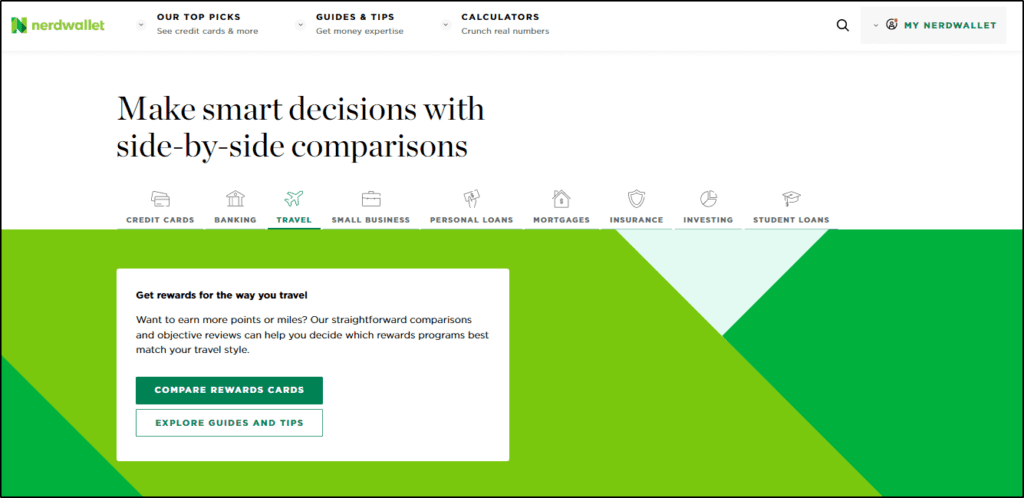
For example, if you want to start a high-traffic site like Nerdwallet that makes money with advertising and affiliate marketing, you’ll need to build a lightning-quick website with no traffic caps.
Similarly, if you plan to sell courses and memberships on your site like SmartMarketer and drive most of your traffic from search engines, you must look for a high-performance hosting service.

If you want to start an online store to sell physical or digital products like Bumblebee Linens, you‘re better off looking for an eCommerce web hosting company optimized for such businesses and supports payment gateways.

Or, if your target audience is primarily based in a specific country, look for a high-quality hosting company with servers in that region.
But if you want to create a corporate website that only serves as your company’s contact point, you can do it with an entry-level hosting service at a lower price.
So, before moving forward, you need to be clear about your website type, estimated traffic goals, business model, and how you plan to make money from your site.
In addition, consider your budget and how much you’re willing to spend monthly or annually on your hosting service.
The cheapest services cost around $3/month, while the high-end hosting services can exceed $200/month.
Step 2: Choose The Right Website Hosting Type
Next, you need to decide the kind of web hosting service you need to run your website smoothly and reach your business goals without overspending on your hosting service.
Technically, there are several types of web hosting services offering different server resources and hosting infrastructure.
But you’ll mainly have to choose between the following hosting types.
● Shared Hosting
In a shared web hosting service, you must share the server resources with other websites. A shared web hosting company stores all its customers’ data on the same servers and distributes its processing power, memory, disk space, and bandwidth between them.
Shared hosting is ideal for beginners and low-traffic websites as it is affordable and offers all the necessary tools and features to run your website smoothly.
However, it comes with several limitations and disadvantages.
For example, shared hosting speed varies with server load resulting in an inconsistent user experience for your website visitors. For instance, if one website on a shared server sees a sudden traffic spike, the other sites on that server can slow down or become unavailable.
Similarly, your site’s security on a shared server is partially linked to the other sites. So, if hackers use a security loophole to access one site on a server or gain access to the server’s operating system, the other sites on that server are also at risk.
However, this rarely happens with the top shared hosting companies.
In short, a high-quality shared web hosting service is your best option if you’re a beginner with a site under 30K visitors per month or a limited budget.
● Dedicated Hosting
As the name suggests, dedicated hosting services dedicate server resources for your website only. This means you don’t have to share server space, processing power, or bandwidth with other websites.
This results in faster server speeds, more robust security, almost zero downtimes, and much more consistent and reliable website performance.
Dedicated hosting is ideal for high-traffic websites and businesses that rely mainly on online sales.
However, dedicated hosting is expensive and comes with traffic, server space, and bandwidth caps. In addition, it often requires a certain degree of technical expertise to manage a dedicated hosting account.
Still, if you have the budget and want your site to be always available at lightning speeds, dedicated web hosting is the way to go.
● Managed WordPress Hosting
Most bloggers, content creators, digital product sellers, and small businesses use WordPress for their websites because of its user-friendliness and affordability. However, managing a WordPress website requires a certain level of technical expertise. This is a challenge for most non-technical founders and website owners focused on their core business functions instead of website management.
A managed WordPress hosting service resolves this problem by handling your site’s backend management. As a result, you don’t have to worry about updating website security, plugin updates, hosting space management, and anything else related to the technical side of website hosting.
It is an advanced form of dedicated hosting where your site enjoys separate server resources and a dedicated team to ensure its hosting features run smoothly.
Managed WordPress hosting is expensive compared to shared hosting. But it offers greater security, speed, and reliability. So, if you have the budget, a managed hosting service allows you to focus on your core business while it handles the technical stuff.
So which web hosting type should you get?
It depends on your business requirements, website type, and budget. If you’re just starting a new site and have limited resources, a shared web hosting service is the best choice.
But if your site is growing, you want zero downtimes, and have the budget to afford it, a managed or dedicated hosting service is the way to go.
Step 3: Consider The Key Web Hosting Features
There are hundreds of companies offering shared and dedicated web hosting services. To find the right fit for your business, you must evaluate its core web hosting features.
Here are the key features to consider.
● Storage
Every web hosting company provides you with storage space to upload your website’s files and content. How much storage you need depends on the size of your files. For example, if your website has 10GB of data, it’ll need at least twice the space to function properly.
For most blogs and small business sites, 30GB to 50GB storage is more than enough. Hostinger’s shared web hosting plans are a good example.

On the other hand, managed and dedicated hosting services offer lesser storage but higher performance. For example, WP Engine offers only 10GB in its entry-level plan. But since it’s a dedicated hosting company, this storage capacity is enough for a small business website or blog.
Read the full WP Engine Review.
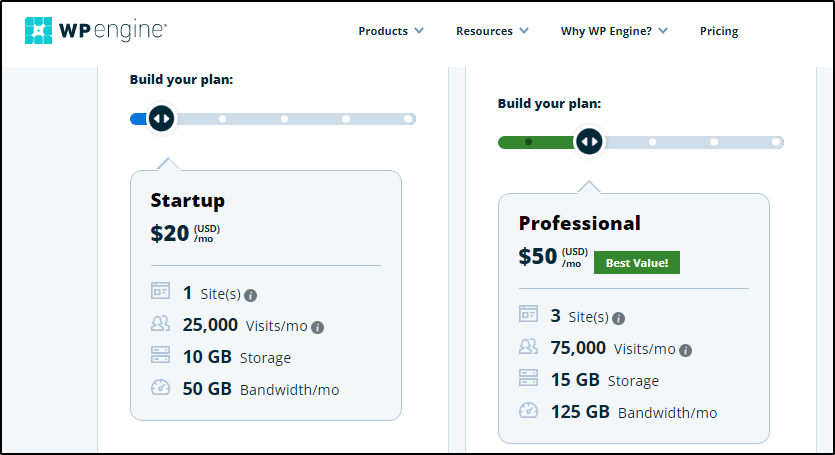
So, when evaluating a web hosting service, ensure it offers enough space to store your data and allows you to grow.
● Bandwidth
The amount of data transferred on your site (uploads and downloads) makes up its bandwidth. For example, if you upload 5GB of data in a month while your website visitors download 30GB, your total bandwidth for the month would be 35 GB.
Most shared hosting companies offer unlimited bandwidth, meaning visitors can download as much data from your site as they want. However, this usually comes with a fair use clause.
In comparison, dedicated and managed web hosting companies put caps on your monthly bandwidth. But they offer much faster data transfer. If a site exceeds its monthly bandwidth limit, it usually becomes unavailable to visitors until its limits are refreshed the following month.
Which one should you go for? Depends on your website and traffic goals.
For example, if you build a viral content site relying on advertising revenue, unmetered bandwidth is the better option.
But if you have a fair idea of how much data transfer takes place on your site every month, you can opt for metered bandwidth with a dedicated hosting company.
● Domain Registration
Your domain is the URL users type in their browsers to visit your website. Without a domain name, your site’s content is inaccessible to regular internet users.
Some web hosting companies offer free domain registration as a part of their hosting package. However, many top-tier hosting companies charge separately for a domain.
But your domain suffix is the other critical thing to consider. The most common ones are .com, .org, .net, and .us, which most hosting companies offer.
But you’ll have to look harder for companies offering region-specific domains like .ca, .in, .my or a creative suffix like .agency, .music, .store.
So, before signing up, make sure your hosting company has the domain name you want.
● Security
Website security is critical not just because you don’t want any hacker to take over your site but also because Google considers website security a key search ranking factor. So, when evaluating two identical sites, Google would rank the one with better security higher in the search results.
Here are the core security features you must look for in a web hosting company.
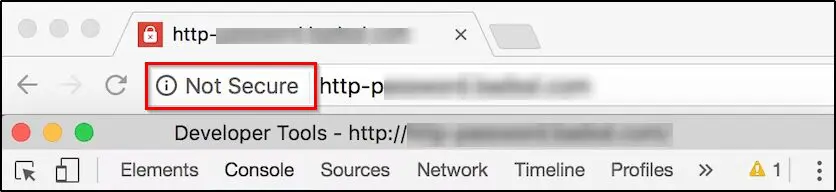
SSL certificate (HTTPs): An SSL certificate encrypts the connection between a browser and your web server, preventing any third-party access to modify your data. Google requires all sites to have at least a basic SSL certificate and shows a warning message for sites without one.
Firewalls: The best web hosting companies protect their customers from malware, unauthorized data access, and DDoS attacks using multiple layers of firewalls.
User access management: Your web hosting service should have strict access rules where only authorized users can log in to your account. It should also offer two-factor authentication, partner accounts, recovery accounts, and separate user profiles for billing and regular operations.
Regular updates: The best web hosting companies continuously update their security standards to combat new cyber threats. They do this through infrastructure upgrades, software updates, and optimizing their processes to detect and prevent cyber-attacks.
Data backup and restoration: Regular backups are critical to your data security which is why the best web hosting companies offer daily data backups and one-click restoration features.
Read our comprehensive list of critical website security tips for content creators.
● Email Hosting
Do you want to create an email address with your domain name (yourname@yourdomain.com)? If yes, you must ensure your web hosting company also offers email hosting services.
Most web hosting companies allow you to use your web hosting account for emails as well. However, some companies charge separately, while a few don’t offer email hosting at all.
If email is vital for your business, make sure your hosting company provides email hosting.
In addition, it should also offer a built-in interface for managing your email account or allow you to configure it with third-party email tools like Outlook or Gmail.
Step 4: Evaluate Web Hosting Performance
The performance of your web hosting service directly impacts your website’s search rankings, user experience, and conversion rates.
So, you must carefully examine the following factors before your purchase decision.
● Server Uptime And Reliability
Web hosting services store your website data on their servers. Depending on their technology and hosting type, these companies manage their server load using temporary shutdowns or downtimes when your site becomes inaccessible.
Server uptime is the percentage of time your site is online during a month. Ideally, your site’s uptime should be 100%, but that’s rarely the case. Even the best web hosting companies experience downtimes, although they’re quite brief.
Shared web hosting services usually have more extended downtimes. But the best ones still commit 99.9% monthly uptime.
Many dedicated web hosting services commit 100% uptime and try achieving it by shifting your site’s content between servers during downtimes. Still, even a 99.9% uptime is acceptable as long as the downtimes don’t occur during peak hours.
How do you test a web hosting company’s average uptime?
Thankfully, there’s a lot of information already available online. For example, you can use this Pingdom tracking tool to check the average uptime of some leading web hosting companies.

As you can see, the screenshot above shows the average monthly uptime of Bluehost, a leading web hosting company. Its worst uptime percentage in the last ten months is 99.43%. Most of the other months had either around 99.99% or 100% uptime.
● Server Speed And Response Time
Server response time is the time it takes your website to start loading after a visitor enters its URL in their browser. It is perhaps a web hosting company’s most critical performance metric because of its impact on your site’s user experience and rankings. Google takes website speed seriously and, when evaluating identical sites, ranks the faster ones higher.
Server response time mainly depends on the speed of your web hosting servers, although several other factors also influence it.
What’s a good server response time? Anything between 100ms to 300ms is excellent. But even a response time of under 1 second is acceptable. But anything above is too slow.
Here are the average monthly response times of Nexcess, a dedicated WordPress hosting company.

Understandably, dedicated web hosting usually has much faster response times than shared hosting. However, many of the top shared hosting companies, like Hostinger and A2Hosting offer lightning server speeds as well.
● Scalability
As your website grows, your web hosting service should have the necessary infrastructure and server resources to handle increased traffic and higher demand.
This is critical because switching web hosting services is a time-intensive process you don’t want to repeat too often.
So, ideally, you should choose a scalable web hosting service capable of handling your site’s growth.
How do you determine if a web hosting service is scalable?
Look at their pricing plans and see if they allow you to upgrade your subscription with time. Some web hosting companies are inherently scalable and price your subscription based on your monthly traffic.
As your traffic increases, you can opt for higher limits and pay more only when necessary.
Step 5: Check For User Experience And Ease Of Use
Managing a site’s web hosting account can be challenging for non-technical users. However, the best hosting companies make it a breeze by giving you the tools and resources to easily handle your site’s hosting even if you’re a beginner.
So, before purchasing a web hosting service, make sure it offers an excellent user experience using the following tools.
● Control Panel
Your hosting account’s backend interface or control panel lists all its settings, features, tools, and options. This is where you can register new domains, create new email accounts, check your storage and bandwidth status, access coupons, configure integrations, and renew your account.
For example, here’s the backend control panel of Bluehost.
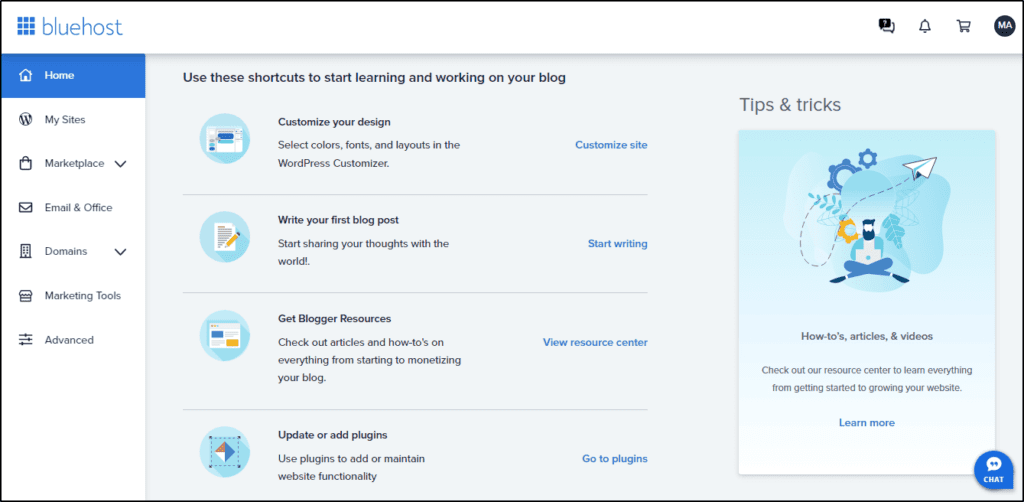
It also gives you the option to access the classic cPanel interface with more advanced options.

Not every hosting company has a user-friendly backend. So, you must ensure the one you choose is designed for non-technical users and doesn’t make day-to-day site management unnecessarily complex.
● WordPress Compatibility
Whether you’re starting a blog, an online course website, a small business site, or an eCommerce store, you’ll likely use WordPress to build it.
Why? Because 63.4% of all websites using a content management system (CMS) are powered by WordPress.
So, it’s critical that your web hosting company not only supports WordPress but also offers one-click WordPress installation.
One-click installation means you won’t need to go through unnecessary technical steps to set up a WordPress site. Instead, you can install WordPress, choose a theme, and select your preferred plugins using an easy installation wizard.
● Website Builder Support
A website builder helps you visually design your website using a drag & drop interface without any technical coding or designing skills.
Bluehost, Hostinger, InMotion, and several other web hosting companies have user-friendly drag & drop website builders that allow you to create your website without hiring a designer.
But companies that don’t have a native website builder usually integrate with third-party builders like Elementor, Beaver, and Visual Composer.
But some companies offer neither.
If you plan to create a website yourself and need website-building tools, make sure you choose a hosting service with a native website builder.
● Customer Support
Customer support is one of the most critical aspects of a web hosting service.
Why? Because when your website suddenly goes down, gets hacked, or isn’t accessible for any reason, you need immediate and effective customer support from your hosting company.
In my experience, live chat and phone support are the most convenient and efficient support channels in emergencies.
But many hosting companies only offer email support which takes at least 24 hours.
So, make sure the company you choose at least offers live chat support in case you need instant help.
● Data Migration and Site Transfers
Switching between web hosting services is a time-consuming and highly technical task where you must carefully transfer your critical data without messing up the folders.
This is why the best web hosting companies offer free site transfer services where their experts handle your data migration and safely move your website to their servers.
● Customer Reviews
Finally, before making your final decision, quickly examine the publicly available user reviews for your shortlisted web hosting companies.
You can find genuine web hosting user reviews on sites like G2, Capterra, and TrustPilot.
For example, here’s a user review about Bluehost on G2.com

And here’s one about Hostinger on Capterra.

For deeper insights, dive into different Reddit and Quora threads to find first-hand user experiences with different hosting services.
Reading customer reviews helps you understand the potential weaknesses and strengths of a hosting service and gives you the necessary information to make the right call.
Which WordPress Web Hosting Company Is Best For You?
We’ve shared some of the best WordPress web hosting services that you can use to host, manage, and grow your online course website. However, singling out a company as the best choice isn’t possible without fully understanding your business needs.
So, we’ll share our recommendations for the best WordPress hosting companies for different scenarios.
- Hostinger – The best value for money in shared hosting
- Nexcess – Best for high-traffic sites
- BlueHost – The most beginner-friendly
- WPEngine – Best for businesses focused on growth
- A2 Hosting – Fastest with lightning server speed
Hopefully, this will make your choice easier.
Let us know if you have any questions about this article in the comments section.
How We Evaluate and Test Online Course Platforms & Related Software
Reviews of platforms and software on the Learning Revolution site are overseen by the site’s founder, Jeff Cobb, an e-learning industry expert with more than 20 years of experience working with online course platforms. All evaluations are conducted by a team of analysts who have extensive experience using, testing, and writing about these types of platforms. We dedicate numerous hours to researching each platform, ensuring each aligns with the needs of online course sellers, and vetting specific areas like core features, usability, pricing, and customer satisfaction. Our reviews are unbiased, and while we will participate in affiliate programs, if available, we do not accept payment for placement in our articles or links to external websites.
Frequently Asked Questions (FAQs)
1. Do I really need paid hosting, or can I just use free hosting?
Free hosting exists, but it usually comes with ads, limited storage, poor performance, and no professional support. If you’re building a brand, course site, or business, paid hosting is almost always the better choice.
2. What’s the difference between a domain registrar and a hosting provider?
Your domain name (like mywebsite.com) is purchased through a registrar, while your website’s files are stored on a hosting server. Some hosting companies also sell domains, but they are technically separate services.
3. Is it worth paying extra for managed WordPress hosting?
If you don’t want to worry about security patches, plugin updates, and backups, yes. Managed WordPress hosting is like having a dedicated tech team for your site.
4. Can I go for a fully hosted online course platform instead of hosting?
Yes. Platforms like Thinkific, Kajabi, or Teachable handle hosting, security, and updates for you. They’re easier to manage if your main goal is selling courses. However, you trade off flexibility and ownership compared to self-hosted WordPress hosting.
5. What kind of course creator should use web hosting?
You need a website regardless of whether you host courses on it or not. If you’re running courses on WordPress, you’ll definitely need hosting. But even if you don’t, having your own website helps you brand your business. Online course platforms can give you a basic site, but a WordPress site with proper hosting gives you far more control, flexibility, and room to grow.
6. How do I know when it’s time to upgrade my hosting plan?
Common signs include slow load times, frequent downtime, error messages when traffic spikes, or hitting storage/bandwidth limits. At that point, moving to VPS or managed hosting is a smart step.
7. Which hosting service is best if my audience is global?
Look for providers with global CDNs (Content Delivery Networks) and multiple server locations, like SiteGround, Kinsta, or Cloudflare-integrated hosts. This ensures fast loading worldwide.
8. Can I switch my web host later if I’m unhappy?
Yes, most providers offer free or paid migration services. Still, it’s easier to pick a host with strong support upfront to avoid messy transfers later.
9. Do I need to buy email hosting separately?
Not always. Some hosts (like SiteGround or Hostinger) include free domain-based email accounts, while others (like DreamHost Starter) charge extra. Check if business email is important to you before signing up.
10. Will web hosting affect my SEO rankings?
Yes. Google considers speed, uptime, and security (SSL/HTTPS). A slow or unreliable host can hurt rankings, while a fast and secure host can improve your SEO baseline.
11. What security features should I look for in a web host?
At a minimum: free SSL, firewalls, malware scanning, DDoS protection, and daily backups. If you’re running an online store or course site, PCI compliance and advanced monitoring also matter.
12. Can I host multiple websites on one hosting plan?
It depends. Entry-level plans usually allow just one site. Mid-tier and higher plans often let you host multiple websites under the same account. Always check the plan details before signing up.

Jeff Cobb, Founder of Learning Revolution
Jeff Cobb is an expert in online education and the business of adult lifelong learning. Over the past 20+ years he has built a thriving career based on that expertise – as an entrepreneur, a consultant, an author, and a speaker. Learning Revolution is a place where Jeff curates tips, insights, and resources to help you build a thriving expertise-based business. Learn more about Jeff Cobb here.