

TL;DR: Skool vs Circle – Which Online Community Platform Is Better?
Skool is a community-first platform with built-in discovery and gamified engagement designed to help creators grow inside its ecosystem.
Circle is a branded membership platform built for structured programs, automation, and running controlled, multi-tier communities.
Skool vs. Circle: The Main Difference
At a high level, the core difference is growth model and control.
Skool is minimalistic, helps you attract members from within the platform itself through organic discovery and drives engagement through a central feed and leaderboards.
Circle gives you deeper structural control, branding, email marketing, and automation. It relaunched its Discover marketplace in 2026, but you should still plan to bring your own audience.
Pricing: Skool costs $9/month with a 10% + 30¢ fee or $99/month with a 2.9% + 30¢ fee, and both fees include card processing. Circle starts at $89/month on annual billing with a 2% transaction fee on top of Stripe processing.
Skool is Best For: Solopreneurs, creators, and coaches who want fast launch, low cost, and built-in discovery.
Circle is Best For: Businesses with an existing audience that want branding, tiered access, email workflows, and structured membership infrastructure.
Try Skool For Free | Try Circle For Free
You want to build a community-led course or membership business, but you’re stuck choosing between Skool and Circle.
On the surface, they look similar.
Both let you host discussions, courses, events, and paid memberships. Both are popular with creators and coaches.
But after using both extensively, I can tell you they are built for very different types of growth. The difference goes beyond features and shows up in how they behave once your community is live.
In this comparison, I’ll break down the real-world differences between Skool and Circle and help you decide which platform fits your goals.
Read: The best online community platforms for edupreneurs
The Main Differences Between Skool and Circle
If both Circle and Skool are online community platforms that let you sell courses as well, how exactly are they different? Let me explain their key differences based on my experience before we dive deeper into this article.
| Category | Skool | Circle |
| Primary Growth Model | You can grow inside the platform. Other Skool users can discover your community through browsing, profiles, and cross-community visibility. Skool keeps 30% on paying members it brings you. | A newer Discover marketplace, relaunched in 2026. In practice you still bring your own audience (email, social media, ads, partnerships). |
| Platform Behavior | Functions partly like a social network. Members browse multiple communities and creators network across them. | Functions like private infrastructure. Members mostly see what you invite them to. |
| Default Engagement Style | Feed-style interaction with built-in gamification (points, levels, leaderboards). Encourages daily posting and checking in. | Organized into structured “Spaces.” More forum-like. Gamification with points, leaderboards, and custom rewards is available, but it isn’t the center of the experience. |
| Monetization Psychology | Visible member counts + public activity create social proof. Momentum and hype drive conversions. | Monetization relies on structured offers (tiers, bundles, events). Less public social proof effect. |
| Best For | Cohorts, accountability programs, beginner education, creator communities, fast-moving niches. | Membership brands, multi-program businesses, structured coaching, private professional networks. |
| Audience Type You Attract | Learners, builders, solopreneurs, “make money online” crowd, early-stage operators. | Paying members from your existing audience, clients, or structured programs. |
| Engagement Friction | Low friction. Designed for quick posts, comments, and daily activity. | Higher friction than chat apps. Requires intentional structure to maintain engagement. |
| Brand Customization | Limited. Most communities visually resemble each other. | Stronger branding control. Feels more like your own branded hub. |
| Automation & Structure | Minimal built-in automation. Simple structure. | Workflows, onboarding automations, and segmented access control from Business. AI agents and unlimited workflows on Scale. |
| Live Experience | Event calendar and live calls. | Live Rooms, livestreams, breakout rooms, and public webinars, with monthly hour and attendee limits by plan. |
| Use Case Fit for B2B Lead Generation | Weak for enterprise or high-ticket client acquisition. Audience skews peer-level. | Also not a lead engine, but better suited for structured client programs once leads are acquired. |
| Speed vs Stability | Faster upside if you participate heavily. Growth tied to activity and visibility. | Slower growth but more stable once systems and tiers are set up. |
| Risk Profile | Competitive, hype-driven environment. Success depends on active participation. | More controlled environment. Success depends on external marketing and offer strength. |
Read: Looking for an online course platform? Here are my top picks
Skool vs. Circle: An Overview Of These Top Community Platforms
I’ve worked with communities on both Skool and Circle, and they operate very differently once real members are inside. One is built around simplicity and momentum. The other is built around structure and control.
If you don’t understand that difference upfront, you’ll choose the wrong platform for your business model.
What Is Skool
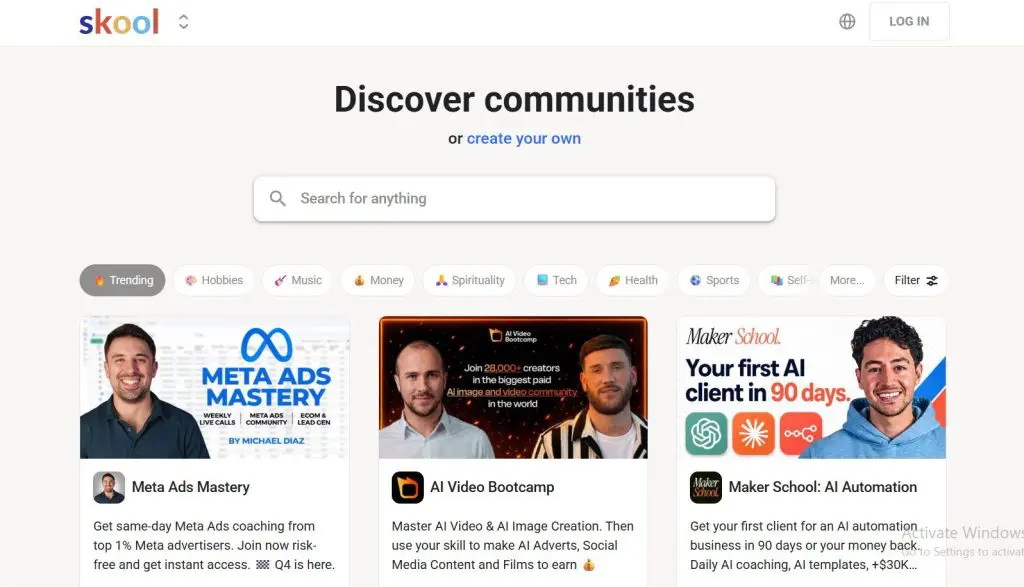
Skool is a community-first course and membership platform founded by Sam Ovens in 2019 and later backed by investors like Alex Hormozi.
From my experience, Skool is intentionally simple and minimalistic. It combines a community feed, course hosting, events, and recurring payments into one flat, easy-to-navigate interface.
There aren’t complex workspace layers or segmented structures. Everyone lands in the same feed, discussions are centralized, and gamification through points and leaderboards encourages participation.
Pricing is also straightforward: a low-cost entry plan and a Pro plan with lower transaction fees.
What stands out most to me is that Skool feels like an ecosystem.
Members can browse other communities, see creator profiles, and move between groups. The platform matches interests and surfaces communities inside feeds. Users can also proactively search for groups tied to their goals.
That internal visibility matters. Even if you have no existing audience, you can build one from scratch on Skool because discovery is built into the platform.
The Main Skool Features
- Centralized activity feed where all discussions happen
- Built-in course hosting with simple lesson tracking
- Native recurring memberships with flat pricing
- Gamification through points, levels, and leaderboards
- Integrated event calendar and live sessions
- Cross-community visibility inside the Skool ecosystem
| Skool’s Strengths | Skool’s Weaknesses |
| Extremely low onboarding friction for members, with almost no learning curve | All communities visually look very similar, with limited brand differentiation |
| Engagement culture is built-in and self-sustaining once active | Hard to run multiple segmented programs under one brand without splitting communities |
| Feels “alive” quickly even with small member counts | Less suitable for formal, corporate, or academic environments |
| Mobile experience is very strong and consistent | Limited moderation depth compared to structured community tools |
| Fast to launch. You can go live in hours without tech setup | No granular role hierarchy (admin/moderator control is basic) |
| Cross-community exposure builds creator credibility inside ecosystem | You compete for attention inside the broader Skool network |

Read: The best Skool alternatives for community + courses
What Is Circle
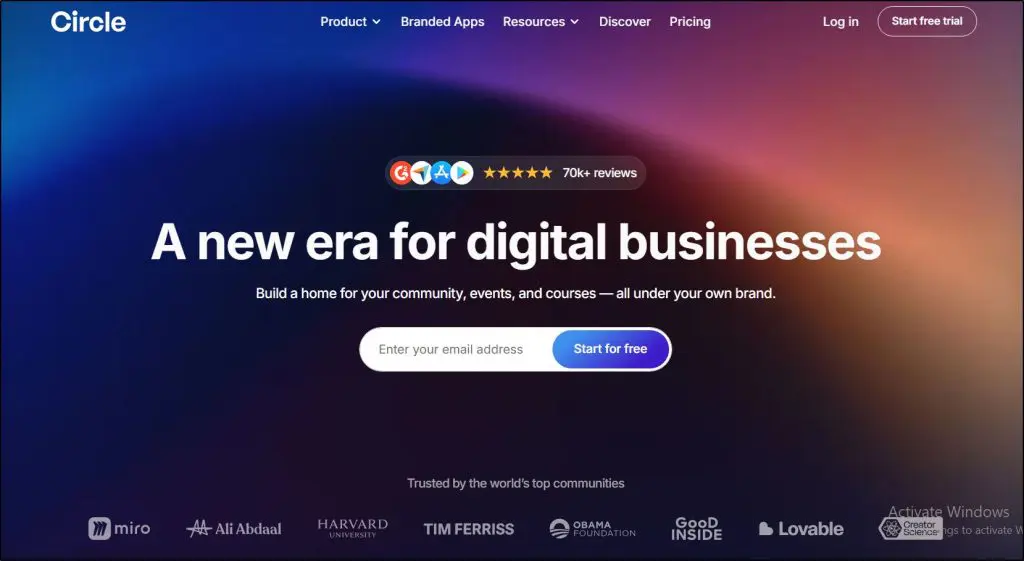
Circle is a branded online community and membership platform founded in 2019 by Sid Yadav. Circle feels less of a community and more of a structured membership operating system.
Instead of one central feed, you organize content into separate Spaces. You group those Spaces by program.
You control access by tier, run multiple offers inside one workspace and decide exactly who sees what.
Circle relaunched its Discover marketplace in June 2026, so new members can now find communities inside Circle. It’s much younger than Skool’s directory, and I wouldn’t build a growth plan on it yet.
If you want to grow on Circle, you should still expect to drive traffic yourself through your email list, content marketing, partnerships, or paid ads.
The trade-off is control. Circle gives you stronger branding, a website builder, onboarding workflows, email marketing tools, automation layers, APIs, and AI agents on higher tiers.
In my experience, Circle is built for organizing an existing audience and running a well-managed, structured membership business.
It feels more formal and more controlled.
The Main Circle Features
- Structured Spaces with permission-based access
- Tiered membership control across multiple programs
- Native live rooms, live streams, and event hosting
- Website builder with AI page building, upsells, and paid membership infrastructure
- Workflow automation, API access, and Circle MCP (Business and above)
- Circle AI on every plan, optional Email Hub, and branded mobile apps on Circle Plus
| Circle’s Strengths | Circle’s Weaknesses |
| Highly customizable structural architecture (Spaces, groups, tiers) | Higher learning curve for new members compared to Skool |
| Feels private and premium, a more “owned” environment | Can feel empty or quiet if engagement strategy is weak |
| Supports multi-offer ecosystems inside one workspace | Requires more intentional community design to stay active |
| Strong moderation controls and role permissions | Higher base monthly cost, plus a transaction fee on every plan |
| Works well for structured programs, masterminds, layered memberships | Gamification exists but doesn’t drive daily activity the way Skool’s does |
| Suitable for more formal, professional, or enterprise-style communities | Over-configuration can overwhelm new creators |

Skool vs Circle Pricing Comparison (Including Transaction Fees)
The difference in the philosophy behind Skool and Circle is quite visible when you compare their pricing models.
| Pricing Aspect | Skool | Circle |
| Entry Price | $9/mo ($7.50 on annual billing) | $89/mo on annual billing |
| Transaction Fee | 10% + 30¢ on Hobby, card processing included | 2% on Professional, plus Stripe processing |
| Reduced Fee Option | Pro $99/mo with 2.9% + 30¢ fee | 1% on Business and Scale, 0.5% on Circle Plus |
| Free Trial | 14 days | 14 days, no credit card |
| Includes Unlimited Members | Yes | Yes |
| Unlimited Videos & Live | Yes | No. Professional includes 200GB storage and 10 live hours a month |
| Built-In Email Marketing | No | Email Hub add-on at $99/mo for 10,000 contacts, included on Circle Plus |
| Workflow/Automation Features | Minimal | Yes (Business and above) |
| Branded App Option | No | Yes (Circle Plus, custom pricing) |
| Best For Low-Cost Launch | ✅ | ⚠️ |
Skool Pricing
Skool is one of the simplest pricing models you’ll encounter:
- Hobby, $9/mo ($7.50 on annual billing): You get unlimited members, videos, courses, and live calls. Skool charges a 10% + 30¢ transaction fee on every payment.
- Pro, $99/mo ($82 on annual billing): The transaction fee drops to 2.9% + 30¢, rising to 3.9% + 30¢ on payments above $900. You also get a custom URL and the affiliate program. You keep much more of what you earn.
What this means in real life:
- At $9/mo + 10% + 30¢, Skool is very cheap to start. You can launch a paid community with minimal cost.
- As your community earns money, the 10% + 30¢ cut adds up fast, especially if you’re charging more than basic subscription prices.
- Upgrading to $99/mo becomes almost mandatory once you have consistent revenue, because reducing the fee is worth it.
- Both fees already include card processing, and there are no confusing add-ons.
- Pricing is flat and predictable.
- When Skool’s Discovery directory brings you a paying member, Skool keeps a 30% commission through its Growth Boost program. It’s on by default and you can turn it off under Settings > Discovery.
Skool’s pricing is designed for simplicity: a low entry cost with a choice between paying more monthly or giving up a portion of revenue.
Here’s the full Skool plan comparison.
| Feature | Hobby | Pro |
|---|---|---|
| Transaction fee | 10% + 30¢ | 2.9% + 30¢ (3.9% above $899) |
| Members | Unlimited | Unlimited |
| Courses | Unlimited | Unlimited |
| Videos | Unlimited | Unlimited |
| Live calls | Unlimited | Unlimited |
| Custom URL | ✓ | ✓ |
| Affiliate program | ✓ | ✓ |
| Skool Calls and native video | ✓ | ✓ |
| Tiers, free trials, and one-time purchases | ✓ | ✓ |
| Skool branding removed | ✗ | ✓ |
| Zapier and webhook plugins | ✗ | ✓ |
| Discovery listing (Growth Boost, 30% on members it brings) | ✓ | ✓ |
Circle Pricing
Circle’s pricing is more layered and reflects its positioning as a membership infrastructure tool. All prices below are per month on annual billing, and every plan comes with a 14-day free trial.
- Professional, $89/mo: Core community features (Spaces, discussions, events, courses, paid memberships, live rooms, gamification, website, custom domain) plus Circle AI. Limited to 20 spaces and 10 live hours a month. 2% transaction fee.
- Business, $199/mo: Adds workflows, API access and Circle MCP, custom profile fields, branded email notifications, activity scores, and Circle branding removal. 1% transaction fee.
- Scale, $419/mo: Adds AI agents, AI workflows, unlimited workflows, webhooks, custom single sign-on, and priority support. 1% transaction fee.
- Circle Plus, Custom Pricing: Includes branded mobile apps, Email Hub with 10,000 contacts, the highest limits, concierge onboarding, and premium support. 0.5% transaction fee.
What this means in real life:
- Circle charges a transaction fee on every plan, from 2% on Professional down to 0.5% on Circle Plus, and Stripe’s processing fee comes on top.
- Lower tiers provide community functionality but limited automation.
- If you want automated workflows, you need Business or above. Email marketing through Email Hub is a separate add-on at $99/mo for 10,000 contacts.
- Branded apps and advanced features require custom pricing, meaning a conversation with sales and higher per-month cost.
- Extra admins, spaces, live hours, and attendees are paid add-ons, so the real bill can run above the plan price.
Circle’s pricing is structured more like a software license with a small transaction fee on top.
Here’s the full Circle plan comparison.
| Feature | Professional | Business | Scale | Circle Plus |
|---|---|---|---|---|
| Transaction fee | 2% | 1% | 1% | 0.5% |
| Members | Unlimited | Unlimited | Unlimited | Unlimited |
| Admins | 3 | 5 | 10 | Unlimited |
| Moderators | 10 | 15 | 100 | Unlimited |
| Spaces | 20 | 30 | 100 | Flexible |
| Storage | 200GB | 500GB | 1TB | 1TB |
| Automations (workflows) | ✗ | 20 | Unlimited | Unlimited |
| Live stream attendees | 100 | 200 | 500 | Flexible |
| Live room participants | 15 | 20 | 50 | Flexible |
| Live hours per month | 10 | 15 | 20 | Flexible |
| Circle AI credits | 2,500/mo | 2,500/mo | 5,000/mo | Negotiable |
| AI agents, moderation & inbox | ✗ | ✗ | ✓ | ✓ |
| Admin API | ✗ | 5,000 requests/mo | 30,000 requests/mo | Negotiable |
| Branded email notifications | $40/mo add-on | ✓ | ✓ | ✓ |
| Custom profile fields | $49/mo add-on | ✓ | ✓ | ✓ |
| Remove Circle branding | ✗ | ✓ | ✓ | ✓ |
| Branded iOS & Android apps | ✗ | ✗ | ✗ | ✓ |
| Support tier | Standard | Standard | Priority | Premium |
How Much Will You Earn From Your Membership: Skool vs Circle
Let’s assume you charge $49/month for your membership program and grow to 200 paying members.
That’s: 200 × $49 = $9,800/month in revenue
Now let’s compare what you actually keep with Skool and Circle. I’ve included card processing on both sides, because Skool’s fee already covers it and Circle’s doesn’t.
1. Skool (Hobby Plan, $9/mo + 10% + 30¢)
Transaction fee: 10% of $9,800 plus 30¢ on 200 payments = $1,040
Monthly plan fee: $9
Total cost: $1,049
Revenue you keep: $8,751
2. Skool (Pro Plan, $99/mo + 2.9% + 30¢)
Transaction fee: 2.9% of $9,800 plus 30¢ on 200 payments = $344.20
Monthly plan fee: $99
Total cost: $443.20
Revenue you keep: $9,356.80
3. Circle (Professional, $89/mo + 2%)
Monthly plan fee: $89 on annual billing
Circle transaction fee: 2% of $9,800 = $196. Stripe processing: 2.9% of $9,800 plus 30¢ on 200 payments = $344.20
Total cost: $629.20. Revenue you keep: $9,170.80
What This Means
At $49/month × 200 members = $9,800/month revenue
| Plan | Monthly Plan Fee | Transaction and Processing Fees | Total Cost | You Keep |
| Skool Hobby | $9 | 10% + 30¢ ($1,040) | $1,049 | $8,751 |
| Skool Pro | $99 | 2.9% + 30¢ ($344.20) | $443.20 | $9,356.80 |
| Circle Professional | $89 | 2% + Stripe ($540.20) | $629.20 | $9,170.80 |
| Circle Business | $199 | 1% + Stripe ($442.20) | $641.20 | $9,158.80 |
- Skool Hobby becomes very expensive because of the 10% + 30¢ cut.
- Skool Pro keeps the most revenue at this level.
- Circle Professional keeps about $186 less than Skool Pro, because its 2% fee sits on top of Stripe processing.
The bigger your community grows, the more important this math becomes.
Both platforms take a percentage, so neither is a pure fixed-price model. Skool Pro is cheaper on fees alone. Circle’s extra cost buys you structure, branding, and automation, so judge it on those. Keep in mind that Skool also takes a 30% commission on members who join through its Discovery with Growth Boost switched on.
Comparing The Main Features In Skool and Circle
Now I’m going to show you how the core features in Skool and Circle actually work when you’re inside the platform. How they’re structured, how members experience them, and what that means for you as the community owner.
Feature #1: Online Community
This is the core part of both these platforms where members engage with each other, discuss different topics, and share their thoughts.
Here’s how these platforms differ in community features.
Skool
Skool revolves around a single activity feed. When members log in, they land directly in a scrollable stream of posts. Everything including discussions, wins, questions, and announcements happen in this feed.

You can create categories, but structurally it’s still one main feed. That simplicity matters. Members don’t have to decide where to post. They just post.
Engagement is driven by:
- Points for posting and commenting
- Public leaderboards
- Level progression
That gamification is baked into the culture of the platform. It encourages daily interaction and short-form contributions, and feels fast, light, and habit-forming.
The trade-off is structural depth.
If you want segmented discussions for different programs, you typically create separate communities rather than layering them inside one workspace.
Circle
Circle’s community features are structured very differently. Instead of one feed, you build separate “Spaces.”
Each Space can function as a discussion area, course area, event hub, or chat.
You can group Spaces, gate them by membership tier, and control access precisely. It feels more like a private member portal than a social feed.
There’s gamification available, with points, leaderboards, and custom rewards, but it’s not the core driver.
You can track activity scores on higher plans, and members receive weekly digests, but the platform does not push competitive participation in the same way Skool does.
In practice, Circle works better when:
- You run multiple programs under one brand
- You need clear separation between tiers
- You want discussions tied to specific courses or cohorts
It’s organized, controlled, and less noisy.
Feature #2: Online Courses
Both Skool and Circle let you create and sell courses to your community members. Here’s how they’re different.
Skool
Skool’s course feature is built into the same environment as the community. You create modules and lessons, and members track completion. Lessons can unlock based on schedule or level.
There are no advanced quizzes, certifications, or deep analytics.
Skool’s strength is that the courses sit right next to the discussion feed, in the Classroom tab. Members move between learning and conversation without friction.
For cohort programs or accountability-based education, this works well.

But generally, its course features are quite basic which is understandable since it’s a community-first platform.
If you want more sophisticated online course creation features, Thinkific is always my first choice.
Circle
Circle organizes courses inside dedicated Spaces. You can structure lessons into modules and combine them with gated discussion areas and live sessions.
Because of its permission system, you can run:
- Entry-level course tier
- Premium mastermind tier
- Alumni access tier
All inside one workspace.
On higher plans, Circle adds workflows and automation layers that let you trigger actions based on member behavior. That makes it better suited for businesses running multiple structured offers at once.
Circle rebuilt its course builder in 2026 with visual learning paths, but its course features still aren’t too advanced since it’s mainly a community platform.
Feature #3: Marketing & Discovery Tools
This is where the difference between Skool and Circle becomes sharp.
Skool
Skool does not offer built-in email marketing. Instead, the platform sends automated notifications based on your settings. If you want sophisticated email campaigns, you integrate external tools.
However, Skool does include built-in internal discovery. Users can browse communities, search by topic, and see suggested groups. Skool displays thousands of communities publicly, giving them organic visibility to relevant members.
That means growth can happen inside the platform itself. If your community aligns with what people are already searching for, you can attract members without an existing audience.
That growth has a price. Under Skool’s Growth Boost program, Skool keeps a 30% commission on paying members its Discovery brings you. You can switch it off, but that removes your community from Discovery.
But that’s about it for Skool’s marketing capabilities.
Circle
Circle relaunched its Discover marketplace in June 2026, but it’s young and I haven’t seen it drive meaningful membership yet. If you want members, plan to bring them.
Where Circle differs is in email marketing and page building. Every plan includes a website builder, and Circle AI can now build full landing and sales pages from a prompt.
Every Circle plan sends community notifications and a weekly digest. These are structured summaries of activity and updates, not marketing emails.
For real email marketing you add Email Hub, an optional add-on at $99/mo for 10,000 contacts on top of your plan. It’s included on Circle Plus. This moves beyond simple notifications.
Specifically, Circle allows you to:
- Send manual email broadcasts
- Segment contacts and members
- Capture leads through forms
- Schedule campaigns
- Create automated workflows triggered by actions
- Personalize emails based on behavior
- Track performance with built-in analytics
It’s not as deep as dedicated platforms like ActiveCampaign or HubSpot, but it’s more than basic notifications. It sits somewhere in between.
For many membership businesses, Circle’s Email Hub can replace a separate lightweight email tool. For advanced funnel builders running complex branching logic, you may still prefer a specialized email platform.
Feature #4: Payment Processing (How You Get Paid)
Let’s look at how these platforms pay you as the community owner.
Skool
Skool has payments built in. You set a price, Skool collects payments, and the funds are paid out to your account. Skool’s fees come in two forms:
- Monthly plan fee
- Transaction fee (10% + 30¢ on Hobby and 2.9% + 30¢ on Pro), which includes card processing
You don’t need third-party payment tools as it’s all native.
I find this handy when I just want to launch something without assembling a tech stack. The trade-off is that Skool’s checkout and payment experience is very uniform, which offers simplicity but not much flexibility. There are no bundles, upsells, or order bumps.
Circle
Circle also uses Stripe, but its checkout is more sophisticated.
You can offer:
- Subscriptions
- One-time purchases
- Hybrid offers
- Bundled memberships
- Multiple pricing tiers inside one workspace
- Upsells at checkout
Circle lets you tie payments directly to workflows: grant access, send welcome emails, trigger automations.
Circle does charge a transaction fee: 2% on Professional, 1% on Business and Scale, and 0.5% on Circle Plus. So, your cost is your Circle plan plus that fee plus Stripe’s standard fees. That adds up to more than Skool Pro charges on the same revenue.
I personally appreciate Circle’s flexibility when running multi-tier offers or combining different products under one ecosystem.
Feature #5: AI Tools and Features
What generative AI tools and capabilities do these platforms offer? Let’s find out.
Skool
From my experience, Skool does not currently embed AI directly into the platform. There’s no built-in AI assistant, no automated summaries, no AI-generated replies, and no AI-driven workflows inside the community itself.
If you want AI, you use it outside the platform, for example, drafting course lessons in ChatGPT, creating prompts for engagement, generating email copy, or building Zapier automations that connect to external AI tools.
Then you paste the output into Skool.
Members also don’t get AI-powered search or summaries inside discussions.
Circle
Circle, on the other hand, has made AI a core part of the platform. Circle AI launched in June 2026 and is included on every plan with a monthly credit allowance.
You get an AI assistant that remembers your context and helps draft posts, courses, and full website pages, plus automated transcriptions of live sessions and activity scoring to identify engagement patterns. From Business, Circle MCP lets you connect Claude or ChatGPT to your community data.
On the Scale plan and above, AI Agents and AI workflows can automate onboarding steps, moderation, or follow-up actions inside the community.
It’s not a replacement for a full AI marketing stack, but it does reduce manual admin work and embeds AI into daily operations.
Skool or Circle: Which Is Right for You? My Verdict
In my experience, Skool is better for solopreneurs, coaches, and creators while Circle offers more control ideal for structured B2B communities.
Choose Skool if you’re on a tight budget, don’t have an existing audience, and want to rely on Skool’s built-in discovery to attract members. It’s ideal if you want simplicity and don’t care much about custom branding. If you just want to launch quickly and start engaging people, Skool makes that easy.
Choose Circle if you already have an audience you can bring onto the platform and want to create a branded experience.
With custom domains, email marketing tools, and AI-powered workflows, it’s better suited for more structured, organized communities, especially businesses running multiple tiers, formal programs, or professional memberships under one brand.
Detailed Skool Comparisons With Other Platforms
Check out my detailed Skool comparisons with other course and community platforms
Frequently Asked Questions (FAQs)
- What is the main difference between Skool and Circle?
Skool focuses on built-in discovery and gamified engagement, while Circle focuses on structural control, branding, and automation. Skool helps you grow inside its ecosystem. Circle works best when you bring your own audience.
- Which platform is better for beginners?
Skool is generally better for beginners because it has a lower starting price and built-in discovery. It requires less setup and technical configuration to launch a paid community.
- Which platform is better for established audience owners?
Circle is better for creators who already have an email list or audience. It offers stronger branding, tiered access control, workflows on higher plans, and email marketing through its Email Hub add-on.
- Does Skool offer email marketing?
No. Skool sends platform notifications but does not include native email marketing or automation. You must integrate external tools like Kit or ActiveCampaign.
- Does Circle include email marketing?
Yes, as a paid add-on. Every Circle plan sends notifications and a weekly digest. Broadcasts, segmentation, and behavior-based campaigns come with Email Hub, which costs $99/mo for 10,000 contacts and is included on Circle Plus.
- Does Skool take a percentage of revenue?
Yes. On the Hobby plan, Skool takes 10% + 30¢ of every payment. On the Pro plan, the fee drops to 2.9% + 30¢. Both fees include card processing. Skool also keeps a 30% commission on members its Discovery brings you, unless you turn off Growth Boost.
- Does Circle take a percentage of revenue?
Yes. Circle charges a transaction fee of 2% on Professional, 1% on Business and Scale, and 0.5% on Circle Plus, on top of your monthly subscription. You also pay Stripe processing fees.
- Can you build a branded community on Skool?
Brand customization on Skool is limited. Most communities look visually similar and live on skool.com, with a custom URL available on the Pro plan.
- Can you use a custom domain on Circle?
Yes. Circle includes a custom domain on every paid plan and offers fully branded mobile apps on Circle Plus.
- Which platform is better for B2B or professional communities?
Circle is generally better for structured B2B, client programs, and professional networks because of its permission controls, branding flexibility, and automation tools.
- Which platform is better for fast community growth?
Skool is better for fast internal growth because its discovery directory lets users browse and find communities inside the platform. Circle’s Discover marketplace is newer and smaller.
- Can I migrate my existing community to Skool or Circle?
Both platforms allow manual member imports, but neither offers a one-click migration from tools like Facebook Groups. Circle provides more structured migration support on higher tiers, while Skool migrations are simpler but more manual.
- What happens if I cancel my subscription?
On both platforms, your community becomes inactive if you stop paying. You can export member data, but course structures and community posts cannot be exported in a fully portable LMS format.
- How easy is moderation on each platform?
Skool offers basic admin and moderator roles with simple controls. Circle provides more granular permissions and role hierarchy, making it better suited for larger teams or structured moderation workflows.
- Can I run multiple programs under one account?
Skool typically requires separate communities for separate programs. Circle allows multiple programs, tiers, and gated Spaces inside one workspace, making it easier to manage layered offers under one brand.
- How scalable are these platforms long term?
Skool scales well for engagement-driven creator communities but may feel limiting for complex membership businesses. Circle scales better for structured, multi-tier programs and larger operational setups with automation needs.
Table of Contents
Related Posts
Skool Review | Pricing & Community Features (Legit, No Scam But Is It Worth It?)
8 Best Circle Alternatives for Selling Courses & Community
Circle.so Review (2026) | Is It the Ultimate Community Platform Now?