

Did you know that, according to a study by Membership Geeks, 88.8% of e-learning professionals believe starting a membership site was one of their best business decisions?
It’s not surprising at all.
Membership sites help you earn a passive income, give you more freedom, and allow you to grow your authority and influence by building your tribe.
But what exactly is a membership site, and how do you make money with it?
In this article, we’ll answer those questions and share a roadmap to building and growing your own information-based membership site, along with multiple membership site examples.
You can also explore the best membership site platforms on the market to help you launch and grow a thriving membership offering.
Let’s dive in.
What Is A Membership Site?
A membership site contains gated content only registered members can access. It’s an exclusive club where the members get premium training content and solutions for a fee. A membership program can be in the form of a dedicated website, a specific section of a site behind a paywall, or a members-only social media group.
Membership site owners charge customers based on the volume and value of their content and the frequency of new content updates. At the same time, members pay for the convenience of accessing top-quality resources in one place.
Memberships are among the most popular business models in the eLearning industry as they offer value to content creators and their customers. This is why you’ll find membership sites in almost any niche where people sell info products.
For example, here’s a dedicated membership program for knitting enthusiasts that offers knitting patterns, training content, and other resources.

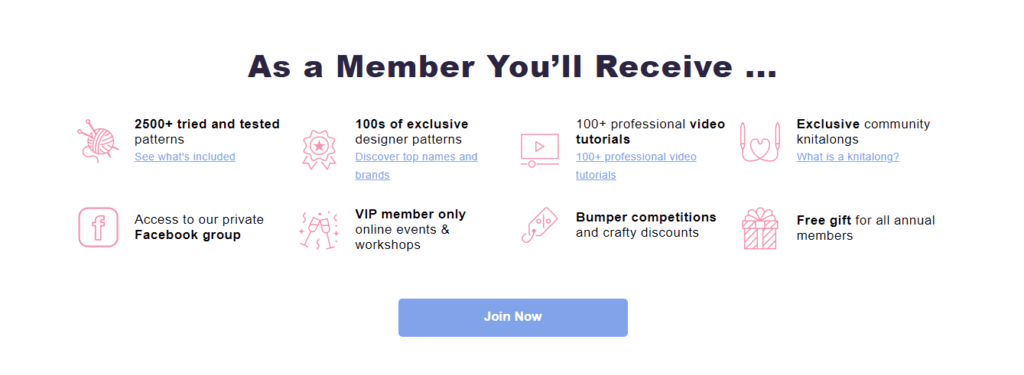
Unlike standalone digital products, membership sites often contain multiple info products, tools, templates, and direct access to leading industry experts at an affordable monthly price, making them quite attractive to customers.
On the other hand, memberships enable content creators to earn a passive income, monetize their content, increase authority, and build a community-driven eLearning business that gains value with time.
What Does A Membership Site Offer?
A membership site can offer anything from exclusive articles and content to a combination of courses, tools, templates, live training, and members-only events.
However, most membership programs in the eLearning space contain one or more of the following content types.
– eBooks and downloadable PDF content.
– Training videos and how-tos.
– Online courses
– Case studies and behind-the-scenes content.
– Live training sessions.
– Live Q&A sessions via Zoom or other live streaming solutions.
– Past video recordings
– Templates and worksheets
– A dedicated member group or community to network, exchange ideas and ask questions.
– Mastermind calls
– Members-only articles
– Podcasts
– Virtual events
– Learning tracks leading to certification
Don’t be overwhelmed by this list because few membership sites offer everything together. So, if you’re just starting, focus on offering one or two of those resources, and add new content with time. For example, start with weekly or monthly live training sessions plus a member-only Slack or Facebook group.
Why Start A Membership Site? 4 Long-Term Benefits
Growing a membership program takes time, resources, and hard work. But once you pull it off, it offers numerous immediate and long-term benefits to your business.
Easier To Sell Than High-Ticket Offers
Membership sites are usually more affordable than standalone courses and high-ticket training programs, making them attractive for customers interested in your content.
A recent survey shows over 73% of eLearning membership programs charge less than $50 per month.
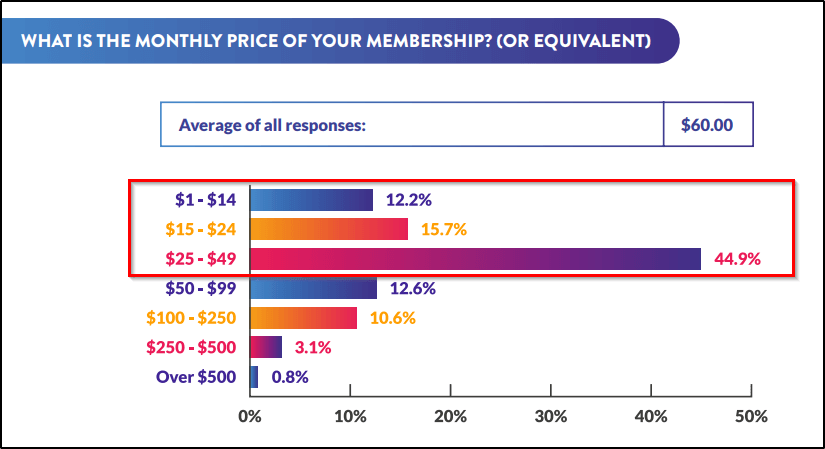
You can easily attract customers at these price points and give them a taste of your premium content, paving the path for high-ticket sales in the future.
Adds Recurring Passive Income To Your Business
A membership site is an excellent passive income source that helps diversify your business, reduce risk, and free up time. In addition, you can use it to generate a monthly recurring income that grows with your subscriber base.
For example, Bushra Azhar’s Persuasion Hacks Lab started as a small members-only Facebook group priced at $39 per month. But with time, it grew to over a thousand members, bringing in thousands of dollars every month.

You can also increase your membership price as your program grows, becomes more valuable, and attracts more customers. So, for example, if you have a group of 300 paying customers, raising your subscription fee by just $10 would increase your monthly revenue by $3000.
Grows Your Influence And Brand Authority
A membership site is among the best ways to position yourself as an authority in your niche because it’s a dedicated community of people who pay you every month to listen to your advice, consume your content, and seek your validation for their projects.
It positions you as a mentor, teacher, and consultant and opens new ways to monetize your influence. In addition, you can grow your network by interacting with your subscribers, knowing new people, and building new connections.
Increases Your Content’s ROI
A membership site allows you to drive more revenue from each piece of content, turning it into a long-term business asset. For example, instead of holding one-off live sessions only, you can add the session recordings to your member’s areas where your subscribers can access them at their convenience.
Similarly, keep adding new articles, eBooks, templates, and any other relevant resources to your membership to increase its value and offer more content to your subscribers in one place.
As your content-gated content library grows, you can organize it for easier consumption and develop learning tracks to help your members reach specific outcomes.
Types Of Membership Site Models
Your membership site’s structure depends primarily on two things.
- Its pricing model
- Its content delivery model
In one of our previous articles, we’ve discussed membership pricing models in great detail. But let me give you a quick reminder.
When pricing a membership site, you can go for:
- The freemium model in which the members can sign up with just their email addresses and access content without paying a fee
- The premium model, where the members pay a monthly, quarterly, or annual membership fee
- The hybrid model is where the members can register and access some of your content for free but must upgrade to a premium subscription for specific resources.
But let’s talk about the different content delivery models you can use with these pricing strategies.
The Drip Content Model
In the drip content model, subscribers don’t get access to all the premium content at once. Instead, you deliver content in batches by unlocking new modules every month or when a subscriber completes a prerequisite. This is a popular model for membership sites that offer modular online courses and workshops.
For example, 10x Freelancer, a premium subscription program by CopyHackers, follows the drip content model.
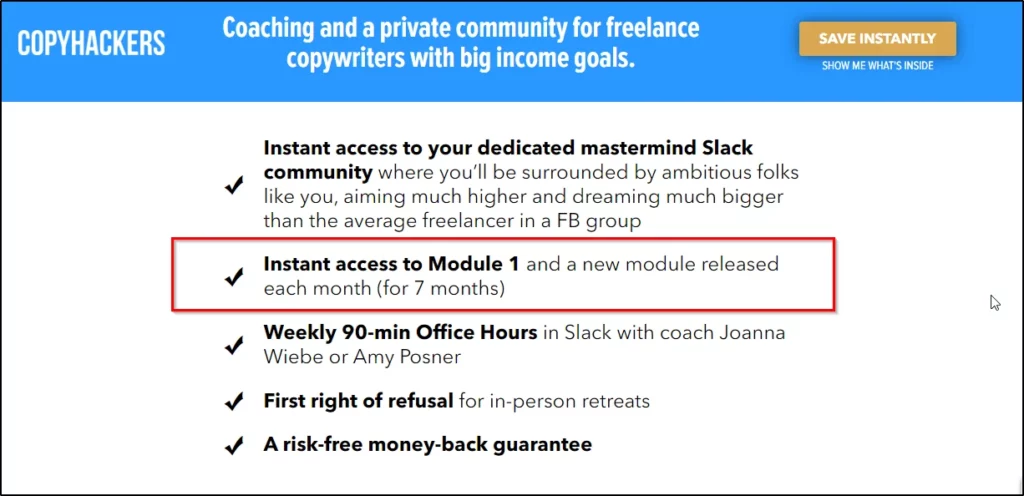
It’s a grand course spread over eight modules, unlocked one by one every month. The members can only access the modules they’ve qualified for, which means they need to stay subscribed for at least eight months to access the entire course.
This model is perfect for long and complex online courses, allowing members to consume each lesson before moving on to the next one. Plus, it helps you increase your average customer lifetime value by keeping them subscribed till they can access all the content.
However, it only works when you have enough content to serve your members. But if you don’t have much content, the following model might suit you better.
The Continual Content Model
In the continual content model, you start your subscription program with limited content but add new stuff regularly. The anticipation for new content keeps your subscribers loyal to your program while giving you the space to build your content library as you go.
This model is ideal when your content is not yet in the form of a proper online course but is still valuable to your audience. It’s also a suitable model for evergreen niches with constant demand for new content.
For example, here’s a membership program that delivers a new recipe eBook to its members every month.

According to its landing page, this program is priced at $12.5 per month and has over 1100 members. That’s almost $14K per month just from sending recipe eBooks. That’s the power of growing a loyal subscriber base.
News websites offering new members-only content are also a prime example of the continual subscription model.
The All-Access Model
The all-access model allows members to dive straight into its content archives without any limits. As soon as members join the program, they get access to all the premium content without delays. This contrasts the drip model, where the content is released periodically.
Digital Marketer Lab is a classic example of this subscription model.

It gives members instant access to dozens of courses, certification programs, event recordings, and a vibrant online community of digital marketers.
Membership sites following this model have a perceived value and easily attract members based on the content volume. However, subscribers can struggle to fully benefit from such programs because too much content is often overwhelming.
The Community Model
Sometimes all you need to attract subscribers is a valuable online community where they can interact with experts, pick their brains when they want, and freely exchange ideas.
This is why most subscription plans offering online courses and other resources include dedicated community access to their plans.
But if you’ve built a high-profile community, you can offer it as a standalone subscription program because people value access to experts.
Traffic Think Tank, a million-dollar online community, is an excellent example of this model.

It’s a group of seasoned SEO professionals from companies like HubSpot, Shopify, Moz, and Google where marketers can exchange ideas, discuss strategies, collaborate, and network.
It started as a simple discussion group but later evolved into a full-scale Slack community with hundreds of members and a dedicated library of exclusive SEO content.
The Fix-Term Model
The fix-term model is a time-sensitive membership that expires after a specific duration. Unlike memberships that keep you subscribed as long as you pay, fixed-term memberships force members to take action and consume content within the limited membership duration.
The 90-Day Content Challenge is an example of this model.

Thought Capital’s 90-day program for CEOs and entrepreneurs is another great example.

Both these programs offer resources and mentorship along with assignments and targets members need to meet within 90 days.
Use this model if you have a practical roadmap for your members or if you believe you have time-sensitive information that members need to implement asap.
The Best Membership Site Examples Built On Different Platforms [2025]
If you’re struggling to start a membership site despite having the necessary resources and content, you’re probably facing one of the following problems.
- You can’t decide which membership site platform to use.
- You’re struggling to imagine what your membership site should look like (its content model, membership mode, subscription tiers, etc.)
If that’s the case, learning from successful membership websites is an easy way to solve both problems.
Here are some of the best membership site examples to get your creative juices flowing and help you understand the success factors in this business model.
To make these examples more valuable, we’ll do the following:
- Share examples for six of the best membership platforms, including Squarespace, Wix, WordPress, Thinkific, Kajabi, and Teachable.
- Highlight membership sites using different content delivery models.
Let’s dive in.
The Best Squarespace Membership Site Examples
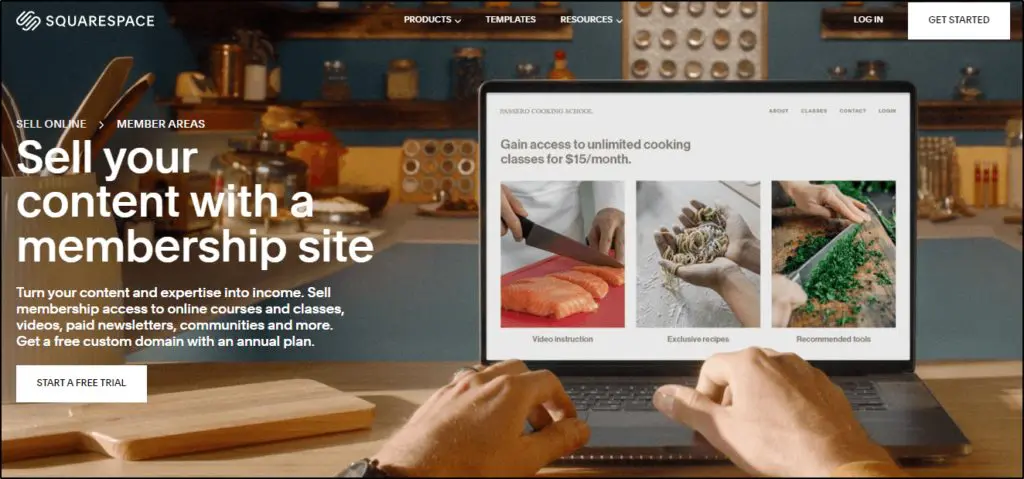
Squarespace is a world-class content management system (CMS) and website-building platform that allows you to create fully-responsive and multi-purpose websites without any coding skills.
Squarespace Member Area is a dedicated add-on for creating membership sites and subscription services. You can use it to create gated content, host video training, manage membership tiers, process payments, and offer an A-class membership experience to your customers.
Squarespace’s user-friendliness is among the top reasons why creative professionals and non-technical users prefer it for building their membership programs.
Here’s what you can do with Squarespace memberships.
- Sell premium gated content
- Host online courses
- Build a community
- Launch paid newsletters
- Offer membership tiers
- Accepted member payments
- Upsell and cross-sell membership packages and add-ons
Here are a few Squarespace membership site examples to inspire you.

Squarespace Membership Site Example #1: Vocal Kinesthetics

Kimberly Moller is a professional singer and certified voice trainer helping aspiring vocalists improve their skills. She uses Squarespace to host her website and manage her premium membership program called Vocal Kinesthetics.
She uses Squarespace for website design, hosting, membership landing pages, and payment processing.
Her membership program consists of a combination of fortnightly live one-on-one sessions, private community access, recorded lectures, and member-only events.
Squarespace Membership Site Example #2: Kanda Yoga School

Kanda Yoga School is Alison Smith’s membership program offering various yoga and meditation courses. It is built entirely with Squarespace Member Area and has everything you need for a successful membership site.
For example, it has an eye-catching homepage with different sections explaining the core offer. Then there’s a dedicated course section on the homepage giving the visitors a preview of all the courses on offer.
The site offers multiple membership plans and tiers, including free and trial memberships. As members, Kanda School students can access online courses, one-on-one coaching, archive content, resources, and an exclusive member group.
Squarespace Membership Site Example #3: Yellow

Yellow is a vibrant community of current and aspiring female entrepreneurs helping each other to grow together. It offers multiple subscription plans to help women set up businesses, improve communication, master strategy, learn marketing, and grow as business owners.
Yellow’s members get access to hundreds of hours of video recordings, including interviews with hugely successful female entrepreneurs. They also get one-on-one coaching with experts, templates and documentation support, weekly Q&A office hours, member-only community access, and multiple online courses covering different aspects of entrepreneurship.
Members can choose from three subscription plans offering different levels of information access. All of this is built and managed with Squarespace.
The Best Wix Membership Site Examples
Wix is another leading website hosting and management platform that allows you to create modern, responsive, and multi-purpose websites for personal and business use. You can use it to set up various types of memberships, subscription services, and online communities.
Apart from Wix’s default membership features, it comes with several apps for adding different types of member areas to your website, allowing you to serve gated content and charge members a recurring fee.
In addition, it seamlessly integrates with several third-party membership plugins, tools, and solutions, allowing you to build advanced membership sites easily.
Here’s a quick list of things you can do with Wix membership sites.
- Create dedicated membership sites with sign-up and check-out pages
- Turn any section of your site into gated content
- Allow members to create profiles
- Share files with members
- Serve multimedia content such as video courses, audio files, and text
- Create member-only discussion forums, groups, and communities
- Offer membership tiers and multiple subscription plans
- Sell online courses, one-on-one coaching, live content, and other types of digital products
Let’s examine a few active Wix membership site examples to better understand its offerings.

Wix Membership Site Example #1: HERoines

HERoines is a membership program for women of all ages to feel at home, discuss their issues, and help each other resolve personal and professional challenges.
It is primarily a community-based membership program that offers access to member forums and discussion groups. In addition, the members get special discount offers on different products and services and invitations for member-only events.
HERoines also includes mentorship programs, virtual challenges, and exclusive member meetups.
The program is entirely built using Wix’s membership features. It uses various Wix Apps like forums and groups and integrates with payment processors to manage monthly member payments.
Wix Membership Site Example #2: Elevated

Elevated is dedicated to the well-being of teachers and educators and helps them excel in their personal and professional life through dialogue, mentorship, and network support.
Its membership programs offer one-on-one coaching, online courses, mentorship, and community groups.
It uses Wix for website design, landing pages, and checkout pages. But the membership features are managed by integrating Wix with MemberSpace, a dedicated membership platform.
The Best WordPress Membership Site Examples
WordPress is the world’s most popular content management system (CMS), powering 43.2% of all websites on the internet. WordPress’s flexibility allows you to turn it into any type of eLearning platform or membership site.
This is why some of the world’s best online universities, online course platforms, and membership programs use WordPress.
Although WordPress is not a membership platform, you can turn it into a world-class eLearning platform using the right membership plugins, such as MemberPress, LearnDash, LifterLMS, or AccessAlly. Using any of these plugins, you can create membership sites of all sizes offering any feature you want.
Let me show you a few WordPress membership site examples to help you understand what’s possible on this platform.

WordPress Membership Site Example #1: CopySchool

CopySchool has been a top copywriting membership program for several years with hundreds of students around the globe. Built using AccessAlly, a learning WordPress LMS plugin, CopySchool is an excellent example of what’s possible with WordPress.
It’s not a simple membership community or an online course. Instead, it comprises over a dozen premium training programs with numerous modules and video/audio lessons. In addition, most lessons come with PDFs, checklists, and supporting files users can download.
Overall, it is a classic example of a high-ticket membership program that includes all kinds of content and membership perks.
And it is created entirely on WordPress.
WordPress Membership Site Example #2: CopyBlogger Academy

CopyBlogger is among the oldest copywriting and content marketing websites. CopyBlogger Academy’s premium membership program offers annual subscription plans containing hundreds of video training sessions, eBooks, downloadable resources, and one-on-one-on sessions.
It uses WordPress for its website, landing pages, internal membership pages, and all other stages of its marketing funnel. Since WordPress easily integrates with most marketing and eLearning tools, site owners can add any advanced features their standard LMS plugins don’t offer.
WordPress Membership Site Example #3: Nerd Fitness Prime

Nerd Fitness is one of the world’s biggest online communities in the weight loss and fitness industry. With hundreds of thousands of members, Nerd Fitness runs an ultimate membership program that helps people achieve their fitness goals, stay motivated during weight loss, and build priceless relationships.
Nerd Fitness Prime, its flagship membership program, comes with hundreds of training videos, success stories, case studies, interviews, checklists, templates, resources, and a vibrant online forum for its members.
All of this is created on WordPress using different membership plugins, tools, and third-party integrations.
The Best Kajabi Membership Site Examples
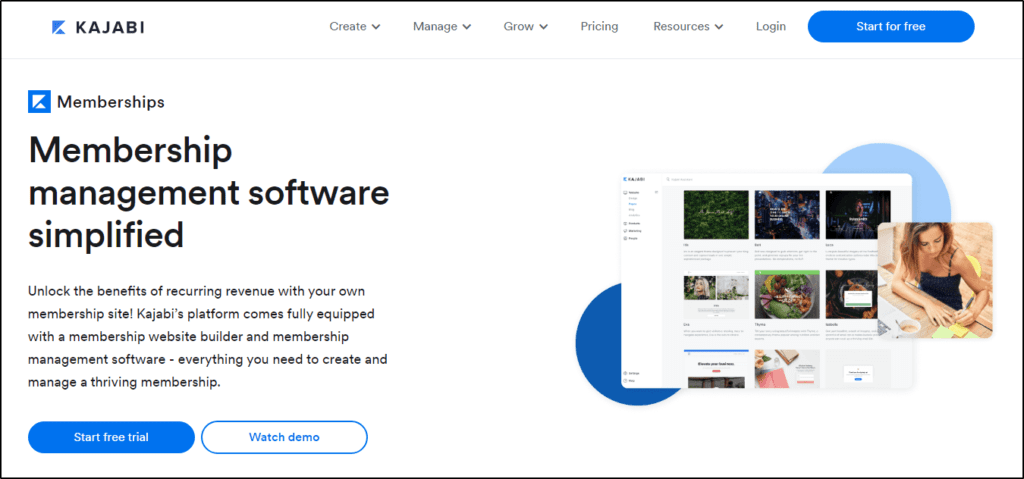
Kajabi is an all-in-one eLearning platform ideal for selling online courses, membership programs, and online communities. It is a one-window solution for creating, managing, and marketing membership programs of any size.
Kajabi is packed with outstanding eLearning features and drag & drop options perfect for non-technical users looking to monetize their expertise with memberships.
For example, you can use Kajabi’s page builder to create landing pages for your membership program. Its content builder helps you create lessons with audio, video, and text content and allows you to publish them as modular courses.
In addition, Kajabi comes with sales funnels and email marketing features to help you engage your subscribers and increase your content consumption.
And finally, Kajabi integrates with several payment gateways and allows you to offer flat and recurring payments easily.
Overall, if you’re looking for a user-friendly membership platform for your site, Kajabi is worth checking out.
Here are a few Kajabi membership site examples to show you what it’s capable of.
Read our full review of Kajabi to learn more.

Kajabi Membership Site Example #1: Denisedt

Denise Duffield Thomas is a well-known mindset coach and author on entrepreneurship. She runs a community of thousands of successful and aspiring entrepreneurs looking for mindset help and ways to grow their businesses.
With Kajabi, she’s created an eye-catching website and a high-converting long-form sales page to turn her website visitors into leads and customers. In addition, she uses Kajabi’s online course features to sell hundreds of hours of video training programs, PDFs, eBooks, checklists, and various other resources.
Her membership plans also include an exclusive member-only community to encourage idea exchange and networking between members.
Kajabi Membership Site Example #2: AllasYummyFood
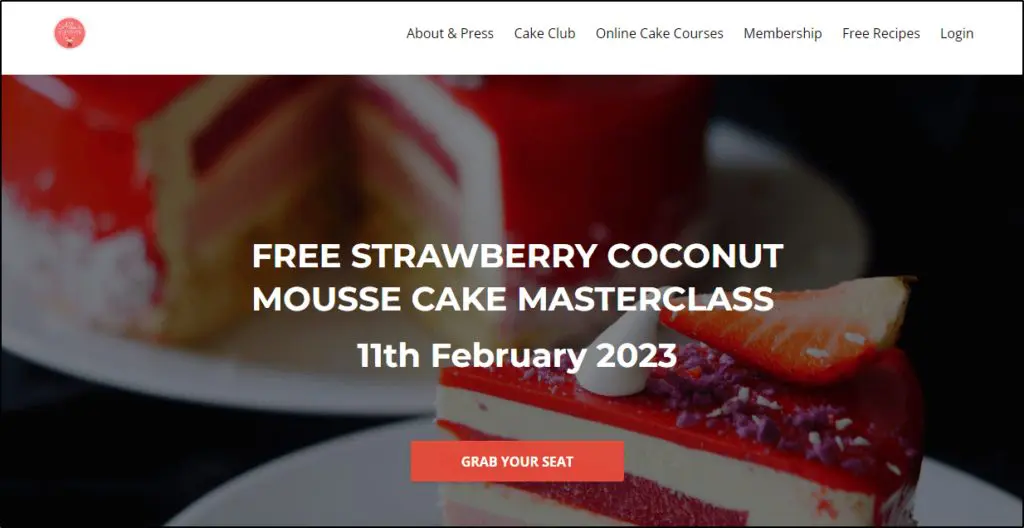
Alla, a professional chef, runs a successful membership site containing thousands of breakfast, lunch, and dinner recipes. Apart from Alla’s membership program, she has created her main website, blog, and landing pages using Kajabi.
She offers three subscription plans containing hundreds of recipe videos, eBooks, downloadable resources, and live cooking classes. In addition, higher-tier members can also access a member community to exchange ideas, get help, and grow together.
Members can pay a monthly fee or get additional discounts by choosing the annual subscription.
Thanks to Kajabi, Alla didn’t have to use a dozen tools to create this membership site. Instead, she made everything from her website and membership program to email sequences and member groups using Kajabi’s all-in-one eLearning features.
Kajabi Membership Site Example #3: Brian Dixon Academy

Brian Dixon’s academy is another excellent example of what is possible with Kajabi’s membership features. He has created everything from his site’s homepage, lead magnets, and blog to landing pages, member area, and course content in Kajabi.
His Academy offers multiple subscription plans for aspiring online marketers and entrepreneurs. Members can access a dedicated membership community, training videos, and numerous helpful resources.
Brian also uses Kajabi’s email marketing features to generate leads, attract subscribers, and deliver automated email sequences.
This one-stop marketing solution is precisely why many non-technical users prefer Kajabi for their membership programs.
The Best Thinkific Membership Site Examples
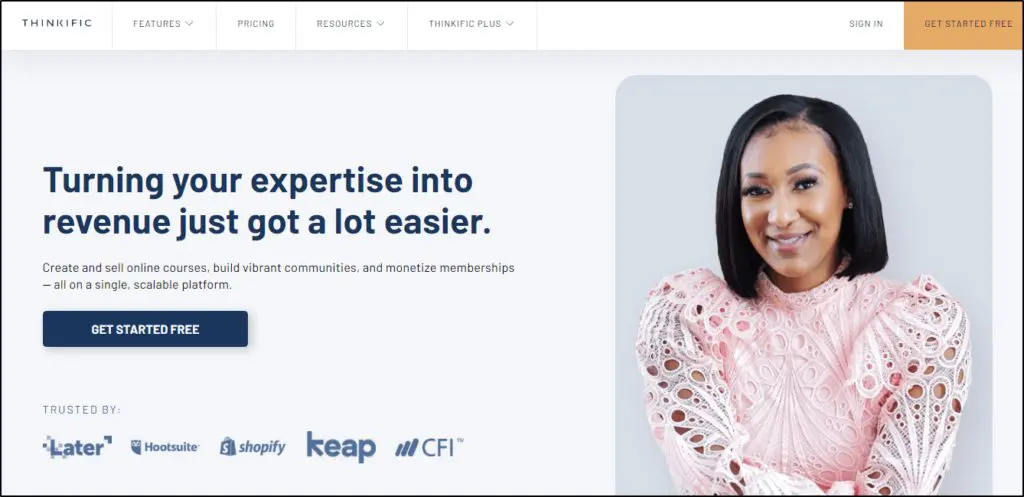
Thinkific is among the most popular platforms for creating, managing, and selling online courses, membership sites, and eLearning programs.
Its biggest strengths are ease of use and advanced content creation features using which anyone can monetize their knowledge and sell digital products.
Thinkific also offers members, subscriptions, and community-building features allowing knowledge entrepreneurs to turn their online course business into a full-fledged membership program.
Thinkific’s student engagement features, like quizzes, assignments, and completion certificates, allow membership site owners to create a better learning experience. In addition, its drag & drop course and page builders help non-technical professionals quickly build courses and digital products without seeking outside help.
Here are a few Thinkific membership site examples to help you understand what it offers.

Thinkific Membership Site Example #1: Rachel’s English Academy

Rachel’s English Academy is a membership site helping people speak English like Americans. It is a comprehensive language program targeting non-natives looking to improve their English-speaking skills and grow in the US market.
Built on Thinkific, this membership site has a long-form sales page as its homepage, listing its key deliverables and features.
The program owner, Rachel, offers two subscription plans with monthly and annual billing options. The core membership offer includes live classes, mentorship, one-on-one coaching, numerous recorded lectures, activities, exercises, and community access.
It uses Thinkific online course creation features to deliver video lectures, eBooks, files, and other resources. In addition, its courses include assignments and tests to evaluate student performance.
Overall, Rachel’s Academy offers a premium eLearning experience where students can use self-learning and mentorship to improve their language skills.
Thinkific Membership Site Example #2: Peak Freelance
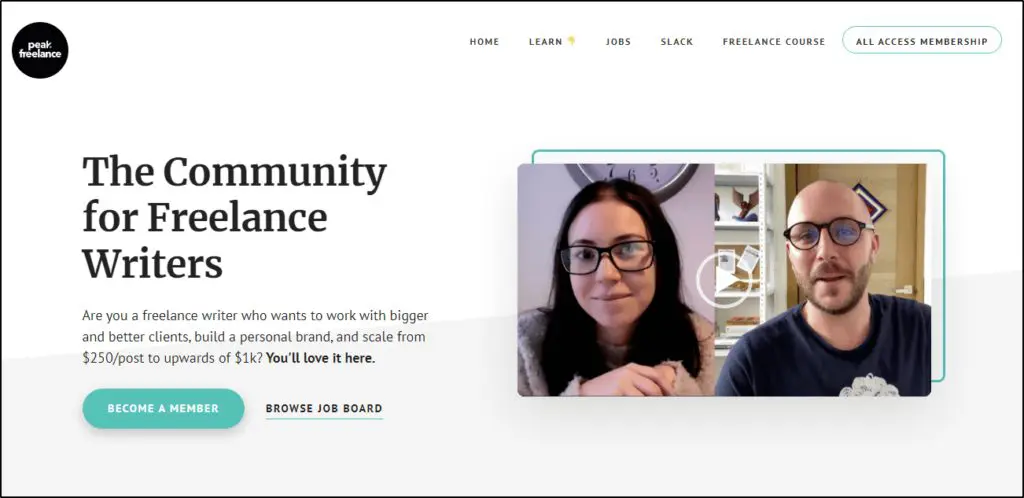
Peak Freelance is an awesome membership community helping professional freelance writers become more confident professionals, improve their writing skills, and find better work opportunities.
Established by Elise and Michael, Peak Freelance has helped thousands of aspiring and established writers grow their businesses and professional networks.
But it started as a simple blog and free community. But as their members grew, the Peak Freelance team moved to Thinkific to offer a more structured learning experience.
Peak Freelance uses Thinkific for its membership area, where the members can access live training, recorded videos, and a discussion forum. Thinkific has also enabled Peak Freelance founders to offer their customers monthly and annual payment plans.
Thinkific Membership Site Example #3: KeyToPictures

Key to Pictures Academy is a membership program by seasoned photographer Katie Evans offering beginner to advanced-level training in professional photography.
It covers everything from photography gear and camera settings to lighting and composition. In addition, it includes a dedicated model for establishing a photography business and branding your services to get better clients.
Hosted on Thinkific, this membership program consists of online courses, mentorship, one-on-one sessions, quizzes, assignments, and a dedicated community.
It is based entirely on Thinkific and uses the platform for its homepage, landing pages, and course delivery sections.
The Best Teachable Membership Site Examples

Teachable is considered one of the best online course and membership platforms, helping hundreds of thousands of creative professionals monetize their skills and information.
It is a one-window solution for digital product sellers and eLearning professionals. For example, it allows you to create stunning course websites, landing pages, and marketing material. Plus, you can integrate it with different marketing tools, such as email popups and lead generation platforms, to convert visitors into subscribers.
Compared to Thinkific, Teachable is a more advanced eLearning platform designed for greater customization, more robust course creation and student management features, and a wider range of audience-building features ideal for established businesses and marketers.
This is why many established, and well-known e-learning companies in different niches trust Teachable for selling online courses and memberships.

Teachable Membership Site Example #1: UI Dev

UI.Dev is a multi-million-dollar membership program that has helped hundreds of thousands of computer science students and IT professionals learn Javascript.
It is a premium membership program covering all aspects of the Javascript ecosystem and helping students go from complete beginners to advanced users.
And it is entirely built on Teachable.
UI. Dev uses Teachable for its website, landing pages, and delivering membership content. Inside, the members can access dozens of hours of recorded lectures, tailored learning tracks, personalized support, and numerous resources and practical exercises for learning Javascript.
It is the perfect advertisement for Teachable and gives you a fair idea of what’s possible with this membership platform.
Teachable Membership Site Example #2: Learning Photoshop
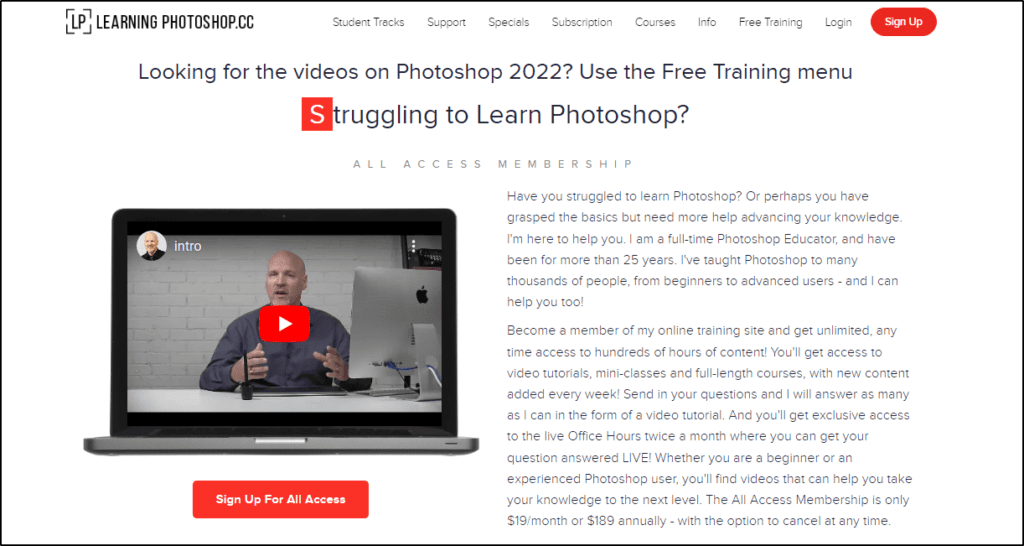
Learning Photoshop is an exclusive membership program by Dave Cross, a seasoned graphic designer and Photoshop expert who has worked with some of the world’s biggest tech organizations.
It offers new weekly videos, access to video tutorial archives, live Q&A sessions, in-depth courses, and a private members group. To make all the information more user-friendly, the program offers dedicated learning tracks to help students achieve specific goals.
Using Teachable page builder, Dave has created the homepage, sign-up page, and members area of his program. In addition, his students can opt into monthly or annual subscriptions to access the member area.
Teachable Membership Site Example #3: Harmonica School

Harmonica School uses a delightful website design and engaging content to attract members for its membership program designed for harmonica enthusiasts and aspiring artists.
Created by Tomlin Leckie, a renowned harmonica artist who has trained nearly 200K students, Harmonica School offers video tutorials, live weekly Q&A sessions, and monthly live seminars on various aspects of playing and using a harmonica.
Using Teachable, Harmonica School offers students an annual subscription plan with a 14-day free trial to encourage sign-ups.
How To Build A Membership Site From Scratch
Building a membership site isn’t as complex as it used to be, thanks to the numerous tools, plugins, and platforms designed specifically for membership programs.
So, when starting a membership site, you can choose one of the following approaches.
Build A WordPress Membership Site
WordPress is the world’s most popular CMS for a reason. You can use it to create any kind of website, including memberships and gated content.
Here are the best WordPress plugins that will allow you to set up fully functional membership sites.
MemberPress
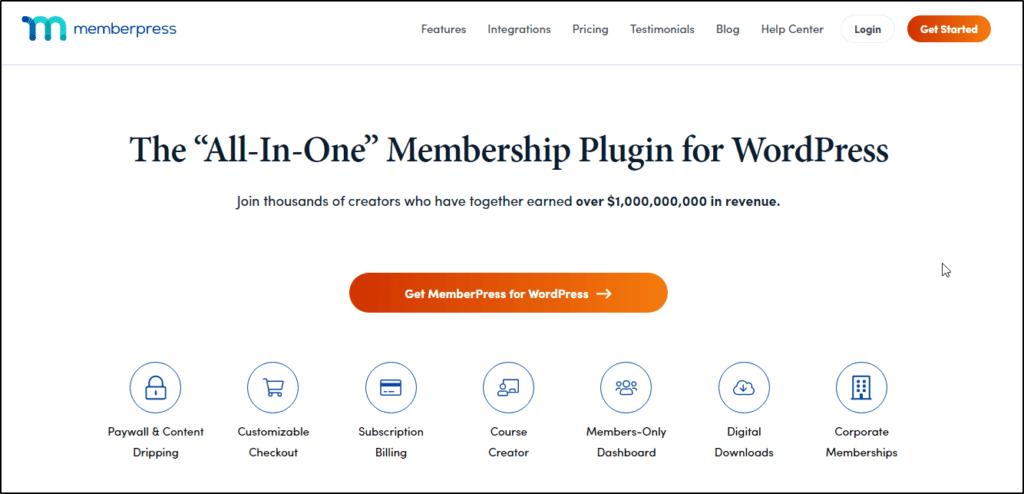
One of the best WordPress membership plugins that allows you to create different membership tiers, offer drip content, sell online courses, and use many other eLearning features to create a memorable membership experience.
Read our detailed MemberPress review for its features, pricing, use cases, and examples.

MemberSpace
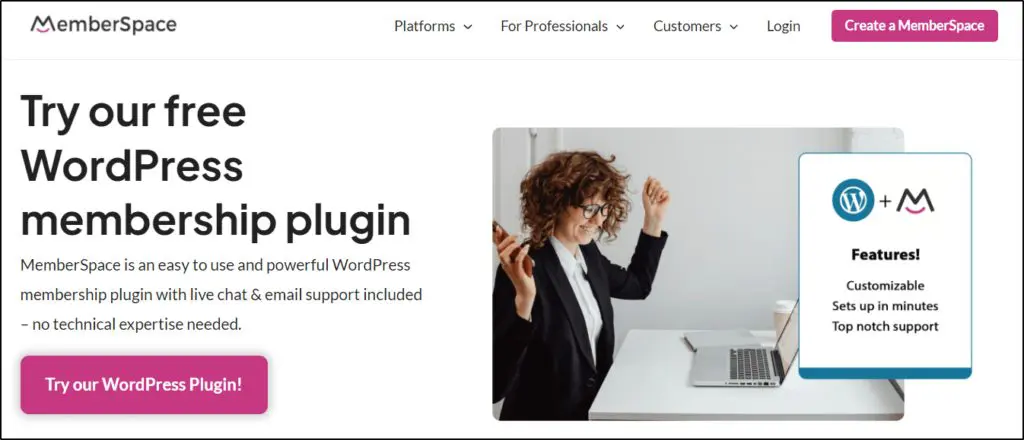
MemberSpace is a multipurpose WordPress membership plugin with all the core features you need to set up various types of membership sites.
Read our detailed MemberSpace review to learn more about it.

LearnDash

LearnDash is a top-rated WordPress learning management plugin that allows you to create membership programs, online courses, and engaging communities.
Read our detailed LearnDash review to learn more about it.

LifterLMS
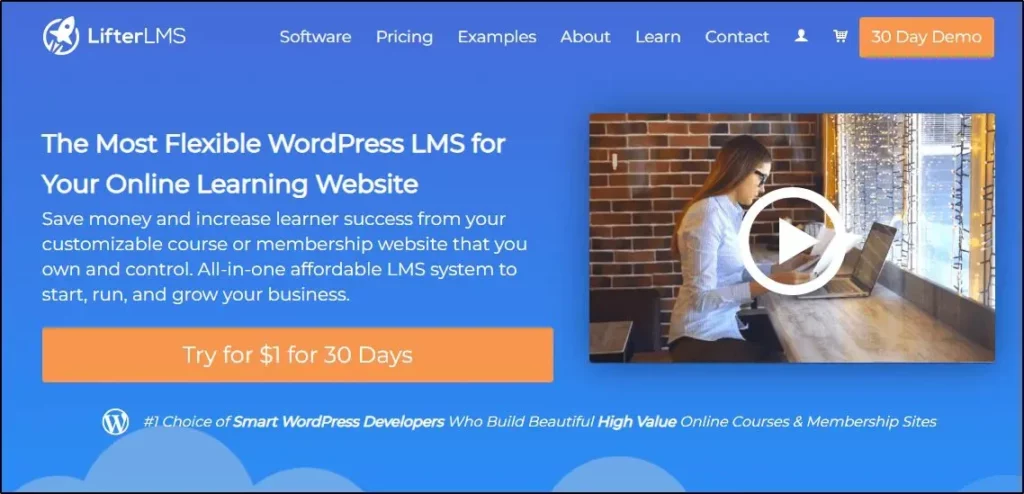
LifterLMS is among the most robust eLearning WordPress plugins with world-class membership and subscription features.
Read our LifterLMS review to learn more about it.

Use A Membership Platform
To avoid the hassle of setting up a WordPress membership site, you can use any of the following membership platforms explicitly designed for non-technical users.
Kajabi
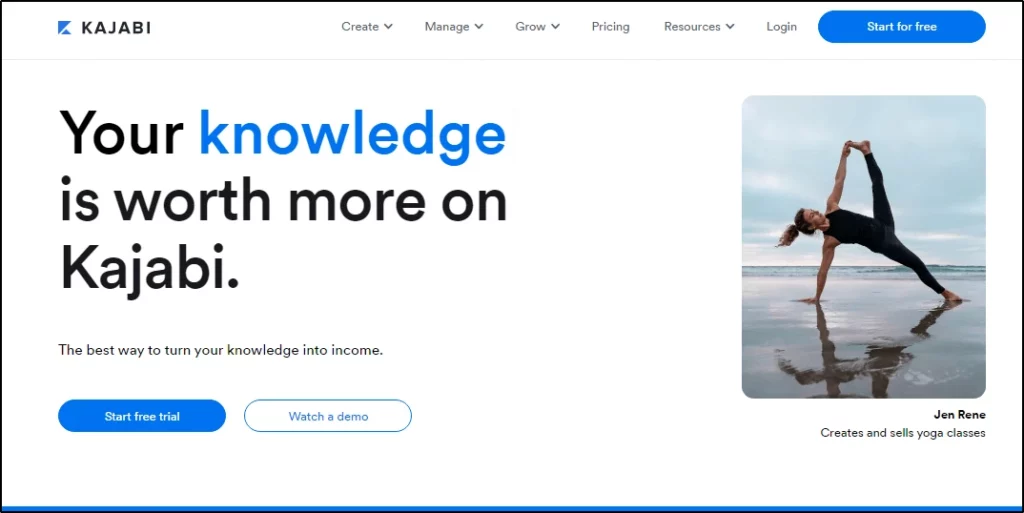
Kajabi is among the best online course and membership site platforms globally. It’s a one-stop solution offering everything from landing pages, membership tiers, drip content to quizzes, community-building tools, and email marketing features.
Read our detailed Kajabi review to learn more about it.
Thinkific
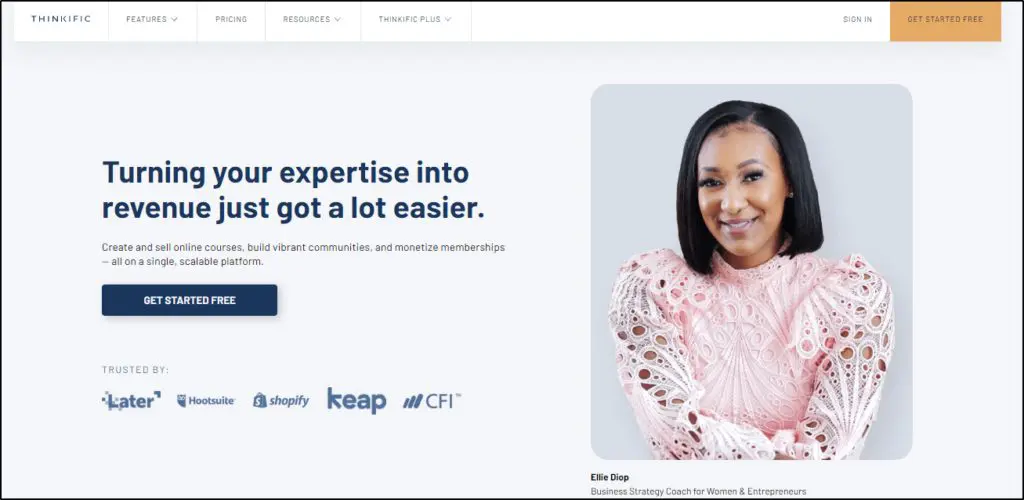
If you’re looking for a user-friendly membership platform that offers world-class subscription and online course creation tools, Thinkific is an excellent choice.
Read our detailed Thinkific review to learn more about it.
Podia

Podia offers excellent value for money and allows you to easily create, manage, and grow your membership business.
Read our detailed Podia review to learn more.

11 Tips For Growing A Profitable Membership Site
Thanks to modern membership tools and platforms, starting a membership site is pretty straightforward. However, growing a profitable membership business requires consistency, patience, and a well thought out strategy.
Here are a few tips to help you succeed.
1. Offer Immense Value
You can’t grow a successful membership program without blowing away your members with valuable content. The more value you offer, the faster your subscriber base grows.
But how do you define value? What does providing value even mean?
It means that you answer the questions, solve the problems, and simplify the challenges of your customers. In other words, give them what they came for, make their lives easier, and help them achieve the transformation they’re looking for.
Every piece of content you create, every session you host, or every template you upload should solve a problem and help your members move forward.
The more consistently you do that, the longer your members stay.
So, before starting a membership program, ask yourself what you want your program to be known for. How do people remember it?
Is it just going to be another collection of helpful resources? Or a transformational community that helps your members 10x their results?
Aim for the latter, and no one will ever question your membership’s worth.
2. Attract Members With $1 Trials
You don’t want freebie hunters in your group because no matter what you do, they won’t buy. So, to attract genuine customers and people ready to spend money on the right information, offer $1 trials of your group memberships.
College Success Formula, a membership site for college students, uses this method to drive sales.
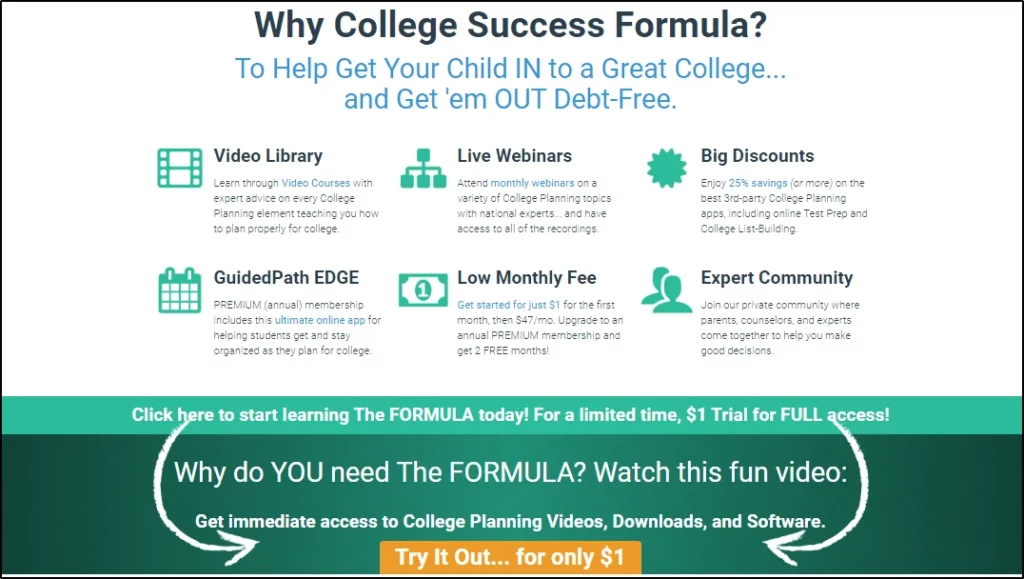
You can limit the trial to a week or a month, depending on the frequency of activity in your group. Once the trial period ends, the user is automatically charged and upgraded to full member status unless they opt out of it in time.
But if your content is the right fit for a trial user, they’re more likely to upgrade to full membership because they’ve already trusted you with their payment information.
3. Focus On Maximizing Customer Lifetime Value
Don’t be greedy in pricing your membership program because, in this business model, growth comes from maximizing customer lifetime value, not one-time sales.
Set an entry-level price that your members can pay every month without breaking the bank or questioning their membership ROI every month.
You can then increase your customer lifetime value in two ways.
- Retain members longer
- Drive more revenue with special events, members-only discount offers, and upsells.
The longer a member stays with you, the likelier they will purchase your add-ons and upsells and refer new members to your program.
So, think long-term and strike the right balance between profitability and convenience when pricing your membership.
4. Introduce A Founding Member Price
Introducing a founding member price is an excellent way to encourage quick sign-ups to a new membership program.
For example, you could introduce a regular price of $47/month for your membership program but offer it at a 70% discount for the first ten members, 60% for the next ten, and reduce the discount till you get the first 100 members.
The founding member tag incentivizes people to join early and attracts them with the associated discounts.
5. Introduce Membership Tiers
If you have enough content, consider offering multiple membership tiers. For example, you could have Silver, Gold, and Platinum memberships with different perks. But to make each tier unique, offer something drastically more valuable in each higher-priced plan.
This could be in the form of events and training for specific tiers, more personalized time, access to priority groups, or any other valuable incentive on top of your core membership offer.
6. Add A Slack Group To Your Membership Site
Irrespective of your membership site’s content delivery model, adding a dedicated members-only Slack group or community to the package makes it significantly more valuable.
Giving members the ability to interact, network, and share ideas adds a separate layer of value over your core membership[ program. So even when members don’t fully benefit from your core offer, the value they drive from your online community keeps them subscribed to your program.
7. Engage Members With Live Q&A Sessions
Delivering weekly, fortnightly, or monthly live Q&A sessions for your members is a proven way to retain members longer and keep them engaged with your course content.
If you’re camera-shy or short on time, you can replace live video sessions with live chat Ask Me Anything (AMA) sessions where the members can drop their questions, and you can answer them whenever you get time.
For example, Joanna Wiebe, the founder of Copy School, holds “office hours” every week, where she answers the questions the members of her exclusive Slack community ask throughout the week.
It’s an excellent way to provide value to your members and help them make real progress.
8. Market Your Member Success Stories
As your members benefit from your content, make sure you tell the world about their success. This social proof is vital to your program’s growth and brand image.
To keep new success stories coming up, regularly ask members to share their weekly or monthly wins. Ask them to share how your content has helped them and share their story to market your program.
9. Give Prospects A Sneak Peek Into Member Activity
Trigger FOMO in non-members by sharing screenshots of anything valuable inside your membership program.
For example, if you hold a members-only live training, share screenshots on Twitter, Facebook, LinkedIn, and any other social networks your audience uses.
Show them the stuff that happens inside your membership, create anticipation, and make them regret their decision not to sign up for your program.
10. Open Memberships Once A Year
If you want people to value your membership program and accept any price point without blinking an eye, open it for a short period of time every year.
Make it an exclusive, time-sensitive membership program that only the people on your waiting list can join.
Once the membership window closes, use your program’s landing page to grow your waiting list. Keeping people waiting to join a program makes them want it more. Use this tendency to your advantage.
11. Recruit Affiliates To Attract New Members
If you’ve been running your membership program for a while and have loyal members who’ve benefited from your content, consider making them your affiliates.
Affiliates earn a commission for every sale they drive. But in return, they promote your program, spread the word about it in their circles of influence, and share their own success stories to persuade new members.
This has a far greater impact on your direct marketing tactics.
What Did You Learn From These Membership Site Examples?
There’s a lot to learn if you look closely.
For example, notice that most of these sites are run by non-technical users who’re experts in their domains but have little tech knowledge. Still, they’re able to run hugely profitable memberships thanks to these membership platforms.
So, what’s stopping you?
Another common success factor in these sites is the composition of their membership plans. Most of the established sites offer a combination of recorded and live content, plus exclusive membership communities. So, if you’re planning a membership program, remember this.
And finally, most memberships offer both annual and monthly subscriptions. Yearly or quarterly memberships guarantee that members will stay longer in your program, which is critical for your program’s growth and worth doing even if you have to offer discounts.
What else did you learn from these membership site examples? I’d love to know in the comments section.

ABOUT YOUR HOST
Learning Revolution founder Jeff Cobb is an expert in online education and the business of adult lifelong learning. Over the past 20+ years he has built a thriving career based on that expertise – as an entrepreneur, a consultant, an author, and a speaker. Learning Revolution is a place where Jeff curates tips, insights, and resources to help you build a thriving expertise-based business.
Table of Contents
Related Posts
10 Unique Membership Site Ideas To Monetize Your Passion (2025)
15 Ways to Promote a Membership Site