
Note: This page contains affiliate links. If you purchase through links on this page, we may earn a commission at no additional cost to you.
TL;DR — Best Live Streaming Equipment Setup (2026)
Live streaming continues to be a powerful way for educators, course creators, and professionals to engage audiences, build authority, and grow their business in real time. With the right equipment, you can deliver high-quality streams that feel professional without overspending.
Why live streaming matters for educators and course creators
– Builds deeper audience trust through real-time interaction.
– Strengthens your brand and positions you as an expert.
– Creates direct pathways to sell courses, workshops, and coaching.
Recommended Live Streaming Equipment
For Beginners – Affordable & Easy to Start With: Perfect for creators who are just getting into live streaming and want good quality without complexity or high cost.
Smartphone Camera (iPhone / Samsung Galaxy S series) – Excellent video quality on the go; can stream directly or be used as a dedicated camera.
Logitech Brio Webcam – 4K HD webcam ideal for webinars, online classes, or desktop streaming with built-in mics and auto-adjust features.
Boya BY-M1 Lavalier Mic – Budget-friendly collar mic that significantly improves audio vs. built-ins.
StreamYard – Browser-based, beginner-friendly tool with multi-platform streaming and engagement features.
Neewer Ring Light Kit – Simple and effective ring light to boost indoor lighting.
Elgato Green Screen – Affordable way to customize live backgrounds.
2. For Intermediate Streamers – Better Quality & More Control: For creators who stream regularly and want clearer visuals, stronger audio, and more flexibility.
Elgato Facecam Pro – 4K60 webcam with low latency and clean visuals; ideal upgrade from basic webcams.
Rode Wireless GO II – Compact wireless mic system; ideal if you move around or want cleaner audio without cables.
Blue Yeti USB Mic – Easy USB mic with multiple pickup patterns; great for talking head streams and moderate budgets.
Restream – Multi-platform live streaming to dozens of destinations at once (great for multi-audience reach).
Elgato Key Lights – Professional LED lighting with app controls and adjustable brightness/color.
AI-Powered Virtual Backgrounds (NVIDIA Broadcast, XSplit VCam) – Removes the need for a physical green screen with real-time background replacement.
3. For Expert Streamers – Professional & Broadcast-Ready: For professional streamers, broadcasters, and creators who want top-tier visuals, audio control, and advanced production quality.
Sony PXW-Z90 Camcorder – Professional 4K camcorder with advanced features and built-in Wi-Fi.
Panasonic AG-CX350 – Heavy-duty streaming camcorder with 20× zoom and UHD recording.
Sennheiser MKE 600 – Pro shotgun mic for crisp directional audio in studio and field.
Rodecaster Pro II – Integrated audio production station for multi-mic conversations and full audio control.
Wirecast – High-end live production software for large events with unlimited sources and advanced effects.
Raleno LED Panels – Powerful professional LED panels with stands for complete studio environments. Accessories
Did you know that last year, people watched 43 years’ worth of live-stream content every single minute?
As an online course creator and eLearning professional, you should be leveraging live streaming to grow your influence and build a loyal audience around your brand.
Thankfully, anyone with a smartphone can become a live streamer on YouTube, Facebook, or any other video platform. But if you want to engage your audience with high-quality video and audio, you must invest in professional live-streaming equipment.
But with so many different brands and products, it’s hard for beginners – and even experienced streamers – to decide what to buy.
So in this article, I’ll mainly answer two questions about live-streaming equipment.
- The different equipment types you need to live-stream your content.
- The best live-streaming products for beginners, hobbyists, and professionals.
I’ll briefly describe the various products and help you determine if they fit your live-streaming needs.
Let’s dive in.
My Top Live Streaming Equipment Recommendations
Before I discuss my favorite live streaming equipment in detail, here’s a quick list of the tools I recommend depending on your skill level and budget.
| Skill Level | Category | Recommended Equipment | Notes / Use Case |
|---|---|---|---|
| Beginner | Cameras | Smartphone (iPhone 15 Pro / Samsung Galaxy S24 Ultra) | Excellent video for mobile or starter streaming |
| Logitech Brio Webcam | 4K HD webcam with auto-adjustment | ||
| Audio | Boya BY-M1 Lavalier Mic | Budget collar mic for clearer audio | |
| Blue Yeti USB Mic | Easy USB mic with multiple pickup patterns | ||
| Streaming Software | OBS (Open Broadcaster Software) | Free desktop broadcasting tool | |
| StreamYard | Browser-based beginner streaming | ||
| Lighting | Neewer Ring Light Kit | Simple indoor lighting improvement | |
| Accessories | Elgato Green Screen | Supports custom background effects | |
| Glide Gear TMP100 Teleprompter | Helps with scripted live streaming | ||
| Intermediate | Cameras | Elgato Facecam Pro | 4K60 webcam with low latency |
| Canon VIXIA HF R800 | Entry-level camcorder with 1080p60 | ||
| Audio | Rode Wireless GO II | Compact wireless mic system | |
| Blue Yeti USB Mic | Continued strong choice | ||
| Streaming Software | StreamYard | Multi-platform friendly | |
| Restream | Multi-destination streaming | ||
| Lighting | Elgato Key Lights | Adjustable LED panel lighting | |
| Accessories | AI-Powered Virtual Backgrounds (NVIDIA Broadcast, XSplit VCam, etc.) | Real-time background replacement | |
| Expert | Cameras | Sony Alpha a6700 | Pro mirrorless camera with live support |
| Sony PXW-Z90 Camcorder | High-end 4K camcorder | ||
| Panasonic AG-CX350 | Professional camcorder with wide zoom | ||
| Audio | Sennheiser MKE 600 | Professional shotgun mic | |
| Rodecaster Pro II | Integrated audio production system | ||
| Streaming Software / Encoders | Wirecast | Advanced live production software | |
| Restream (advanced workflows) | Professional multi-platform broadcasting | ||
| Lighting | Raleno LED Panels | Studio-level LED lighting kit | |
| Accessories | Pro-level teleprompters and rig setups | For multi-camera scripted productions |
To make it simpler…….
| Goal | Best Starting Setup |
|---|---|
| Just beginning | Smartphone + Boya BY-M1 + Neewer Ring Light + StreamYard |
| Regular weekly streams | Elgato Facecam Pro + Rode Wireless GO II + Restream + Elgato Key Lights |
| Professional broadcast | Sony PXW-Z90 + Sennheiser MKE 600 + Wirecast + Raleno LED Panels |
What Is A Live Video Streaming Equipment Setup?

Live streaming equipment is the set of devices you need to broadcast your content live on your website or different live streaming platforms.
The best live streaming equipment allows you to consistently create high-quality video streams with crisp sound and clear visuals, leaving a lasting impression on your audience.
But before discussing specific products and equipment, let me quickly give you an overview of what you need in order to start streaming.
The most obvious starting point is a PC or Mac with a stable and fast internet connection. Depending on your choice, both work fine and provide you with the software to process and stream live content. Of course, you can also use your smartphone for live streaming on the go.
But let’s talk about the more specific live-streaming equipment categories.
1. Video Cameras
Whether streaming from a studio or covering an outdoor event, you need a video camera to record the content. Broadly speaking, live-streaming video cameras can be divided into the following categories:
- Smartphone cameras: An iPhone or any other smartphone with a high-quality camera can capture HD videos for beginners and occasional live streamers. You can further enhance their result with better lighting and background.
- Webcams: Your laptop’s internal or external HD webcam is another affordable video camera option for live streaming indoor content like webinars and online classes. Webcams easily connect with your laptop and have built-in mics, making them an ideal choice for beginners and low-budget streamers.
- DSLR Cameras: If you want higher-quality results, DSLR cameras are an excellent mid-tier option providing you with sharp colors, better object focus, and crisp video. They come in various qualities and prices depending on your budget and streaming goals. However, you must use an encoder to live stream a DSLR video.
- Camcorders: These are professional cameras for capturing high-definition 4K videos and are ideal for extended live streams. Most camcorders have built-in microphones and enhanced image stabilization features for higher-quality video.
Some camcorders also have Wi-Fi, allowing you to connect directly to a computer or video streaming platform. Alternatively, you can connect a camcorder to your computer using an HDMI to USB adapter. In addition, you’ll need a software encoder to recognize and process its video for live streaming.
We’ll talk about specific video cameras later in the article.
2. Mics And Audio Devices
Your live stream’s audio quality is critical for audience engagement and viewing experience. So, you must carefully choose your mic and audio equipment. Like video cameras, live streaming mics come in different shapes and forms.
- Built-in mics: Smartphone and camera mics can help you capture clear audio indoors. However, they’re not ideal for recording audio in noisy outdoor shoots.
- 3.5mm And USB Collar mics: 3.5mm and USB collar mics are inexpensive for indoor and outdoor recording. You can connect them to your smartphone, computer, or external cameras to improve sound quality and reduce surrounding noise in recordings.
- XLR mics: These professional-grade mics offer the highest sound quality, advanced noise cancellation, and different sound pickup patterns depending on your live streaming needs. XLR mics are durable and ideal for both indoor and outdoor recording. They’re also the best option when you have multiple speakers in a conversation. XLR mics require an audio mixer to capture and process the sound and make it compatible with your computer or streaming device.
3. Streaming Software
You need streaming software on your computer to process the input from your audio and video devices and broadcast your content to multiple live streaming platforms. Many modern streaming software products are based in the cloud and accessible from any device with a web browser.
Apart from multi-streaming capabilities, these programs allow you to enhance your videos, edit content, modify the content appearance, control input devices like multiple cameras and mics, and use different audience engagement features during a stream.
If you’re streaming directly to a single platform like YouTube or Facebook, their built-in broadcast features are enough to handle your live stream.
Streaming software helps you convert your raw videos into presentable and professional streams with many audience engagement features and enhances your viewer’s experience.
4. Video Encoders
Video encoders are software applications or hardware devices that convert raw video from external cameras into digital formats suitable for transmission over the Internet.
You need an encoder to live stream your content unless you’re using a webcam or a smartphone for streaming.
Encoders compress raw video footage size without significantly downgrading the video quality. This lets you stream high-quality video from camcorders, DSLR cameras, and other external video sources without delays and interruptions.
Hardware encoders provide the highest-quality results and are ideal for large events with multiple cameras and audio sources. They can process large amounts of data and have dedicated streaming interfaces allowing you to broadcast your content directly.
However, software encoders are also quite handy and can easily cater to most live-streaming needs. They come with advanced video processing features and advanced capabilities such as adaptive bitrate streaming, which adjusts the video quality according to the viewer’s internet speed, reducing buffering time, eliminating delays, and ensuring a smooth viewing experience.
5. Lighting
Lighting impacts your video’s visibility and helps your viewers focus on the most critical subjects in your videos. Like other live video streaming equipment, lighting devices come in various shapes and forms.
For example, you’d need a different lighting setup for an outdoor shoot than an indoor recording. But for most online course creators, digital product sellers, or anyone recording indoors, ring lights and panel lights (in some cases) should suffice.
However, you’d need a combination of LED panels, backlights, and softbox lighting for more professional shoots to create the desired effects.
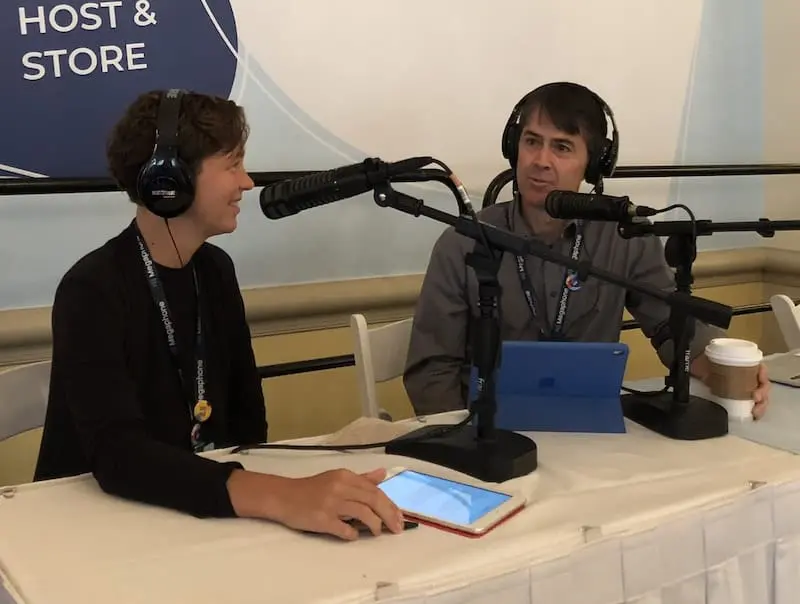
Let’s dive deeper into the more specific details of each product category and discuss the various basic and professional live-streaming equipment options you can consider.
The Best Video Cameras For Live Streaming (2026)
Depending on your budget, streaming goals, and whether you’re shooting indoors or outdoors, you can consider various video cameras for live streaming.
For example, the camera for a beginner live streamer’s masterclass session would be totally different from the streaming equipment of an influencer interviewing multiple guests remotely and in-studio or an organization streaming an outdoor corporate event.
So, here are some of my top picks for the best video cameras for beginners and professional live streamers.
Live Streaming Video Cameras For Beginners
- iPhone / Samsung Galaxy S series: Both offer AI-enhanced stabilization, superior low-light performance, and ProRes (iPhone) or 8K recording (Samsung), making them more viable for high-quality mobile live streaming. You can combine them with ring lights or sufficient natural light to produce impressive live-stream videos. You can stream directly from your smartphones or use them as dedicated external cameras to stream live content. However, their result isn’t comparable to a professional camera.
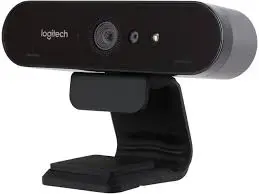
- Logitech Brio: I personally use this ultra 4K HD resolution webcam and believe it offers excellent value for money. If you’re live streaming online classes, coaching sessions, or even regular informational videos, Logitech Brio offers you the best of both worlds with HD ultra-wide angle recordings even from a close distance at a very friendly price. It comes with auto adjustment features, ensuring you’re visible even in low light or on a bright background. In addition, it has built-in dual omnidirectional mics with noise-cancellation features so that your voice is audible even in a noisy setting.
- Elgato Facecam Pro: This is a new favorite among streamers, offering 4K60fps video with ultra-low latency and excellent clarity, making it a solid upgrade over the Logitech Brio.
- insta360 Link: If you’re looking for an advanced webcam with 4K Ultra HD video at a slightly higher price, Insta 360 Link is worth checking out. It’s an AI-powered 4K webcam designed for content creators and presenters. It comes with dual noise cancellation mics to ensure crisp sound irrespective of your surroundings. In addition, its AI tracking technology auto-detects your face and rotates to keep you at the center of your stream all the time. In addition, it comes with gesture control features allowing you to zoom in, zoom out, and enable different recording modes with hand gestures.
- Canon VIXIA HF R800: If you’re looking for an entry-level and affordable camcorder, Canon VIXIA HF R800 can be a great choice. It costs the same as a high-end webcam but offers 1080p/60fps recording in a lightweight, portable body. It saves your video to a removable SD card, but you can stream directly with it using a video encoder.
Live Streaming Video Cameras For Professionals
- Sony Alpha a6700: This is an excellent choice if you want to experiment with high-end cameras for the first time. This mirrorless camera now features improved AI-powered autofocus, better low-light performance, and native live-streaming support via USB-C.
- Sony PXW-Z90: If you’re serious about live streaming and want to invest in a professional camcorder, Sony PXW-Z90 is among the best options. It is a high-end camcorder that captures stunning video detail in 4K HD in all environments. It has high-speed autofocus, instant HDR workflow, and up to 960 fps/1000 fps super-slow motion. In addition, it has built-in WiFi features allowing you to connect with a laptop or tablet to stream your content to a video streaming platform directly.
- Panasonic AG-CX350: With a 20x optical zoom lens, 60 fps UHD and a whopping 120 fps HD recording, the Panasonic AG-CX350 is one of the best professional video cameras for live streaming. It captures wide-angle videos in 4K and is designed for both outdoor and indoor recordings. Its built high-end microphones ensure you capture the most relevant sounds for your video while canceling the noise around it. In addition, it comes with built-in WiFi for HD streaming, allowing you to broadcast content directly to YouTube Live and Facebook.
The Best Mics And Audio Devices For Live Streaming
When choosing a mic for your live streaming setup, you must understand and consider your recording environment and type.
For example, the mic for an outdoor event would be completely different from an in-studio interview or a panel discussion with multiple speakers.
When evaluating a mic, consider the different sound pickup patterns and choose the mic that matches your goal.
- Cardioid: Cardioid mics make a heart-shaped recording pattern, record sounds mainly from the front of the mic, and reduce background noise.
- Omnidirectional: These mics record sound from all directions and are ideal for capturing the surrounding sounds.
- Bidirectional: These mics record sounds from the front and the back, leaving out the surroundings.
- Shotgun: These mics are highly directional and record sounds only from the front, canceling the noise around them. They’re ideal for podcasts, vlogs, and outdoor shoots.
Let’s discuss the various basic and professional mics you can consider for live streaming.
Live Streaming Mics And Audio Devices For Beginners
- Rode Wireless GO II: A small, wireless mic perfect for mobile streaming, with dual-mic capability and real-time noise reduction. Idea for beginners and professionals alike.
- Boya BY-M1: Built-in camera mics usually have limitations and might not capture your sound as clearly as you want (unless you’re using a high-end camcorder). A pocket-friendly solution is to use an entry-level lavalier mic like Boya BY-M1. It’s a 3.5mm omnidirectional collar mic that easily attaches to your laptop, DSLR, or camcorder and helps you avoid unnecessary surrounding noise.
- Blue Yeti USB: If you’re looking for a better quality mic without spending a fortune, Blue Yeti USB mic is the best choice. It is among the most popular entry-level mics for podcasters and content creators because of its high-quality and affordable price. In addition, it offers four different sound pickup patterns that you can switch as needed.
Live Streaming Mics And Audio Devices For Professionals
- Sennheiser MKE 600: For professional streamers looking to record crisp sound, Sennheiser MKE 600 is the perfect fit – and I use one. It’s a shotgun mic for clear and high-quality sound recordings. It works perfectly for indoor podcasts, interviews, and outdoor shoots and vlogs.
- Rodecaster Pro II: If you’re looking for the ultimate sound processing system that allows you to record professional streams with multiple participants, you must check out Rodecaster Pro II. It’s an integrated audio production studio with four analog inputs giving you complete control over your stream’s audio recording. It works seamlessly with all professional camcorders and gives your listeners the ultimate live-streaming experience.
The Best Live Streaming Software (2026)
Your live streaming software choice depends on your streaming goals. For example, the software for streaming to multiple platforms simultaneously differs from single-platform streaming tools. In addition, make sure your multi-streaming software supports all the platforms you want to target.
Let’s discuss your options in more detail.
Live Streaming Software For Beginners
- Open Broadcast Studio (OBS): OBS is a free, open-source video recording and live streaming tool for content creators and online broadcasters using Windows or Mac. Now supports AV1 encoding, allowing for higher quality video at lower bandwidth—a game-changer for streamers with slower internet. It allows you to create professional live streams from multiple input sources and add transitions, effects, and other engagement elements. You can use it to live stream your videos to YouTube, Facebook, LinkedIn, or any other platform. In addition, it supports multi-streaming with third-party apps.
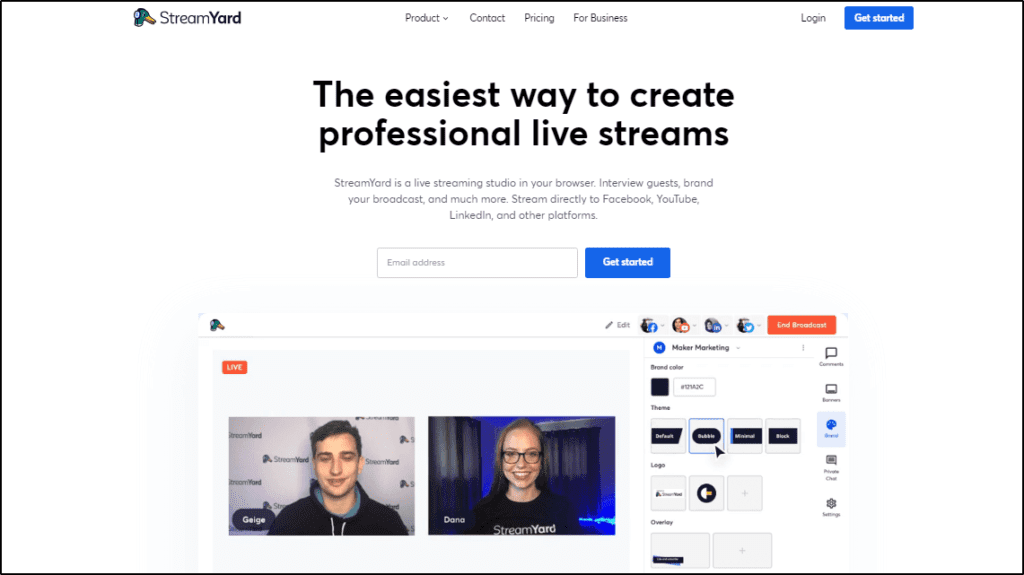
- StreamYard: StreamYard is a beginner-friendly live-streaming solution designed for online course creators, podcasters, and event hosts. It is packed with audience engagement features such as live chat, stage appearances, emojis, and multiple hosts. In addition, it supports multi-streaming to Facebook, YouTube, LinkedIn, Twitter, Twitch, and custom RTMP outputs.
Read our detailed StreamYard review here.
Live Streaming Software For Professionals
- ECAMM: If you’re a professional streamer using Mac, ECAMM is the perfect software to broadcast your live streams to Facebook, YouTube, LinkedIn, Twitch, and several other video platforms.
It’s a professional live-streaming tool that allows you to record and stream engaging videos with effects, overlays, emojis, live chat, guests, and various other audience engagement features.
- Restream: If you want to live-stream your content to dozens of platforms simultaneously while offering a memorable viewing experience, Restream is the ideal choice. It allows you to multi-stream to 30+ video streaming platforms along with RTMP streaming. In addition, it offers world-class broadcasting features to create professional streams with overlays, effects, backgrounds, and audience engagement features like live chat, guests, and multiple cameras and audio inputs.
Read our detailed Restream review here.
- Wirecast: If you’re live streaming events to thousands of viewers on multiple platforms, Wirecast is an all-in-one streaming solution you should definitely consider. It is designed for large-scale events with unlimited camera inputs. In addition, it offers 250+ overlays, background templates, and advanced effects like instant replays and scoreboards for sporting events. It is more expensive than regular live-streaming software but justifies its price tag considering the flexibility it offers.
The Best Encoders For Live Video Streaming
Encoders convert your external camera video into digital signals and file formats for live streaming. The quality of an encoder is determined by the amount of data it can handle.
This is why technically sound professionals with higher budgets usually prefer hardware encoders for streaming large events.
However, modern software encoders offer sufficient options and resources to both beginners and advanced streamers. This is why you should generally opt for a software encoder.
What are software encoders? The most popular software encoders are OBS, ECAMM, and Wirecast, which we discussed in the previous section. Other mainstream software encoders include Adobe Media Encoder, vMix, and Sorenson Squeeze.
You can use software encoders with live streaming software like Restream or StreamYard to broadcast your content to multiple video platforms simultaneously.
The Best Lighting Equipment For Live Streaming
Your video’s lighting makes a huge difference to its quality and viewer experience. Here are some of your lighting equipment options for live streaming.
- Neewer Ring Light Kit: This is a convenient lighting setup for most beginners and intermediate streamers broadcasting indoor content.
- Elgato Key Lights: Designed for more professional use, Elgato Key Lights illuminate your whole workspace and provide excellent visibility for your live videos. It comes with dimming and color-changing features along with Wi-Fi controls and a desktop app.
- Raleno LED Lights: These are the perfect lights for high-end professional live streamers. Mounted on 75-inch stands, Raleno LED Lights can be adjusted according to your environment to create the perfect setting for your live stream.
The Best Accessories For Live Video Streaming
Besides the core live-streaming equipment we’ve discussed, additional accessories help you create professional live broadcasts and make your job easier.
Let’s quickly discuss some of them here.
- Glide Gear TMP100: This is a small, lightweight, and portable teleprompter you can use with your smartphone, tablet, or DSLR camera. Teleprompters project your script on a mirror or transparent panel while hiding it from your camera lens. This allows you to read your script while looking into the camera.
- Elgato Green Screen: A green screen allows you to use custom backgrounds in your live-stream videos. Elgato Green Screen comes in various dimensions, fully covering your background and allowing you to make your streams more engaging.
- AI-Powered Virtual Backgrounds: Instead of a physical green screen, NVIDIA Broadcast, XSplit VCam, and Zoom AI Backgrounds now offer real-time background removal with AI.
Are You Ready To Invest In The Best Live Streaming Equipment?
As you can see, there are a lot options when it comes to choosing the best live-streaming equipment to help you create professional content.
If you’re a beginner, don’t immediately invest too much in expensive equipment. Instead, try different options, see what works for you, and gradually add new equipment.
However, if you’re a professional looking to scale your live-streaming business and create more high-quality content, you can use the high-end products I’ve recommended with complete confidence.
Let me know if you have any questions or want additional recommendations.
Frequently Asked Questions (FAQs)
1. How fast does my internet need to be for stable live streaming?
For 1080p streaming, aim for at least 8–10 Mbps upload speed. For 4K or multi-camera streams, 20 Mbps or higher is safer. Always use a wired Ethernet connection when possible.
2. Is 4K live streaming worth it in 2026?
For most creators, 1080p is still ideal. 4K makes sense for high-end events, repurposing content, or future-proofing recordings, but it increases bandwidth and hardware requirements.
3. Should I stream at 30fps or 60fps?
Use 30fps for talking-head streams, courses, and webinars. Choose 60fps only if you stream movement-heavy content like demos, fitness, or live events.
4. Do I need a capture card for my camera?
You only need a capture card if your camera doesn’t support native USB streaming. Many modern cameras can connect directly via USB-C without extra hardware.
5. How many lights do I really need for a good setup?
One good key light is enough to start. For better depth, add a fill light and optional back light, but lighting quality matters more than quantity.
6. Is wired audio better than wireless for live streaming?
Wired mics are more reliable and cheaper. Wireless mics offer flexibility and movement but require battery management and interference awareness.
7. How can I reduce echo in my streaming room without soundproofing?
Use soft furnishings like rugs, curtains, wall panels, or even bookshelves. These absorb reflections and improve audio without expensive treatment.
8. Should I stream directly from my camera or through software?
Streaming through software gives you scene control, overlays, transitions, and backups. Direct camera streaming is simpler but limits production quality.
9. What’s the biggest mistake beginners make with live streaming gear?
Overspending early. Many creators buy pro cameras before fixing lighting, audio, or internet stability, which matter far more for viewer experience.
10. How can I future-proof my live streaming setup?
Choose gear that supports USB-C, firmware updates, and modular upgrades. Avoid locked ecosystems so you can swap cameras, mics, or software as you grow.

ABOUT YOUR HOST
Learning Revolution founder Jeff Cobb is an expert in online education and the business of adult lifelong learning. Over the past 20+ years he has built a thriving career based on that expertise – as an entrepreneur, a consultant, an author, and a speaker. Learning Revolution is a place where Jeff curates tips, insights, and resources to help you build a thriving expertise-based business.
Table of Contents
Related Posts
How To Use LinkedIn Live Streaming To Grow Your Business (2025)