

TL;DR: Skool vs Thinkific: Which Platform Is Better?
Skool (skool.com) is a community platform that puts an activity feed at the center of everything. Members log in and land directly in a social space with posts, leaderboards, and events. Courses are there too, in a tab called Classroom, but the community is the product.
Thinkific (thinkific.com) is a course platform that added community features over time. Courses are the foundation. You get a full site builder, landing pages, native video hosting, and a structured community area alongside it.
Skool vs Thinkific Pricing
Skool offers two plans, both with a 14-day free trial: the Hobby plan at $9/month plus a 10% transaction fee, and the Pro plan at $99/month plus a 2.9% transaction fee.
Thinkific has a 30-day free trial and four paid plans on monthly billing: Basic at $49/month, Start at $99/month, Grow at $199/month, and a custom-priced Plus tier for enterprise. Annual billing saves 25% across the board.
My recommendation:
Get Skool if your primary mode of delivering value is through community engagement, instead of structured courses. If you want members logging in daily, need built-in discovery to grow from scratch, or run a coaching or accountability-based program where courses come second.
Get Thinkific if your courses are the main product, your students need certificates or assignments, you want your school fully branded without another platform’s logo on it, or you require basic email marketing features.
Try Thinkific for Free | Try Skool for Free
Note: This page contains affiliate links. If you purchase through links on this page, we may earn a commission at no additional cost to you.
The short answer
Skool wins on community. Thinkific wins on courses. They are built for different business models. If engagement and daily participation matter, use Skool. If credentialed learning outcomes and a white-labeled school matter, use Thinkific. Most beginners are better off starting with Skool.
Thinkific vs Skool: Why I’m Qualified to Compare These Platforms
I have been using Thinkific as a paid user since the early days of the platform and was featured as a learning management expert on the Thinkific website. Thinkific remains my top recommendation for pure course delivery. Its eLearning features, zero-fee model, and structured learning tools outperform most alternatives in this price range.
I have also built and consulted on multiple Skool communities since 2021, both as a member inside other people’s groups and as an advisor helping creators launch their own.
Skool and Thinkific serve genuinely different purposes, and I have seen course creators and community builders choose the wrong one often enough that I wanted to write this clearly.
What follows is not a feature checklist.
It is a practical comparison guide based on what these platforms actually do when real people use them.
And it comes from my own experiences of running paid accounts on Skool and Thinkific for my own businesses and for my clients.
The Main Differences Between Skool and Thinkific
Here is the full side-by-side before we get into the details.
| Category | Skool | Thinkific |
| Built for | Community first, courses second | Courses first, community second |
| Community experience | Central activity feed, gamification, leaderboards, events calendar | Forum-style Spaces, no gamification, no leaderboard |
| Course depth | Modules, lessons, drip content, basic completion tracking | Quizzes, assignments, certificates, compliance, SCORM (Plus) |
| Completion certificates | Not available | Start plan ($99/mo) and above |
| Assignments and feedback | Not available | Start plan and above |
| Course compliance | Not available (students can skip) | Prevent skipping on Start plan and above |
| SCORM support | Not available | Plus plan only (custom pricing) |
| Gamification | Points, levels, public leaderboard across all members | Digital badges on course completion only |
| Platform discovery | Yes, Skool directory lets people find your community | No, you drive all your own traffic |
| Email marketing | Not built in | Basic sequences and abandoned cart on all plans |
| Landing pages / site builder | Not available | All paid plans |
| Custom domain | Pro plan | All paid plans |
| Remove platform branding | Not fully possible | Grow plan ($199/mo) and above |
| Pricing model | $9/mo + 10% OR $99/mo + 2.9% per transaction | $49 / $99 / $199 / Plus (no transaction fees) |
| VAT / tax handling | Skool acts as merchant of record | You handle your own tax compliance |
| Branded mobile app | Not available | $199/mo add-on or select Plus plans |
| AI teaching assistant | Not available | Thinker AI on Plus plan |
| Video hosting | External only (YouTube, Vimeo, Loom) | Native hosting on all plans |
| Free trial | 14-day free trial on Pro | 30-day free trial on paid plans |
What Is Skool?
Skool is an online community platform for coaches, creators, and membership site operators who want to deliver value to their customers through informal discussion threads and group interactions.
Skool was co-founded by Sam Ovens in 2019, with the goal of making community the center of online learning rather than a tab you add on later.
It doesn’t try to be a learning management system with polished online courses and e-learning features.
Instead, everything in Skool is built to drive community engagement.
You set up a group, invite members, and they land in a live activity feed when they log in. Everything else including courses, events, direct messages sits alongside that feed rather than in front of it.
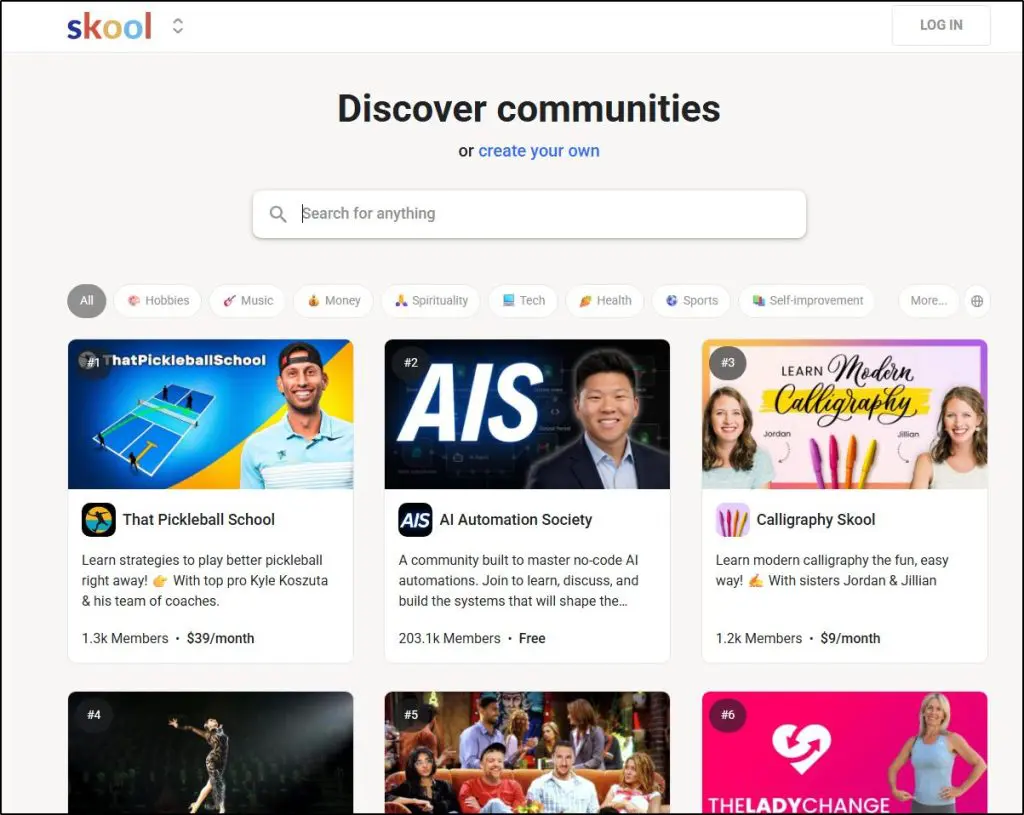
Skool’s core strength is community gamification.
Your members earn points for posting, commenting, and completing lessons. They climb through levels and show up on a public leaderboard.
A new member who joins and sees 40 people active in the last 24 hours gets a different first impression than one who opens a quiet forum.
That social proof is baked into the structure and encourages your community members to remain active.
Skool also has an internal discovery directory.
People browsing the platform can find your community by topic without you spending money to reach them. For anyone building an online community from scratch with no existing audience, that organic growth path is a genuine advantage.
Skool also offers basic course features that live in a separate tab called Classroom.
It lets you build modules with multimedia lessons, embed video from YouTube or Vimeo, set drip schedules, and track basic completion.
It handles most coaching programs and educational content well.
What it does not do is certify, formally assess, or issue documented learning outcomes.
Read my dedicated Skool review for a much deeper analysis
Main Features in Skool
- Activity feed with posts, comments, reactions, and media
- Points system, levels, and public leaderboard
- Built-in events calendar with RSVP and reminders
- Classroom: modular courses with lessons, drip scheduling, completion tracking
- Direct messaging between members
- Platform discovery directory
- Automated member emails every 72 hours from your posts
- Affiliate program
- Stripe payments with VAT handling as merchant of record
Skool Strengths
| Strength | Why it matters |
| Activity feed is the first thing members see | People log in and land in a live social space. Participation happens without you prompting it every time. |
| Gamification tied to community activity | Points and leaderboards reward showing up, not just finishing a lesson. Active members become visible to everyone. |
| Platform discovery directory | People browsing Skool can find your community by topic. Organic growth without ad spend or SEO ranking. |
| Fast to set up and run | A working community with courses is live in hours. Lower operational overhead than most course platforms. |
| Merchant of record for VAT | Skool handles international tax collection and remittance on your behalf. Big relief for non-US creators. |
| Flat Pro plan, no feature tiers | You get everything on Pro. No hidden upgrades as your community grows. |
Skool Weaknesses
| Weakness | What it means in practice |
| No certificates or formal assignments | Students who need documented outcomes for CPD, employer reimbursement, or licensing have nowhere to get them. |
| No native email marketing | Campaigns, sequences, and segmentation require ConvertKit, ActiveCampaign, or similar alongside Skool. |
| No landing page or funnel builder | Every sales page lives outside Skool. You build and host it separately. |
| 2.9% transaction fee on Pro plan | At $5,000/mo in sales, that is $145 on top of your $99 subscription. At $10,000/mo, it is $290. |
| Video must be hosted externally | YouTube, Vimeo, or Loom before you can embed anything. Extra workflow step for new creators. |
| Manual member approval on Hobby plan | Any member wanting to buy has to wait for your approval first. Kills impulse purchases from cold traffic. |
| One community per $99/mo subscription | Running multiple programs means paying $99 per program per month. |

Read: The best Skool alternatives for community + courses
What Is Thinkific?
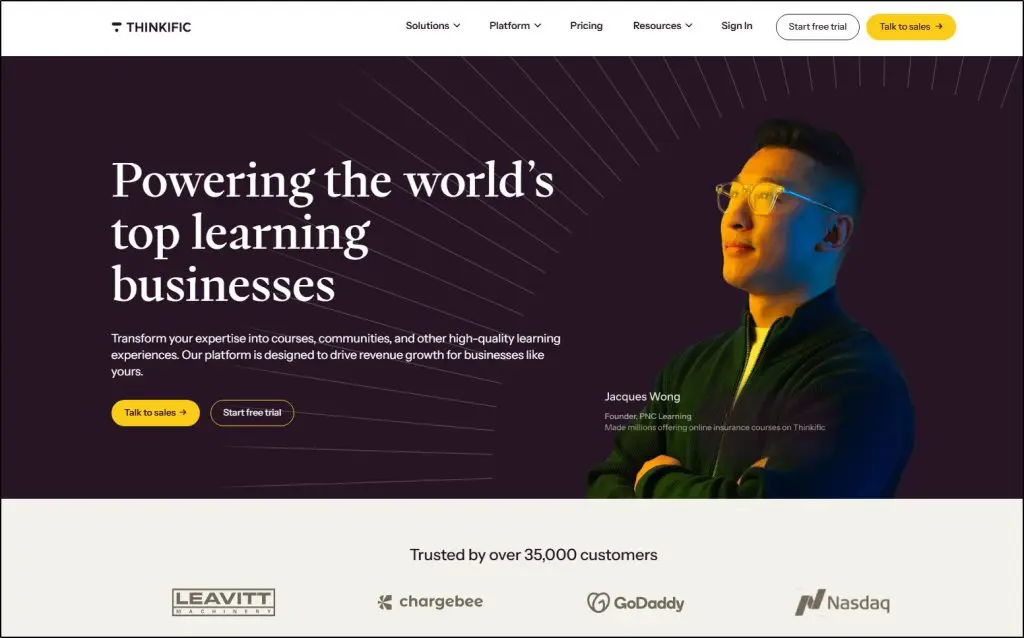
Thinkific has been around since 2012, founded by Greg Smith and his brother Matt Smith in Vancouver, Canada. It started as a straightforward online course platform and has since grown into what I’d call the best-value course builder in the market for serious eLearning features at a non-enterprise price.
I have spent years with it as a paying user.
Unlike Skool, Thinkific is primarily an e-learning platform (courses, memberships, coaching) that also happens to offer community building features.
It has an excellent course builder and offers a zero-fee pricing model is one of the best deals in the creator economy.
And the depth of its learning tools (particularly from the Start plan upward) is hard to match without moving to something that costs two or three times more.
Thinkific gives you a full site builder, landing pages, a custom domain on all paid plans, and native video hosting. You can run your entire learning business from inside Thinkific without stitching together a stack of external tools.
Thinkific added basic community features a few years ago, though as I’ll explain in the community section, they serve a different function here than they do on Skool.
Where Thinkific genuinely stands apart is formal learning outcomes.
Certificates, assignments, course compliance to prevent lesson skipping, and SCORM support on Plus are features most course creator platforms don’t offer at this price.
They are what make Thinkific the right tool for professional development programs, continuing education, compliance training, and any course where the student needs documented proof of completion.
Read my dedicated Thinkific review for a much deeper analysis
Main Features in Thinkific
- Drag-and-drop course builder with quizzes, assignments, drip scheduling
- Completion certificates (Start plan and above)
- Course compliance tools: prevent students from skipping ahead (Start and above)
- Community with Spaces, notifications, and live events
- Full site builder with custom domain on all paid plans
- Landing page builder
- Email automation: welcome sequences, lesson triggers, abandoned cart (all plans)
- Native video hosting
- TCommerce: Apple Pay, Google Pay, BNPL, payment plans (Start and above)
- SCORM support (Plus only)
- Thinker AI teaching assistant (Plus only)
- Branded mobile app ($199/mo add-on or select Plus plans)
Thinkific Strengths
| Strength | Why it matters |
| Certificates and assignments from Start plan | Students leave with documented outcomes. Supports CPD credit, employer-sponsored education, and professional programs. |
| Zero transaction fees on all paid plans | You keep 100% of revenue minus payment processor fees at any volume. No percentage cut to the platform. |
| Full site builder with custom domain | Your school looks like your brand on all paid plans. One less thing to explain to students. |
| Course compliance tools | You can require lesson completion before the next unlocks. Non-negotiable for many professional training programs. |
| Native video hosting included | Upload directly. No third-party video account needed to get started. |
| TCommerce checkout (Apple Pay, BNPL, payment plans) | Reduces checkout friction. Thinkific reports up to 31% higher average order value with their native checkout. |
| Thinker AI teaching assistant on Plus | Answers student questions from your course content around the clock. Reduces your support queue. |
Thinkific Weaknesses
| Weakness | What it means in practice |
| Community is a secondary feature | No gamification, no leaderboard, no activity feed. Students log in for courses. The community tab is optional. |
| Thinkific branding removal requires Grow plan ($199/mo) | Basic and Start users find the Thinkific logo on their school until they upgrade. Not obvious upfront. |
| No platform discovery | Zero organic growth from Thinkific itself. Every student comes from your own marketing efforts. |
| Basic plan caps live events at 5/month | Weekly coaching calls or group sessions require Start plan or above. |
| SCORM is Plus-only (custom pricing) | Corporate training buyers who need SCORM face enterprise-level pricing to access it. |
| API and webhooks locked to Grow ($199/mo) | Meaningful automation and third-party integrations require a plan most small creators will not start on. |

Skool vs Thinkific Pricing: How Much Do They Cost
Let me now explain the pricing structures of Skool and Thinkific and what they actually cost you when you start selling.
Skool Pricing
Skool offer two paid plans that come with a 14-day free trial.
1. Hobby plan: $9/month + 10% transaction fee.
One admin account, no custom URL, and new members require manual approval before they can purchase. That last detail is more significant than it looks. Any member who finds your community and wants to buy something has to wait for you to approve them first. That gap kills impulse purchases.
This plan is fine for testing or for invite-only communities where you personally vet every member. It is not the right plan for running paid ads or sending cold traffic to a sales page.
2. Pro plan: $99/month + 2.9% transaction fee. Auto-approval enabled, custom domain, multiple admins, everything included. This is the plan anyone sending external traffic needs. No feature tiers to worry about as you scale.
Thinkific Pricing
Thinkific offers four paid plans that come with a 30-day free trial. It also doesn’t charge transaction fees on any plan.
1. Basic: $49/month ($36 billed annually). Unlimited courses, custom domain, email automation, abandoned cart emails, basic sales tools. No certificates, no assignments, no paid memberships, no bundles. Live events capped at 5 per month in the community.
2. Start: $99/month ($74 billed annually). Adds certificates, assignments, course compliance, Zoom integration, payment plans, memberships, and bundles. This is the plan where Thinkific becomes a full professional eLearning platform.
3. Grow: $199/month ($149 billed annually). Adds removal of Thinkific branding, 3 communities, enhanced analytics, API and webhooks, bulk enrollment, phone support. The first plan where your school is fully white-labeled.
4. Plus: Custom pricing. SCORM, SSO, CRM integrations (HubSpot, Salesforce), Thinker AI, advanced analytics, branded mobile app on select plans. Built for teams and corporate training use cases.
What You Actually Pay: Skool vs Thinkific in Real Scenarios
To help you understand how much you will actually pay for using Skool or Thinkific, let me describe a few hypothetical scenarios.
Here’s how your monthly revenue changes how much Skool and Thinkific charge you.
| Monthly revenue | Skool Hobby$9 + 10% | Skool Pro$99 + 2.9% | Thinkific Start$99, 0% | Thinkific Grow$199, 0% |
| $500/mo | $59 | $114 | $99 | $199 |
| $1,000/mo | $109 | $128 | $99 | $199 |
| $2,000/mo | $209 | $157 | $99 | $199 |
| $3,500/mo | $359 | $201 | $99 | $199 |
| $5,000/mo | $509 | $244 | $99 | $199 |
| $10,000/mo | $1,009 | $389 | $99 | $199 |
Let me explain what this means:
- Skool Hobby at low volume looks cheap but the 10% fee compounds quickly. At $2,000/month in sales, you are paying $209 total. At $3,500/month, you are at $359 — more than Thinkific Grow. Once you are generating real revenue, the Hobby plan math stops making sense.
- Skool Pro vs Thinkific Start is the comparison most creators actually face. Both cost $99/month. The difference is the 2.9% transaction fee on Skool. At $10,000/month in memberships, that is $290 extra every month going to Skool that you would not pay on Thinkific Start.
- Thinkific Basic at $49/month looks appealing until you realize certificates and assignments require the Start plan at $99/month. If those features matter to your audience — and for any professional development course they typically do — Basic is not a real starting point.
- Thinkific Grow at $199/month is the plan you need to remove Thinkific branding from your school. Many creators sign up at Basic or Start expecting a clean white-labeled experience and realize only after publishing that the Thinkific logo is still showing.
The break-even point where Thinkific Start’s zero-fee model becomes cheaper than Skool Pro is roughly $3,400/month in sales.
Above that, Thinkific costs less to run.
Below that, Skool Pro costs more in raw terms but for a community-first business, what you get in engagement mechanics may justify it.
See how Skool compares with Circle, Mighty Networks, Teachable, Whop and Kajabi
Comparing the Community Features in Skool and Thinkific
If you’re looking to build a community driven e-learning business, carefully compare the online community and engagement features in Skool and Thinkific.
Thinkific’s community is a structured forum. It is organized around Spaces which are separate areas for different topics where members can post, comment, and upload files.
You can pin announcements, moderate content, and run live events inside it. It works. Students can use it.
But the platform architecture does not reward daily participation.
There is no points system tied to community activity, no leaderboard showing who is most engaged, no feed that pulls members back in when they log in.
A student who finishes a lesson and wants to check in with the group has to actively navigate to the Community tab. Nothing on the platform nudges them to do it.
I worked with a client who spent a year trying to get her Thinkific community going. She posted three times a week, ran weekly calls, sent announcements every time she published new content.
Still, participation stayed thin.
But within six weeks of moving to Skool, her members were posting without prompting, tagging each other, and competing for leaderboard positions.
The content she was creating had not changed. The platform behavior had.
Thinkific was built to deliver more formal and structured e-learning. Community is one part of a broader stack.
For course-focused businesses, that makes sense.
But it means community engagement on Thinkific is something you have to create manually, every time, rather than something the platform helps sustain.
Read: The best online community building platforms
What Skool’s Community Actually Does
Skool approaches community building completely differently. When your members log into your Skool community, they immediately see a live feed with new messages, topics, and questions.
For example, someone posted a win this morning, three people commented in response including a coach from your team.
The leaderboard in the sidebar shows who earned the most points this week. There is visible activity before they have done anything.
That first impression changes how people engage with the community because they arrive in a space that already looks alive.
Skool’s points and levels system rewards showing up, not just consuming content. Posting, commenting, and completing lessons all earn points.
Members rise through levels publicly. For coaching programs and accountability groups, that social proof turns passive members into active ones without you having to manually generate the energy.
Skool’s events calendar is embedded in the same space. Members see your upcoming coaching call in their feed. One click to RSVP. Platform reminders do the follow-up. Attendance is higher simply because there are fewer steps between learning about an event and confirming attendance.
What Thinkific’s Community Actually Does
Thinkific Spaces work as a private forum. Separate areas for announcements, course discussions, Q and A. Members reply in threads, mention each other, upload files. Notifications fire for replies and mentions.
The Basic plan caps you at 5 Spaces and 5 live events per month. Start gives you 10 Spaces and unlimited events. Running more than one community requires the Grow plan.
For a learning business where community is genuinely secondary (students need a place to ask questions and share their work, but they are not staying because of the community) this is adequate.
It solves the basic use case without getting in the way of the course experience. If you want members coming back daily, referring others, and feeling like they belong to something active, Thinkific will not generate that on its own.
Comparing the Course Features in Thinkific and Skool
This is where I need to be precise, because the comparison gets muddy.
For coaches, consultants, and community-led programs, Skool’s Classroom does the job. Build a course with modules and lessons, embed video from YouTube or Vimeo, set drip schedules, track basic completion. For most people selling a coaching program or an accountability-based online course, that is sufficient.
The line is at formal learning outcomes. A business coach running a 12-week program does not need certificates. A nurse practitioner running a continuing professional development course absolutely does. Those two use cases are not interchangeable, and Skool cannot serve the second one.
Read: The best online course platforms for edupreneurs
What Thinkific Includes That Skool Does Not
- Completion certificates: Thinkific automatically issues a branded certificate when a student finishes all required lessons. Available from the Start plan at $99/month. For professional development programs, employer-sponsored education, or any credentialed learning program, this is non-negotiable.
- Assignments: Students upload work, you review it and give feedback inside the platform. This matters for skill-based courses where doing the work is the point, not just watching the lessons.
- Course compliance: You can require lesson completion before the next one unlocks. Students cannot skip to week 8 without finishing weeks 1 through 7. Compliance training, safety certifications, and regulated professional programs often require this by law.
- SCORM support: Organizations with existing eLearning content built in Articulate Storyline or Adobe Captivate can upload it directly to Thinkific and track completion. Plus plan only, but it makes Thinkific a viable LMS option for corporate training buyers with existing content libraries.
- Thinker AI (Plus): The AI teaching assistant answers student questions by drawing on your course content. A learner stuck on a concept at 11pm gets a useful answer without waiting for you. Real reduction in support load for course-heavy businesses.
Skool recently added a feature that ties course access to community level — students have to earn enough engagement points to unlock certain lessons. It is a clever use of the gamification architecture and creates a real incentive to participate before consuming content. It does not replace formal assessment tools, but it is worth knowing about.
How Thinkific and Skool Approach Marketing and Discovery
Thinkific has the stronger marketing infrastructure withemail automation, landing pages, site builder, TCommerce checkout, abandoned cart recovery, upsells, and order bumps.
All of that is useful for selling to an audience you already have.
But the platform does nothing to help you grow that audience. Every student on your Thinkific school arrived because you drove them there through SEO, ads, YouTube, social media, or email. The platform itself generates zero discovery.
Skool has almost no marketing tools.
No email campaigns, funnels or sales pages. What it has instead is the Skool directory using which people browsing the platform can find your community by topic.
A creator building from zero with no list and no following can get early members through platform discovery without running ads or ranking articles.
For beginners in particular, that organic growth path changes the math on getting started.
The email situation on Skool is worth its own paragraph.
You can broadcast to your members every 72 hours, and Skool automatically emails your posts to followers. That keeps an existing community warm.
But it is not a proper email marketing tool with segmentation, sequences, or behavioral automation. Anyone running a serious email program needs an external tool alongside Skool (and you should capture member emails independently from day one.)
If you ever leave Skool, the member list inside the platform is not fully portable in the same way a standalone email list is.
Thinkific’s email automation is more structured.
Welcome sequences, lesson completion triggers, abandoned cart recovery are all handled well.
What it cannot do is complex behavioral logic. Tagging students based on what they watched, sequencing messages differently for people who completed module 3 vs module 1, triggering campaigns based on actions taken outside the course. For that, you still need ConvertKit or ActiveCampaign running alongside it.
How Branding and Customization Work in Thinkific and Skool
Thinkific gives you significantly more control over how your school looks and feels. Full HTML and CSS access from the Start plan. Custom domain on all paid plans.
If you want Thinkific’s name completely off your school, that requires the Grow plan at $199/month, something I discovered only after signing up at a lower tier.
For people running premium programs or selling to corporate clients, that white-label capability is worth budgeting for.
Skool communities look like Skool communities.
The interface is fixed, customization is limited to your banner and profile image, and your community URL sits under skool.com on most plans.
It’s not a deal breaker unless you’re selling a premium branded community where you want the members to feel they’re a part of something unique.
On video: Thinkific hosts your content natively. Skool does not. You’ll need to use YouTube, Vimeo, or Loom and embed.
This is a minor workflow step for experienced creators, but occasionally a genuine friction point for people just getting started who do not already have a video hosting workflow.
Both platforms use Zoom for live sessions rather than native streaming. Skool’s events calendar integrates RSVP and reminders into the community feed.
Thinkific caps live events at 5 per month on the Basic plan, which is a real constraint for anyone running weekly coaching calls or group sessions.
One difference that often gets overlooked: Skool acts as the merchant of record, handling VAT collection and remittance on your behalf.
If you are selling internationally, particularly to EU or UK customers, Thinkific puts that compliance responsibility on you. For US-based creators selling primarily to US audiences it rarely matters. For international online course creators and membership site operators, it can be a meaningful operational headache.
Skool or Thinkific: Which Platform Should You Choose?
I have been recommending Thinkific as the best-value course platform for years, and that has not changed. For structured learning outcomes, professional credentials, a fully branded school, and zero transaction fees at scale, nothing in this price range does it better than Thinkific.
But this comparison is not really about which platform is technically superior. It is about which one matches how your business actually works.
Choose Skool if:
- Community engagement is the main value you deliver. Members pay to belong, to be held accountable, to connect with each other and with you. The content supports that — it is not the whole product.
- You are starting from zero with no existing audience and want a platform that can generate early growth through its own discovery directory without ad spend.
- You are running a coaching program, mastermind, or accountability group where member relationships matter as much as the curriculum.
- Your students do not need formal certification, documented learning outcomes, or compliance-enforced course progression.
- You want something simple to launch and easy to manage. Skool gets a working community with courses live faster than most alternatives.
- You are thinking about where online education is heading. With AI making information freely available, what people will pay for is connection, accountability, and community. Skool is built for that.
Choose Thinkific if:
- Courses are the core product and your students need documented proof they completed them. Certificates, CPD credits, employer reimbursement programs — if any of that applies, Thinkific is the practical choice in this price range.
- You need to enforce lesson order. Compliance training, professional certification programs, and regulated industries often require this. Skool does not support it.
- You want a fully branded school with no visible platform logos. Plan for the Grow tier at $199/month to get there.
- You sell high-volume, one-time courses and zero transaction fees meaningfully affect your margins.
- Community is supplementary. Students benefit from having a forum to ask questions and share progress, but that is not the reason they enroll or stay.
- You already have an audience and a marketing stack and need a solid delivery and commerce engine to connect to it.
My recommendation for beginners Start with Skool. The setup is faster, the discovery gives you a growth path without needing an existing audience, and the community mechanics make it easier to keep people engaged while you are still figuring out exactly what your audience wants. You can add course depth or migrate to Thinkific later. Starting on a platform you can actually fill matters more than starting on a platform with every feature you might eventually need. |
Detailed Skool Comparisons With Other Platforms
Check out my detailed Skool comparisons with other course and community platforms
Frequently Asked Questions
Is Skool or Thinkific better for beginners?
Skool is the better starting point for most beginners. It sets up faster, costs less to start, and the discovery directory gives you a way to find early members without an existing audience. Thinkific makes more sense for beginners who already know they need formal assessment features like certificates or assignments, or who have an existing audience to bring over.
Does Thinkific have gamification?
Not in a meaningful sense. Thinkific added digital badges for course completion milestones, but they are limited to course-specific achievements. There is no points system tied to community activity, no public leaderboard across members, and nothing that creates the ongoing engagement dynamic that Skool’s gamification produces. The two systems are not equivalent.
Can Thinkific replace Skool for community?
Not if community engagement is the point. Thinkific’s community works as a forum for course Q and A and student discussion. It does not produce the daily activity and social engagement that Skool’s feed and gamification create. Creators who move from a community-first platform to Thinkific typically find they have to manually drive engagement that previously happened on its own.
Can Skool replace Thinkific for courses?
For most coaches and community-led programs, yes. But Skool cannot issue certificates, collect formal assignments with feedback, enforce lesson completion order, or handle SCORM content. If your course requires any of those, Skool is not a substitute for Thinkific.
Does Thinkific charge transaction fees?
No. Zero transaction fees on all Thinkific paid plans. You pay the monthly subscription plus standard payment processor fees. Nothing beyond that.
What are Thinkific’s hidden costs?
Three catch people off guard most often. First, removing Thinkific branding from your school requires the Grow plan at $199/month — it is not available on Basic or Start. Second, certificates and assignments require the Start plan at $99/month and are not on Basic. Third, the branded mobile app is a $199/month add-on or included in select Plus plans, not a standard feature at any of the main plan tiers.
What is the Skool Hobby plan limitation most people miss?
On the Hobby plan, new members must request access and wait for manual approval before they can purchase anything. Anyone running paid ads or sending cold traffic to a Skool community needs the Pro plan to enable auto-approval. The Hobby plan is for invite-only communities or testing, not for selling to external traffic.
Is Thinkific free?
No, not anymore. As of 2025, Thinkific removed its permanent free plan. You can start with a 30-day free trial on paid plans, but there is no ongoing free tier.
What happens to students if I switch from Thinkific to Skool?
You export your student email list from Thinkific and invite them to Skool via CSV. Expect roughly 25% to accept and migrate quickly. Course completion history and progress data do not transfer — students start fresh on Skool. Creators whose students need certificates to document their completion often find they cannot make this switch regardless of other factors, which is the most common reason people stay on Thinkific despite pricing changes.
Is Skool good for corporate training?
No. Corporate training typically requires certificates, SCORM compliance, SSO, structured learning paths, and detailed completion reporting. Skool has none of those. Thinkific Plus is the appropriate choice for corporate training and LMS use cases. Skool is designed for coaches, creators, and community-led education — not for enterprise training programs.
Can I use both Skool and Thinkific together?
Some creators do — Thinkific for structured course delivery with certificates, Skool for the community layer around it. The setup works but you are running two platforms and two subscriptions. It only makes sense if you genuinely need the full eLearning depth of Thinkific and the full community mechanics of Skool. For most people, picking one and committing to it is the cleaner path.
Table of Contents
Related Posts
Thinkific Review (2026) | I Run 6 Courses on It But It’s NOT For Everyone (With Examples)
Teachable vs Thinkific (2026) | Detailed Comparison (Why Thinkific Wins)
8 Best Thinkific Alternatives (2026): Which Competitors Can Replace It?