

TL;DR: What Digital Downloads Are and How to Create Them (2026)
A digital download is a file a buyer gets instantly after purchase, such as an ebook, template, printable, or audio pack. Downloads sell for less than courses, so they work best as the first paid step in your product line.
Pick a type: Ebooks and guides, templates and planners, printables, checklists and workbooks, stock graphics, audio, or video assets.
Prove demand first: Check search volume, marketplace best-sellers, and your audience’s questions before you build anything.
Match the format to the search: People typing “template” or “printable” want a tool, and people typing “guide” want answers.
Build with simple tools: Canva, Google Docs, and Sheets cover most downloads, and AI speeds up drafting.
Sell where your buyers are: Etsy and Creative Market bring traffic, while Thinkific, Podia, Payhip, and Gumroad let you keep the customer.
Market from a page you control: Send email, social, and ad traffic to a landing page with your tracking pixels.
My take: Course creators should sell downloads on the platform that already hosts their courses, and everyone else should start on Payhip or Etsy and move once sales are steady.
People still pay $49 for an ebook on getting over a fear of flying, or pay for a simple CV template, even though ChatGPT will answer the same question for free. Buyers pay for a finished, organized answer they can use right away, and they skip the work of piecing one together.
Most creators leave that money on the table. They jump straight to a big course, spend months building it, and launch to an audience that has never bought anything from them. A small download fixes both problems, because it earns money in weeks and turns followers into customers.
In this guide, I explain what digital downloads are, the seven types that sell, a seven-step process for creating one, and the best platforms for selling them.
By the end, you’ll know which digital download to make first and where to sell it.
What Are Digital Downloads?
A digital download is a file a customer buys or claims and saves to their own device, ready to open, print, or edit. The file works on its own, with no login, no lessons, and no ongoing access to manage.
Formats range from PDFs for guides and checklists to PNGs for graphics, spreadsheets for planners, and ZIP folders for bundles. Nothing ships, nothing goes out of stock, and every sale after the first costs you almost nothing to deliver.
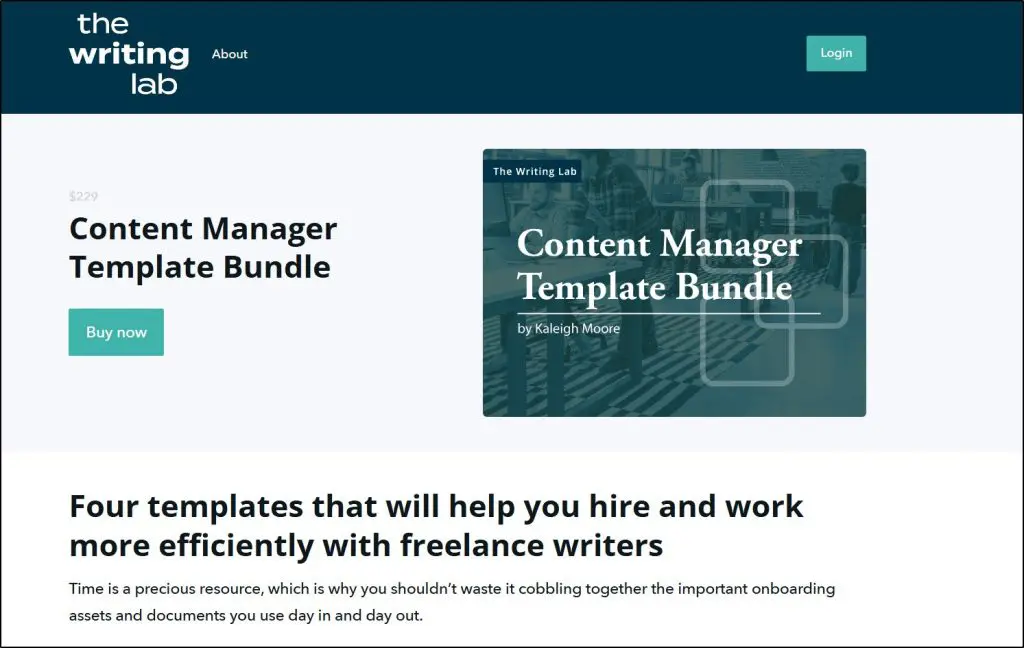
Content marketer Kaleigh Moore’s template bundle is a classic example.
For educators and experts, downloads are the easiest way into product creation.
- A fitness coach packages workouts into a 30-Day Home Workout Plan PDF with illustrated routines.
- A children’s author sells personalized storybook templates that parents print at home.
- A business consultant sells Excel financial models that save clients hours of setup.
The best-selling downloads solve one narrow problem. Prices stay low, so the money comes from volume and from what buyers purchase next.
Digital Downloads vs Digital Products
Every digital download is a digital product, but most digital products aren’t downloads. Courses, memberships, and coaching programs all count as digital products, and buyers use them inside a platform over weeks or months.
| Digital download | Other digital products | |
|---|---|---|
| What the buyer gets | A file to keep | Access to a course, membership, or program |
| Examples | Ebooks, templates, printables, audio packs | Online courses, memberships, coaching, software |
| Time to create | Hours to a few days | Weeks to months |
| Typical role | Lead magnet, low-cost first purchase, or add-on | Core offer and main revenue |
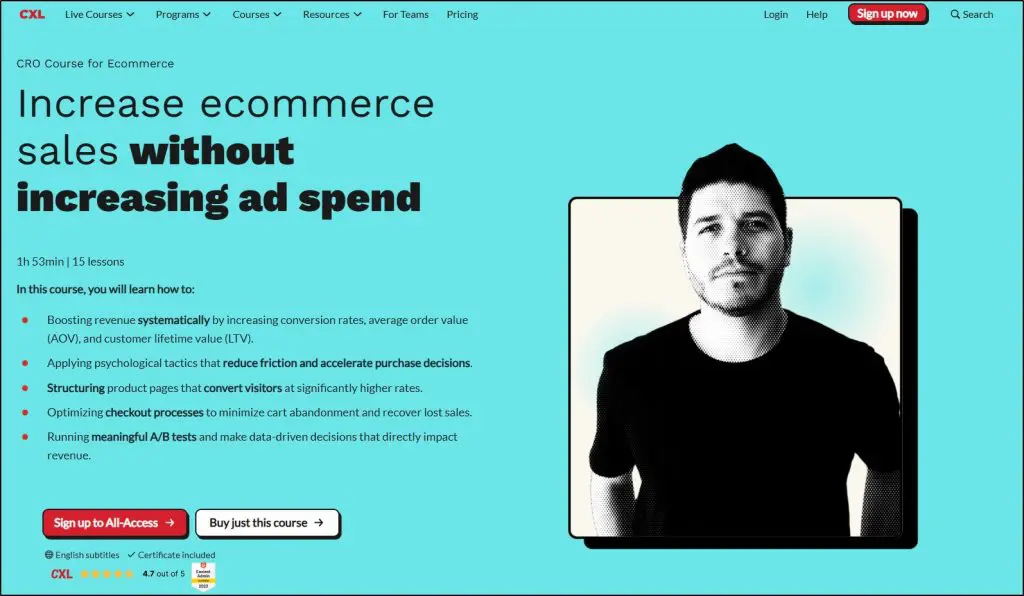
CXL’s ecommerce course below is a digital product. The course might include downloadable templates, but buyers pay for the guided course, which makes the course itself something other than a download.
Downloads earn their place in your value ramp as the low-risk first purchase. A free checklist works as a lead magnet, a $9 template works as a tripwire offer, and both lead buyers toward your course.
The 7 Most Popular Types of Digital Downloads
Buyers pay for the result a file delivers, whether that’s saved time, less stress, or a decision made for them. The format is only the container. Here’s how the seven main types compare before we look at each one.
| Type | Common formats | Where it sells best | Why people buy it |
|---|---|---|---|
| Ebooks and guides | PDF, EPUB | Amazon KDP, Gumroad, Payhip, your own site | Fast answers to one problem |
| Templates and planners | Excel, Google Sheets, Canva, editable PDF | Etsy, Creative Market, your own site | Skips starting from scratch |
| Printables | PDF, high-resolution PNG | Etsy | Ready to print, no design skills needed |
| Checklists and workbooks | PDF, fillable PDF | Your own site, Etsy | Step-by-step structure and progress |
| Stock photos and graphics | JPEG, PNG, SVG, PSD | Creative Market, Etsy, Gumroad | Visuals without hiring a designer |
| Audio and music | MP3, WAV | Etsy, AudioJungle, Gumroad | Professional sound without studio skills |
| Video assets | MP4, MOV, GIF | Creative Market, Etsy, Gumroad | Polished clips without editing time |
Type #1: Ebooks and Guides
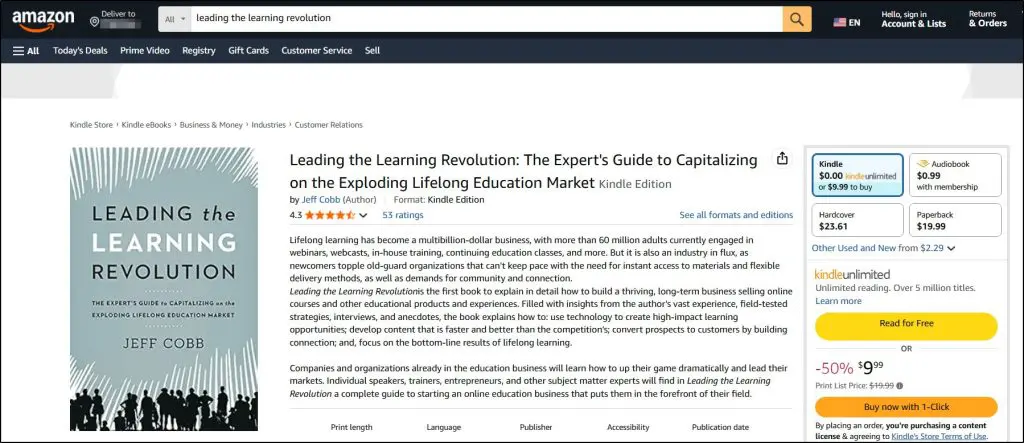
Ebooks remain the most familiar digital download, and buyers want a fast, practical answer from them. My Amazon ebook, Leading the Learning Revolution, is a good example of this type.
Modern ebooks rarely need 300 pages. Short guides that solve one problem, like a seven-day meal plan for busy parents or a pitch deck playbook, often outsell longer books because buyers can finish them in an evening.
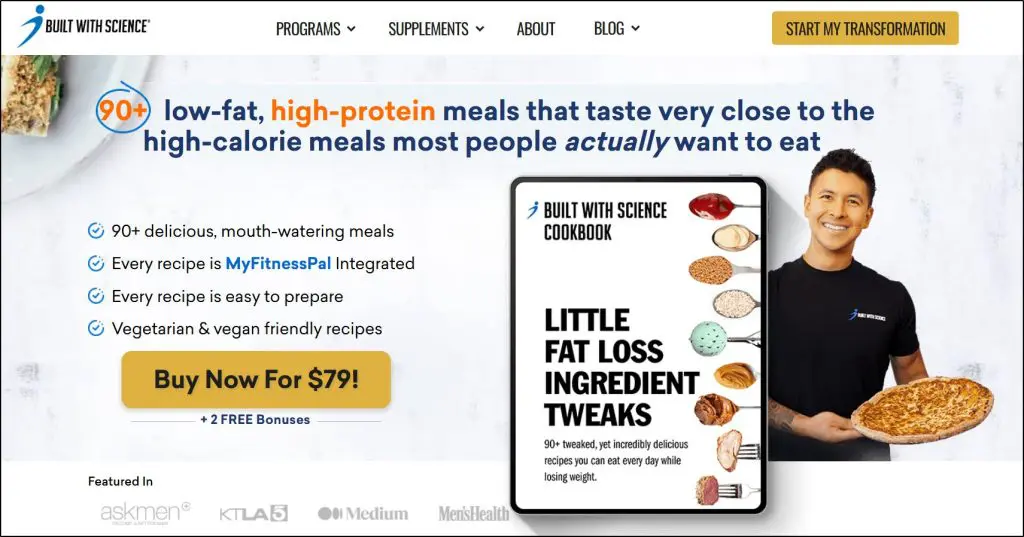
Jeremy Ethier’s fat loss cookbook shows the format at its best, with a narrow promise and a clear audience.
Deliver ebooks as PDFs for universal access and EPUB files for e-readers. Amazon KDP pays a 70% royalty on ebooks priced from $2.99 to $9.99, and our KDP Royalty Calculator shows what you’d keep at your price. My guide on writing and selling an ebook covers the full process.
Type #2: Templates and Planners
Templates sell time. Buyers plug in their own details and skip the hours it takes to build a structure from nothing.
A consultant might sell a financial forecast spreadsheet, and a life coach a daily productivity planner. Etsy is full of wedding planners, budget sheets, social media calendars, and niche picks like homeschool lesson plans.
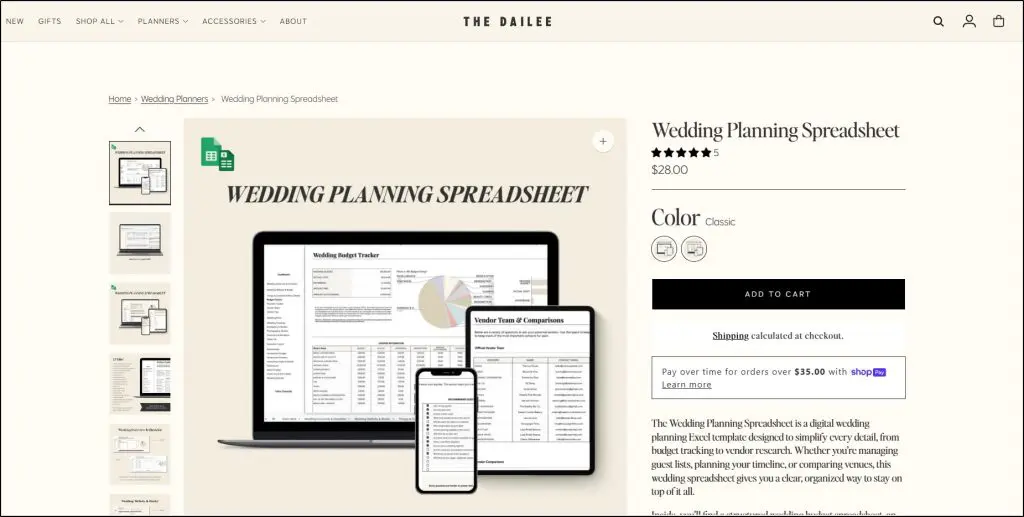
Quirky niches sell too, from pet feeding trackers to tabletop game character sheets. Build templates in Excel, Google Sheets, Word, or Canva, and sell them on Etsy, Creative Market, or your own site.
Type #3: Printables
Printables are ready-made designs that buyers print and use as-is, with no editing. Teachers sell worksheets, coaches sell meal calendars, and parents buy chore charts and party games.
The printable coloring book below shows how simple the format can be.
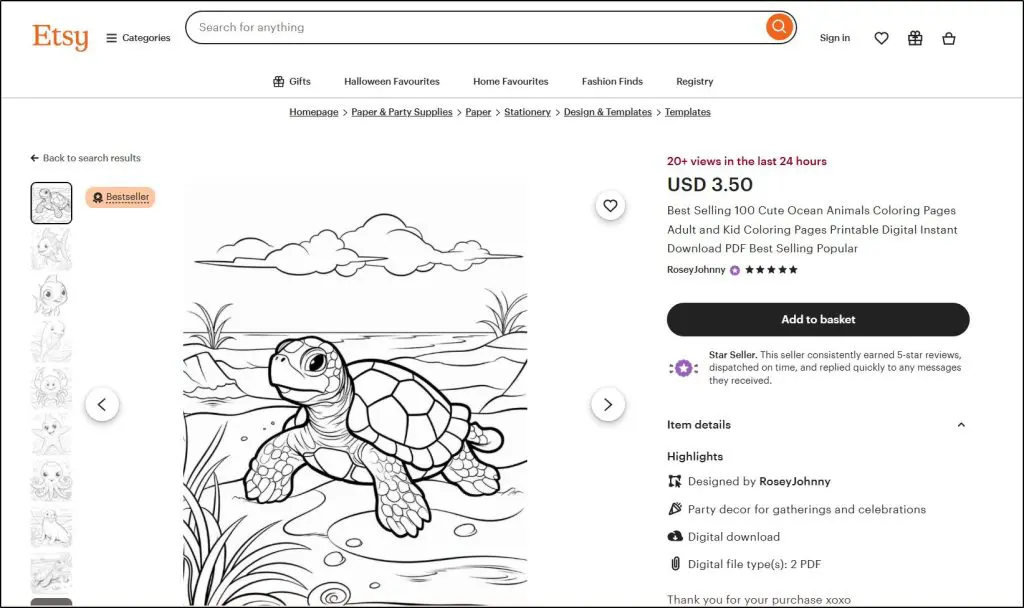
Small, oddly specific items like camping packing lists, pantry labels, and affirmation cards keep selling too. Deliver printables as PDFs or high-resolution PNGs, and list them on Etsy first, since printable buyers already shop there.
Type #4: Checklists and Workbooks
Checklists and workbooks guide people through a process step by step. Buyers like ticking boxes and seeing progress, so these files feel more useful than a page of tips.
A business coach can sell a client onboarding checklist, and a trainer a weekly meal prep workbook. Public speaking prep sheets and morning routine trackers sell well for the same reason.
For educators, workbooks are the fastest download to create. Any framework you already teach can become a workbook in an afternoon, and a workbook pairs naturally with a course or coaching package later.
Type #5: Stock Photos and Graphics
Businesses, bloggers, and teachers need visuals constantly, so stock packs keep selling. Photographers sell themed photo bundles, and designers sell Canva social templates, icon packs, and classroom clipart.
AI image tools like Midjourney and Google’s Nano Banana can produce niche visuals fast, and our guide to the best AI image generators compares them. Check the licensing first, though. The US Copyright Office concluded in January 2025 that prompts alone don’t make you the author of AI output, so anyone can copy purely AI-generated images.
Add your own editing, curation, or design work to AI images before selling them, and say clearly in the listing that AI helped. Sell graphics as JPEG, PNG, SVG, or PSD files on Creative Market, Etsy, or Gumroad.
Type #6: Audio and Music Files
Audio is an underrated category. Creators sell background tracks for YouTube, guided meditations, sound effects for editors, and podcast intros, because most people can’t make audio that sounds professional.
AI music tools like Suno, AIVA, and Soundraw can produce usable tracks, but each one sets its own rules on commercial use, so read the license for your plan before selling. Sell MP3 and WAV files on Etsy, AudioJungle, or Gumroad.
For coaches and teachers, audio extends your existing work, such as meditation tracks for clients or study audio for students. Our free Video to MP3 Audio Converter turns recorded sessions into audio files in your browser.
Type #7: Video and Multimedia Assets
Short, ready-to-use clips sell to creators and businesses who lack the time or skill to make them. Stock b-roll, animated intros, Reel transitions, and explainer clips all fit here.
A math teacher could sell animated explainer clips that other teachers drop into lessons. AI video tools like Google Veo, OpenAI Sora, and Runway can generate niche footage, with the same licensing caution as AI images.
Export clips as MP4 files, often bundled in a ZIP with several versions, and sell them on Creative Market, Etsy, or Gumroad. Our roundup of the best AI video generators and editors covers the tools in more depth.
How to Create a Digital Download That Sells
A profitable download matches a problem your audience feels right now, in the format they expect. Design and length matter far less than that fit, and here’s the seven-step process at a glance.
| Step | What to do | Tools that help |
|---|---|---|
| 1. Research demand | Find problems people already search for and complain about | Keywords Everywhere, Ahrefs, Reddit, Amazon reviews |
| 2. Validate it | Confirm people pay for solutions like yours | Etsy, Gumroad, Amazon KDP best-sellers |
| 3. Pick the format | Match the file type to what searchers expect | Google and YouTube search results |
| 4. Create it | Draft, design, and test the file | ChatGPT or Claude, Google Docs, Canva, Sheets |
| 5. Choose a platform | Set up payments and instant delivery | Thinkific, Podia, Payhip, Gumroad, Etsy |
| 6. Build a landing page | Create a sales page with your tracking pixels | Leadpages, WordPress, or your platform’s page builder |
| 7. Market it | Promote through email, social, ads, and search | Kit, Meta ads, your blog and YouTube channel |
Step 1: Research a Problem People Already Have
Start with proof that people already search for or struggle with the problem. Building on a hunch is the fastest way to make a download nobody buys.
If you have an email list, social following, or clients, ask them directly. A one-question poll asking whether they’d use a specific template or guide gives you a clear answer in a day.
Without an audience, borrow someone else’s. Read the comments in competitor communities, look at the freebies they push, and note the questions that keep coming up.
- Amazon Kindle reviews: Three-star reviews often spell out exactly what a book left out.
- Reddit and Quora threads: Raw questions people can’t find good answers to. Perplexity can summarize long threads quickly.
My favorite source is search demand data. Ahrefs and Keywords Everywhere show how many people search a topic each month, and after years of testing, I’ve found Keywords Everywhere’s numbers reliable enough to act on.
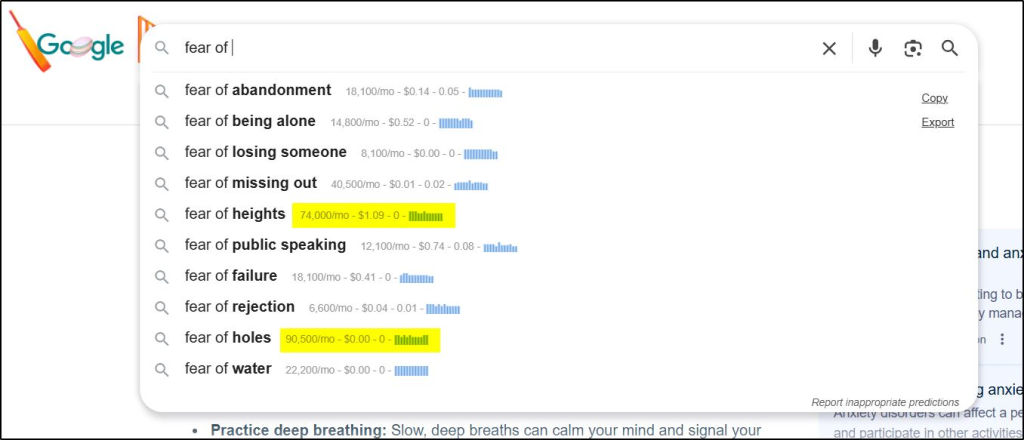
- Fear of holes: 90,000 monthly searches
- Fear of flying: 22,000 monthly searches
- Fear of heights: 70,000 monthly searches
Few people would guess those numbers from intuition. Check YouTube search volume too, which Keywords Everywhere also estimates.
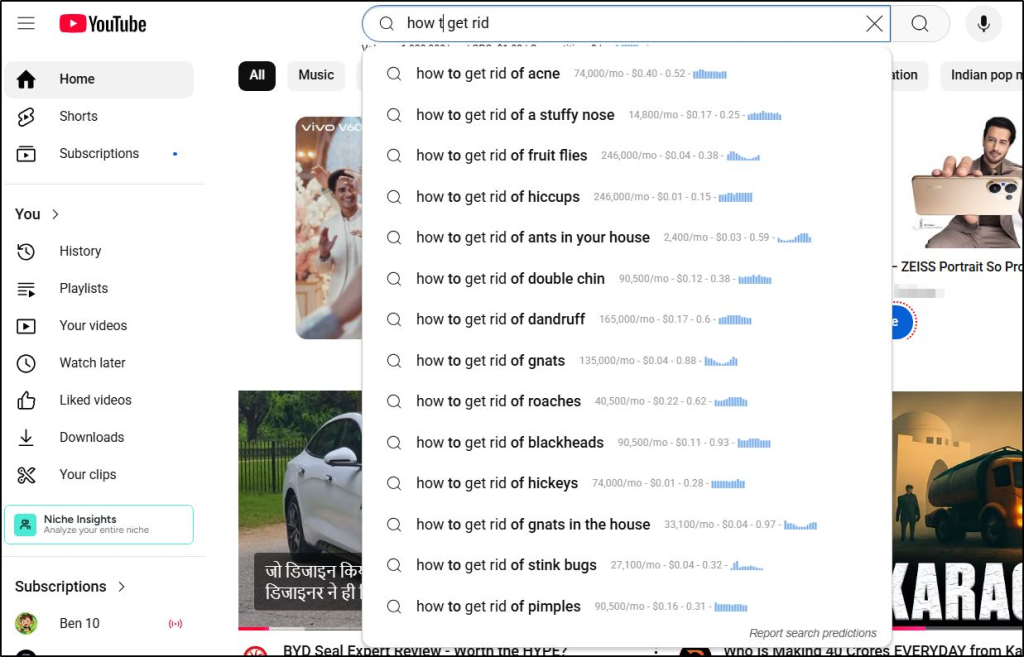
Thousands of people typing the same question is a green light for an ebook, checklist, or template. Run your idea through our Course Idea Validator as a second check, since the same demand questions apply to downloads.
Step 2: Validate That People Pay for It
Search interest proves curiosity, and validation proves people will pay. Spend an hour on these checks before you spend a week building.
- Check marketplaces: Search Etsy, Amazon KDP, Gumroad, and Creative Market for your idea. Existing sellers mean buyers exist.
- Study best-sellers: Review counts, sales counts, and best-seller badges show whether demand supports several sellers.
- Watch social proof: Saves and comments on similar products on Instagram, TikTok, or Pinterest signal interest.
- Run a small test: Offer a one-page version, like a sample chapter or mini checklist, for free or a few dollars. Fast uptake means you’re onto a real need.
Move on early if nothing sells in real markets. A problem with weak pull won’t get stronger because you wrote a longer file.
Step 3: Match the Format to What Buyers Expect
Many creators pick the format they like making. Searchers already know what they want, and the search results tell you.
- Check the results page: Search your idea on Google and YouTube. If printables and planners rank for meal planning for busy moms, a template will beat an ebook.
- Match the outcome: Buyers who want clarity need an ebook, buyers who want a tool need a spreadsheet or template, and buyers who want motivation respond to audio or video.
- Read the modifiers: Words like template, planner, printable, and guide in search queries show the format people expect.
Deliver the answer in the format your buyer believes is fastest to use, even if it’s shorter than what you planned.
Step 4: Create the File With the Right Tools
Each download type has its own tools and quality checks. Use AI to draft, outline, and brainstorm at every stage, then edit the result so it sounds like you.
| Download type | Create with | Quality checks before launch |
|---|---|---|
| Ebooks and guides | ChatGPT or Claude for drafts, Google Docs or Word, Canva for design | Clickable table of contents, PDF and EPUB exports, links to your next offer |
| Templates and planners | Excel or Google Sheets for formulas, Canva for design planners | Locked formulas, drop-downs, sample entries |
| Printables | Canva or Illustrator | 300 DPI exports, A4 and US Letter sizes, a test print |
| Stock graphics | Midjourney or Nano Banana, then Photoshop or Affinity | JPEG, PNG, and SVG versions, a license PDF |
| Audio | Audacity or GarageBand, or AI music tools | Even volume across files, MP3 and WAV, tagged metadata |
| Video assets | CapCut, Canva, or Premiere Pro | MP4 in H.264, at least 1080p, files under 200 MB |
Test every file on a phone, tablet, and desktop before launch. One broken formula or blurry export can bring refund requests and bad reviews that hurt every later sale.
Step 5: Choose a Platform for Payments and Delivery
A digital downloads platform takes the payment, sends the file, issues the receipt, and records the customer, so you never email files by hand. The platform you choose decides how much you keep per sale and whether the buyer becomes your customer or the marketplace’s.
I compare the main options, with fees, in the platform section below.
Step 6: Build a Landing Page You Control
A landing page carries your marketing message, testimonials, and proof that the download solves the problem. Every channel, from ads to email to blog posts, should point to it.
The page also holds your Meta pixel and Google tracking code. Those let you retarget visitors who didn’t buy, which usually costs far less than reaching cold traffic again.
Platforms differ here. Shopify, Sellfy, and Stan Store’s Creator Pro plan support pixel tracking, while Etsy and Creative Market give you a standard listing page with no tracking control. Course platforms like Thinkific offer sales pages built for courses that work fine for downloads.
If your platform limits tracking, build the sales page on your own site or in Leadpages and link the buy button to your platform’s checkout. Our roundup of landing page software compares the options.
Step 7: Market Your Download
Lead your marketing with the problem your audience already feels. Once they recognize their own frustration, your download becomes the obvious next step. Combine short-term pushes with content that keeps bringing buyers for years.
| Channel | How to use it | Speed |
|---|---|---|
| Email list and social followers | Announce with a launch discount or a bundle | Fastest |
| Past buyers and students | Offer the download as an add-on or next step | Fast |
| Meta ads | Send clicks to the landing page and retarget visitors | Fast, with ad spend |
| Reddit, Quora, and Facebook groups | Answer questions and share the download when it fits | Medium |
| Blog posts and YouTube videos | Target the exact searches behind the problem | Slow, but compounds |
My guides to email marketing platforms, high-converting Facebook ads, and using SEO to sell go deeper on each channel. Track results with our Conversion Rate Calculator so you know which one earns its place.
The Best Platforms to Sell Digital Downloads
Platforms split into two groups. Marketplaces like Etsy and Creative Market bring buyers but keep the customer relationship, while storefronts and course platforms make you find buyers but let you keep them.
| Platform | Starting price | Fee per sale | Built-in buyers | Best for |
|---|---|---|---|---|
| Thinkific | $82/mo billed annually | 0% on paid plans, plus processing | No | Course creators adding downloads |
| Podia | $42/mo billed annually | 5% on Mover, 0% on Shaker | No | Selling downloads, courses, and coaching together |
| Teachable | $29/mo billed annually | 7.5% on Starter, 0% on Builder | No | Teachable users adding low-cost offers |
| Payhip | Free | 5% per sale on Free, 0% on Pro | Small | Beginners testing their first product |
| Gumroad | Free | 10% + $0.50 per sale, plus card processing | Small (30% on Discover sales) | Solo creators who want tax handled |
| Stan Store | $29/mo | 0%, plus processing | No | Creators selling from a link in bio |
| Sellfy | $22/mo billed annually | 0%, plus processing | No | A branded store with upsells |
| Shopify | $29/mo billed annually | 2.9% + 30¢ online card rate | No | Mixing digital and physical products |
| Etsy | Free | $0.20 per listing, a 6.5% transaction fee, and 3% + $0.25 processing | Yes | Printables, planners, and templates |
| Easy Digital Downloads | Free plugin | 3% extra fee on Stripe payments on Lite | No | WordPress sites |
| Creative Market | Free | Keeps roughly 30% to 50% of each sale | Yes | Designers selling graphics and templates |
Fees look small until you run the numbers. Here’s roughly what you’d keep on a $20 download, assuming a US card at 2.9% + $0.30 where the platform charges processing separately.
| Platform and plan | You keep on a $20 sale | Monthly cost on top |
|---|---|---|
| Thinkific, Sellfy, Stan Store, or Shopify | About $19.12 | Plan fee |
| Easy Digital Downloads Lite | About $18.52 | None |
| Payhip Free or Podia Mover | About $18.12 | None on Payhip, plan fee on Podia |
| Etsy | About $17.65 | None |
| Teachable Starter | About $17.62 | Plan fee |
| Gumroad (your own traffic) | About $16.62 | None |
| Gumroad Discover sale | About $14.00 | None |
| Creative Market | About $10 to $14 | None |
Monthly plan fees matter more than percentage fees at low volume, so free plans win early and paid plans win once you sell steadily. Run your own numbers with our Etsy Fee Calculator, Stripe Fee Calculator, and Profit Margin Calculator.
1. Thinkific: Best for Course Creators
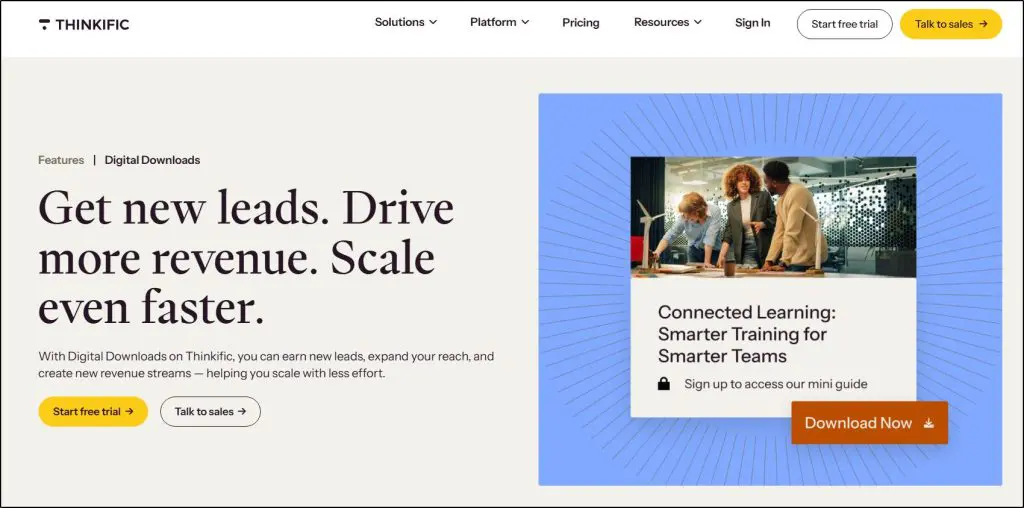
- Best for: Course creators who want downloads next to their courses
- Where it stands out: Downloads work as standalone products, course add-ons, bundle items, or free lead magnets
- Starting price: $82/mo billed annually (30-day free trial)
Thinkific lets you sell ebooks, PDFs, templates, spreadsheets, and audio as their own products, or attach them to courses and bundles. Creators can also give a download away in exchange for an email address, which turns it into a lead magnet on the same site.
I run my live courses on Thinkific, and keeping downloads there means one checkout, one customer list, and an easy path from a $15 workbook to a full course. Thinkific charges no transaction fee on paid plans.
Thinkific brings you no marketplace traffic, and its sales pages center on courses. My Thinkific Digital Downloads guide walks through the setup.
Verdict: The best choice if you sell courses or plan to, and more platform than you need for a single ebook.
| Plan | Billed monthly | Billed annually (per month) |
|---|---|---|
| Start | $109 | $82 |
| Grow | $219 | $164 |
| Expand | $499 | $374 |
| Plus | Custom | Custom |

2. Podia: Best All-in-One on a Budget
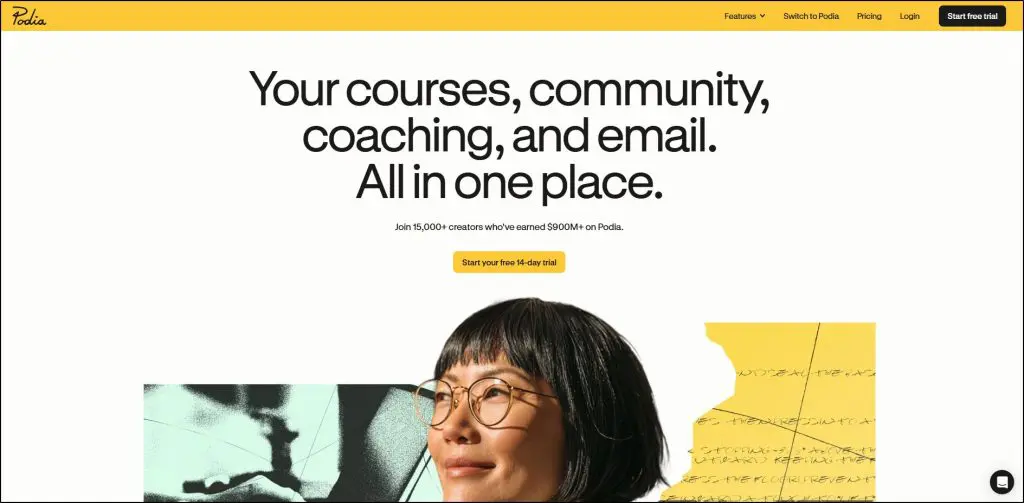
- Best for: Creators selling downloads, courses, coaching, and a community from one site
- Where it stands out: Email marketing, a website builder, and downloads included on every plan
- Starting price: $42/mo billed annually (14-day free trial)
Podia sells digital downloads alongside courses, coaching, events, and a community, with email marketing built in. Bundles, upsells, coupons, and payment plans come on every plan.
Mover charges a 5% transaction fee, and Shaker removes it. Email and automations cover simple sequences well but lack the depth of a dedicated email tool.
See my Podia vs Thinkific comparison if you’re deciding between the two.
Verdict: A practical home for a small creator business built around downloads and a first course.
| Plan | Billed monthly | Billed annually (per month) | Transaction fee |
|---|---|---|---|
| Mover | $49 | $42 | 5% |
| Shaker | $99 | $84 | 0% |
| Earthquaker | $179 | $150 | 0% |

3. Teachable: Best for Existing Teachable Users
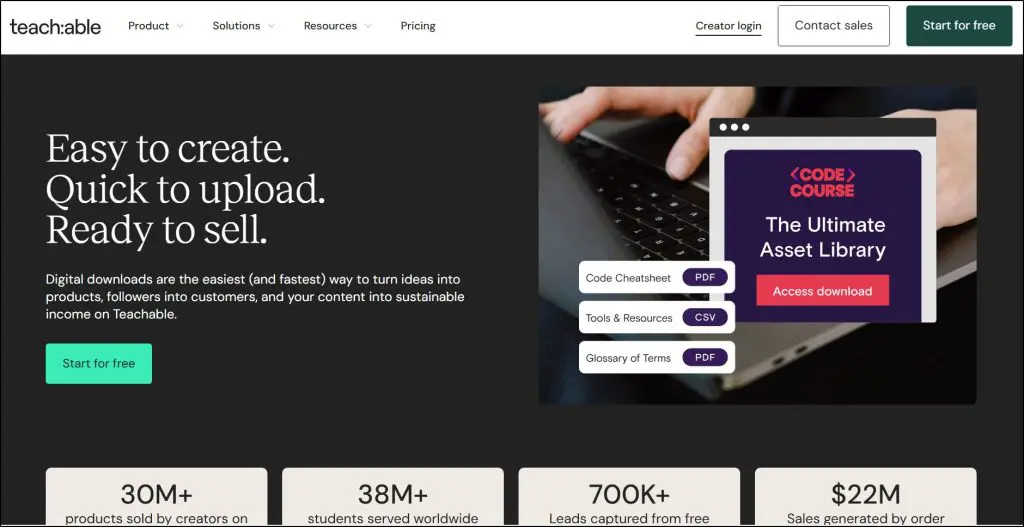
- Best for: Creators already on Teachable who want low-cost offers
- Where it stands out: Downloads as standalone products, course bundles, or free lead magnets
- Starting price: $29/mo billed annually (7-day free trial, 30-day money-back guarantee)
Teachable supports digital downloads as standalone products, bundle items, and lead magnets, with files uploaded directly or linked from Google Drive or Canva. PDFs, spreadsheets, MP3s, and images all work.
Starter charges a 7.5% transaction fee, which eats into low-priced downloads, and Builder drops it to 0%. Teachable brings no marketplace traffic, so sales come from your own audience.
Verdict: Worth using if you already teach on Teachable, and hard to justify as a new choice for downloads alone. My Teachable vs Thinkific comparison covers the trade-offs.
4. Payhip: Best Free Option for Beginners

- Best for: Beginners testing their first download with no monthly cost
- Where it stands out: Every feature on every plan, with only the fee changing
- Starting price: Free, then 5% per sale
Payhip gives you a simple store, product pages, instant delivery, and EU VAT handling with no upfront cost. Plans differ only in the transaction fee, so you can start free and upgrade once sales justify it.
Free charges 5% per sale, Plus costs $29/mo for 2% per sale, and Pro costs $99/mo for 0% per sale. Plus beats Free once you sell about $967 a month, according to Sellfy’s breakdown.
Payhip’s marketplace is small, so most buyers will come from your own promotion, and the store design is basic.
Verdict: The safest place to test a first download, since you pay nothing until it sells.
5. Gumroad: Best for Hands-Off Taxes
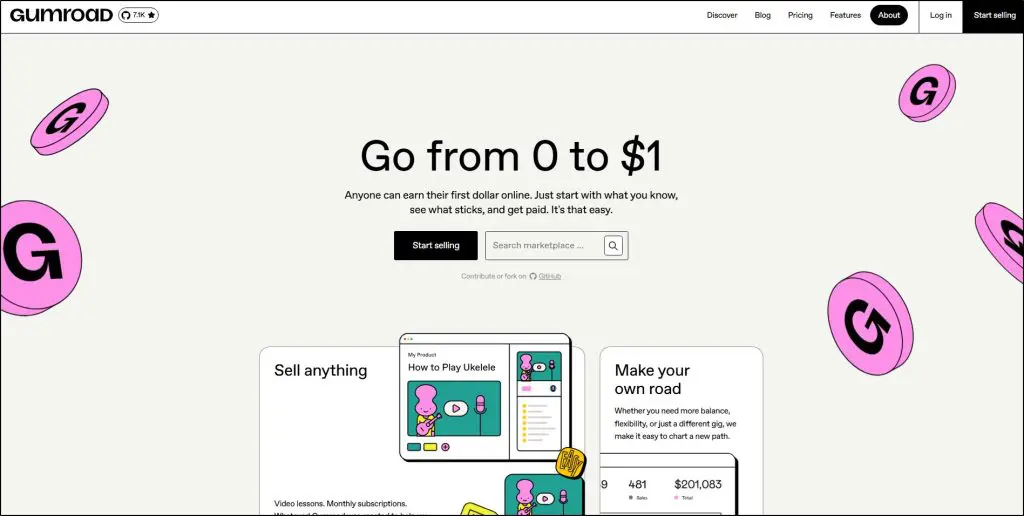
- Best for: Solo creators who want sales tax and VAT handled for them
- Where it stands out: Gumroad acts as merchant of record and handles tax collection worldwide
- Starting price: Free, then 10% + $0.50 per sale, plus card processing
Gumroad turns a file into a clean product page with checkout and delivery in minutes. Gumroad also acts as merchant of record, collecting and paying sales tax and VAT for you, which saves real paperwork for international sellers.
The convenience costs more than most rivals. Direct sales pay 10% + $0.50 per sale, plus card processing, and sales through Gumroad’s Discover marketplace pay 30% per sale. Gumroad also keeps its fees on refunded sales, per Checkout Page.
Verdict: Great for getting started fast, and expensive once you sell in volume.
6. Stan Store: Best for Selling From Social Media
- Best for: Creators selling to followers from a link in bio
- Where it stands out: A mobile-first store with downloads, courses, and bookings on one page
- Starting price: $29/mo (14-day free trial)
Stan Store puts your downloads, courses, and call bookings on one mobile page built for Instagram and TikTok traffic. Stan charges no transaction fees, so you pay only the monthly plan and card processing.
Creator costs $29/mo. Creator Pro, at $99/mo, adds order bumps, upsells, discount codes, email flows, and pixel tracking, per Stan’s pricing page. Stan has no free plan, so you pay before the first sale.
Verdict: A good fit if your audience lives on social media, and an extra monthly bill if it doesn’t.
7. Sellfy: Best Branded Store
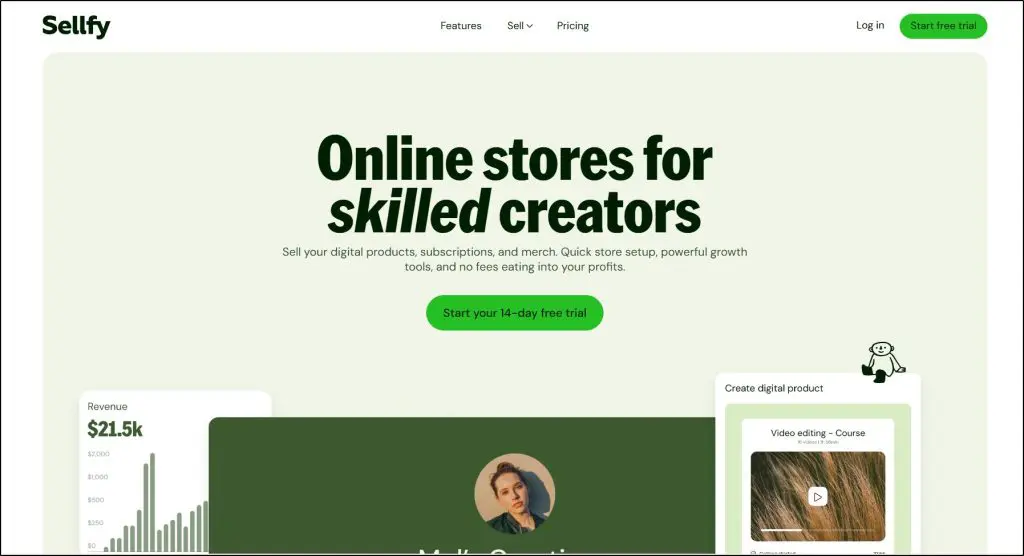
- Best for: Creators who want a branded shop with upsells and email
- Where it stands out: 0% Sellfy fees, with built-in email marketing and discount tools
- Starting price: $22/mo billed annually (14-day free trial, no credit card)
Sellfy gives you a hosted store that looks like your own ecommerce site, with product pages, discounts, and email marketing. Sellfy charges no transaction fees on any plan.
Each plan caps your annual sales, at $10,000 on Starter, $50,000 on Business, and $200,000 on Premium, per Sellfy’s pricing. Upsells and cart recovery start on Business. Sellfy has no marketplace, so you drive every visitor yourself.
Verdict: A clean, fee-free store for creators with their own traffic.
8. Shopify: Best for Physical and Digital Products

- Best for: Brands mixing digital downloads with physical products
- Where it stands out: Full control of store design, customer accounts, and integrations
- Starting price: $29/mo billed annually
Shopify handles downloads through apps such as Shopify’s own Digital Downloads app or SendOwl. Store owners get full control of the storefront, product pages, and checkout, and the store can sell physical products too.
Shopify brings no traffic, and the setup takes more work than a simple storefront. Basic costs $29/mo billed annually, with online card rates of 2.9% + 30¢ online card rate.
Verdict: Overkill for one ebook, and the right base for a brand that sells physical and digital products together.
9. Etsy: Best Marketplace for Printables
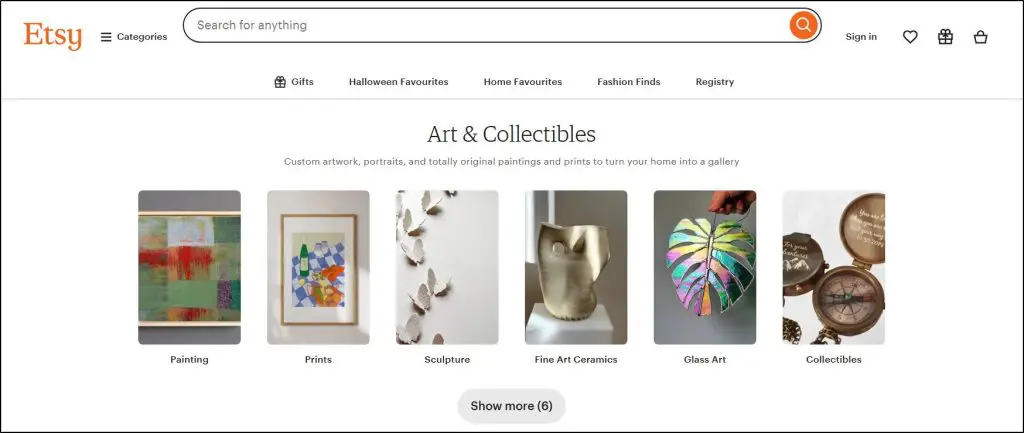
- Best for: Printables, planners, and templates
- Where it stands out: Built-in buyers who search Etsy for digital downloads every day
- Starting price: Free, with fees per listing and sale
Etsy is one of the biggest marketplaces for printables, planners, and templates. Sellers list products inside Etsy, and buyers find them through Etsy search, with checkout and delivery handled for you.
Etsy charges $0.20 per listing, a 6.5% transaction fee, and 3% + $0.25 processing. Etsy also charges a 15% fee on sales from its Offsite Ads for shops under $10,000 a year, per Checkout Page.
Etsy owns the customer relationship, and competition in popular niches is fierce. Our Etsy Fee Calculator shows what you’d keep at any price.
Verdict: The fastest route to first sales for printables, with little room to build your own brand.
10. Easy Digital Downloads: Best for WordPress Sites
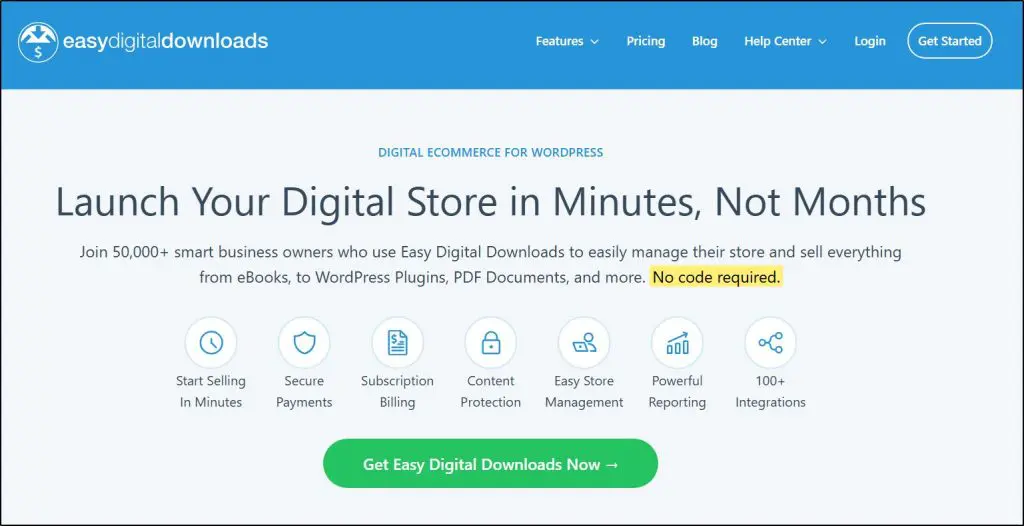
- Best for: WordPress site owners who want full ownership
- Where it stands out: Store, customer data, and checkout all live on your own domain
- Starting price: Free Lite plugin, paid passes from $199/yr
Easy Digital Downloads turns a WordPress site into a digital store with product pages, secure delivery, and customer records. EDD connects with Stripe, PayPal, and the major email tools.
The free Lite version adds a 3% fee on Stripe payments, which the Extended pass and above remove. Paid passes run from $199 to $999 a year at full price, per EDD’s pricing page.
EDD only makes sense if you’re comfortable maintaining WordPress yourself. If you’re not, a hosted platform saves you the updates, security, and hosting work. Our web hosting guide covers the hosting side.
Verdict: The most control of any option here, for creators who already run WordPress.
11. Creative Market: Best Marketplace for Designers
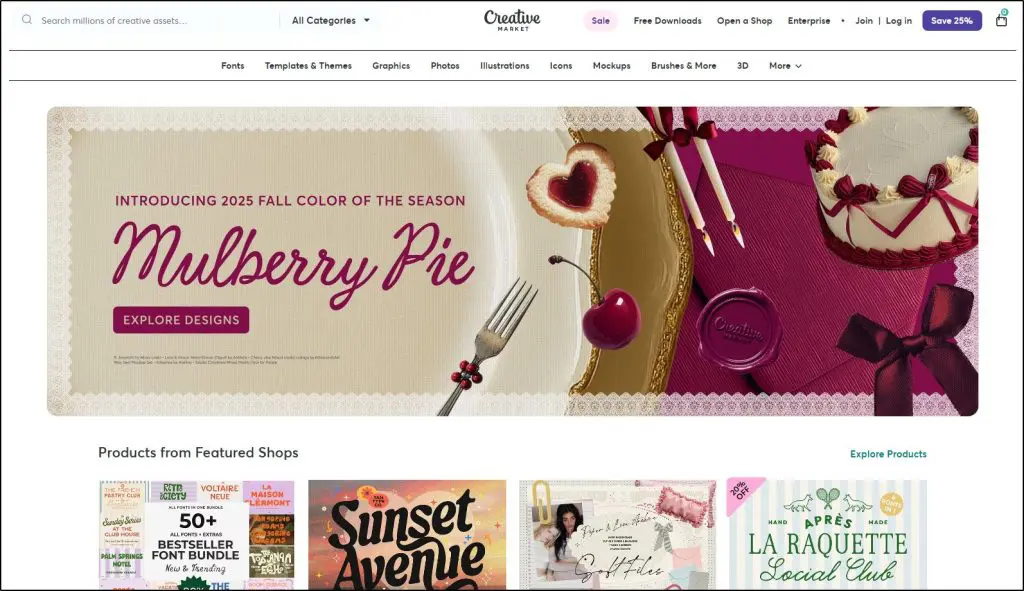
- Best for: Designers selling graphics, fonts, and templates
- Where it stands out: A buyer base of designers, bloggers, and businesses
- Starting price: Free to open a shop
Creative Market lists your templates, graphics, and fonts in a searchable catalog that designers and marketers already browse. Buyers find you through the platform, so you need no marketing to get started.
Creative Market keeps a large share of each sale, roughly 30% to 50% depending on exclusivity, according to Getly’s 2026 comparison. Sellers also get little control over branding or customer data.
Verdict: Useful exposure for design assets, at the cost of the biggest cut on this list.
Which Platform Should You Choose?
| Your situation | Start with |
|---|---|
| You sell or plan to sell courses | Thinkific or Podia |
| You want to test one download for free | Payhip |
| You sell internationally and want taxes handled | Gumroad |
| Your audience is on Instagram or TikTok | Stan Store |
| You sell printables or planners | Etsy |
| You sell design assets to designers | Creative Market |
| You already run a WordPress site | Easy Digital Downloads |
| You sell physical products too | Shopify |
Our Online Course Platform Selection Tool matches you to a course platform in about two minutes if you’re unsure which fits.
Make Your First Digital Download This Week
A first download doesn’t need 100 pages, expensive software, or a polished funnel. Pick one problem your audience asks about, package the answer as a checklist or template, and put it on sale within a week.
Watch what buyers do with it. Refund requests, reviews, and questions tell you what to fix and what to build next, often a bigger guide or a course. Price it with our Discount Calculator in mind for launch offers, and use our Course Bundle Discount Calculator when you bundle downloads with a course later.
Frequently Asked Questions (FAQs)
How much should I charge for a digital download?
Price by the outcome, not the page count. Look up the three best-selling products like yours on Etsy, Gumroad, or Amazon, and launch a little below the leaders. Specialized templates that save hours of work can charge far more than a general checklist. Raise prices as reviews and sales come in.
Do I need to charge sales tax or VAT on digital downloads?
Often yes, since many US states and the EU tax digital products. Gumroad and Etsy collect and pay these taxes for you, and Payhip handles EU VAT. On Shopify, Easy Digital Downloads, or your own site, you usually handle it yourself, and our Sales Tax and VAT Calculator helps you estimate amounts.
How do I protect my digital downloads from piracy?
Nobody can stop piracy completely, but you can limit it. Use expiring download links, cap the number of downloads per purchase, and stamp PDFs with the buyer’s email. Most platforms offer at least one of these. Treat some sharing as free marketing, and keep improving the product so buyers prefer the official version.
Can I sell digital downloads made with AI?
Yes, but disclose it where the platform requires, such as Etsy, and check each AI tool’s commercial license. US copyright law doesn’t protect purely AI-generated images and text, so anyone can copy them. Adding your own editing, structure, and expertise makes the product stronger and harder to copy.
Can digital downloads become passive income?
Downloads become mostly passive once traffic runs without you. Blog posts and YouTube videos that rank for the problem, an email sequence that promotes the download, and marketplace search on Etsy can all bring sales on their own. Expect to spend a few hours a month on updates, customer questions, and refreshing listings.
Should I give my digital download away for free?
Give it away if your goal is building an email list for a bigger offer, such as a course or coaching program. Charge for it if the download is your product. Many creators do both, offering a free checklist as a lead magnet and a paid workbook or template as the next step.

Jeff Cobb, Founder of Learning Revolution
Jeff Cobb is an expert in online education and the business of adult lifelong learning. Over the past 20+ years he has built a thriving career based on that expertise – as an entrepreneur, a consultant, an author, and a speaker. Learning Revolution is a place where Jeff curates tips, insights, and resources to help you build a thriving expertise-based business. Learn more about Jeff Cobb here.
Table of Contents
Related Posts
Thinkific Digital Downloads (2026): Complete Guide