
TL;DR: Which Restream Alternative Should You Choose?
• Use StreamYard for an easier studio, cheaper Full HD and AI clips included in its plans.
• Use OneStream Live to schedule pre-recorded streams to more destinations than Restream allows.
• Use Castr to stream on your own website and charge viewers through a paywall.
• Use Riverside when recording quality matters more than reach, as with a podcast or interview series.
• Use OBS Studio for full production control at no cost, if you’re comfortable with technical setup.
• Use Crowdcast when live sessions need registration and ticket sales.
• Stay on Restream if you need 30+ destinations, merged chat and cross-platform analytics in one tool.
YouTube Live took 60.3% of all livestream hours watched in the second quarter of 2026, according to the Streamlabs and Hatchet Q2 2026 report. The rest went to Twitch, Kick and other platforms, so a big share of any live audience sits outside YouTube.
For course creators and coaches, that spread is the reason multistreaming matters. Going live on one platform means missing people who already follow you somewhere else.
Restream built its business on that problem.
It sends one stream to more than 30 platforms, merges every chat into one window and shows analytics across channels. But its studio streams in 720p on the cheaper plans, clips and webinars cost extra and the platform has no way to sell tickets or charge viewers.
So the question I set out to answer is which tool fixes each of those gaps better than Restream.
My short answer is StreamYard for an easier studio, OneStream Live for pre-recorded streams and Castr or Crowdcast when live sessions need to earn money.
In this guide I’ll compare the 9 best Restream alternatives. I’ll also show where each one beats Restream and where Restream still wins, cover current pricing and recommend the right tool for each use case.
Note: This page contains affiliate links. If you purchase through links on this page, we may earn a commission at no additional cost to you.
Restream Alternatives Compared (2026)
Here’s the quick view of all 9 alternatives before the full reviews. Starting prices use annual billing where a tool offers it.
| Platform | Key features | Best for | Not for | Starting price |
|---|---|---|---|---|
| StreamYard | Browser studio, guest links, local recordings, AI clips | The easiest studio for guest shows | Creators who need 30+ destinations or analytics | $14.99/mo |
| OneStream Live | Pre-recorded streaming, scheduling, 24-hour streams, up to 50 destinations | Scheduled pre-recorded streams | Hosts who want the most polished guest studio | $12/mo |
| Castr | Embeddable player, paywall, video hosting, multistreaming | Streaming to your own website | Creators who only stream to social media | $16.67/mo |
| Riverside | Local 4K recording, separate tracks, AI editing, live streaming | Podcasts and recorded interviews | Streamers who only go live | $24/mo |
| OBS Studio | Scenes, transitions, audio mixer, plugins | Full production control for free | Non-technical hosts and guest-led shows | Free |
| Be.Live | Browser studio, guest interviews, AI comment assistant, team members | Simple interview shows on a budget | Creators who need many destinations on a cheap plan | $14.16/mo |
| Ecamm Live | Scene switching, overlays, multi-camera, screen sharing | Mac users who want studio production | Windows users | $16/mo |
| Switchboard Live | Unlimited destinations, StreamShare, SRT input, team seats | Organizations that share streams with partners | Solo creators who want published prices | Custom pricing |
| Crowdcast | Registration, ticketing, upvoted Q&A, replays | Paid live workshops and events | Multistreaming to social platforms | $49/mo |
Why Look for a Restream Alternative?
For pure multistreaming, Restream is hard to beat, but a few limits push creators to look elsewhere. Here are the ones I see most often.
- 720p on the cheaper plans: Restream’s studio streams in 720p until you move to a higher plan.
- Paid add-ons: AI Clips and Webinars cost extra on every paid plan.
- No way to sell access: Restream has no paywall, ticketing or donations.
- Recording: Local recording and split tracks start on higher plans, with local recording still in beta.
- Your own website: The embedded website player comes only with the top self-serve plan.
- Free plan branding: The free plan adds Restream branding and streams to two channels.
If none of these limits affect you, Restream is probably still your best option. My full Restream review covers its plans and features in detail.
How I Picked These Restream Alternatives
I compared each tool against Restream on the six things that matter most to coaches, consultants and course creators who go live regularly.
- Reach: How many platforms you can stream to at once and whether the tool supports custom RTMP.
- Studio and guests: How quickly a non-technical host can go live and how easily guests can join.
- Pre-recorded streaming: Whether you can schedule recorded videos, run long streams or loop content.
- Selling: Whether the tool supports registration, paywalls, tickets or a website player.
- AI tools: What the AI features do for clips, editing or audience replies.
- Total cost: Starting price, what the entry plan leaves out and what the features you need will cost.
I left out tools built mainly for gamers, like Streamlabs. I also skipped newer simulcast-only services with little track record among course creators. They solve different problems from the ones most Restream users have.
For each tool, a table shows the main differences from Restream and which one wins on each point.
The 9 Best Restream Alternatives in 2026
I’ve ordered these by how many Restream users each one suits, starting with the closest like-for-like replacement. Each review covers what the tool does well, where it falls short and what it costs.
1. StreamYard: Best for The Easiest Studio for Guest Shows
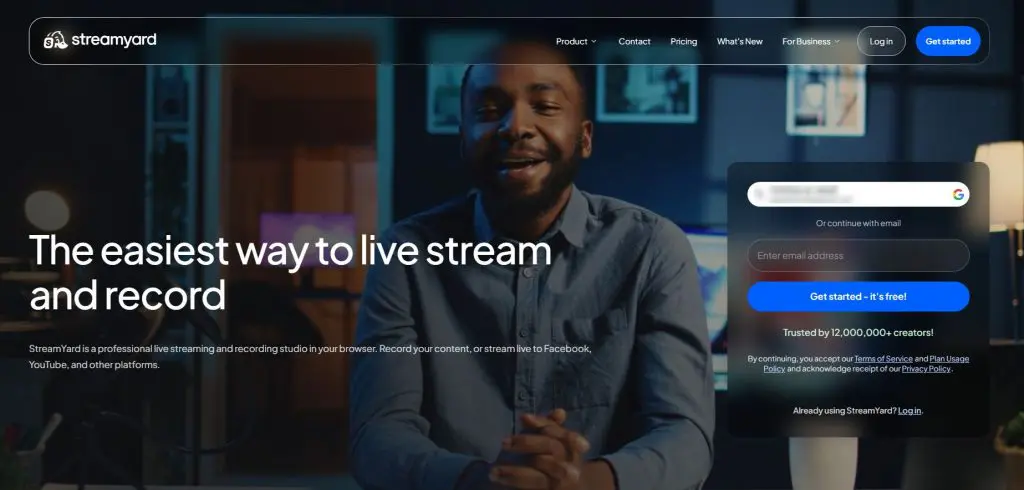
- Key features: Browser studio, guest links, local recordings, AI clips, On-Air webinars
- Best for: Hosts who run interviews, Q&As and live classes with guests
- Not for: Creators who need 30+ destinations or cross-platform analytics
- Starting price: Free plan, then $14.99/mo billed annually
For many course creators, StreamYard is the closest Restream alternative and the better one. Like Restream, StreamYard runs in the browser, lets guests join from a link and streams to several platforms at once.
Where StreamYard pulls ahead is the studio. I’ve used StreamYard for years for interviews, webinars and course launches. No live tool I’ve tried is easier for a non-technical host or a nervous guest. All paid plans stream in Full HD, including the entry plan.
Local recording is the other big win. StreamYard records each person on their own device, so a guest’s weak connection doesn’t ruin the file you’ll reuse as a lesson or podcast episode.
On AI, StreamYard includes AI Clips in its plans, with a monthly cap. Say “Clip that” during a show to mark a moment, then turn long sessions into short vertical videos.
StreamYard reaches fewer platforms and has no stream analytics, which the table shows. For a deeper look, read my StreamYard review and my Restream vs StreamYard comparison.

StreamYard vs Restream: Main Differences
| Feature | StreamYard | Restream | Winner |
|---|---|---|---|
| Studio quality on the entry plan | Full HD 1080p | 720p | StreamYard |
| Ease of use for guests | Simplest studio I know | Easy, with more settings | StreamYard |
| Supported platforms | Major platforms plus custom RTMP | 30+ native destinations plus custom RTMP | Restream |
| Analytics | Webinar analytics only | Cross-platform dashboard | Restream |
| AI clips | Included, with monthly caps | Paid add-on | StreamYard |
| Free plan | One destination | Two channels | Restream |
| Starting price (annual) | $14.99/mo | $16/mo | StreamYard |
StreamYard Pricing
After the free plan, StreamYard costs Essential $14.99/mo, Core $35.99/mo and Advanced $68.99/mo on annual billing. Monthly billing costs more. StreamYard quotes team plans separately.
Essential keeps the StreamYard logo on your streams. Core removes it and adds unlimited local recordings and pre-recorded streams. New accounts get a 7-day free trial on paid plans.
| Plan | Billed monthly | Billed annually (per month) |
|---|---|---|
| Free | $0 | $0 |
| Essential | $18.99 | $14.99 |
| Core | $44.99 | $35.99 |
| Advanced | $88.99 | $68.99 |
| Feature | Free | Essential | Core | Advanced |
|---|---|---|---|---|
| Multistream destinations | 1 | 2 | 3 | 8 |
| StreamYard logo on streams | ✓ | ✓ | ✗ | ✗ |
| Video quality | Standard definition | Full HD 1080p | Full HD 1080p | Full HD 1080p, 4K local recordings |
| On-screen participants | 6 | 6 | 10 | 10 |
| Backstage participants | ✗ | ✗ | ✗ | 15 |
| Local recordings | 2 hours a month | 2 hours a month | Unlimited | Unlimited |
| Pre-recorded streams | ✗ | ✗ | 2 hours | 4 hours |
| Custom RTMP destinations | ✗ | ✗ | ✓ | ✓ |
| AI clips per month | 2 | 2 | 6 | 25 |
| AI backgrounds | ✗ | ✗ | ✓ | ✓ |
| On-Air webinars | ✗ | ✗ | ✗ | 100 viewers |
| Transcript downloads | ✗ | ✗ | ✗ | ✓ |
| Storage | 5 hours | Limited | 50 hours | 50 hours |
2. OneStream Live: Best for Scheduled Pre-Recorded Streams
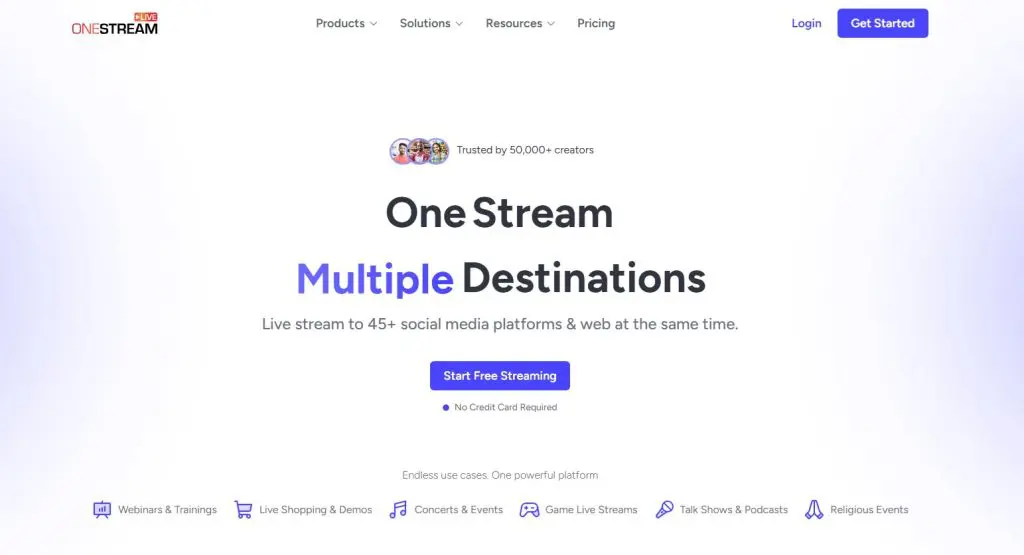
- Key features: Pre-recorded and live streams, scheduling, 24-hour streams, embeddable players
- Best for: Creators who want to schedule recorded videos to many channels while they’re offline
- Not for: Hosts who want the most polished guest studio
- Starting price: Free plan, then $12/mo billed annually
OneStream Live does what Restream does, with more weight on pre-recorded content. Upload a video, schedule it and OneStream streams it to your channels as a live event, even while you sleep.
For example, a coach with students in three time zones can run the same recorded workshop at 9 a.m. in each region without being at a desk. Higher plans reach up to 50 destinations and support 24-hour streams.
For real-time shows, OneStream offers a browser Live Studio plus encoder input from OBS or Ecamm over RTMP, SRT and WHIP. Embeddable players and simple stream web pages let you show a stream on your own site from the entry plan up.
The studio covers the basics but lacks Restream’s merged chat depth and analytics. My OneStream Live review goes deeper.
OneStream Live vs Restream: Main Differences
| Feature | OneStream Live | Restream | Winner |
|---|---|---|---|
| Pre-recorded streaming | All plans, with scheduling and 24-hour streams | Upload & Stream, with plan limits | OneStream Live |
| Most destinations | 50 on the top plan | 8 on the top self-serve plan | OneStream Live |
| Website player | All plans | Top self-serve plan only | OneStream Live |
| Live studio | Covers the basics | More scenes and chat tools | Restream |
| Starting price (annual) | $12/mo | $16/mo | OneStream Live |
OneStream Live Pricing
After the free plan, OneStream costs Basic $12/mo, Standard $32/mo, Professional $39/mo and Enterprise $83/mo on annual billing.
Standard is where Full HD and team seats start. Add-ons cover extra destinations, storage and 24-hour YouTube streams.
| Plan | Billed monthly | Billed annually (per month) |
|---|---|---|
| Free | $0 | $0 |
| Basic | $15 | $12 |
| Standard | $39 | $32 |
| Professional | $49 | $39 |
| Enterprise | $139 | $83 |
| Feature | Free | Basic | Standard | Professional | Enterprise |
|---|---|---|---|---|---|
| Capacity | |||||
| Multistream destinations | 2 | 5 | 10 | 30 | 50 |
| Stream resolution | 720p | 720p | 1080p | 1080p | 1080p |
| Team seats | 1 | 1 | 4 | 6 | 10 |
| Cloud storage | 1 GB | 5 GB | 20 GB | 50 GB | 150 GB |
| Monthly player bandwidth | Not listed | 0.5 TB | 1.5 TB | 2.5 TB | 5 TB |
| Ways to stream | |||||
| Browser Live Studio | ✓ | ✓ | ✓ | ✓ | ✓ |
| Encoder streaming (RTMP, SRT, WHIP) | ✓ | ✓ | ✓ | ✓ | ✓ |
| Pre-recorded streaming | ✓ | ✓ | ✓ | ✓ | ✓ |
| Scheduled events | 3 | ✓ | ✓ | ✓ | ✓ |
| 24-hour streams | ✗ | ✓ | ✓ | ✓ | ✓ |
| Publishing | |||||
| Embeddable stream players | ✓ | ✓ | ✓ | ✓ | ✓ |
| Custom websites for streams | ✓ | ✓ | ✓ | ✓ | ✓ |
| Stream keys | ✓ | ✓ | ✓ | ✓ | ✓ |
3. Castr: Best for Streaming to Your Own Website
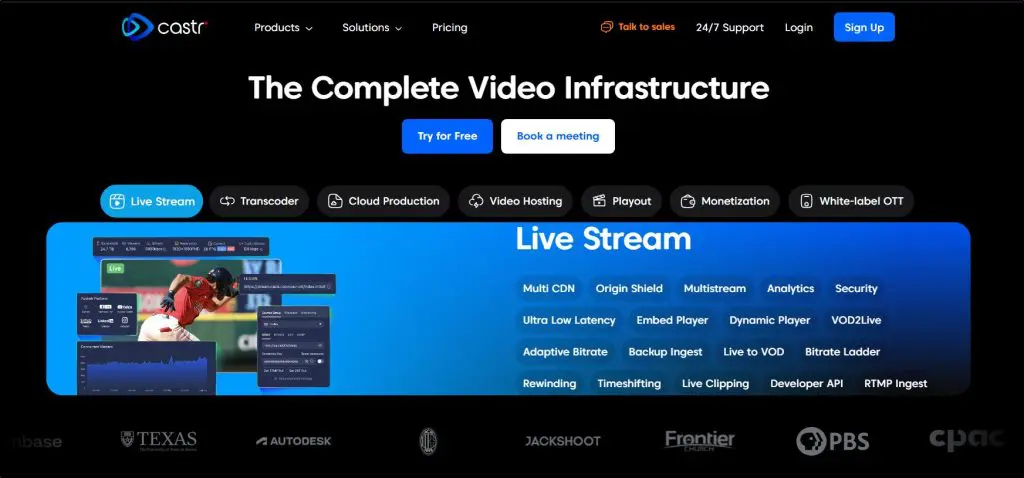
- Key features: Embeddable player, paywall, video hosting, multistreaming
- Best for: Educators who want to stream on their own site or sell access to streams
- Not for: Creators who only stream to social media
- Starting price: $16.67/mo billed annually
Castr combines live streaming, multistreaming and video hosting. Its main job is putting your stream on your own website through an embeddable player, with social platforms as extra destinations.
For course creators, the paywall fills Restream’s biggest gap. Charge viewers to watch a stream or a recording without sending them to YouTube. Your videos stay stored in Castr too, so a live session can become an on-demand lesson in the same place.
Production usually happens in an encoder like OBS, Ecamm or Wirecast, with Castr handling delivery. Higher plans add adaptive bitrate, API access and a branded web app.
If you only stream to YouTube or LinkedIn, Restream fits better. For other ways to earn from live video, read my guide to making money with live streaming.
Castr vs Restream: Main Differences
| Feature | Castr | Restream | Winner |
|---|---|---|---|
| Selling access | Built-in paywall | None | Castr |
| Website player | All plans | Top self-serve plan only | Castr |
| Video hosting | On-demand library on every plan | Recording storage only | Castr |
| Destinations on the entry plan | 6 | 3 | Castr |
| Free plan | No, free trial only | Yes | Restream |
| Starting price (annual) | $16.67/mo | $16/mo | Restream |
Castr Pricing
Billed annually, Castr’s five plans cost Starter $16.67/mo, Standard $41.67/mo, Premium $166.67/mo, Ultra $291.67/mo and Events $624.99/mo. Annual billing gives you two months free compared with monthly. Monthly plans also allow fewer concurrent streams.
Starter includes the paywall and six multistream destinations, with a 9% commission on paywall sales. New accounts get a 7-day free trial, no credit card required.
| Plan | Billed monthly | Billed annually (per month) |
|---|---|---|
| Starter | $19.99 | $16.67 |
| Standard | $49.99 | $41.67 |
| Premium | $199.99 | $166.67 |
| Ultra | $349.99 | $291.67 |
| Events | $749.99 | $624.99 |
| Feature | Starter | Standard | Premium | Ultra | Events |
|---|---|---|---|---|---|
| Concurrent streams | 3 (2 monthly) | 3 (2 monthly) | 10 (5 monthly) | 15 (10 monthly) | 15 |
| Multistream destinations | 6 | 10 | 20 | 30 | 30 |
| Player bandwidth (annual billing) | 2.4 TB | 6 TB | 36 TB | 60 TB | 150 TB |
| Video storage | 100 GB | 200 GB | 2 TB | 3 TB | 3 TB |
| Paywall | ✓ | ✓ | ✓ | ✓ | ✓ |
| In-stream advertising | ✗ | ✓ | ✓ | ✓ | ✓ |
| Adaptive bitrate and transcoding | ✗ | ✗ | ✓ | ✓ | ✓ |
| API access | ✗ | ✗ | ✓ | ✓ | ✓ |
| Failover ingest | ✗ | ✗ | ✗ | ✓ | ✓ |
| Branded OTT web app | ✗ | ✗ | ✗ | ✗ | ✓ |
4. Riverside: Best for Podcasts and Recorded Interviews
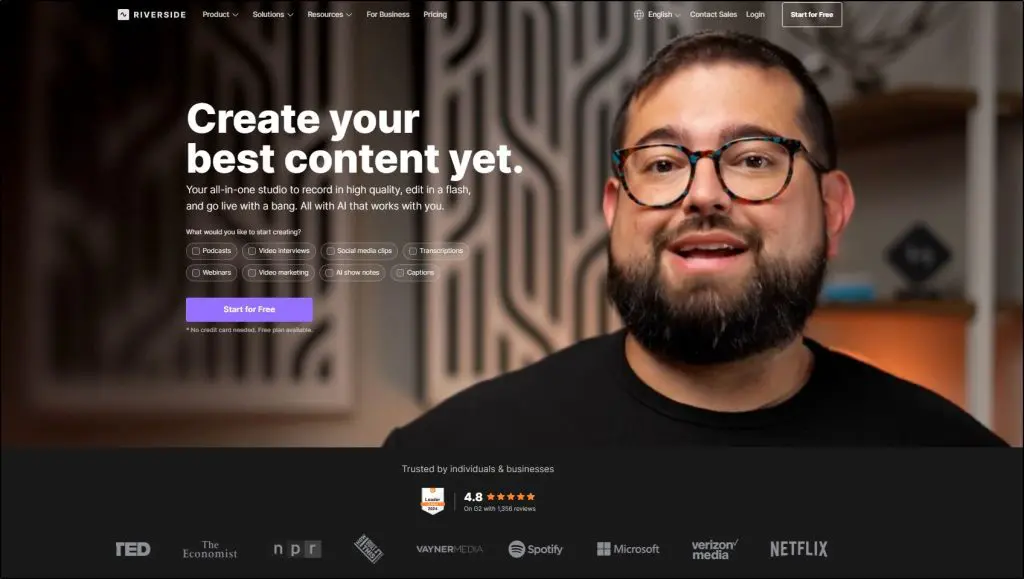
- Key features: Local 4K recording, separate tracks, AI editor, Magic Clips, live streaming
- Best for: Podcasters and interview hosts who care most about recording quality
- Not for: Streamers who only go live and never edit the recording
- Starting price: Free plan, then $24/mo billed annually
Riverside treats the live stream as a by-product of a great recording. Each person’s audio and video records on their own device, up to 4K, then uploads in the background, so a bad connection never touches the final file.
Over more than 450 episodes of the Leading Learning Podcast, Celisa Steele and I have learned that clean guest audio decides whether an episode is usable. Riverside’s separate tracks for every speaker protect it better than Restream’s beta local recording.
Video podcasts make the recording side more valuable every year. More than 1 billion people watch podcasts on YouTube every month, according to my roundup of podcast statistics.
On AI, Riverside goes further than Restream. The text-based editor cuts a recording when you delete words from the transcript. Magic Clips pulls short social videos out of an episode. The Riverside MCP connects your account to Claude and ChatGPT.
Live streaming and multistreaming sit above the entry plan. For more recording-first options, see my guide to the best podcast recording and editing software.
Riverside vs Restream: Main Differences
| Feature | Riverside | Restream | Winner |
|---|---|---|---|
| Recording | Local recording on each device, up to 4K | Cloud recording, local recording in beta on higher plans | Riverside |
| Editing tools | Text-based editor, Magic Clips, Co-Creator agent | AI Clips add-on | Riverside |
| Live streaming | Above the entry plan | All plans, including free | Restream |
| Supported platforms | Major platforms plus custom RTMP | 30+ native destinations | Restream |
| AI assistant connections | Riverside MCP | Restream MCP server | Tie |
| Starting price (annual) | $24/mo | $16/mo | Restream |
Riverside Pricing
After the free plan, Riverside costs Pro $24/mo, Grow $34/mo and Webinar $79/mo on annual billing. Business uses custom pricing.
Pro covers recording and editing. Grow adds Full HD live streaming, multistreaming and custom RTMP, so compare that plan with Restream.
| Plan | Billed monthly | Billed annually (per month) |
|---|---|---|
| Free | $0 | $0 |
| Pro | $29 | $24 |
| Grow | $39 | $34 |
| Webinar | $99 | $79 |
| Business | Custom | Custom |
| Feature | Free | Pro | Grow | Webinar | Business |
|---|---|---|---|---|---|
| Recording hours a month | 2 (one-time) | 5 | 15 | – | Custom |
| Max resolution | 720p | 4K | 4K | 4K | 4K |
| Transcription | Limited | Unlimited | Unlimited | Unlimited | Unlimited |
| AI credits a month | Limited | 20 | 20 | – | 60 |
| Podcast hosting | ✗ | One show | Two shows plus video | Grow hosting plus video | Custom |
5. OBS Studio: Best for Full Production Control for Free

- Key features: Scenes and sources, transitions, audio mixer, plugins, virtual camera
- Best for: Technical creators who want full control at no cost
- Not for: Non-technical hosts and shows built around remote guests
- Starting price: Free
Free and open source, OBS Studio runs on Windows, Mac and Linux. Build any scene from cameras, screens, images, browser windows and audio sources, then switch between them with hotkeys.
Plenty of Restream users already run OBS as their encoder and send the stream to Restream for distribution. Dropping Restream means handling multistreaming yourself, through a multi-RTMP plugin and enough upload bandwidth for every destination.
OBS has no browser studio or guest invite link, so a remote guest needs a separate tool. No AI features come built in either, though the plugin library covers some gaps like noise suppression.
If you’re new to the gear side of streaming, start with my guides on live streaming equipment and building a simple home video studio.
OBS Studio vs Restream: Main Differences
| Feature | OBS Studio | Restream | Winner |
|---|---|---|---|
| Cost | Free, no watermark | Free plan with branding, paid plans for more | OBS Studio |
| Scene control | Unlimited scenes, sources and transitions | Scenes and layouts in a browser studio | OBS Studio |
| Multistreaming | Needs a plugin and your own upload bandwidth | 30+ destinations from the cloud | Restream |
| Remote guests | Needs a separate tool | Browser link | Restream |
| Merged chat and analytics | None | Built in | Restream |
| Learning curve | Steep | Moderate | Restream |
OBS Studio Pricing
Downloading and using OBS Studio costs nothing. Your only costs are the extras you pair it with, like better gear or a multistreaming service.
| Plan | Billed monthly | Billed annually (per month) |
|---|---|---|
| Free | $0 | $0 |
6. Be.Live: Best for Simple Interview Shows on a Budget
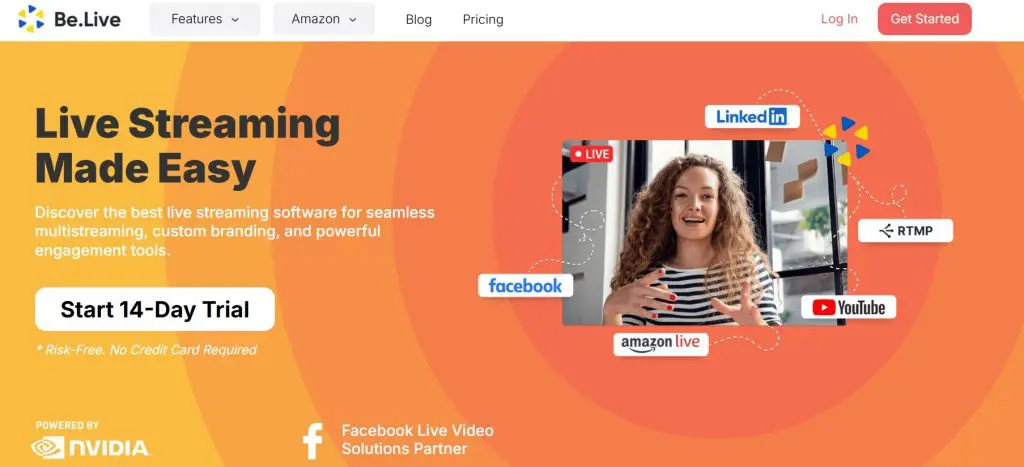
- Key features: Browser studio, guest interviews, AI comment assistant, team members
- Best for: Coaches who run a regular interview or talk show and want a low entry price
- Not for: Creators who need many destinations or long monthly streaming on a cheap plan
- Starting price: Free plan, then $14.16/mo billed annually
Be.Live is a browser studio built for talk shows and interviews. Invite guests with a link, add branded layouts and stream to Facebook, YouTube, LinkedIn and other platforms at once.
Be.Live suits a coach or consultant who runs one or two shows a week and wants a simple, friendly studio. Team members come with every paid plan, so an assistant can set up the show while you prepare.
On AI, higher plans include an AI Comment Assistant that helps you reply to viewer comments during a stream. Restream’s AI tools lean more toward clips, music and analytics.
The entry plan limits how many times you can stream each month and how many people appear on screen. My full Be.Live review covers the details.
Be.Live vs Restream: Main Differences
| Feature | Be.Live | Restream | Winner |
|---|---|---|---|
| Entry plan destinations | 3 | 3 | Tie |
| On-screen guests on the entry plan | 4 | 10 | Restream |
| Streams per month on the entry plan | Capped | No monthly stream cap listed | Restream |
| Team members | All paid plans | Top self-serve plan | Be.Live |
| AI features | AI Comment Assistant on higher plans | AI Clips add-on, AI music, AI analytics | Restream |
| Supported platforms | Major platforms plus custom RTMP | 30+ native destinations | Restream |
| Starting price (annual) | $14.16/mo | $16/mo | Be.Live |
Be.Live Pricing
After the free plan, Be.Live costs Starter $14.16/mo, Pro $24.16/mo and Growth $38.33/mo on annual billing. Monthly billing costs more.
Starter allows seven streams a month to three destinations. Pro removes the stream cap and adds 1080p, five destinations and the AI Comment Assistant.
| Plan | Billed monthly | Billed annually (per month) |
|---|---|---|
| Free | $0 | $0 |
| Starter | $17 | $14.16 |
| Pro | $29 | $24.16 |
| Growth | $46 | $38.33 |
| Feature | Free | Starter | Pro | Growth |
|---|---|---|---|---|
| Streams per month | 3 | 7 | Unlimited | Unlimited |
| Multistream destinations | Not listed | 3 | 5 | 8 |
| On-screen participants | 2 | 4 | 8 | 10 |
| Resolution | 720p | 720p | 1080p | 1080p |
| AI Comment Assistant | ✗ | ✗ | ✓ | ✓ |
| Recording storage | Not listed | 30 days | 60 days | 90 days |
| Team members | Not listed | 2 | 4 | 6 |
| Be.Live watermark | ✓ | ✗ | ✗ | ✗ |
7. Ecamm Live: Best for Mac Users Who Want Studio-Level Production
- Key features: Scene switching, overlays, screen sharing, multi-camera, guest interviews
- Best for: Mac users who want more production control than a browser studio gives
- Not for: Windows users and teams on mixed computers
- Starting price: $16/mo billed annually
Ecamm Live is a Mac app for live production. Build scenes, switch cameras, stack overlays and share your screen with more control than Restream’s browser studio, while keeping the controls simple enough for a non-technical host.
For Mac-based coaches who teach on camera, the app pays off with tight support for Mac cameras and an iPhone as a second camera. Ecamm streams to YouTube, Facebook, LinkedIn, Twitch and custom RTMP destinations.
Ecamm and Restream also work well together. Ecamm handles the production, then Restream sends the stream to 30+ platforms. Guest interviews in Ecamm come with the higher plan.
For a wider look at desktop streaming apps, see my roundup of the best live streaming software.
Ecamm Live vs Restream: Main Differences
| Feature | Ecamm Live | Restream | Winner |
|---|---|---|---|
| Production control | Scenes, multi-camera, overlays | Browser scenes and layouts | Ecamm Live |
| Computers | Mac only | Any modern browser | Restream |
| Supported platforms | Major platforms plus custom RTMP | 30+ native destinations | Restream |
| Guest interviews | Higher plan only | All plans, including free | Restream |
| Free plan | No, free trial only | Yes | Restream |
| Starting price (annual) | $16/mo | $16/mo | Tie |
Ecamm Live Pricing
Billed annually, Ecamm Live’s two paid plans cost Standard $16/mo and Pro $32/mo. According to Ecamm, annual billing saves 20% over monthly.
Pro is the plan to pick if you bring guests on screen. The 14-day free trial needs no credit card, though trial broadcasts carry a watermark.
| Plan | Billed annually (per month) |
|---|---|
| Standard | $16 |
| Pro | $32 |
8. Switchboard Live: Best for Organizations That Share Streams With Partners
- Key features: Unlimited destinations, StreamShare, SRT input, team seats
- Best for: Associations, churches, media teams and training organizations that stream with partners
- Not for: Solo creators who want a published price
- Starting price: Custom pricing
Switchboard Live is a cloud multistreaming service for organizations. Send one stream from your encoder, like OBS, vMix or a hardware encoder. Switchboard then delivers it to an unlimited number of destinations.
The standout feature is StreamShare, which lets partners carry your stream on their own channels without you sharing login details. For example, an association can let chapters or sponsors rebroadcast a keynote on their pages.
Team members come with all plans. Higher plans add SRT input, phone support, a longer archive and 24/7 streams.
Switchboard sells every plan through a sales call, so it’s a poor fit for a solo creator who wants to start today. For bigger multi-session events, my roundup of virtual conference platforms covers tools built for that job.
Switchboard Live vs Restream: Main Differences
| Feature | Switchboard Live | Restream | Winner |
|---|---|---|---|
| Destinations | Unlimited on all plans | 8 on the top self-serve plan | Switchboard Live |
| Partner distribution | StreamShare | None | Switchboard Live |
| SRT input | Higher plans | Enterprise package | Switchboard Live |
| Team members | All plans | Top self-serve plan | Switchboard Live |
| Published pricing | No, sales call only | Yes | Restream |
| Free plan | No | Yes | Restream |
Switchboard Live Pricing
Switchboard Live sells three plans, SMB (custom pricing), Public Sector (custom pricing) and Enterprise (custom pricing), as monthly or annual seat-based licenses. Switchboard doesn’t publish prices, so you’ll need a sales call for a quote.
| Feature | SMB | Public Sector | Enterprise |
|---|---|---|---|
| Multistream destinations | Unlimited | Unlimited | Unlimited |
| Inputs | 1 RTMP | 1 RTMP or SRT | 3 RTMP or SRT |
| Team members | 2 | 3 | 3+ |
| Support | Phone | Phone | |
| Archive | Not listed | 30 days | 30+ days |
| 24/7 streams | Not listed | Not listed | ✓ |
| Account hierarchy | Not listed | Not listed | ✓ |
9. Crowdcast: Best for Paid Live Workshops and Events

- Key features: Event pages, registration, paid tickets, upvoted Q&A, replays
- Best for: Coaches and educators who sell tickets to live workshops
- Not for: Creators who mainly multistream to social platforms
- Starting price: $49/mo billed monthly
With Crowdcast, a live session becomes an event people sign up for. Each session gets its own registration page, where hosts can charge for tickets through Stripe or collect donations.
Your audience watches, chats and asks questions on that page instead of on YouTube or Facebook. Viewers upvote questions in the Q&A. The replay stays on the same page after the session ends.
Restream’s Webinars add-on also gives you registration and replays. Crowdcast goes further with ticket sales, multi-session events and registrant data you can export into your email tool.
Since Crowdcast limits multistreaming to social platforms, it works best when the event page is the destination. My Crowdcast review covers how it works for paid events in more detail.
Crowdcast vs Restream: Main Differences
| Feature | Crowdcast | Restream | Winner |
|---|---|---|---|
| Paid tickets | Built in, with Stripe | None | Crowdcast |
| Registration and replays | Included on every plan | Webinars add-on | Crowdcast |
| Audience Q&A | Upvoted questions on the event page | Merged chat across platforms | Crowdcast |
| Multistreaming | Limited, above the entry plan | 30+ destinations | Restream |
| Free plan | No, free trial only | Yes | Restream |
| Starting price | $49/mo (monthly) | $16/mo (annual) | Restream |
Crowdcast Pricing
On monthly billing, Crowdcast’s three plans cost Lite $49/mo, Pro $89/mo and Business $195/mo. According to Crowdcast, annual billing saves 30%, though it doesn’t list annual prices on its pricing page.
Ticket sales carry a 5% fee on Lite or Pro and 2% on Business, plus Stripe’s processing fee. Pricing counts live attendees rather than registrants.
| Plan | Billed monthly |
|---|---|
| Lite | $49 |
| Pro | $89 |
| Business | $195 |
| Feature | Lite | Pro | Business |
|---|---|---|---|
| Usage limits | |||
| Live attendees included | 100 | 250 | 1,000 |
| Registrants | Unlimited | Unlimited | Unlimited |
| Extra live attendee | $0.15 each | $0.15 each | $0.15 each |
| Streaming hours per month | 10 | 20 | 40 |
| Max session length | 2 hours | 4 hours | 6 hours |
| Team seats | 1 | 2 | 4 |
| Studio storage | 1 GB | 5 GB | 10 GB |
| Replay storage | Unlimited | Unlimited | Unlimited |
| Live production | |||
| HD live video with recording | ✓ | ✓ | ✓ |
| Multi-session events | ✓ | ✓ | ✓ |
| RTMP mode (OBS, Ecamm, Wirecast) | ✓ | ✓ | ✓ |
| Multistream destinations | ✗ | 1 | 3 |
| English live captions | ✗ | ✓ | ✓ |
| Selling and data | |||
| Ticket transaction fee | 5% | 5% | 2% |
| Stripe paid events and donations | ✓ | ✓ | ✓ |
| Custom registration fields | ✗ | ✓ | ✓ |
| Event and session analytics | ✓ | ✓ | ✓ |
| Zapier integration | ✓ | ✓ | ✓ |
| Export emails, chat and data | ✓ | ✓ | ✓ |
| Support | Email and chat | Email and chat | Email and chat |
Which Restream Alternative Is Best for Your Use Case?
The right tool depends on what your live sessions need to do. Here’s how I’d match each common use case to a platform.
| Use case | Best pick | Runner-up | Why |
|---|---|---|---|
| Interviews and live classes with guests | StreamYard | Be.Live | Easiest studio with Full HD on every paid plan |
| Scheduled replays and launch streams | OneStream Live | Restream | Pre-recorded streaming and scheduling on every plan |
| Streaming on your own website | Castr | OneStream Live | Embeddable player and paywall |
| Podcast or interview series | Riverside | StreamYard | Local recording and separate tracks for each guest |
| Free, fully custom production | OBS Studio | Ecamm Live | Full scene control at no cost |
| A weekly talk show on a budget | Be.Live | StreamYard | Low entry price and team members included |
| Mac-based teaching on camera | Ecamm Live | OBS Studio | Studio features with a simpler setup |
| Sharing streams with partners | Switchboard Live | Restream | Unlimited destinations and StreamShare |
| Paid workshops and live events | Crowdcast | Castr | Registration, tickets and replays on one page |
Several of these tools pair well with Restream instead of replacing it. A common setup uses OBS or Ecamm for production and Restream for distribution.
If you’re new to teaching live, start with my guide on how to live stream an online class. For LinkedIn-specific advice, see my guide to LinkedIn Live streaming.
When Restream Is Still the Better Choice
After comparing all nine, I’d still keep Restream for one kind of creator. If your audience is spread across many platforms and you want to see which ones work, nothing on this list beats it.
Restream reaches more than 30 platforms, merges every chat into one window and reports viewers across channels in one dashboard. Its free plan also streams to two channels, which makes testing multistreaming free.
Restream’s paid plans start at $16/mo billed annually. I walk through every plan in my Restream review. My guide to live streaming to multiple platforms covers the setup.

FAQs About Restream Alternatives
These answers cover the questions I see most often from creators weighing a switch.
What is the best alternative to Restream?
For most course creators, StreamYard is the best Restream alternative. StreamYard’s browser studio is easier for hosts and guests, streams in Full HD on every paid plan and includes AI clips. Restream still reaches more platforms and offers better analytics. For pre-recorded streaming, OneStream Live is the stronger pick.
Is there a free alternative to Restream?
The best free alternative to Restream is OBS Studio with a multi-RTMP plugin. OBS is open source, adds no watermark and gives you full control over scenes and audio. The trade-off is setup time and upload bandwidth for every destination. StreamYard, OneStream Live and Be.Live also offer free plans with tighter limits.
Is StreamYard better than Restream?
StreamYard is better for ease of use, guest recordings and Full HD on a budget. Restream is better for reach, merged chat and cross-platform analytics. Many course creators choose StreamYard for interview shows and live classes, then keep Restream in mind if their audience spreads across more platforms.
Which Restream alternative lets me stream on my own website?
Castr is the best Restream alternative for streaming on your own website. Castr gives you an embeddable player, a paywall and video hosting on every plan. OneStream Live also offers embeddable players and simple stream pages on every plan. Restream keeps its website player for the top self-serve plan.
Can I sell tickets to a live stream without Restream?
Yes. Crowdcast gives each session a registration page with Stripe ticketing and keeps the replay on the same page. Castr lets you charge viewers through a paywall on your own site. Restream has no paywall or ticket sales, so paid live sessions need one of these tools or a webinar platform.
Which Restream alternative works best for podcasts?
Riverside works best for podcasts. Riverside records each guest locally on their own device, up to 4K, so a weak internet connection doesn’t ruin the file. Separate tracks for every speaker make editing easier, while AI tools like Magic Clips turn episodes into short social videos for promotion.
Is there a Restream alternative for organizations and partners?
Switchboard Live suits organizations that stream with partners. Switchboard sends one stream to unlimited destinations, while its StreamShare feature lets partners carry your stream without sharing logins. Team members come with all plans. Switchboard sells plans through a sales call, so expect a quote rather than a published price.
Can I use OBS or Ecamm with Restream instead of replacing it?
Yes. Many creators produce their show in OBS Studio or Ecamm Live, then send it to Restream over RTMP for distribution to 30+ platforms. The setup gives you deeper scene control than Restream’s browser studio while keeping Restream’s merged chat and analytics. Guest interviews then run through the encoder or a separate tool.
My Verdict on the Best Restream Alternatives
With 40% of livestream hours happening outside YouTube, reach still matters. Restream still leads on reach. Most creators who leave Restream want an easier studio, better pre-recorded streaming or a way to earn from live sessions.
An easier studio points to StreamYard, pre-recorded streaming to OneStream Live and live income to Castr or Crowdcast. For podcasts, pick Riverside.
Before you switch, write down the one limit that’s pushing you away from Restream. Then pick the tool on this list that fixes that limit and test it on a free plan or trial for a real session. To check whether a paid tool will pay for itself, run the numbers in our free ROI calculator.
For the webinar side of your business, see my list of the best webinar software platforms. If you’re weighing StreamYard too, my guide to StreamYard alternatives covers 10 more options.

Jeff Cobb, Founder of Learning Revolution
Jeff Cobb is an expert in online education and the business of adult lifelong learning. Over the past 20+ years he has built a thriving career based on that expertise – as an entrepreneur, a consultant, an author, and a speaker. Learning Revolution is a place where Jeff curates tips, insights, and resources to help you build a thriving expertise-based business. Learn more about Jeff Cobb here.
Table of Contents
Related Posts
Restream vs StreamYard | Pricing & Features Compared