

TL;DR: Bluehost Review | Is It the Right WordPress Host for Your Course Business?
What it is: Bluehost is one of the best-known web hosts for WordPress. It rents you space on its servers to keep your website online and bundles a domain, SSL, a CDN, staging and AI site-building tools into one dashboard.
Who it’s for: Course creators, coaches, consultants and small businesses building or rebuilding a WordPress website who want a simple setup and a familiar brand.
Who it’s not for: Sites that need daily backups without paying extra, buyers who dislike checkout add-ons and anyone who won’t budget for renewal prices.
Price: From $3.99/mo on a 36-month term, paid upfront. Renewal costs up to two and a half times as much. See the renewal section.
AI features: An AI site builder on every plan, plus optional paid tools such as an AI front desk agent and the AI All-Access Pack. Most course sellers only need the builder.
My verdict: Bluehost is a dependable, beginner-friendly WordPress host. The middle plan is the one to pick for a course or coaching business, mainly for phone support and stronger security. Try Bluehost risk-free.
Bluehost is often the first host people hear about when they decide to build a WordPress website. It’s been on WordPress.org’s list of recommended hosts since 2005, and its signup flow is built for people who’ve never set up a website before.
I’ve hosted sites on Bluehost since 2015, alongside running Learning Revolution on WP Engine, so I’ve watched it change through a decade of new plans, dashboards and prices.
That familiarity is useful, and it can also hide the details that matter, such as what renewal costs, and which checkout add-ons you can safely skip. If you sell courses or coaching, those details decide whether Bluehost is a good long-term home for your website.
In this review, I’ll explain what Bluehost is, what each plan gives you, what renewal costs, which AI tools are worth your time and which plan fits a course seller, coach, consultant or small business.
Note: This page contains affiliate links. If you purchase through links on this page, we may earn a commission at no additional cost to you.
Bluehost at a Glance | Product Snapshot
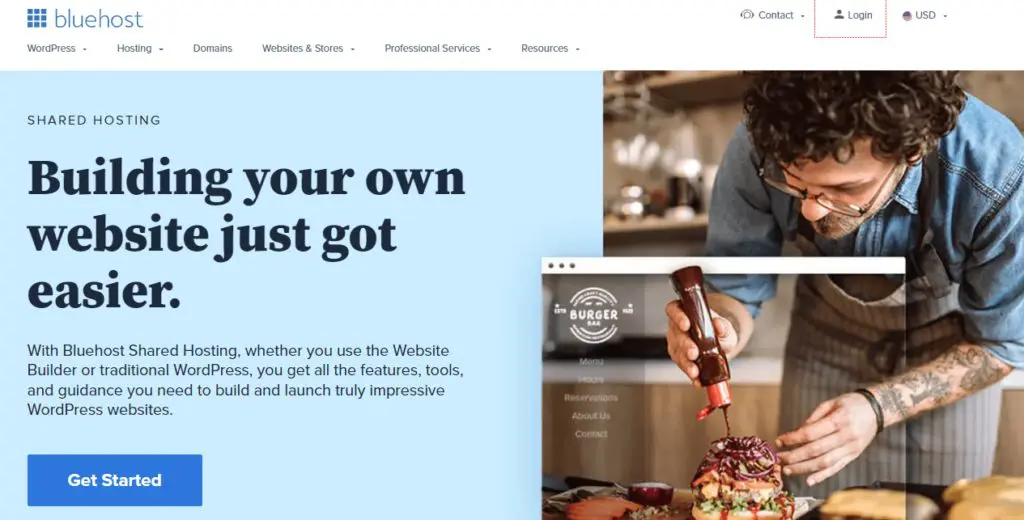
Here’s the short version of what you get and where Bluehost stops.
| Category | Bluehost |
|---|---|
| What it is | A web hosting company focused on WordPress, with shared, cloud, VPS and dedicated hosting |
| Best for | Course creators, coaches and small businesses building a WordPress site who want an easy start |
| Not for | Busy sites that need premium managed hosting, and buyers who want daily backups included |
| Starting price | $3.99/mo on a 36-month term, paid upfront |
| Renewal | Renews at $9.99/month on 36 months ($11.99 on 12 months, $15.99 monthly) |
| Money-back guarantee | 30-day money-back guarantee on hosting. Domains and most add-ons aren’t refundable |
| Free extras | Domain for the first year, SSL, a CDN, a staging site and malware scanning |
| Backups | Weekly on shared plans. Daily backups cost extra |
| AI features | AI site builder on every plan, plus paid AI tools sold separately |
| Support | 24/7 live chat on every plan, phone support from the middle plan up |
Comparing hosts? See my guide to the best web hosting services for creators and experts.
Quick Verdict: Is Bluehost Worth It?
Yes, for most course creators and small businesses building a WordPress website. Bluehost makes it easy to get a site live, includes a staging site and CDN on every plan and has a large support team with strong customer reviews.
Go in knowing three things. Renewal costs up to two and a half times the intro price. Shared plans only back up weekly unless you pay for more. And the checkout page offers several paid add-ons, most of which a new site doesn’t need. If speed and uptime are your top priorities, a managed host or a faster budget host may suit you better.
What Is Bluehost?
Bluehost is a web hosting company. Web hosting stores your website’s files on a server that’s connected to the internet around the clock. When someone visits your site, their browser loads it from that server. Bluehost started in 2003 in Utah and now says it serves more than 5 million customers.
Bluehost is owned by Newfold Digital, the group that formed when Endurance International Group merged with Web.com in 2021. It sells shared hosting, where many sites share one server, plus cloud, VPS and dedicated servers for bigger sites. Everything is managed through a dashboard built around WordPress.
It’s been around for a long time but has managed to evolve with changing customer needs. I’ve been using it since 2015 and still think it’s a solid option for beginners.
However, as your site’s traffic grows, Bluehosts shared hosting plans start showing their limitations with more frequent down times and slower server speeds.
Bluehost isn’t a course platform. It won’t host video lessons or manage enrollments on its own the way Thinkific or Kajabi do. You can turn a Bluehost WordPress site into a course site with a plugin such as LearnDash, but most people use it for their main website and keep courses on a platform.
| Bluehost is | Bluehost is not |
|---|---|
| A beginner-friendly WordPress host | A course platform with built-in enrollments and video hosting |
| A one-stop shop for a domain, SSL and hosting | An email provider. Email is a paid add-on after a free trial |
| A host with staging and a CDN on every plan | A host with daily backups on its shared plans |
| Able to grow into cloud, VPS and dedicated servers | Cheap at renewal. The low price needs a long upfront term |
What Do You Get With a Bluehost Web Hosting Account?
A Bluehost account is set up around WordPress, so you can go from signup to a live site quickly.
- Storage space for your website: Space on fast storage drives for your website’s files and pages.
- A free domain name: A custom web address, such as yourname.com, free for the first year.
- Professional email: Mailboxes on your own domain as a one-month free trial, then a paid add-on.
- An AI website builder: A tool that builds a starter WordPress site from a few questions about your business.
- WordPress installed for you: WordPress set up during signup, with a guided setup.
- Backups: Automatic weekly backups on shared plans. Daily backups are a paid add-on.
- A staging site: A private copy of your site for testing changes, on every plan.
- A free SSL certificate: The padlock in the browser bar.
- A content delivery network: Copies of your pages served from locations near your visitors.
- Free migration: Bluehost moves your existing WordPress site for you.
- 24/7 support: Live chat on every plan, with phone support on higher plans.
Why Your Course Business Needs Its Own Website
Your course platform delivers and sells your courses. Your own website is where you build your brand, publish content that ranks in search and collect email sign-ups. I run my courses on Thinkific, while Learning Revolution is its own WordPress site, and the Leading Learning Podcast has its own website too.
That split protects you.
If your course platform raises prices or changes direction, your website, content and search rankings stay where they are.
The setup most edupreneurs grow into is a website on your own domain as the front door, with your course platform behind it on a subdomain such as courses.yourname.com.
This is how you build authority assets you own.
| Course platform | Your own website on Bluehost | |
|---|---|---|
| Main job | Host, sell and deliver courses | Build your brand, attract visitors and capture leads |
| Who controls it | The platform sets the rules and price | You do |
| Search visibility | Limited control over pages and structure | Full control over content and site structure |
| If you switch platforms | Your pages and links move or break | Your site, links and rankings stay put |
If you haven’t built a site before, my guide on how to create a WordPress website walks you through it step by step.
How I Evaluate a Web Host for a Course Business
I’ve built and run websites for my own businesses for more than 20 years. We run Learning Revolution on WP Engine, a managed host, because the site carries a lot of content and traffic, and we pair it with WP Rocket for caching and Smush for image compression. I’ve also hosted sites on Bluehost since 2015. A new course or coaching site doesn’t need managed hosting. It needs a reliable, affordable base, which is the job Bluehost is built for.
Here’s the checklist I use for any host at this price, and how Bluehost measures up.
| What I check | Why it matters for a course business | How Bluehost does |
|---|---|---|
| Backups | One bad plugin update can wipe out your sales pages or sign-ups | Weekly on shared plans. Add daily backups once the site earns money |
| Staging | You need a safe place to test changes before a launch | Included on every plan |
| Renewal price | Hosting is a long-term cost, so year four matters as much as year one | Up to two and a half times the intro price |
| Support | When a sales page breaks, you want a person quickly | Chat on every plan, phone from the middle plan |
| Security | Hacked sites lose trust and search rankings | Malware scanning on every plan, a firewall from the middle plan |
| Room to grow | You may add a podcast site, a membership or client sites | 10 to 100 websites, plus cloud and VPS upgrades |
Expect to run more sites than you plan for at the start. Bluehost’s website allowances leave plenty of room for that.
Bluehost Pricing and Plans | How Much Does It Cost?
Bluehost sells three main shared hosting plans for WordPress sites, Starter, Business and eCommerce Essentials, plus larger shared plans, Bluehost Cloud and servers. The prices below are Bluehost’s regular rates on its longest term. I’ve ignored short-term sales such as Black Friday.
| Plan | Billed annually (per month) | Key limits | Notes |
|---|---|---|---|
| Starter | $3.99 | 10 websites, 10 GB NVMe storage, about 40,000 visits a month | Renews at $9.99/month on 36 months ($11.99 on 12 months, $15.99 monthly) |
| Business | $6.99 | 50 websites, 50 GB NVMe storage, about 200,000 visits a month | Renews at $13.99/month on 36 months ($15.99 on 12 months, $20.99 monthly) |
| eCommerce Essentials | $14.99 | 100 websites, 100 GB NVMe storage, about 400,000 visits a month, WooCommerce tools | Renews at $21.99/month on 36 months ($23.99 on 12 months, $32.99 monthly) |
Read the table carefully, because each plan has two prices. The intro price only applies if you pay for 36 months upfront. The renewal price is what you pay once that first term ends, and it’s higher still if you renew for 12 months or month to month.
Starter costs $3.99/mo on a 36-month term. It covers 10 websites, 10 GB of NVMe storage and roughly 40,000 visits a month, which is enough for a first course or coaching website. It doesn’t include phone support or a web application firewall.
Business costs $6.99/mo on the same term. It adds 50 websites, five times the storage, about 200,000 monthly visits, phone support, a web application firewall, DDoS protection and free domain privacy for the first year. For a site that earns money, it’s the better value.
eCommerce Essentials costs $14.99/mo. It’s built for WooCommerce stores, with 100 websites, 100 GB of storage and store tools. Pick it if you sell products, digital downloads or course bundles through WooCommerce.
| Feature | Starter | Business | eCommerce Essentials |
|---|---|---|---|
| Websites | 10 | 50 | 100 |
| NVMe storage | 10 GB | 50 GB | 100 GB |
| Suggested monthly visits | 40,000 | 200,000 | 400,000 |
| Free domain (first year) | ✓ | ✓ | ✓ |
| Backups | Weekly | Weekly | Weekly |
| Staging site | ✓ | ✓ | ✓ |
| Free CDN | ✓ | ✓ | ✓ |
| Security | Malware scanning and removal | Adds WAF, DDoS protection and AI malware removal | Adds WAF, DDoS protection and AI malware removal |
| Domain privacy (first year) | ✗ | ✓ | ✓ |
| Phone support | ✗ | ✓ | ✓ |
| 1-month Pro Email trial | 1-month Pro Email trial | 1-month Pro Email trial | |
| Uptime SLA | 99.99% | 99.99% | 99.99% |
The Renewal Price Shock, Explained
Bluehost charges a low intro price for your first term, then its regular rate. On the 36-month term, renewal costs between one and a half and two and a half times the intro price. Shorter renewal terms cost more per month.
| Plan | Intro price (36-month term) | Renewal prices by term |
|---|---|---|
| Starter | $3.99/mo | Renews at $9.99/month on 36 months ($11.99 on 12 months, $15.99 monthly) |
| Business | $6.99/mo | Renews at $13.99/month on 36 months ($15.99 on 12 months, $20.99 monthly) |
| eCommerce Essentials | $14.99/mo | Renews at $21.99/month on 36 months ($23.99 on 12 months, $32.99 monthly) |
Here’s how to keep renewal from catching you off guard.
- Pick the 36-month term if you’re committed. It locks in the intro price for three years and gives you the lowest renewal rate later.
- Budget for the renewal price from day one. Treat it as your real long-term hosting cost.
- Check the Renewal Center in your account. Bluehost shows your upcoming renewal price there, so check it a month before your term ends.
- Renew on a long term again. Monthly renewal costs about 60% more than the 36-month rate.
- Plan for the domain renewal. Your free domain renews at the normal price after the first year.
Checkout Add-Ons and Other Costs
Bluehost’s checkout page offers several paid extras. Some are useful, and many are optional for a new site. Here’s how to decide.
| Add-on | What it does | Do you need it? |
|---|---|---|
| Daily backups (CodeGuard) | Backs up your site every day instead of weekly | Yes, once your site earns money, or use a free backup plugin |
| SiteLock security | Extra malware scanning and cleanup | Skip on the middle plan, which already includes a firewall and malware removal |
| Domain privacy | Hides your contact details from public domain records | Included free for a year from the middle plan up |
| Premium SSL | A paid security certificate | Skip. The free SSL is enough for most sites |
| Professional email | A mailbox on your own domain | Optional. You get a one-month free trial, then it’s a paid add-on |
| Yoast SEO Premium | Extra SEO features inside WordPress | Optional. The free Yoast plugin covers the basics |
Untick anything you don’t need before you pay. You can add most of these later from your account once you know you need them.
Bluehost Cloud Plans and What They Cost
Bluehost Cloud is a managed WordPress option for busier sites. It includes real-time backups, automatic WordPress and plugin updates, a web application firewall, a CDN with edge caching, staging, uptime monitoring and Yoast SEO Premium, plus priority support.
| Plan | Sites and storage | Intro price (36-month term) | Renewal |
|---|---|---|---|
| Cloud 10 | 10 websites, 125 GB NVMe storage | $49.99/mo | Renews at $65/month on 36 months |
| Cloud 25 | 25 websites, 175 GB NVMe storage | $89.99/mo | Renews at $140/month on 36 months |
| Cloud 50 | 50 websites, 225 GB NVMe storage | $109.99/mo | Renews at $230/month on 36 months |
Confirm the current price at checkout, since cloud pricing changes more often than shared plans. Bluehost Cloud isn’t covered by the 30-day money-back guarantee, so treat it as a firm commitment.
Refund and Cancellation Costs
Bluehost offers a 30-day money-back guarantee on hosting. If you cancel within 30 days, you get a full refund of your hosting fees. Most add-ons, including domains, aren’t refundable, and if your plan came with a free domain, Bluehost deducts a domain fee from the refund.
After 30 days, Bluehost doesn’t refund cancellations. Add-ons renew automatically too, so turn off auto-renewal for any add-on you don’t plan to keep.
Which Bluehost Plan Should You Choose?
Choose based on how much your website matters to your income and how many sites you need. Here’s what I’d pick in each situation.
| Your situation | Plan to choose | Why |
|---|---|---|
| Coach or course creator testing a first website | Starter | Lowest cost to get a WordPress site live |
| Course business with a blog, lead magnets and sales pages | Business | Phone support, a firewall and more room to grow |
| Independent expert with several brands or microsites | Business | 50 websites and five times the storage |
| Small business selling through WooCommerce | eCommerce Essentials | Store tools and room for traffic |
| WordPress course or membership site with active students | Cloud 10 or a managed host | More server power and real-time backups |
| Freelancer or agency managing client sites | Cloud 10 or higher | Managed updates and priority support across many sites |
If you’re unsure, start with Business. It’s the plan I’d recommend to most edupreneurs, because phone support and the firewall matter once your site brings in leads, and the price difference from Starter is small on a 36-month term.
Bluehost Features in Detail | What Can You Do With This Host?
Bluehost’s features are built around getting a WordPress site live quickly and keeping it running without technical help. Here’s each major feature, what it does in plain terms and where it stops, followed by a closer look at the ones that matter most for a course or coaching business.
| Feature | What it does | Where it stops |
|---|---|---|
| Bluehost dashboard | Manages your sites, domains, billing and WordPress settings in one place | Advanced server settings are limited on shared plans |
| WordPress setup | Installs WordPress for you and keeps it updated | You still manage your theme and plugins |
| AI site builder | Drafts a site from a few questions about your business | Designs can look similar and need editing |
| Staging site | Lets you test changes on a copy of your site | Pushing changes live overwrites the live site, so plan carefully |
| Free CDN | Serves your pages from locations near your visitors | Speed still depends on your theme and plugins |
| Security | Free SSL and malware scanning, plus a firewall and DDoS protection from the middle plan | Strong passwords and plugin updates are still your job |
| Backups | Weekly automatic backups on shared plans | Daily backups cost extra |
| Domain and email | A free domain for the first year and a one-month email trial | Both cost extra after the free period |
| Migration | Free WordPress site migration | Test your site carefully after the move |
| 24/7 support | Live chat on every plan, phone from the middle plan | An AI assistant often answers first |
Feature #1: The Dashboard and WordPress Setup
When you sign up, Bluehost installs WordPress for you and walks you through setup with questions about your site. The dashboard then puts your sites, domains, billing and common WordPress settings in one place, so you rarely need to touch technical settings.
WordPress gives you full control over your design, content and search visibility, which is why I recommend it for a long-term home base. Bluehost has been on WordPress.org’s list of recommended hosts since 2005, longer than any other host.
Feature #2: The AI Site Builder
Bluehost’s AI site builder asks you a few questions about your business, then creates a WordPress site with pages, starter content and a design. In July 2026, Bluehost announced an agentic version that lets you request changes, such as swapping an image or adding a section, by describing them in plain language.
It’s a quick way to get a first draft live, but AI builders tend to produce similar-looking designs and generic copy. Treat the output as a starting point, then rewrite the content in your own voice.
Feature #3: Staging Sites
A staging site is a private copy of your website where you test changes before visitors see them. Every Bluehost plan includes one, which is unusual at this price. You copy your live site to staging, update a plugin or redesign a page there and then push the changes live.
For a course business, use staging before every plugin update and redesign. A broken checkout or opt-in form during a launch costs sign-ups. Be careful when pushing changes back, since it can overwrite new sign-ups or orders recorded on the live site after you made the copy.
Feature #4: Speed and the Free CDN
Bluehost runs its shared plans on NVMe storage and includes a free content delivery network, or CDN, which stores copies of your pages in data centers around the world so they load faster for distant visitors. The middle plan and up also add object caching, which speeds up database-heavy pages.
Bluehost is fast enough for a typical course or coaching site. Most speed problems come from the site itself, such as large images, heavy page builders and too many plugins. On Learning Revolution, we use WP Rocket for caching and Smush to compress images, and both work on any WordPress host. Our guide on how to increase WordPress site speed covers what you can improve on your end.
Feature #5: Security and Backups
Every plan includes a free SSL certificate and malware scanning with removal. The middle plan and up add a web application firewall, which blocks malicious traffic before it reaches your site, DDoS protection and faster AI-powered malware removal.
Backups are the weak spot. Shared plans back up weekly, which means you could lose up to a week of changes, sign-ups or orders if something goes wrong. Once your site earns money, add Bluehost’s daily backup add-on or use a reputable backup plugin that stores copies off-site. Our website security tips cover the rest.
Feature #6: Domain, Email and Migration
Every shared plan includes a free domain for the first year, and the middle plan adds free domain privacy, which hides your contact details from public records. Email on your own domain comes as a one-month free trial, then becomes a paid add-on. Many course creators use Google Workspace instead.
Bluehost also moves an existing WordPress site for you at no cost. After the move, test your forms, logins, checkout links and email before you point your domain to the new site.
Feature #7: Support
Bluehost offers 24/7 live chat on every plan and phone support from the middle plan up. An AI assistant often answers first, and you can ask to reach a person.
For a course business, I’d pay for the plan with phone support. When something breaks during a launch, talking the problem through with a person usually gets it fixed faster than a chat thread. Before you contact support, have your account details, the broken page and what changed right before it broke.
Bluehost’s AI Tools | Who Needs Them?
Bluehost has built a range of AI products around its hosting, with several new ones added in July 2026. Some help you build and run your website. Others are separate subscriptions aimed at small business owners who want AI to handle routine work. Here’s what each one does and who it’s for.
| Tool | What it is | What it lets you do | Who needs it |
|---|---|---|---|
| AI Site Builder | An assistant that builds a WordPress site from your answers | Get a first site live and edit it by describing changes | Anyone building a first site |
| AI Front Desk Agent | A 24/7 AI receptionist trained on your website and documents | Answer visitor questions and book calls into Google Calendar | Coaches and consultants who sell through discovery calls |
| AI Store | A conversational way to set up and run an online store | Launch a store and get alerts about pricing or stock problems | Small businesses selling products |
| AI All-Access Pack | One subscription to ChatGPT, Gemini, Claude and Grok | Use several AI models from one dashboard | People who pay for more than one AI tool |
| AI Agent Hosting and GatorClaw | Hosting and a visual builder for AI agents and apps | Build and run your own AI agents | Developers and technical freelancers |
The AI All-Access Pack and What It Costs
The AI All-Access Pack, launched in May 2026, gives you ChatGPT, Gemini, Claude and Grok in one dashboard for $17/mo per seat on yearly billing, or $20/mo month to month. You don’t need Bluehost hosting to buy it.
It makes sense if you already pay for two or more AI subscriptions and want one bill. Usage is capped, though. When you run out of premium usage in a billing cycle, the premium models lock until renewal. If you mainly use one AI tool, its own subscription is simpler.
Do You Need Bluehost’s AI Features?
AI is already part of how many creators work. In a creator survey we cover in our elearning statistics, 57.3% of creators said they use AI daily. Here’s a quick guide.
| If you want to… | What to use | Do you need to pay extra? |
|---|---|---|
| Get a first website live quickly | AI Site Builder | No |
| Answer visitor questions and book calls around the clock | AI Front Desk Agent, or a booking tool such as Calendly | Yes |
| Use several AI models in one place | AI All-Access Pack | Yes |
| Write blog posts, emails and course copy | ChatGPT, Claude or similar tools | Only your AI subscription |
| Build your own AI agents | AI Agent Hosting or GatorClaw | Yes |
If you use AI to draft content for your site, edit it so it sounds like you. My guide on how to humanize AI content explains why that matters for your credibility and search rankings.
When to Use Bluehost, and When Not To
Bluehost is a good fit for many small business websites. It’s the wrong choice in a few situations, so here’s how to decide.
| Choose Bluehost when | Look elsewhere when |
|---|---|
| You’re building your first WordPress website | You want daily backups included on a budget plan |
| You want a staging site and CDN without paying extra | You want the fastest budget hosting available |
| You value phone support and a large support team | You don’t want to deal with checkout add-ons |
| You want a domain, SSL and hosting in one place | You need email hosting included |
| You plan to grow into cloud or VPS hosting with the same company | Your site earns most of your revenue and needs premium managed hosting |
How Course Sellers, Coaches and Small Businesses Use Bluehost
Here’s what a sensible Bluehost setup looks like for each type of business.
- Course sellers on a hosted platform: Run your main WordPress site on the middle plan with your blog, lead magnets and sales pages, and link to your course platform on a subdomain. Capture emails with a lead magnet on the site.
- Course sellers on WordPress: Start with LearnDash or LifterLMS on the middle plan, use staging before every plugin update and move to Bluehost Cloud or a managed host as your student numbers grow.
- Coaches and consultants: Build one site with your services, booking page and articles. Add a blog over time to become known as an expert.
- Independent experts and freelancers: Use the multi-site allowance for a portfolio site and separate sites for each offer.
- Small businesses: Combine a website, domain and store in one account, using the eCommerce plan once you sell through WooCommerce.
If you run a membership on WordPress, our guide to membership website builder options covers the plugins that work well on shared hosting.
Bluehost Alternatives | How Prices and Features Compare
Here’s how Bluehost compares with the hosts edupreneurs most often weigh against it.
| Host | Starts at | Renewal | Best for | Winner for |
|---|---|---|---|---|
| Bluehost | $3.99/mo | Renews at $9.99/month on 36 months ($11.99 on 12 months, $15.99 monthly) | WordPress beginners who want a known brand | Staging and CDN on every plan, phone support |
| Hostinger | $2.99/mo | Renews at $10.99/month | Beginners and non-technical owners | Price, speed and ease of use |
| hosting.com | $1.99/mo | Renews at $9.99/month on a 48-month term | Small sites that want a lot included | Daily backups and email included |
| SiteGround | $2.99/mo | Renews at $17.99/month on 12 months ($14.99 on 24 months) | Small sites that want premium shared hosting | Support quality |
| DreamHost | $1.99/mo | Renews at $7.99/month | Budget sites that want low renewals | Lower renewal costs |
| WP Engine | $35/mo | Regular rate after a first-year discount | Established sites that earn revenue | Managed hosting and staging tools |
For more detail, read my Hostinger review, A2 Hosting review, WP Engine review or Nexcess review, or see the full best web hosting services guide.
Bluehost Pros and Cons
Here’s the balance as I see it.
| Bluehost pros | Bluehost cons |
|---|---|
| Easy WordPress setup for beginners | Weekly backups only on shared plans |
| Staging site and free CDN on every plan | Renewal costs up to two and a half times the intro price |
| Free domain and SSL for the first year | Several paid add-ons offered at checkout |
| Phone support from the middle plan | No phone support or firewall on the entry plan |
| Large support team with 24/7 chat | Email is only a one-month trial |
| Room to grow into cloud, VPS and dedicated hosting | Object caching only from the middle plan |
Is Bluehost the Best Web Host for Edupreneurs?
For edupreneurs building their first WordPress website, it’s a solid, low-risk choice. The setup is simple, staging and a CDN come included and the support team is large. After hosting sites there since 2015, I still see it as a comfortable place to learn WordPress and grow an audience.
It isn’t the best value long term. Hostinger costs less to start, hosting.com includes daily backups and email and a managed host like WP Engine suits sites that earn most of your revenue. Our guide on using SEO to sell online courses shows how your website supports your course sales whichever host you choose.
Should You Choose Bluehost?
Choose Bluehost if you want a familiar, beginner-friendly WordPress host with staging and a CDN included and a large support team behind it. Start on the middle plan, pay for 36 months if you’re committed, add daily backups once your site earns money and untick the checkout add-ons you don’t need.
Skip it if you want the most speed or included features for your money, or if weekly backups would make you nervous. In that case, compare Hostinger or hosting.com first.
Bluehost Review FAQs
Here are short answers to the questions course creators and small business owners ask most about Bluehost.
Is Bluehost good for beginners?
Yes. Bluehost installs WordPress for you, walks you through setup and includes an AI site builder, a staging site and a free CDN on every plan. Live chat support is available 24/7, with phone support from the middle plan up. Watch for paid add-ons at checkout and untick the ones a new site doesn’t need.
How much does Bluehost cost after the first term?
Bluehost’s renewal prices run up to about two and a half times the intro price on the 36-month term, and more on 12-month or monthly renewals. Monthly renewal costs about 60% more than the 36-month rate. Your free domain also renews at the normal price after the first year, so budget for both.
Does Bluehost have a money-back guarantee?
Yes, a 30-day money-back guarantee on hosting fees. Domains and most add-ons aren’t refundable, and if your plan included a free domain, Bluehost deducts a domain fee from your refund. Bluehost Cloud isn’t covered. After 30 days, cancellations aren’t refunded, so decide within the first month.
Does Bluehost include daily backups?
Not on shared plans, which back up weekly. That means you could lose up to a week of changes if something breaks. Add Bluehost’s daily backup option or a reputable backup plugin that stores copies off-site once your site earns money. Bluehost Cloud plans include real-time backups.
Can I sell online courses on Bluehost?
Yes, by installing WordPress and adding a course plugin such as LearnDash or LifterLMS, or by linking your Bluehost site to a course platform like Thinkific. Shared hosting suits a website that links to a course platform. For courses with many logged-in students on WordPress, consider Bluehost Cloud or a managed host.
Which Bluehost plan is best for a course or coaching business?
The middle shared plan suits most course and coaching businesses. It adds phone support, a web application firewall, DDoS protection, free domain privacy and room for 50 websites, for a small price difference from the entry plan on a 36-month term. The entry plan works well for testing a first website on a small budget.
Is Bluehost recommended by WordPress?
Yes, Bluehost has been on WordPress.org’s list of recommended hosts since 2005, longer than any other host, which reflects a long partnership with the WordPress project. That listing doesn’t mean Bluehost is the fastest or cheapest option, so compare speed, backups and renewal prices before you decide.
Who owns Bluehost?
Bluehost is owned by Newfold Digital, which formed in 2021 when Endurance International Group merged with Web.com. Endurance bought Bluehost in 2010. Newfold’s other brands have included Network Solutions and HostGator, and in 2025 it moved much of its infrastructure to Oracle Cloud.

Jeff Cobb, Founder of Learning Revolution
Jeff Cobb is an expert in online education and the business of adult lifelong learning. Over the past 20+ years he has built a thriving career based on that expertise – as an entrepreneur, a consultant, an author, and a speaker. Learning Revolution is a place where Jeff curates tips, insights, and resources to help you build a thriving expertise-based business. Learn more about Jeff Cobb here.
Table of Contents
Related Posts
8 Best Affiliate Marketing Niches For Coaches and Course Creators
IONOS Review | Is It Right for Your Course or Coaching Website?
ScalaHosting Review | It Offers Great Value With A Few Drawbacks