

TL;DR: Best LearnDash Alternatives (2026)
LearnDash is still one of the most complete WordPress LMS plugins, with deep quizzes, grading, and group selling. Creators usually look elsewhere when they want a free version, AI and team features without paying for higher plans, built-in SCORM, or a platform that takes WordPress upkeep off their hands.
WordPress alternatives
Tutor LMS: Best overall LearnDash alternative, with every Pro feature in one license.
LifterLMS: Best free starting point that grows with add-ons.
MasterStudy LMS: Best for multi-instructor academies and marketplaces.
Thrive Apprentice: Best for marketers selling from a content site.
Masteriyo: Best for SCORM and selling in several currencies.
MemberPress: Best for membership sites with courses inside them.
Hosted alternatives
Thinkific: Best hosted replacement for a LearnDash course site.
LearnWorlds: Best hosted option for assessments, interactive video, and SCORM.
Kajabi: Best for replacing the whole WordPress stack with one login.
My take: Stay on WordPress with Tutor LMS if you want LearnDash-level features in one license. Move to Thinkific if WordPress upkeep is the real problem. Keep LearnDash if graded assessments and certification sit at the core of your business.
I’ve used LearnDash, and for a long time it was my default recommendation for serious WordPress course sites. Its quiz engine, grading, and group tools still lead most WordPress LMS plugins, which is why it keeps winning business from associations and certification programs.
The 2026 plans changed the math, though. LearnDash dropped its site-based licenses for Essentials, Pro, and Elite, moved the AI tools and reporting to Pro, and kept group selling and multi-instructor courses on Elite. Solo creators now pay more for the basics, and LearnDash still leaves email, community, and hosting to you.
In this guide, I compare the nine best LearnDash alternatives in two groups. The first six run on WordPress, so you keep the ownership LearnDash gives you. The last three run as hosted platforms for creators who want to stop managing WordPress altogether. My LearnDash review covers the plugin itself in full detail.
Why Creators Look for LearnDash Alternatives
Most creators leave LearnDash for one of a handful of reasons. Find yours in the table below to see which alternative fixes it.
| LearnDash limitation | What it means for you | Alternatives that fix it |
|---|---|---|
| No free version or monthly billing | You pay for a full year before your first sale | Tutor LMS, LifterLMS, MasterStudy LMS, Masteriyo |
| AI tools start on Pro | The entry plan has no AI, and the AI on higher plans drafts only outlines and quizzes | Tutor LMS, MasterStudy LMS, LearnWorlds |
| Group seats and multi-instructor courses only on Elite | Selling to teams or adding teachers means the top plan | MasterStudy LMS, Tutor LMS |
| SCORM needs third-party add-ons | Existing training modules take extra plugins and licenses | Masteriyo, MasterStudy LMS, LearnWorlds |
| No email marketing or community | You add and maintain separate tools for both | Kajabi, Thinkific, MemberPress |
| WordPress upkeep | Hosting, updates, backups, and plugin conflicts stay your job | Thinkific, LearnWorlds, Kajabi |
| Cluttered course and quiz settings | Building a course takes more clicks than it should | Tutor LMS, Thrive Apprentice |
Top LearnDash Alternatives Compared
Use this table to narrow your list to two or three options, then read the full breakdowns below.
| Platform | Type | Best for | Biggest difference from LearnDash | Starting price |
|---|---|---|---|---|
| Tutor LMS | WordPress plugin | Most course creators | Every Pro feature in one license, plus live classes | Free core plugin, or $199/yr for Individual with every Pro feature (30-day money-back guarantee) |
| LifterLMS | WordPress plugin | Starting free | A free core with certificates, drip, and memberships | Free core plugin, or $398/yr for the Earth Bundle ($199 first year with a 50% code) |
| MasterStudy LMS | WordPress plugin | Multi-instructor academies | Instructor payouts, SCORM, and AI Lab in one license | Free core plugin, or $99/yr for Pro Plus Single Site (14-day money-back guarantee) |
| Thrive Apprentice | WordPress plugin | Marketers | Visual course design and six drip types | $299/yr at renewal ($149 first year, 30-day money-back guarantee) |
| Masteriyo | WordPress plugin | SCORM and global selling | SCORM, H5P, and checkout in the free version | Free core plugin, or $199/yr for Basic ($99 first year) |
| MemberPress | WordPress plugin | Membership sites | Membership rules first, with courses, forums, and coaching | $399/yr for Launch plus a 4.9% transaction fee (First year $199.50 (intro price)) |
| Thinkific | Hosted platform | Course sites without WordPress | Hosting, checkout, community, and email in one place | $40/mo billed annually (30-day free trial) |
| LearnWorlds | Hosted platform | Assessment-heavy training | Interactive video, AI, and SCORM with no WordPress | $24/mo billed annually plus $5 per paid enrollment (30-day free trial, no credit card) |
| Kajabi | Hosted all-in-one | Marketing-led creators | Email, funnels, community, and courses in one login | $143/mo billed annually (14-day free trial) |
WordPress Alternatives to LearnDash
These six plugins run on WordPress, so you keep your site, your student data, and your revenue. Each one fixes a different LearnDash weakness, and two of them let you start for free. Hosting and maintenance still stay your job, so a solid host from my web hosting guide matters as much as the plugin you pick.
1. Tutor LMS: Best Overall LearnDash Alternative

- How it’s different from LearnDash: Every paid plan includes every Pro feature, so live classes, assignments, AI Studio, and subscriptions don’t depend on your tier.
- Where LearnDash is better: Assessment depth, with a more mature gradebook, ProPanel reporting, seat-based group selling, and the largest add-on ecosystem.
- Main features: Drag-and-drop course builder, content bank, quizzes and assignments, certificate builder, live classes with Zoom, Google Meet, and Jitsi, native checkout, subscriptions, AI Studio, and a modern student dashboard
- Starting price: Free core plugin, or $199/yr for Individual with every Pro feature (30-day money-back guarantee)
Tutor LMS is the WordPress alternative I point most LearnDash users to first. It covers the full course workflow in one plugin, and its paid plans differ only by the number of sites, so you never upgrade to get a feature.
A drag-and-drop builder organizes topics, lessons, quizzes, assignments, and live classes, and a content bank lets you reuse material across courses. Students get a dashboard with notes, course Q&A, a calendar, and a resource center, which feels closer to a hosted platform than LearnDash’s default screens. AI Studio drafts a full course from a topic, including lesson text and quiz questions, using your own OpenAI key.
The trade-off is depth at the top end. LearnDash still grades and reports in more detail, and it sells seats to companies more cleanly. For solo creators and small academies, Tutor LMS gives you more for less.
Tutor LMS vs LearnDash:
| Tutor LMS | LearnDash | |
|---|---|---|
| Free version | Yes, with unlimited courses and instructors | No, a 48-hour demo only |
| Feature tiers | All Pro features on every paid plan | Split across Essentials, Pro, and Elite |
| Live classes | Zoom, Google Meet, and Jitsi | Through third-party add-ons |
| AI | AI Studio drafts courses, lessons, and quizzes | Outlines and quizzes on Pro and up |
| Lifetime license | Available | Not available |
| Group seat selling | Not a core feature | On Elite |
Tutor LMS pricing plans:
| Plan | Billed annually (per year) | Key limits | Notes |
|---|---|---|---|
| Free | $0 | Unlimited courses, learners and instructors | – |
| Individual | $199 | 1 site, all Pro features | $499 lifetime |
| Business | $399 | Up to 10 sites, all Pro features | $999 lifetime |
| Agency | $799 | Unlimited sites (50 on lifetime), all Pro features | $1,999 lifetime |
My Tutor LMS review covers the plugin in more depth.
2. LifterLMS: Best Free Starting Point
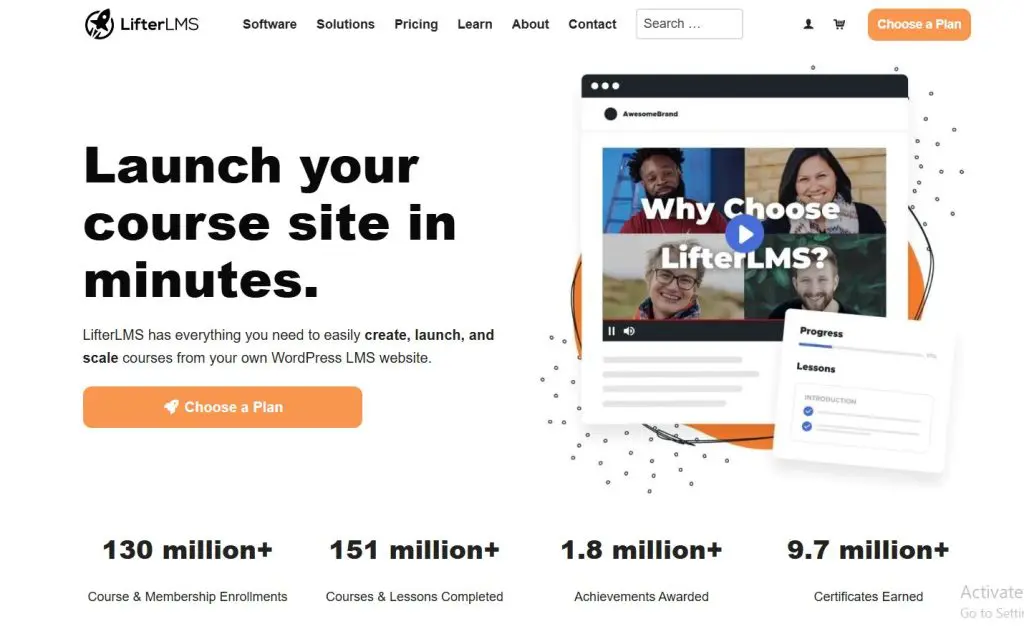
- How it’s different from LearnDash: A free core plugin with certificates, drip, memberships, and course tracks, with paid bundles that add payment gateways and integrations.
- Where LearnDash is better: AI tools, built-in Stripe and PayPal on every plan, and deeper quizzes and grading.
- Main features: Drag-and-drop course builder, quizzes with question banks, certificates and badges, drip and prerequisites, membership restrictions, course export, and add-ons for payments, email, CRM, and groups
- Starting price: Free core plugin, or $398/yr for the Earth Bundle ($199 first year with a 50% code)
LifterLMS is LearnDash’s closest rival and the easiest way to test a course on WordPress without paying for a license first. The free core plugin already covers a full course setup, which LearnDash doesn’t offer at any price.
Out of the box, you get a course builder, quizzes with question banks and timers, certificates, achievement badges, drip schedules, prerequisites, and membership rules that restrict courses, pages, and posts. Paid bundles add payment gateways, cart abandonment recovery, email marketing and CRM integrations, and more advanced add-ons. An export tool also moves courses between sites, which helps agencies and anyone rebuilding a site.
The trade-off is that you assemble the stack. Payment gateways come through add-ons, LifterLMS lists no AI tools, and you’ll keep track of which bundle unlocks what.
LifterLMS vs LearnDash:
| LifterLMS | LearnDash | |
|---|---|---|
| Free version | Yes, with certificates, drip, and memberships | No |
| Payment gateways | Stripe, PayPal, and WooCommerce in paid bundles | Stripe and PayPal on every plan |
| AI | None | Outlines and quizzes on Pro and up |
| Email and CRM integrations | From Universe Bundle | Third-party plugins |
| Course export | Built in | Third-party tools |
| Quiz depth | Question banks and timers | Eight question types, gradebook on Pro |
LifterLMS pricing plans:
| Plan | Billed annually (per year) | Key limits | Notes |
|---|---|---|---|
| Core plugin | $0 | Unlimited courses and students | – |
| Earth Bundle | $398 | 1 site | $199 first year with a 50% code |
| Universe Bundle | $598 | 5 sites | $299 first year with a 50% code |
| Infinity Bundle | $1,598 | Unlimited sites | $799 first year with a 50% code |
My LearnDash vs LifterLMS comparison goes deeper, and my LifterLMS review covers it on its own.
3. MasterStudy LMS: Best for Multi-Instructor Academies
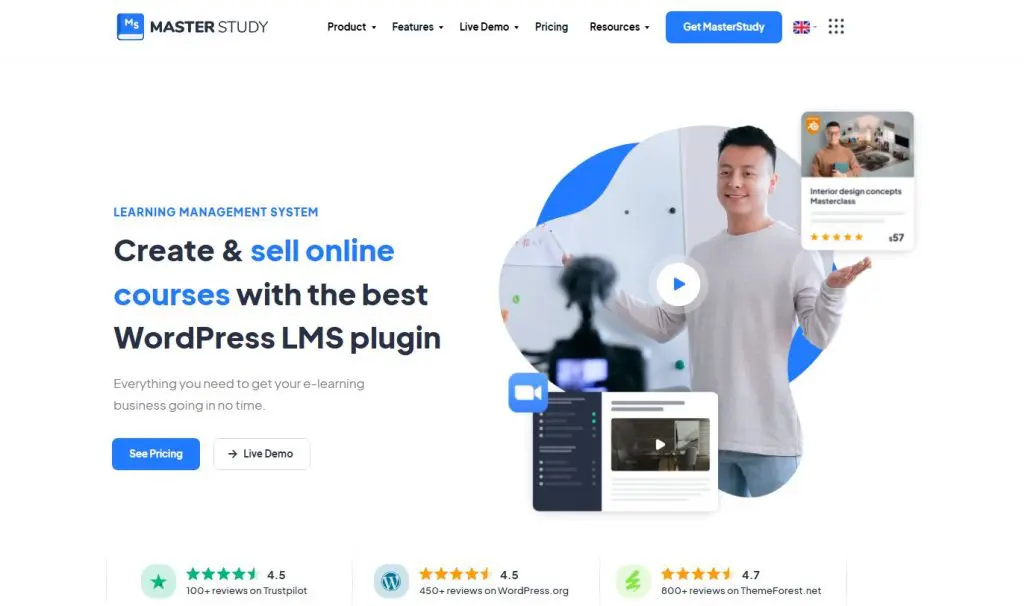
- How it’s different from LearnDash: Instructor payouts, public instructor pages, SCORM, live lessons, and AI Lab with five AI providers, all in one paid license.
- Where LearnDash is better: Assessment depth, reporting, a bigger developer community, and more polished group tools for companies.
- Main features: Multi-instructor publishing and payouts, instructor sales pages, SCORM and video lessons, Zoom, Google Meet, and YouTube live lessons, assignments and gradebook, certificate builder, and AI Lab
- Starting price: Free core plugin, or $99/yr for Pro Plus Single Site (14-day money-back guarantee)
MasterStudy LMS fits LearnDash users who want to run a Udemy-style academy under their own brand. Several teachers can publish courses, co-author content, track their sales, and receive payouts, and each instructor gets a public profile and sales page.
Lessons support text, video, audio, PDF, and SCORM, plus live lessons through Zoom, Google Meet, and YouTube streaming. AI Lab drafts outlines, lessons, quiz questions, and images, and it lets you choose OpenAI, Gemini, Claude, Grok, or Mistral with your own key. A migration tool also brings courses across from LearnDash, which makes switching easier.
The trade-off is maturity. MasterStudy has a smaller user base than LearnDash, so you’ll find fewer tutorials and add-ons, and its grading tools don’t go as deep.
MasterStudy LMS vs LearnDash:
| MasterStudy LMS | LearnDash | |
|---|---|---|
| Multi-instructor and payouts | On every paid plan | Multi-instructor courses on Elite |
| SCORM | On every paid plan | Through third-party add-ons |
| Live lessons | Zoom, Google Meet, and YouTube | Through third-party add-ons |
| AI | AI Lab with five AI providers | OpenAI only, on Pro and up |
| Migration from LearnDash | Built-in tool | Not applicable |
| Free version | Yes | No |
MasterStudy LMS pricing plans:
| Plan | Billed annually (per year) | Key limits | Notes |
|---|---|---|---|
| Free | $0 | Unlimited courses and students | – |
| Pro Plus Single Site | $99 | 1 site | $249 lifetime |
| Pro Plus 10 Sites | $199 | 10 sites | $499 lifetime |
| Pro Plus Unlimited | $399 | Unlimited sites | $999 lifetime |
My MasterStudy LMS review covers the instructor and marketplace tools in detail.
4. Thrive Apprentice: Best for Marketers
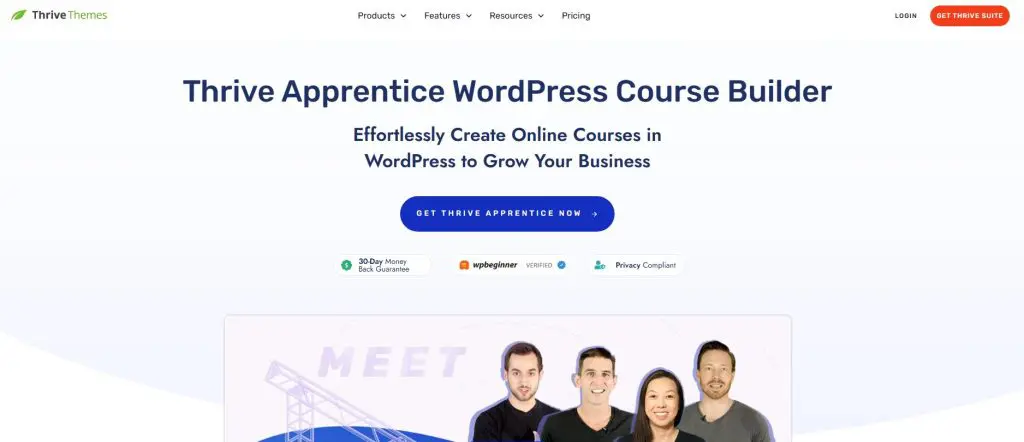
- How it’s different from LearnDash: A visual editor for every course page, six drip types, and conditional display that shows visitors, members, and buyers different content.
- Where LearnDash is better: Quiz depth, grading, group selling, and a free demo you can test first.
- Main features: Visual course and school design, course templates, six drip types, conditional display, membership protection, native Stripe, PayPal, and Square checkout, certificates with QR verification, and Prompt-to-Course AI
- Starting price: $299/yr at renewal ($149 first year, 30-day money-back guarantee)
Thrive Apprentice suits LearnDash users whose courses grow out of a blog, podcast, or coaching site. Thrive Themes built it around presentation and conversion, which gives it a different focus from assessment-heavy plugins like LearnDash.
Every course page opens in a visual editor, from the school homepage to the lesson sidebar and the login screen. Conditional display shows visitors, members, and paying students different content on the same page, and six drip types let you run the same course as an evergreen product and as a dated cohort. Inside Thrive Suite, you also get Thrive Architect, Thrive Leads, and Thrive Optimize, which turns WordPress into a marketing system around your courses.
The trade-off is assessment. Apprentice handles quizzes and certificates, but it won’t replace LearnDash for graded programs or certification.
Thrive Apprentice vs LearnDash:
| Thrive Apprentice | LearnDash | |
|---|---|---|
| Course page design | Visual editor for every page | Depends on your theme |
| Drip options | Six drip types, including quiz and event-based | Drip and prerequisites |
| Marketing tools | Landing pages, opt-ins, and A/B tests in Thrive Suite | None built in |
| Assessments | Quizzes and certificates | Eight question types and a gradebook on Pro |
| Free version | No | No |
| Best for | Content-driven course businesses | Structured, assessment-heavy programs |
Thrive Apprentice pricing plans:
| Plan | Billed annually (per year) | Key limits | Notes |
|---|---|---|---|
| Thrive Apprentice | $299 | 1 site, Apprentice only | $149 first year |
| Thrive Suite | $599 | 5 sites, all 9 Thrive plugins | $299 first year |
| Thrive Suite Quarterly | $596 | 5 sites, all 9 Thrive plugins | $149 per quarter |
My Thrive Apprentice review covers the Thrive Suite setup in detail.
5. Masteriyo: Best for SCORM and Global Selling
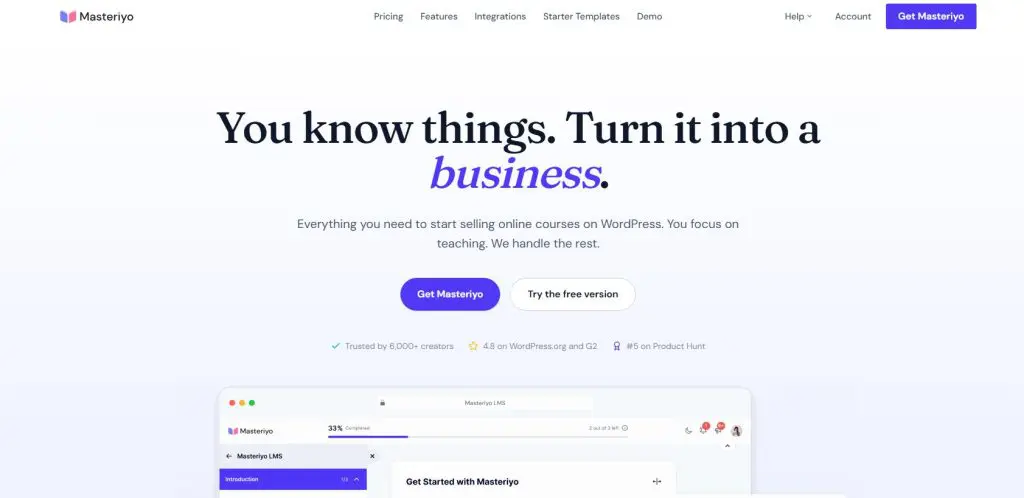
- How it’s different from LearnDash: SCORM, H5P, a built-in checkout with Stripe and PayPal, and AI course drafting all come in the free version, with multi-currency pricing for international students.
- Where LearnDash is better: Maturity, with a bigger ecosystem, more tutorials, and deeper reporting and group tools.
- Main features: Drag-and-drop course builder, SCORM and H5P content, built-in checkout, multi-currency pricing, certificates, AI course and quiz creation, MCP access, and on paid plans, assignments, gradebook, drip, and Zoom lessons
- Starting price: Free core plugin, or $199/yr for Basic ($99 first year)
Masteriyo fits LearnDash users who bring existing SCORM modules or sell to students in several countries. Its free version includes more than most paid plugins, and SCORM support comes without the third-party add-ons LearnDash needs.
The free plugin covers a course builder, quizzes, a checkout with Stripe and PayPal, SCORM and H5P content, and certificates. Multi-currency pricing lets students pay in their local currency. AI tools draft outlines, lessons, and quiz questions with your own OpenAI key, and MCP support lets assistants like Claude build courses on your site from a chat window. My guide on whether SCORM matters for selling courses explains when that feature pays off.
The trade-off is a smaller user base. Expect fewer tutorials and third-party add-ons than LearnDash offers.
Masteriyo vs LearnDash:
| Masteriyo | LearnDash | |
|---|---|---|
| SCORM and H5P | In the free version | Through third-party add-ons |
| Checkout | Stripe and PayPal in the free version | Stripe and PayPal on every plan |
| AI | In the free version, with your OpenAI key | On Pro and up |
| Assignments and gradebook | From Pro | Gradebook from Pro |
| Free version | Yes | No |
| Ecosystem | Smaller and newer | The largest among WordPress LMS plugins |
Masteriyo pricing plans:
| Plan | Billed annually (per year) | Key limits | Notes |
|---|---|---|---|
| Free | $0 | Unlimited courses and students | – |
| Basic | $199 | 1 site | $99 first year |
| Pro | $299 | 1 site | $149 first year |
| Elite | $799 | 10 sites, white label | $399 first year |
| Elite Lifetime (1 site) | $499 | 1 site, one-time payment | One-time, no renewals |
| Elite Lifetime (10 sites) | $1,299 | 10 sites, one-time payment | One-time, no renewals |
My Masteriyo review covers the free and paid plans in detail.
6. MemberPress: Best for Membership Sites With Courses
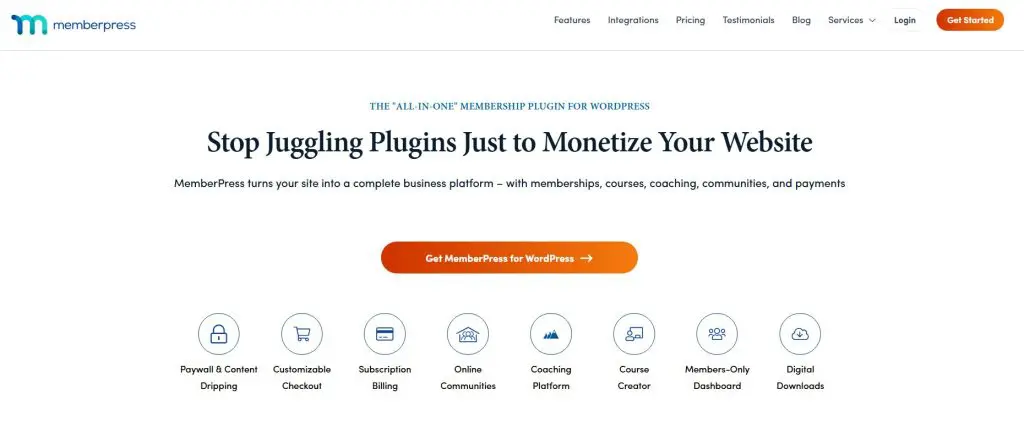
- How it’s different from LearnDash: A membership plugin first, with strong access rules, subscriptions, and coupons, plus courses, forums, and coaching tools on higher plans.
- Where LearnDash is better: Course and assessment depth, no transaction fees on any plan, and Stripe and PayPal from the entry plan.
- Main features: Paywalls and access rules, subscriptions and coupons, MemberPress Courses, quizzes, assignments, and certificates from Growth, ClubSuite forums and directory, CoachKit, and an AI course generator
- Starting price: $399/yr for Launch plus a 4.9% transaction fee (First year $199.50 (intro price))
MemberPress suits LearnDash users whose revenue comes from recurring memberships more than individual courses. Its access rules protect pages, posts, files, and courses in more ways than any LMS plugin, and courses slot in as one part of the membership.
From Growth up, you get quizzes, assignments, certificates, and content drip, plus ClubSuite forums and a member directory and CoachKit for coaching programs. The AI course generator drafts courses with included credits, so you don’t need your own API key. Publishers, coaches, and professional associations choose MemberPress most often for these reasons.
The trade-off is course depth. LearnDash builds more detailed courses and assessments, and MemberPress keeps its strongest course tools for higher plans.
MemberPress vs LearnDash:
| MemberPress | LearnDash | |
|---|---|---|
| Main focus | Memberships first | Courses first |
| Transaction fee | 4.9% on Launch | None |
| Payment gateways on entry plan | Stripe only | Stripe and PayPal |
| Quizzes, assignments, certificates | From Growth | On every plan |
| Community and coaching | Forums and CoachKit from Growth | None built in |
| AI | Course generator with included credits | Outlines and quizzes with your OpenAI key |
MemberPress pricing plans:
| Plan | Billed annually (per year) | Transaction fee | Key limits | Notes |
|---|---|---|---|---|
| Launch | $399 | 4.9% | Unlimited members & courses, Stripe only | First year $199.50 (intro price) |
| Growth | $699 | 0% | Adds drip, PayPal/Square, CoachKit, community | First year $349.50 (intro price) |
| Scale | $999 | 0% | Adds affiliates, corporate accounts, API, Zapier | First year $499.50 (intro price) |
My MemberPress review and guide to membership site platforms cover more options.
Hosted Alternatives to LearnDash
If WordPress upkeep is what puts you off LearnDash, a hosted platform takes it away. Hosted platforms cost you some control over your site and, on some plans, a fee on each sale, but you never touch a server, a plugin update, or a backup again.
7. Thinkific: Best Hosted Replacement
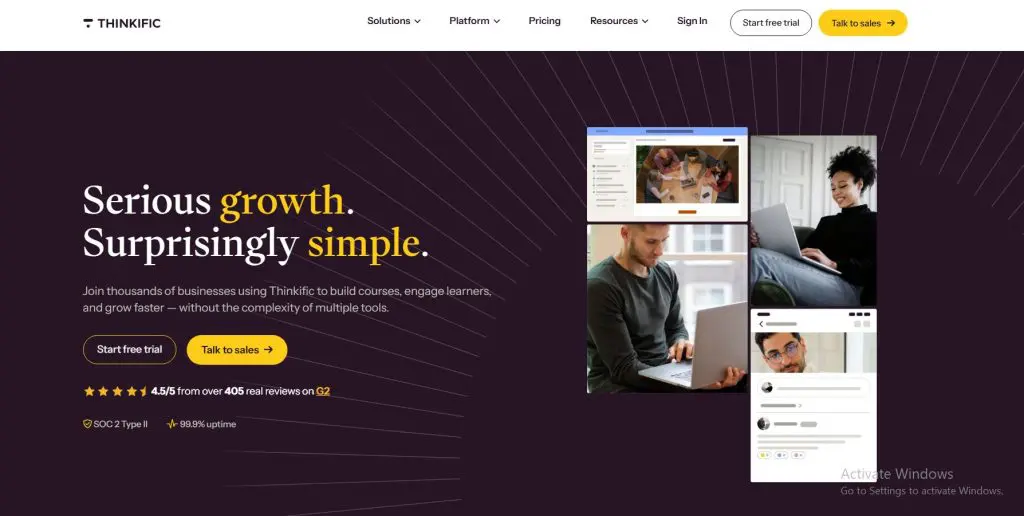
- How it’s different from LearnDash: A hosted course platform with checkout, communities, email automation, and a mobile app included, with nothing to install or maintain.
- Where LearnDash is better: Ownership of your site and data, quiz depth, and full control over design and plugins.
- Main features: Course builder, unlimited courses, quizzes, assignments, and certificates from Start, Zoom lessons in courses, communities, email automation, digital downloads, memberships, and a mobile app
- Starting price: $40/mo billed annually (30-day free trial)
Thinkific is the closest hosted match for a LearnDash course site, and it’s the platform I use myself. I run six live courses on Thinkific, and the biggest difference from WordPress is how little time I spend on anything other than the courses.
Courses support quizzes, and from Start up you get certificates, assignments, private courses, and live Zoom lessons inside your courses. Communities sit next to each course, email automation covers campaigns and lead capture, and checkout runs on the same platform. Thinkific Plus adds SCORM, learning paths, and Thinker AI for larger training businesses.
The trade-off is control. Thinkific doesn’t let you install plugins, design options stay inside its themes, and the quiz engine is simpler than LearnDash’s.
Thinkific vs LearnDash:
| Thinkific | LearnDash | |
|---|---|---|
| Hosting and updates | Included | You manage them |
| Community | Built in | Needs a separate plugin |
| Email automation | Built in | Needs a separate tool |
| Quiz depth | Quizzes, assignments, certificates | Eight question types and a gradebook |
| SCORM | On Thinkific Plus | Through third-party add-ons |
| Ownership | Thinkific hosts your school | You own the site and data |
Thinkific pricing plans:
| Plan | Billed monthly | Billed annually (per month) |
|---|---|---|
| Basic | $54 | $40 |
| Start | $109 | $82 |
| Grow | $219 | $164 |
| Plus | Custom | Custom |
My Thinkific review covers the platform in detail.
8. LearnWorlds: Best Hosted Option for Assessments

- How it’s different from LearnDash: A hosted platform with interactive video, exams and assignments, AI course and practice tools, and SCORM uploads on higher plans.
- Where LearnDash is better: Ownership, an annual license with no per-enrollment fees, and WordPress flexibility.
- Main features: Interactive video, AI course and practice tools, exams and assignments, certificates, SCORM and HTML5 packages, website and funnel builder, community, and client groups for B2B training
- Starting price: $24/mo billed annually plus $5 per paid enrollment (30-day free trial, no credit card)
LearnWorlds comes closest to LearnDash on assessments, and it adds learning tools LearnDash doesn’t have. I use it for Leading Learning and Tagoras courses, and its depth suits training businesses that sell to companies.
Interactive video lets you add questions and pauses inside lessons, and exams and assignments cover graded work. Its AI builds practice activities such as branching scenarios and gives learners feedback inside the lesson, which goes well beyond LearnDash’s outline and quiz drafts. SCORM and HTML5 packages arrive on Pro Trainer, and client groups help you sell training to several companies from one school.
The trade-off is complexity. LearnWorlds takes longer to learn than Thinkific, and its email tools don’t replace a real email platform.
LearnWorlds vs LearnDash:
| LearnWorlds | LearnDash | |
|---|---|---|
| Interactive video | From Pro Trainer | No |
| AI | AI course builder, practice activities, and learner feedback | Outlines and quizzes on Pro |
| SCORM | From Pro Trainer | Through third-party add-ons |
| Selling to companies | Client groups on Learning Center | Group seats on Elite |
| Hosting and updates | Included | You manage them |
| Fees on sales | $5 per paid enrollment on Starter | None |
LearnWorlds pricing plans:
| Plan | Billed monthly | Billed annually (per month) | Transaction fee | Key limits |
|---|---|---|---|---|
| Starter | $29 | $24 | $5 per paid enrollment | 1,000 active learners/mo, 1 admin, 300 AI credits/mo |
| Pro Trainer | $99 | $79 | None | 2,000 active learners/mo, 5 admins, 500 AI credits/mo |
| Learning Center | $299 | $249 | None | 2,000 active learners/mo, 25 admins, 1,000 AI credits/mo, 10 client groups |
| Corporate | Custom | Custom | None | Custom learners, admins, client groups and AI credits |
My LearnWorlds review goes deeper.
9. Kajabi: Best for Replacing the Whole Stack

- How it’s different from LearnDash: One hosted platform for courses, email marketing, funnels, community, coaching, and checkout.
- Where LearnDash is better: Quiz and assessment depth, ownership, and a far lower yearly cost.
- Main features: Courses and coaching, email marketing and automations, funnels and landing pages, communities, checkout, a website builder, Cofounder AI, and a branded mobile app on Pro
- Starting price: $143/mo billed annually (14-day free trial)
Kajabi replaces the full WordPress stack that a LearnDash site usually needs. Instead of a theme, an LMS plugin, an email tool, a community plugin, and a page builder, you get one login that covers all of it.
Email marketing, automations, and funnels sit next to your courses, so a subscriber can join your list, buy an offer, and start a course without anything stitched together. Communities, coaching, and a website builder come included, and Cofounder drafts a product, sales page, and email sequence from one conversation.
The trade-off is assessment and cost. Kajabi’s quizzes stay basic next to LearnDash, and it costs more each year than any other option here. It pays off only when you use the marketing tools too.
Kajabi vs LearnDash:
| Kajabi | LearnDash | |
|---|---|---|
| Email and funnels | Built in | Needs separate tools |
| Community | Built in | Needs a separate plugin |
| Quiz depth | Basic quizzes and surveys | Eight question types and a gradebook |
| Hosting and updates | Included | You manage them |
| Ownership | Kajabi hosts your business | You own the site and data |
| Starting price | $143/mo billed annually | $259/yr |
Kajabi pricing plans:
| Plan | Billed monthly | Billed annually (per month) |
|---|---|---|
| Basic | $179 | $143 |
| Growth | $249 | $199 |
| Pro | $499 | $399 |
My Kajabi review explains whether that trade makes sense for you.
Other WordPress Options Worth a Look
A few more WordPress plugins fit narrower needs. Each one has a full review on Learning Revolution, and my roundup of the best WordPress LMS plugins compares all of them side by side.
| Plugin | Choose it over LearnDash if |
|---|---|
| LearnPress | You want the lowest renewal cost for a full add-on bundle and a free SCORM player |
| Sensei LMS | You run a WooCommerce store and want courses in the same checkout |
| AccessAlly | CRM tags and automated email sequences drive your membership business |
| BuddyBoss | Community sits at the center of your learning business, and you may keep LearnDash for courses |
Which LearnDash Alternative Is Best for You?
The right LearnDash alternative depends on why you’re leaving. Find your reason below and start with that option’s free version or trial.
| If you want | Choose | Why |
|---|---|---|
| LearnDash-level features in one license | Tutor LMS | Every Pro feature on every paid plan |
| To start free on WordPress | LifterLMS | Certificates, drip, and memberships in the free core |
| Several instructors with payouts | MasterStudy LMS | Marketplace tools, SCORM, and AI Lab |
| Courses that sell from your content | Thrive Apprentice | Visual design and marketing tools |
| SCORM and international students | Masteriyo | SCORM, H5P, and multi-currency for free |
| A membership site first | MemberPress | The strongest access rules on WordPress |
| No more WordPress upkeep | Thinkific | Hosting, community, and email included |
| Deep assessments without WordPress | LearnWorlds | Interactive video, AI practice, and SCORM |
| One login for marketing and courses | Kajabi | Email, funnels, community, and courses together |
For most LearnDash users who want to stay on WordPress, I recommend Tutor LMS. It covers nearly everything LearnDash does, with live classes and AI on every paid plan and a free version to test first. If WordPress itself is the problem, move to Thinkific. If graded assessments, certification, or seat-based team sales sit at the core of your business, LearnDash remains the better choice, and I’d keep it.
Before you switch, run your numbers through my course revenue calculator or browse my other free creator tools. For a wider view, my list of the best online course platforms and my guide to an LMS for small businesses cover more choices.
Frequently Asked Questions (FAQs)
Here are answers to the questions creators ask me most often when they compare LearnDash with other platforms.
What is the best alternative to LearnDash?
Tutor LMS is the best alternative to LearnDash for most course creators who want to stay on WordPress. It includes every Pro feature in each paid plan, with live classes, assignments, and AI course drafting. Creators who want to leave WordPress should look at Thinkific, LearnWorlds, or Kajabi instead.
Is there a free alternative to LearnDash?
Yes. LifterLMS, Tutor LMS, MasterStudy LMS, Masteriyo, and LearnPress all offer free core plugins. LifterLMS includes certificates, drip, and memberships for free, while Masteriyo includes SCORM and a Stripe and PayPal checkout. LearnDash itself has no free version, only a 48-hour demo site. A free plugin is the cheapest way to test your first course idea.
Is Tutor LMS better than LearnDash?
Tutor LMS is better value for solo creators and small academies, with every Pro feature on each paid plan, live classes, AI Studio, and a free version. LearnDash is better for graded assessments, detailed reporting, and selling seats to companies. Choose based on how much your courses depend on grading.
Is LifterLMS better than LearnDash?
LifterLMS is better for creators who want to start free and add paid tools later, since its core plugin includes certificates, drip, and memberships. LearnDash is better for deeper quizzes, built-in Stripe and PayPal, AI tools, and group selling. Both run on WordPress and keep your site under your control.
What is the best hosted alternative to LearnDash?
Thinkific is the best hosted alternative to LearnDash for most course sites, with hosting, checkout, communities, and email automation included. LearnWorlds suits training businesses that need interactive video, deep assessments, and SCORM. Kajabi fits creators who want email, funnels, and courses in one login and can afford it.
Can I move my courses from LearnDash to another platform?
Yes. MasterStudy LMS and LearnPress include tools that import LearnDash courses, which makes switching between WordPress plugins easier. Moving to a hosted platform usually means rebuilding courses from your original videos and files and exporting your student list. Plan the move between cohorts so students aren’t caught mid-course.

Jeff Cobb, Founder of Learning Revolution
Jeff Cobb is an expert in online education and the business of adult lifelong learning. Over the past 20+ years he has built a thriving career based on that expertise – as an entrepreneur, a consultant, an author, and a speaker. Learning Revolution is a place where Jeff curates tips, insights, and resources to help you build a thriving expertise-based business. Learn more about Jeff Cobb here.
Table of Contents
Related Posts
LearnDash Review 2026: WordPress LMS Pricing, Pros & Cons, Features
LearnDash vs LifterLMS | Which Is The Best WordPress LMS (2026)