

TL;DR: Masteriyo Review (2026): Pricing, Features, And Who It’s For
Masteriyo is a WordPress LMS plugin from the team behind ThemeGrill and Themeisle, with a capable free version and paid plans that add assessment, marketing, and team tools. I’d pick it over Tutor LMS for two situations, SCORM content and the one-time Elite license. If you’d rather not manage WordPress, a hosted platform like Thinkific or Kajabi is the easier route.
• Generous free plugin. Unlimited courses, native checkout with Stripe and PayPal, SCORM, YouTube Live, and AI course drafting cost nothing.
• Pro is the real starting plan. Assignments, gradebook, coupons, prerequisites, multiple instructors, and Zoom need Pro, which renews at $299/year after a $149 first year.
• Best deal on the page. A one-time payment of $499 for Elite Lifetime (1 site) includes everything, white label included.
• Smaller ecosystem. About 6,000 active installs, so fewer tutorials, developers, and third-party add-ons than Tutor LMS or LearnDash.
• Short refund window. A 14-day money-back guarantee, half what most rivals offer.
Try Masteriyo Free
Masteriyo rarely shows up first in WordPress LMS conversationsthat’s. But ever since I first used it, I became a fan and advocate.
Built by the team behind ThemeGrill and Themeisle, Masteriyo is a powerful WordPress LMS that packs native payments, SCORM, AI course drafting, and multi-currency pricing into a free plugin.
Plus, its paid plans that cost less in the first year than most rivals.
In this Masteriyo review, I’ll explain how it works and what makes it such a value packed LMS plugin. I’ll also compare it with Tutor LMS, LearnDash, and LifterLMS to help you decide if it’s the right choice for your business.
Masteriyo Snapshot (2026)
| What buyers ask | Masteriyo’s answer |
|---|---|
| What it is | A WordPress LMS plugin for building and selling courses, with payments built in |
| Hosting | Self-hosted. You need your own WordPress site and host |
| Free option | Free plugin with unlimited courses and students, Stripe and PayPal checkout, SCORM, and AI drafting |
| Paid plans | Basic $199/year, Pro $299/year, Elite $799/year at renewal, with lower first-year prices |
| Lifetime licenses | Elite Lifetime (1 site) $499, Elite Lifetime (10 sites) $1,299 |
| Guarantee | 14-day money-back guarantee |
| Transaction fees | None from Masteriyo |
| Payments | Stripe, PayPal, Mollie, Lemon Squeezy, SureCart, WooCommerce, with Razorpay and EDD on Pro |
| Course tools | Drag-and-drop builder, SCORM and H5P, YouTube Live, drip, certificates, multi-currency |
| AI tools | AI course and quiz generation with your own OpenAI key, plus MCP access for AI assistants |
| Best for | Budget-conscious creators who need SCORM, multi-currency, or a one-time license |
Read: The Best WordPress LMS Plugins For Selling Courses and Memberships
What Is Masteriyo?
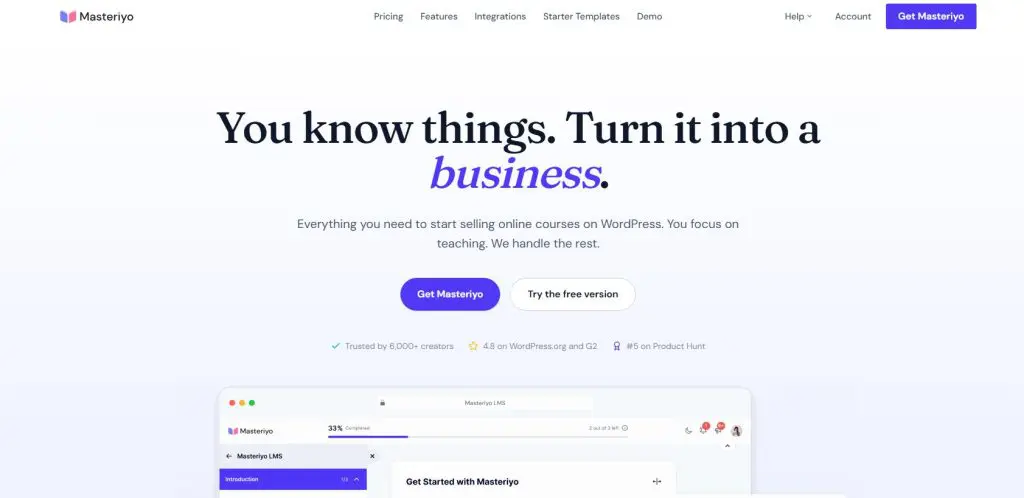
Masteriyo is a WordPress LMS plugin that turns your website into a learning management system with its own checkout. Once installed, it adds a drag-and-drop course builder, quizzes, certificates, student and instructor dashboards, and an order system that takes payments without WooCommerce.
Masteriyo covers courses and course sales, with no community feed or funnel builder of its own. For community, it connects to BuddyPress and GamiPress, and for email marketing, paid plans sync students to Mailchimp, HubSpot, MailerLite, and Brevo.
Inside the course, it handles nearly everything, including SCORM packages, which most WordPress LMS plugins skip.
Since Masteriyo is a WordPress plugin, you’ll need your own WordPress site to run it. This also means you’ll need to handle web hosting, theme setup, and regular site maintenance to keep it running.
The Main Masteriyo Features
- Built-in checkout: Sell courses through Stripe, PayPal, Mollie, Lemon Squeezy, or SureCart with no WooCommerce install and no transaction fees.
- Multi-currency pricing: Charge students in their local currency and set prices by region, which helps if you sell internationally.
- SCORM and H5P: Import SCORM packages from authoring tools and add interactive H5P activities to any lesson.
- AI course creation: Turn a course title into an outline, lesson drafts, and quiz questions with your own OpenAI key.
- Certificates: Design certificates in a drag-and-drop builder and award them when students finish a course.
- Live teaching: Stream classes through YouTube Live for free, or schedule Google Meet and Zoom sessions on paid plans.
- Free migration: Move courses, quizzes, orders, and students in from LearnDash, LearnPress, LifterLMS, Tutor LMS, or MasterStudy.
Quick Verdict: Is Masteriyo Right For You?
Masteriyo makes sense if you already run a WordPress site, or plan to, and you’re comfortable handling WordPress yourself or with a developer.
Within that group, I’d choose Masteriyo two situations.
- The first is SCORM, since Masteriyo imports SCORM packages.
- The second is a one-time budget, since Elite Lifetime (1 site) gives you every feature for $499 with no renewals.
A corporate trainer with existing SCORM modules, or a creator selling to students in several countries, gets more from Masteriyo than from most rivals. For everyone else, I still lean toward Tutor LMS for its larger community and more polished learner experience.
If you don’t have a WordPress site and don’t want the upkeep, choose a cloud online course platform. Tools like Thinkific and Kajabi handle hosting, security, and updates for you, and they get you selling faster.
Masteriyo Pricing & Free Plan (2026)
Masteriyo offers a free plugin, three yearly plans, and two lifetime licenses. The yearly plans carry introductory first-year prices, and renewals charge the full price, so I plan around the renewal figure.
| Plan | First year | Renewal | Sites | What it adds |
|---|---|---|---|---|
| Free | Free | Free | Any | Course builder, Stripe and PayPal checkout, SCORM, YouTube Live, AI drafting |
| Basic | $99 first year | $199/year | 1 | Google Meet, sequential drip, premium ticket support |
| Pro | $149 first year | $299/year | 1 | Assignments, gradebook, coupons, subscriptions, prerequisites, Zoom, email integrations |
| Elite | $399 first year | $799/year | 10 | White label and priority support |
| Elite Lifetime (1 site) | $499 once | None | 1 | Every feature with lifetime updates and support |
| Elite Lifetime (10 sites) | $1,299 once | None | 10 | Every feature on 10 sites with lifetime updates and support |
| Feature | Free | Basic | Pro | Elite | Elite Lifetime (1 site) | Elite Lifetime (10 sites) |
|---|---|---|---|---|---|---|
| Sites | Any | 1 | 1 | 10 | 1 | 10 |
| Courses, students, instructors | Unlimited | Unlimited | Unlimited | Unlimited | Unlimited | Unlimited |
| Built-in checkout with Stripe and PayPal | ✓ | ✓ | ✓ | ✓ | ✓ | ✓ |
| SCORM and H5P | ✓ | ✓ | ✓ | ✓ | ✓ | ✓ |
| AI course and quiz creation (your OpenAI key) | ✓ | ✓ | ✓ | ✓ | ✓ | ✓ |
| Certificate templates | One | One | All | All | All | All |
| Date-based drip and prerequisites | ✗ | ✗ | ✓ | ✓ | ✓ | ✓ |
| Assignments and gradebook | ✗ | ✗ | ✓ | ✓ | ✓ | ✓ |
| Advanced quiz builder | ✗ | ✗ | ✓ | ✓ | ✓ | ✓ |
| Coupons, bundles, subscriptions | ✗ | ✗ | ✓ | ✓ | ✓ | ✓ |
| Multiple instructors | ✗ | ✗ | ✓ | ✓ | ✓ | ✓ |
| Zoom integration | ✗ | ✗ | ✓ | ✓ | ✓ | ✓ |
| Mailchimp, HubSpot, MailerLite, Zapier | ✗ | ✗ | ✓ | ✓ | ✓ | ✓ |
| White label | ✗ | ✗ | ✗ | ✓ | ✓ | ✓ |
| Support | Forum | Ticket | Ticket and live chat | Priority | Lifetime | Lifetime |
Paid plans come with a 14-day money-back guarantee, and you can upgrade at any time and pay only the difference. If you stop renewing a yearly plan, your courses keep working, but updates, security fixes, and support stop.
Which Masteriyo Plan Should You Buy?
Start with the free plugin to build your first course and test the checkout. Skip Basic unless you sell simple one-time courses with no coupons, assignments, or email integrations. For most course businesses, Pro is the real starting plan.
Then look hard at Elite Lifetime (1 site). At $499, it costs less than two years of Pro at the renewal price and includes everything in Elite, so anyone planning to run the site for more than two years comes out ahead.
Choose the 10-site lifetime license or yearly Elite only for agency or multi-brand work. If you’re weighing the other WordPress LMS plugins, my LearnDash vs LifterLMS comparison covers their trade-offs.
What Else You’ll Pay For
- Hosting: Masteriyo’s own team advises against shared hosting for course sites, so budget for managed WordPress hosting. My web hosting guide compares options.
- Video hosting: Large video libraries belong on a service such as Vimeo or Bunny.net, which Masteriyo supports.
- OpenAI usage: AI course creation bills through your own OpenAI account.
- Payment processing: Expect standard Stripe and PayPal fees on every sale.
- Email marketing: Paid plans sync students to your email tool, and the tool itself costs extra.
- Developer time: Fewer freelancers know Masteriyo, so plan for a WordPress developer who can learn it. Platforms like Fiverr make that easier to arrange.
Masteriyo Features & Capabilities | What Can You Do With It?
Masteriyo puts more into its free plugin than most competitors, and the paid plans add assessment, marketing, and team tools. For each area below, I note what you get for free and which plan you need for the rest.
| Feature | What you get | What’s missing | Plan |
|---|---|---|---|
| Course builder | Drag-and-drop sections, lessons, quizzes, video embeds, setup wizard | PDF and audio lessons in the free plugin | Free core, extra lesson types on paid plans |
| Course access | Sequential drip, retakes, end dates, coming-soon pages | Date-based drip and prerequisites below Pro | Basic for sequential drip, Pro for the rest |
| SCORM and H5P | SCORM package import and interactive H5P activities | Detailed SCORM reporting | Free core |
| Quizzes | Four free question types, time limits, review screen, AI quiz generation | Advanced question types and a question bank below Pro | Free core, advanced on Pro |
| Assignments and grading | Assignments, gradebook, student activity log | Any of these below Pro | Pro |
| Certificates | Drag-and-drop builder and course badges | More than one template below Pro | Free core, all templates on Pro |
| Payments | Stripe, PayPal, Mollie, Lemon Squeezy, SureCart, multi-currency, no fees | Razorpay and EDD below Pro | Free core |
| Recurring revenue | Coupons, bundles, subscriptions, membership plugin support | Any of these below Pro | Pro |
| Live classes | YouTube Live, Google Meet, Zoom | Zoom below Pro | Free core for YouTube Live |
| Marketing | Mailchimp, HubSpot, MailerLite, Zapier, webhooks | Native email marketing and funnels | Pro |
| AI | Course outlines, lessons, quizzes, MCP access | Bundled AI credits | Free core with your own OpenAI key |
| Agency tools | White label and up to 10 sites | White label below Elite | Elite |
Feature #1: Course Building
The drag-and-drop builder organizes courses into sections, lessons, and quizzes from one screen, and a setup wizard gets a new site running in minutes.
Lessons support text, embedded video from YouTube and Vimeo, external video links from Google Drive or OneDrive, and Masteriyo’s own video player. The free plugin also handles course retakes, end dates, badges, coming-soon pages, and a distraction-free learning page.
My guide on how to create an online course covers the curriculum design side.
Paid plans add PDF and audio lessons, course attachments, previews, enrollment expiration, course FAQs, and course cloning. On drip, Basic includes sequential release, which opens lessons in order, while Pro adds date-based drip and course prerequisites.
SCORM sets Masteriyo apart. Upload SCORM packages built in an authoring tool and run them as lessons, and H5P adds interactive activities such as drag-and-drop exercises.
My guide on whether SCORM matters for selling courses explains when that’s worth caring about.
Where it falls short. Free and paid features overlap in confusing ways across Masteriyo’s own pages, so check the pricing table for the exact plan before you buy. Prerequisites and scheduled drip, which LifterLMS includes free, need Pro.
Feature #2: Quizzes, Assignments, And Grading
The free quiz builder covers single choice, multiple choice, true or false, and matching questions, with time limits, custom scoring, retakes, and a review screen where students see correct answers. Bulk quiz import and export come free, and the AI quiz builder generates questions from your lesson content.
Upgrading to Pro opens the advanced quiz builder with every question type, image matching, and a question bank, along with assignments, a gradebook that pulls quiz and assignment scores together, and a student activity log.
My guide on how to create quizzes covers how to write questions that test real understanding.
Where it falls short. Assignments and the gradebook sit on Pro, so training businesses that grade work should skip Basic entirely.
Feature #3: Certificates
Masteriyo includes a drag-and-drop certificate builder, and the free plugin and Basic come with one template, and Pro adds every template. The WordPress.org listing mentions QR validation, which lets employers check a certificate, and course badges add a lighter form of recognition.
Where it falls short. One template limits your design options until you upgrade, and verification details are thinner on Masteriyo’s site than on Tutor LMS’s.
Feature #4: Selling And Payments
Masteriyo takes no transaction fees, and its built-in order system sells courses without WooCommerce. The free plugin connects to Stripe, PayPal, Mollie, Lemon Squeezy, and SureCart, sells in multiple currencies, and supports revenue sharing and wishlists.
If you already run WooCommerce, a one-click option turns each course into a WooCommerce product and opens up every WooCommerce gateway.
On Pro, you also get coupons, course bundles, course subscriptions with Stripe and PayPal, WooCommerce Subscriptions support, Razorpay, Easy Digital Downloads, Paid Memberships Pro, and Restrict Content Pro.
If you plan a recurring offer, my guide to creating a membership site covers the business side, and my guide on how to price online courses helps you set the numbers.
Where it falls short. Coupons and subscriptions need Pro, so Basic works only for one-time course sales. Masteriyo has no sales funnel builder, so you’ll design landing pages with Elementor, Divi, Bricks, or Beaver Builder, all of which it supports.
Feature #5: Live Classes And Engagement
The free plugin streams live classes through YouTube Live and supports cohort learning, where students start and progress together. Paid plans add Google Meet, and Pro adds Zoom. My roundup of Zoom alternatives compares meeting tools if you’re choosing one.
For engagement, you get course announcements, a Q&A section on lessons, course reviews, student notifications, and GamiPress for points and rewards. My guide on how to increase course completion rates covers more ideas.
Where it falls short. Engagement tools stay basic, with no native community space. Masteriyo’s pricing card lists Zoom on Basic, while its comparison table puts Zoom on Pro, so confirm with sales if live Zoom classes matter to you.
Feature #6: Marketing And Automation
Starting on Pro, Masteriyo syncs students to Mailchimp, HubSpot, MailerLite, and Brevo, and it connects to thousands of apps through Zapier. Webhooks, a REST API, and MCP access for AI assistants let developers automate enrollment, reporting, and course creation. If you’re picking an email tool, my list of email marketing platforms can help.
Where it falls short. Email marketing integrations skip Basic entirely, so a Basic site needs a workaround such as FluentCRM or webhooks.
Feature #7: AI Course Creation
Masteriyo’s AI tools run on your own OpenAI API key, so OpenAI bills you for usage directly. From a course title, AI drafts an outline, lesson content, and quiz questions in several formats, and the AI quiz builder generates questions from existing lessons. MCP support lets you connect Claude or another AI assistant and build courses from a chat window.
Treat what it produces as a first draft. AI-generated outlines tend to follow generic patterns, and your examples and experience make a course worth buying. My guide to humanizing AI content helps with the editing.
Where it falls short. Costs depend on your OpenAI usage, and you manage the API key yourself. Tutor LMS puts its AI Studio behind Pro, so Masteriyo gives more AI for free.
Feature #8: Security And Admin Tools
The free plugin includes email verification, password strength rules, Google reCAPTCHA, GDPR consent, content protection against copying and right-clicking, and login session limits that discourage account sharing. Paid upgrades add two-factor authentication, bulk user export, and advanced email settings on Pro, plus white labeling for agencies on Elite.
Masteriyo’s support record looks strong for a young plugin. The team resolved 35 of 38 WordPress.org support threads in the last two months, and the free plugin holds a 4.8-star rating.
Masteriyo Pros And Cons
| Pros | Cons |
|---|---|
| Strong free plugin. Native Stripe and PayPal checkout, SCORM, multi-currency, and AI drafting cost nothing. | Pro is the real entry plan. Assignments, coupons, prerequisites, and email integrations all skip Basic. |
| SCORM included. Training teams can run existing SCORM packages without a third-party plugin. | Small user base. About 6,000 installs means fewer tutorials, developers, and add-ons. |
| Cheap lifetime license. Elite Lifetime (1 site) at $499 ends renewals and includes every feature. | Renewals double. Yearly plans renew at full price after the introductory first year. |
| Global selling. Multi-currency pricing and regional gateways help with international students. | Confusing feature tiers. Masteriyo’s own pages disagree on a few plan details, so verify before you buy. |
| Responsive support. The team resolves most WordPress.org support threads, and the plugin holds a 4.8-star rating. | Short refund window. 14 days gives you less testing time than Tutor LMS or LifterLMS. |
| No transaction fees. Masteriyo takes no cut of your sales. | You still run WordPress. Hosting, backups, and conflicts stay your job. |
Masteriyo Vs Tutor LMS Vs LearnDash Vs LifterLMS
Here’s how Masteriyo compares with the WordPress LMS plugins buyers weigh it against most often.
| Feature | Masteriyo | Tutor LMS | LearnDash | LifterLMS |
|---|---|---|---|---|
| Free version | Yes, with Stripe and PayPal | Yes, PayPal only | No | Yes, no online payments |
| Plan with assignments | Pro $299/year | Individual $199/year | Essentials $259/year | Infinity Bundle |
| Lifetime license | Elite Lifetime (1 site) $499 | Individual $499 lifetime | No | Yes, Infinity |
| SCORM | Included | Not listed | Third-party plugin | xAPI through an integration |
| Multi-currency | Included | Not listed | Not listed | Not listed |
| AI tools | Free, your OpenAI key | AI Studio on Pro, your OpenAI key | Outline and quiz builders | None |
| User base | 6,000+ active installs | 100,000+ active installs | Not on WordPress.org | 10,000+ creators, per LifterLMS |
| Refund window | 14 days | 30 days | 30 days | 30 days |
| Best for | SCORM, global selling, one-time budgets | Best all-around value | Assessment-heavy academies | Starting free and growing into bundles |
Masteriyo Alternatives
If Masteriyo doesn’t fit, these are the options I’d look at next, starting with other WordPress plugins.
- For the best all-around WordPress LMS: Tutor LMS puts every feature in Individual at $199/year and has a far larger community.
- For the most established option: LearnDash starts at $259/year for Essentials and has the largest ecosystem of third-party add-ons.
- For more in a free core: LifterLMS includes drip, prerequisites, certificates, and memberships for free, and Earth Bundle renews at $398/year once you need payments.
- For the lowest renewal: LearnPress includes a free SCORM player, and its Pro Bundle renews at $209.30/year.
- For membership-first sites: MemberPress pairs strong content protection with courses, and Growth renews at $699/year.
- For a community-first site: BuddyBoss adds profiles, groups, and activity feeds, with Start at $199/year.
- For no WordPress at all: Hosted platforms such as Thinkific from $40/month, LearnWorlds from $24/month, and Kajabi from $143/month on annual billing handle hosting and maintenance for you.
My roundup of the best online course platforms compares hosted and WordPress options side by side.
Should You Use Masteriyo? My Verdict
Masteriyo offers more in its free plugin than any WordPress LMS I’d put in front of a course creator today, and Elite Lifetime (1 site) ranks among the best deals in the category.
SCORM support and multi-currency pricing give it a clear edge for corporate trainers and creators who sell across borders.
Still, its small user base and confusing plan tiers keep me from making it my default pick. If you need SCORM, sell internationally, or want to pay once and stop thinking about renewals, buy the lifetime license and build with confidence.
If none of those apply, Tutor LMS remains my first recommendation on WordPress. But beginners without a WordPress site should look at a hosted platform or one of the other LMS options for small businesses.
My rating: 4.2 out of 5.
Frequently Asked Questions (FAQs)
Is Masteriyo free?
Yes, the Masteriyo plugin is free on WordPress.org and covers unlimited courses and students, Stripe and PayPal checkout, SCORM import, YouTube Live classes, and AI course drafting with your own OpenAI key. Assignments, coupons, prerequisites, and email integrations need the Pro plan, which renews at $299 a year.
Does Masteriyo charge transaction fees?
No, Masteriyo takes no commission on course sales on the free plugin or any paid plan. Payment processors such as Stripe and PayPal still charge their standard fees on each transaction, so include those when you price your courses and plan your margins.
Is the Masteriyo lifetime license worth it?
For most single-site owners, yes. The Elite lifetime license costs $499 once for one site and includes every feature, while the yearly Pro plan renews at $299. The lifetime license pays for itself in under two years if you keep the site running.
Does Masteriyo support SCORM?
Yes, Masteriyo imports and runs SCORM packages, and it supports interactive H5P content as well. As a result, Masteriyo ranks among the few WordPress LMS plugins that can host existing training modules from authoring tools such as Articulate or iSpring without a separate SCORM plugin.
What happens if I stop renewing Masteriyo?
If a yearly license lapses, your courses, students, and the plugin itself keep working. Updates, security fixes, new WordPress compatibility, and support stop, so running an expired license for long periods raises security and compatibility risks for your course site.
Can I move my courses from Tutor LMS or LearnDash to Masteriyo?
Yes, Masteriyo’s free migration tool imports courses, quizzes, orders, and students from LearnDash, LearnPress, LifterLMS, Tutor LMS, and MasterStudy. Review each course after the move, since quiz settings and certificates may need manual fixes. Run the migration on a staging site first.
Who makes Masteriyo?
Masteriyo comes from the team behind ThemeGrill and Themeisle, two established WordPress theme and plugin companies. Such backing matters for a younger plugin, because it suggests ongoing development and support even though Masteriyo has a smaller user base than LearnDash or Tutor LMS.
Does Masteriyo offer a refund?
Yes, Masteriyo offers a 14-day money-back guarantee on paid plans. The window runs shorter than the 30 days most competitors give, so test the free plugin and the sandbox demo thoroughly before you buy a paid plan, and schedule your evaluation for the first week after purchase.

Jeff Cobb, Founder of Learning Revolution
Jeff Cobb is an expert in online education and the business of adult lifelong learning. Over the past 20+ years he has built a thriving career based on that expertise – as an entrepreneur, a consultant, an author, and a speaker. Learning Revolution is a place where Jeff curates tips, insights, and resources to help you build a thriving expertise-based business. Learn more about Jeff Cobb here.
Table of Contents
Related Posts
MasterStudy LMS Review (2026) | Is It The Right WordPress LMS For You?
Thrive Apprentice Review (2026) | Is This WordPress LMS Worth It?
Sensei LMS Review (2026) | A Useful But Limited WordPress LMS Plugin