
TL;DR: The Best WordPress LMS Plugins For Course Creators (2026)
A WordPress LMS plugin turns your WordPress site into an online school where you build, sell, and deliver courses. Here are the best options and who each one suits.
Tutor and LearnDash are my top picks for the most valuable plugins that offer everything you need to run an online course business. But depending on your goals, here’s the full list of platforms I recommend.
• Tutor LMS: Best all-around value for most course creators
• LearnDash: Best for assessment-heavy courses and certification programs
• LifterLMS: Best for starting free and adding paid tools as you grow
• MasterStudy LMS: Best for multi-instructor academies and marketplaces on a budget
• Thrive Apprentice: Best for marketers who sell courses from a content-driven site
• MemberPress: Best for membership sites with courses inside them
• Masteriyo: Best for SCORM content and selling in several currencies
• LearnPress: The lowest renewal cost for a full add-on bundle
• Sensei LMS: Best for WooCommerce stores that want to add courses
• AccessAlly: Best for established businesses with deep CRM automation
• BuddyBoss: Best for community-first learning sites
Jump To The Full List
A WordPress LMS makes the most sense when you already run a WordPress site and want to add courses or memberships to it. With a plugin, your blog, your audience, and your courses live in one place you own.
But I’ll be honest.
I don’t usually recommend a WordPress LMS to non-technical course creators.
Hosted online course platforms are a much better option because they handle hosting, security, and updates for you, so you can focus on teaching and marketing.
But if you know WordPress, a plugin gives you more control and far more flexibility. In this guide, I compare the best WordPress LMS plugins I’ve used and show you which one fits your business.
Read: The best fully hosted online course platforms for sellers
Comparison Table Of The Best WordPress LMS Plugins For Course Creators
| WordPress LMS | Best For | Starting Price |
|---|---|---|
| Tutor LMS | Best all-around value for most course creators | Free, Pro from $199/year |
| LearnDash | Assessment-heavy academies and certification programs | $259/year |
| LifterLMS | Starting free and adding paid tools as you grow | Free, paid bundles from $398/year |
| MasterStudy LMS | Multi-instructor academies and marketplaces on a budget | Free, Pro Plus from $99/year |
| Thrive Apprentice | Marketers who sell courses from a content-driven site | $299/year ($149 first year) |
| MemberPress | Membership sites with courses inside them | $399/year at renewal |
| Masteriyo | SCORM content and selling in several currencies | Free, paid from $199/year ($99 first year) |
| LearnPress | The lowest renewal cost for a full add-on bundle | Free, Pro Bundle $299 |
| Sensei LMS | WooCommerce stores that want to add courses | Free, Pro $179/year |
| AccessAlly | Established businesses with deep CRM automation | $2,999/year |
| BuddyBoss | Community-first learning sites | $199/year at renewal |
What Is A WordPress Learning Management System (LMS)?
A WordPress LMS is a plugin that adds a learning management system to a WordPress website and turns it into a fully functional course and membership platform.
It lets you sell courses and e-learning programs, organize lessons into courses, test students with quizzes, track progress, and award certificates. Most plugins also let you manage payments through Stripe, PayPal, or WooCommerce.
Unlike a hosted platform, a WordPress LMS runs on a site you host and manage. Ownership of the courses, the student data, and the design stays with you. But that also means web hosting, backups, updates, and plugin conflicts remain your responsibility.
If you don’t have a site yet, my guide on how to create a WordPress website covers the basics.
The Main Features To Look For In A WordPress LMS
Most WordPress LMS plugins add the following features to your site.
- Course builder: A drag-and-drop builder saves hours when you structure modules and lessons. Check whether the builder works inside WordPress admin or on its own screen.
- Quizzes and assessments: Look at question types, question banks, and grading. Programs that award credentials need stronger tools than a quick knowledge check, so read my guide on how to create quizzes.
- Drip and prerequisites: Drip releases lessons over time, and prerequisites lock content until students finish earlier steps, so learners progress in a set order.
- Native payments: Built-in Stripe and PayPal checkout saves you from installing WooCommerce. Check whether subscriptions and payment plans come included.
- Memberships: Some plugins protect posts and pages as well as courses, which matters if you plan to sell a membership site.
- Certificates: Certificates reward completion, and verification IDs let employers confirm them.
- Live lessons: Zoom and Google Meet integrations let you run live classes inside a course rather than in a separate tool.
- SCORM support: SCORM lets you import packaged training content. Read whether SCORM matters for selling courses before you pay extra for it.
- AI tools: Many plugins now draft outlines, lessons, and quizzes with AI. Check whether you need your own OpenAI key and who pays for usage.
- Pricing model: Some plugins include every feature in one license, while others sell add-ons. Compare renewal prices as well as first-year discounts.
The Features WordPress LMS Platforms Don’t Have
A WordPress LMS handles teaching and selling courses. Most plugins leave several business tools out, and you’ll need to fill those gaps yourself.
- Email marketing: Most LMS plugins send course emails, such as enrollment confirmations and reminders. Newsletters, sales sequences, and broadcasts need a separate email marketing platform.
- Sales funnels and landing pages: Few plugins include a funnel builder or A/B testing, so pages depend on your theme, a page builder, or dedicated landing page software.
- Hosting, security, and updates: Each plugin runs on a server you choose and maintain. Backups, security patches, and speed tuning stay your job, so pick a solid web host.
- Video hosting: Streaming large video libraries from a WordPress server slows sites down. Most course sites store lessons on Vimeo, Wistia, or Bunny.net and embed them.
- Community: Apart from BuddyBoss and a few add-ons, most plugins offer lesson comments at best. Profiles, groups, and activity feeds need a separate community tool.
- Branded mobile apps: Most plugins work in a mobile browser only. A native app usually costs extra or requires a separate product.
- Webinars and live events: Some plugins connect to Zoom or Google Meet, but registration pages, replays, and event marketing need dedicated webinar software.
- Hands-off support: When a plugin conflicts with your theme, you troubleshoot it, or you pay a developer to do it.
So, lets say you need email marketing features for your WordPress course site. You’ll need to get a dedicated email marketing platform like ActiveCampaign or Kit for that.
But if you’d rather get most of these in one place, a hosted online course platform makes more sense.
For example, Kajabi bundles courses with funnels, email marketing, community, and a branded mobile app.
Lower-cost options like Thinkific and LearnWorlds handle hosting, security, and updates for you, with built-in site builders and community tools.
The Best WordPress LMS Platforms For Selling Courses And Memberships
I ranked these plugins by how well they serve a typical course creator who sells from WordPress. Each entry links to my full review, so you can dig deeper into the ones that fit.
1. Tutor LMS

- Best for: Best all-around value for most course creators
- Starting price: Free, Pro from $199/year
- Main strengths: All Pro features in every paid plan, a modern student dashboard, AI Studio, live classes
Tutor LMS is among the best WordPress LMS plugins for creators who want a complete course platform inside WordPress. Themeum develops it, and more than 100,000 sites run the plugin, which makes it one of the most widely used LMS options on WordPress today.
It is also my top recommendation from this list for solo creators, coaches, and small academies.
Tutor LMS covers the full course workflow.
It offers a drag-and-drop builder organizes topics, lessons, quizzes, assignments, and live classes, and a content bank lets you reuse material across courses.
Students get a continuous dashboard with notes, course Q&A, a resource center, and a calendar, along with Kids Mode and dark mode options.
On the business side, Tutor LMS includes a native checkout, subscriptions, memberships, certificates with QR verification, and commission splits for multi-instructor sites.
Its AI features are among the best in the WordPress LMS category.
Its AI Studio feature drafts full courses from a topic, including the outline, lesson text, quiz questions, and a feature image. Setup requires your own OpenAI API key, and you review and edit everything it writes before publishing.
What sets Tutor LMS apart is the modern student experience, which feels closer to a hosted platform than most WordPress plugins. If you have settled on WordPress and want one plugin that handles teaching, assessment, and selling, Tutor LMS makes a strong default choice.
| Plan | Billed annually (per year) | Key limits | Notes |
|---|---|---|---|
| Free | $0 | Unlimited courses, learners and instructors | – |
| Individual | $199 | 1 site, all Pro features | $499 lifetime |
| Business | $399 | Up to 10 sites, all Pro features | $999 lifetime |
| Agency | $799 | Unlimited sites (50 on lifetime), all Pro features | $1,999 lifetime |
| Feature | Free | Individual | Business | Agency |
|---|---|---|---|---|
| Sites | Any | 1 | 10 | Unlimited |
| Courses, learners, instructors | Unlimited | Unlimited | Unlimited | Unlimited |
| Updates | Free plugin updates | 1 year (lifetime option) | 1 year (lifetime option) | 1 year (lifetime option) |
| Native checkout, coupons, tax, PayPal | ✓ | ✓ | ✓ | ✓ |
| Stripe and 9 more gateways | ✗ | ✓ | ✓ | ✓ |
| Subscriptions and site-wide memberships | ✗ | ✓ | ✓ | ✓ |
| Content drip and prerequisites | ✗ | ✓ | ✓ | ✓ |
| Assignments | ✗ | ✓ | ✓ | ✓ |
| Advanced and interactive quiz types | ✗ | ✓ | ✓ | ✓ |
| Certificate builder and verification | Basic certificates | ✓ | ✓ | ✓ |
| Live classes (Zoom, Google Meet, Jitsi) | ✗ | ✓ | ✓ | ✓ |
| AI Studio (your OpenAI key) | ✗ | ✓ | ✓ | ✓ |
| Custom emails and notifications | ✗ | ✓ | ✓ | ✓ |
| Detailed reports and earnings analytics | Basic | ✓ | ✓ | ✓ |
| Pro themes | Starter theme | ✓ | ✓ | ✓ |
| Priority support and free installation | ✗ | ✓ | ✓ | ✓ |
Read my Tutor LMS review for a more in-depth analysis.
2. LearnDash

- Best for: Assessment-heavy academies and certification programs
- Starting price: $259/year
- Main strengths: Eight quiz types, assignments, gradebook-style grading, groups, the largest add-on ecosystem
LearnDash is among the best WordPress LMS platforms for advanced student evaluation. For more than a decade, LearnDash has served universities, associations, training companies, and course creators, and it remains the most established name among WordPress LMS plugins.
Its developers have shaped the plugin around structured, assessment-driven learning.
Assessment sits at the center of LearnDash. Its quiz builder supports eight question types, timed quizzes, question banks, and custom messages based on scores.
Assignments with manual grading, drip schedules, prerequisites, certificates, and achievements help you build structured programs where students must prove their knowledge before moving on. Group management lets organizations enroll teams and give group leaders their own reporting.
LearnDash also offers two AI tools.
The Course Outline Builder creates a new course with lesson titles from a short description, and the Quiz AI Builder writes questions and answers from content you already built. Each tool connects to OpenAI through your own API key.
Associations, certification programs, and corporate trainers favor LearnDash because of its assessment depth and its large ecosystem of third-party add-ons. Developers know it well, which makes help easy to find. My LearnDash vs LifterLMS comparison covers how it stacks up against its closest rival.
| Plan | Billed annually (per year) | Key limits |
|---|---|---|
| Essentials | $259 | 1 site |
| Pro | $399 | 1 site |
| Elite | $599 | – |
| Feature | Essentials | Pro | Elite |
|---|---|---|---|
| Price | $259/year | $399/year | $599/year |
| Courses & learners | Unlimited | Unlimited | Unlimited |
| Per-student fees | None | None | None |
| Memberships, subscriptions & bundles (MemberDash) | ✓ | ✓ | ✓ |
| Stripe & PayPal | ✓ | ✓ | ✓ |
| Quiz builder, certificates, video progression | ✓ | ✓ | ✓ |
| AI course outline & quiz builder | ✗ | ✓ | ✓ |
| Advanced reporting (ProPanel) | ✗ | ✓ | ✓ |
| Gradebook (weighted grading, report cards) | ✗ | ✓ | ✓ |
| Student notes & group leader messages | ✗ | ✓ | ✓ |
| Group management & selling seats | ✗ | ✗ | ✓ |
| Instructor role & front-end course creation | ✗ | ✗ | ✓ |
| Multi-instructor courses | ✗ | ✗ | ✓ |
| Ratings & reviews | ✗ | ✗ | ✓ |
Read my LearnDash review for a more in-depth analysis.
3. LifterLMS
- Best for: Starting free and adding paid tools as you grow
- Starting price: Free, paid bundles from $398/year
- Main strengths: Free core with certificates, drip, and memberships, course export, add-ons for advanced tools
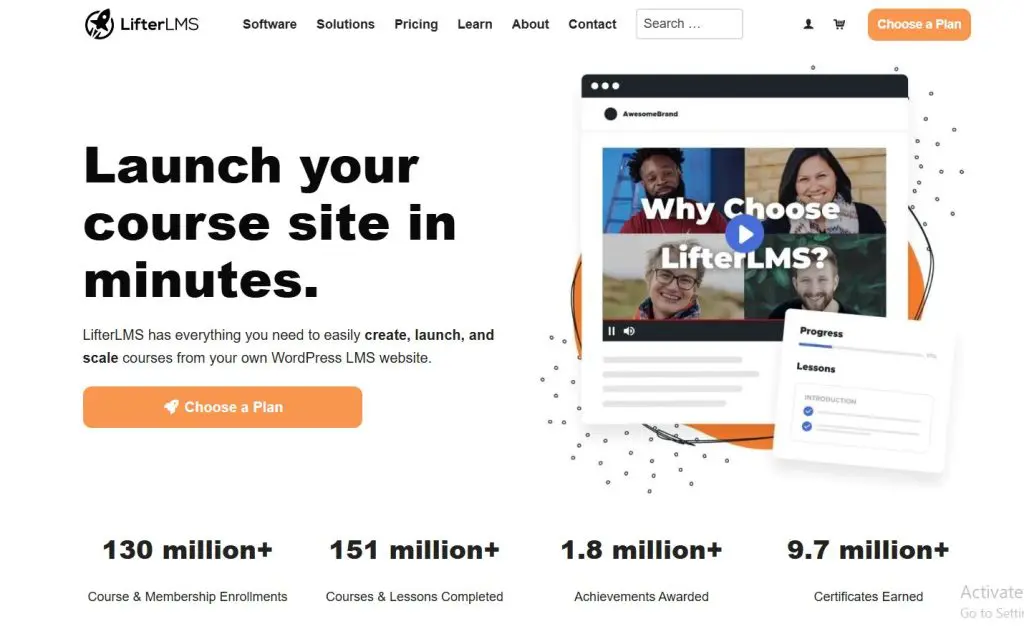
LifterLMS is among the best WordPress LMS plugins for creators who want to start small and grow into a full course business over time. Its free core plugin covers a complete course setup, and the paid add-ons extend it as your needs change.
The core plugin includes a drag-and-drop course builder, quizzes with question banks and timers, certificates, achievement badges, drip schedules, prerequisites, and course tracks. Full membership tools come included as well, so you can restrict courses, pages, and posts to members and enroll them automatically. Add-ons bring payment gateways, email marketing integrations, assignments, cohorts, groups, social learning, and private coaching areas.
LifterLMS lists no AI features today. Course creators who draft with AI typically write outlines and lessons in a separate tool. They then paste the drafts into the course builder, and my guide to humanizing AI content helps with that editing step.
Coaches, small training businesses, and bloggers adding a first course make up much of its audience. What makes LifterLMS stand out is how much it includes for free, along with an export tool that moves courses between sites. If you want to test a course idea on WordPress before committing to paid tools, LifterLMS gives you a practical starting point.
| Plan | Billed annually (per year) | Key limits | Notes |
|---|---|---|---|
| Core plugin | $0 | Unlimited courses and students | – |
| Earth Bundle | $398 | 1 site | $199 first year with a 50% code |
| Universe Bundle | $598 | 5 sites | $299 first year with a 50% code |
| Infinity Bundle | $1,598 | Unlimited sites | $799 first year with a 50% code |
| Feature | Core plugin | Earth Bundle | Universe Bundle | Infinity Bundle |
|---|---|---|---|---|
| Courses, memberships, students | Unlimited | Unlimited | Unlimited | Unlimited |
| Active sites | Any | 1 | 5 | Unlimited |
| Support users | ✗ | 1 | 2 | 3 |
| Stripe, PayPal & WooCommerce add-ons | ✗ | ✓ | ✓ | ✓ |
| Cart abandonment recovery | ✗ | ✓ | ✓ | ✓ |
| Name Your Price add-on | ✗ | ✓ | ✓ | ✓ |
| Sky Pilot theme | ✗ | ✗ | ✓ | ✓ |
| Email marketing & CRM add-ons | ✗ | ✗ | ✓ | ✓ |
| Forms integration add-ons | ✗ | ✗ | ✓ | ✓ |
| Weekly mastermind & private group | ✗ | ✗ | ✓ | ✓ |
| 15 advanced add-ons | ✗ | ✗ | ✗ | ✓ |
Read my LifterLMS review for a more in-depth analysis.
4. MasterStudy LMS
- Best for: Multi-instructor academies and marketplaces on a budget
- Starting price: Free, Pro Plus from $99/year
- Main strengths: Marketplace tools, SCORM, live lessons, AI Lab with five AI providers
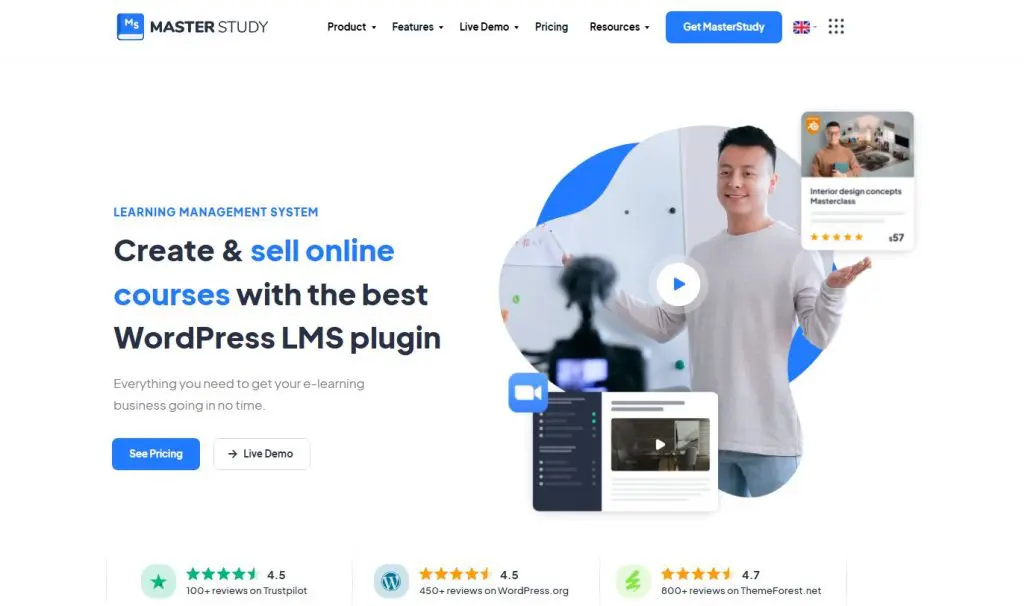
MasterStudy LMS is among the best WordPress LMS plugins for multi-instructor academies and course marketplaces. StylemixThemes built it alongside its popular MasterStudy education theme, and the plugin now runs on more than 10,000 sites.
MasterStudy treats instructors as a core part of the platform. Several teachers can publish courses, co-author content, track their sales, and receive payouts, and each instructor can have a public profile and sales page. The plugin supports text, video, audio, PDF, and SCORM lessons, plus live lessons through Zoom, Google Meet, and YouTube streaming. Assignments, a gradebook, certificates, a points system, drip content, and prerequisites round out the teaching tools.
Its AI Lab generates course outlines, lesson text, quiz questions, FAQs, and images from a single prompt. Unlike most WordPress LMS plugins, it lets you choose your AI provider, including OpenAI, Gemini, Claude, Grok, or Mistral, using your own API key.
Language schools, tutoring centers, and entrepreneurs building a Udemy-style site under their own brand get the most from MasterStudy. A migration tool also brings courses across from Tutor LMS, LearnDash, LearnPress, LifterLMS, and Masteriyo. If several teachers will sell courses on your site, MasterStudy covers that model better than most alternatives.
| Plan | Billed annually (per year) | Key limits | Notes |
|---|---|---|---|
| Free | $0 | Unlimited courses and students | – |
| Pro Plus Single Site | $99 | 1 site | $249 lifetime |
| Pro Plus 10 Sites | $199 | 10 sites | $499 lifetime |
| Pro Plus Unlimited | $399 | Unlimited sites | $999 lifetime |
| Feature | Free | Pro Plus Single Site | Pro Plus 10 Sites | Pro Plus Unlimited |
|---|---|---|---|---|
| Sites | Any | 1 | 10 | Unlimited |
| Unlimited courses, lessons, quizzes | ✓ | ✓ | ✓ | ✓ |
| Checkout with PayPal, Stripe, offline payments | ✓ | ✓ | ✓ | ✓ |
| Memberships through Paid Memberships Pro | ✓ | ✓ | ✓ | ✓ |
| WooCommerce, Mollie, Paystack | ✗ | ✓ | ✓ | ✓ |
| Coupons, bundles, subscriptions, payouts | ✗ | ✓ | ✓ | ✓ |
| Assignments, gradebook, grades | ✗ | ✓ | ✓ | ✓ |
| Certificate builder | ✗ | ✓ | ✓ | ✓ |
| Drip content and prerequisites | ✗ | ✓ | ✓ | ✓ |
| SCORM lessons | ✗ | ✓ | ✓ | ✓ |
| Zoom, Google Meet, and stream lessons | ✗ | ✓ | ✓ | ✓ |
| AI Lab (your AI provider key) | ✗ | ✓ | ✓ | ✓ |
| Multi-instructor, payouts, instructor sales pages | ✗ | ✓ | ✓ | ✓ |
| Reports and analytics | ✗ | ✓ | ✓ | ✓ |
| Support | Community | Priority ticket | Priority ticket | Priority ticket |
Read my MasterStudy LMS review for a more in-depth analysis.
5. Thrive Apprentice
- Best for: Marketers who sell courses from a content-driven site
- Starting price: $299/year ($149 first year)
- Main strengths: Visual course design, six drip types, conditional display, built-in membership protection
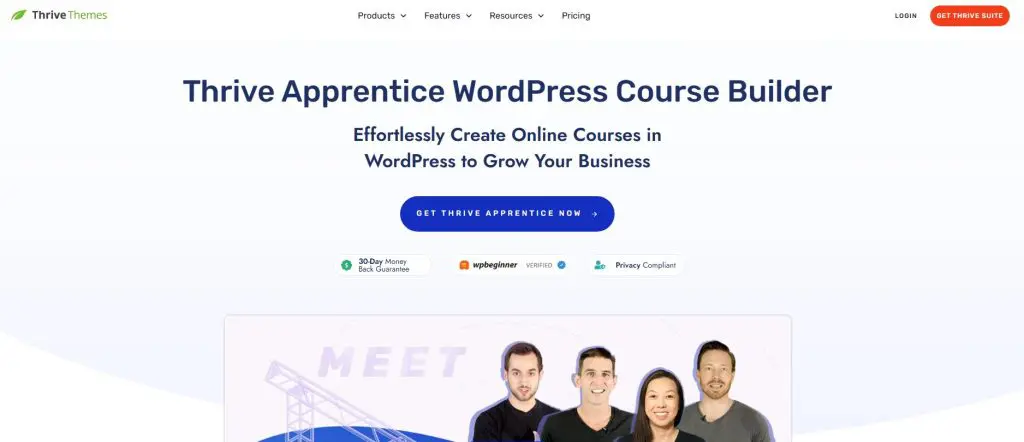
Thrive Apprentice is among the best WordPress LMS plugins for marketers who sell courses from a blog, podcast, or coaching website. Thrive Themes designed it around presentation and conversion, which gives it a different focus from assessment-heavy plugins like LearnDash.
In Apprentice, every course page opens in a visual editor, from the school homepage to the lesson sidebar and the login screen. Conditional display shows visitors, members, and paying students different content on the same page, and dynamic labels mark which courses each person owns. Six drip types, including quiz-based and event-based release, let you run the same course as an evergreen product and as a dated cohort. Apprentice also protects posts and pages, so it works as a membership plugin as well.
Its Prompt-to-Course feature generates a full course structure with modules, lessons, and draft text from a topic you describe. A remix option rewrites an existing course for a new audience while keeping its structure intact.
Coaches, consultants, and bloggers who already rely on Thrive’s page builder and lead tools favor Apprentice most. The plugin works with any theme, though it delivers its full value inside Thrive Suite. If your courses grow out of content marketing, Apprentice fits that model well.
| Plan | Billed annually (per year) | Key limits | Notes |
|---|---|---|---|
| Thrive Apprentice | $299 | 1 site, Apprentice only | $149 first year |
| Thrive Suite | $599 | 5 sites, all 9 Thrive plugins | $299 first year |
| Thrive Suite Quarterly | $596 | 5 sites, all 9 Thrive plugins | $149 per quarter |
| Feature | Thrive Apprentice | Thrive Suite | Thrive Suite Quarterly |
|---|---|---|---|
| Sites | 1 | 5 | 5 |
| Unlimited courses and students | ✓ | ✓ | ✓ |
| Course templates and visual editor for course pages | ✓ | ✓ | ✓ |
| Six drip types and decoupled drip | ✓ | ✓ | ✓ |
| Membership content protection | ✓ | ✓ | ✓ |
| Native Stripe, PayPal, and Square checkout | ✓ | ✓ | ✓ |
| Certificates with QR verification | ✓ | ✓ | ✓ |
| Course reports | ✓ | ✓ | ✓ |
| AI course generation | ✓ | ✓ | ✓ |
| Thrive Architect for the whole site | ✗ | ✓ | ✓ |
| Thrive Theme Builder and themes | ✗ | ✓ | ✓ |
| Thrive Leads, Quiz Builder, Optimize, Ultimatum | ✗ | ✓ | ✓ |
| 24-hour weekday support | ✓ | ✓ | ✓ |
Read my Thrive Apprentice review for a more in-depth analysis.
6. MemberPress
- Best for: Membership sites with courses inside them
- Starting price: $399/year at renewal
- Main strengths: Deep content protection, courses add-on, coaching and community on higher plans
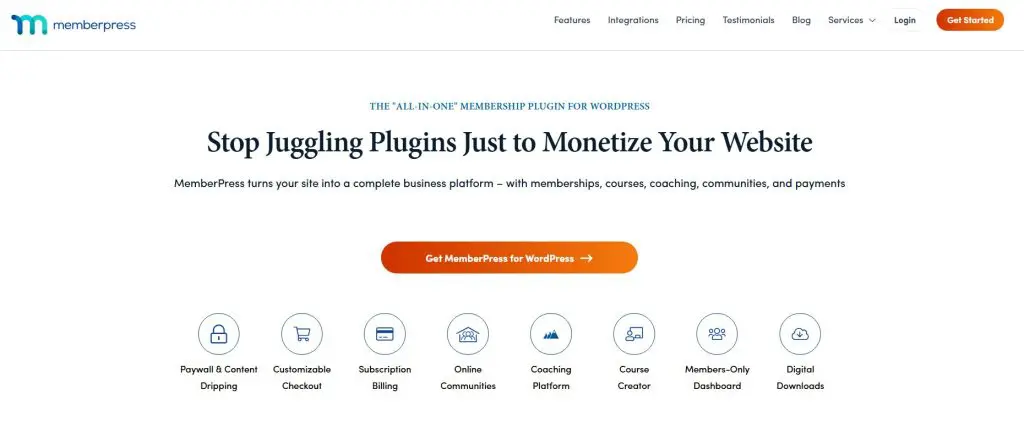
MemberPress is among the best WordPress plugins for membership sites that include courses. Caseproof has developed it for years, and it remains one of the best-known membership plugins on WordPress.
Content protection forms the core of MemberPress. Rules can restrict posts, pages, categories, custom post types, and files to specific membership levels, and you can drip content or expire access on a schedule. MemberPress Courses adds a course builder with quizzes, assignments, certificates, and progress tracking, so courses sit inside the membership rather than beside it. Coaching tools, a community feature, and a branded mobile app extend it further for creators who sell ongoing access.
Its AI Course Generator builds a curriculum with sections, lessons, and draft content from a short description of your topic, audience, and goals. An AI lesson assistant and an AI quiz builder help with individual lessons. Separately, an AI Foundation add-on connects MemberPress to AI assistants such as Claude for questions about members and revenue.
Publishers, coaches, and professional associations that sell recurring access choose MemberPress most often, and the depth of its access rules sets it apart from LMS-first plugins. If your membership comes first and courses support it, MemberPress fits better than an LMS-first plugin. My guide to membership site platforms compares more options.
| Plan | Billed annually (per year) | Transaction fee | Key limits | Notes |
|---|---|---|---|---|
| Launch | $399 | 4.9% | Unlimited members & courses, Stripe only | First year $199.50 (intro price) |
| Growth | $699 | 0% | Adds drip, PayPal/Square, CoachKit, community | First year $349.50 (intro price) |
| Scale | $999 | 0% | Adds affiliates, corporate accounts, API, Zapier | First year $499.50 (intro price) |
| Feature | Launch | Growth | Scale |
|---|---|---|---|
| Price (renewal) | $399/year | $699/year | $999/year |
| First-year price | $199.50 | $349.50 | $499.50 |
| MemberPress transaction fee | 4.9% | 0% | 0% |
| Members, memberships, courses | Unlimited | Unlimited | Unlimited |
| Payment gateways | Stripe only | Stripe, PayPal, Square, offline | Adds Authorize.net |
| AI Course Generator credits a year | 25,000 | 50,000 | 100,000 |
| Quizzes, assignments, certificates | ✗ | ✓ | ✓ |
| Content dripping | ✗ | ✓ | ✓ |
| Quiz and assignment gradebook | ✗ | ✗ | ✓ |
| Community forums and member directory (ClubSuite) | ✗ | ✓ | ✓ |
| Direct messaging (ClubConnect) | ✗ | ✗ | ✓ |
| CoachKit coaching platform | ✗ | ✓ | ✓ |
| Email marketing integrations | Mailchimp | ActiveCampaign, Kit, Drip and more | ActiveCampaign, Kit, Drip and more |
| Easy Affiliate program | ✗ | ✗ | ✓ |
| Zapier and REST API | ✗ | ✗ | ✓ |
| Corporate accounts and gifting | ✗ | ✗ | ✓ |
Read my MemberPress review for a more in-depth analysis.
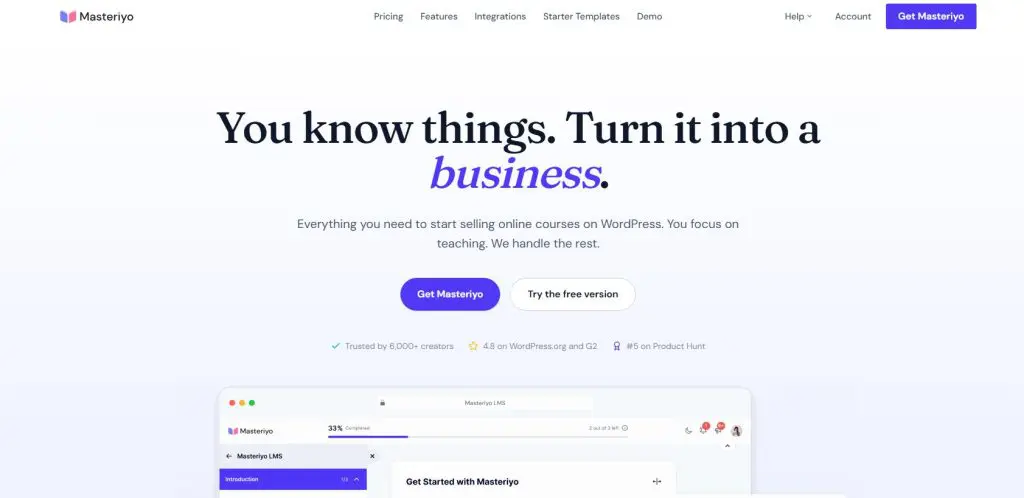
7. Masteriyo
- Best for: SCORM content and selling in several currencies
- Starting price: Free, paid from $199/year ($99 first year)
- Main strengths: Generous free plugin, SCORM, multi-currency checkout, MCP access for AI assistants
Masteriyo is among the best WordPress LMS plugins for creators who need SCORM support or sell to students in several countries. The team behind ThemeGrill and Themeisle develops it, and its free version includes more than most competitors offer for free.
The free plugin covers a drag-and-drop course builder, quizzes, a built-in checkout with Stripe and PayPal, SCORM and H5P content, YouTube Live streaming, and certificates. Multi-currency pricing lets students pay in their local currency, which matters for international audiences. The paid version adds assignments, a gradebook, coupons, subscriptions, prerequisites, multiple instructors, Zoom and Google Meet lessons, and email marketing integrations.
Masteriyo’s AI tools draft course outlines, lessons, and quiz questions from a course title using your own OpenAI key. MCP support also lets AI assistants such as Claude build courses on your site from a chat window.
Corporate trainers with existing SCORM modules and creators selling across borders get the most from Masteriyo. Its user base remains smaller than Tutor LMS or LearnDash, which means fewer tutorials and third-party add-ons. If SCORM and global selling top your list, Masteriyo deserves a close look, and my guide on whether SCORM matters for selling courses explains when it pays off.
| Plan | Billed annually (per year) | Key limits | Notes |
|---|---|---|---|
| Free | $0 | Unlimited courses and students | – |
| Basic | $199 | 1 site | $99 first year |
| Pro | $299 | 1 site | $149 first year |
| Elite | $799 | 10 sites, white label | $399 first year |
| Elite Lifetime (1 site) | $499 | 1 site, one-time payment | One-time, no renewals |
| Elite Lifetime (10 sites) | $1,299 | 10 sites, one-time payment | One-time, no renewals |
| Feature | Free | Basic | Pro | Elite | Elite Lifetime (1 site) | Elite Lifetime (10 sites) |
|---|---|---|---|---|---|---|
| Sites | Any | 1 | 1 | 10 | 1 | 10 |
| Courses, students, instructors | Unlimited | Unlimited | Unlimited | Unlimited | Unlimited | Unlimited |
| Built-in checkout with Stripe and PayPal | ✓ | ✓ | ✓ | ✓ | ✓ | ✓ |
| SCORM and H5P | ✓ | ✓ | ✓ | ✓ | ✓ | ✓ |
| AI course and quiz creation (your OpenAI key) | ✓ | ✓ | ✓ | ✓ | ✓ | ✓ |
| Certificate templates | One | One | All | All | All | All |
| Date-based drip and prerequisites | ✗ | ✗ | ✓ | ✓ | ✓ | ✓ |
| Assignments and gradebook | ✗ | ✗ | ✓ | ✓ | ✓ | ✓ |
| Advanced quiz builder | ✗ | ✗ | ✓ | ✓ | ✓ | ✓ |
| Coupons, bundles, subscriptions | ✗ | ✗ | ✓ | ✓ | ✓ | ✓ |
| Multiple instructors | ✗ | ✗ | ✓ | ✓ | ✓ | ✓ |
| Zoom integration | ✗ | ✗ | ✓ | ✓ | ✓ | ✓ |
| Mailchimp, HubSpot, MailerLite, Zapier | ✗ | ✗ | ✓ | ✓ | ✓ | ✓ |
| White label | ✗ | ✗ | ✗ | ✓ | ✓ | ✓ |
| Support | Forum | Ticket | Ticket and live chat | Priority | Lifetime | Lifetime |
Read my Masteriyo review for a more in-depth analysis.
8. LearnPress

- Best for: The lowest renewal cost for a full add-on bundle
- Starting price: Free, Pro Bundle $299
- Main strengths: Free SCORM player and quiz engine, large add-on library, free migration tool
LearnPress is among the best WordPress LMS plugins for creators and schools who want to keep costs low. ThimPress has developed it for about 15 years, and its free core plugin runs on tens of thousands of WordPress sites.
The free core covers more than many paid plugins. Out of the box, you get a course builder with a reusable lesson bank and a quiz engine with question banks, timers, hints, and negative marking. A SCORM player and a checkout with PayPal and offline payments come free as well. Add-ons extend it with certificates, content drip, assignments, a gradebook, exams, subscriptions, co-instructors, and more than a dozen payment gateways, so you install only what your site needs.
LearnPress AI drafts course titles, descriptions, curricula, lessons, quiz questions, and featured images using your own OpenAI key. Students also get an AI assistant inside lessons that summarizes content and lets them quiz themselves, and MCP support lets AI assistants create courses on your site.
Schools, tutoring centers, and budget-conscious creators make up much of its audience, and many LearnPress sites run on ThimPress education themes. What sets it apart is the amount you get in the free core. If you don’t mind assembling add-ons and keeping a developer within reach, LearnPress gives you a capable LMS at minimal cost.
| Plan | Billed annually (per year) | Key limits | Notes |
|---|---|---|---|
| Free | $0 | Unlimited courses and students, 8 free add-ons | – |
| Pro Bundle | $299 | 1 site, every premium add-on, 12 months of updates | $209.30/year |
| Build Your Own | $19 | Per add-on, 1 site, 12 months of updates | From $19 per add-on |
| Feature | Free | Pro Bundle | Build Your Own |
|---|---|---|---|
| Courses and students | Unlimited | Unlimited | Unlimited |
| Sites | Any | 1 | 1 per add-on |
| Updates and support | Free plugin updates | 12 months | 12 months per add-on |
| Quizzes, question banks, timers | ✓ | ✓ | ✓ |
| SCORM player | ✓ | ✓ | ✓ |
| LearnPress AI (your OpenAI key) | ✓ | ✓ | ✓ |
| PayPal and offline payments | ✓ | ✓ | ✓ |
| Stripe and WooCommerce | ✗ | ✓ | Add-on |
| Certificates | ✗ | ✓ | Add-on |
| Content drip | ✗ | ✓ | Add-on |
| Assignments, exams, gradebook | ✗ | ✓ | Add-on |
| Subscriptions and memberships | ✗ | ✓ | Add-on |
| Coupons and course bundles | ✗ | ✓ | Add-on |
| Co-instructors and frontend editor | ✗ | ✓ | Add-on |
| Import from LearnDash, Tutor LMS, MasterStudy | ✓ | ✓ | ✓ |
Read my LearnPress review for a more in-depth analysis.
9. Sensei LMS

- Best for: WooCommerce stores that want to add courses
- Starting price: Free, Pro $179/year
- Main strengths: Block-editor courses, interactive blocks, Tutor AI with no API key, WooCommerce selling
Sensei LMS is among the best WordPress LMS plugins for WooCommerce stores that want to add courses. Automattic, the company behind WordPress.com and WooCommerce, builds it and uses it for its own employee training.
Sensei works entirely inside the standard block editor, so lessons feel like ordinary WordPress posts. Learning Mode gives students a clean, distraction-free course view that you can style through full site editing. Its interactive blocks stand out among WordPress LMS plugins, with interactive videos that pause for questions, flashcards, image hotspots, accordions, and task lists. Sensei Pro adds drip schedules, cohorts with start and end dates, co-teachers, conditional content, and selling through WooCommerce.
Sensei offers three AI tools. Its course outline generator suggests lessons from a course description, and its quiz tool writes questions from lesson content. The third, a Tutor AI block, holds a guided conversation that nudges students toward the right answer. Because Tutor AI runs through Sensei’s own integration, you don’t need an API key.
Online stores, nonprofits, and teams already invested in WooCommerce and the block editor get the most from Sensei. If your courses should sit beside products in one WooCommerce checkout, Sensei fits that setup naturally. My guide on how to increase course completion rates explains why interactive lessons help.
| Plan | Billed annually (per year) | Key limits |
|---|---|---|
| Sensei Free | $0 | Unlimited courses and students |
| Interactive Blocks | $60 | 1 site, works without Sensei LMS |
| Sensei Pro | $179 | 1 site |
| Sensei Agency | $360 | 20 sites or 1 multisite network |
| Feature | Sensei Free | Interactive Blocks | Sensei Pro | Sensei Agency |
|---|---|---|---|---|
| Unlimited courses and students | ✓ | ✗ | ✓ | ✓ |
| Learning Mode and certificates | ✓ | ✗ | ✓ | ✓ |
| Basic quizzes with auto-grading | ✓ | ✗ | ✓ | ✓ |
| Reports, analytics, guest users | ✓ | ✗ | ✓ | ✓ |
| Sell courses with WooCommerce | ✗ | ✗ | ✓ | ✓ |
| Drip lessons and scheduled access | ✗ | ✗ | ✓ | ✓ |
| Groups, cohorts, co-teachers | ✗ | ✗ | ✓ | ✓ |
| Conditional and required content | ✗ | ✗ | ✓ | ✓ |
| Quiz timer and AI quiz questions | ✗ | ✗ | ✓ | ✓ |
| Interactive videos, flashcards, hotspots | ✗ | ✓ | ✓ | ✓ |
| Tutor AI block | ✗ | ✓ | ✓ | ✓ |
| Email support | Forums only | ✓ | ✓ | Yes + shared Slack |
Read my Sensei LMS review for a more in-depth analysis.
10. AccessAlly
- Best for: Established businesses with deep CRM automation
- Starting price: $2,999/year
- Main strengths: CRM automation, courses and memberships in one plugin, progress-based tagging
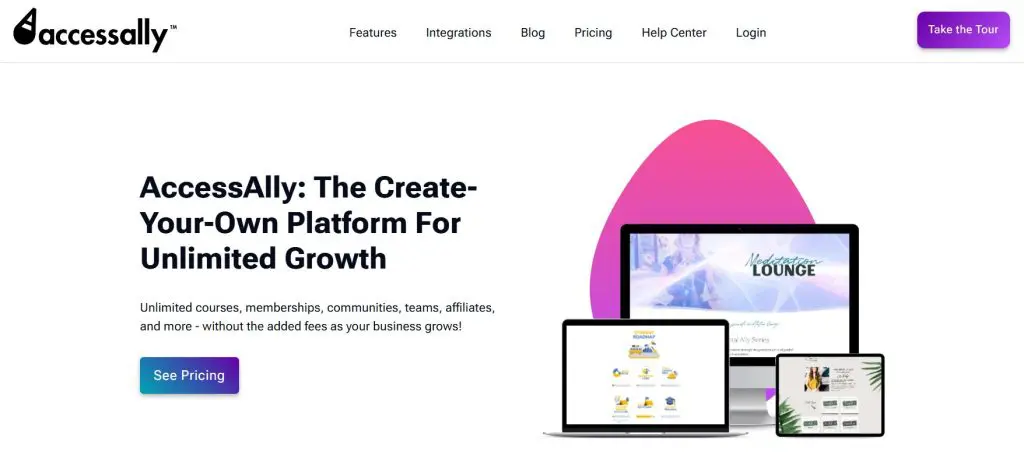
AccessAlly is among the best WordPress LMS plugins for established businesses that run their marketing through a CRM. The plugin connects courses, memberships, and checkout to tools such as ActiveCampaign, Keap, and Ontraport, so student activity feeds directly into your email marketing.
AccessAlly combines an LMS and a membership plugin. Inside it, you build courses with quizzes, certificates, and progress tracking, protect content by membership level, and sell through its own order forms. When students finish lessons or pass quizzes, AccessAlly can apply CRM tags. Those tags trigger targeted emails, open new offers, or flag students who need help. Higher plans add community features, and the team offers onboarding and an ecosystem of related tools.
AccessAlly’s feature pages list no AI tools. Teams that draft content with AI usually write outlines and lessons elsewhere and bring them into AccessAlly, and my guide to humanizing AI content helps with that step.
Coaches, consultants, and training companies with complex funnels and several offers make up its core audience. What sets AccessAlly apart is how closely it ties learning to marketing automation. Businesses where course progress should drive sales and support decisions get the most from it. Its buy buttons read “Coming Soon” when I last checked, so confirm availability first.
| Plan | Billed annually (per year) | Key limits |
|---|---|---|
| Essentials | $2,999 | 1 site, unlimited courses and members |
| Pro | $4,499 | 1 site, adds built-in LMS |
| Community | $5,999 | 1 site, adds community groups and threads |
| Feature | Essentials | Pro | Community |
|---|---|---|---|
| Price | $2,999/year | $4,499/year | $5,999/year |
| Courses & members | Unlimited | Unlimited | Unlimited |
| Transaction fees | None | None | None |
| Built-in LMS | ✗ | ✓ | ✓ |
| Community groups & discussion threads | ✗ | ✗ | Unlimited |
| CRM integrations (ActiveCampaign, Kit, Keap, Ontraport) or none | ✓ | ✓ | ✓ |
| Stripe & PayPal | ✓ | ✓ | ✓ |
Read my AccessAlly review for a more in-depth analysis.
11. BuddyBoss

- Best for: Community-first learning sites
- Starting price: $199/year at renewal
- Main strengths: Profiles, groups, activity feeds, forums, messaging, works with major LMS plugins
BuddyBoss is among the best WordPress platforms for community-first learning sites. BuddyBoss turns WordPress into a social network for your students, with profiles, groups, activity feeds, forums, private messaging, and notifications.
BuddyBoss works best as a community layer around your courses. Built-in memberships and basic course features come included, and the platform integrates with full LMS plugins such as LearnDash, LifterLMS, and Tutor LMS when you need deeper course tools. Course groups can link to a discussion space, so students talk about lessons in the same place they learn. A branded mobile app, offered as a separate product, puts the community and courses on students’ phones.
BuddyBoss lists no AI features. Communities that want AI help usually rely on the AI tools inside their LMS plugin for course drafting, while BuddyBoss handles the social side.
Professional networks, coaching groups, alumni communities, and membership businesses built around peer learning favor BuddyBoss. Among WordPress tools, it stands out as the most complete way to run a learner community on a site you own. If community drives your business more than course delivery, BuddyBoss belongs on your shortlist. My guides on how to start an online community and increase community engagement cover the strategy side.
| Plan | Billed annually (per year) | Transaction fee | Key limits | Notes |
|---|---|---|---|---|
| Start | $199 | 2.9% | Community, memberships and courses; ReadyLaunch | First year $99 (intro price) |
| Launch | $399 | 0% | Adds BuddyBoss Theme, LMS integrations, real-time messaging | First year $199 (intro price) |
| Scale | $699 | 0% | Adds points, badges, leaderboards, multilingual, CDN | First year $349 (intro price) |
| Feature | Start | Launch | Scale |
|---|---|---|---|
| Community | |||
| Profiles, groups, activity feeds, forums | ✓ | ✓ | ✓ |
| Private messaging | ✓ | ✓ | ✓ |
| Real-time messaging | ✗ | ✓ | ✓ |
| Points, badges, leaderboards | ✗ | ✗ | ✓ |
| Memberships and courses | |||
| BuddyBoss Memberships (Stripe) | ✓ | ✓ | ✓ |
| Memberships tied to groups and content | ✗ | ✓ | ✓ |
| BuddyBoss Courses | ✓ | ✓ | ✓ |
| Assignments and gradebook | ✗ | ✓ | ✓ |
| Fee on Memberships and Courses sales | 2.9% | 0% | 0% |
| Design and integrations | |||
| ReadyLaunch templates | ✓ | ✓ | ✓ |
| BuddyBoss Theme | ✗ | ✓ | ✓ |
| LMS integrations (LearnDash, LifterLMS, Tutor LMS) | ✗ | ✓ | ✓ |
| Zoom integration | ✗ | ✓ | ✓ |
| Multilingual | ✗ | ✗ | ✓ |
| CDN | ✗ | ✗ | ✓ |
Read my BuddyBoss review for a more in-depth analysis.
My Verdict: The Best WordPress LMS Plugin For Your Use Case
I recommend Tutor and LearnDash as the most valuable WordPress LMS platforms. So, if you’re confused, start your search with these two.
But all the plugins I’ve shared have some unique strengths.
Here’s my take on each.
- Best overall: Tutor LMS gives most creators every feature in one affordable license.
- Best for assessment and certification: LearnDash leads on quizzes, assignments, and grading.
- Best free starting point: LifterLMS includes certificates, drip, and memberships in its free core.
- Best for academies and marketplaces: MasterStudy LMS adds instructor payouts and SCORM at the lowest price.
- Best for marketers: Thrive Apprentice inside Thrive Suite gives you the closest thing to Kajabi on WordPress.
- Best for membership sites: MemberPress protects content better than any LMS plugin on this list, and courses slot in neatly.
- Best for SCORM and global selling: Masteriyo includes both in its free version.
- Best for tight budgets: LearnPress wins on renewal cost.
- Best for WooCommerce stores: Sensei LMS sells courses through the store you already run.
- Best for community-led learning: BuddyBoss pairs groups and feeds with your courses.
Remember that every option here runs on WordPress, so hosting and maintenance stay your job. A good host matters as much as the plugin, so start with my web hosting guide. If that upkeep sounds like a burden, hosted platforms like Thinkific and Kajabi let you focus on selling your courses. My guide to LMS options for small businesses covers more choices.

Jeff Cobb, Founder of Learning Revolution
Jeff Cobb is an expert in online education and the business of adult lifelong learning. Over the past 20+ years he has built a thriving career based on that expertise – as an entrepreneur, a consultant, an author, and a speaker. Learning Revolution is a place where Jeff curates tips, insights, and resources to help you build a thriving expertise-based business. Learn more about Jeff Cobb here.