

TL;DR: LearnWorlds vs Thinkific | Which Platform Is Better For You? (2026)
Thinkific and LearnWorlds are both excellent course platforms, but they’re built for different learning depth. Thinkific is the balanced choice, easy to run with solid selling and marketing tools. LearnWorlds goes deeper on learning, with interactive video, advanced assessments, SCORM, and AI inside every builder, but has fewer marketing features and is more complex.
Pricing (billed annually): Thinkific starts at $40/mo with no transaction fees on Thinkific Payments. LearnWorlds starts at $24/mo plus $5 per paid enrollment, and Pro Trainer costs $79/mo with no fees.
Free trials: Thinkific 30-day free trial. LearnWorlds 30-day free trial, no credit card.
Choose Thinkific if: You sell video courses, memberships, communities, and digital downloads, and you want the easiest platform to run.
Choose LearnWorlds if: Your learners need practice, assessments, and certificates, or you sell training to organizations.
My take: Thinkific is the better default for most beginner course creators. LearnWorlds wins when learning outcomes are the product.
Thinkific and LearnWorlds come up together in almost every course platform conversation I have, and for good reason. Both are excellent learning platforms, both sell courses without heavy transaction fees on their main plans, and both work for creators as well as training businesses.
The difference is learning depth.
Thinkific is more balanced, giving you a clean course builder, good selling tools, and little to figure out. LearnWorlds goes deep, with interactive video, advanced assessments, SCORM, and an AI layer that runs through the whole platform.
I run my own live courses on Thinkific, and I’ve used LearnWorlds for courses under Leading Learning and Tagoras for years, so I know where each one shines and where each one gets in the way.
In this comparison, I’ll walk you through pricing, features, pros and cons, and the use cases each platform fits, so you can decide which one is right for you.
Thinkific vs LearnWorlds: The Main Differences
Here are the differences that matter most when you choose between the two. The rest of the article explains each one in detail.
| Thinkific | LearnWorlds | |
|---|---|---|
| Best for | Creators who want a balanced, easy course business | Creators and training teams who need learning depth |
| Ease of use | Easier, faster to launch | Steeper learning curve |
| Starting price (annual) | $40/mo | $24/mo plus $5 per enrollment |
| Transaction fees | None with Thinkific Payments | $5 per enrollment on Starter, none above |
| Interactive video | No | Yes, with in-video questions and AI transcripts |
| Assessments | Quizzes, surveys, assignments | Exams, assignments, AI feedback, verifiable certificates |
| SCORM | Plus plan only | 20 packages on Pro Trainer, unlimited on Learning Center |
| Community | 1 to 3 communities with set space limits, plus live events and direct messages | Unlimited spaces, private groups, and moderation roles on every plan |
| Email marketing | Email automation built in | Mass emails only |
| AI | Course drafting and marketing copy, AI tutor on Plus | AI across every builder, plus AI practice and feedback in lessons |
| Student limits | 10,000 current students on self-serve plans | 1,000 or 2,000 monthly active learners |
| Branded mobile app | $199/mo add-on | Paid add-on |
What Is Thinkific?
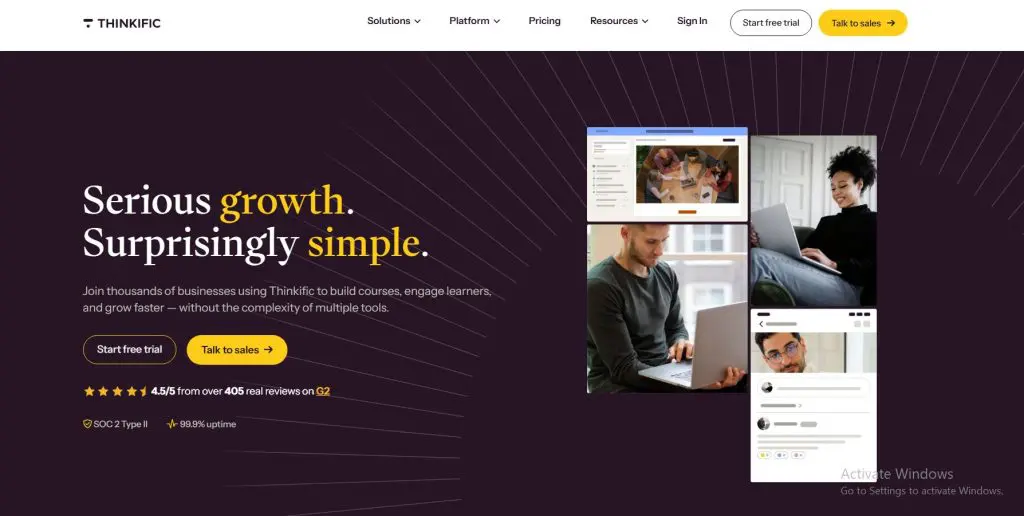
Thinkific is an online course platform for creating, selling, and delivering online courses, memberships, communities, and digital products. It gives you a course website, a checkout, a student area, and the tools to market and manage your business from one dashboard.
Thinkific aims for balance. The course builder is simple, the student experience is clean, and most creators can launch their first course in an afternoon. It also covers the business side, with memberships, bundles, communities, email automation, and group orders for selling to companies.
In addition, Thinkific come with decent email marketing features and a solid site builder. It’s the more complete platform of the two in my experience.
I run my own live courses on Thinkific, and what I value most is how little it gets in the way. For advanced needs like SCORM and learning paths, Thinkific offers an enterprise plan called Thinkific Plus. My Thinkific review covers the platform in full.
Main Thinkific Features
- Course builder: Build courses with video, text, quizzes, and downloads in a simple drag-and-drop editor.
- Unlimited courses: Publish as many courses as you want on every plan.
- Memberships and bundles: Sell subscriptions, bundles, and payment plans from the Start plan up.
- Communities: Run course communities with spaces, live events, and discussion threads.
- Live lessons: Teach live through Zoom inside your courses.
- Email automation: Capture leads and send automated, AI-assisted campaigns without a separate tool.
- Group orders: Sell seats to companies with bulk purchases and invoicing on the Grow plan.
- Thinkific Payments: Take payments with no transaction fees.

What Is LearnWorlds?

LearnWorlds is an online learning platform for building, selling, and running online courses. It gives you a website for your online school where you can enroll students and add marketing content. It also gives you the complete backend of your school, where your registered students take classes, watch videos, and complete quizzes and assessments.
LearnWorlds puts more weight on learning quality than anything else. It comes with interactive videos, quizzes, exams, and certificates built in. Education researchers with more than 20 years of instructional design experience founded the company, and more than 13,000 learning businesses now use it.
Course creators, coaches, and training companies use LearnWorlds to sell courses to individuals and to other businesses. LearnWorlds also stands out for its AI tools across the platform, which draft outlines, lessons, quizzes, and practice activities from your own material. My LearnWorlds review goes deeper.
Main LearnWorlds Features
- Interactive video: Keep learners paying attention with questions, buttons, and notes inside your videos, plus transcripts the player creates automatically.
- AI course tools: Turn your notes, slides, or documents into course outlines, lessons, and quizzes in minutes, then edit them to match how you teach.
- AI practice activities: Give learners hands-on practice with flashcards, branching scenarios, and simulations, without paying for a separate authoring tool.
- Assessments and certificates: Prove what learners know with quizzes, exams, and assignments, and issue certificates that employers can verify online.
- SCORM and HTML5 support: Use courses built in tools like Articulate or iSpring, which makes it easier to sell to corporate clients.
- Website builder: Launch a branded school site from more than 50 templates, with landing pages and sales funnels.
- Client groups and automation: Sell training to several companies and give each one its own space on the Learning Center plan.
- Unlimited video hosting: Host every lesson on LearnWorlds and skip paying for Vimeo or Wistia.

Comparing the Pricing of Thinkific and LearnWorlds
Both platforms offer three self-serve plans and a custom enterprise plan, and both discount annual billing. The structure differs in two ways that matter. LearnWorlds charges $5 per enrollment on its Starter plan, and Thinkific charges a transaction fee only if you skip Thinkific Payments.
Thinkific Pricing
Thinkific’s plans are Basic, Start, Grow, and Plus. Most creators should start on Start, because Basic leaves out memberships, certificates, assignments, and Zoom lessons.
Thinkific pricing plans:
| Plan | Billed monthly | Billed annually (per month) |
|---|---|---|
| Basic | $54 | $40 |
| Start | $109 | $82 |
| Grow | $219 | $164 |
| Plus | Custom | Custom |
Thinkific features by plan:
| Feature | Basic | Start | Grow | Plus |
|---|---|---|---|---|
| Courses & students | ||||
| Published courses | Unlimited | Unlimited | Unlimited | Unlimited |
| Current students | 10,000 | 10,000 | 10,000 | Custom |
| Video bandwidth | 100 GB/mo | 200 GB/mo | 400 GB/mo | From 7,500 GB/mo |
| Digital downloads | 5 | Unlimited | Unlimited | Unlimited |
| Coaching & webinars | 5 | Unlimited | Unlimited | Unlimited |
| Certificates, assignments, private courses | ✗ | ✓ | ✓ | ✓ |
| Zoom lessons in courses | ✗ | ✓ | ✓ | ✓ |
| SCORM | ✗ | ✗ | ✗ | ✓ |
| Learning paths | ✗ | ✗ | ✗ | ✓ |
| Community | ||||
| Communities | 1 | 1 | 3 | Unlimited |
| Spaces per community | 5 | 10 | 20 | Unlimited |
| Selling | ||||
| Paid memberships / subscriptions | ✗ | ✓ | ✓ | ✓ |
| Bundles & payment plans | ✗ | ✓ | ✓ | ✓ |
| PayPal payments | ✗ | ✗ | ✓ | ✓ |
| Site & admin | ||||
| Remove Thinkific branding | ✗ | ✗ | ✓ | ✓ |
| Support | Email & chat | Email & chat | Phone & priority chat | Dedicated success team |
| Branded mobile app | $199/mo add-on | $199/mo add-on | $199/mo add-on | Included on select contracts |
| AI & integrations | ||||
| Thinker AI teaching assistant | ✗ | ✗ | ✗ | ✓ |
| Thinkific MCP (Claude, ChatGPT) | ✗ | ✗ | ✗ | ✓ |
| Marketing | ||||
| Email Automation | ✓ | ✓ | ✓ | ✓ |
| Landing Pages | ✓ | ✓ | ✓ | ✓ |
| Site Builder | ✓ | ✓ | ✓ | ✓ |
| Transaction Fee (without Thinkific Payments) | 5% | 2% | 1% | 0 |
LearnWorlds Pricing
LearnWorlds’ plans are Starter, Pro Trainer, Learning Center, and Corporate. Most creators should start on Pro Trainer, because Starter adds a fee to every paid enrollment and leaves out certificates and SCORM.
LearnWorlds pricing plans:
| Plan | Billed monthly | Billed annually (per month) | Transaction fee | Key limits |
|---|---|---|---|---|
| Starter | $29 | $24 | $5 per paid enrollment | 1,000 active learners/mo, 1 admin, 300 AI credits/mo |
| Pro Trainer | $99 | $79 | None | 2,000 active learners/mo, 5 admins, 500 AI credits/mo |
| Learning Center | $299 | $249 | None | 2,000 active learners/mo, 25 admins, 1,000 AI credits/mo, 10 client groups |
| Corporate | Custom | Custom | None | Custom learners, admins, client groups and AI credits |
LearnWorlds features by plan:
| Feature | Starter | Pro Trainer | Learning Center | Corporate |
|---|---|---|---|---|
| Enrollment fee | $5 per paid enrollment | None | None | None |
| Monthly active learners | 1,000 | 2,000 | 2,000 | Custom |
| Admins & team seats | 1 | 5 | 25 | Custom |
| AI credits per month | 300 | 500 | 1,000 | Custom |
| Paid courses | Unlimited | Unlimited | Unlimited | Unlimited |
| Free courses & learning paths | ✗ | Unlimited | Unlimited | Unlimited |
| Certificates | ✗ | ✓ | ✓ | ✓ |
| SCORM & HTML5 | ✗ | 20 packages | Unlimited | Unlimited |
| Interactive video with AI | ✗ | Basic | Advanced | Advanced |
| Bundles, subscriptions & installments | ✗ | ✓ | ✓ | ✓ |
| Page funnels | ✗ | 15 | Unlimited | Unlimited |
| Mass emails per month | ✗ | 2,000 | 5,000 | 10,000 |
| Affiliate marketing | ✗ | Basic | Advanced | Advanced |
| Landing pages | ✗ | ✓ | ✓ | ✓ |
| White-label (no LearnWorlds logos) | ✗ | ✗ | ✓ | ✓ |
| Zapier | ✗ | ✓ | ✓ | ✓ |
| Branded mobile app | ✗ | Add-on | Add-on | Add-on |
| Email support | 24/5 | 24/7 | 24/7 | 24/7 |
| Client groups (B2B training) | ✗ | ✗ | Up to 10 | Custom |
| Automation engine (triggers, conditions, delays) | ✗ | ✗ | ✓ | ✓ |
| Single sign-on and API | ✗ | ✗ | ✓ | ✓ |
| Scheduled course reports | ✗ | ✗ | ✓ | ✓ |
| LTI 1.3 activities | ✗ | ✗ | Unlimited | Unlimited |
| Setup help with a specialist | ✗ | ✗ | 2 hours | Dedicated success manager |
| Uptime guarantee | 99.90% | 99.90% | 99.90% | 99.95% |
Thinkific vs LearnWorlds Pricing Side by Side
The mid-tier plans are where most creators end up, and they cost almost the same. Here’s how each tier lines up on annual billing.
| Tier | Thinkific | LearnWorlds |
|---|---|---|
| Entry plan | Basic $40/mo | Starter $24/mo plus $5 per enrollment |
| Main plan for creators | Start $82/mo | Pro Trainer $79/mo |
| Advanced plan | Grow $164/mo | Learning Center $249/mo |
| Enterprise | Plus, custom | Corporate, custom |
| Branding removal | Grow and up | Learning Center and up |
| SCORM | Plus only | Pro Trainer and up |
What You Pay as Your Business Grows
Plan prices only tell part of the story. Here’s what each platform costs per month at $10,000 and $50,000 in monthly sales of a $100 course, on monthly billing, with standard Stripe processing of 2.9% plus 30 cents per sale.
| Monthly sales | Thinkific Start | Thinkific Grow | LearnWorlds Starter | LearnWorlds Pro Trainer |
|---|---|---|---|---|
| $10,000 (100 sales) | $109 plan + $320 processing = $429 | $219 plan + $320 processing = $539 | $29 plan + $500 fees + $320 processing = $849 | $99 plan + $320 processing = $419 |
| $50,000 (500 sales) | $109 plan + $1,600 processing = $1,709 | $219 plan + $1,600 processing = $1,819 | $29 plan + $2,500 fees + $1,600 processing = $4,129 | $99 plan + $1,600 processing = $1,699 |
At real sales volume, Thinkific Start and LearnWorlds Pro Trainer cost almost exactly the same, while LearnWorlds Starter gets expensive fast. On Thinkific, skipping Thinkific Payments adds a 2% fee on Start, which is another $200 at $10,000 and $1,000 at $50,000.
Watch the learner caps too. LearnWorlds Pro Trainer allows 2,000 monthly active learners, so a school selling 500 courses a month can hit that limit as students stack up. Thinkific’s self-serve plans allow 10,000 current students. Test your own numbers with our Break-Even Calculator, and see my Thinkific pricing and LearnWorlds pricing breakdowns for more.
Use the code “LEARNREV2046” when you check out at LearnWorlds to get 20% off the first 6 months of a Pro Trainer plan or higher.
Comparing LearnWorlds and Thinkific Features
Here’s a quick look at who wins each feature area, and why. The sections below explain each one.
| Feature | Winner | Why |
|---|---|---|
| Types of products you can sell | Tie | Both sell courses, memberships, bundles, communities, and digital products |
| Learning depth and learning design | LearnWorlds | Interactive video, learning programs, and AI practice activities |
| Student evaluation and assessments | LearnWorlds | Exams, AI feedback, verifiable certificates, and SCORM |
| Community and memberships | LearnWorlds, narrowly | Unlimited spaces, private groups, and moderation roles on every plan |
| Email and marketing tools | Thinkific | Email automation built in, plus simpler selling |
| Analytics | LearnWorlds | Deeper reports, scheduled reports, and AI Insights |
| AI features | LearnWorlds | AI across every builder and inside lessons |
Feature #1:Types of Products You Can Sell
Product types decide what kind of business you can build on each platform. Both platforms go well beyond single courses.
Thinkific
Thinkific sells courses, memberships, subscriptions, bundles, digital downloads, coaching and webinars, and communities. Memberships, bundles, and payment plans start on the Start plan, and Basic limits you to five digital downloads and five coaching or webinar products.
The product setup is simple.
Each product gets its own landing page and checkout, and you can combine courses and communities into memberships for recurring revenue. Group orders on Grow let you sell seats to companies, with invoicing and seat assignment. For creators who sell to individuals with a few companies on the side, that covers almost everything.
LearnWorlds
LearnWorlds sells courses, learning programs, bundles, subscriptions and memberships, installment plans, ebooks, live sessions, webinars, and 1:1 or group coaching sessions. Subscriptions and installments need Pro Trainer.
Its edge shows in B2B and multi-audience selling. Learning Center adds up to 10 client groups, so a training company can sell to several organizations with a separate space for each. Learning programs chain several courses into a path, which works well for certification tracks.
Winner: Tie. Both cover the products most creators sell. LearnWorlds pulls ahead only for B2B training with client groups.
Feature #2: Learning Depth, Learning Paths, and Learning Design
Learning design decides how well people learn from your course, and whether they finish it. It’s also the biggest difference between the two platforms.
Thinkific
Thinkific’s course builder organizes lessons into chapters with video, text, audio, PDFs, downloads, quizzes, and live Zoom lessons. Creators can drip content, set prerequisite lessons, and give learners a clean dashboard that takes them straight to their next lesson.
The experience is tidy and easy to follow, which suits most video courses. The limits show when you want more. Thinkific has no interactive video, and learning paths and SCORM only come on Thinkific Plus. Courses look clean but similar, with fewer ways to design how a lesson flows.
LearnWorlds
LearnWorlds gives you far more control over how people learn. Interactive video adds questions, buttons, and navigation inside lessons. Completion rules can require a learner to watch a full video or pass a quiz before moving on, and learning programs chain courses into structured paths on every plan.
The AI layer goes further. AI Activity builds flashcards, branching scenarios, and simulations inside a lesson, and AI Question lets learners answer in their own words and get feedback. The trade-off is time, because building a course this way takes longer to learn and set up.
Winner: LearnWorlds. It’s the clear choice when learners need practice instead of more videos.
Feature #3: Student Evaluation, Quizzes, and Assessments
Assessments show whether learners learned anything, and they matter most for certification and professional training.
Thinkific
Thinkific includes quizzes on every plan, plus surveys, assignments, and certificates from Start up. Assignments let learners upload work for you to review, and graded exams with question banks come through the Brillium integration on Grow.
For most creators, that’s enough to check understanding and reward completion. Formal certification programs will find it limited, though, with no built-in exam builder that matches a training LMS and no certificate verification.
LearnWorlds
LearnWorlds has a full assessment builder with quizzes, graded exams, and assignments where learners answer with text, files, audio, or video. Question types include multiple choice, matching, ordering, fill in the blanks, and short text, and AI drafts questions and feedback from your lessons.
Certificates get a unique ID and a public page where an employer can confirm them, and recertification restarts a course when a certificate expires. SCORM packages from authoring tools also report scores back to LearnWorlds.
Winner: LearnWorlds. Its assessments and certificates suit programs where results matter.
Feature #4: Community and Memberships
Community matters more for a course today than it did a few years ago. Learners can ask ChatGPT about almost any topic, so information alone no longer justifies a price. What people still pay for is access to you, to each other, and to a place where they apply what they learn, and memberships turn that into recurring revenue.
Thinkific
Thinkific Communities give you spaces for discussions, live events, direct messages, and weekly digest emails that pull members back in. Spaces connect directly to your course content, so learners can discuss a lesson right where they learn it. Each plan limits how many communities and spaces you get, from one community with five spaces on Basic to three communities with 20 spaces on Grow.
Memberships start on Start, where you can bundle courses and communities into a subscription with payment plans. The gap is automation. I run a community on Thinkific, and there’s no way to automatically welcome new members or nudge quiet ones back, which becomes real work once a community grows past a few hundred people.
LearnWorlds
LearnWorlds includes a built-in community on every plan, with unlimited spaces that you can group into collections by subject, learning path, or subscription level. Private spaces stay open only to invited members, and course spaces and course discussions keep conversations tied to specific lessons. Learners can post, mention each other, and run polls, while notification emails keep them coming back.
For moderation, a Community Manager role oversees every space, and a Space Manager runs a single one, which helps when several instructors or client groups share a school. Subscriptions and tiered subscriptions start on Pro Trainer, so you can lock spaces to a membership level. Live events sit in your courses through Zoom, Google Meet, Microsoft Teams, or Webex, and the community has no dedicated events calendar like Thinkific’s.
Winner: LearnWorlds, narrowly. Unlimited spaces, private groups, and moderation roles give you more structure and control. Thinkific’s live events and course-linked spaces suit simpler communities well. If community is your main product, a dedicated platform like Circle beats both, and my guide to online community platforms compares the options.
Feature #5: Email Marketing and General Marketing Tools
Marketing tools decide how much you can sell without paying for extra software.
Thinkific
Thinkific includes email automation, landing pages, and a site builder on every plan. Creators can capture leads, send automated campaigns with AI help, recover abandoned carts, and run coupons, bundles, upsells, and basic affiliate tracking.
It’s not a full email marketing platform, but it covers what most course creators need to nurture leads and promote launches. Thinkific Payments also removes transaction fees, which keeps more of each sale in your pocket. Creators with complex funnels will still want a dedicated tool.
LearnWorlds
LearnWorlds includes mass emails, starting at 2,000 a month on Pro Trainer, plus page funnels, popups, coupons, order bumps, and affiliate management. The website builder is flexible, with more than 50 templates and AI help on page copy.
The weak spot is email. LearnWorlds sends announcements well but lacks automated sequences and tagging, so most creators pair it with a tool like Kit or ActiveCampaign. My guide to email marketing platforms compares the options.
Winner: Thinkific. Built-in email automation saves you a separate tool for most course businesses.
Feature #6: Analytics
Analytics tell you who’s buying, who’s learning, and where learners drop off.
Thinkific
Thinkific reports on sales, enrollments, student progress, and engagement, with more detailed reporting on higher plans. The reports show which courses sell, how far students get, and which lessons hold attention.
Thinkific Plus adds the Thinkific MCP, which connects tools like Claude or ChatGPT to your school data for deeper analysis. For most creators, the standard reports answer the everyday questions.
LearnWorlds
The LearnWorlds Reports Center tracks registrations, progress, completion, engagement, scores, study time, and revenue. Admins can save segments, export data, and use a Training Matrix view across courses, and Learning Center adds scheduled reports you can send automatically.
AI Insights lets owners ask plain-language questions about learners and revenue. Training businesses that need to prove results to clients get far more from LearnWorlds’ reporting.
Winner: LearnWorlds. Its reports go deeper on learning as well as sales.
Feature #7: AI Features and Depth
Both platforms use AI, but they use it in different places, and that shapes how much time it saves.
Thinkific
Thinkific’s AI helps you outline courses, draft lessons and quiz questions, and write sales pages and email campaigns. On Thinkific Plus, Thinker AI acts as a teaching assistant that answers student questions from your course content, and the Thinkific MCP connects outside AI tools to your data.
For a solo creator, the AI covers the main jobs of getting a course built and promoted. The learner-facing tutor is a real strength, but it sits on the enterprise plan.
LearnWorlds
LearnWorlds puts AI into every builder, including the site, ebooks, exams, forms, emails, images, mobile app, and reports. AI Context sets your brand and tone rules once for every tool, and AI Question, AI Activity, and AI Canvas bring AI into the lessons themselves.
Every plan includes monthly AI credits, from 300 on Starter to 1,000 on Learning Center. LearnWorlds has announced a tutor-style Learning Agent, but it’s not out yet. My guide to LearnWorlds AI breaks down every feature.
Winner: LearnWorlds. Its AI reaches more of the platform and works inside the learning itself.
Pros and Cons of Thinkific and LearnWorlds
These tables cover the strengths and weaknesses I haven’t already discussed in the feature sections.
Thinkific Pros and Cons
| Pros | Cons |
|---|---|
| A 30-day free trial with no credit card needed | The branded mobile app costs $199 a month extra |
| 10,000 current students on self-serve plans, so small schools rarely hit a cap | Removing Thinkific branding needs the Grow plan |
| Clean, distraction-free student dashboard | PayPal payments only come on Grow and up |
| A big app store and integrations library | The Basic plan limits digital downloads and coaching products to five each |
LearnWorlds Pros and Cons
| Pros | Cons |
|---|---|
| Unlimited video hosting on every plan | Monthly active learner caps of 1,000 or 2,000 on self-serve plans |
| Done-for-you migration from Thinkific, Kajabi, Teachable, and others | The jump from Pro Trainer to Learning Center triples the price |
| Regional payment methods like Pix, plus manual payments | Several announced AI features aren’t available yet |
| Learner consent controls for AI features | A steeper learning curve for first-time creators |
The Ideal Use Cases for Thinkific and LearnWorlds
Here’s where each platform fits best, based on what you sell and who learns from you.
When Thinkific Is the Better Fit
- Creators selling video courses and memberships: Thinkific gets you live fast, with memberships, bundles, and a community in one easy dashboard.
- Creators who want marketing and courses in one place: Built-in email automation and landing pages cover lead capture and launches without another subscription.
- Experts running live or cohort courses: Zoom lessons, communities, and a simple student experience suit live programs, which is how I run my own courses on Thinkific.
When LearnWorlds Is the Better Fit
- Skills and professional training: Interactive video, AI practice activities, and AI feedback help learners practice the skill instead of only watching it.
- Certification and continuing education programs: Exams, verifiable certificates, recertification, and SCORM support the programs where results matter.
- Training companies and customer education teams: Client groups, deep reports, and AI Insights fit businesses that train other organizations.
For training businesses, my guide to the best LMS platforms to sell courses covers more options.
Verdict: When Should You Choose Thinkific or LearnWorlds?
Despite the more advanced feature in LearnWorlds, I recommend Thinkific for most course creators. It’s easier to run, it includes email automation, it charges no transaction fees on Thinkific Payments, and it handles the full range of products a creator business sells.
If you’re launching your first course or selling video courses and memberships, start there. Its course-linked community spaces and live events also cover what most creator communities need.
Choose LearnWorlds when you are an advanced user and learning outcomes are the product. Skills training, certification, compliance, and B2B training all need the practice, assessments, certificates, and reporting that LearnWorlds does better than any creator platform I’ve used.
You’ll spend more time setting it up, and you’ll want a separate email tool, but your learners get a far richer experience, with more control over community spaces, private groups, and moderation.
Overall, Thinkific is the balanced choice and LearnWorlds is the deep one.
Pick the depth your learners need, then take advantage of the free trial before you commit. For other options, see my best online course platforms and my lists of Thinkific alternatives and LearnWorlds alternatives.
Try Thinkific for free | Try LearnWorlds for free
Frequently Asked Questions (FAQs)
Here are answers to the questions people ask me most often when they compare Thinkific and LearnWorlds.
Is LearnWorlds better than Thinkific?
LearnWorlds is better for learning depth, with interactive video, advanced assessments, verifiable certificates, SCORM on its mid-tier plan, and AI inside lessons. Thinkific is better for simplicity and built-in email automation. Choose LearnWorlds for skills training and certification, and Thinkific for video courses, memberships, and communities.
Is Thinkific cheaper than LearnWorlds?
At the entry level, LearnWorlds Starter looks cheaper, but its $5 enrollment fee makes it more expensive once you sell about 14 courses a month. At the main tiers, Thinkific Start and LearnWorlds Pro Trainer cost almost the same on annual billing, and neither charges transaction fees on its native payments.
Does Thinkific support SCORM like LearnWorlds?
Only on Thinkific Plus, the enterprise plan. LearnWorlds supports up to 20 SCORM packages on Pro Trainer and unlimited packages on Learning Center. If you need to upload courses built in Articulate, iSpring, or similar tools without an enterprise contract, LearnWorlds is the better choice.
Which is better for selling courses to businesses?
LearnWorlds is better for training companies that serve several clients, thanks to client groups on Learning Center, SCORM, and deeper reporting. Thinkific works well for occasional company sales, with group orders, seat assignment, and invoicing on its Grow plan. Pick based on how central B2B sales are to your business.
Which has better community features, Thinkific or LearnWorlds?
LearnWorlds has slightly stronger community features, with unlimited spaces, collections, private groups, polls, and Community and Space Manager roles on every plan. Thinkific limits communities and spaces by plan but adds live events, direct messages, and spaces linked to course lessons. Creators whose main product is community should consider Circle instead.
Can I move my courses from Thinkific to LearnWorlds?
Yes. LearnWorlds offers a done-for-you migration service that moves courses, learners, certificates, and subscriptions from Thinkific and other platforms. Keep your original video files and documents, test one course after the move, and check that completion rules and quiz results carried over correctly.
Do Thinkific and LearnWorlds have mobile apps?
Both offer branded mobile apps as paid add-ons. Thinkific’s branded app costs $199 a month on its self-serve plans, while LearnWorlds prices its app separately on Pro Trainer and above. Students on both platforms can also learn through a mobile browser without the branded app.
Table of Contents
Related Posts
8 Best LearnWorlds Alternatives For Courses & Memberships
LearnWorlds AI | How Useful Is It? My Experience
LearnWorlds Pricing (2026) | What It Actually Costs and If It’s Worth It